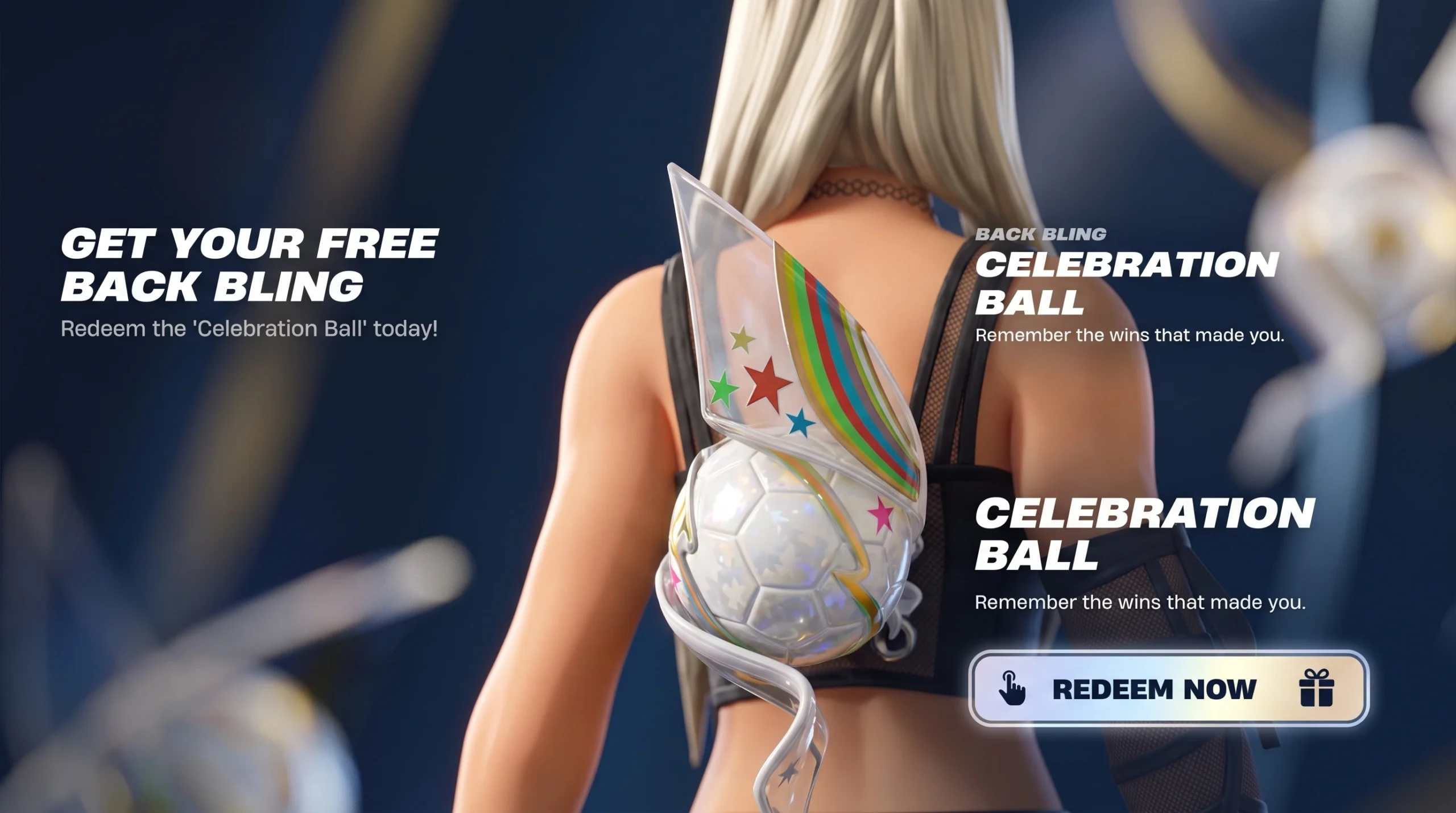
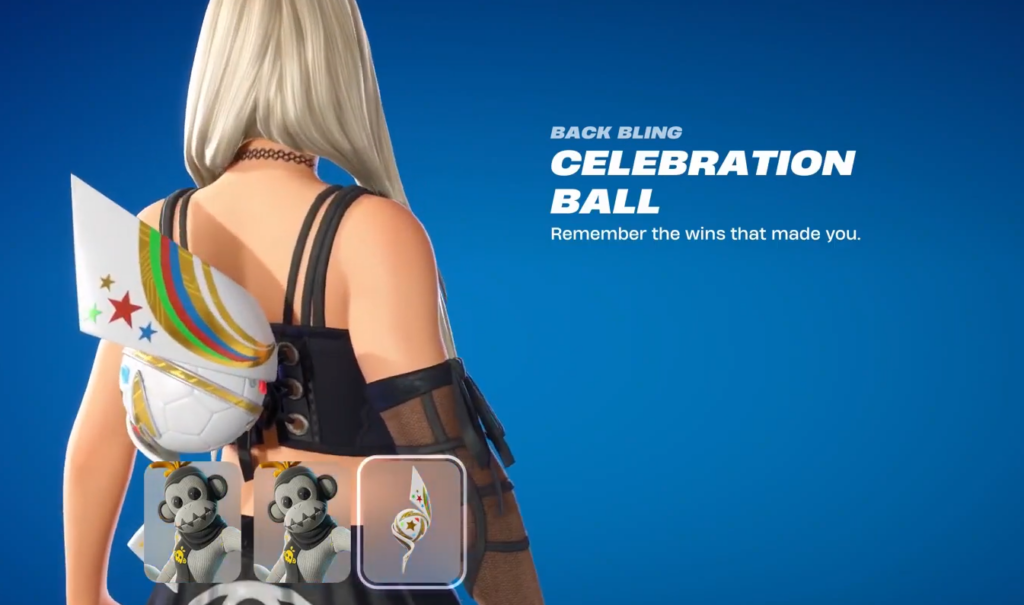
The Celebration Ball is a Rare Back Bling that arrived in Fortnite Chapter 7 Season 3 on June 6, 2026, tied to the run-up to the 2026 Football World Cup. You can add it to your locker without spending a single V-Buck, but only by redeeming an official Fortnite gift card during a fixed promotional window.
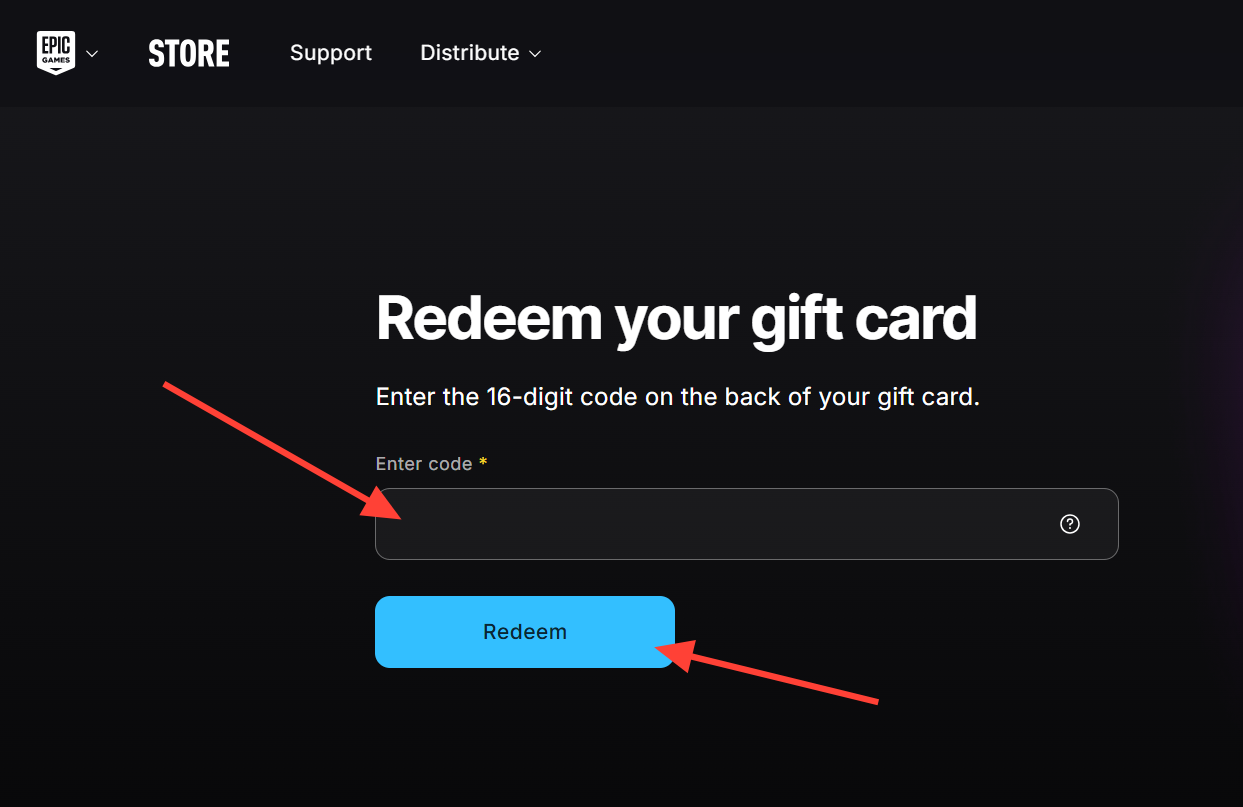
Quick answer: Buy an official Fortnite (Epic Games) gift card, then redeem the 16-digit PIN on the web at Epic’s gift card redemption page using the account you play Fortnite on, before July 19, 2026. The Celebration Ball Back Bling is granted automatically as a free bonus.
Celebration Ball Back Bling promotion details
The cosmetic is a bonus attached to a real-money purchase, not an Item Shop listing. The gift card value still lands in full on your account, and the Back Bling comes on top of it. Redeeming during the active window also returns 20 percent in Epic Rewards, which you can put toward future Epic Games Store purchases.
| Detail | Value |
|---|---|
| Item | Celebration Ball, Rare Back Bling |
| In-game ID | Backpack_OrbTwirl |
| Added | June 6, 2026 (Chapter 7 Season 3) |
| Unlock requirement | Redeem an official Fortnite gift card on the web |
| Promotion window | June 8, 2026 to July 19, 2026 |
| V-Bucks cost | 0 (free bonus) |
| Extra reward | 20% back in Epic Rewards |
| Item Shop availability | Not planned |
What you need before you redeem
Two things decide whether the bonus registers. The card type has to be correct, and the code has to go on the right account. A standard Fortnite (Epic Games) gift card qualifies. A V-Bucks card does not trigger the reward, so check the packaging before you buy.
- An official Fortnite gift card, physical or digital, from a retailer such as Target, Walmart, or Best Buy.
- The Epic Games account you actually play Fortnite on, signed in and owning the game.
- Redemption completed on the web, not through a console storefront.
How to redeem the gift card for the free Back Bling
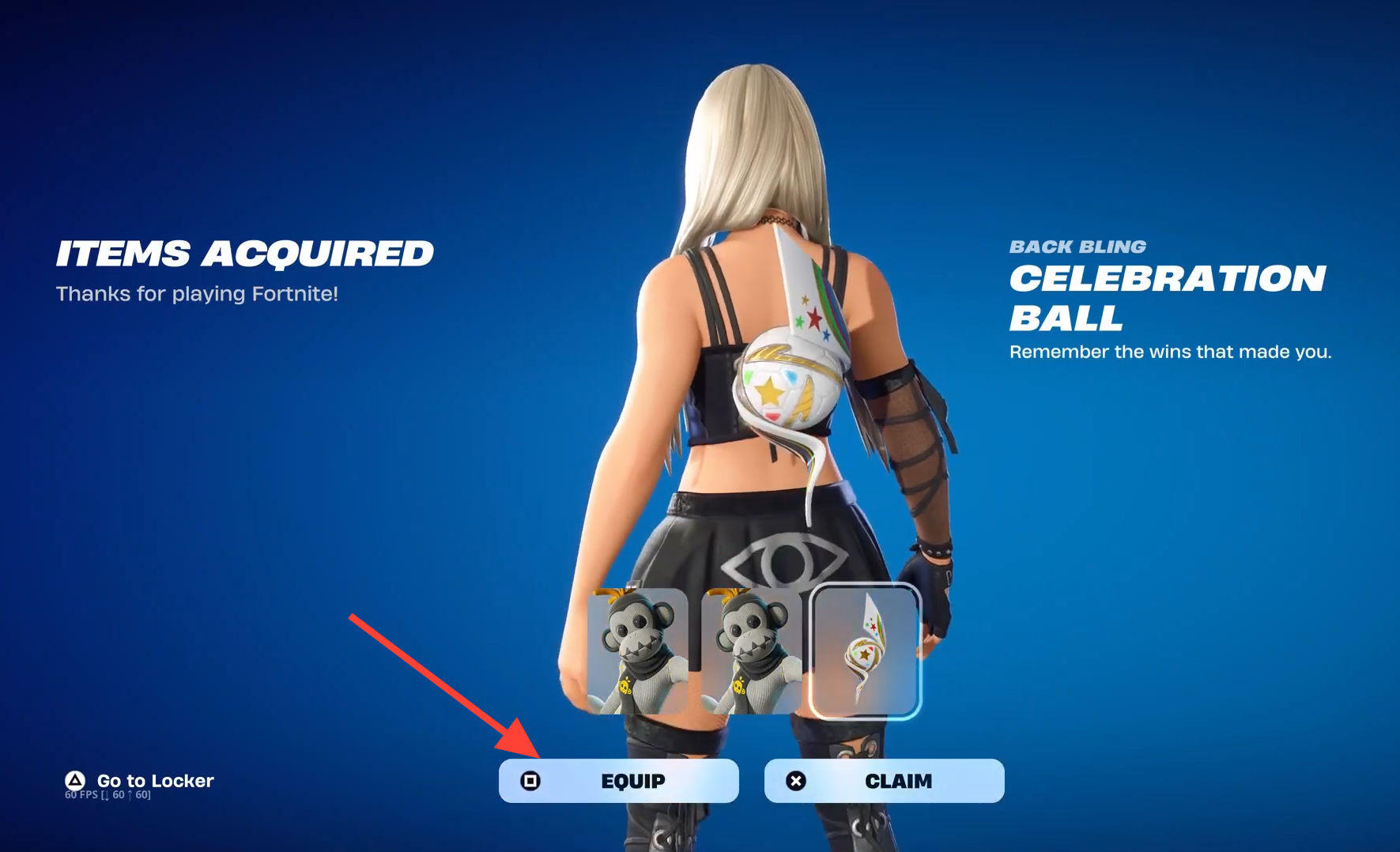
How to confirm the Celebration Ball unlocked
Launch Fortnite and open your Locker. Filter to the Back Bling category and look for the Celebration Ball marked as a Rare item. If it appears there, the bonus applied, and you can equip it on any outfit. As a quick second check, your Epic wallet balance updates immediately with the card value once the code goes through.
Why the bonus might not appear
If the Back Bling is missing after redemption, it usually comes down to one of a few specific reasons.
- You redeemed a V-Bucks card instead of a standard Fortnite gift card. Only the gift card grants the cosmetic.
- The code was applied to a different Epic account than the one you play Fortnite on.
- You entered the PIN through a console storefront, which bypasses the promotion.
- You redeemed after the promotional window closed on July 19, 2026.
Deadline and permanence
The cutoff is strict. Redeem a card even a day after July 19, 2026, and you will still receive the V-Bucks, but the Celebration Ball Back Bling will no longer be granted and is not expected to reach the Item Shop later. Because the item is tied to a real-money promotion around a real-world sporting event, waiting for a store rotation is not a reliable backup plan.
Once it is in your locker, the Back Bling stays there permanently, so there is no match or quest to finish afterward. Pick up a qualifying card, redeem it on the web with your Fortnite account before the deadline, and the Rare cosmetic is yours to equip.