How to Fix Metal Gear Solid Delta: Snake Eater Lagging and Crashing
Resolve persistent lag, crashes, and performance issues in Metal Gear Solid Delta: Snake Eater on PC using targeted troubleshooting steps and recent patch updates.
Resolve persistent lag, crashes, and performance issues in Metal Gear Solid Delta: Snake Eater on PC using targeted troubleshooting steps and recent patch updates.
by Pallav Pathak
Disabling advanced threat protection in antivirus software like Bitdefender immediately resolves launch crashes and setup screen freezes in Metal Gear Solid Delta: Snake Eater. Players report that the game repeatedly fails to start, hangs at the setup screen, or crashes before gameplay begins—especially when certain security features are active.
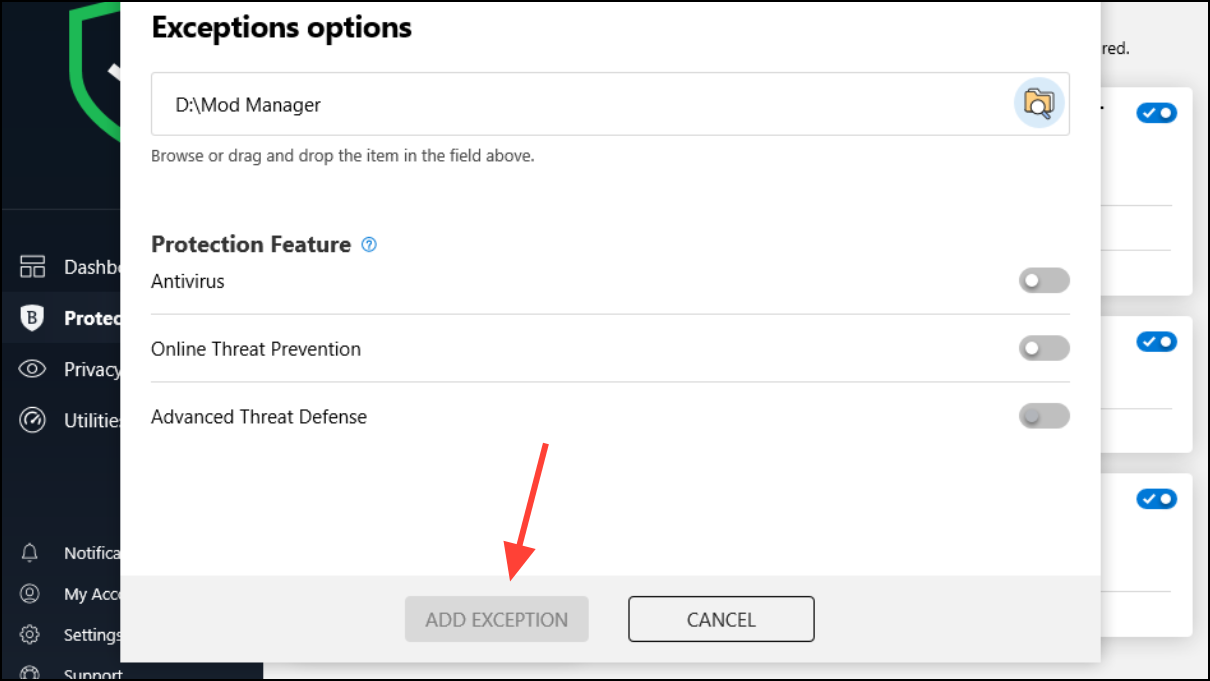
Open your antivirus software (for example, Bitdefender) and navigate to the Advanced Threat Defense or similar real-time protection settings. Temporarily disable advanced protection. Attempt to launch the game. If the game starts and runs normally, the security software is interfering with game files during startup.
For a safer long-term fix, set exclusions for the game’s executable files instead of disabling protection entirely. In Bitdefender, go to Protection > Advanced Threat Defense > Open > Settings > Manage Exceptions, then add exceptions for the following files:
This approach lets you retain most security features while preventing false positives from blocking or quarantining game files.
Update the Game to the Latest Patch
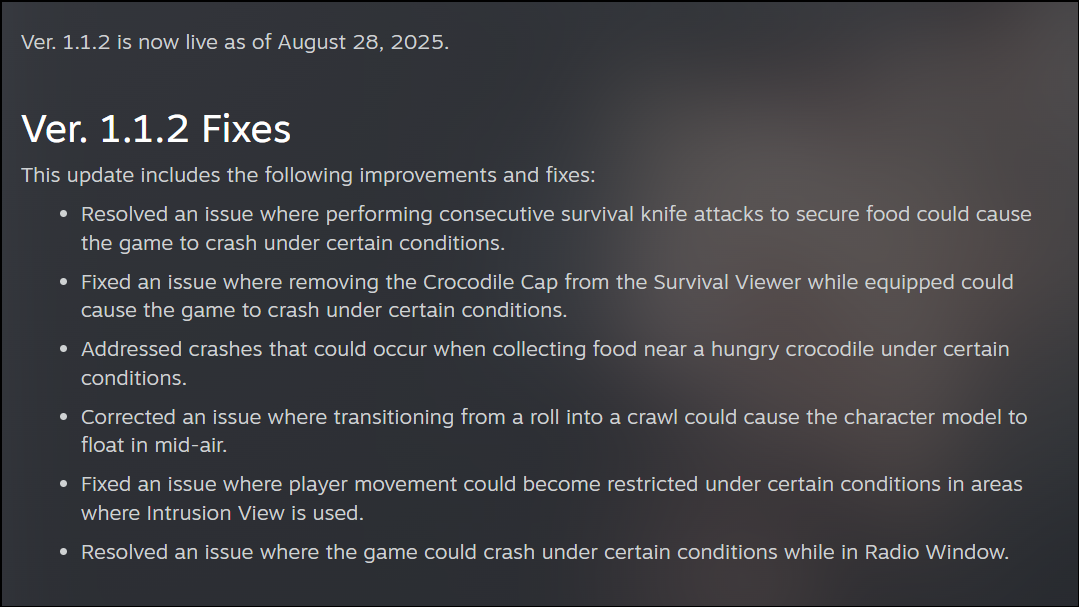
Konami released Update 1.1.2, which directly addresses several crash scenarios and gameplay bugs in Metal Gear Solid Delta: Snake Eater. These include crashes when performing consecutive survival knife attacks, removing the Crocodile Cap, collecting food near crocodiles, and interacting with the Radio Window. The update also fixes restricted movement and floating character model bugs.
Open your game client (such as Steam, PlayStation, or Xbox). Check for available updates for Metal Gear Solid Delta: Snake Eater. Download and install the latest patch (version 1.1.2 or newer).
Restart the game after updating to confirm that stability and performance have improved, especially in sections previously affected by crashes or movement issues.
Adjust Graphics and Performance Settings
Performance dips and lag are frequently reported, even on high-end GPUs like the RTX 5090 or 4090. The game may run at lower frame rates or exhibit stuttering, especially at high resolutions or with all settings maxed out. Unreal Engine 5’s shader buffering and specific rendering modes can cause additional slowdowns.
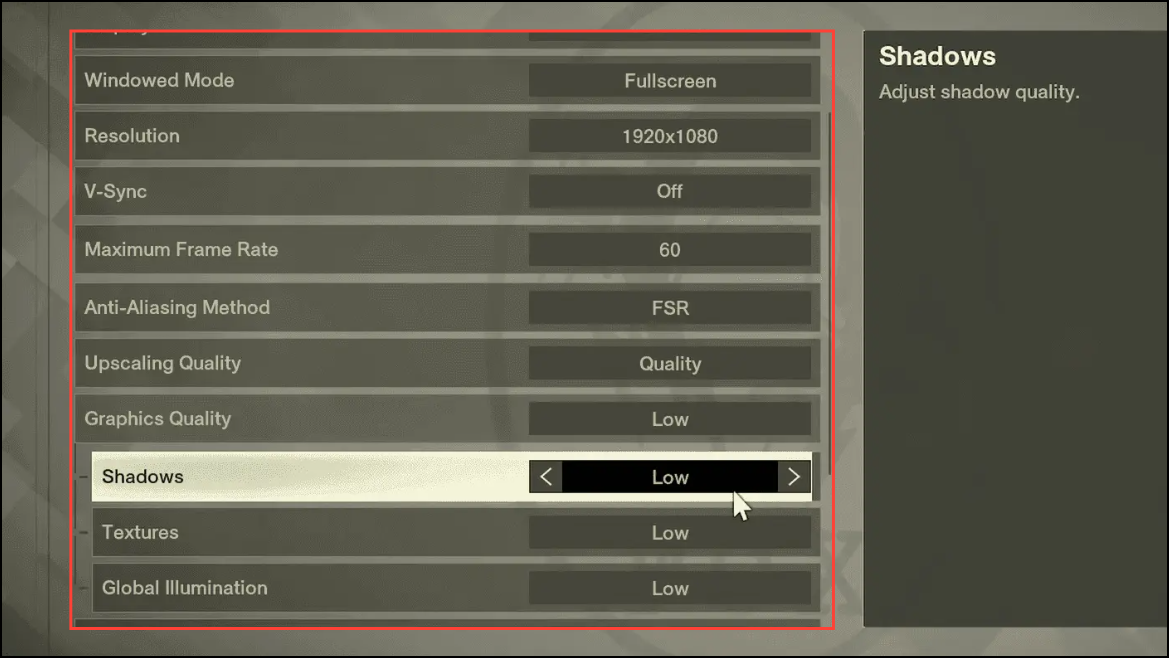
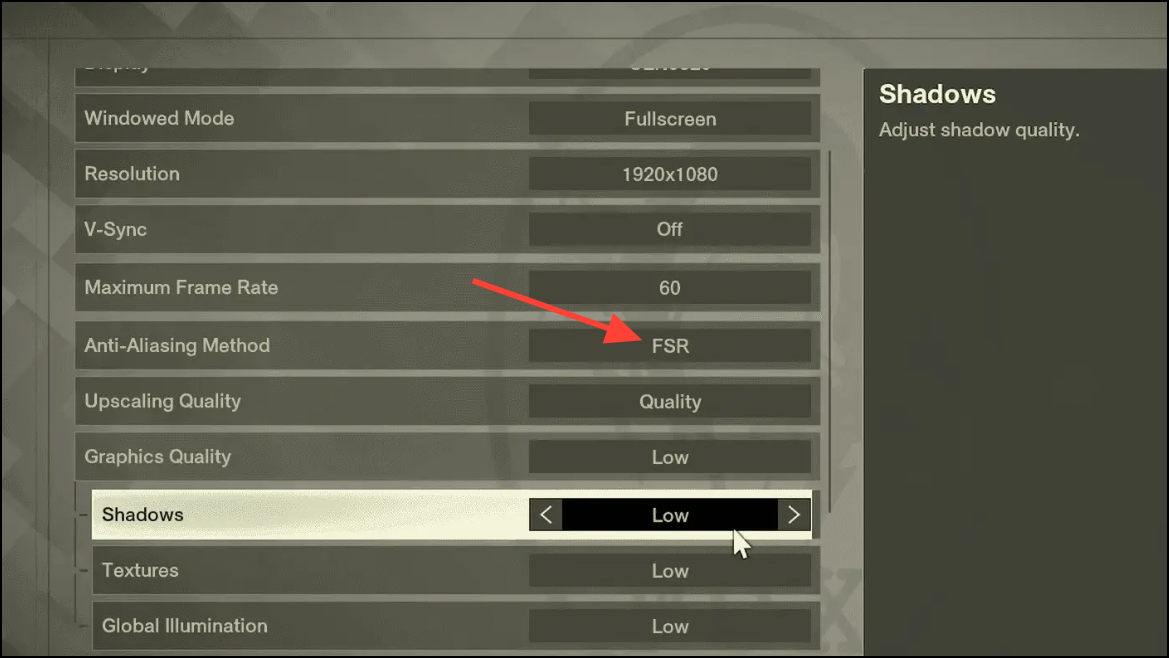
Lower in-game graphics settings from Ultra or High to Balanced or Medium. Focus on reducing global illumination, shadows, and resolution scaling. Disable features like motion blur and depth of field, which can reduce frame rates without major visual improvements.
Enable DLSS or FSR if available, and set it to Balanced or Performance mode to boost frame rates without significant loss of visual quality. For users with frame generation support (such as Nvidia’s 4000 series), activate frame generation and lossless scaling to stabilize performance.
Set a frame rate cap (such as 60 FPS) in the game’s settings to prevent wide fluctuations and input lag. If you experience issues with high refresh rates, limit the refresh rate to 60Hz or 120Hz in both the game and your graphics card’s control panel.
For ultrawide monitors or specific resolution problems, apply any available hotfixes or community patches that address aspect ratio and scaling bugs. Some players report success changing the render mode from DCGI to WGC in lossless scaling tools.
Update Device Drivers and System Software
Outdated or problematic graphics drivers, BIOS firmware, and DirectX runtimes can contribute to crashes and lag in Metal Gear Solid Delta: Snake Eater. Even users with recent hardware sometimes encounter issues due to driver conflicts or missing updates.
Update your motherboard BIOS if you have a known problematic processor model. Visit your manufacturer’s website for instructions and firmware downloads. This step is more advanced; follow manufacturer guidance to avoid system instability.
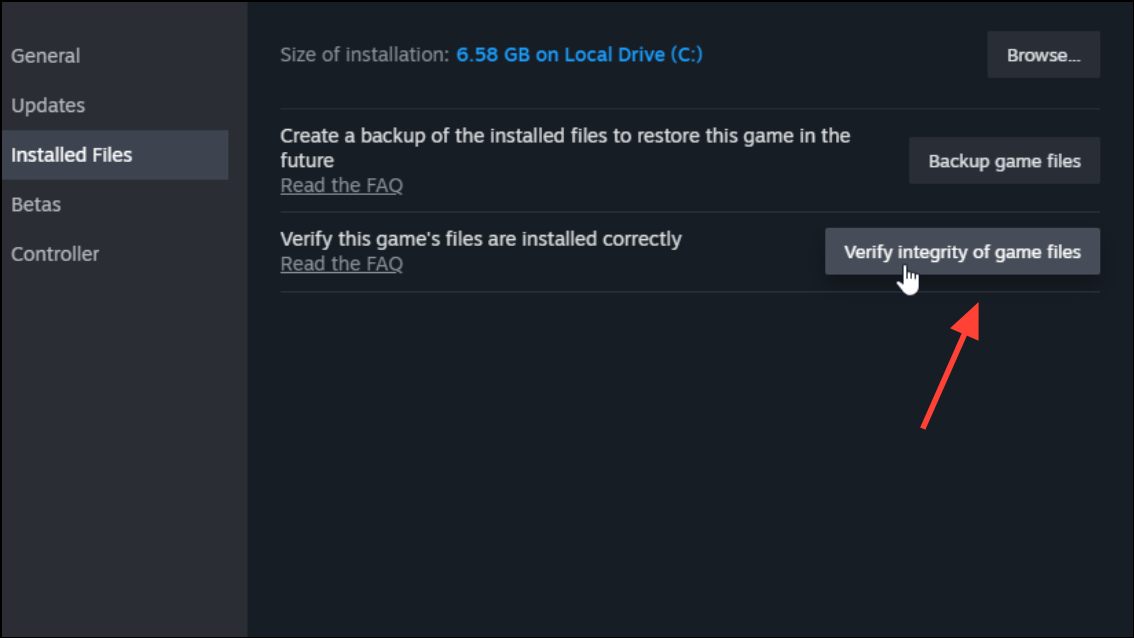
Corrupted or incomplete game files can cause the game to crash or refuse to launch. Verifying the integrity of game files through your platform’s tools can identify and replace damaged files.
In Steam, right-click on Metal Gear Solid Delta: Snake Eater, select Properties > Installed Files > Verify integrity of game files. Allow the process to complete, then relaunch the game.
If repeated verification fails to solve the problem, fully uninstall the game and reinstall it. This can resolve persistent issues stemming from incomplete downloads or file corruption.
Apply Community Optimization Mods and Workarounds
Some users report improved performance and stability after installing optimization mods from trusted sources like Nexus Mods. These mods may adjust in-game shaders, resource allocation, or disable problematic effects.
Search for optimization mods specific to Metal Gear Solid Delta: Snake Eater on reputable modding sites. Read user feedback and installation instructions carefully.
Back up your save files and original game files before applying any mods. Install mods according to provided instructions, then test the game for improved stability or higher frame rates.
Disabling or configuring antivirus software remains the most reliable fix for launch crashes, while updating to the latest patch and tweaking graphics settings can address lag and performance dips. Keeping drivers current and using verified mods provides additional ways to optimize your experience in Metal Gear Solid Delta: Snake Eater.