
“Error 633 – the modem (or other connecting device) is already in use or is not configured properly” appears when attempting to establish a VPN connection or use a modem in Windows. This issue is typically caused by a conflict over TCP port 1723, which is required for PPTP VPN connections, or by multiple processes attempting to access the same device. The result: VPN or modem connections fail until the conflict is resolved.
Reserve TCP Port 1723 for VPN Connections
Windows + R, typing regedit.exe, and pressing Enter. If prompted by User Account Control, approve the action.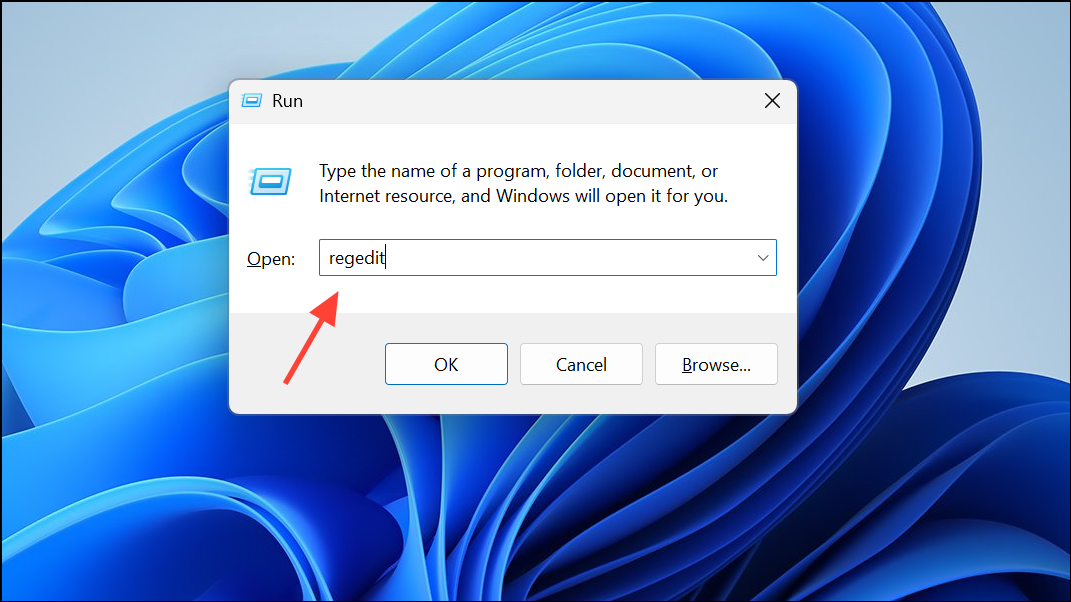
HKEY_LOCAL_MACHINE\SYSTEM\CurrentControlSet\Services\Tcpip\Parameters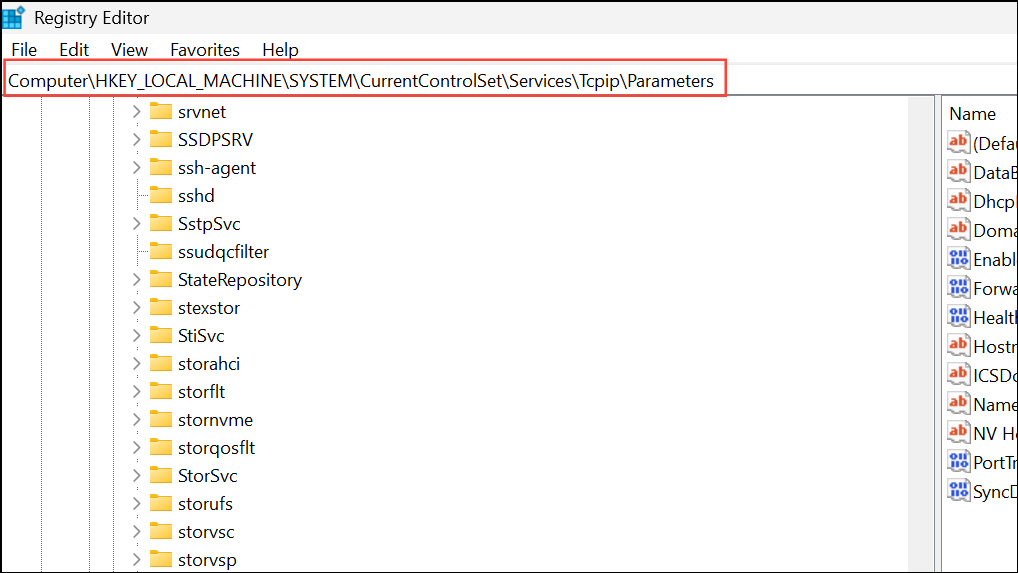
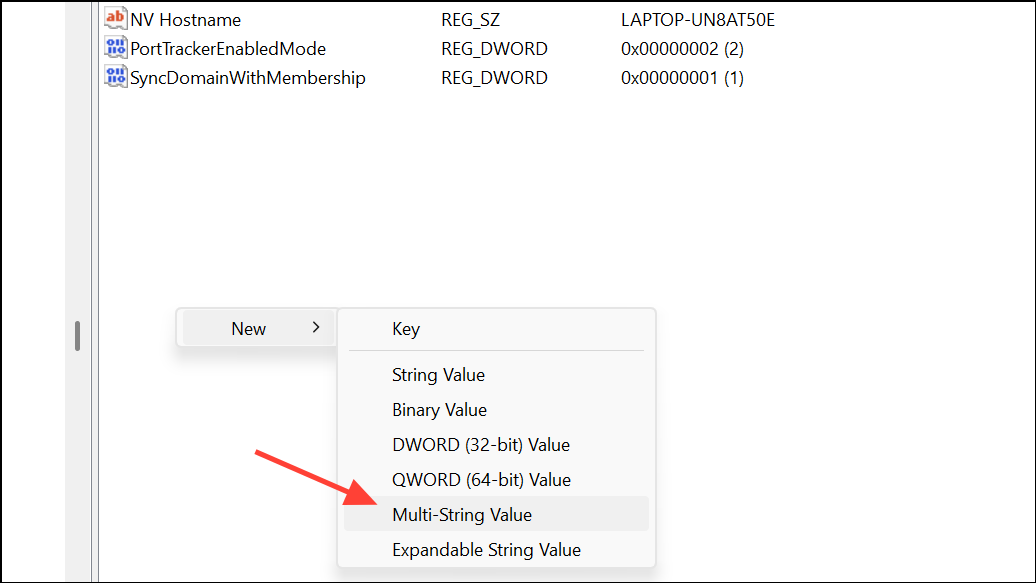
ReservedPorts, and in the Value data field, enter 1723-1723 to reserve the port for VPN use. Click OK and close the Registry Editor.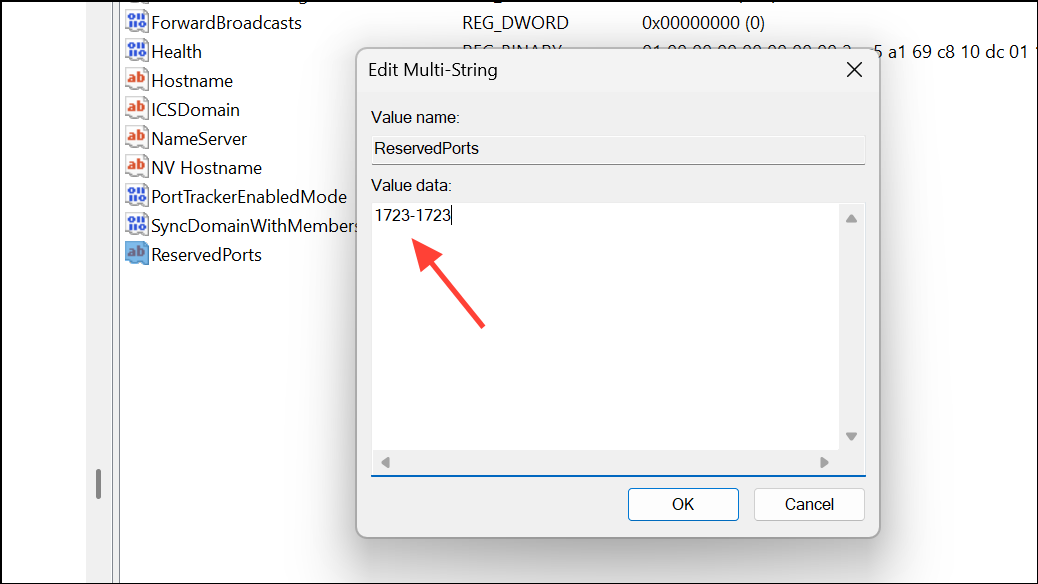
Identify and Stop Processes Using Port 1723
cmd and selecting Run as administrator.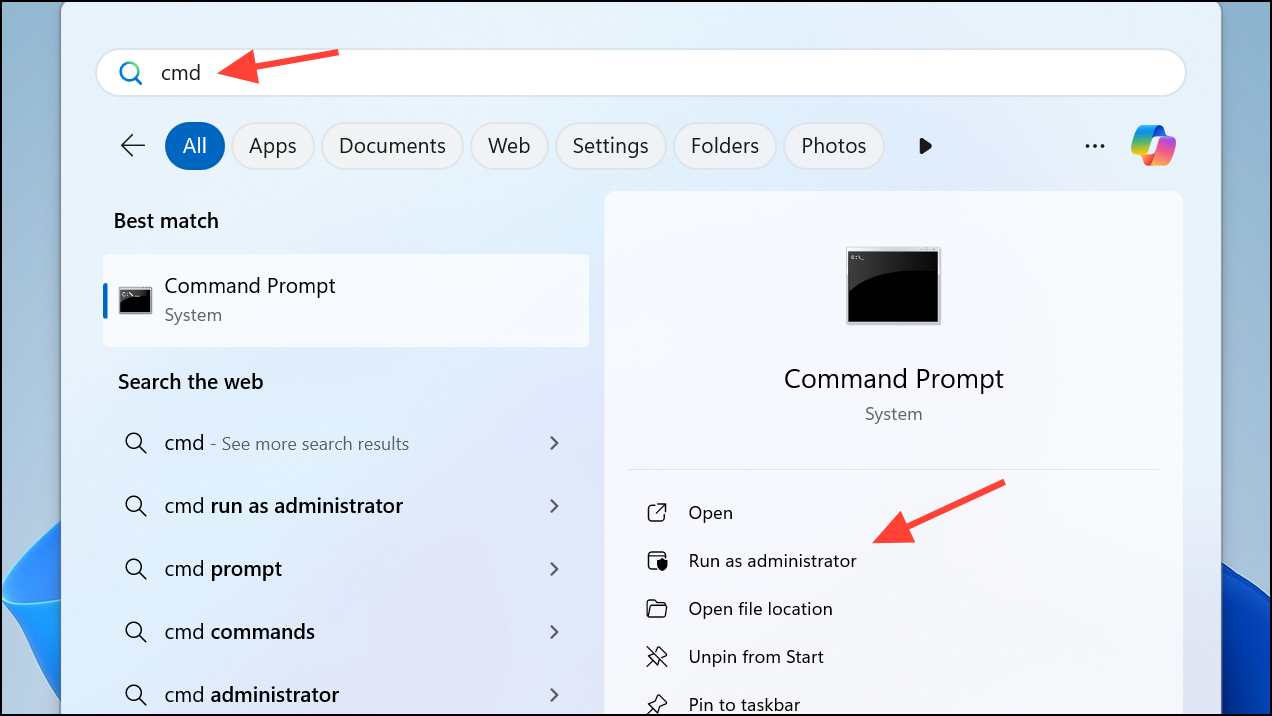
netstat -aon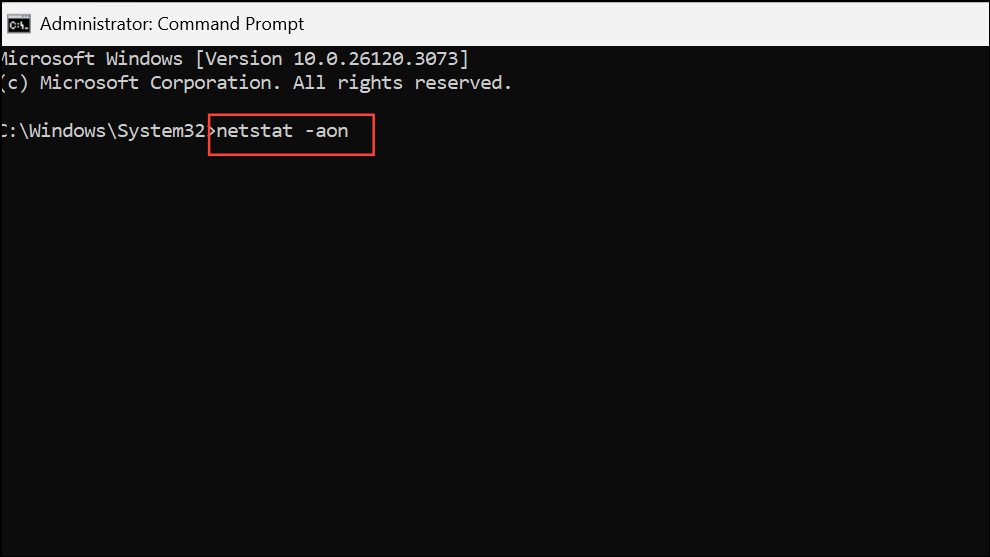
This lists all active TCP and UDP connections, including the local port number and associated process ID (PID).
:1723. Note the PID in the last column for that entry.taskkill /PID [PID] /F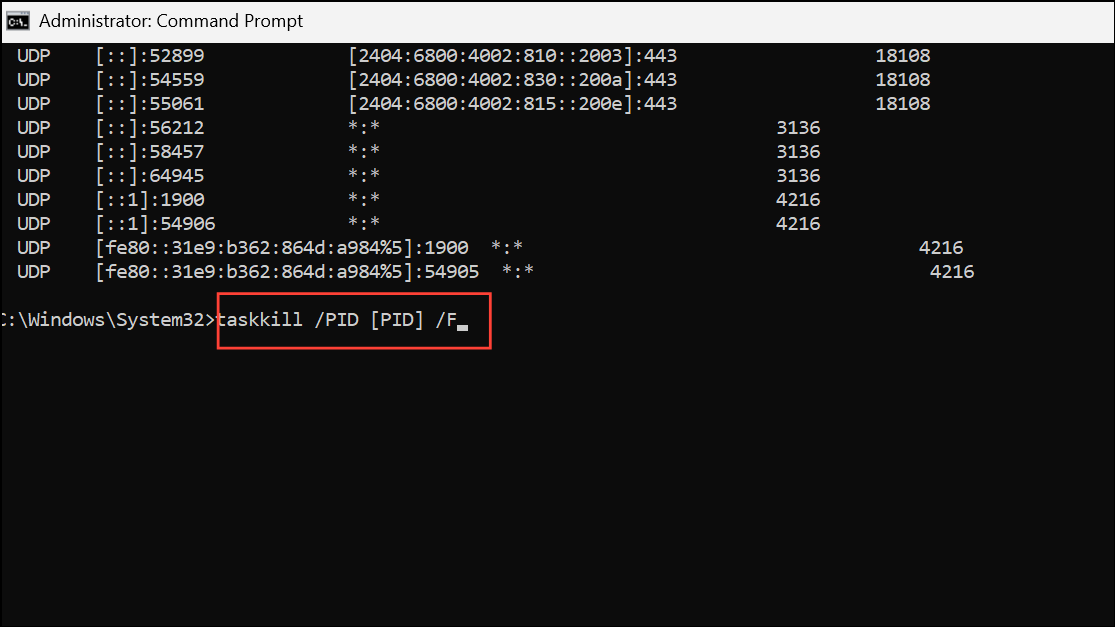
Replace [PID] with the process ID you identified. The /F flag forces the process to end. Closing the conflicting process frees up port 1723 for your VPN connection.
Remove and Reinstall WAN Miniport Adapters
Virtual WAN Miniport adapters can sometimes become misconfigured, especially after driver changes or failed VPN sessions. Resetting these adapters can resolve Error 633.
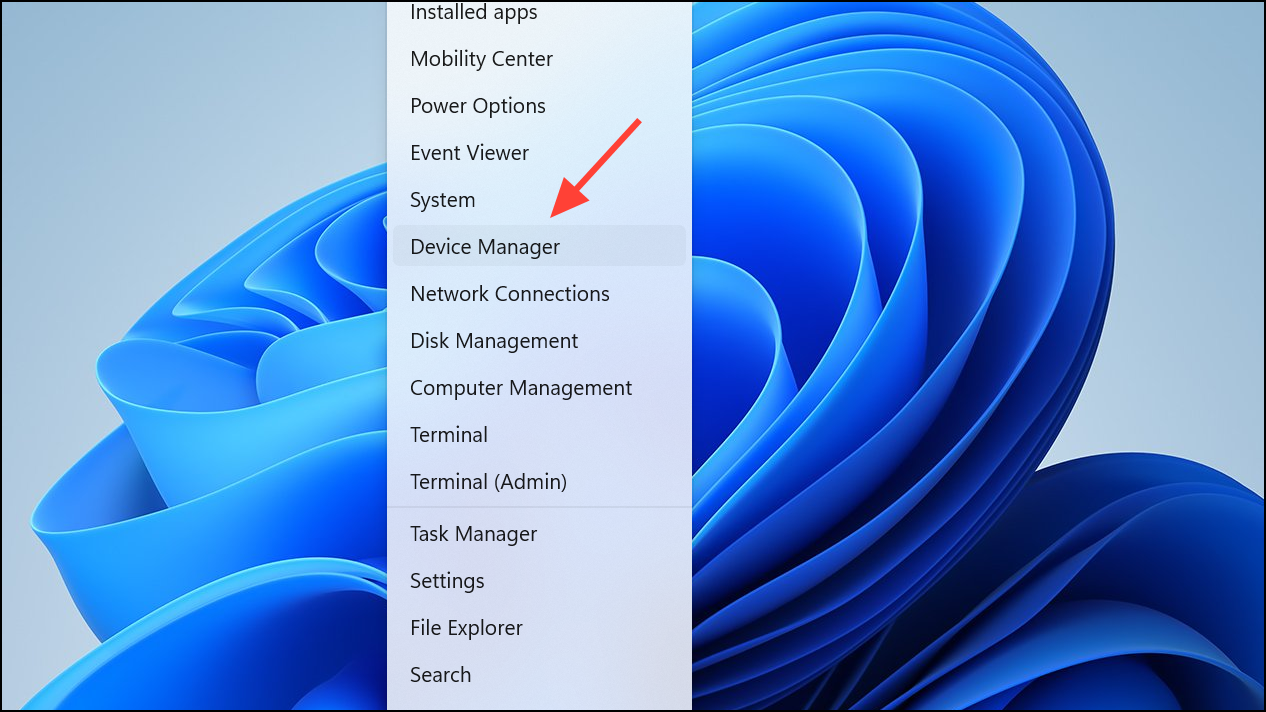
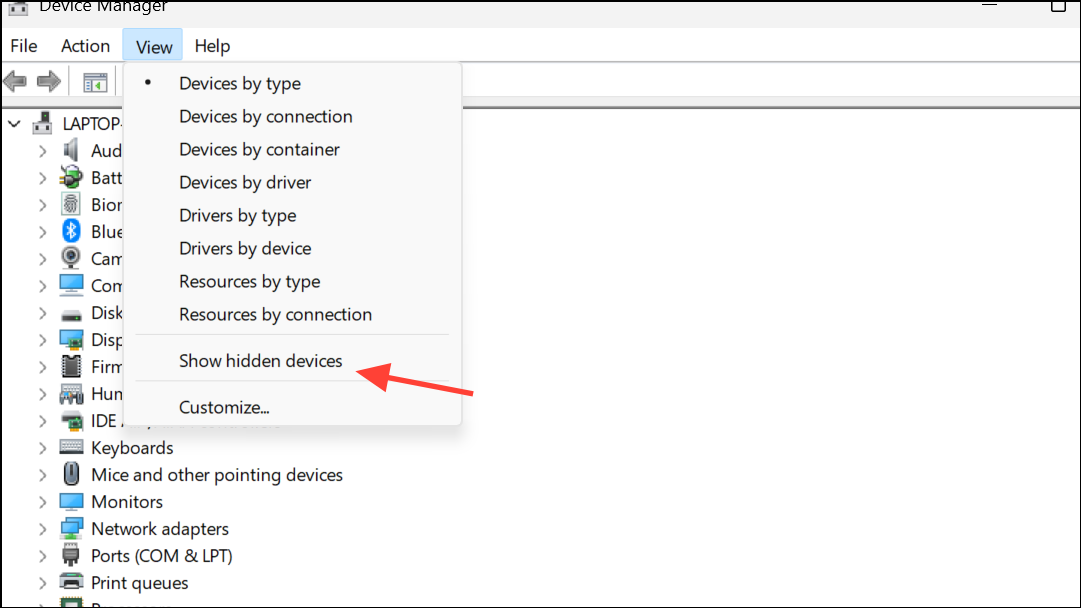
Network adapters section and locate WAN Miniport entries (such as WAN Miniport (PPTP), WAN Miniport (L2TP), etc.).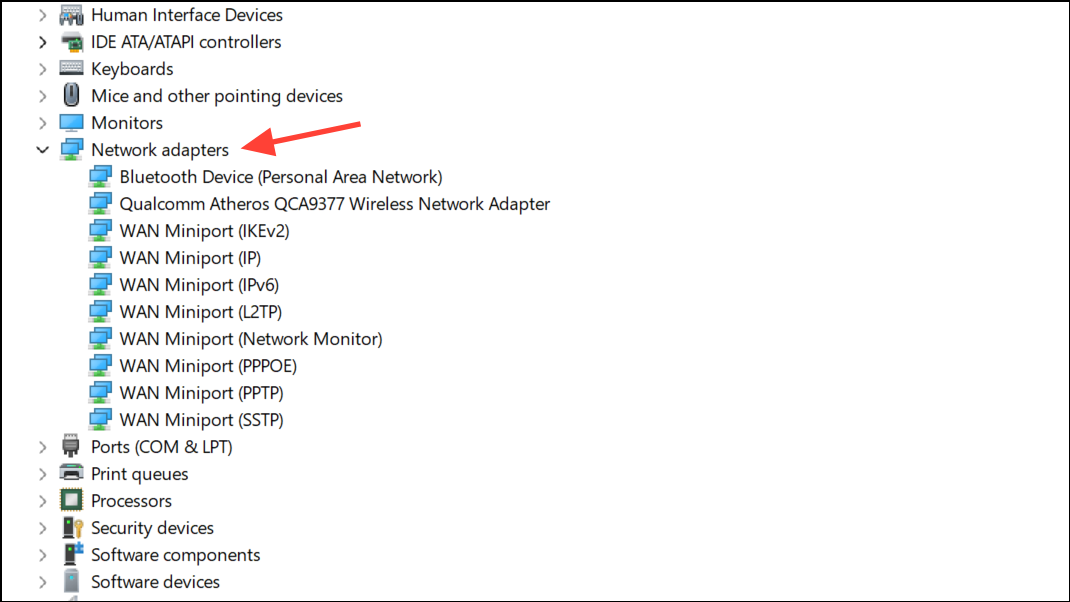
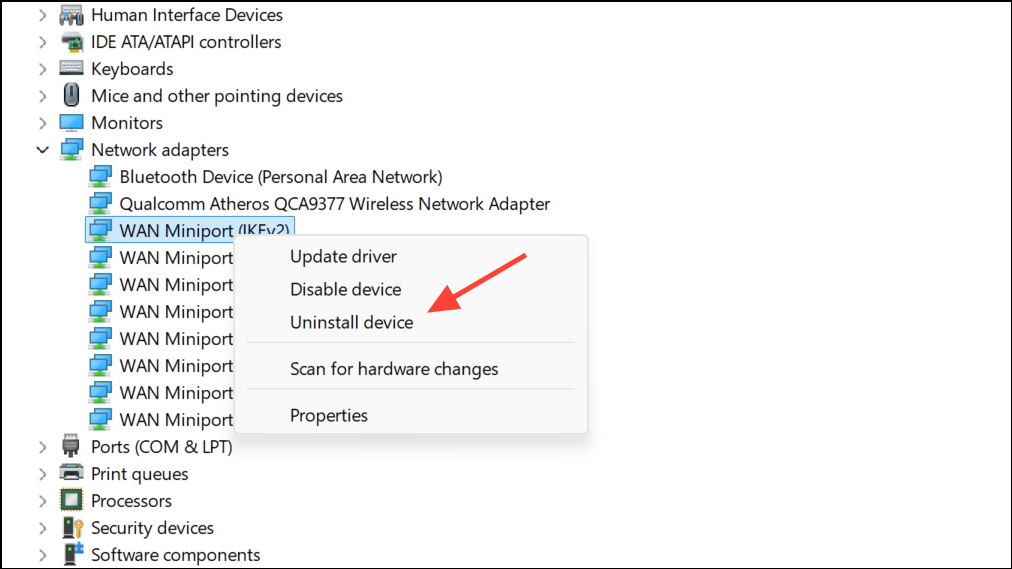
Action > Scan for hardware changes in Device Manager. Windows will automatically reinstall the WAN Miniport adapters with default settings.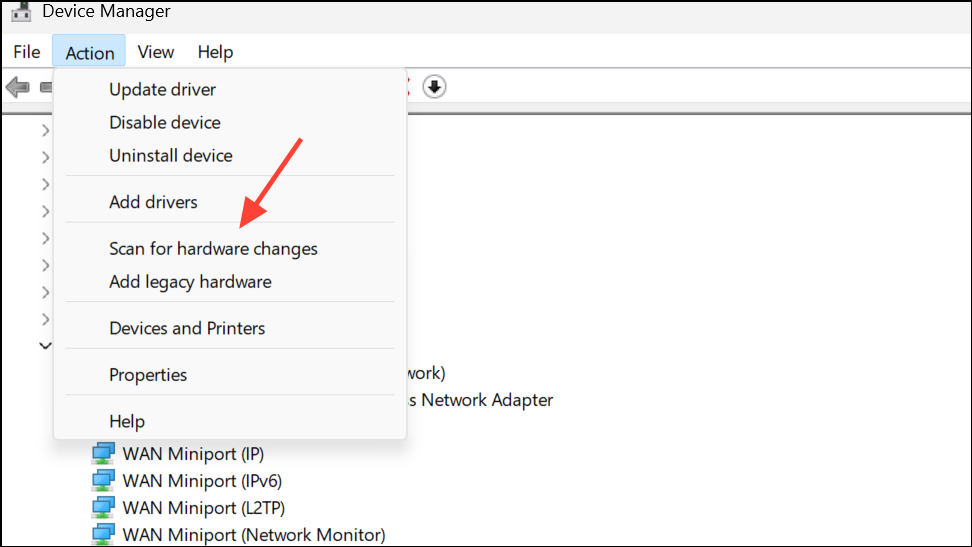
Restart the Computer
Sometimes, a simple restart can clear temporary conflicts where a previous VPN or modem session has not released the port or device properly. After rebooting, try to establish your connection again. This method is quick and frequently resolves transient issues without further troubleshooting.
Check VPN Connection Limits and Device Configuration
Windows restricts the number of concurrent VPN sessions, usually to two. Attempting to start multiple VPN connections can trigger Error 633. To check the current limit, open Command Prompt and run:
netsh ras show wanports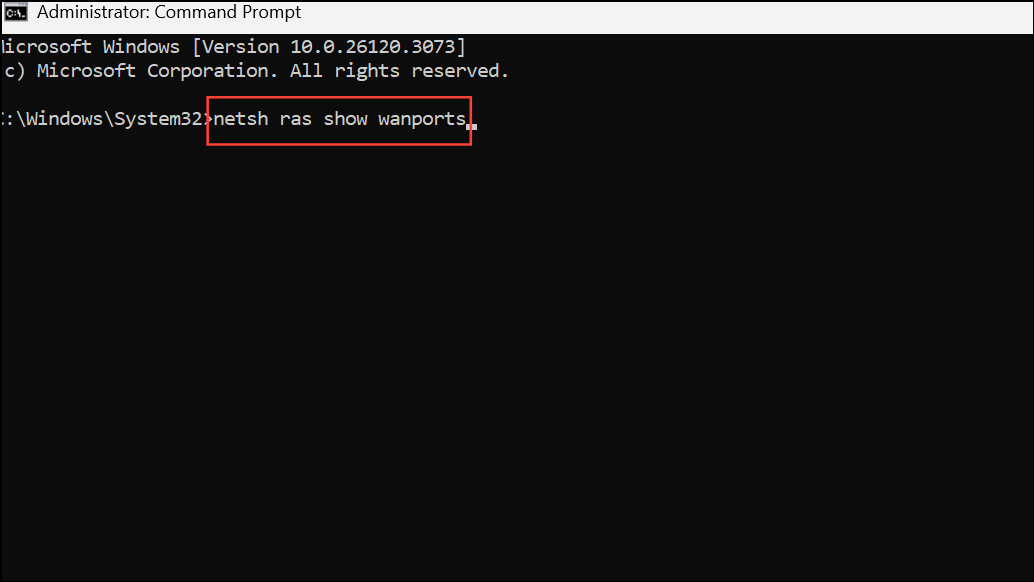
If you need more simultaneous connections, increase the maximum ports for your WAN Miniport device by running:
netsh ras set wanports device="WAN Miniport (L2TP)" maxports=3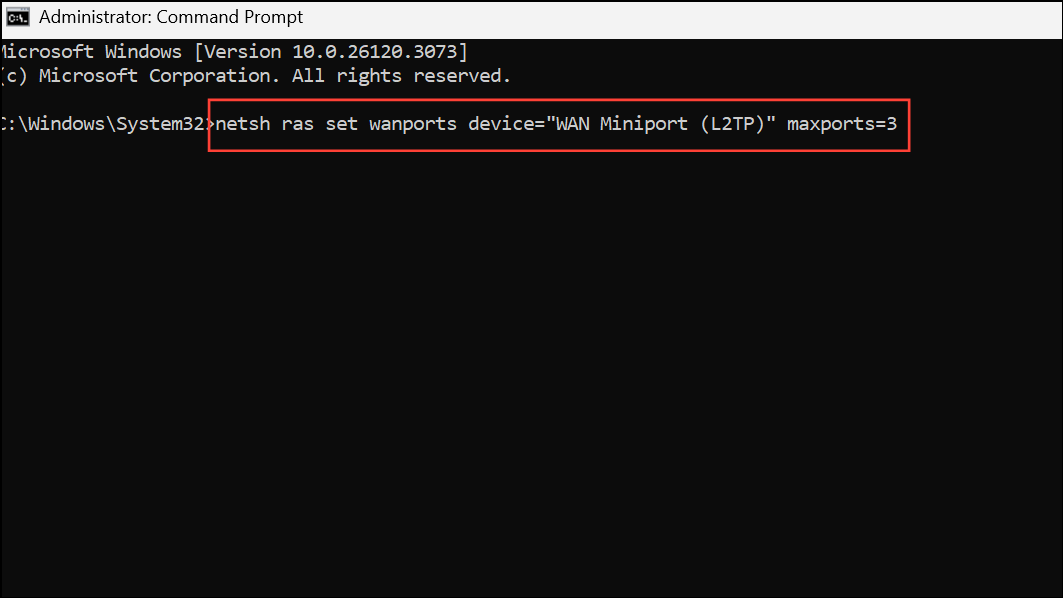
Replace WAN Miniport (L2TP) with the adapter type you use. Restart for changes to take effect.
Resolving Error 633 restores reliable VPN or modem connectivity by preventing port conflicts and device misconfiguration. Regularly updating drivers and reviewing device settings helps avoid recurrence of this issue.





