
Adaptive triggers on PlayStation controllers can create a noticeable resistance when pulling the triggers, which some players find distracting or even disadvantageous during fast-paced multiplayer matches in Battlefield 6. Disabling this feature on PC, however, is not as straightforward as it is on PlayStation consoles, and the in-game settings currently lack a direct toggle. Here’s how you can turn off adaptive triggers using the most effective available workarounds.
Using Steam Input to Disable Adaptive Triggers
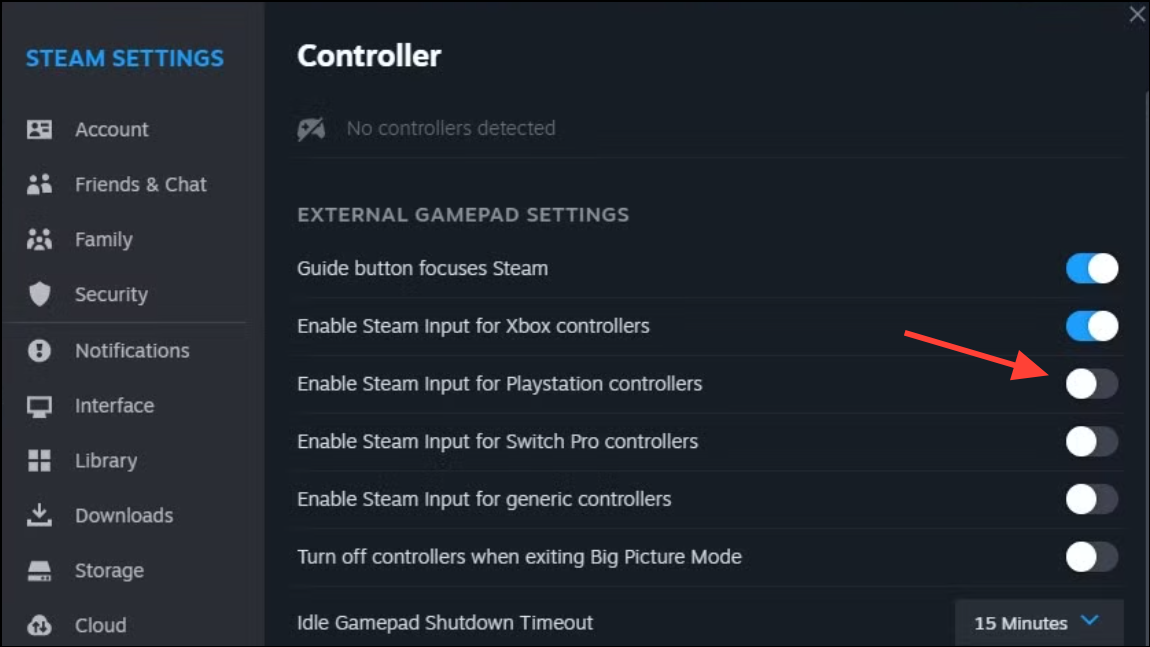
Steam > Settings > Controller. In the Controller settings, look for the option labeled “General Controller Settings.” This area allows you to manage how Steam interprets your connected controllers.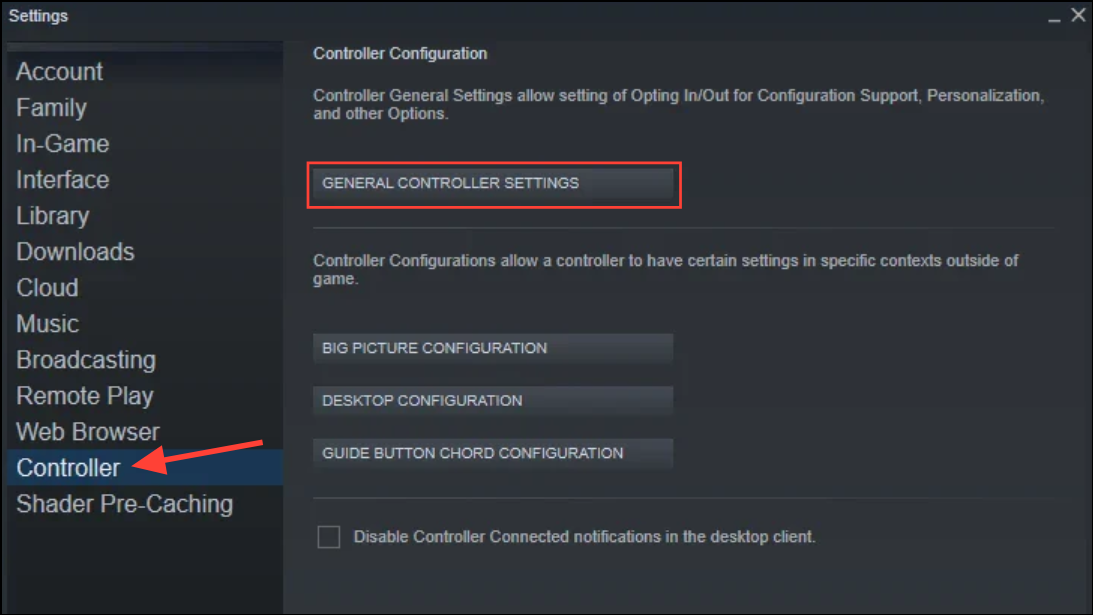
Properties. Go to the “Controller” tab and set “Override for Battlefield 6” to “Enable Steam Input.”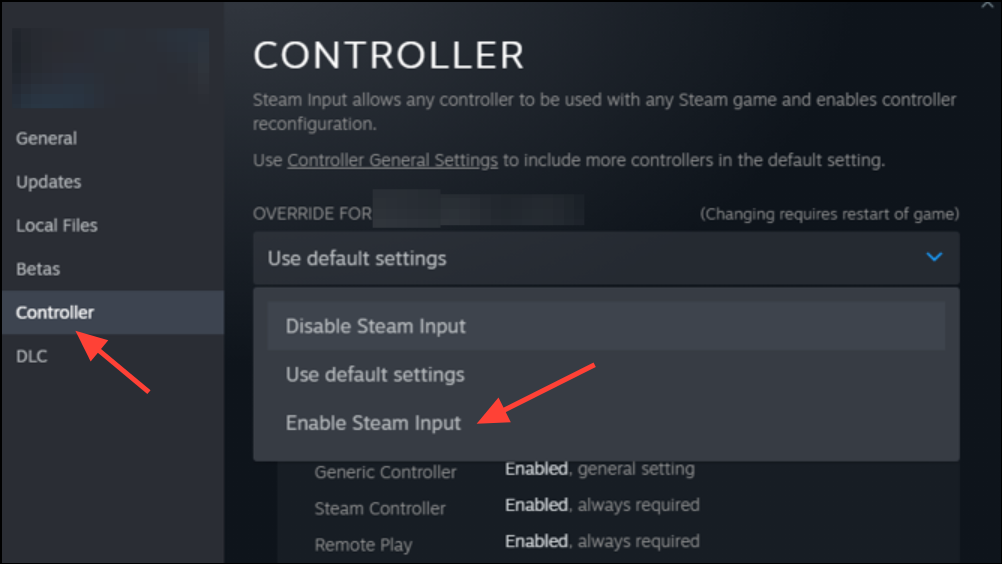
Steam > Settings > Controller > Desktop Configuration and select your controller. Look for any settings related to “Trigger Haptics” or “Trigger Effect Intensity” and set them to “Off” if available.Alternative Method: Using Third-Party Software (SignalRGB)
Other Workarounds and Limitations
Some users have attempted to reduce the impact of adaptive triggers by adjusting trigger dead zones or travel settings in the controller’s hardware configuration (such as on a DualSense Edge controller). Lowering the trigger travel can minimize resistance, but does not fully disable adaptive triggers.
Currently, Battlefield 6 does not offer an in-game setting to disable adaptive triggers when using PlayStation controllers on PC. While PlayStation consoles allow you to turn off adaptive triggers through system settings, this menu is not accessible on PC. If you play through the EA App instead of Steam, these workarounds may not be available, and you may need to wait for a future update or hotfix from the developers.
For those using PlayStation controllers via Bluetooth, Steam Input typically still works, but some users report inconsistent results. If you continue to experience issues, consider using a wired connection or checking community forums for updates and new solutions.
Disabling adaptive triggers in Battlefield 6 on PC requires a bit of setup through Steam Input or third-party software, as there’s no native toggle yet. Keep an eye on game updates, as a direct option may be added in future patches.





