Capture enough Pals, and your Palbox fills up fast, leaving no room for stronger catches. Palworld does not let you release a captured Pal back into the wild, so clearing space means either selling the ones you don’t want or butchering them. Selling is the more practical choice because it hands you gold on the way out.
Quick answer: Open the trade menu of a Pal Merchant or Black Marketeer, pick Sell contraband, check the Pals you want gone, and confirm the sale for gold. To remove them permanently for free instead, craft and equip the Meat Cleaver, then use the Butcher command on a summoned Pal.

Sell Pals to a merchant for gold
Selling is the recommended method. You free up Palbox slots and pocket currency you can spend on better Pals. Two vendors buy the Pals you no longer need. A Pal Merchant sits in a guarded house at the Small Settlement west of the Plateau of Beginnings, while Black Marketeers set up in unmarked spots off the beaten path and will take even rare or restricted Pals.
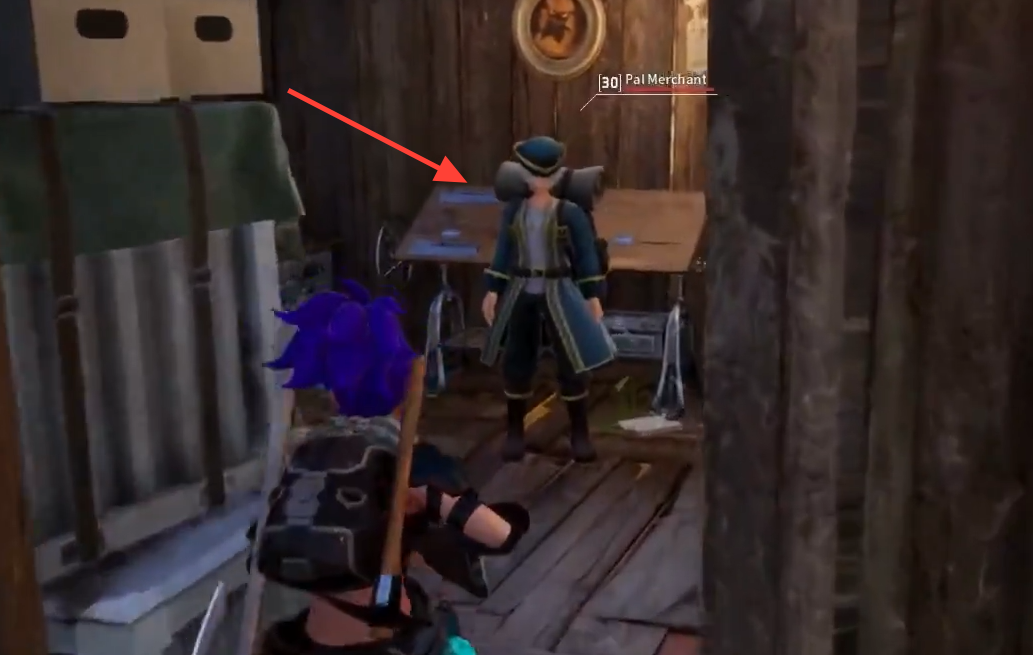
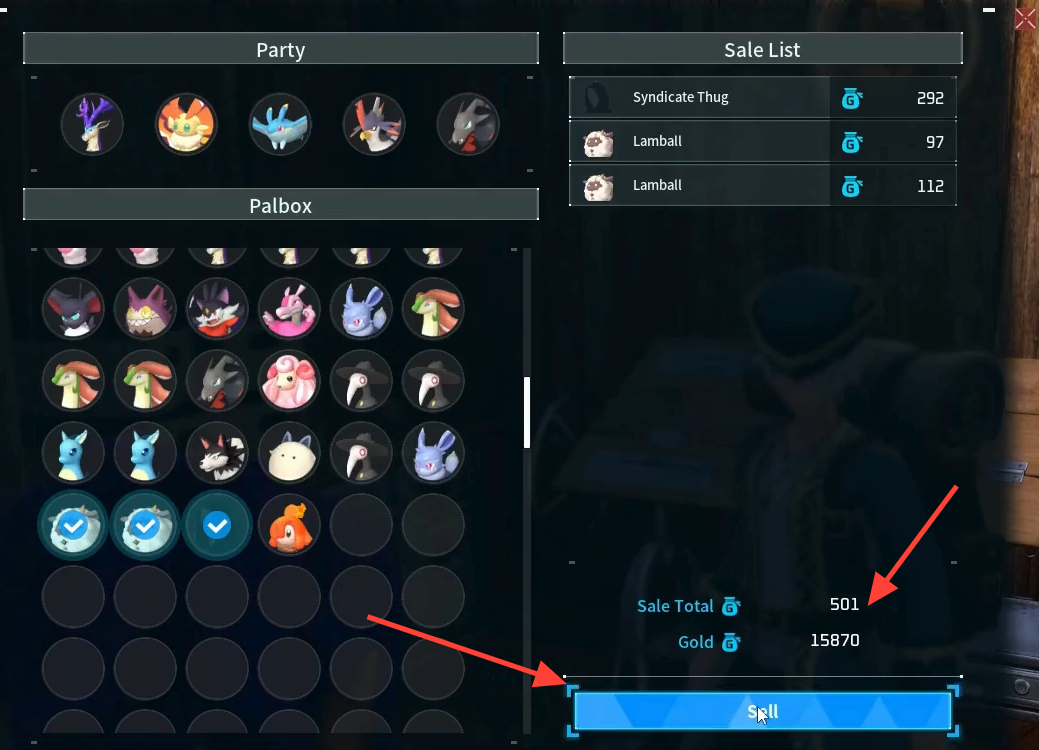
The same vendors also sell Pals. After clearing space, you can switch to the Buy tab to pick up contraband entries like Vixy, Mau, or Robinquill if you have the gold.
Butcher Pals with the Meat Cleaver
Butchering removes a Pal permanently and cannot be undone. It returns the same materials you would get from capturing the Pal in the world and gives no gold, so use it only when you don’t want to trek to a vendor. You first need to unlock and craft the Meat Cleaver.
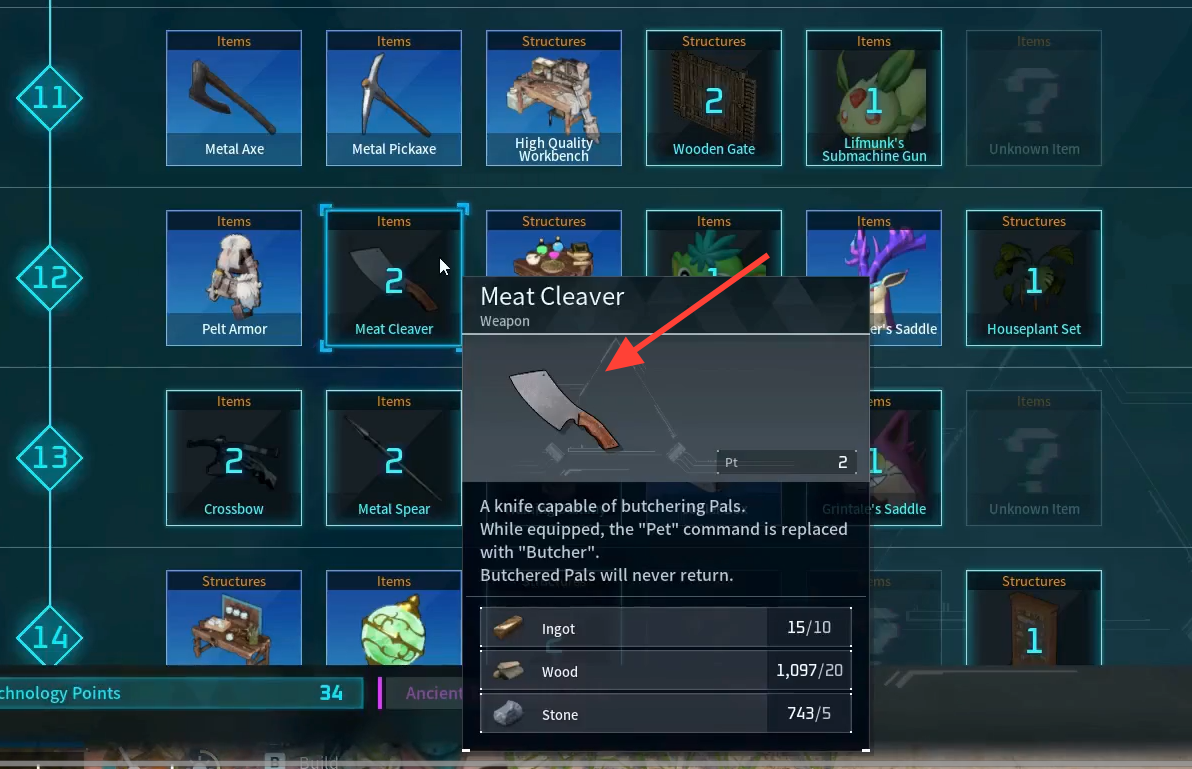
| Material | Amount |
|---|---|
| Ingot | 5 |
| Wood | 20 |
| Stone | 5 |
Selling vs. butchering
| Factor | Sell | Butcher |
|---|---|---|
| Reward | Gold per Pal | Only the capture materials |
| Tools needed | None | Meat Cleaver (Tier 12 tech) |
| Where | Pal Merchant or Black Marketeer | Anywhere, on a summoned Pal |
| Reversible | No | No |
You’ll know the removal worked when the Pal disappears from your Palbox grid, and the freed slot opens up for new captures. With selling, the gold total updates the moment you confirm. With butchering, the summoned Pal vanishes on the spot. Since both methods are permanent, double-check your selection before confirming, and lean on selling whenever you can reach a vendor so you walk away with gold as well as free space.