Figma’s AI-powered features automate repetitive design tasks that previously slowed down project timelines. By leveraging these tools, teams and solo designers can quickly rename layers, rewrite or translate text, and remove image backgrounds with just a few clicks. These improvements not only reduce manual effort but also maintain organized, professional design files—making collaboration and iteration faster and more reliable.
Rename Layers Automatically in Figma
Unlabeled or poorly named layers can make complex design files difficult to navigate, especially in collaborative environments. Figma’s AI-driven layer renaming tool solves this by contextually assigning meaningful names to your layers, based on their contents and relationships within the design.
Rename layers. Alternatively, click Actions in the toolbar and select Rename layers, or open the quick actions menu and type Rename layers.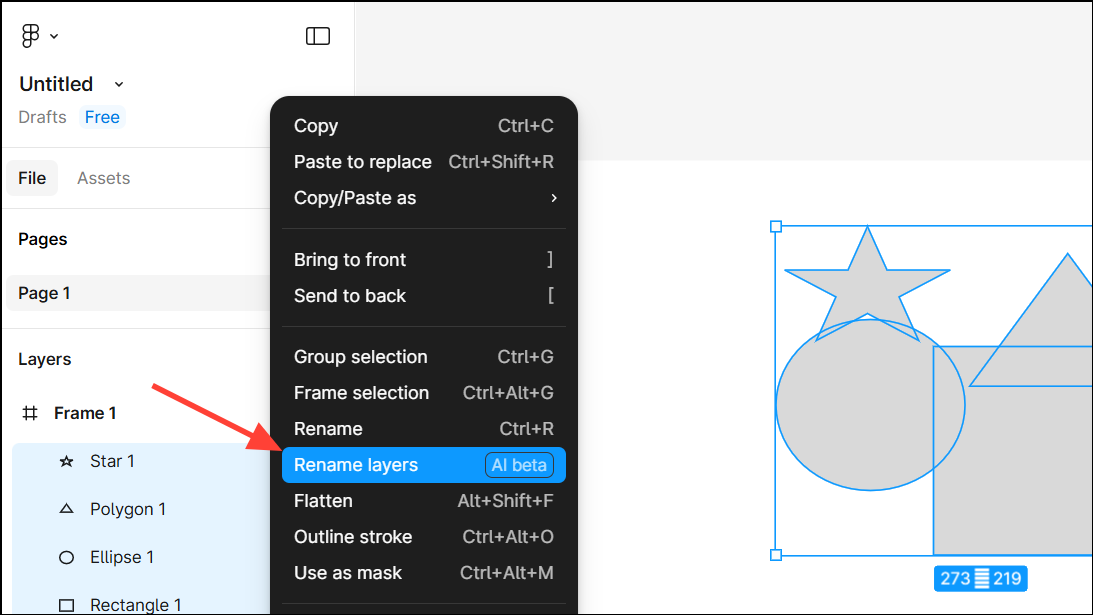
No layers need renaming message. You can override this by selecting Rename anyway to apply new names.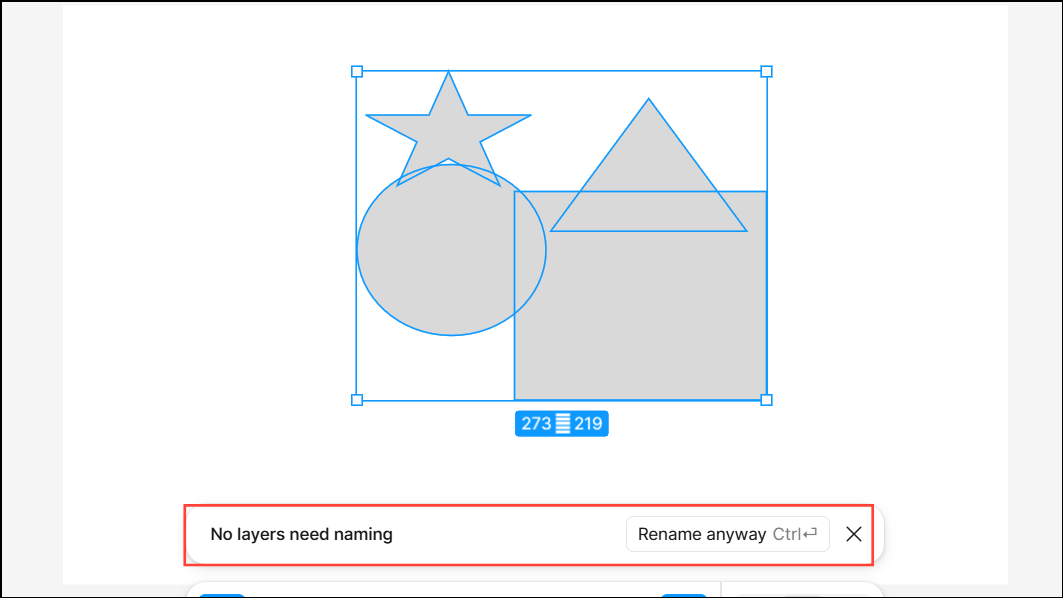
Automated layer naming significantly reduces the time spent organizing files and ensures consistency, which is crucial for handoffs and future edits.
Rewrite or Translate Text Instantly in Figma
Manual copywriting and localization can slow down design cycles, especially for projects targeting multiple regions or requiring frequent content updates. Figma’s AI text tools allow you to rewrite, shorten, or translate text directly within your design mockups, making the process efficient and context-aware.
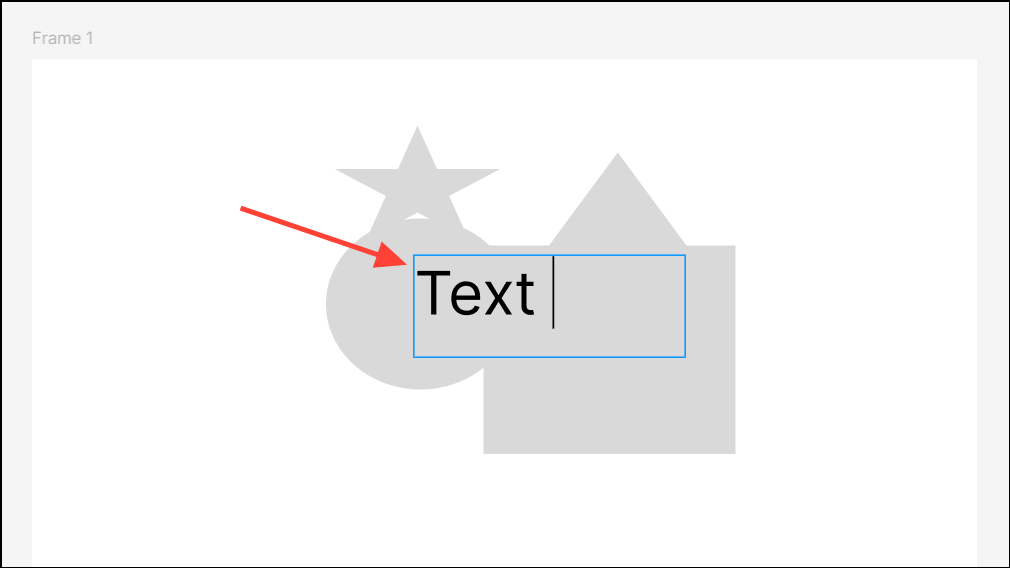
Rewrite thisto adjust tone, fix grammar, or generate new content from a prompt.Shortento condense long text for tighter layouts or concise messaging.Translate to...to convert your text into another language, previewing how your design will appear for global audiences.
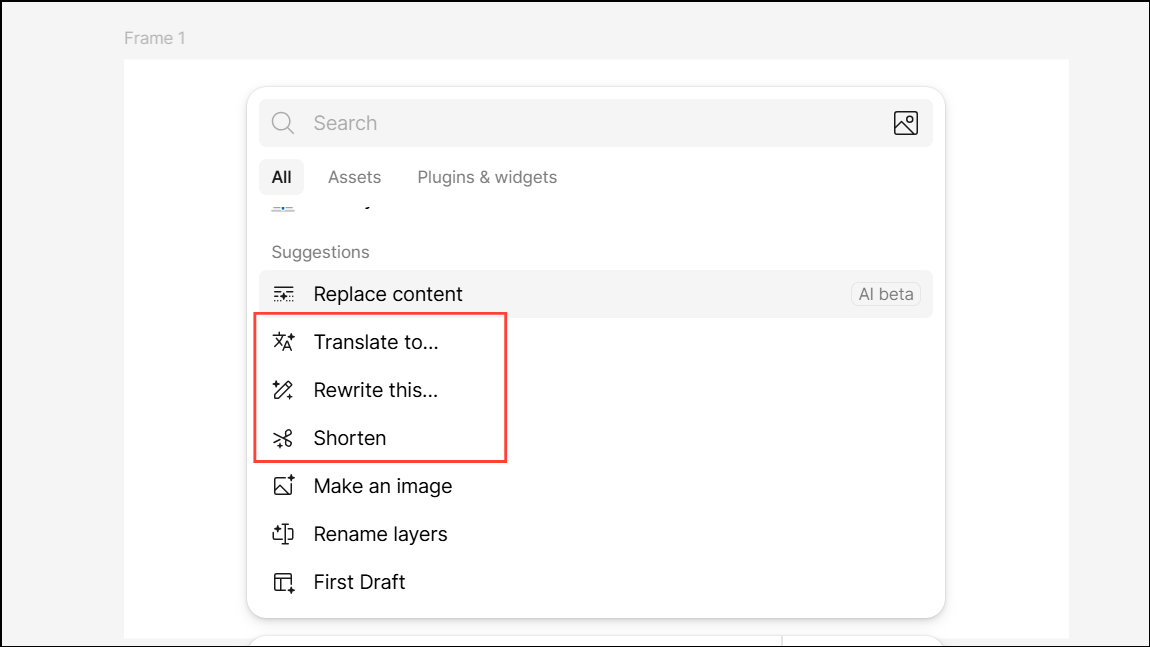
These features optimize the copy workflow, support rapid localization, and ensure your design content is always up to date and audience-appropriate.
Remove Image Backgrounds Automatically in Figma
Isolating subjects from backgrounds in images is a common but tedious task, often requiring external editing tools or plugins. Figma’s AI-powered background removal tool brings this functionality directly into your design environment, saving time and maintaining consistency across assets.
Actions in the toolbar and choose Remove background. Figma’s AI will process the image and isolate the main subject, removing the background in seconds.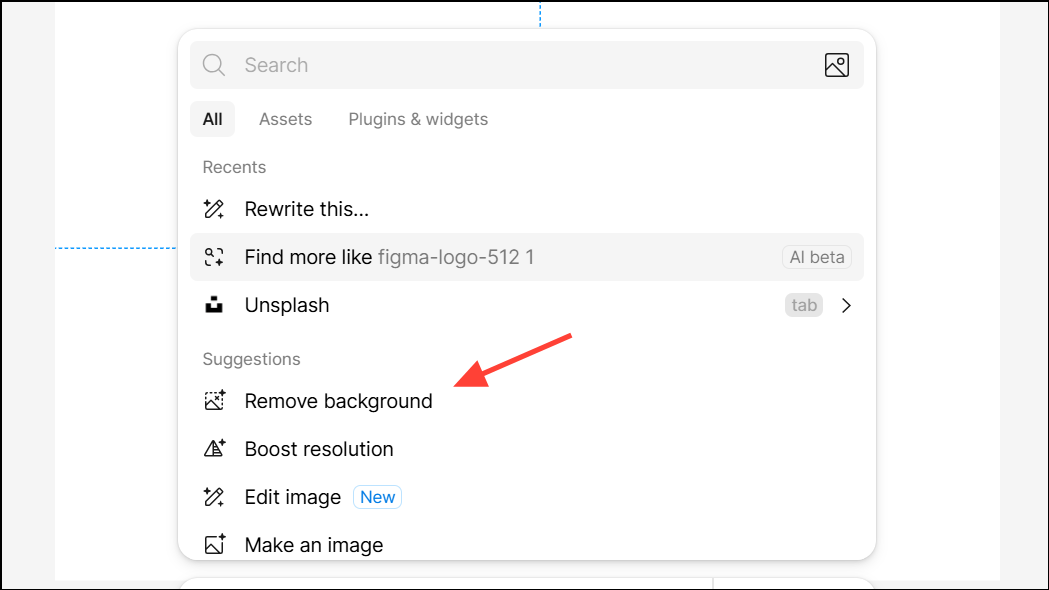
By integrating background removal into the design process, Figma reduces the need for switching between applications and accelerates asset preparation for presentations, prototypes, or production files.
Automating layer renaming, text rewriting or translation, and image background removal in Figma cuts down on repetitive tasks and keeps design files organized and ready for collaboration. These AI-powered features let you focus on creative decisions while maintaining speed and consistency throughout your workflow.