Granblue Fantasy: Relink lets you rename your protagonist whenever you want during the Endless Ragnarok open beta. The name you pick at character creation isn’t locked in, and you don’t need to start a new save to fix a typo or swap to something different.
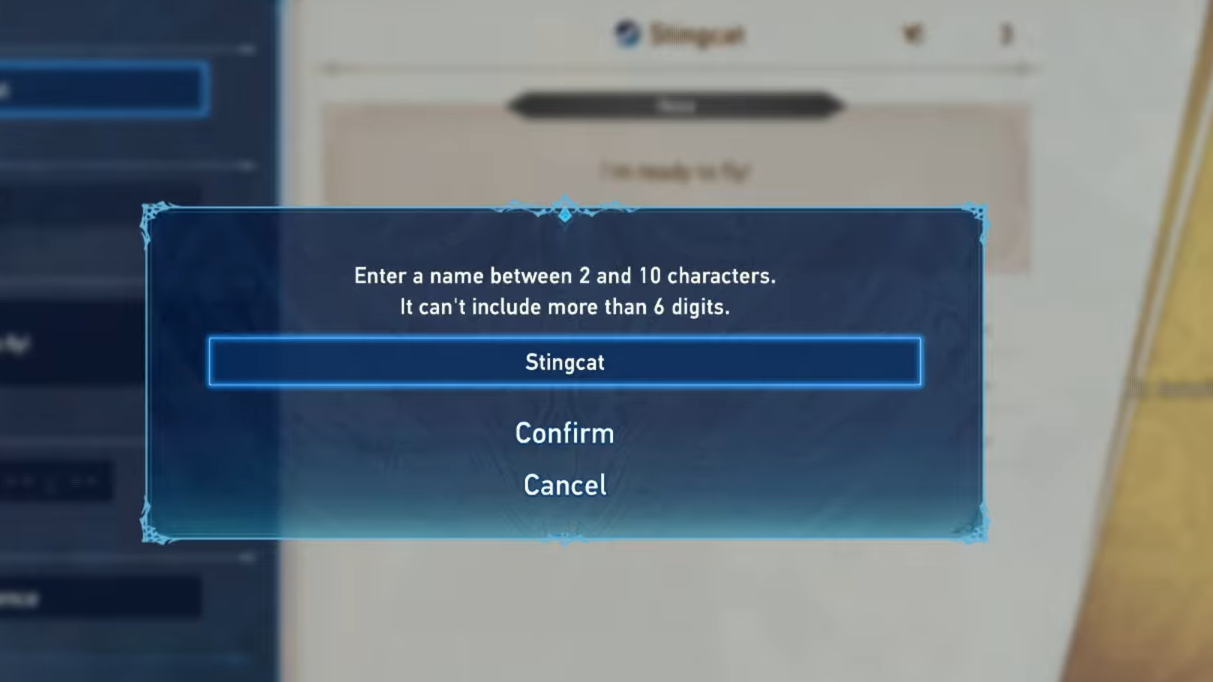
Where the rename option lives
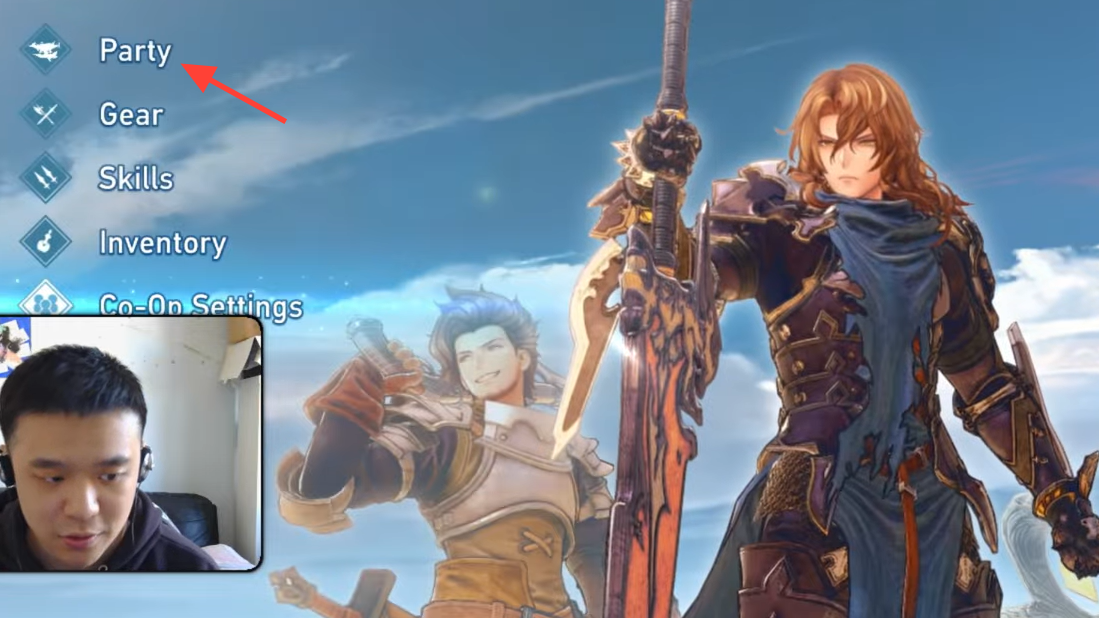
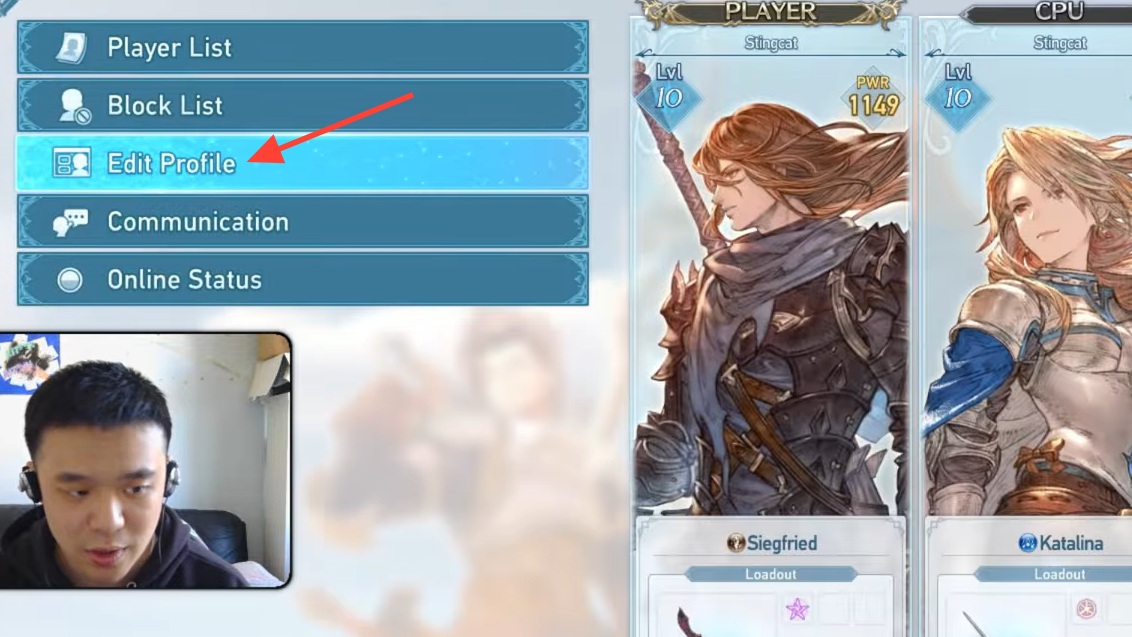
The name change is tucked inside the same menu used to alter your character’s look and to swap between Gran and Djeeta. It isn’t on the title screen or the system settings, which is what trips most players up.
What the name actually controls
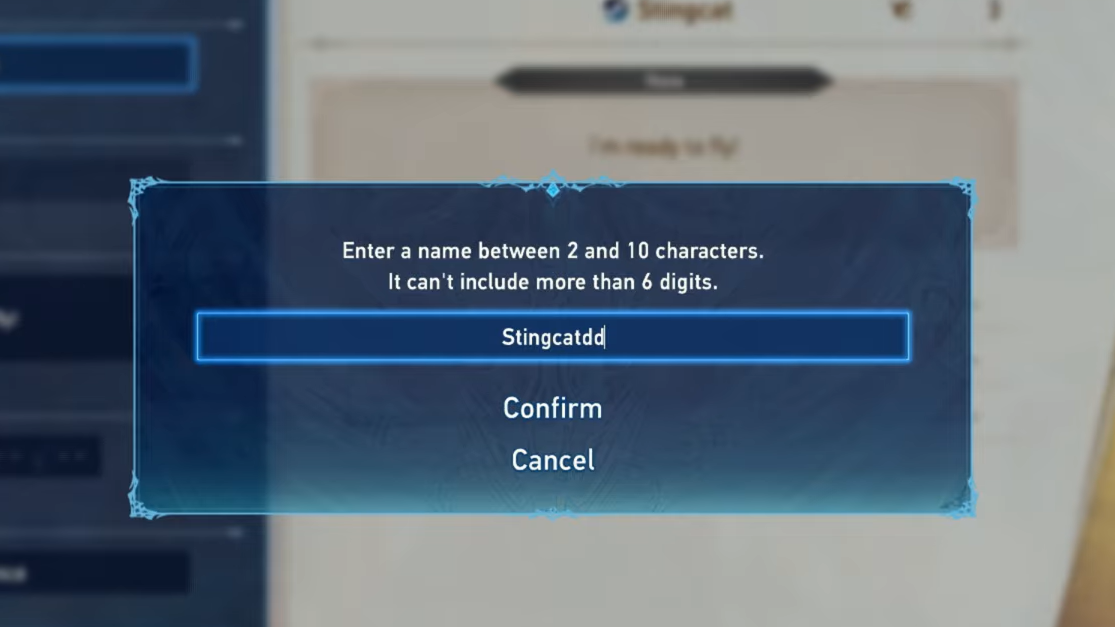
The name you set here is used in two places: it replaces Gran or Djeeta’s name in the story, and it serves as your default player name in lobbies. If you’d rather keep your story name separate from what other players see online, there’s a second name field for that.
| Setting | Where to change it | What it affects |
|---|---|---|
| Character name | Party screen → Customize → Change Appearance | Story dialogue, default online tag |
| Online display name | Co-op settings menu | Multiplayer lobbies only |
| Gran/Djeeta swap | Party screen → Customize → Change Appearance | Protagonist gender and model |
Setting an online display name is useful if your story name is something personal you don’t want broadcast to random co-op partners.
Gran and Djeeta share progress
Switching between Gran and Djeeta doesn’t split your save into two characters. They are the same protagonist under the hood, so levels, skills, weapons, and mastery progress carry over no matter which one you’re playing as. That means renaming or swapping appearance has zero impact on your build or grind.
If the customize option isn’t showing up
The most common reason the rename option appears greyed out or missing is that the cursor is on a different party member rather than the protagonist. Only Gran or Djeeta has the Change Appearance entry. Move the cursor specifically onto your main character on the party screen, and the customize prompt should appear at the bottom of the display.
Once the new name saves, you’ll see it reflected the next time a storyline addresses your character or when you load into a co-op lobby.