Switching your lock screen clock to display AM and PM provides clearer time information, especially if you prefer the 12-hour format over the 24-hour (military) clock. This change helps prevent confusion between morning and evening hours, making it easier to keep track of your schedule at a glance. The process varies depending on your operating system, but most modern devices allow this adjustment through built-in settings.
Change Lock Screen Time Format on Android
Settings app on your Android device. Locate the app in your app drawer or swipe down to access the quick settings panel and tap the gear icon.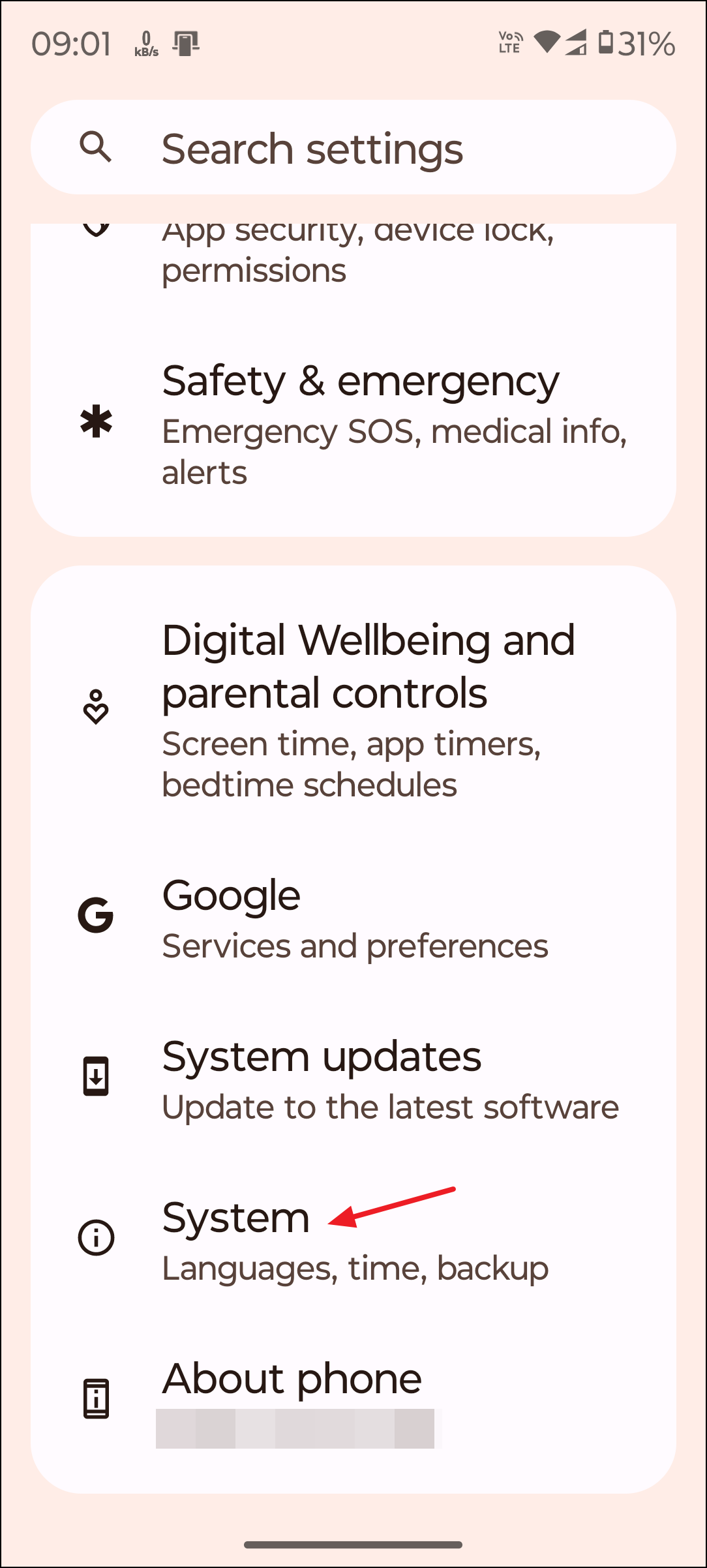
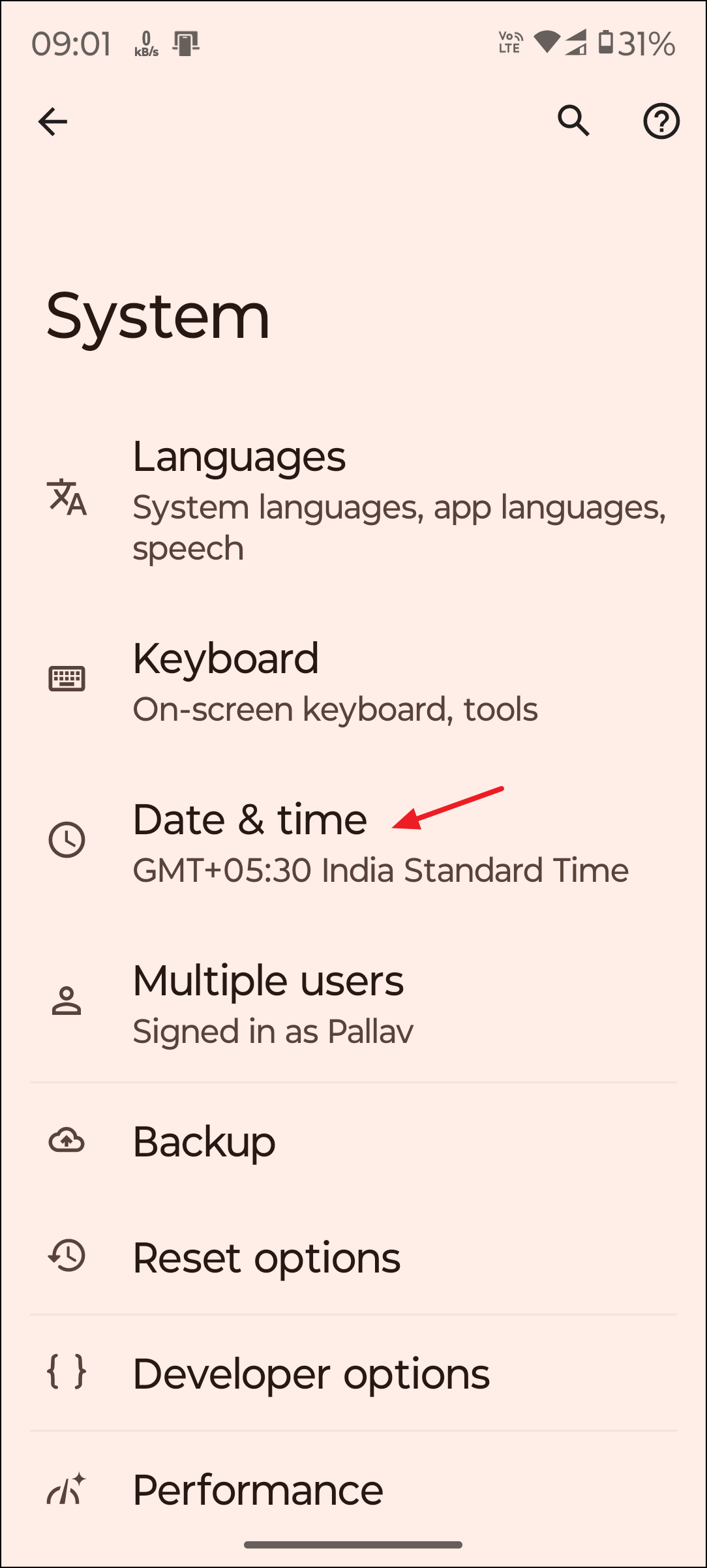
Date & Time menu, find the option labeled Use 24-hour format or 24-hour time. Toggle this option off. Disabling the 24-hour format will automatically switch the system clock to a 12-hour format, including AM and PM indicators.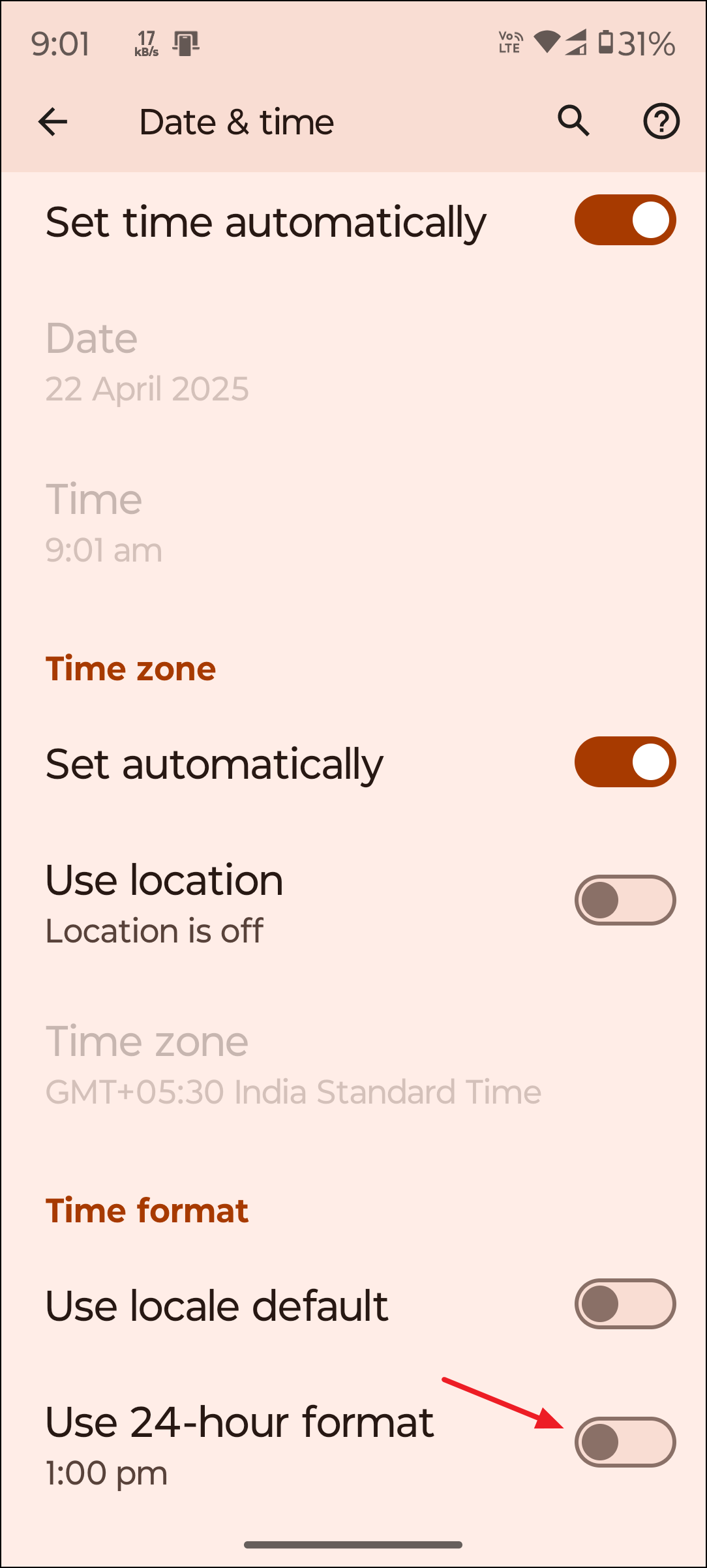
Switch to 12-Hour Format on iPhone Lock Screen
24-Hour Time toggle and turn it off. Once disabled, your device will use the 12-hour format, and the lock screen will show AM or PM next to the time.Adjust Time Format on Windows Lock Screen
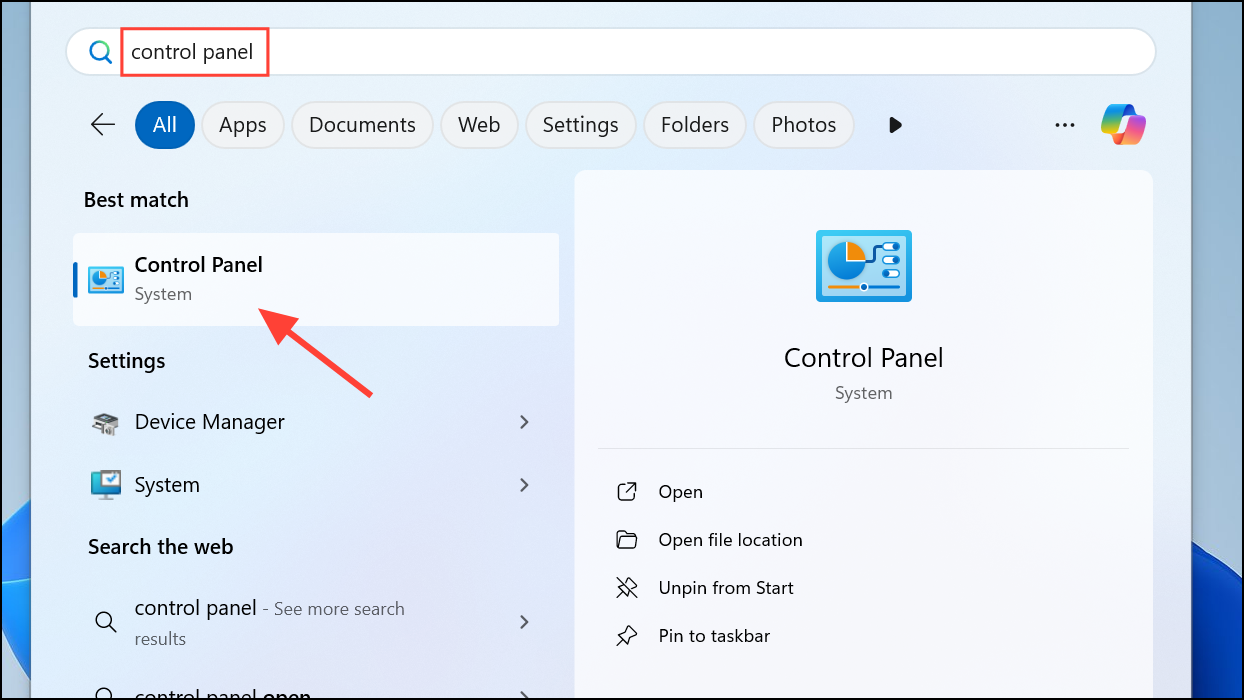
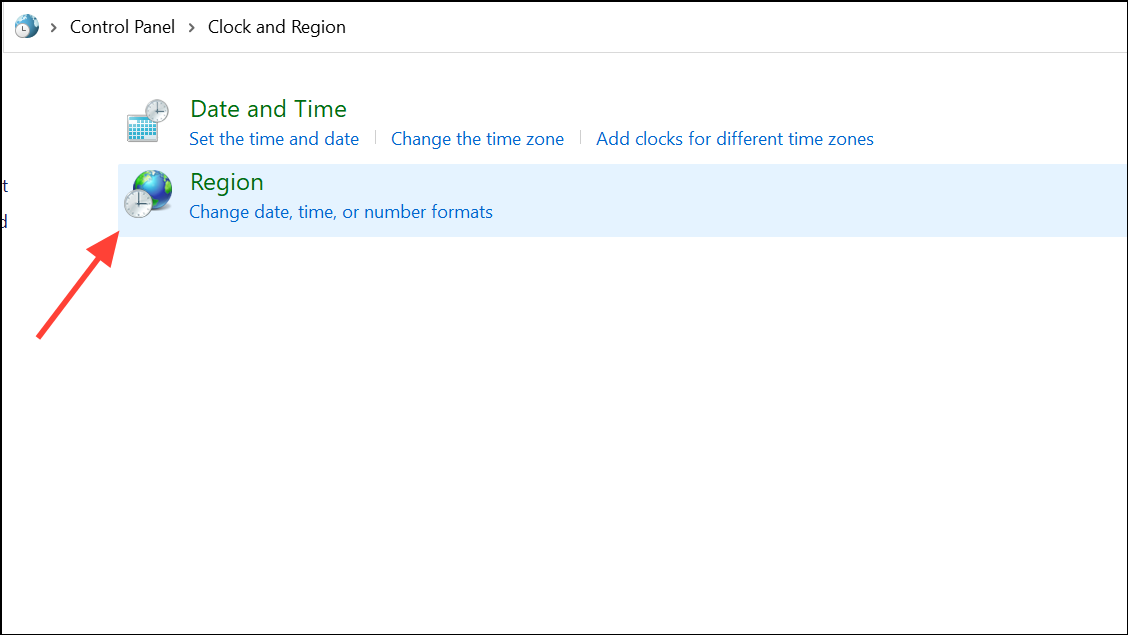
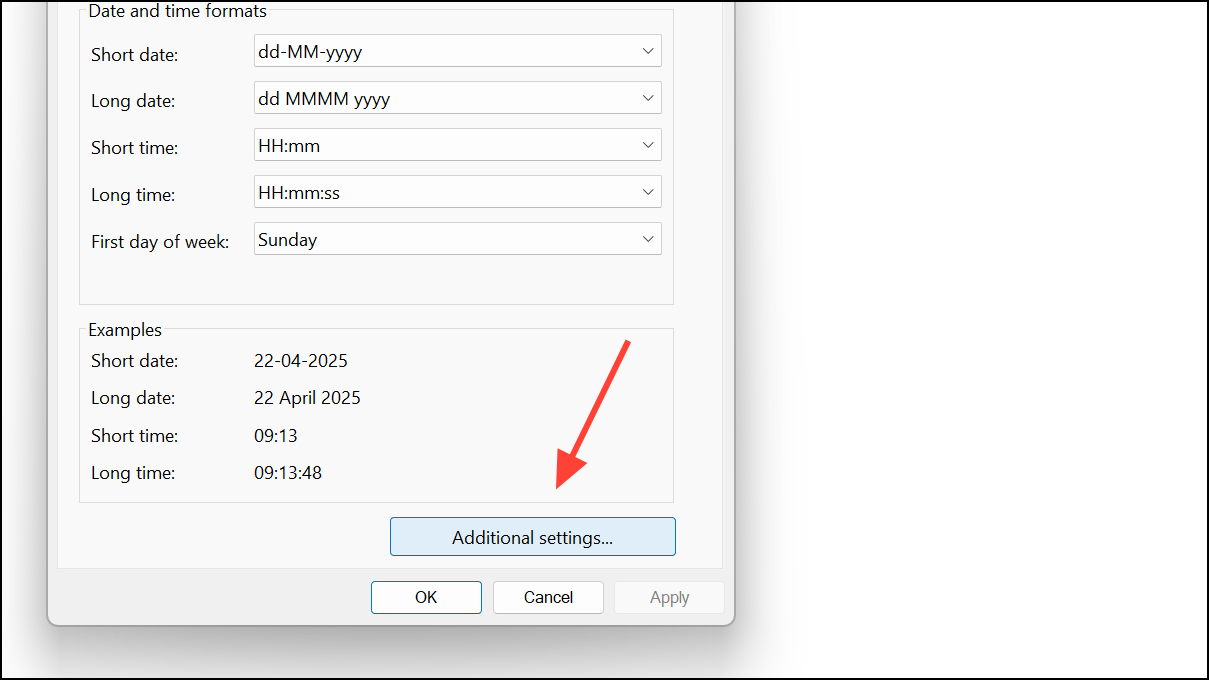
Time formats section, set the Short time format to hh:mm tt and Long time to h:mm:ss tt. The tt at the end ensures that AM or PM is displayed.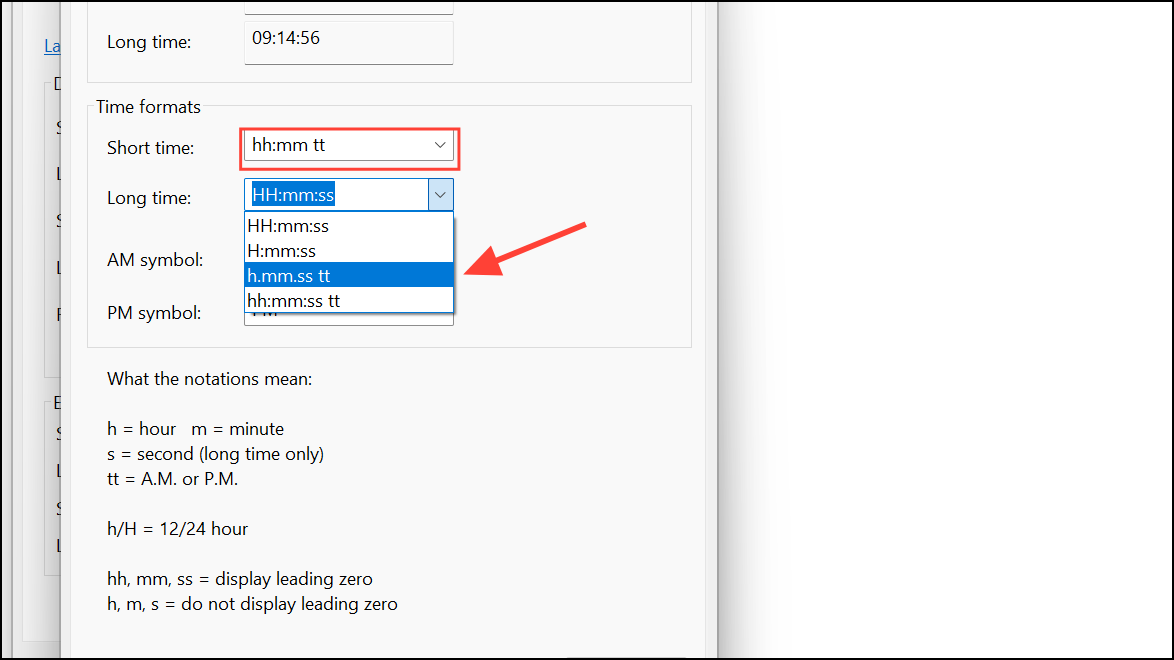
Apply and then OK. Lock your computer using Windows + L to verify the change on the lock screen.Considerations for Custom Lock Screen Apps and Widgets
Some Android devices or custom ROMs may use third-party lock screen apps or widgets that have their own time display settings. If the system setting does not update the lock screen format, open the app’s settings and look for a time format option. Set it to 12-hour or enable AM/PM display as needed. If unavailable, consider switching to a different lock screen app that supports this feature.
Switching your lock screen to show AM and PM clarifies your daily schedule and helps avoid confusion, especially when your device is set to the 12-hour format. If you ever change system languages or install major updates, double-check your time format settings to keep AM/PM visible.