Mozilla Firefox recently updated its Terms of Use and Privacy Notice, causing concern among users about data privacy and control over their personal information. The new changes grant Mozilla broader rights to use data entered into Firefox, raising questions about privacy implications. If you’re a Firefox user, here are effective steps you can take to protect your privacy and ensure your data remains secure.
Method 1: Disable Firefox Data Collection
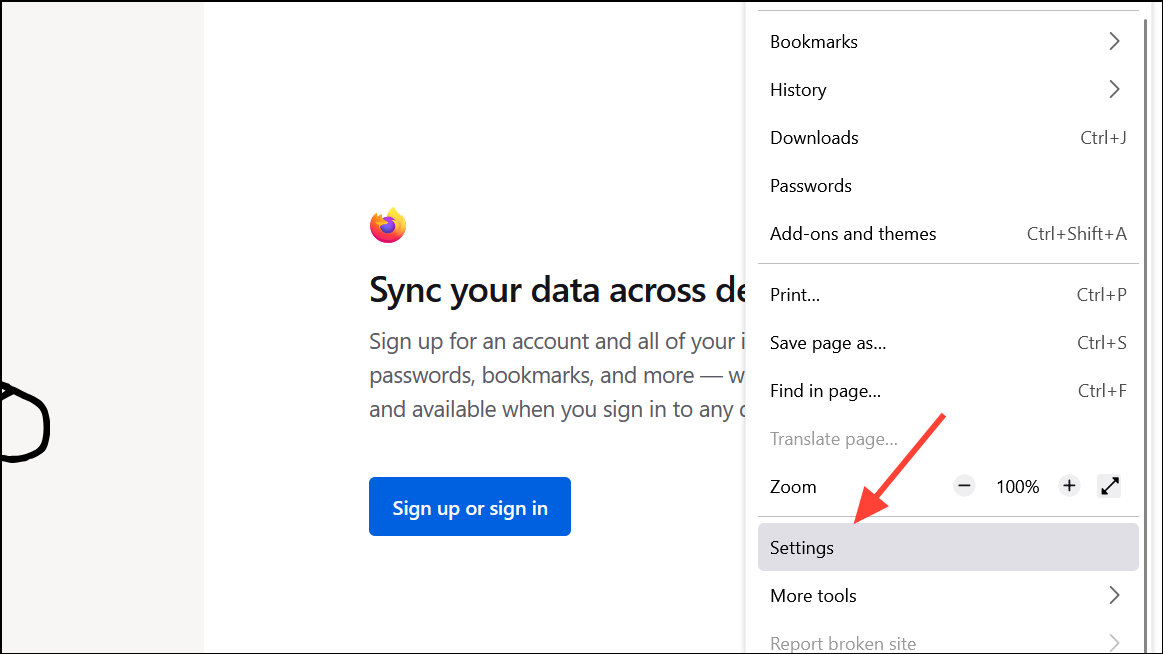
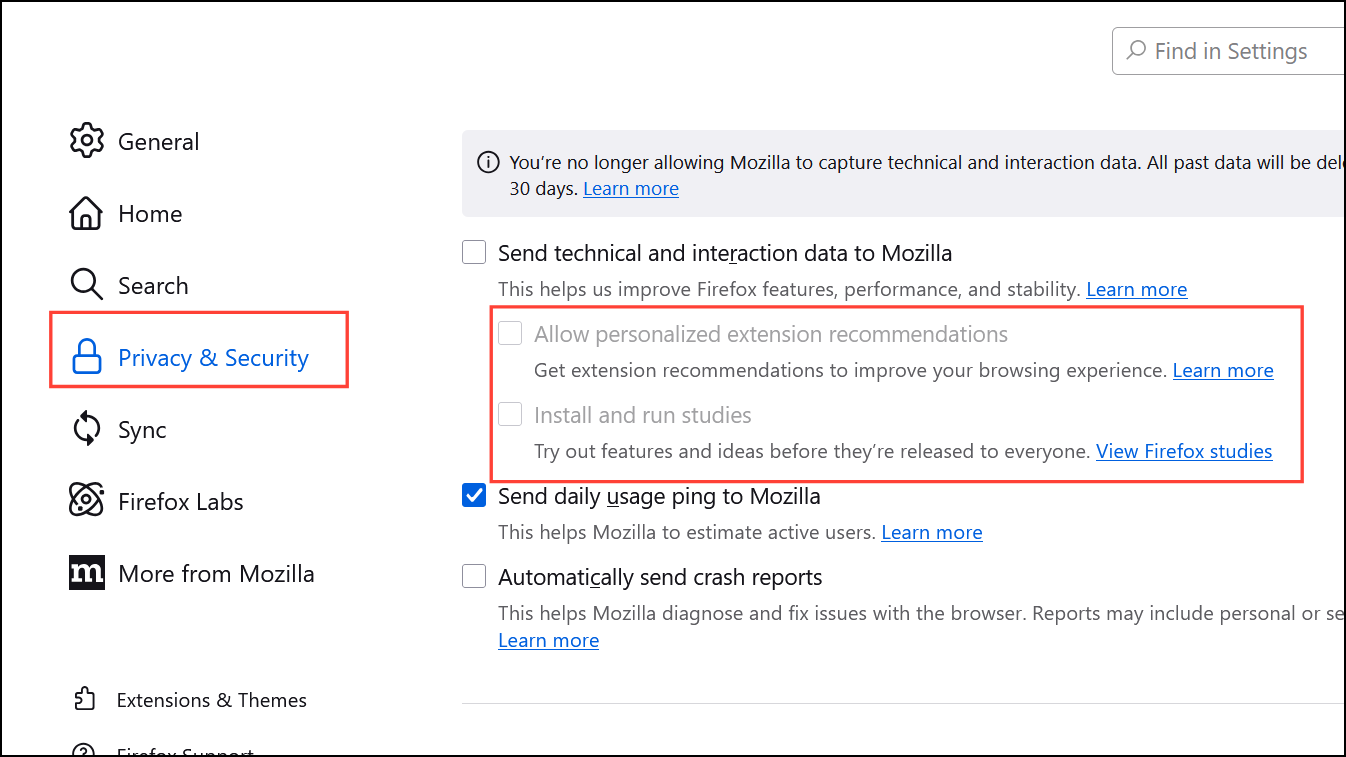
Disabling these settings ensures that your browsing data remains private and isn’t shared with Mozilla or third parties.
Method 2: Enable DNS-over-HTTPS (DoH)
DNS-over-HTTPS encrypts your DNS requests, preventing your ISP or other third parties from seeing which websites you visit.
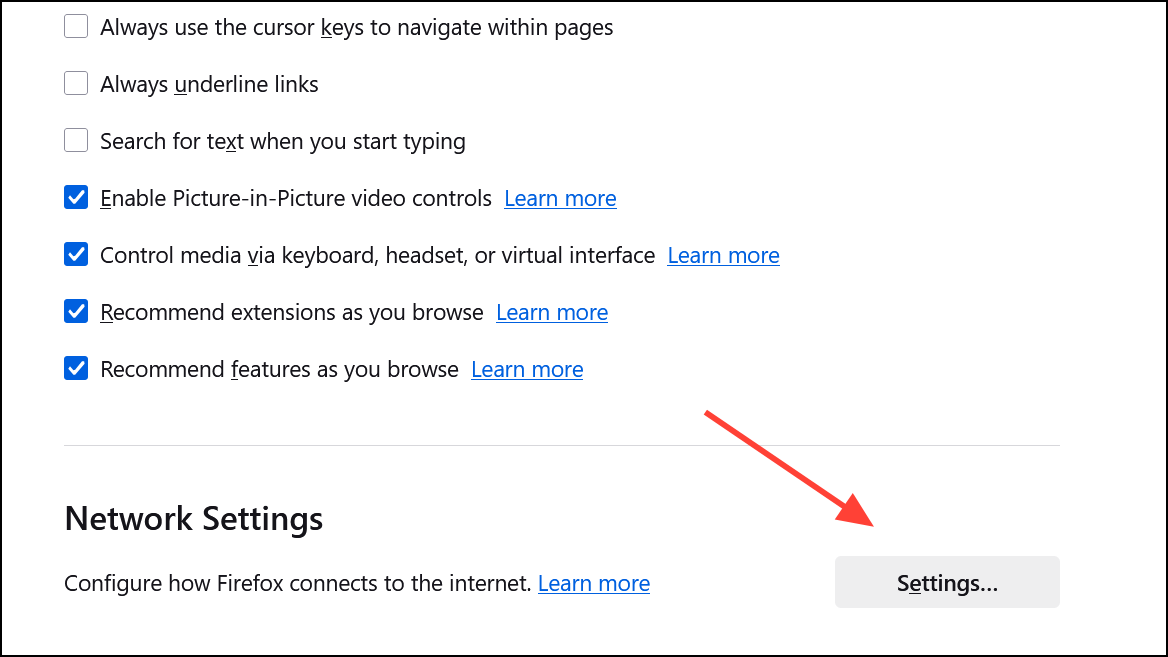
This step secures your browsing by encrypting DNS requests, enhancing your privacy online.
Method 3: Configure Enhanced Tracking Protection
Firefox’s Enhanced Tracking Protection blocks trackers and third-party cookies that track your online activity.
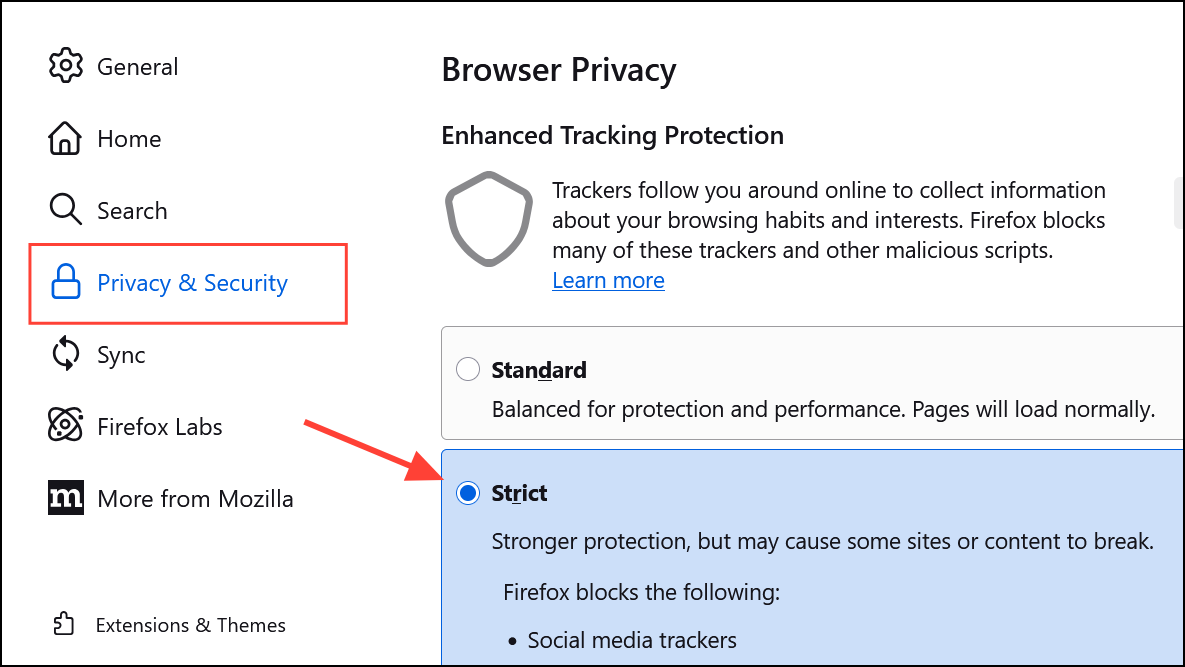
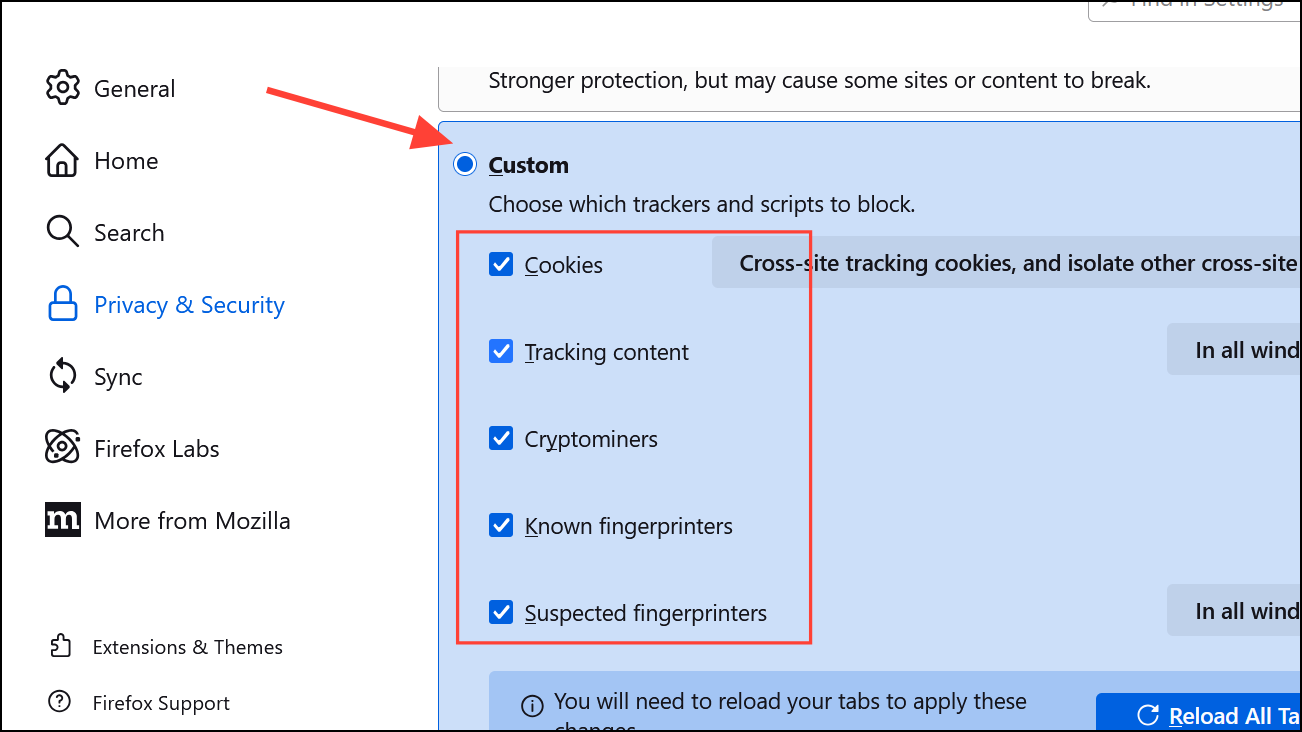
Using Enhanced Tracking Protection significantly reduces your exposure to trackers and helps maintain your privacy online.
Method 4: Switch to a Privacy-Focused Search Engine
Your search engine can track and store your queries. Switching to a privacy-respecting alternative like DuckDuckGo can prevent this.
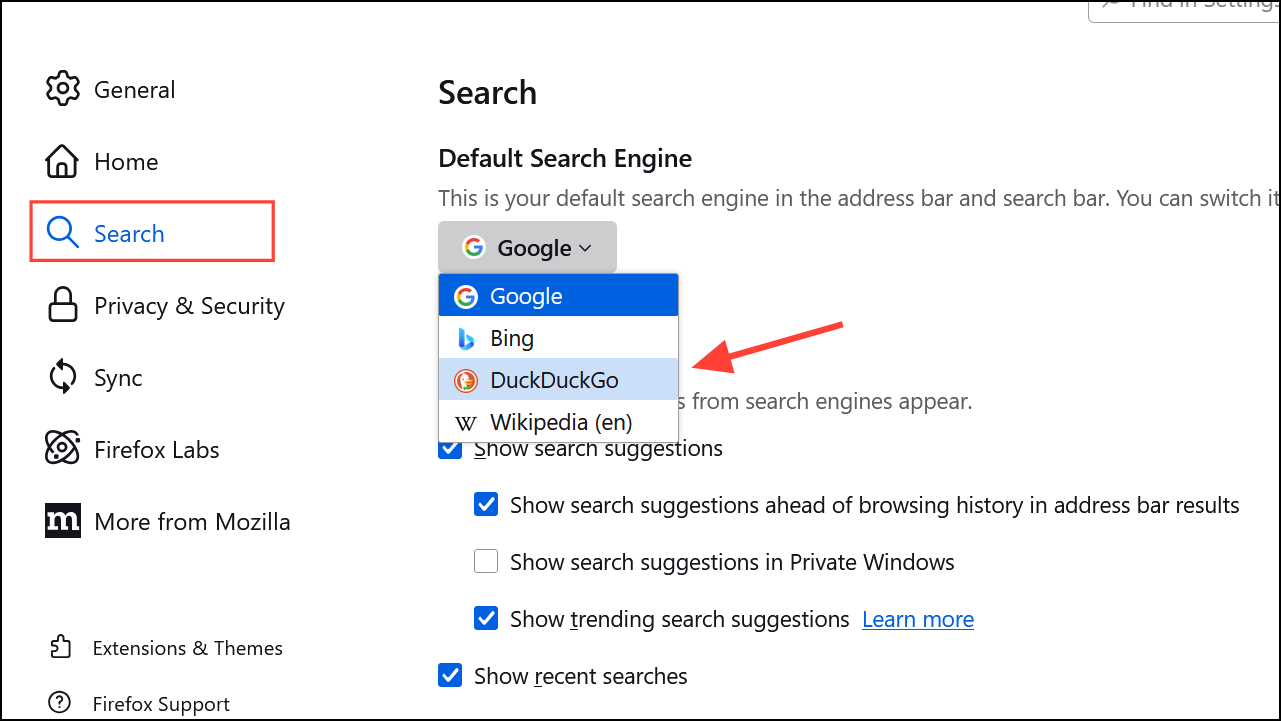
DuckDuckGo does not store your search history or track your browsing habits, offering a safer and more private search experience.
Method 5: Enable Global Privacy Control (GPC)
Global Privacy Control signals websites that you do not consent to the sale or sharing of your personal data.
about:config into your Firefox address bar and press Enter. Accept the risk warning to continue.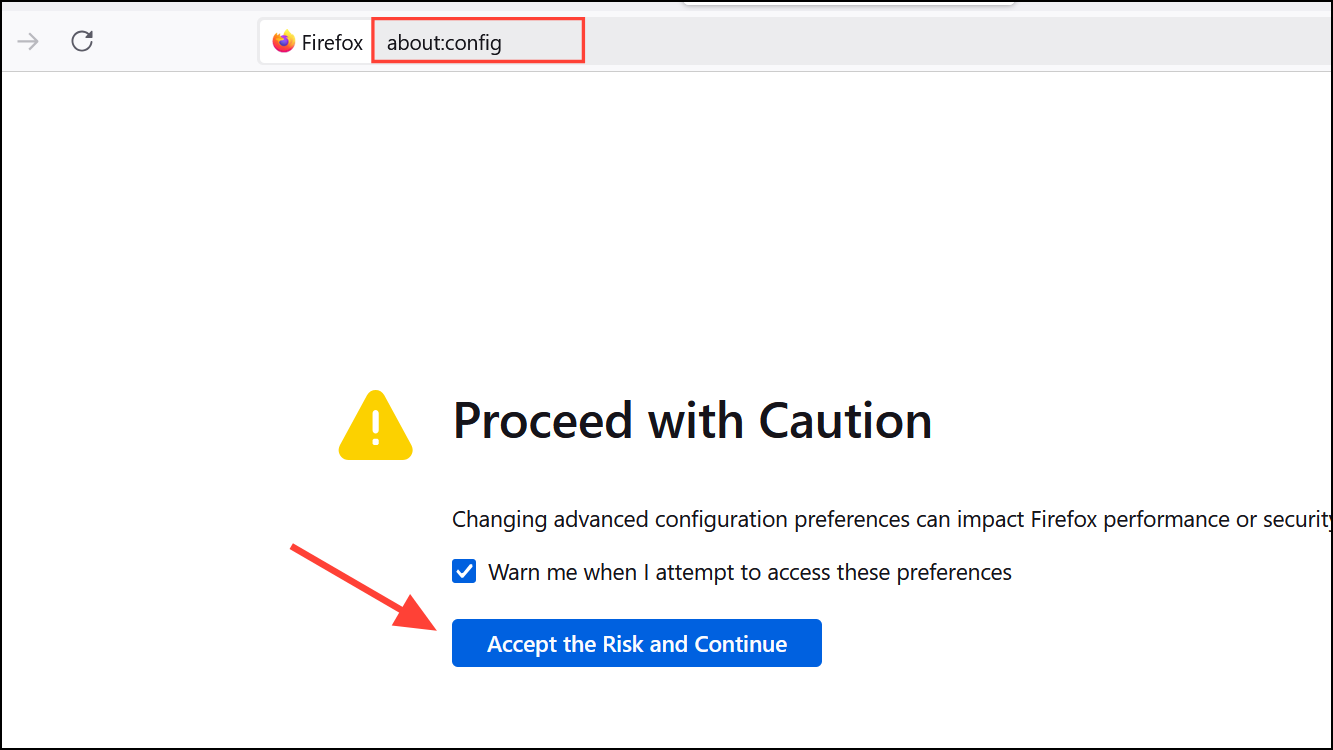
privacy.globalprivacycontrol.enabled. Double-click the preference to set its value to true. Restart Firefox to activate this setting.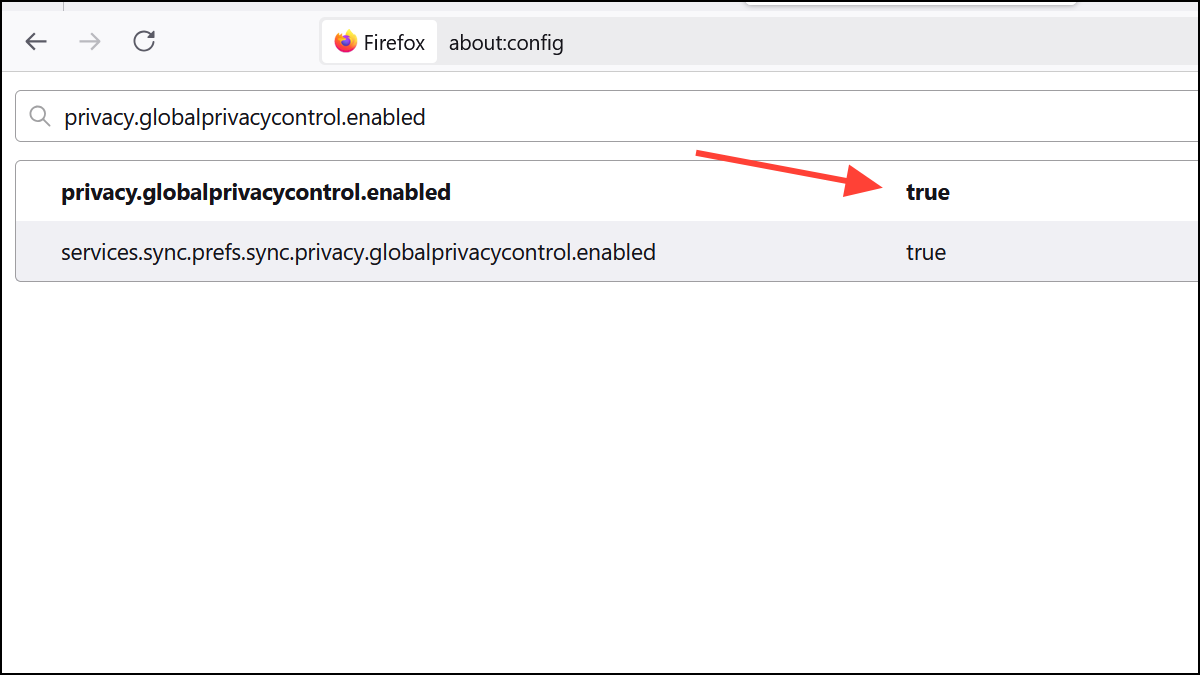
Enabling GPC provides an additional layer of privacy protection when browsing websites that respect this signal.
Method 6: Consider Firefox Alternatives
If you’re uncomfortable with Mozilla’s recent changes, you might consider alternative browsers based on Firefox that prioritize privacy.
- LibreWolf: A privacy-oriented Firefox fork with advanced privacy settings enabled by default.
- Waterfox: A Firefox-based browser with a focus on user privacy and minimal data collection.
- Tor Browser: A browser designed for maximum anonymity, routing your traffic through the Tor network to conceal your IP address.
Switching to one of these alternatives can provide you with similar functionality while ensuring your privacy remains intact.
While Mozilla’s recent updates to Firefox’s Terms of Use and Privacy Notice have raised privacy concerns, following the steps outlined above will help you regain control over your data and maintain your privacy online. Stay informed and proactive—your privacy depends on it.