Schematics in Palworld unlock crafting recipes for weapons and armor, and the Legendary versions carry the highest damage and durability of any tier. You don’t have to rely on rare drops to get them. The Drafting Table lets you convert the low-rarity blueprints piling up in your storage into the next tier all the way to Legendary.
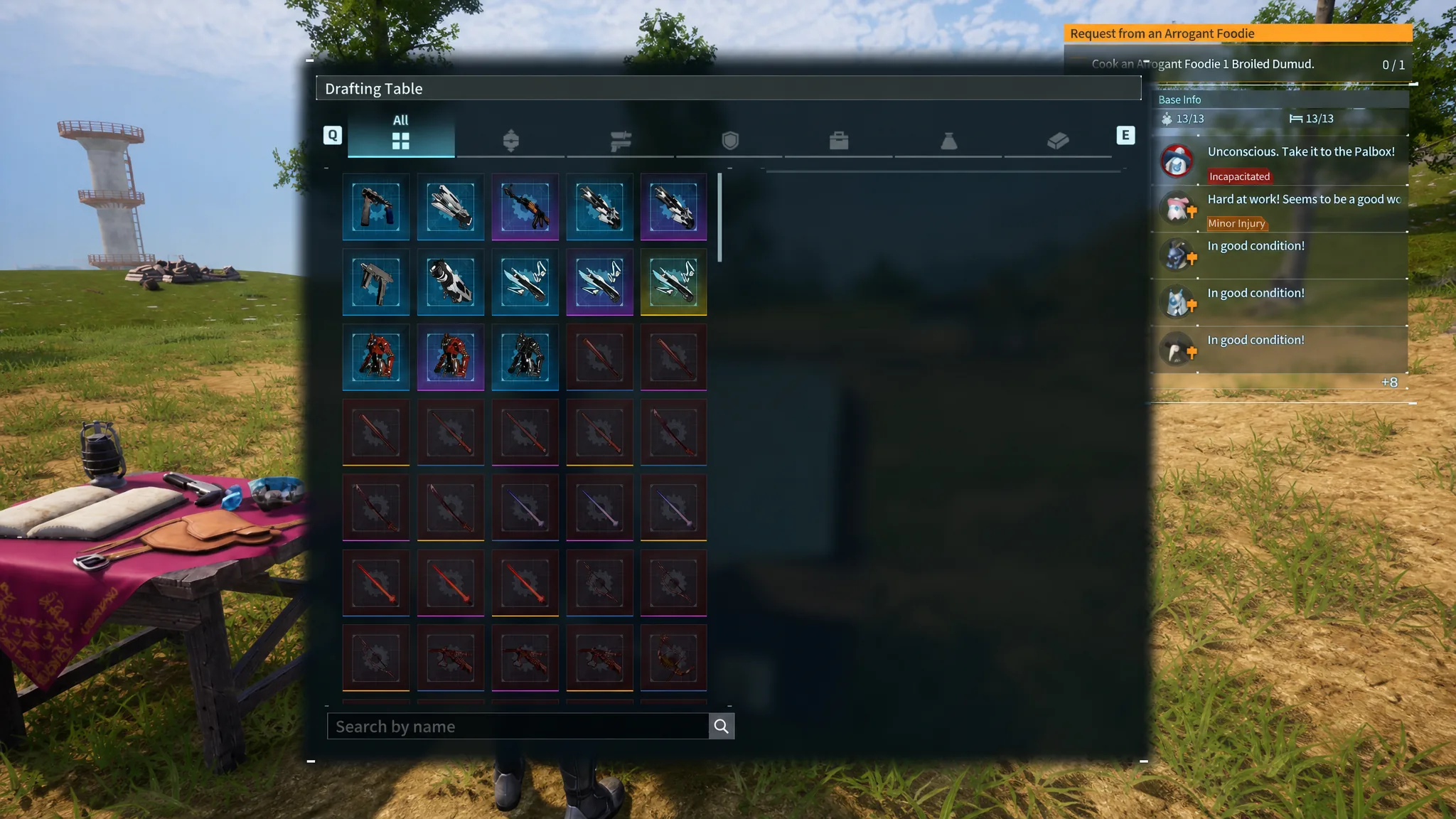
Quick answer: Build the Drafting Table (unlocked at level 45), then combine five schematics of the same item and same rarity to craft one copy of the next rarity up. Repeat until you reach Legendary. Five Uncommons make a Rare, five Rares make an Epic, and five Epics make a Legendary.
Unlock and build the Drafting Table
The Drafting Table is the only workstation that upgrades schematic rarity. You unlock it in the Technology Tree at level 45 for four Ancient Technology points, then build it in the construction menu at your base.
| Requirement | Detail |
|---|---|
| Unlock level | 45 on the Technology Tree |
| Tech point cost | 4 Ancient Technology points |
| Build materials | 20 Refined Ingot, 10 High Quality Wooden Board, 30 Charcoal |
Because it unlocks well before you actually need Legendary gear, many players overlook the Drafting Table entirely. Build it as soon as you can and keep your spare schematics instead of scrapping them.
How schematic rarity upgrades work
Schematics come in four rarities. Each step up requires five copies of the exact same schematic from the tier directly below it. You cannot skip tiers, and you cannot combine different items, so five copies of one weapon’s blueprint will never merge with another weapon’s blueprint.
| Output rarity | Input needed |
|---|---|
| Rare | 5 Uncommon schematics of the same item |
| Epic | 5 Rare schematics of the same item |
| Legendary | 5 Epic schematics of the same item |
Note: reaching Legendary from scratch through crafting alone means gathering a large number of duplicates, since you effectively feed the system in fives at every step. It is a guaranteed path that removes the luck involved in chasing rare drops.
Craft a Legendary schematic step by step
Confirm the upgrade worked
A Legendary schematic appears as the number 4 next to the item name, for example Cold Resistant Pal Metal Armor Schematic 4, and it shows up in yellow in your inventory. Once it is in your inventory, the matching Legendary recipe unlocks at the appropriate crafting bench.
Crafting the gear does not consume the schematic. You keep the blueprint permanently, so you can build the item again whenever its durability runs out.
Why an upgrade won’t craft
- You have fewer than five copies of the schematic at the required rarity.
- You are trying to mix different items. All five copies must be the same schematic type.
- You are attempting to skip a tier. The Drafting Table only moves one rarity up per craft.
If dropping the last few duplicates you need is slow going, the same Drafting Table also lets you fold in extra Rare and Epic schematics you collect from dungeon chests and bosses, so keep any spares rather than selling them off.