Quick Info
- Apple Maps is now available on the web in public beta which you can access from Safari and Chrome on Mac and iPad, as well as Chrome and Edge on Windows.
- To use Apple Maps on Windows easily, you can install it as a web app using a web browser like Google Chrome or Microsoft Edge.
- On Android, you can download the DuckDuckGo app, which uses Apple Maps by default when you search for a location.
- Using Apple Maps on non-Apple devices offers a limited experience but with a greater focus on privacy compared to Google Maps or Bing Maps.
Install Apple Maps on Windows
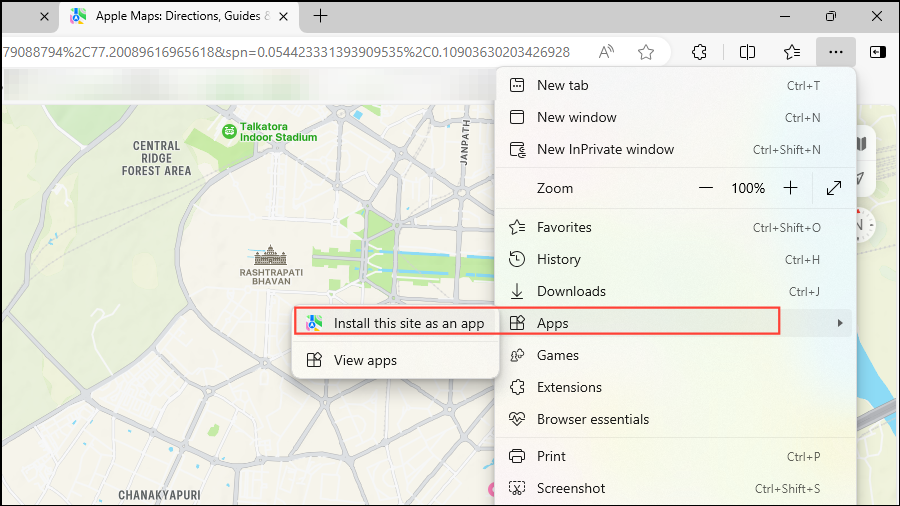
- Open Microsoft Edge on your computer and visit the beta.maps.com page. The Apple Maps page will open up.
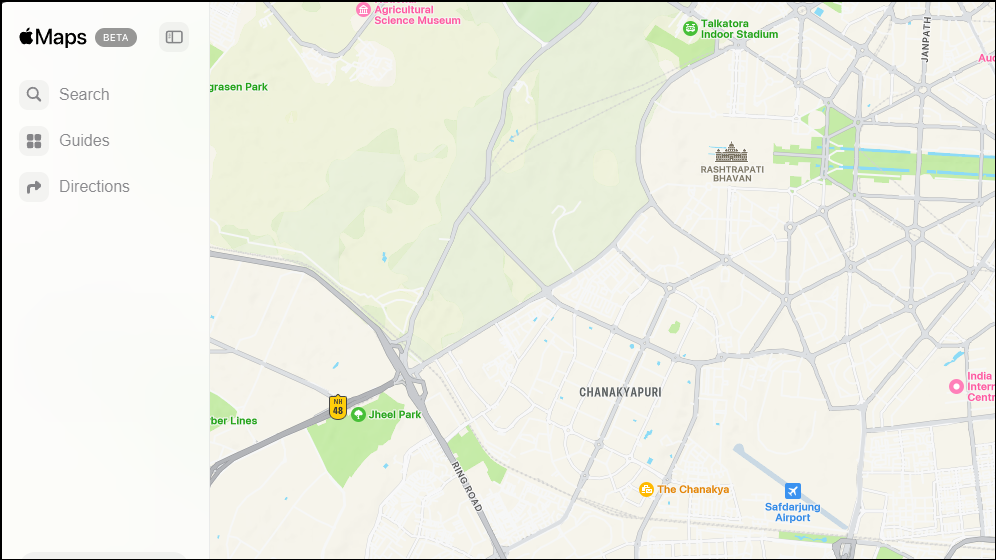
- Click the three buttons on the top right and then move your cursor to the ‘Apps’ section before clicking on ‘Install this site as an app’.
- Provide a name for the app and then click on the ‘Install’ button.
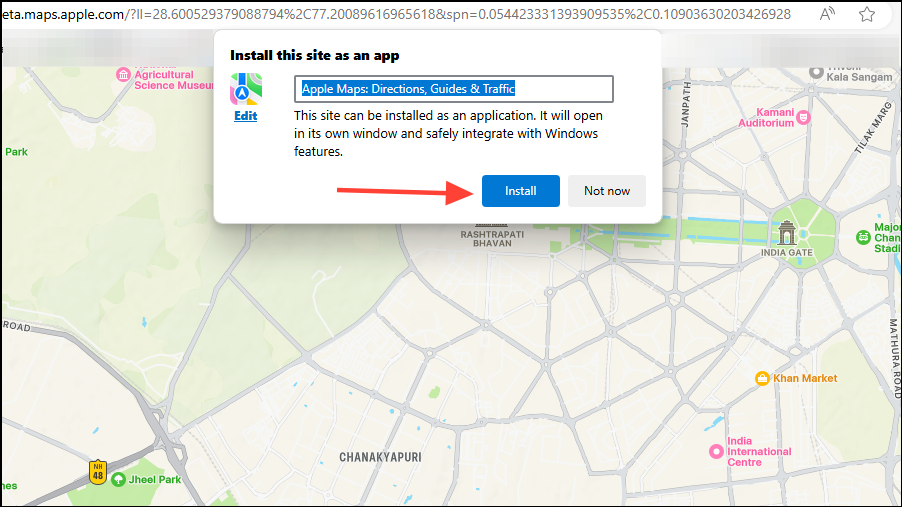
- Once you’ve installed the app, it will automatically launch in its own window. You can pin it to the taskbar, the Start menu, and even create a desktop shortcut. Click on the ‘Allow’ button after selecting the options you want.
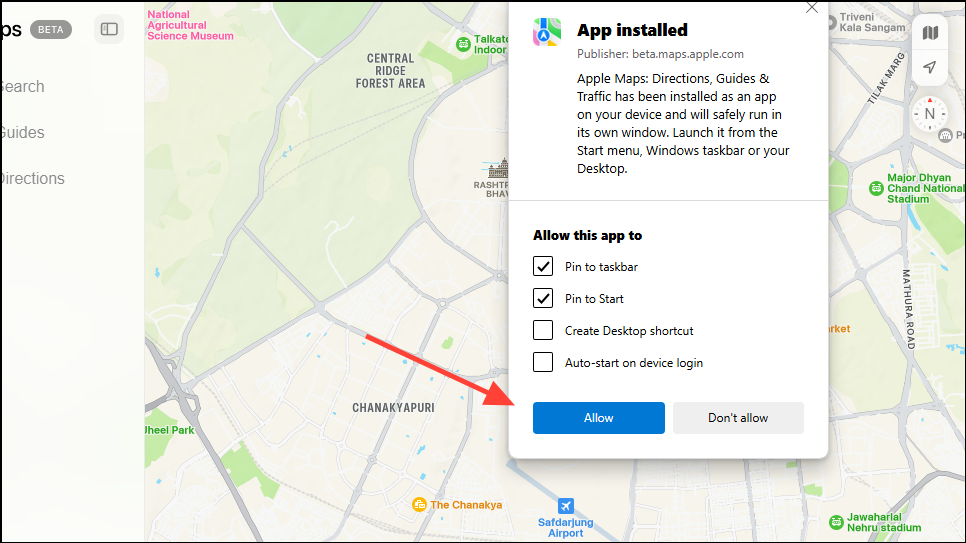
- Depending on where you’ve pinned the app, you can launch the new Apple Maps app from the desktop, the Start menu, or the taskbar. You can remove the app at any time from the Settings just like other apps.
Note: Installing Apple Maps as a web app on your Windows device will ensure you always have the latest version of the app without needing to manually update it.
Install Apple Maps on Android
While you cannot install Apple Maps on Android as you can on Windows, you can still use it with the DuckDuckGo browser. This browser uses Apple Maps by default when you search for a location.
- Install the DuckDuckGo browser on your Android device.
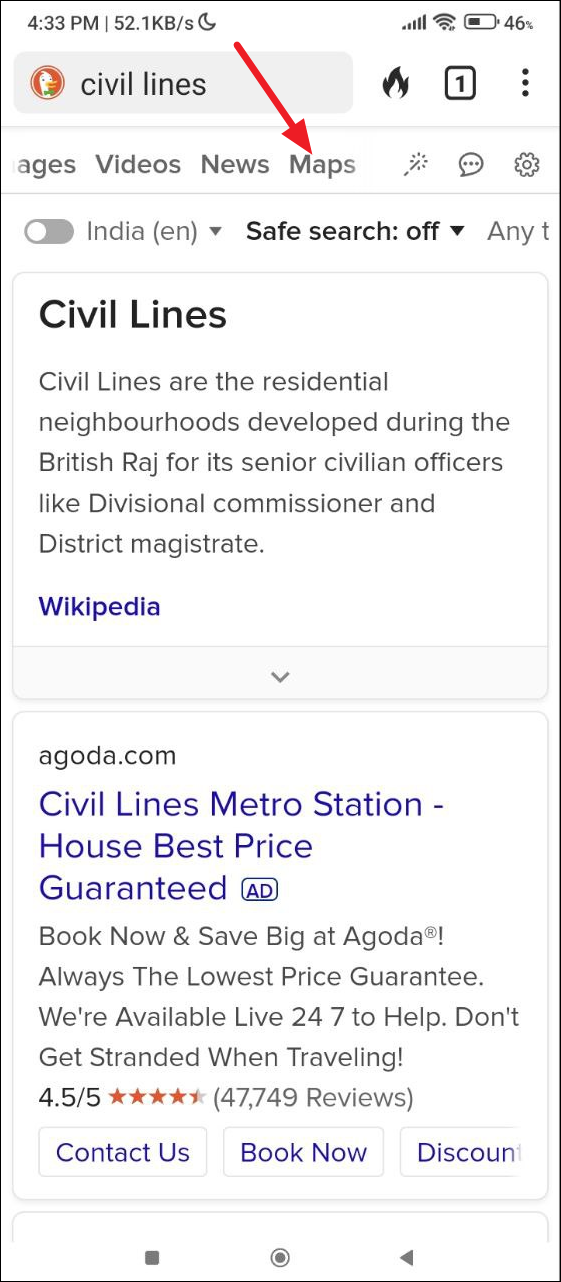
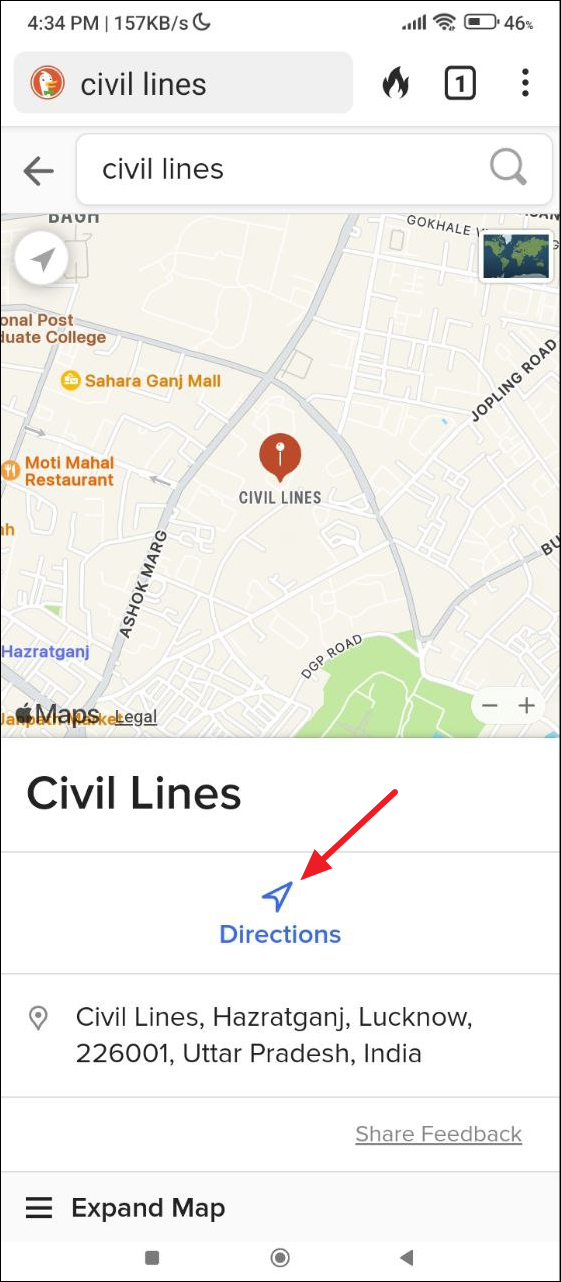
- Search for a place and then click on the ‘Maps’ filter. You can also tap on ‘Directions’ to get directions to the location you are searching for.
Note: While you can install and use Apple Maps on Windows and Android now, this is not the full-fledged Maps experience you get natively on Apple devices. For instance, you cannot save favorite places to iCloud, and features like ‘Look Around’ and 3D photogrammetry are not available.
Things to know
- Apple Maps offers a more privacy-focused experience compared to Bing Maps or Google Maps, though it is not as feature-rich.
- Some limitations of Apple Maps on non-Apple devices include the lack of navigation assistance, no route planning or curated city guides, and no traffic or public transport information.
- If you use navigation in Apple Maps on Android or Windows, it will rely on Google Maps to complete the action.