Web Threat Shield is designed to enhance your online security, but it can sometimes interfere with your browsing experience in Microsoft Edge, leading to performance issues or conflicts with other software. Removing or disabling the extension can help restore your browser’s optimal functionality.
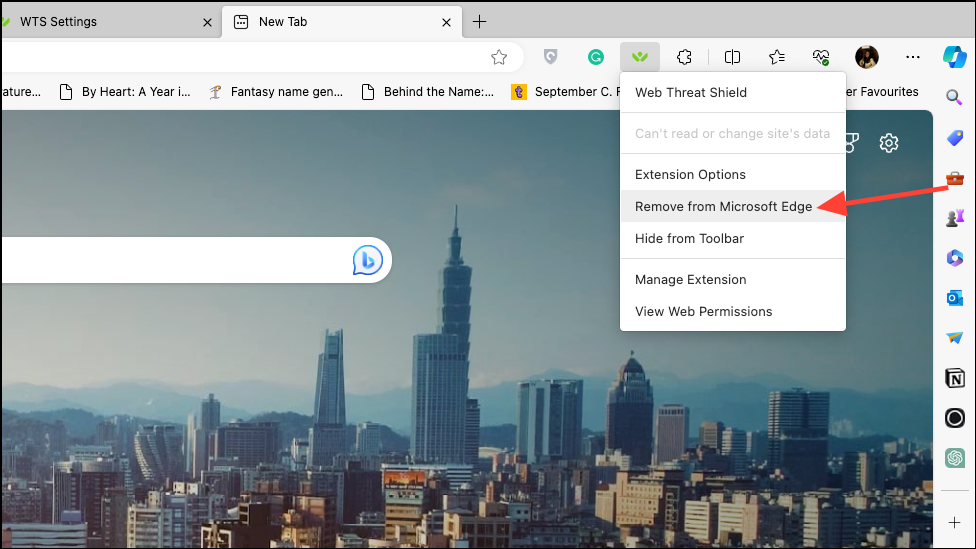
If the Web Threat Shield icon is visible in the toolbar next to the address bar, right-click on its icon.
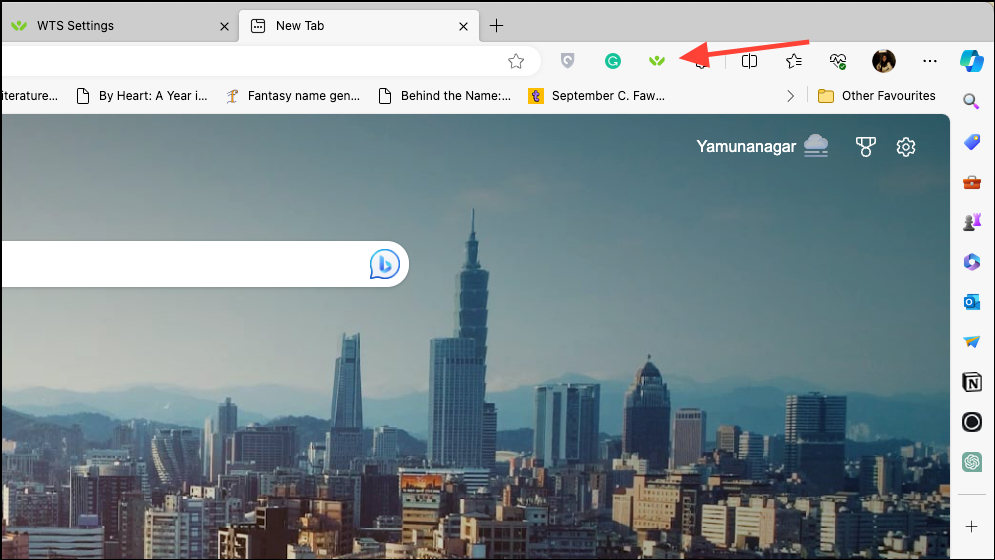
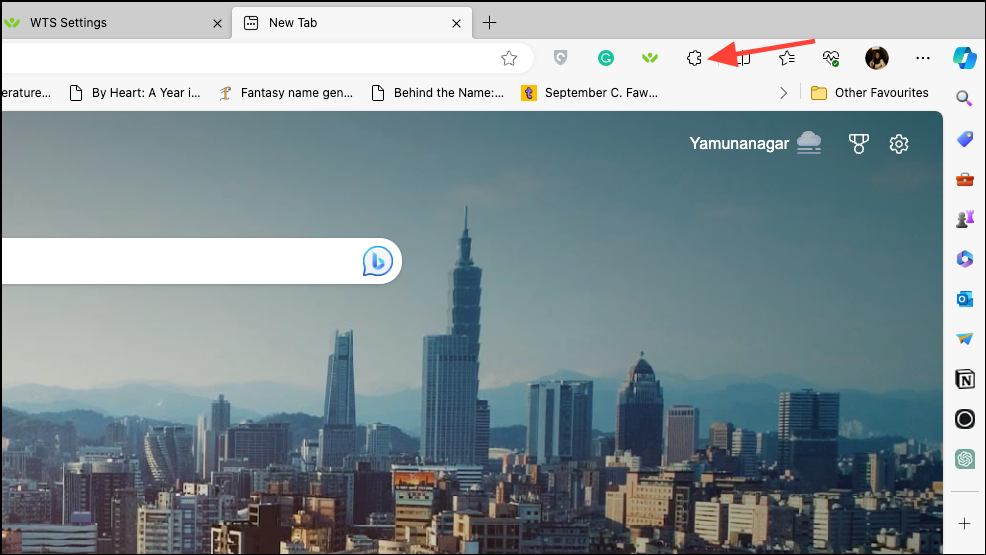
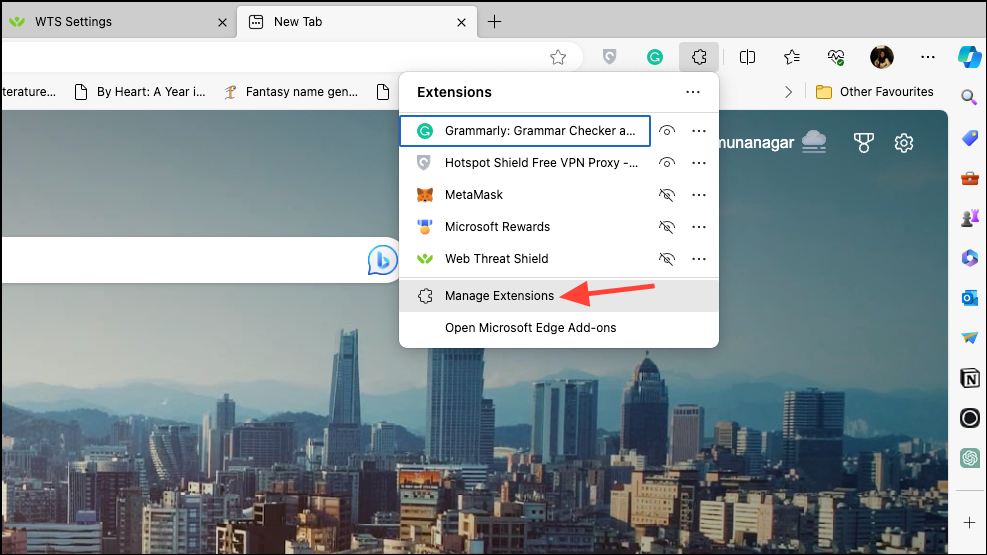
If the extension icon isn’t pinned to the toolbar, click on the ‘Extensions’ icon (shaped like a puzzle piece) located to the right of the address bar. This will display all your installed extensions.
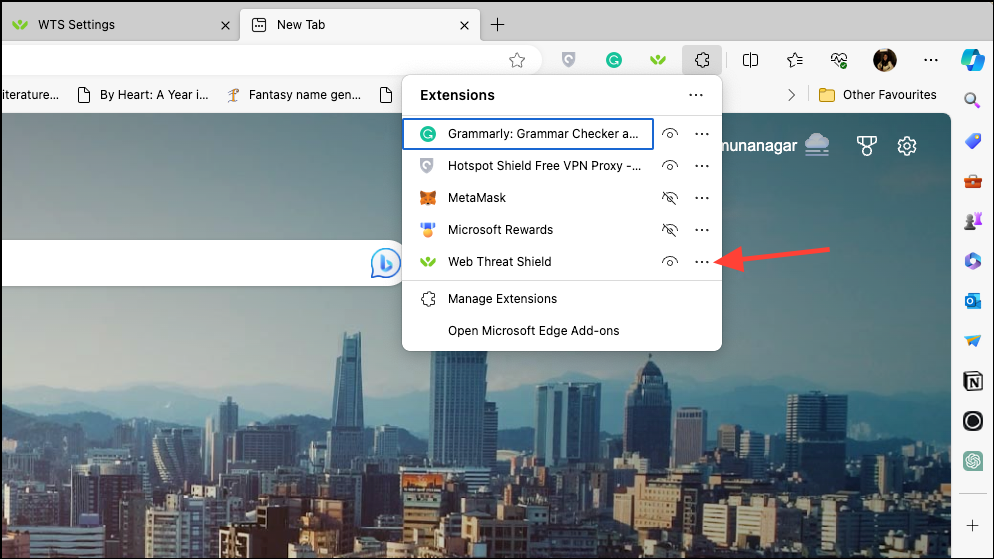
In the list of extensions, find ‘Web Threat Shield‘ and click on the three-dot menu (ellipsis) next to it.
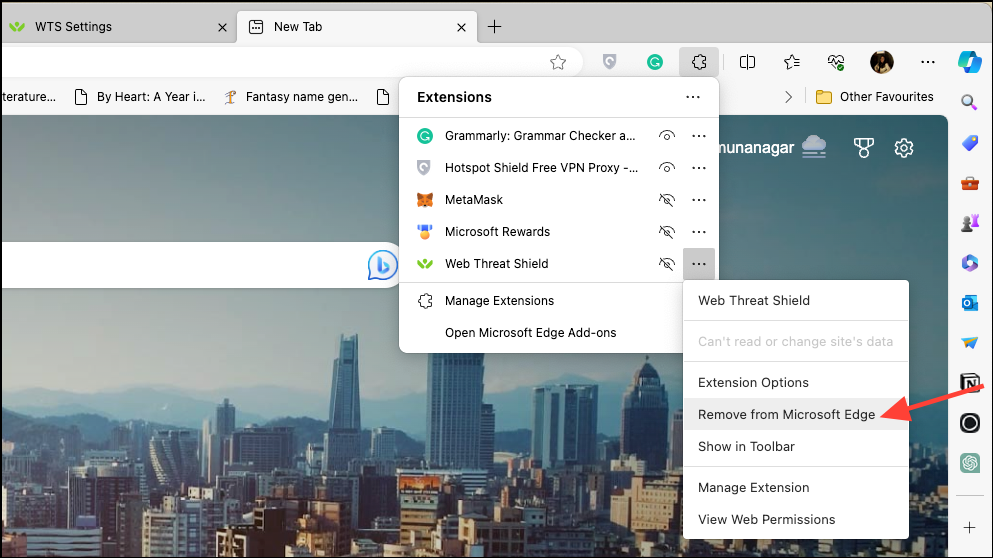
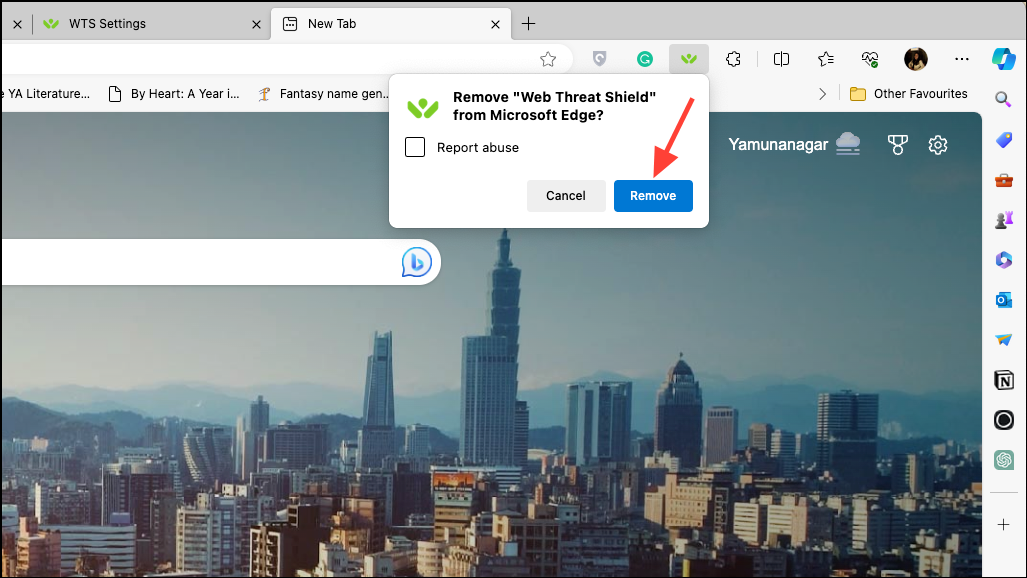
A confirmation prompt will appear asking if you’re sure you want to remove the extension. Click ‘Remove‘ to confirm your choice.
If you prefer to disable Web Threat Shield temporarily instead of removing it, click on ‘Manage Extensions‘ from the extensions menu.
In the ‘Extensions’ tab that opens, locate ‘Web Threat Shield’ and toggle off the switch next to it to disable the extension without uninstalling it.
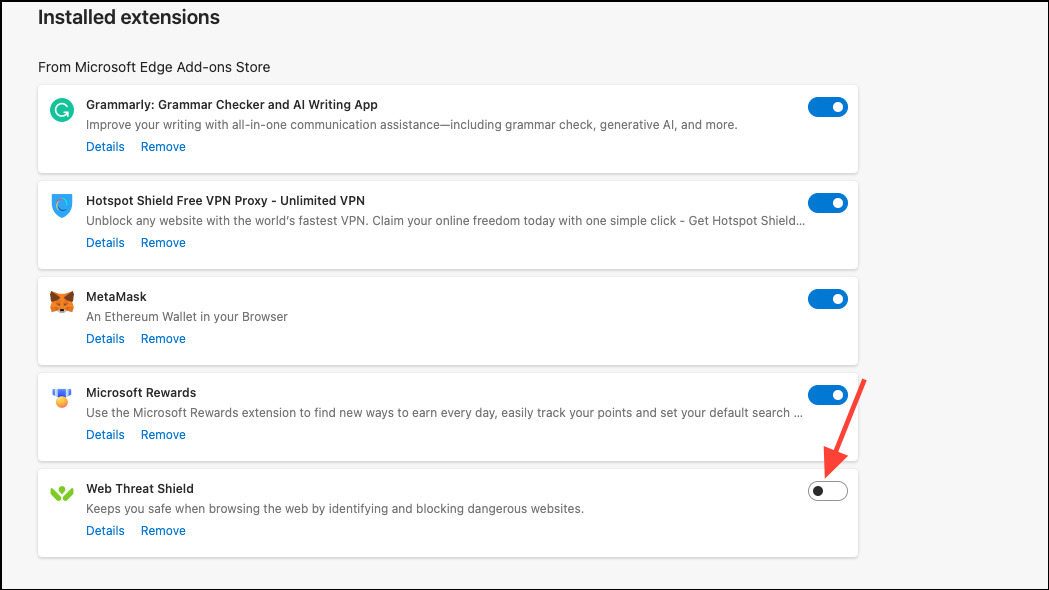
Once you’ve completed these steps, Web Threat Shield will be successfully removed or disabled in Microsoft Edge.
Managing your browser extensions allows you to customize your browsing experience in Microsoft Edge. Whether removing or disabling Web Threat Shield, these steps help you maintain control over your browser’s functionality.