The Free Pal Alliance Flag Set is a decorative furniture reward introduced with the Palworld 1.0 update. It bundles two faction banners you can display around your base to mark your win over the Free Pal Alliance, and getting it comes down to reaching the right level and gathering three common materials.
Quick answer: Reach character level 20, spend 1 Technology Point to unlock the Free Pal Alliance Flag Set in the Technology menu, then craft it using Wood x20, Fiber x10, and Cloth x20.
Unlock requirements: level 20 and 1 Technology Point
The set is a Technology item, so you claim it from the Technology menu rather than finding it in the world. Open that menu, scroll to the Free Pal Alliance Flag Set entry, and confirm the unlock once you meet the level gate.
| Requirement | Value |
|---|---|
| Category | Furniture |
| Required level | Lv. 20 |
| Technology Points | 1 |
| Added in | Palworld 1.0 update |
If the entry stays locked, you are still below level 20 or you have no Technology Points to spend. Points come from leveling up and from certain rewards, so keep progressing until you have at least one available.
Crafting materials for the Free Pal Alliance Flag Set
Once the technology is unlocked, the set becomes available to build. All three materials are early-game basics you likely already stockpile.
| Item | Materials |
|---|---|
 Free Pal Alliance Flag Set Free Pal Alliance Flag Set | Wood x20 Fiber x10 Cloth x20 |
Wood and Fiber both come from chopping trees, while Cloth is produced from Wool at a workbench. Gather the full amount before you head into build mode so the placement finishes in one go.
What comes in the set
The bundle is a matched pair of Free Pal Alliance banners. Its in-game description reads as the Free Pal Alliance Standard and Free Pal Alliance Vertical Banner set, described as proof of your victory over the Free Pal Alliance.
| Structure | Type |
|---|---|
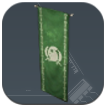 Free Pal Alliance Standard Free Pal Alliance Standard | Decorative banner |
| Free Pal Alliance Vertical Banner | Decorative banner |
Both pieces are purely cosmetic base decorations. They do not add functional bonuses, so treat them as trophies for your camp rather than defensive or production structures.
How to place the banners and confirm it worked
If the banner will not place, the two most common causes are missing materials or trying to build outside your base boundary. Restock the required items and stay within your camp’s build area, and the flag set will go up without issue.