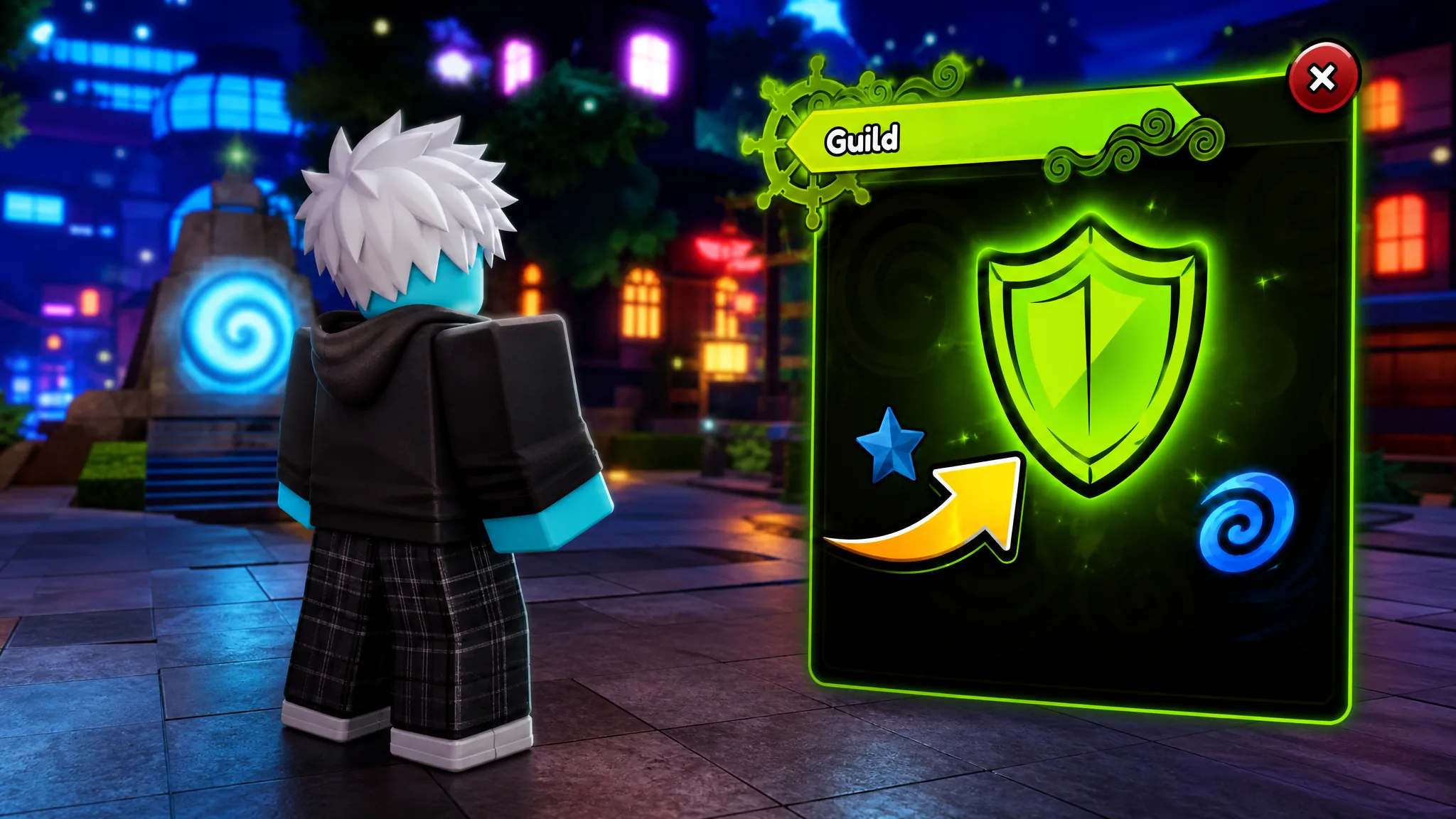
Guilds in Anime Expeditions let you group up with other players, climb the guild leaderboards, and stamp your team with a custom emblem. The catch is that the create option stays locked until your account hits a set level, and the icon only accepts a specific kind of Roblox value rather than an uploaded picture.
Quick answer: Reach Level 20, open the green Guild button, pick Create Guild, and pay 10,000 Gold. For the icon, copy a Roblox decal’s numeric asset ID and paste it into the Image Asset ID field.
Guild creation requirements in Anime Expeditions
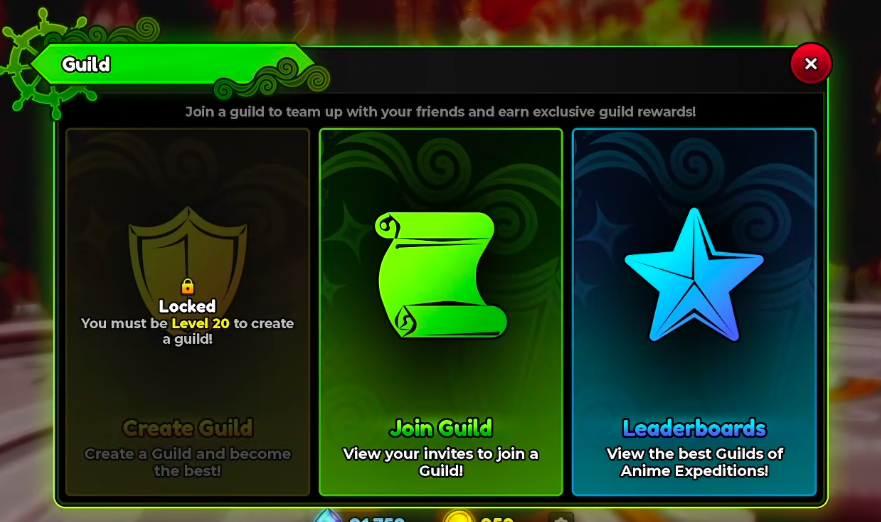
The Guild menu holds three options: Create Guild, Join Guild, and Leaderboards. Creating your own is gated behind a level and a cost, while joining someone else’s guild has no level requirement at all.
| Action | Requirement |
|---|---|
| Create a guild | Reach Level 20 and spend 10,000 Gold |
| Guild name | Maximum 15 characters |
| Custom icon | A numeric Roblox decal asset ID |
| Join a guild | Accept an invite (no level requirement) |
Before Level 20, the Create Guild slot shows a padlock with the message that you must be Level 20 to create a guild. Once you cross that threshold, the option unlocks and the 10,000 Gold cost is deducted when you finalize.
Create a guild step by step
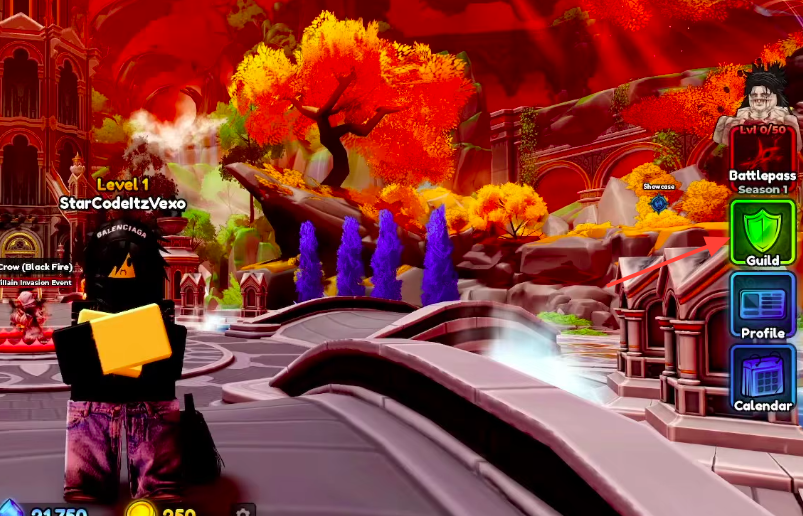
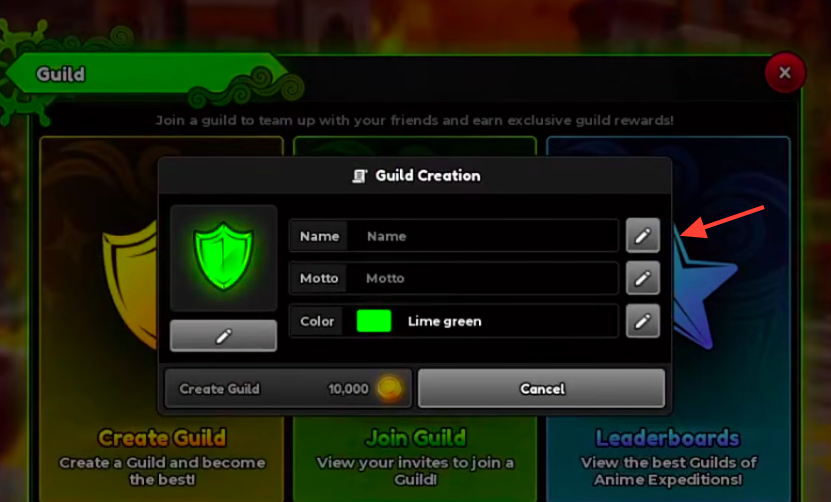
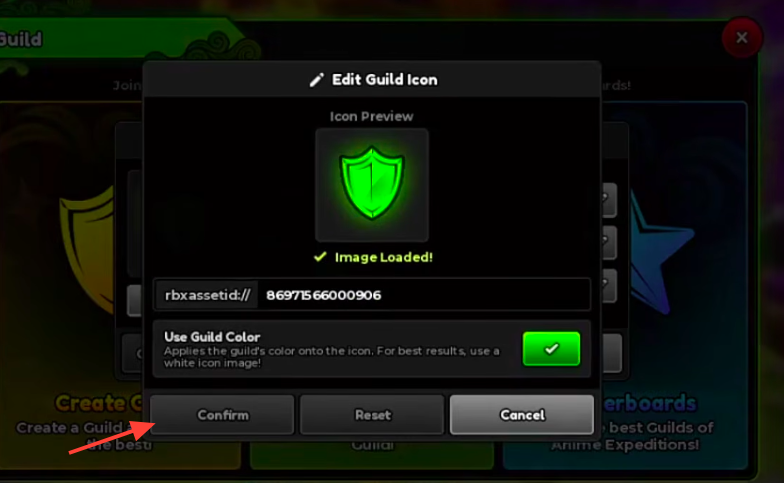
Get a Roblox decal asset ID for the guild icon
The guild icon does not accept an image upload inside the game. Instead, it reads a numeric Roblox decal asset ID, which you copy from the Roblox site and paste into the icon editor. The default icon uses rbxassetid://86971566000906, and you only need to swap in the number that follows.
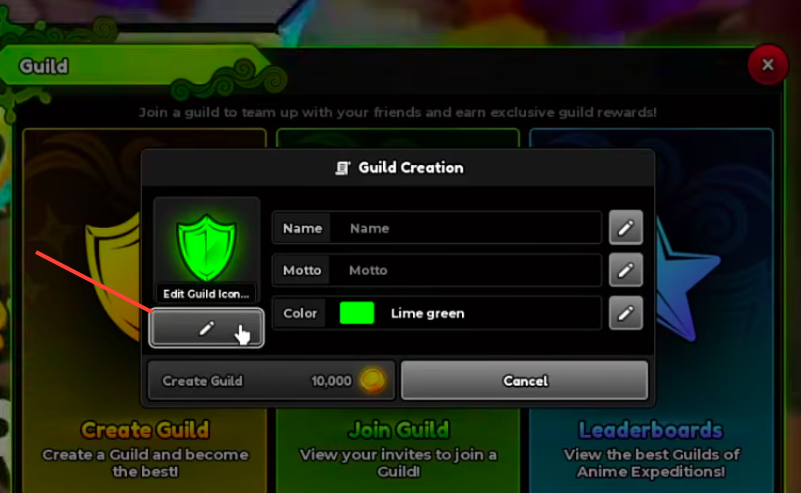
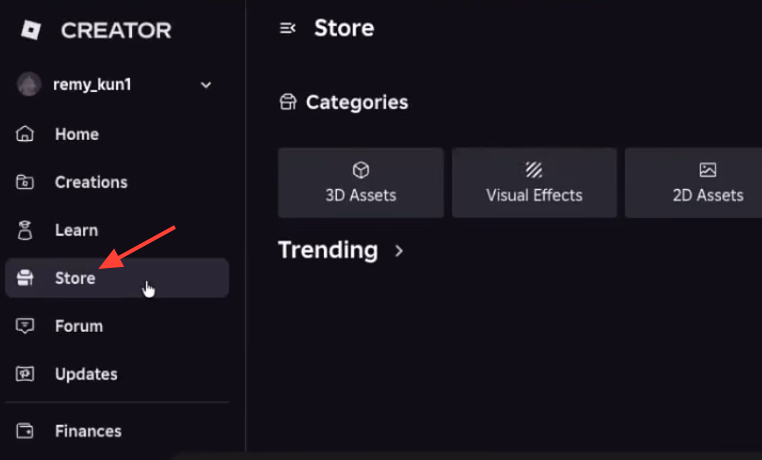
8508980536).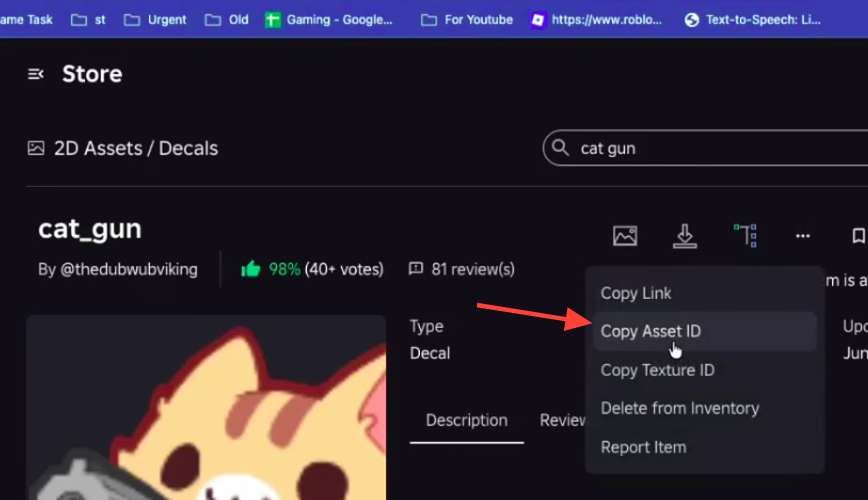
The Use Guild Color toggle paints your chosen guild color over the icon. It works best with a plain white icon image, so pick a white silhouette decal if you plan to tint it.
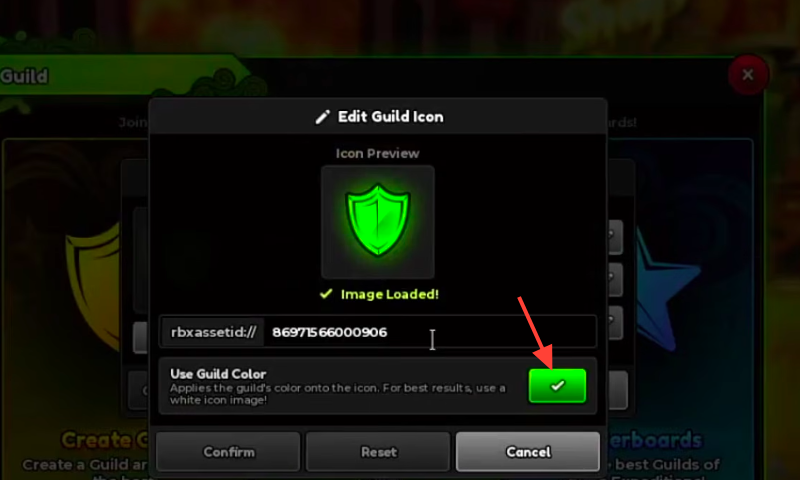
Fix a guild icon that will not load
Most icon failures come from feeding the field the wrong Roblox value. The guild wants the decal’s numeric asset ID, so anything else tends to show nothing or fail to load.
| Problem | Fix |
|---|---|
| Copied the wrong number | Use the decal’s three-dot menu and pick Copy Asset ID |
| Pasted a full Roblox link | Enter only the numeric asset ID, not the URL |
| Used a non-image asset | Pick a decal from 2D Assets, not a model or audio file |
| Asset is private or moderated | Choose a public decal Roblox allows to display |
| Icon does not appear right away | Wait for Roblox to finish processing, then try again |
Join a guild if you are below Level 20
You do not need Level 20 to be in a guild, only to make one. Any guild owner or manager can send an invite, and once it arrives you accept it through Join Guild in the Guild menu, where incoming invites are listed.
If you have no invites yet, the screen shows a “No Invites” message. To find a group, look for recruitment posts on the Anime Expeditions Discord, where players regularly advertise open spots. Joining an existing guild is also the simpler route if you would rather not manage your own group and pay the 10,000 Gold cost.