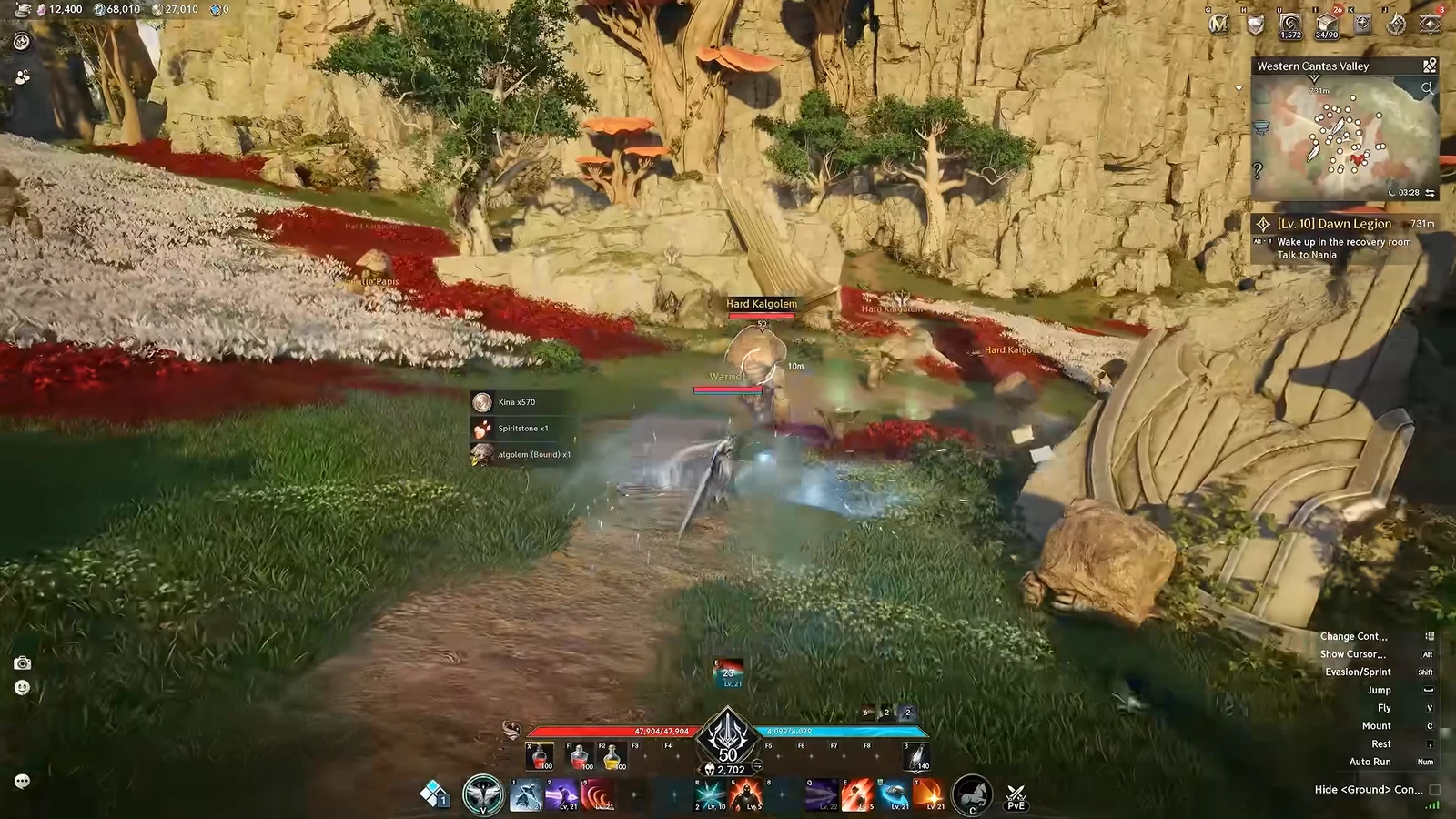
Floating damage numbers pile up fast in AION 2. Between your own hits, your heals, your spirit’s damage, and everything landing on your target, a single fight against something as basic as a Red Cap Fungus can bury the enemy behind a wall of scrolling text. The fix lives in the Floater settings, and you can strip out everything or keep only the numbers you care about.
Quick answer: Open Settings from the main menu, go to Info Display, select the Floater tab, and switch off Combat Floater Display to clear all floating numbers.
Turn off damage numbers in AION 2
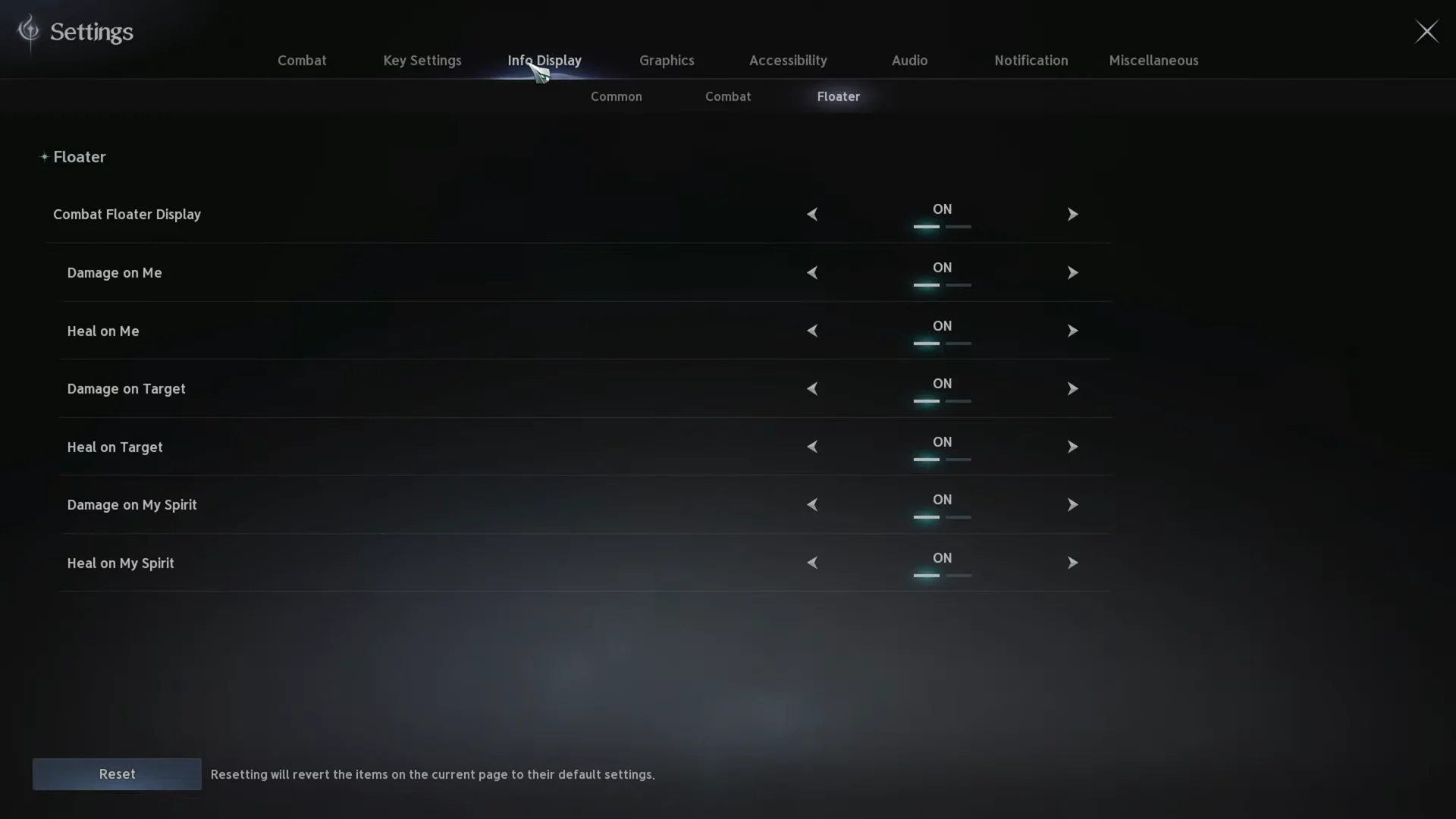
What each Floater toggle controls
The individual options let you cut the clutter without going completely blind. A common setup is to leave damage on your target visible while switching off incoming numbers and spirit output.
| Setting | Numbers it controls |
|---|---|
| Combat Floater Display | Master switch for all combat floaters |
| Damage on Me | Damage you take |
| Heal on Me | Healing you receive |
| Damage on Target | Damage you deal to your target |
| Heal on Target | Healing applied to your target |
| Damage on My Spirit | Damage dealt by your spirit |
| Heal on My Spirit | Healing applied to your spirit |
Spirit floaters are usually the biggest offender in dense fights, since they stack on top of your own output over the same enemy. Turning off just those two lines can be enough.
Confirm the change took effect
Close the Settings screen and attack any nearby mob. If the toggles applied, the enemy’s health bar will drain normally but no numbers will scroll up from the hit. Your own health bar behaves the same way when something hits back, with no floating text over your character.
There is no separate save or apply step, so the moment you flip a switch the change is live. If numbers are still appearing, check whether you disabled a single line rather than Combat Floater Display itself.
Other Info Display options worth checking
The Floater tab sits alongside two others in Info Display that shape how much text sits on your screen during a fight. The Combat tab holds Range Display settings, which govern the distance indicators tied to your abilities and targets.
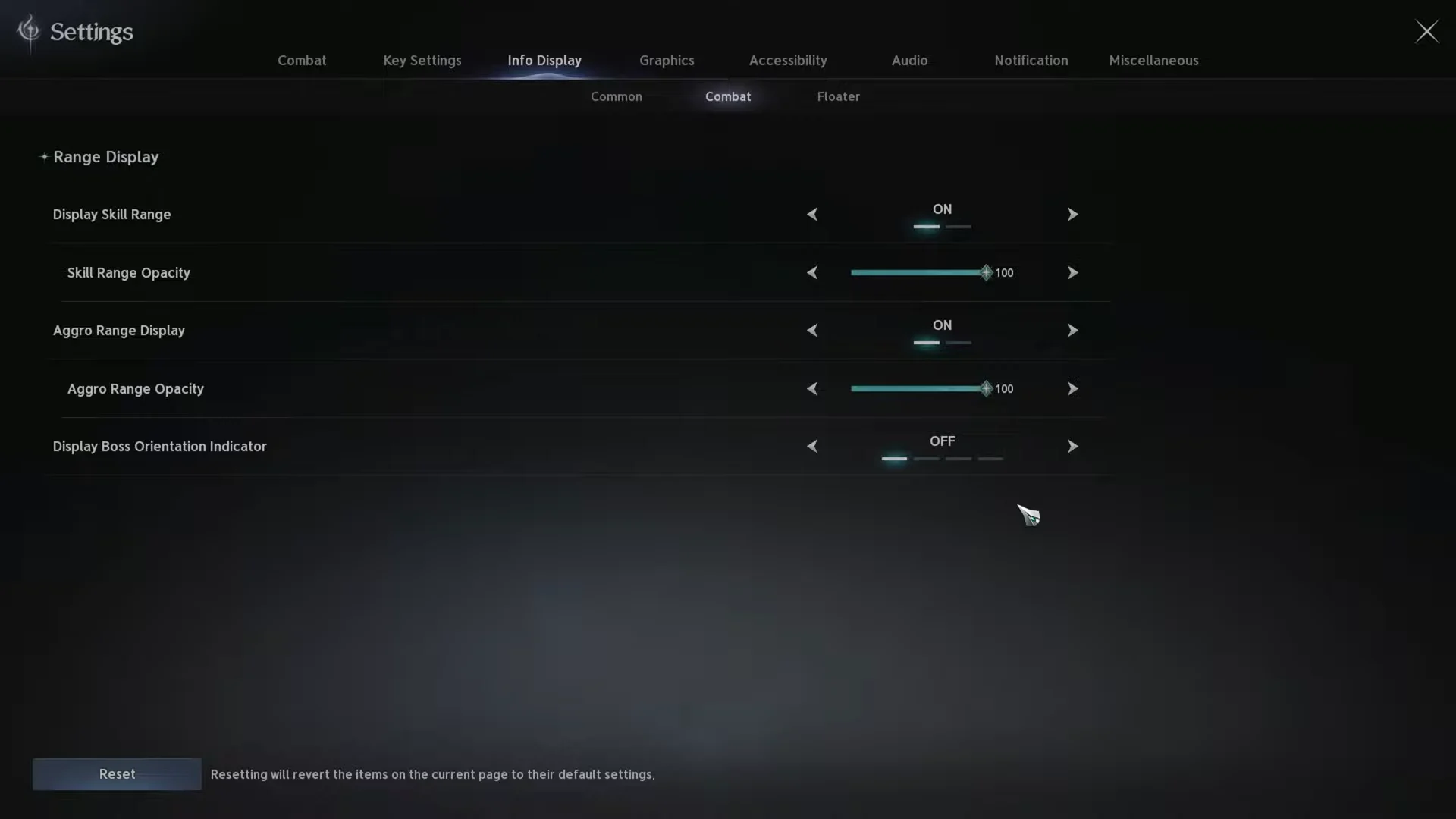
The Common tab covers Nameplate settings, which control the name and health bar labels hovering above characters and enemies. Trimming those back pairs well with hidden floaters if your goal is a cleaner view of boss telegraphs and ground effects.
Turning off floating combat text leaves damage tracking intact. Press Ctrl + X to show or hide the in-game damage meter; its binding can be changed in key settings via the skill macro section on the General tab.
Most players land somewhere in the middle rather than switching everything off. Keeping damage on your target while silencing incoming hits and spirit output keeps the screen readable in Expeditions and PvP without losing the feedback that tells you a rotation is landing.