Gaming Guide

Dripping in Gold Dress To Impress: 2 Outfit Ideas and How to Make Clothes Gold

Two free Dripping in Gold DTI looks built step by step, a gold Metallic tiered ruffle gown and a head-to-toe gold mini with gold Foil boots and gold curls, plus how to make any piece gold with the Wheel tab (#bb8013) and Metallic, Foil or Glitter.

Two free Dripping in Gold DTI looks built step by step, a gold Metallic tiered ruffle gown and a head-to-toe gold mini with gold Foil boots and gold curls, plus how to make any piece gold…

Dripping in Gold DTI rounds call for gold. Dress To Impress, the Roblox fashion game, has no dedicated gold section to shop from. You make gold yourself, one clothing part at a time, using the color Wheel and a shiny material. Every piece below is free, and so are the materials used on them.

Quick answer: Select any available piece and set all its parts to deep gold, HEX #bb8013, in the Wheel tab. On the “+” tab, choose Metallic, Foil, or Glitter. A gold tiered gown works, as does a gold mini paired with gold boots and hair.


How to make clothes gold in Dress To Impress

Start in the Dressing Room. Clothes in Dress To Impress have no visible item names, so you find pieces by where they sit and what they look like. Gold comes from two settings working together, a deep yellow-orange from the Wheel and a shine from the materials tab.
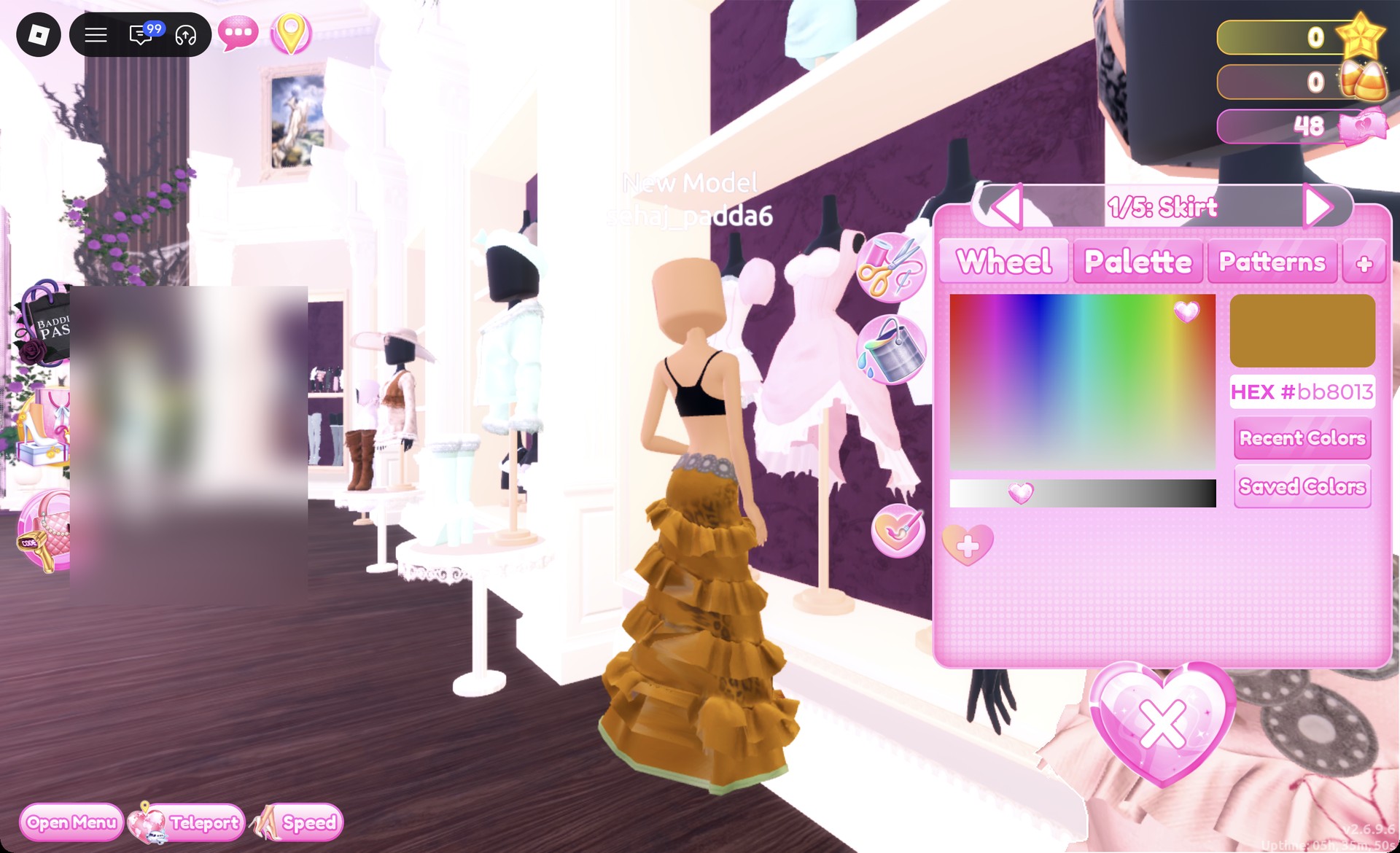
Click a piece in the Dressing Room. It previews on your avatar and the color panel opens, showing which part you are editing, for example “1/5: Skirt”.
In the Wheel tab, click high in the color square, in the area between yellow and orange. Set the brightness slider underneath to about one-third of its length. Check that the HEX field displays #bb8013 and that the preview square is deep gold.
Wheel tab with HEX #bb8013 on the tiered skirt in Dress To Impress
The Wheel tab with HEX #bb8013: the tiered skirt turns a deep gold.
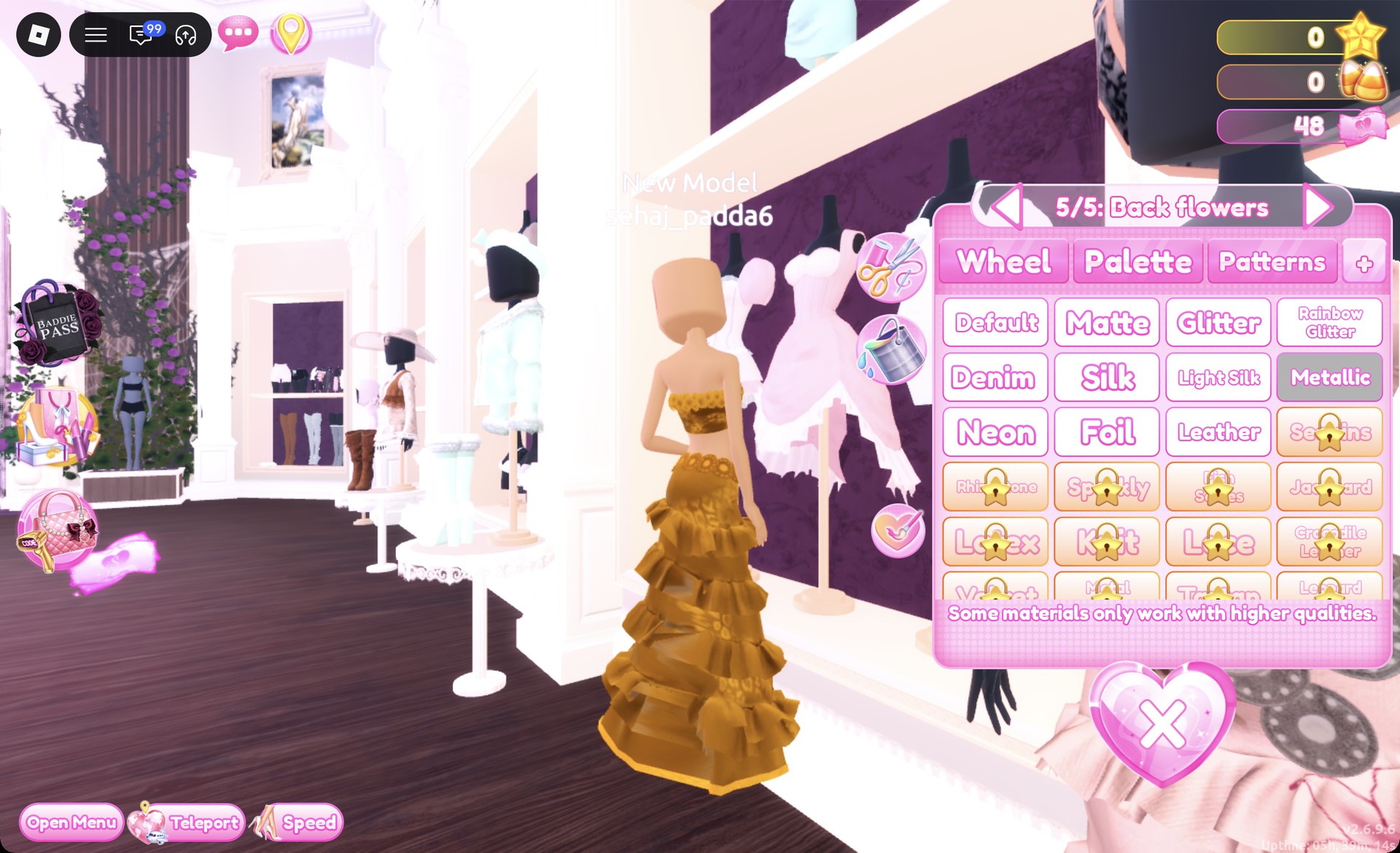
Open the “+” tab, which holds the materials, and pick a free shine. Metallic gives a smooth gold, Foil gives a brighter and shinier gold, and Glitter sparkles. Materials marked with a star lock, such as Sequins, Rhinestone and Sparkly, are not needed.
Materials tab with Metallic selected in Dress To Impress
The "+" (materials) tab with Metallic picked; Foil and Glitter sit beside it, star-locked materials below.
Use the arrows at the panel’s top to advance through the parts marked (“2/5”, “3/5” and onward), applying the color and material to each. These settings are individual to each part, so skipped parts retain their default color.
Equip the piece by selecting the item’s “Put On” label or clicking the heart-and-tick control beside the panel on its left.

The yellow swatch in the Default palette (column 8, row 6) is not gold. With Metallic it reads as a bright lime-yellow, which is why gold made from the palette tends to look wrong. Use the Wheel and a darker brightness instead.
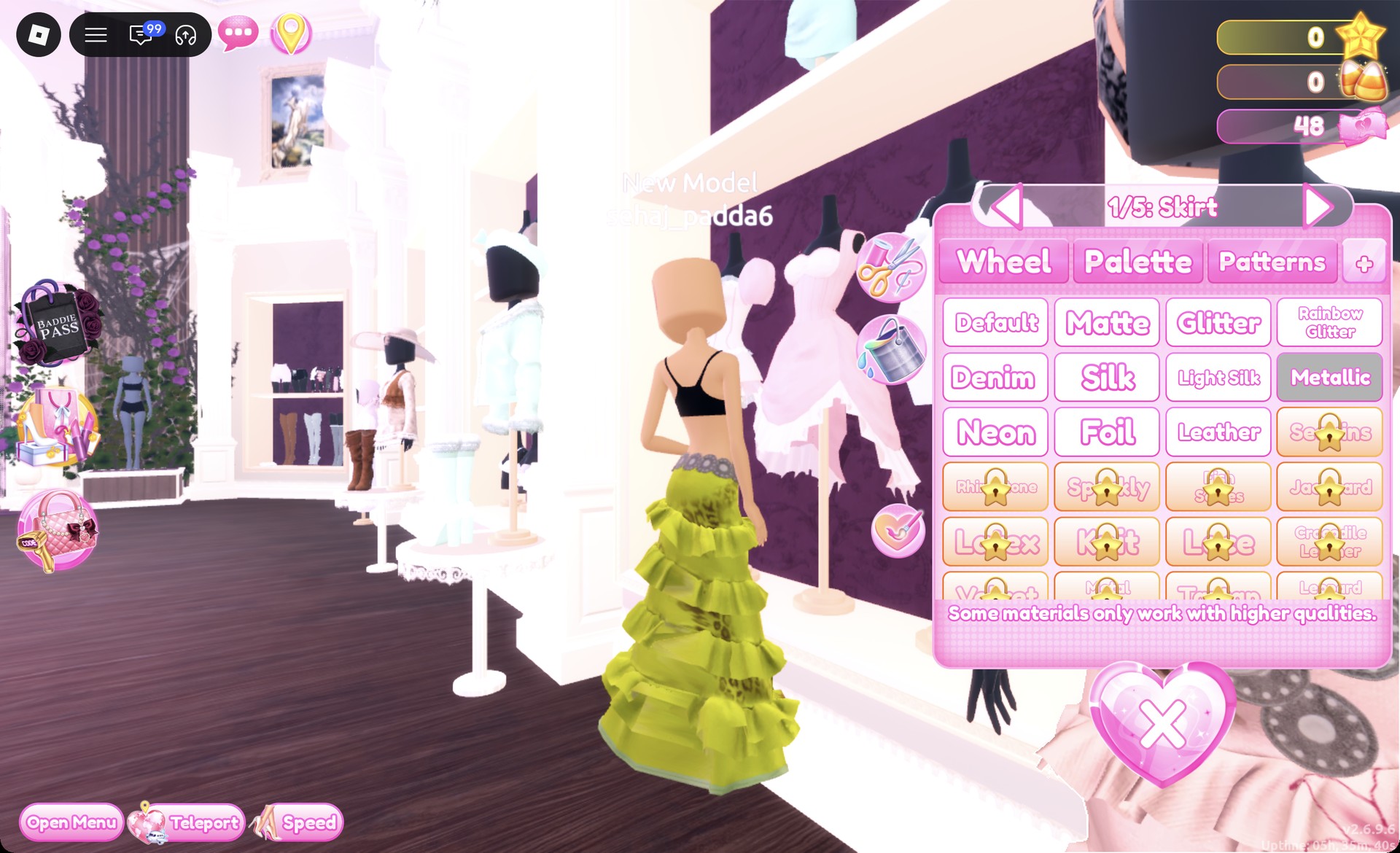
Palette yellow with Metallic reading lime-yellow in Dress To Impress
Palette yellow (column 8, row 6) with Metallic: the skirt reads lime-yellow, not gold.

Saving the gold for one-click recoloring

Under the Wheel tab there is a heart with a “+” on it. Click it once your gold is set, and “Saved color!” appears with a gold heart next to it. Clicking that gold heart recolors the next part, and parts on the next piece, in one click. The saved heart does not always show up on every piece, though. If it is missing, click the Wheel point and the brightness slider again until the HEX box reads #bb8013.
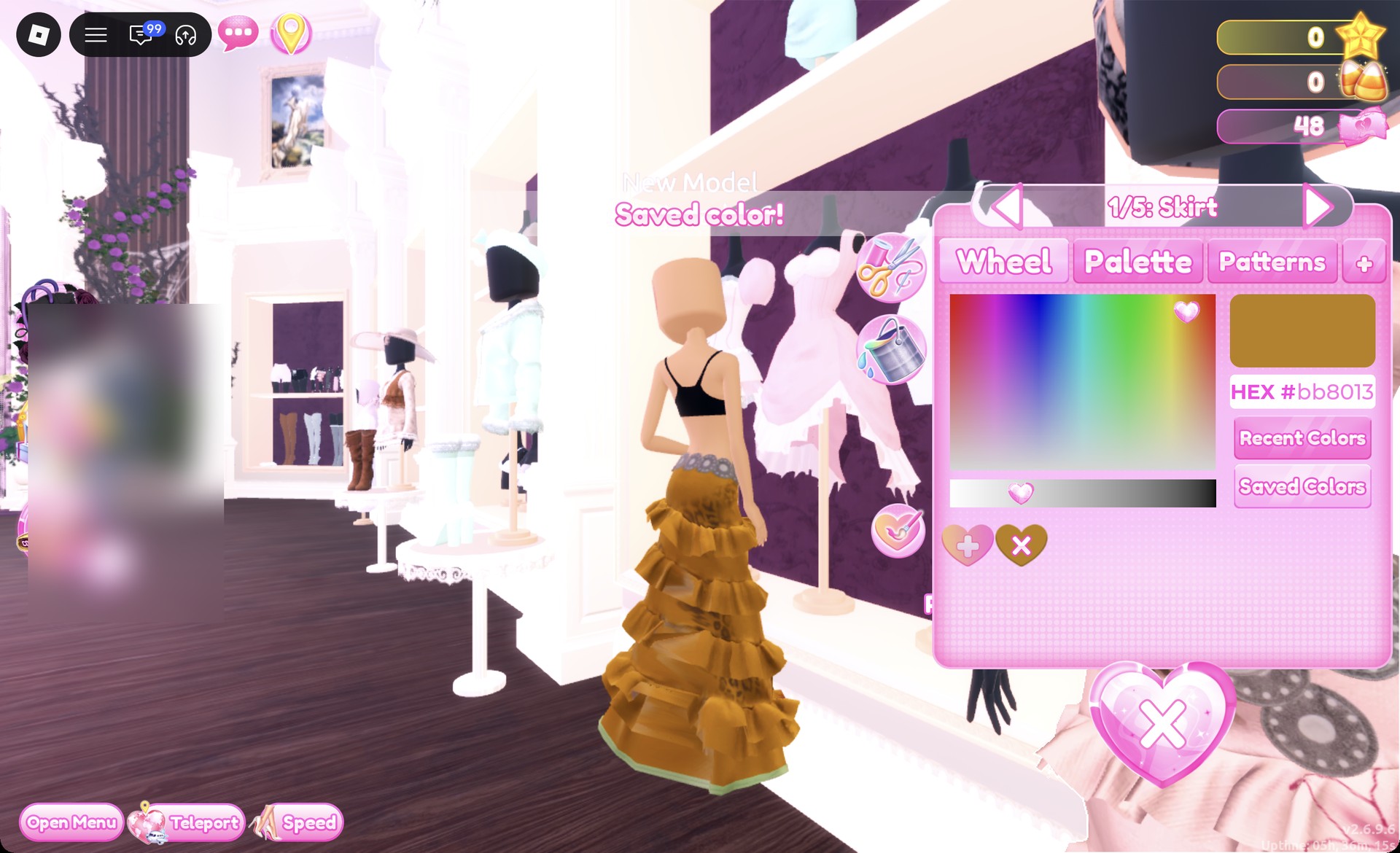
Saved color message in the Dress To Impress color panel
"Saved color!" after clicking the heart with a "+"; the saved gold heart appears beside it.

Making hair gold

Hair follows the same process: its chair has matching Wheel and “+” tabs. Set every hair part to #bb8013, then choose Metallic for a gold finish.


Where to find hair, faces, clothes and the runway

What you needWhere it isHow to open it
HairLana’s Salon, left-hand archHair chair, press E
FacesLana’s Salon, right-hand archVanity seat, press E
Clothes and shoesDressing RoomTeleport pin, top left
RunwayFreeplay RunwayTeleport pin, top left

Hairstyles are sorted into tabs, including Wavy, and faces sit under tabs such as Feminine. To take a piece off, open the Wearing panel with the hanger button on the right and click the heart X under that piece’s picture.


Dripping in Gold outfit 1: Gold tiered ruffle gown

Use the tiered ruffle gown on the mannequin positioned before the party-dress shelf and beside the shoe shelf. The top and skirt are separate pieces, so color each one on its own.
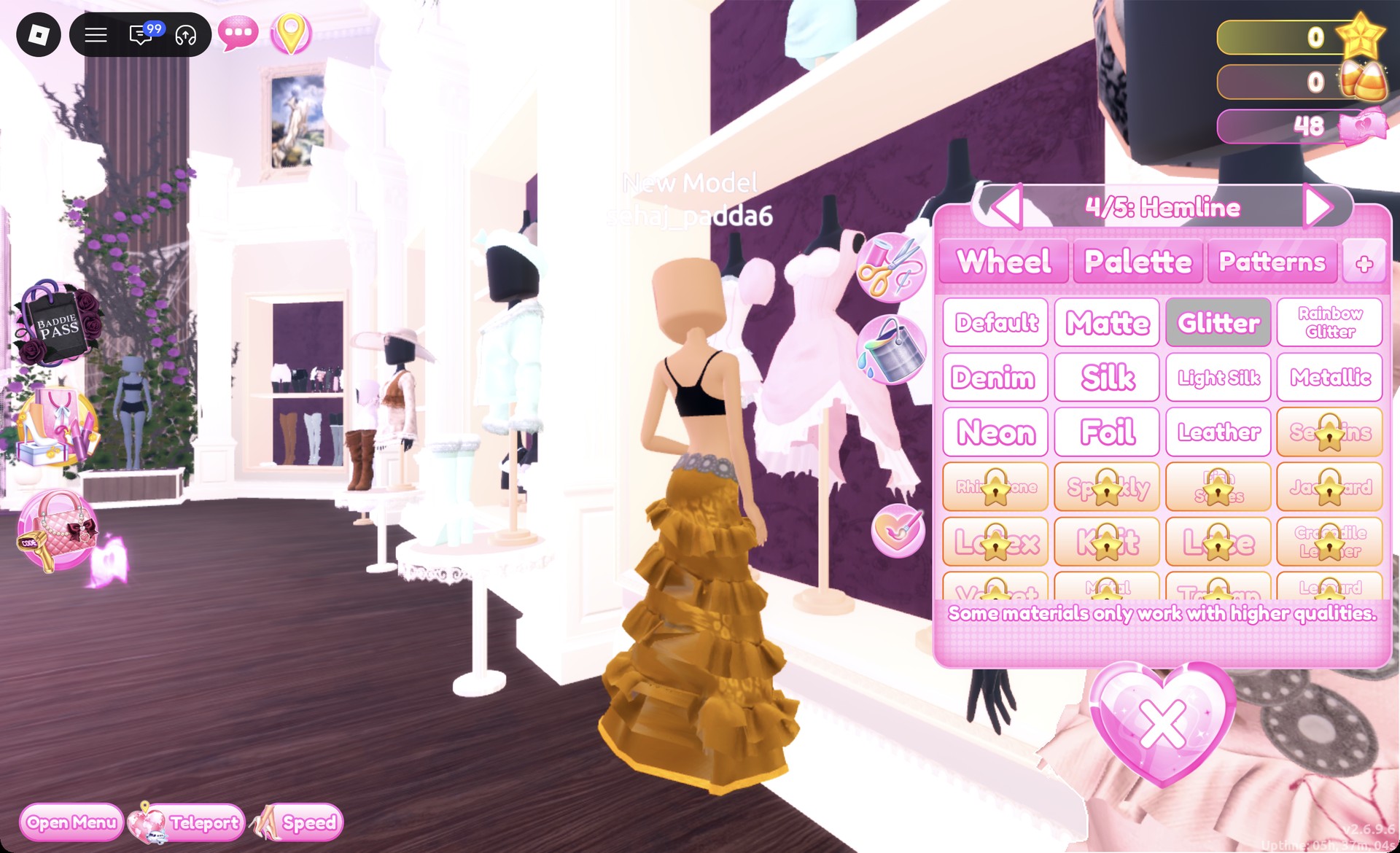
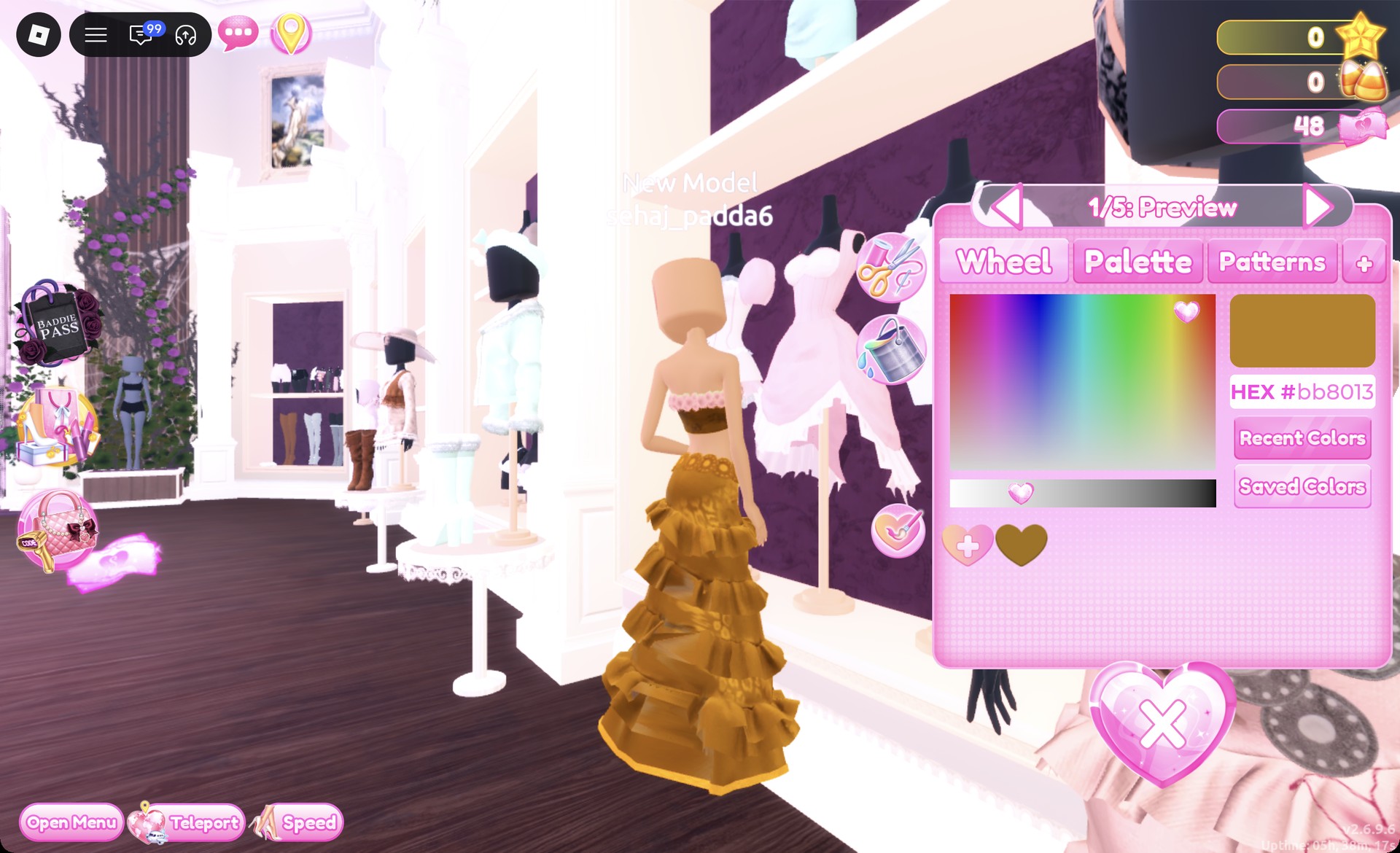
Click the lower half of the mannequin to open “1/5: Skirt”. Its parts are Skirt, Leopard Print, Flower Details, Hemline and Belt. Set all of them to #bb8013, with Metallic on everything except “4/5: Hemline”, which gets Glitter. “5/5: Belt” stays Metallic.
Tiered skirt part 4/5: Hemline with Glitter in Dress To Impress
"4/5: Hemline" with Glitter picked on the gold tiered skirt.
Select the strapless ruffle bandeau in the top half to bring up “1/5: Preview”. Apply Metallic in gold to each section, continuing through “5/5: Back flowers”. Using the gold heart you saved makes the process quicker.
Saved gold heart applied to the bandeau in Dress To Impress
The bandeau on "1/5: Preview" after a click on the saved gold heart (HEX #bb8013).
Put on the pale ankle-strap heels from the middle row of the shoe shelf. The long skirt hides them, so they can stay pale.
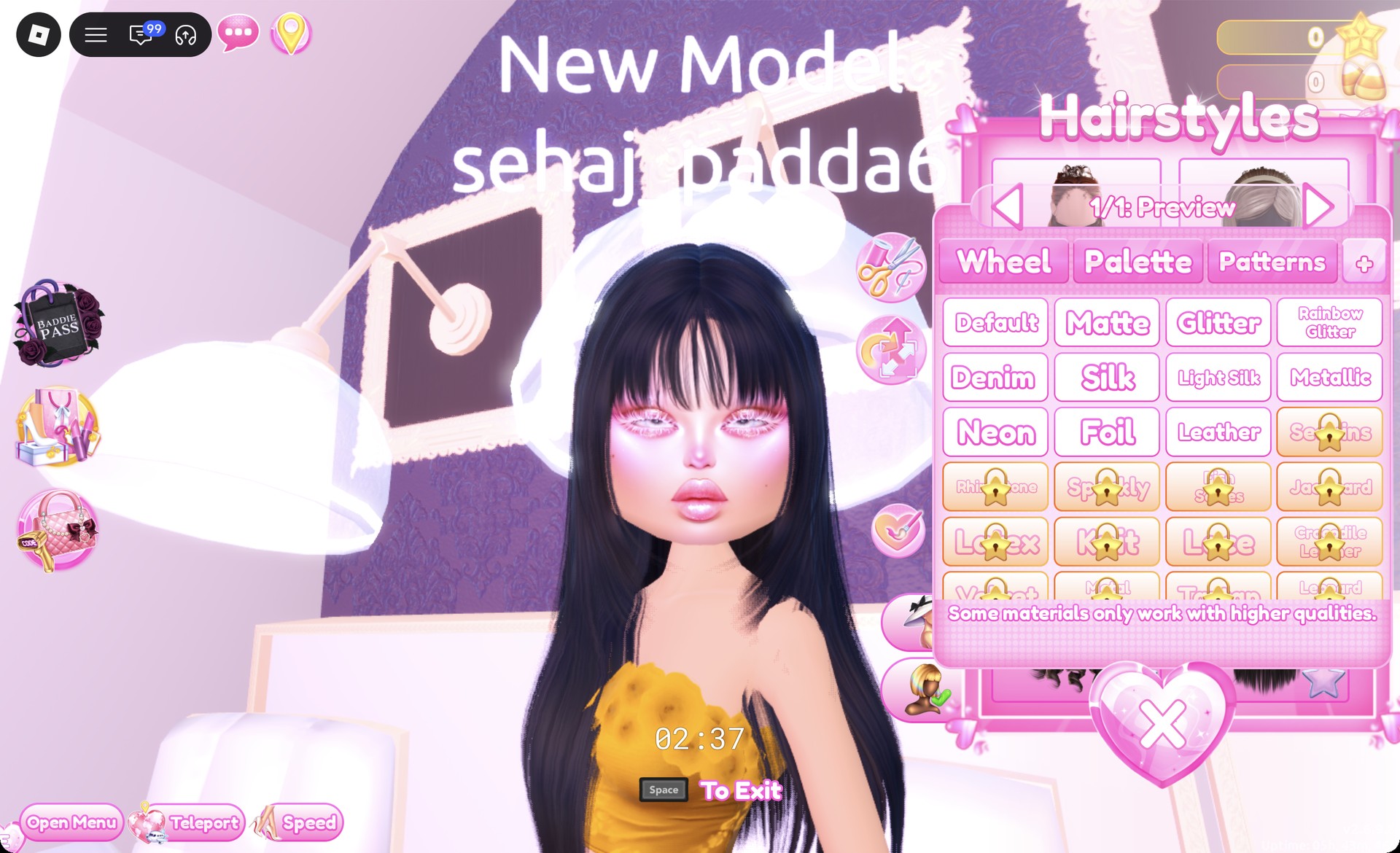
At the hair chair, open Wavy and select the card at the far right of the bottom row. It gives you a long style with a straight fringe; leave its color at the default black.
Long sleek black hair with bangs picked in the Dress To Impress hair chair
The long sleek black hair with straight bangs from the Wavy tab.
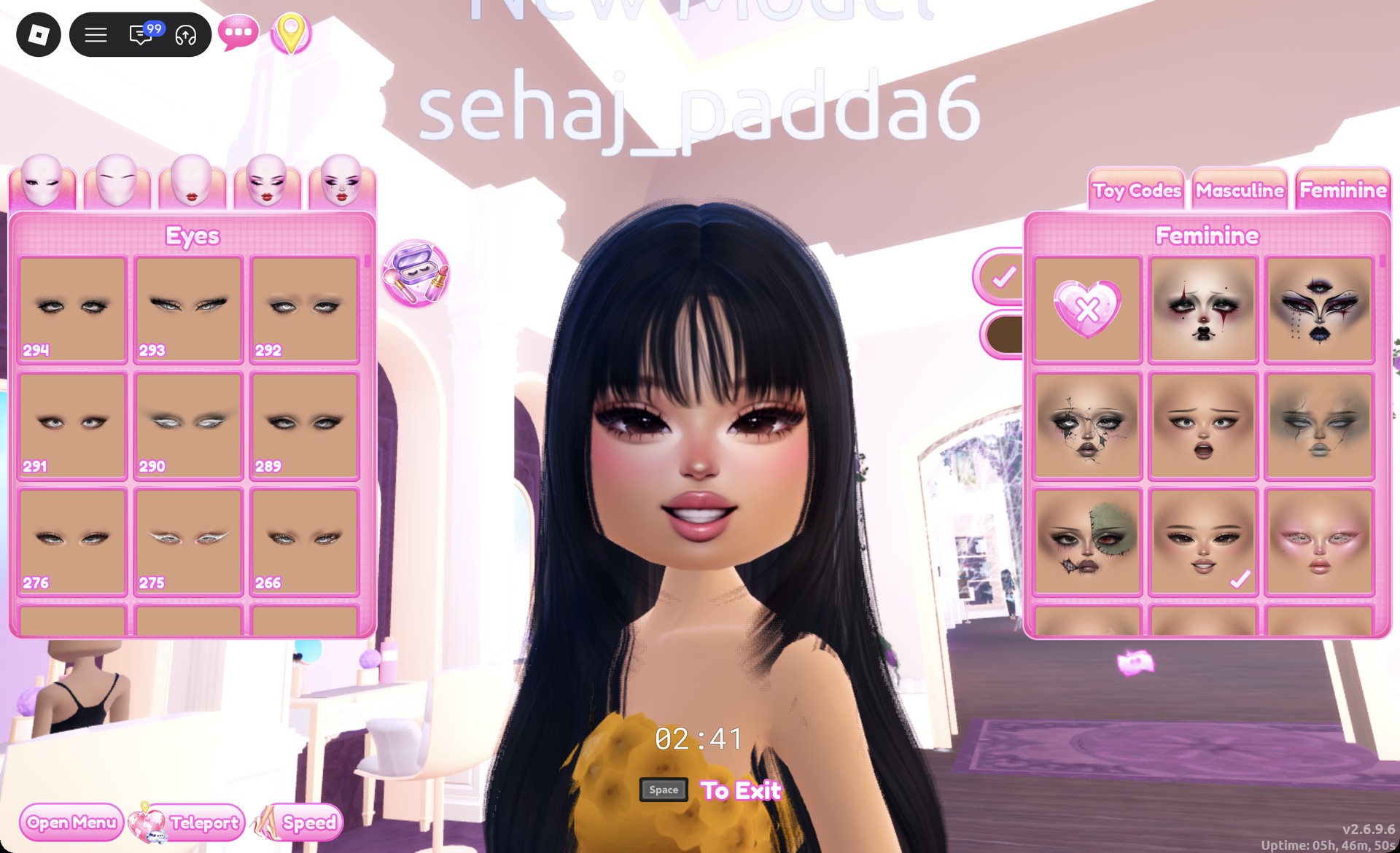
At the vanity, open the Feminine tab and choose the third-row middle card, a smiling soft glam face.
Soft glam face card selected at a Dress To Impress vanity
The soft glam face (Feminine tab, third row, middle) with the gold bandeau.

Make sure Wearing lists the skirt, bandeau, heels, and hair.
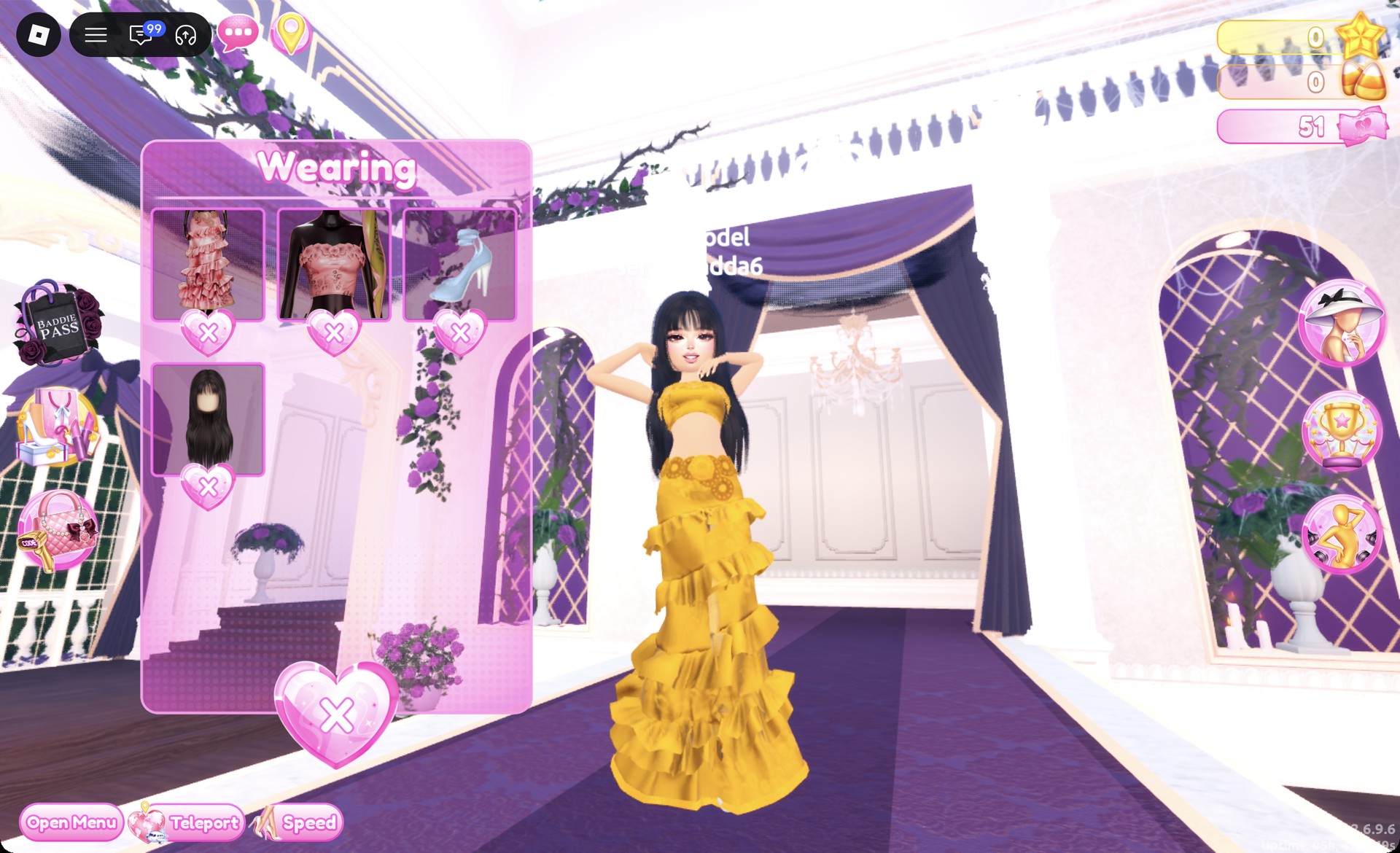
Wearing panel with the gold gown pieces in Dress To Impress
The Wearing panel with the skirt, bandeau, heels and hair.

On the Freeplay Runway, the outfit pairs a gold bandeau with a gold flower belt and a long gold tiered ruffle skirt, with the sleek black hair as the only dark color.
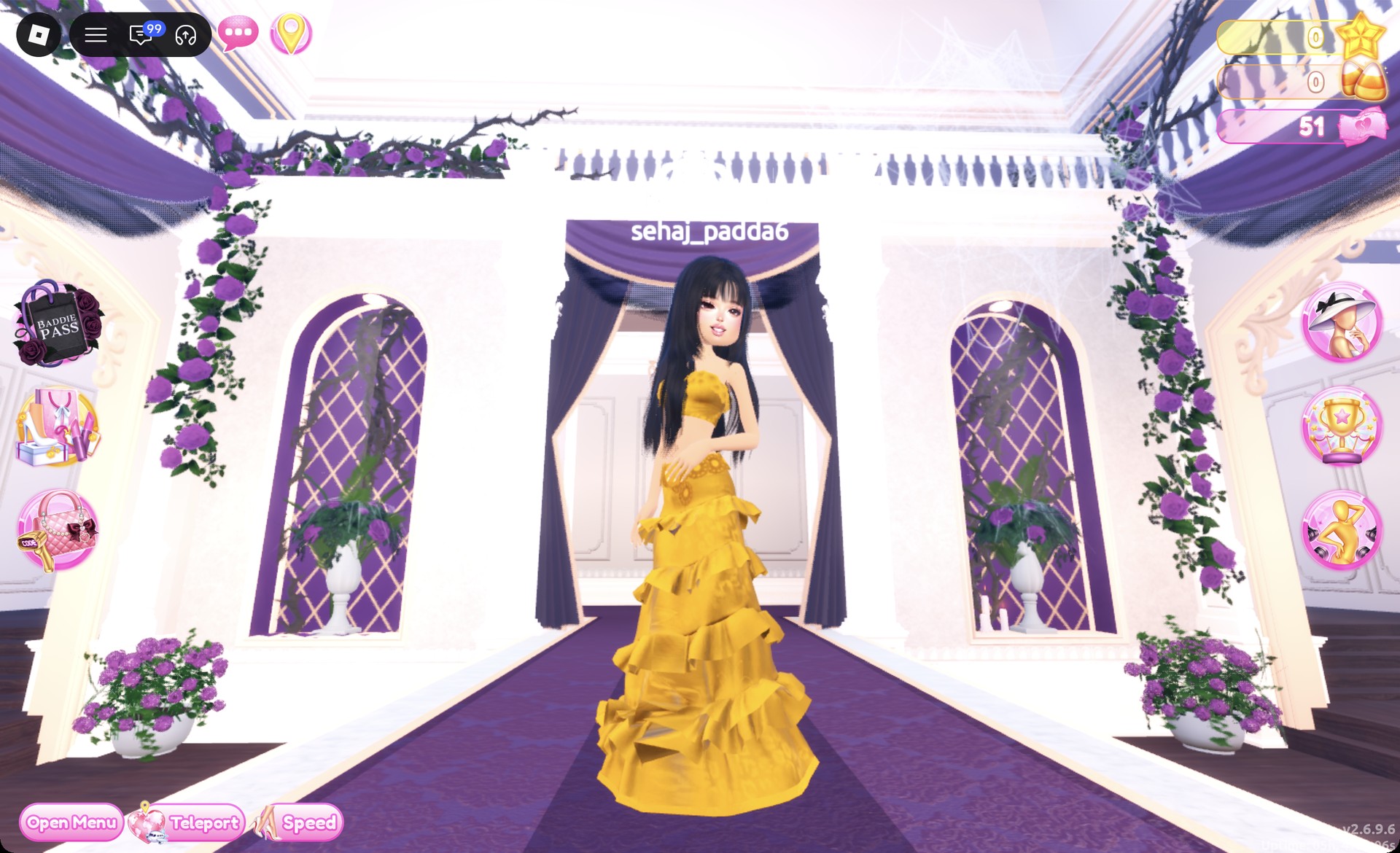
Gold tiered ruffle gown on the Dress To Impress runway
The gold gown on the runway: gold bandeau, gold flower belt and long gold tiered skirt.

The Crystal pose suits it, with hands lifted toward the face.
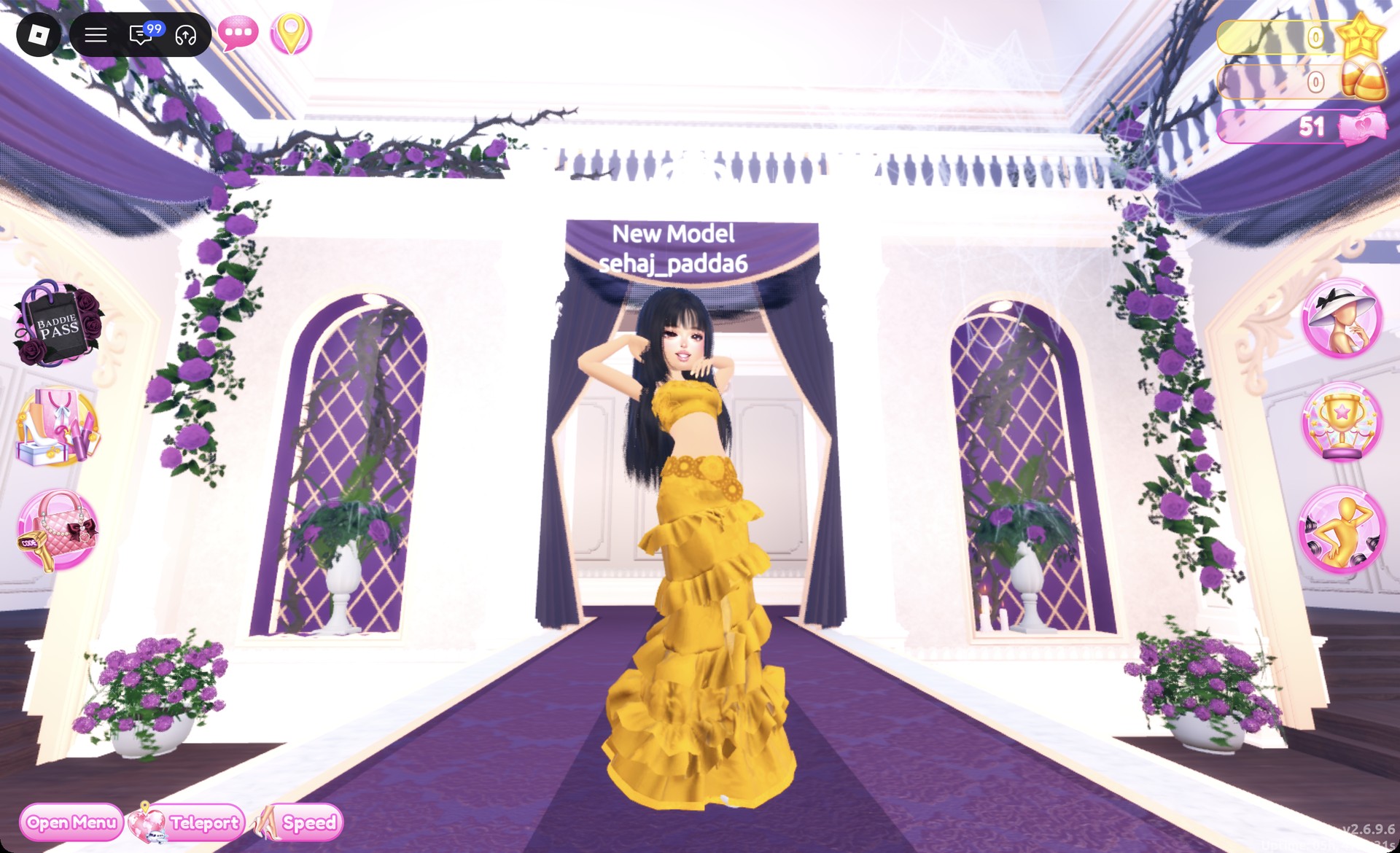
Gold gown in the Crystal pose in Dress To Impress
The Crystal pose, hands lifted toward the face.

From behind, the gold tiers fall all the way to the floor.
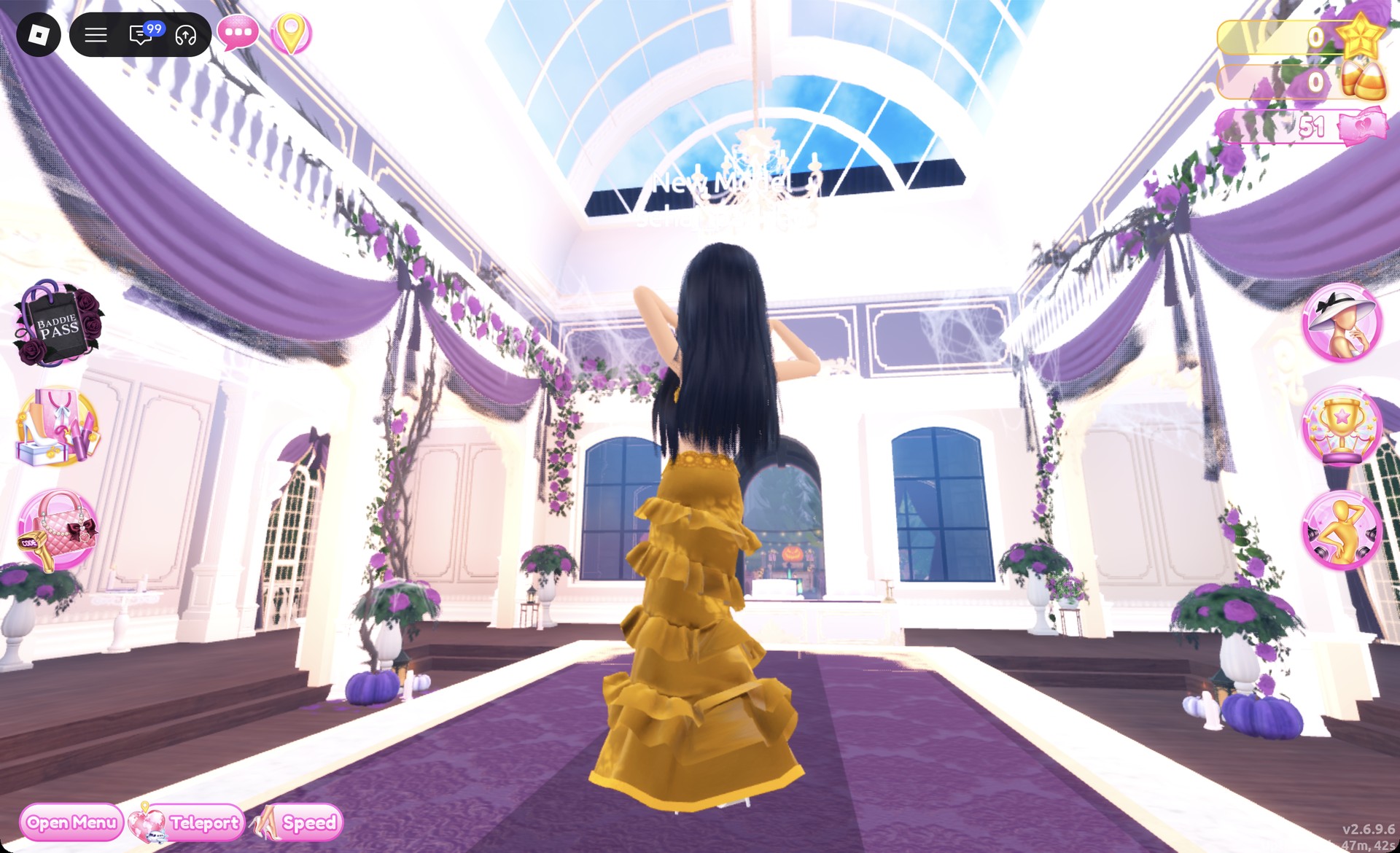
Back view of the gold tiered gown in Dress To Impress
From behind: the gold tiers and the sleek black hair.

Dripping in Gold outfit 2: Head-to-toe gold mini

This look uses a different base, the white fitted puff-sleeve mini dress to the right of the lower party-dress shelf. Before you start, remove the gown skirt, the bandeau and the heels in the Wearing panel.
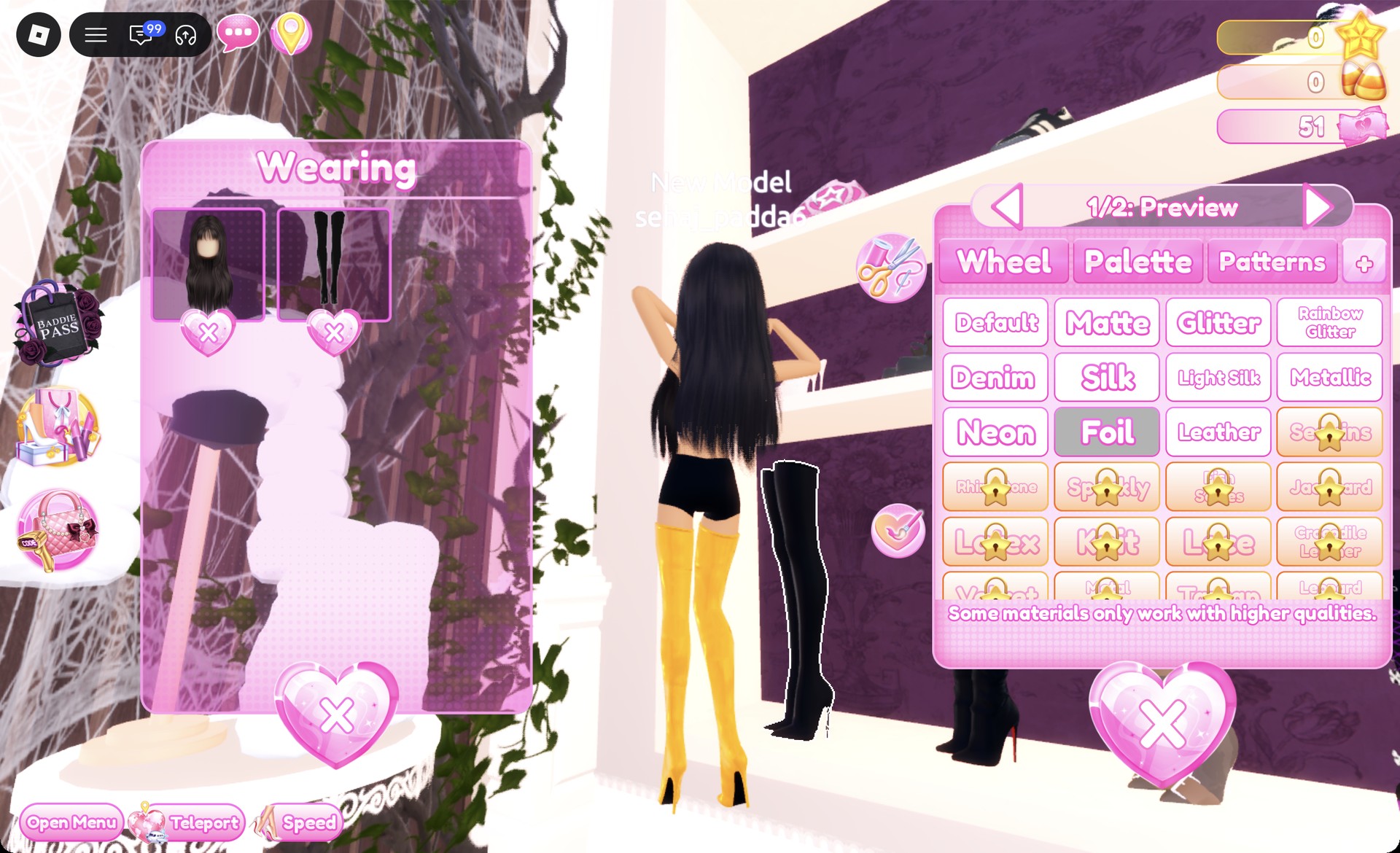
From the bottom row of the shoe shelf, click the black thigh-high stiletto boots to open “1/2: Preview”. Set part 1 to #bb8013 with Foil and part 2 to #bb8013 with Metallic. The boots turn shiny gold.
Thigh-high boots turned gold with Foil in Dress To Impress
The thigh-high boots on "1/2: Preview" with Foil: shiny gold on the character.
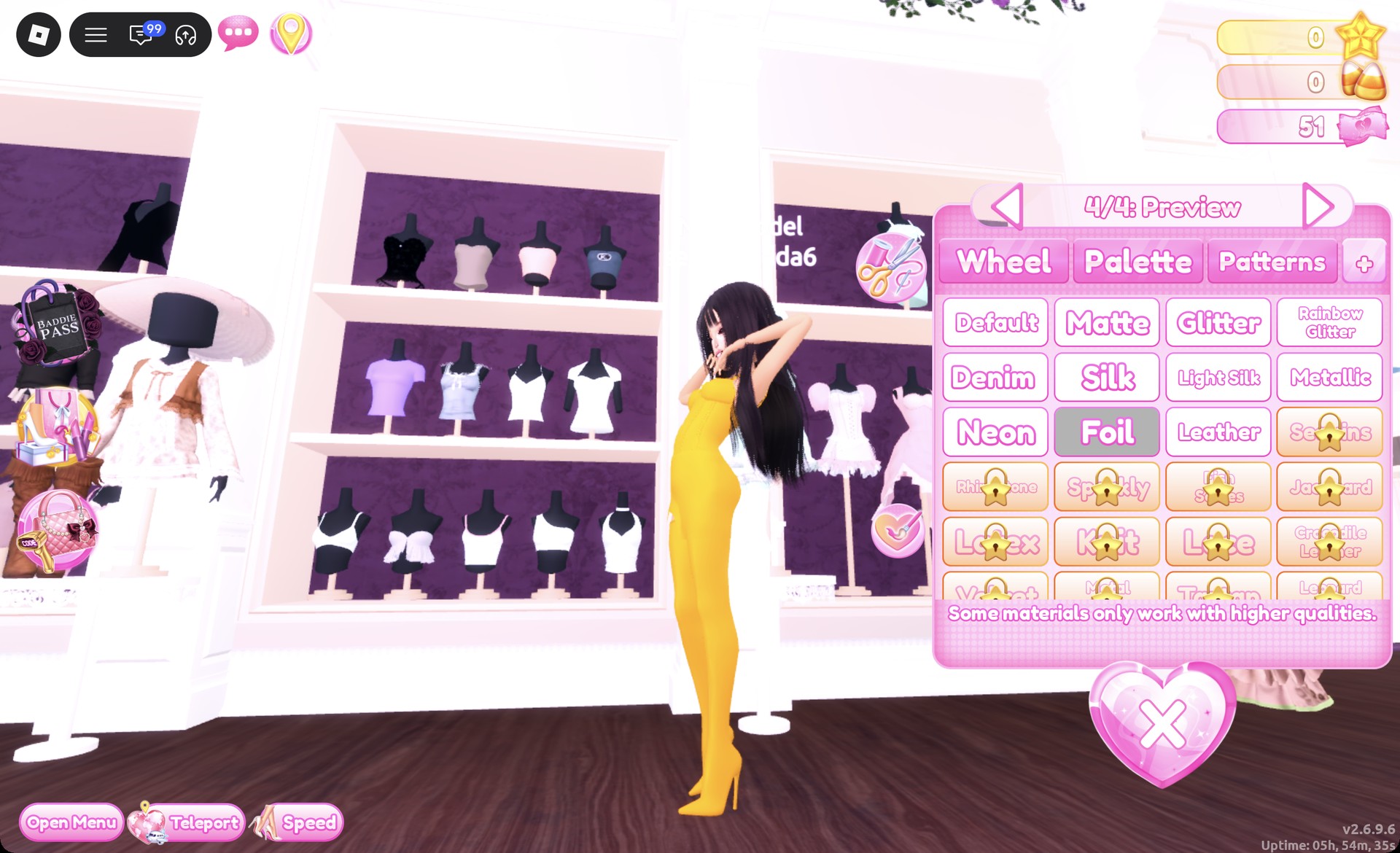
Select the white fitted mini dress to open “1/4: Preview” and set every part to #bb8013. Choose Metallic for part 1, Foil for part 2, Glitter for part 3, and Foil for part 4. The result is a fitted gold mini with no sleeves showing.
Fitted mini dress part 4/4 with Foil in Dress To Impress
The fitted mini dress on "4/4: Preview" with Foil: gold from top to boots.
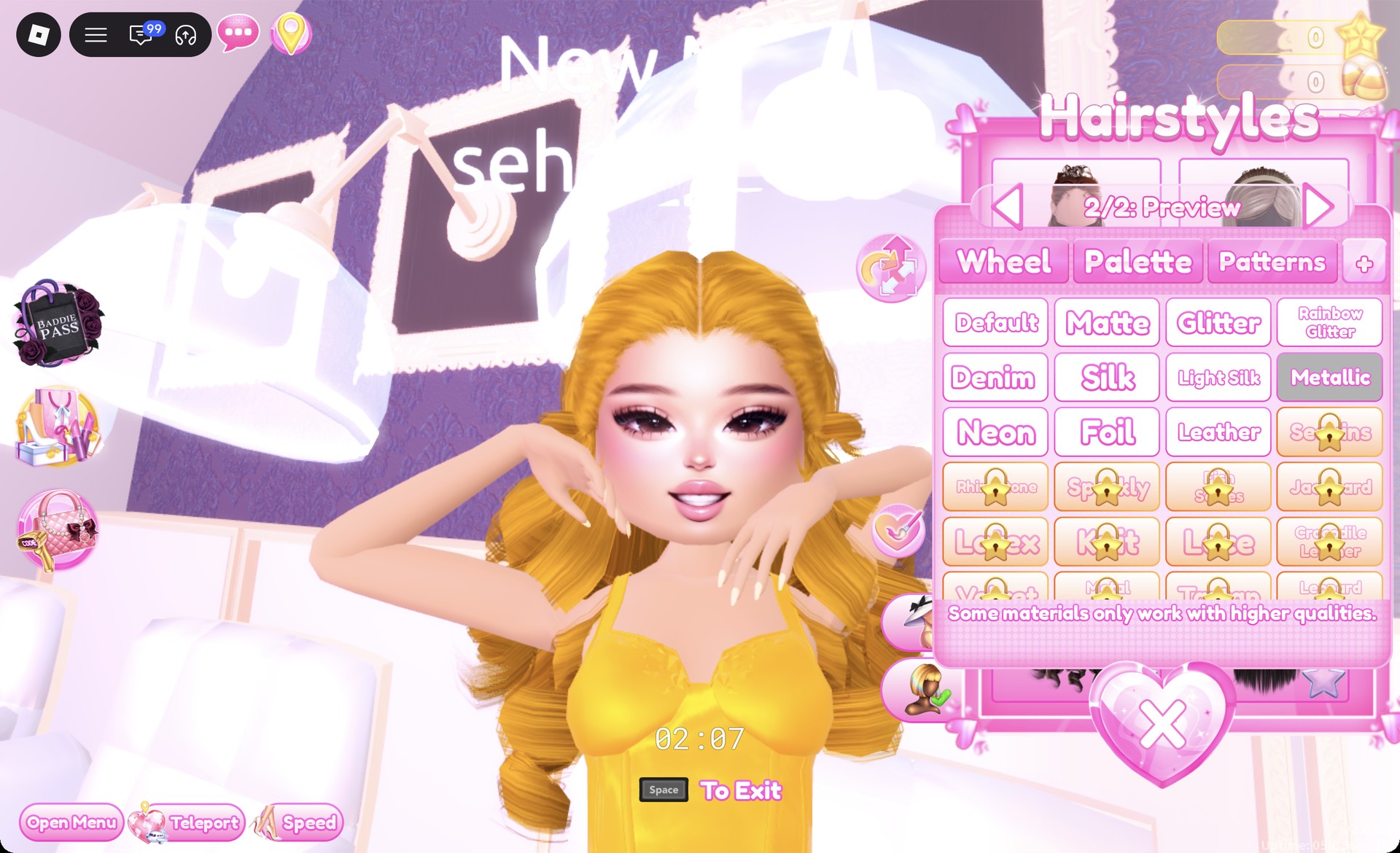
In the hair chair, remove the first look’s sleek hairstyle by clicking the heart X on its card. Open Wavy and choose the left-hand card in the third row, which shows very long, voluminous curls.
Set both parts of the curls to #bb8013 with Metallic to get gold curls. Keep the soft glam face from the first look.
Gold Metallic curls in the Dress To Impress hair chair
The long curls on "2/2: Preview" with Metallic: gold hair.

The Wearing panel should show the boots, the dress and the curls.
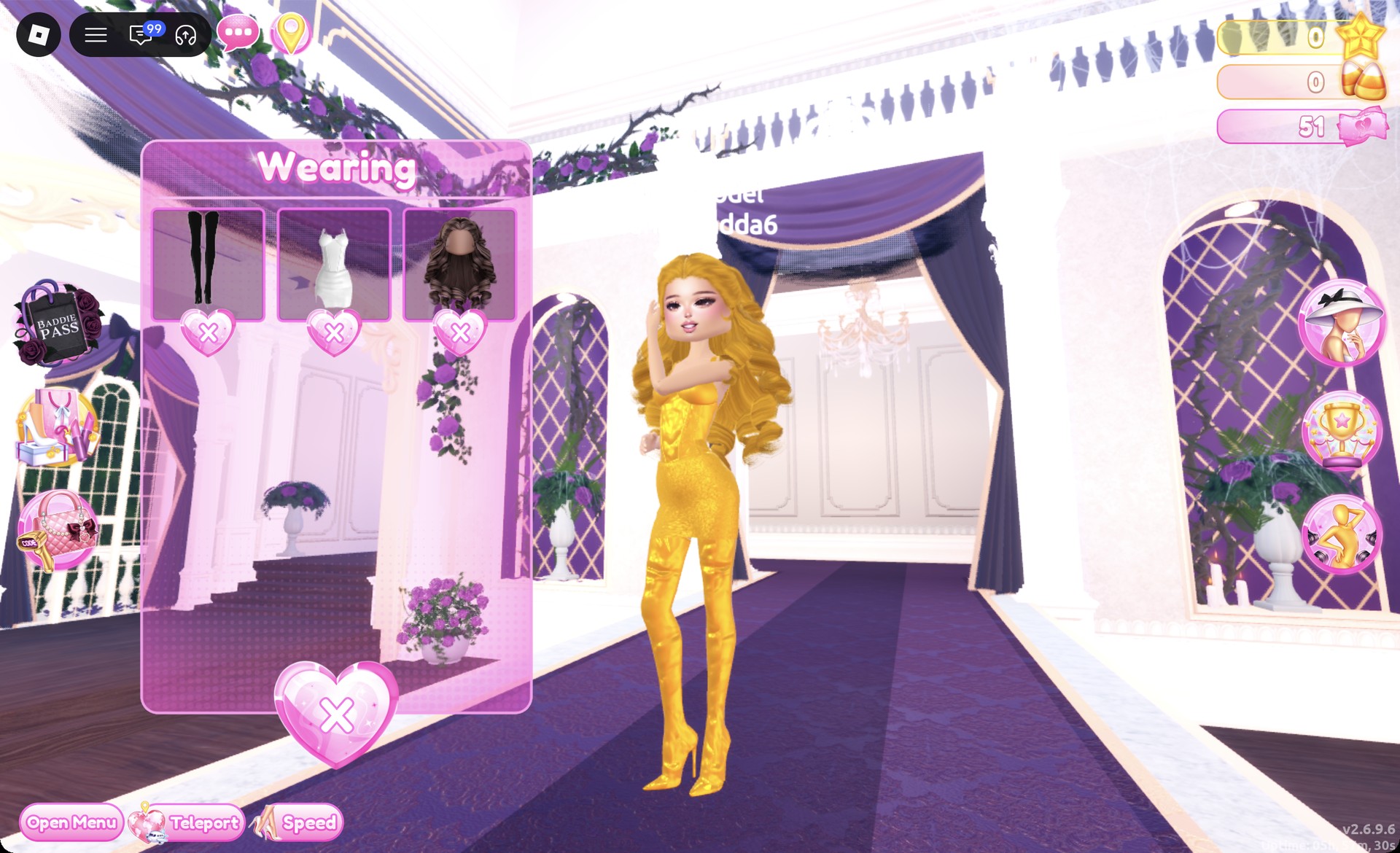
Wearing panel with the gold mini pieces in Dress To Impress
The Wearing panel with the boots, mini dress and curls.

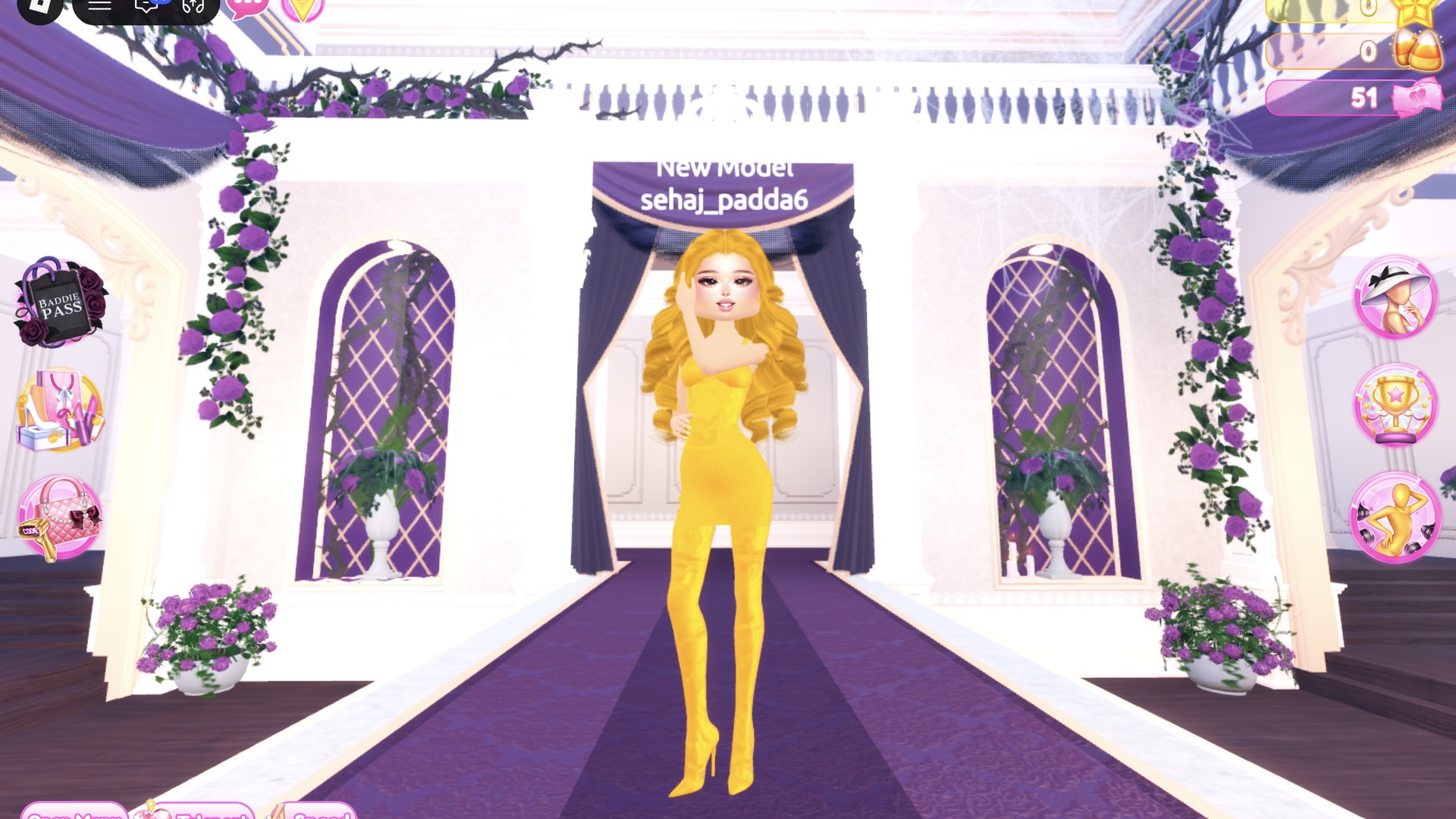
On the runway, the outfit is gold from hair to boots.
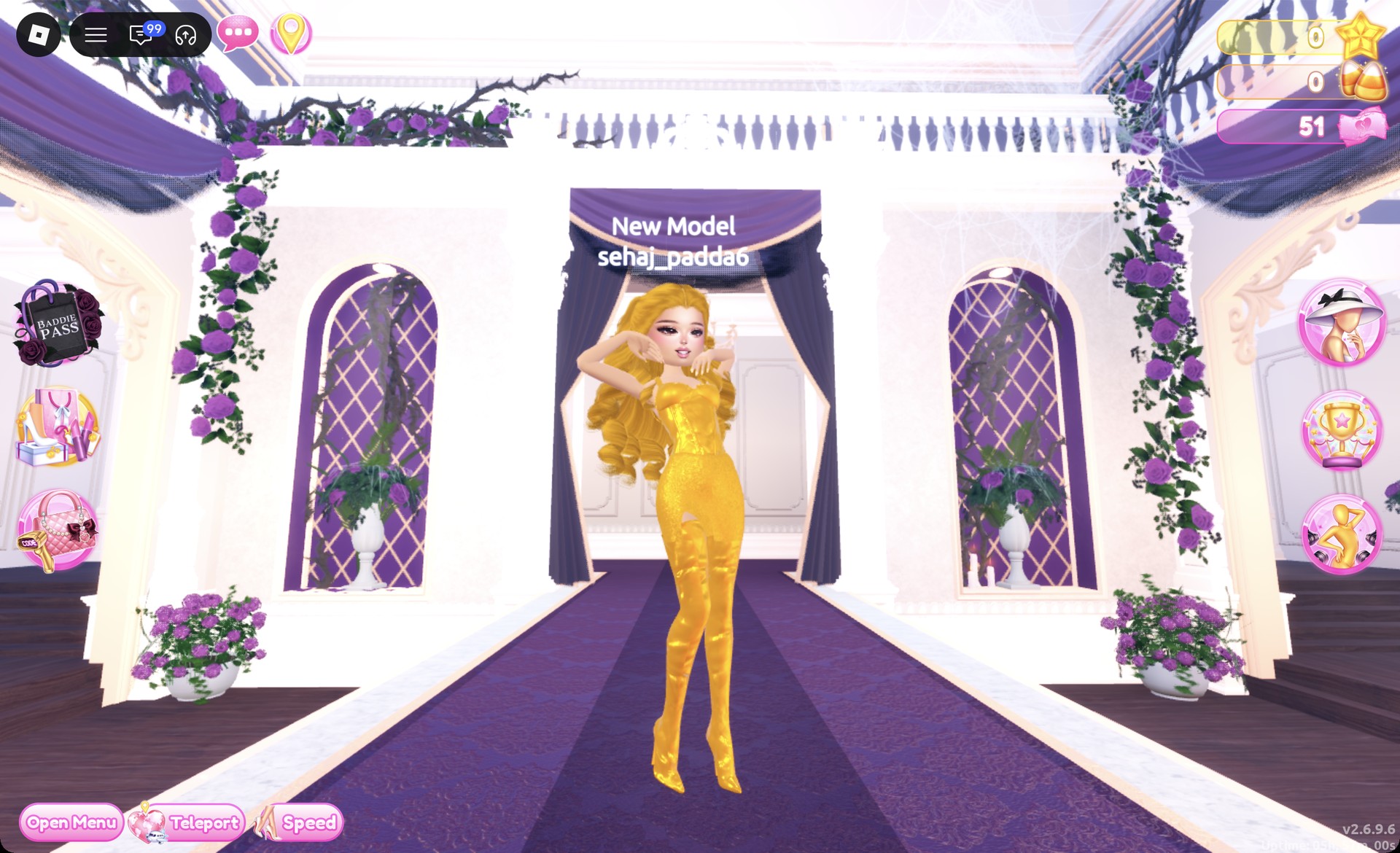
Head-to-toe gold mini on the Dress To Impress runway
The gold mini look on the runway: gold curls, gold mini dress, gold thigh-high boots.

The Satin pose works well with it.
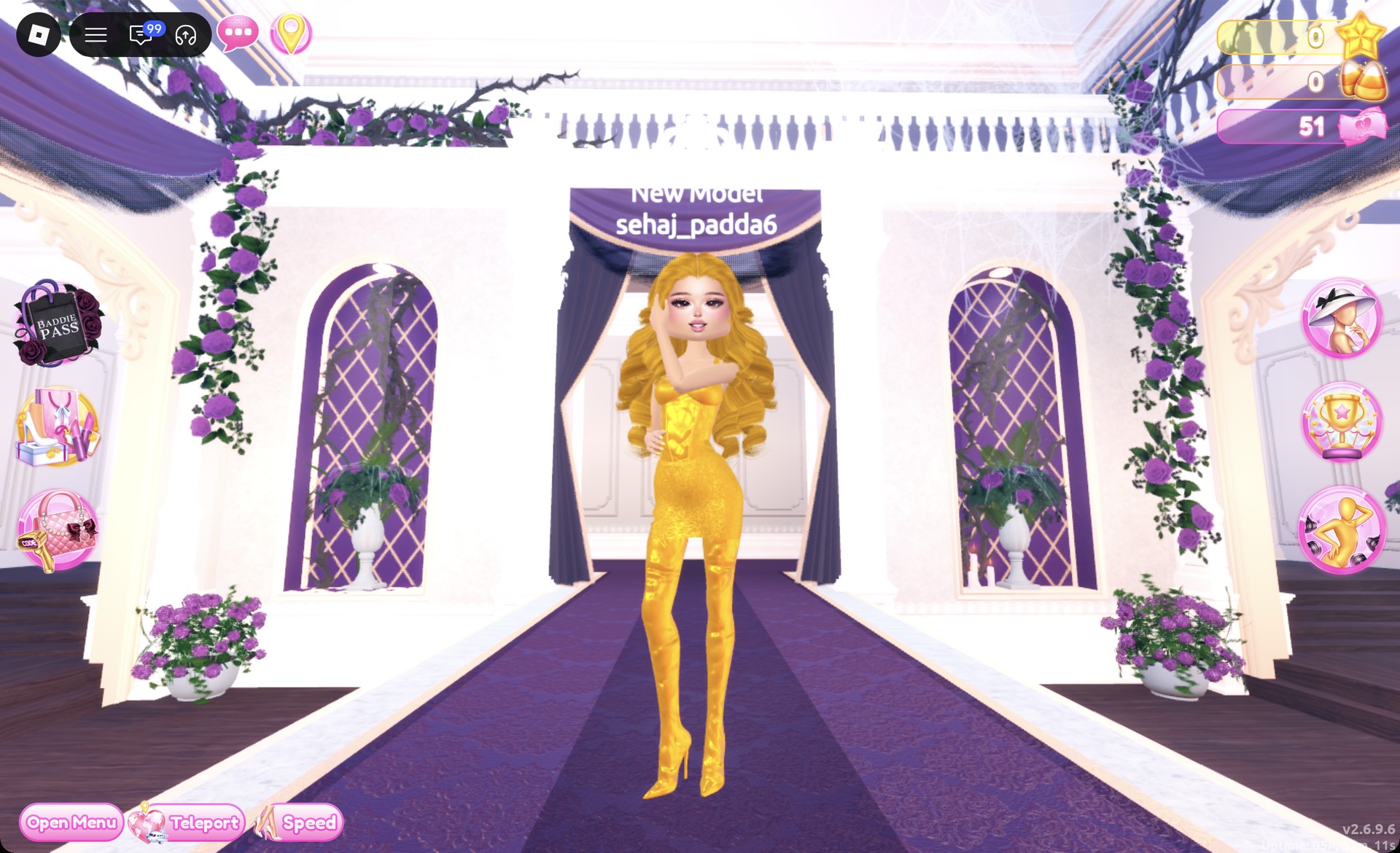
Gold mini in the Satin pose in Dress To Impress
The Satin pose.

From behind, the gold curls still cover the back of the dress.
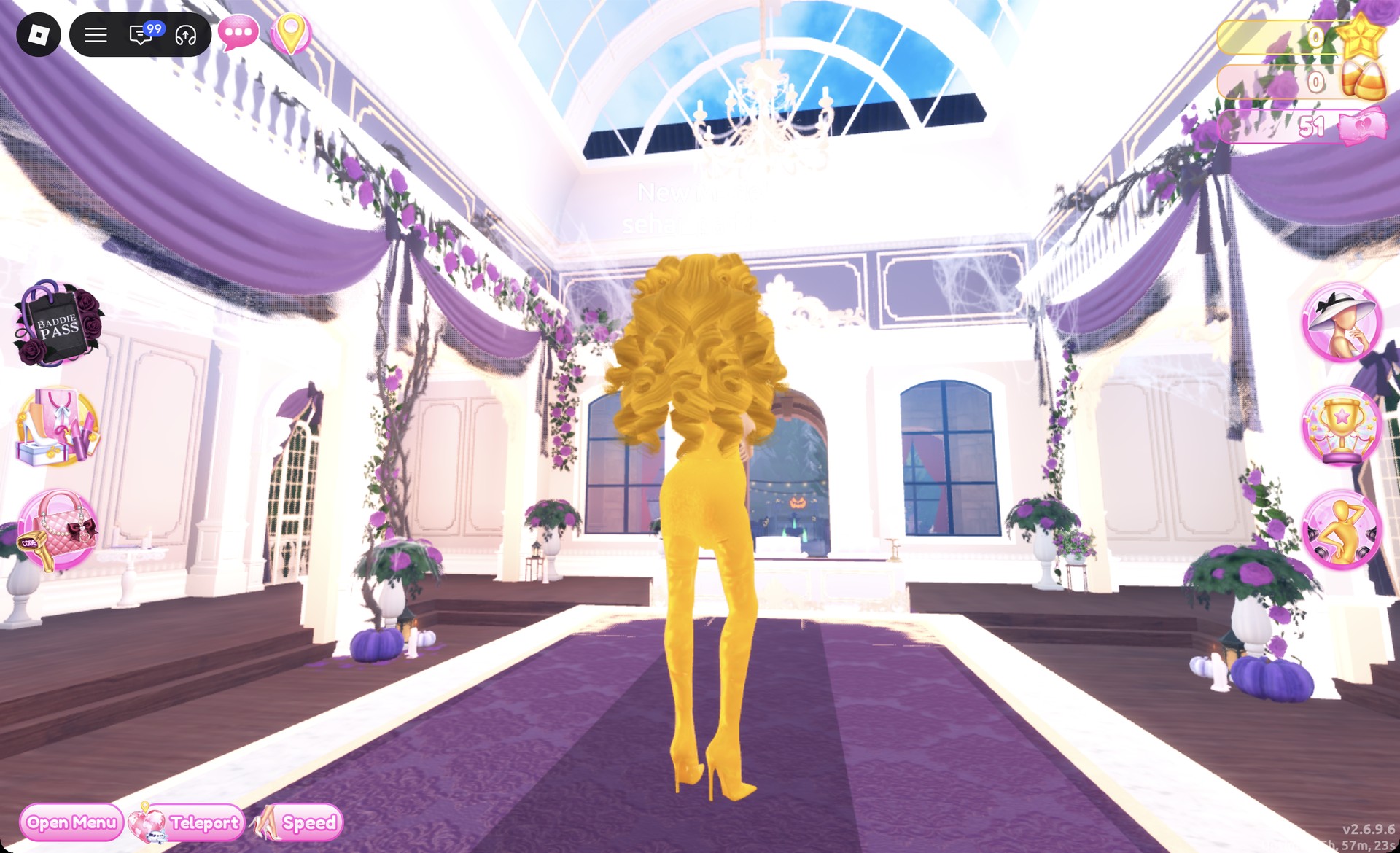
Back view of the gold mini look in Dress To Impress
From behind: the gold curls over the gold mini dress and boots.

More gold and glam theme ideas

The same gold works on other themes. The Egyptian queen look in Mythology outfit ideas uses this #bb8013 gold on a white dress, and gold trim also suits Ancient Civilization, Coronation, Modern Royalty, Award Show, Casino Night and Night Luxe. Every theme built so far is in the Dress To Impress themes list, and the poses named above are in the Dress To Impress poses guide.

Dripping in Gold DTI FAQ

Can you do Dripping in Gold without VIP?

Yes. The ruffle gown, the mini dress, the thigh-high boots, both hairstyles, and the Metallic, Foil and Glitter materials are all free. You don’t need Robux.

Why does my gold look yellow?

The yellow palette swatch (column 8, row 6) looks yellow with Metallic; column 8, row 7 reads olive. Pick the color on the Wheel instead and lower the brightness until the HEX box reads #bb8013.

Which material looks most like gold?

Metallic gives the smoothest gold, so it works for most parts. Foil is brighter and shinier, which suits boots and bodices. Glitter adds sparkle to hemlines and skirts.

Can hair be gold in Dress To Impress?

Yes. The hair chair’s panel has the same Wheel and “+” tabs as clothing. Set every hair part to #bb8013 with Metallic and the hair turns gold.