Aniimo is happy to let you play solo, but the friend system is where the game opens up. Everything social runs through your Friend ID, the unique player number other Pathfinders use to find you, and the number you use to find them. Once two players are connected, they can chat, send gifts, team up in Companion Mode, and slowly climb an Affinity relationship that unlocks trading and shared world bonuses.
Quick answer: Open the Friends tab, search another player’s UID, and send a request. Once they accept, you can chat, gift, start Companion Mode, and build Affinity with them.
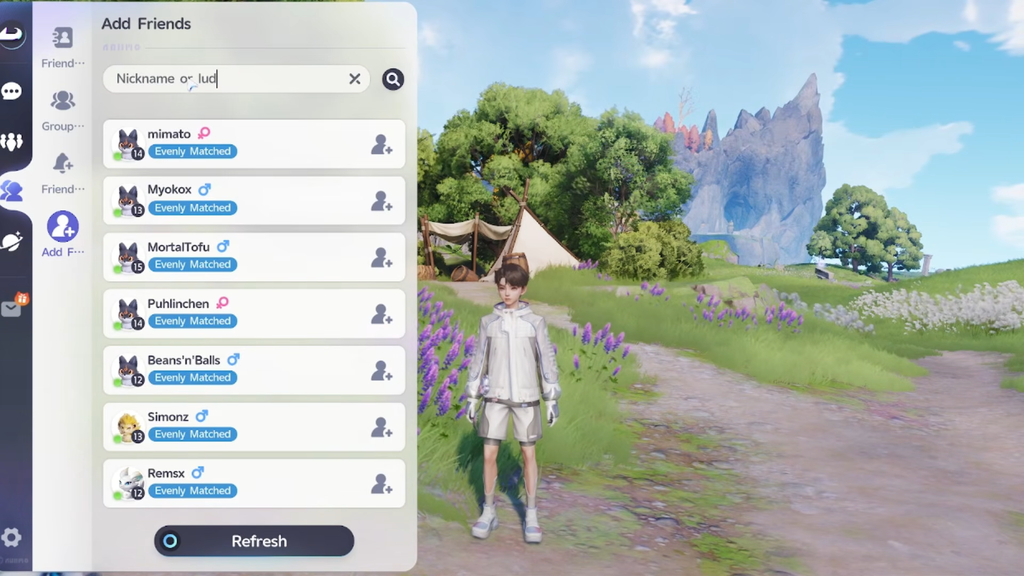
Find your UID and add another player
Your UID, also shown as your Student ID inside the game, is the string other players type to locate you. It is also the identifier the game uses to launch Aniimo Exchange and Companion Mode, so it is worth knowing where it lives before you start swapping numbers with strangers.
Search is not the only route in. The game gives you several ways to connect depending on how you cross paths with another Pathfinder:
- Search directly by UID.
- Accept recommendations from the system or from a friend.
- Add someone face-to-face when you run into them in the world.
- Add a player from your current party.
- Open a nearby player’s Profile and add them there.
Use F on PC or tap a player on mobile to view the Profile of a Pathfinder nearby. Once connected, you can also start interactions such as Aniimo Exchange from that Profile card. Player hubs like Astra City and campsites are natural places to meet others face to face.
Server matters when sharing codes
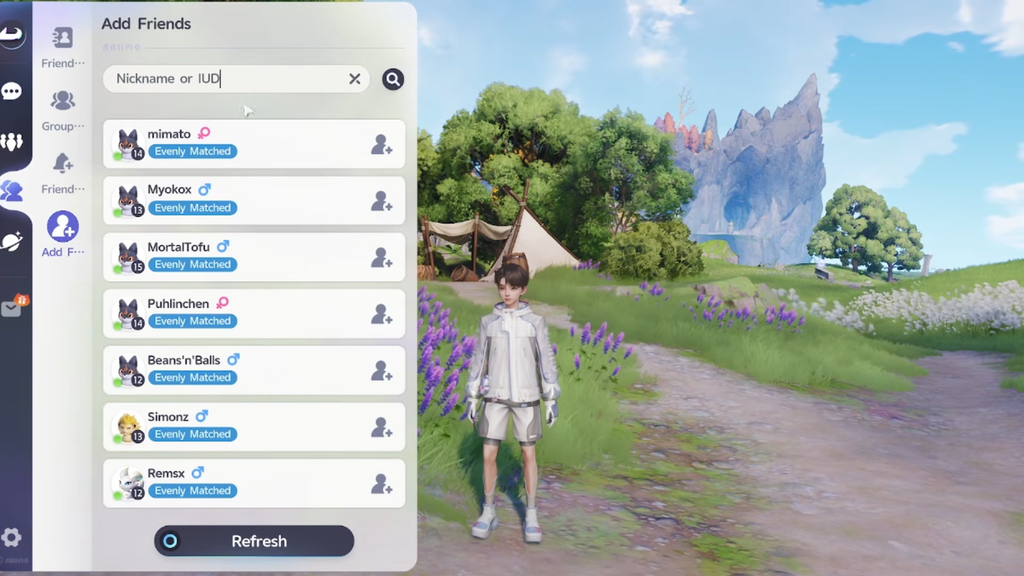
Friend IDs and shared codes only work between players on the same regional server. A North American account connects with other NA accounts, Europe with Europe, and so on. If a code someone shared refuses to work, a server mismatch is the usual reason.
When you post your UID on a public board or hand it to someone, say which server you are on. It saves both sides a failed request.
What adding a friend unlocks
Once a player is on your list, the basics are available right away. You can send chat messages, give gifts, invite them into Companion Mode, and start raising your Affinity. Deeper features arrive as that Affinity grows, so the relationship is worth investing in if you plan to trade Aniimo.
- Chat and send gifts directly.
- Invite a friend into Companion Mode for guided expeditions.
- Trade creatures through Aniimo Exchange once Affinity is high enough.
- Unlock two-player Interaction Gestures at set Affinity levels.
- Boost your own world’s Prismatic Energy by joining a friend’s Wild Surge.
Affinity tiers
Affinity is tracked separately for each friend, never as a single shared number. There are six named tiers, and reaching one changes what you can do together. Trading, for example, becomes available at Good Friend.
| Tier | Name | Points |
|---|---|---|
| 1 | New Friend | 0 – 99 |
| 2 | Good Friend | 100 – 499 |
| 3 | Close Friend | 500 – 1,199 |
| 4 | Trusted Friend | 1,200 – 2,499 |
| 5 | Best Friend | 2,500 – 4,499 |
| 6 | Soulmate | 4,500 – 9,999 |
The two-player gestures unlock as you climb these tiers. First Meeting arrives at Affinity Level 2, Peace Sign at Level 3, Perfect Sync at Level 4, Face Cradle at Level 5, and Finger Heart at Level 6. Reaching a new tier is confirmed in the game with a message such as “You are now Good Friend.”
How to raise Affinity with a friend
You can earn up to 100 Affinity points per day with any single friend, and each activity has its own daily cap inside that total. Playing together is the most efficient route, but small daily interactions add up too.
| Activity | Points | Daily cap |
|---|---|---|
| Home Visit | +20 | up to 20 |
| Friend Chat | +10 | up to 20 |
| Use Emotes | +20 | up to 20 |
| Defeat an Alpha or Omega as a team | +20 | up to 60 |
| Complete Multiplayer Modes as a team | +40 | up to 40 |
Gifts sit outside those daily grinds. Three gift boxes raise Affinity with whoever receives them: the Gift of Encounter adds +10 and hands both players 6,000 Credits, the Gift of Affection adds +30, and the Gift of Celebration adds +99.
Keeping in touch with friends also lets you join their Wild Surges. Taking part in a Surge in another player’s world increases the Prismatic Energy in yours, too. The boost is small at New Friend, moderate at Trusted Friend, and substantial at Soulmate. Nurtures require Vein Essence after your free ones, so energy gained from a friend’s Surge saves you from spending it.
Once your list is filling up and Affinity is climbing, the friend system stops being a formality and starts feeding directly back into your solo progress. Trade the Aniimo you are missing, split world-boss fights, and let a partner’s Wild Surge top up your own world while you do the same for theirs.