Idyll alternates between daylight and darkness, yet waiting for the sun to shift is unnecessary. From the main menu, Aniimo can advance the clock instantly, which helps whenever a quest, puzzle, or creature spawn belongs to only one part of the cycle. The change takes only a few seconds and can be made in the field rather than at a particular camp.
Quick answer: Open the main menu, select the sun-and-moon Day and Night icon on the right-side bar, pick a time period, and press Confirm. The feature unlocks during the eighth main quest.
Unlock the Day and Night feature first
You cannot use the clock immediately. Story progress unlocks it in Ceremony Preparations, the game’s eighth main quest. During that mission, you must set the time to night at the Elder’s House in order to rest, introducing the feature through that objective.
Once you have done that, the Day and Night dial stays in the main menu for good. There is no gear to equip and no cooldown, so you can keep cycling the clock as you move between areas.
How to change the time of day
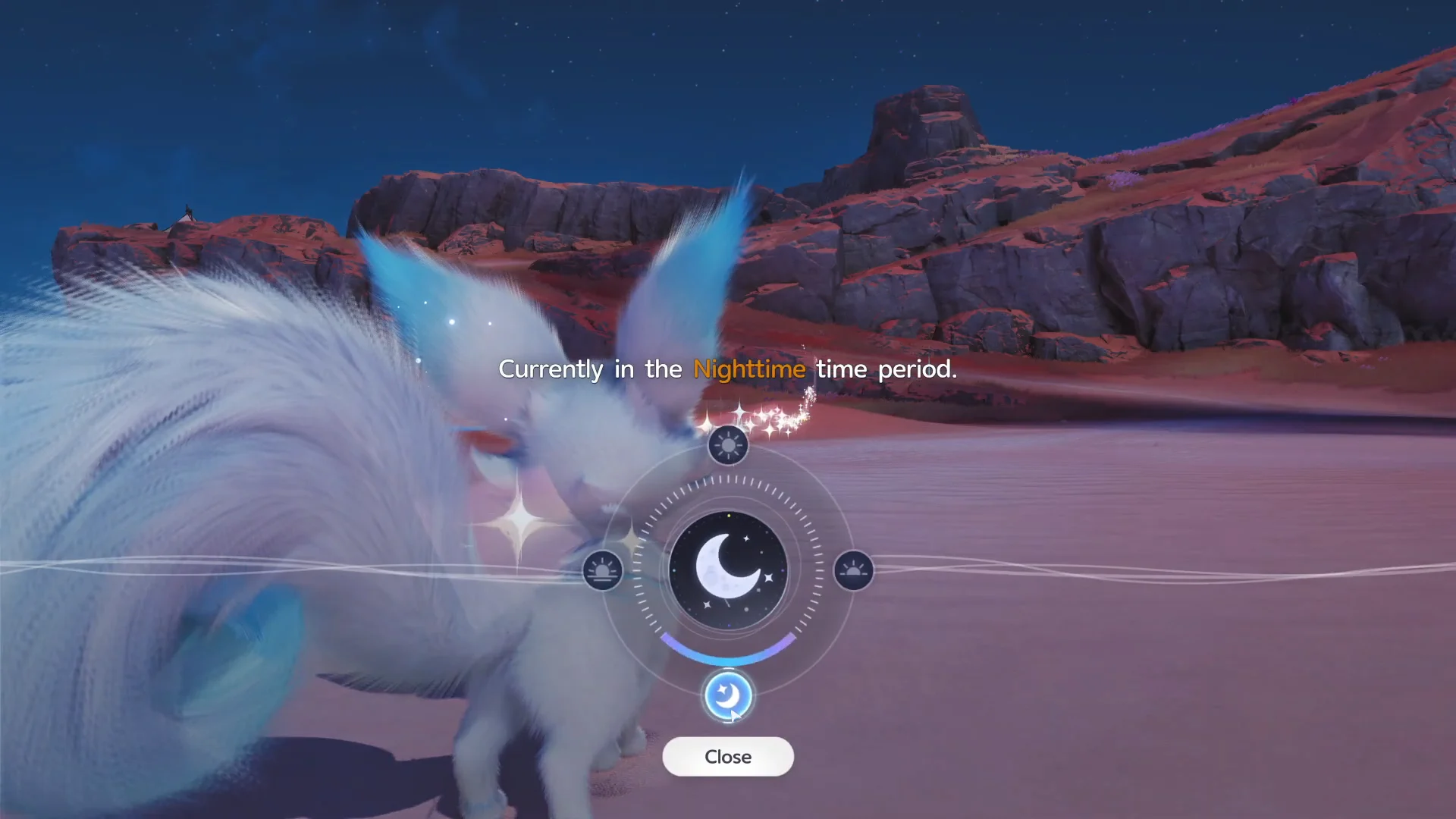
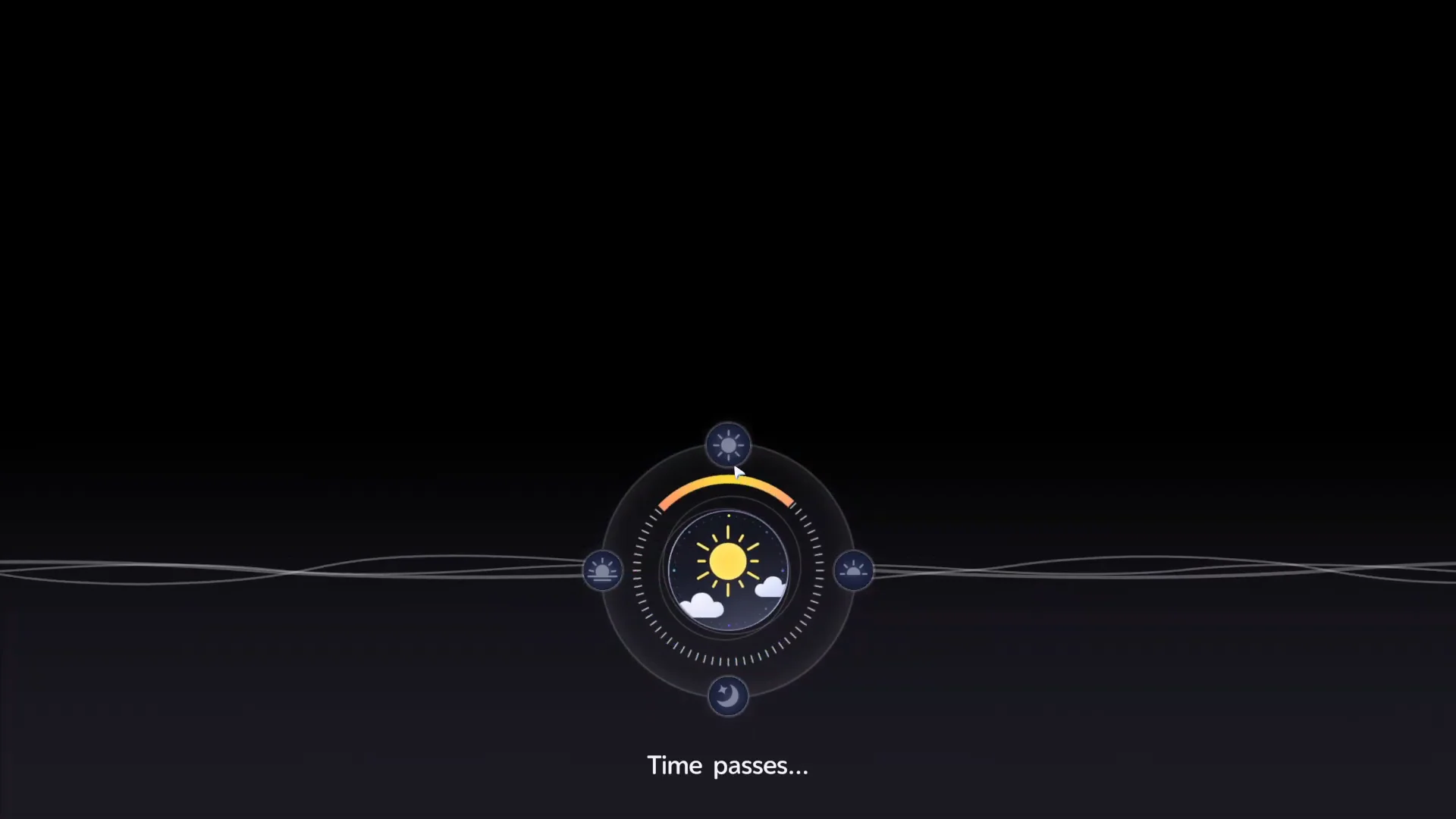
To switch from one period to the other, repeat the process. Bring up the menu, open the clock when its dial shows Noon, choose the moon, and approve the move to Nighttime. After the same transition, you return to Idyll under a dark sky.
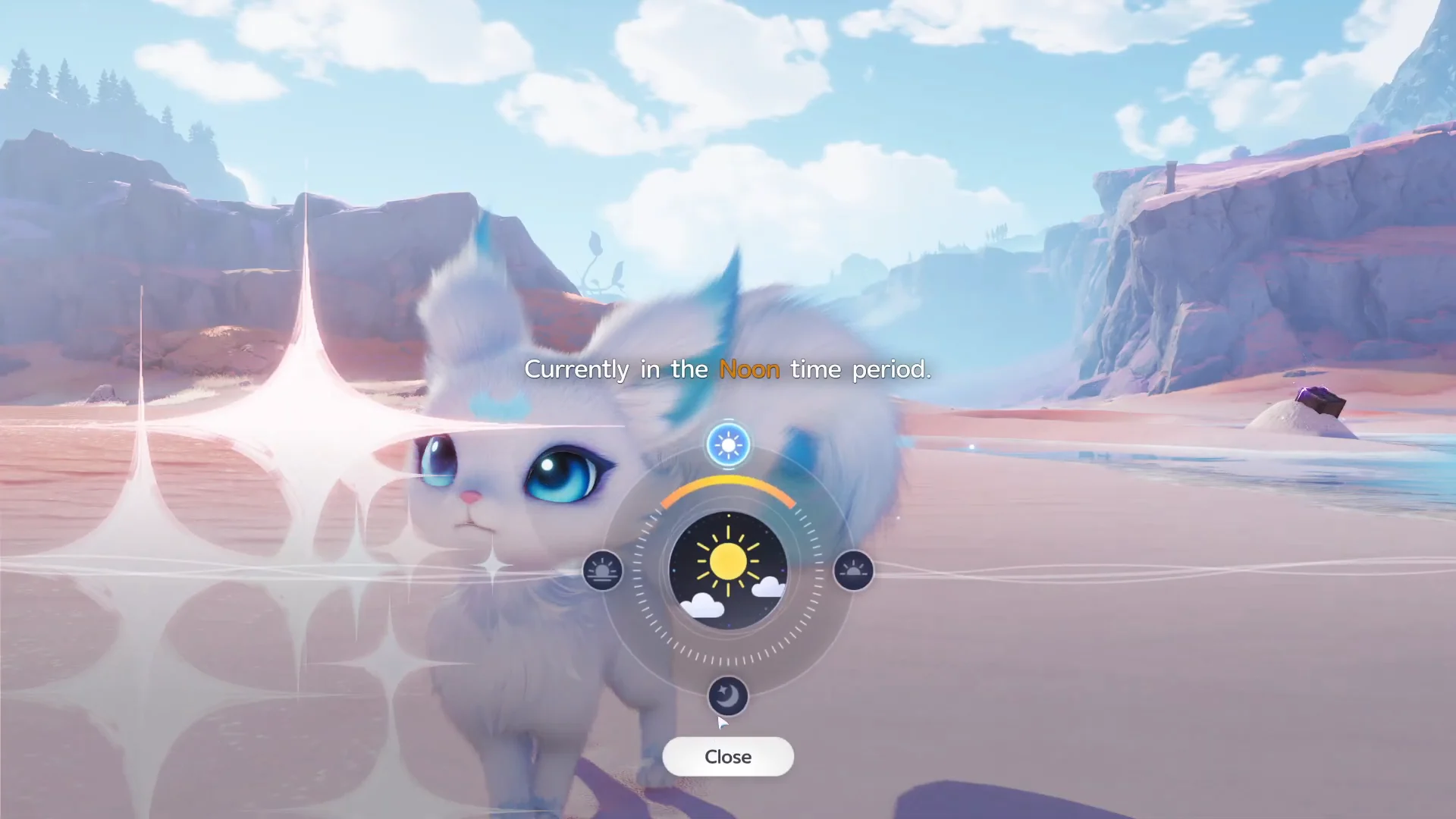
There is no rest requirement and no cooldown, so you can switch back and forth as many times as you need in a single run.
Time periods on the dial
| Period | What it gives you |
|---|---|
| Noon | Daylight is bright, and daytime Aniimo are active |
| Dusk | Transition into evening |
 Nighttime Nighttime | Darkness; nocturnal species appear |
| Early Morning | Dawn, moving back toward the daytime cycle |
How to confirm the change worked
Three indications confirm that the skip worked. Confirm should trigger the “Time passes…” loading screen without delay. The world then loads again with altered illumination: choosing Noon gives full daylight, while Nighttime produces darkness.
For the clearest confirmation, bring up the Day and Night dial again. After a daytime jump, its upper line should read “Currently in the Noon time period.” If the previous period is still shown, the confirmation failed, so repeat all four steps.
Changing time does not change the weather
Weather in Aniimo runs on a real-time clock that is independent of the in-game hour. Jumping to Noon or Nighttime will not summon rain, a thunderstorm, or snow. If a creature needs a specific weather effect, you have to wait for natural changes or use the Nurture menu at a Bloom once you hold that area’s Silver Medal.
A dark sky does not always mean it is nighttime. Thunderstorms and heavy rain can dim daytime lighting, so trust the in-game clock on the dial rather than the visuals.
Why the time of day matters for spawns
Different biomes in Idyll use time-based rules to control which creatures appear. Certain species emerge only in daylight or only after dark, while particular forms and variants belong to specific periods. Adjusting the dial is the quickest way to control those conditions, whether you are seeking a nocturnal species or need good visibility for chests and collectibles.
| Aniimo | Where | Active time |
|---|---|---|
| Veilfloat |  Tideblossom Coast Tideblossom Coast | Nighttime |
| Luminelle | Tideblossom Coast | Nighttime |
| Shrubclaw (Mudflat Form) | Tideblossom Coast | Daytime |
| Flutternym Night Form |  Sea of Flowers Sea of Flowers | Nighttime |
Veilfloat depends on the light and begins glowing at night; its evolved form, Luminelle, can also be found on that coast after dark. Neither appears outside the Nighttime window, so change the dial before starting the search.
Daytime has its own exclusives. Shrubclaw in its Mudflat Form decorates the same Tideblossom Coast beach with pebbles and only turns up while the sun is out, so a Noon jump is the way to find it.
Before committing to a location, open the map and choose the closest Bloom, then inspect that area’s Aniimo list. A creature marked for a period such as Nighttime or Noon appears only during that period, and its Aniilog entry gives the same spawn requirements. Make checking the dial a standard part of every catching run rather than an occasional trick.