Gaming Guide

Mythology Dress To Impress: 3 Outfit Ideas (Medusa, Norse Ice Goddess and Egyptian Queen)

Three free Mythology DTI looks built step by step: a green and gold Medusa gown with green curls, a silver Norse ice goddess gown with white fur and platinum braids, and a white and gold Egyptian queen dress with sleek black hair.

Three free Mythology DTI looks built step by step: a green and gold Medusa gown with green curls, a silver Norse ice goddess gown with white fur and platinum braids, and a white and gold Egyptian…

Mythology DTI looks work when the character is obvious from across the runway. Dress To Impress, the Roblox fashion game, has no labeled mythology pieces and no item names at all. The character has to come from color, hair and the face card. The three looks below are a Medusa, a Norse ice goddess and an Egyptian queen. Each one starts from a different dress in the Dressing Room, and none of them costs Robux.

Quick answer: Recolor a gown dark green with gold trim and add green curls for Medusa. Use silver tiers, white fur and platinum braids for an ice goddess. Use white and deep gold with sleek black hair for an Egyptian queen.


Where faces, hair, clothes and the runway are in Dress To Impress

WhatWhereHow to open
Face cardsLana’s Salon, right-hand archSit at a vanity, press E, Feminine tab
HairLana’s Salon, left-hand archHair chairs under the framed pictures, press E
Clothes and shoesDressing RoomTeleport pin (top left), “Dressing Room”
RunwayFreeplay RunwayTeleport pin, “Freeplay Runway”

The Hairstyles panel has the tabs Feminine, Masculine, Bangs, Curly, Straight, Wavy, Updo, Locs, Braids and Afro.


How recoloring works in Dress To Impress

Colors are given as a Default palette position or a HEX value. Columns count from the left and rows count from the top. Row 8 is the white-to-black row. Where a HEX value is given, pick that color on the Wheel tab instead; the panel shows the HEX of the color you pick.

Click a piece in the Dressing Room. It previews on your character, and the panel shows which part you are editing, such as “1/2: Preview”.
Use the arrows to step through the parts (“1/2: Preview”, “2/2: Preview” and so on). Pick a color for each part on the Palette or Wheel tab.
Open the “+” tab to choose a material. Silk, Light Silk and Metallic are free. The star-locked materials are skipped here.
Press Put On. The piece moves to your outfit.

You can still recolor a piece after you put it on. Open the Wearing panel with the hanger button on the right and click the piece’s picture.


Medusa outfit in Dress To Impress

This look starts from the pale pink ball dress in the middle of the party-dress shelf, beside the shoe shelf. Recolored, it becomes a green gown with gold trim. Green curls and a third-eye face complete the Medusa look.
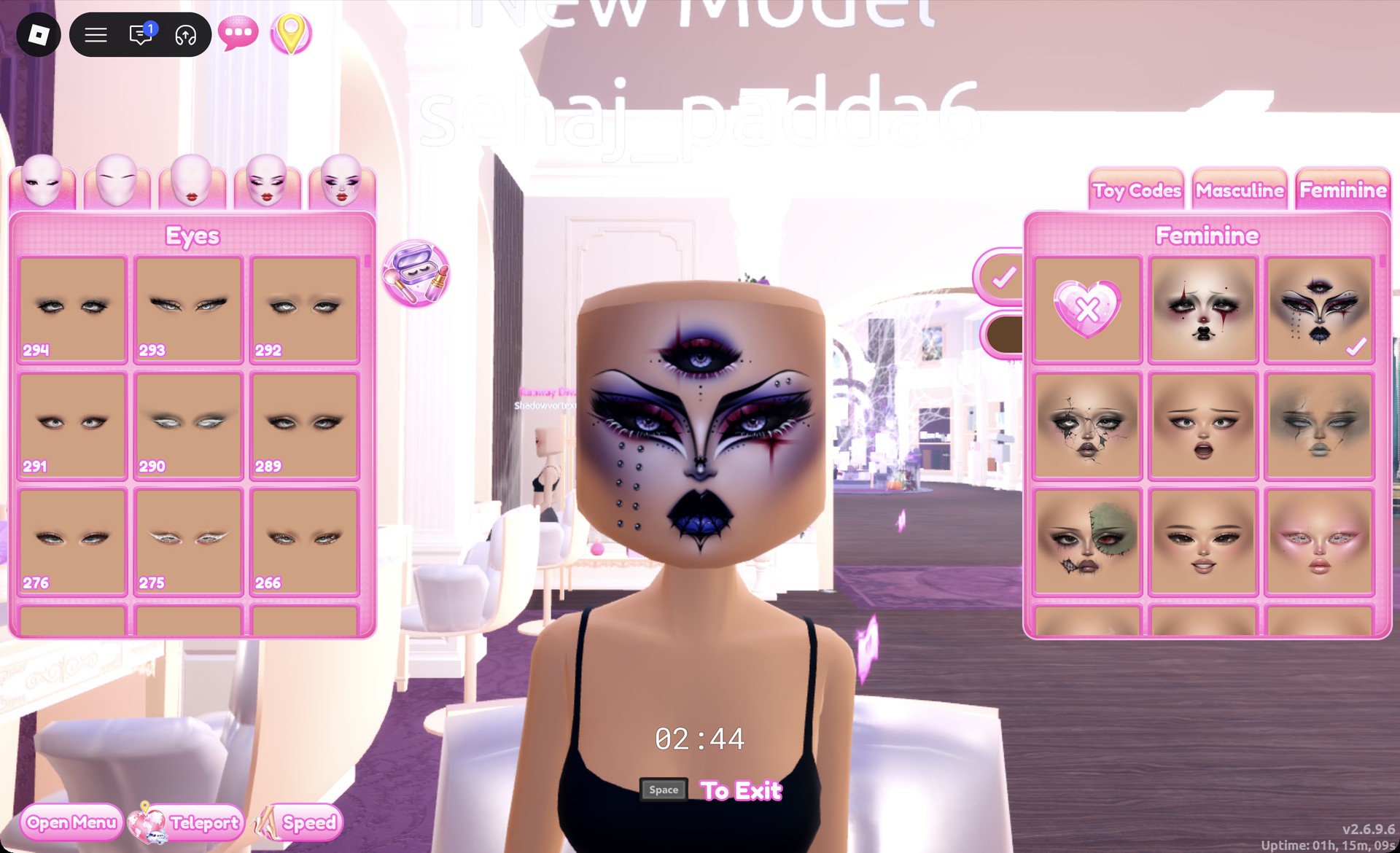
At a vanity, open the Feminine tab and pick the right-hand card in the first row. It is a gothic face with a third eye on the forehead, dark purple lips and small studs on one cheek.
Third-eye gothic face card selected at a vanity in Dress To Impress
The third-eye gothic face card (first row, right) selected at a vanity in Lana's Salon.
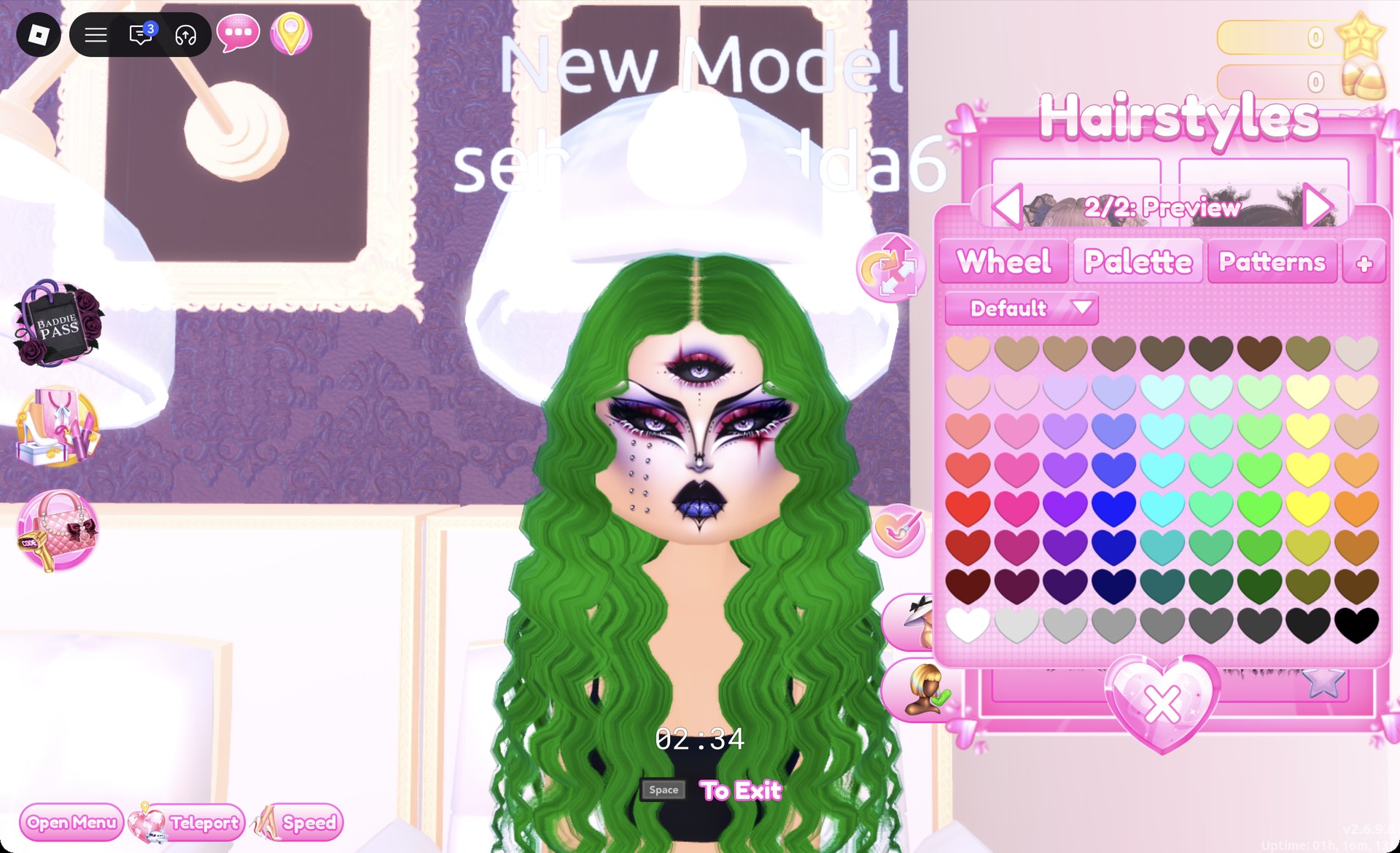
At a hair chair, open the Curly tab and pick the right-hand card in the second row, which is long black curls. In the “1/2: Preview” panel, set both parts to Palette column 7, row 7, a forest green.
Long curls recolored forest green in the Dress To Impress hair chair
The long curls from the Curly tab recolored forest green, worn with the third-eye face.
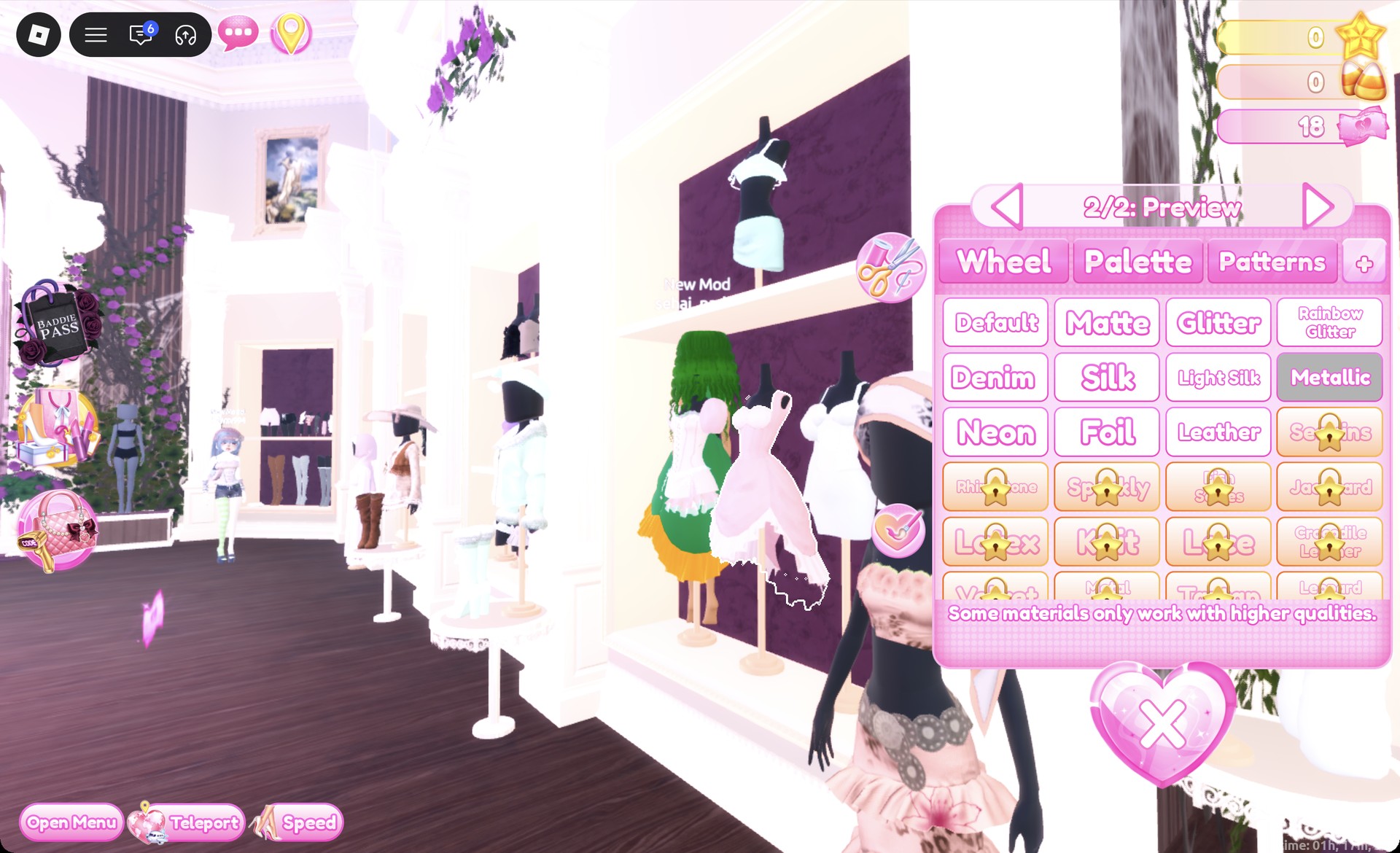
In the Dressing Room, click the pale pink ball dress. Set part 1 to column 6, row 7 (dark green) with Silk. Set part 2 to column 9, row 6 (amber gold) with Metallic.
Ball dress recolor panel with Metallic selected in Dress To Impress
The ball dress's second part with Metallic selected; the green and gold dress shows on the character behind the mannequin.
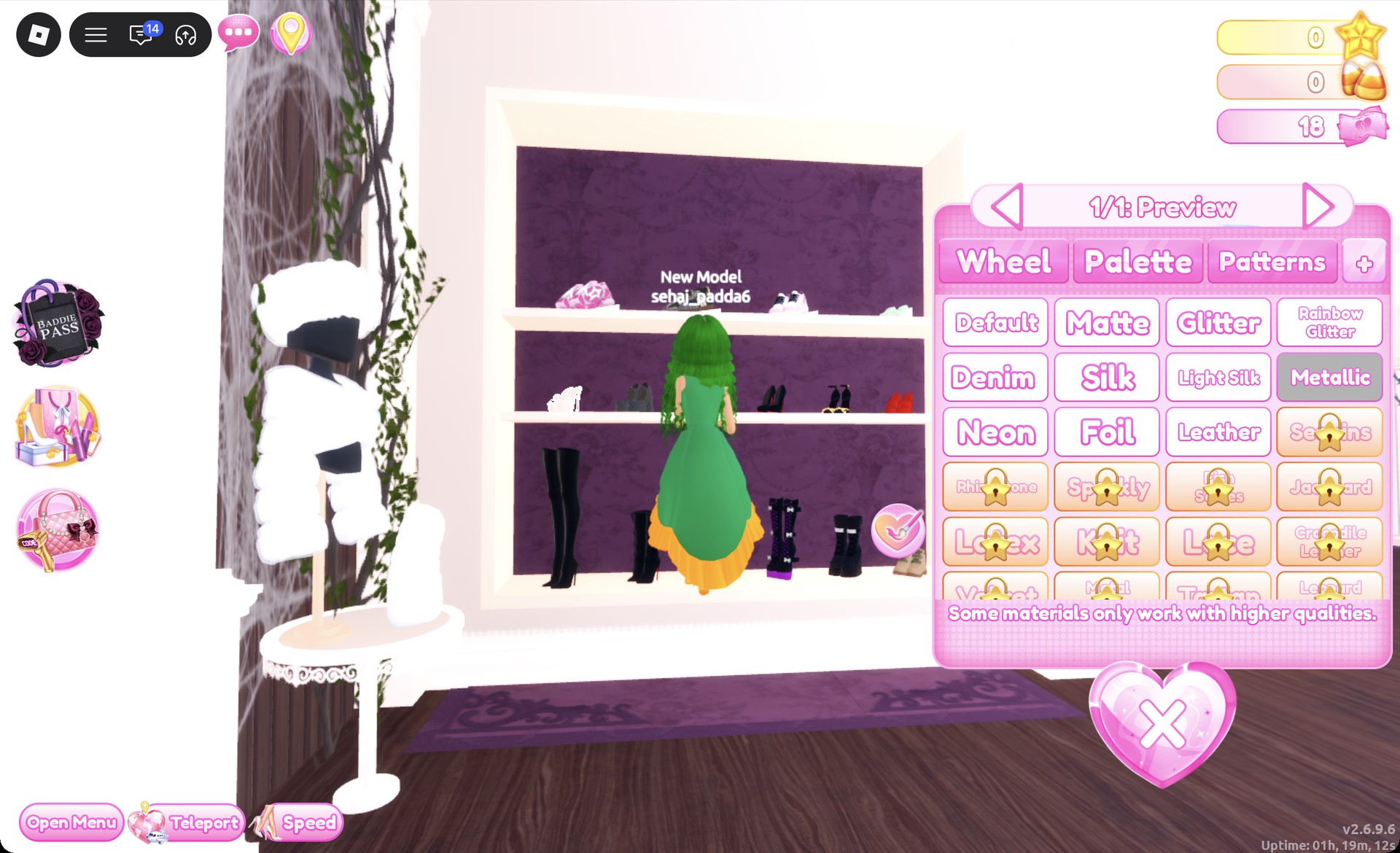
On the middle row of the shoe shelf, click the white strappy platform heels (“1/1: Preview”). Set them to column 9, row 6 with Metallic so they read gold, then put everything on.
Platform heels recolor panel with Metallic selected at the shoe shelf
The platform heels' panel ("1/1: Preview") with Metallic selected at the shoe shelf.

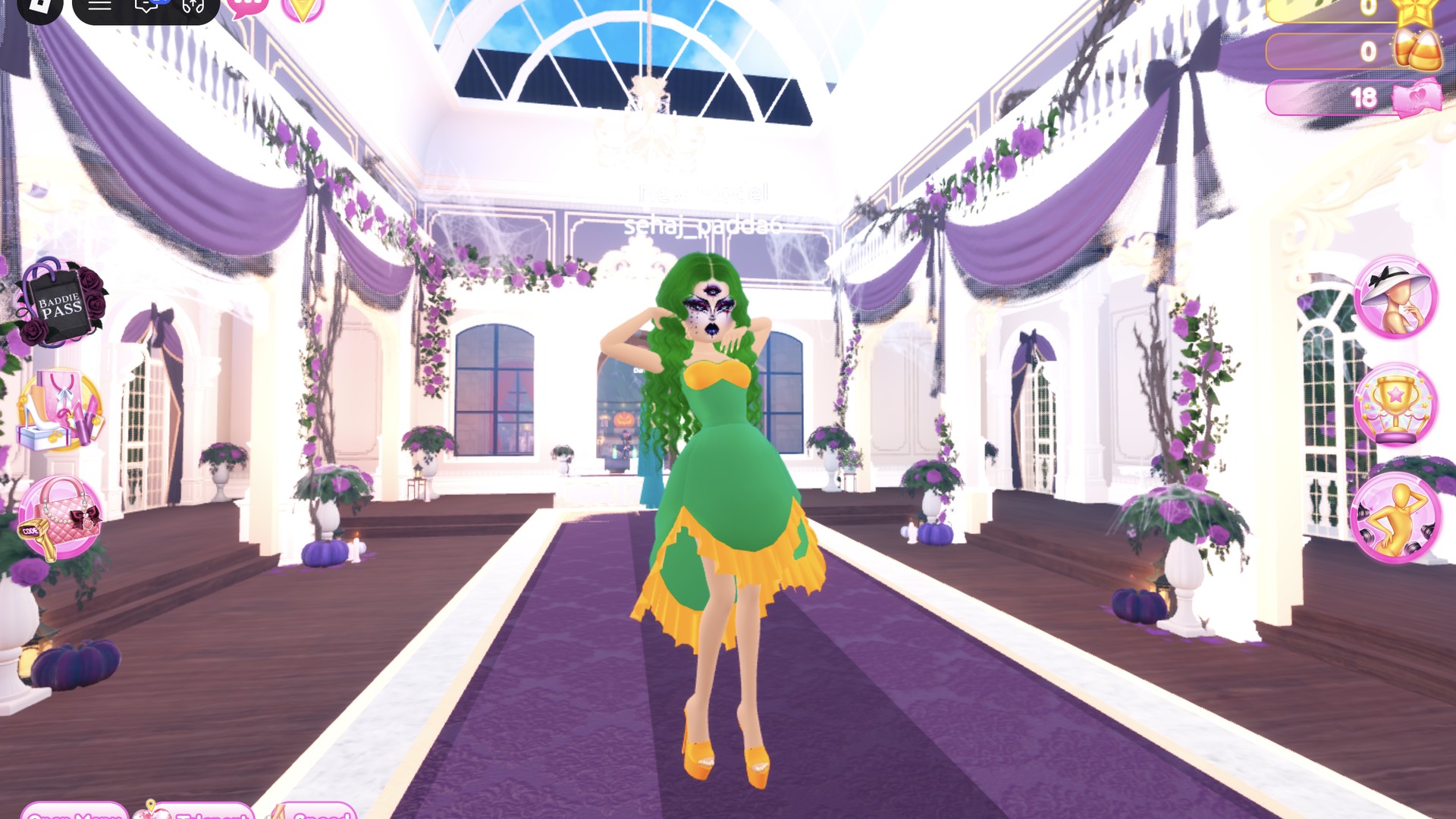
On the runway, the dress shows as a green gown with a gold bodice and a gold ruffled hem with green points.
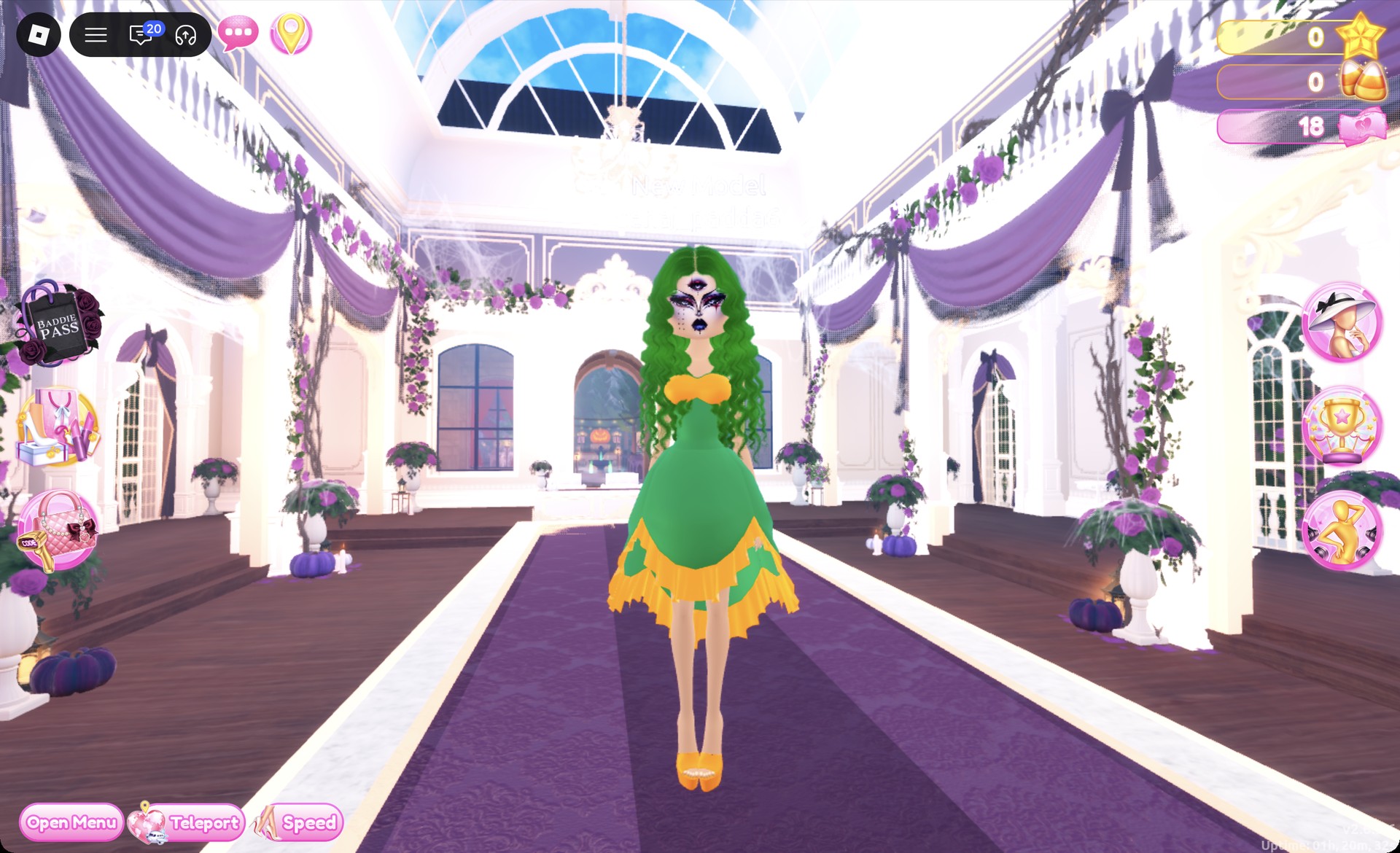
Medusa outfit in Dress To Impress on the runway
Medusa look on the runway: green curls, third-eye face, green gown with a gold bodice and hem, gold platform heels.

From behind, the green curls and the gold hem carry the look.
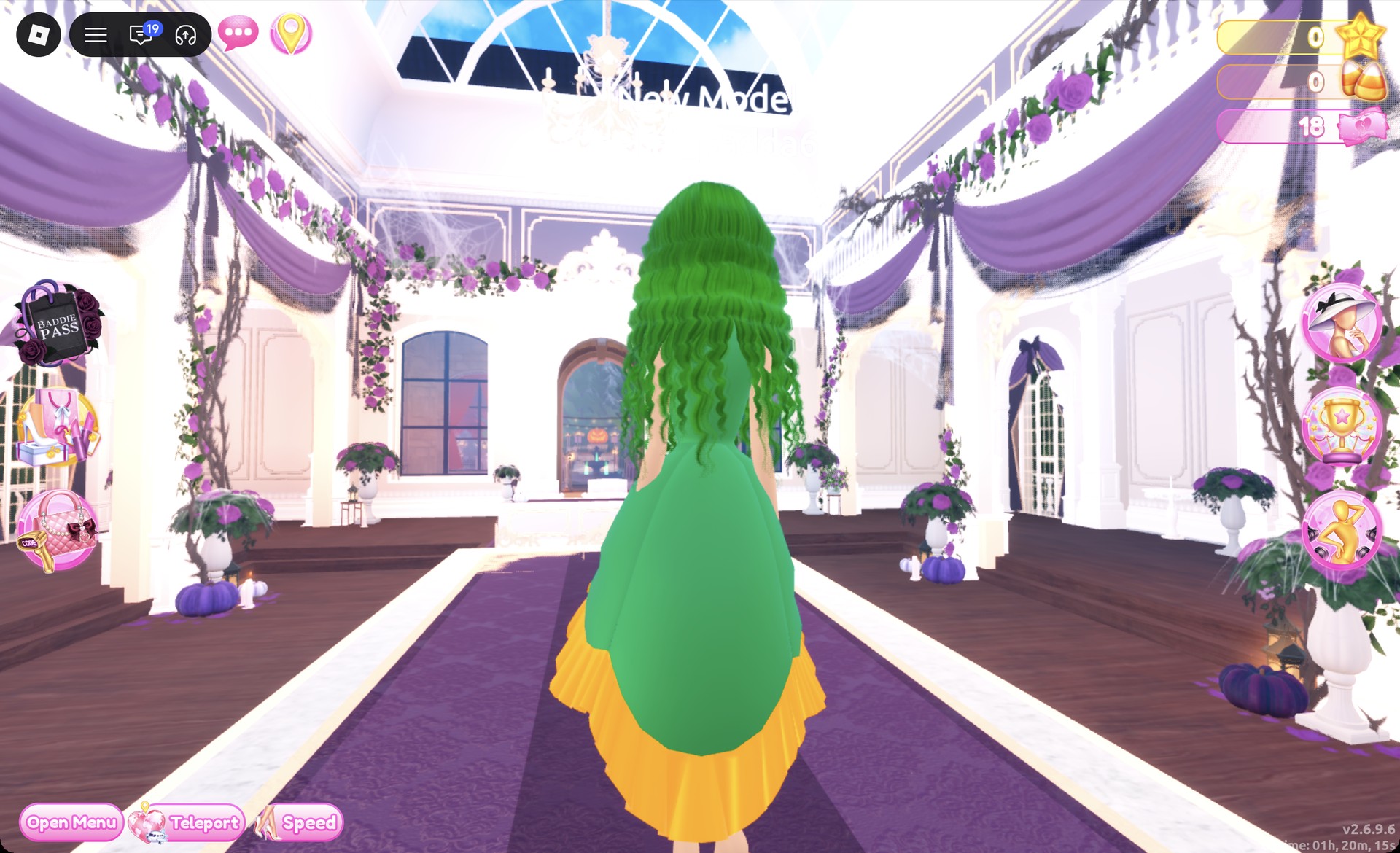
Medusa outfit in Dress To Impress from behind
The Medusa look from behind.

The Dazzle pose shows off the full silhouette.
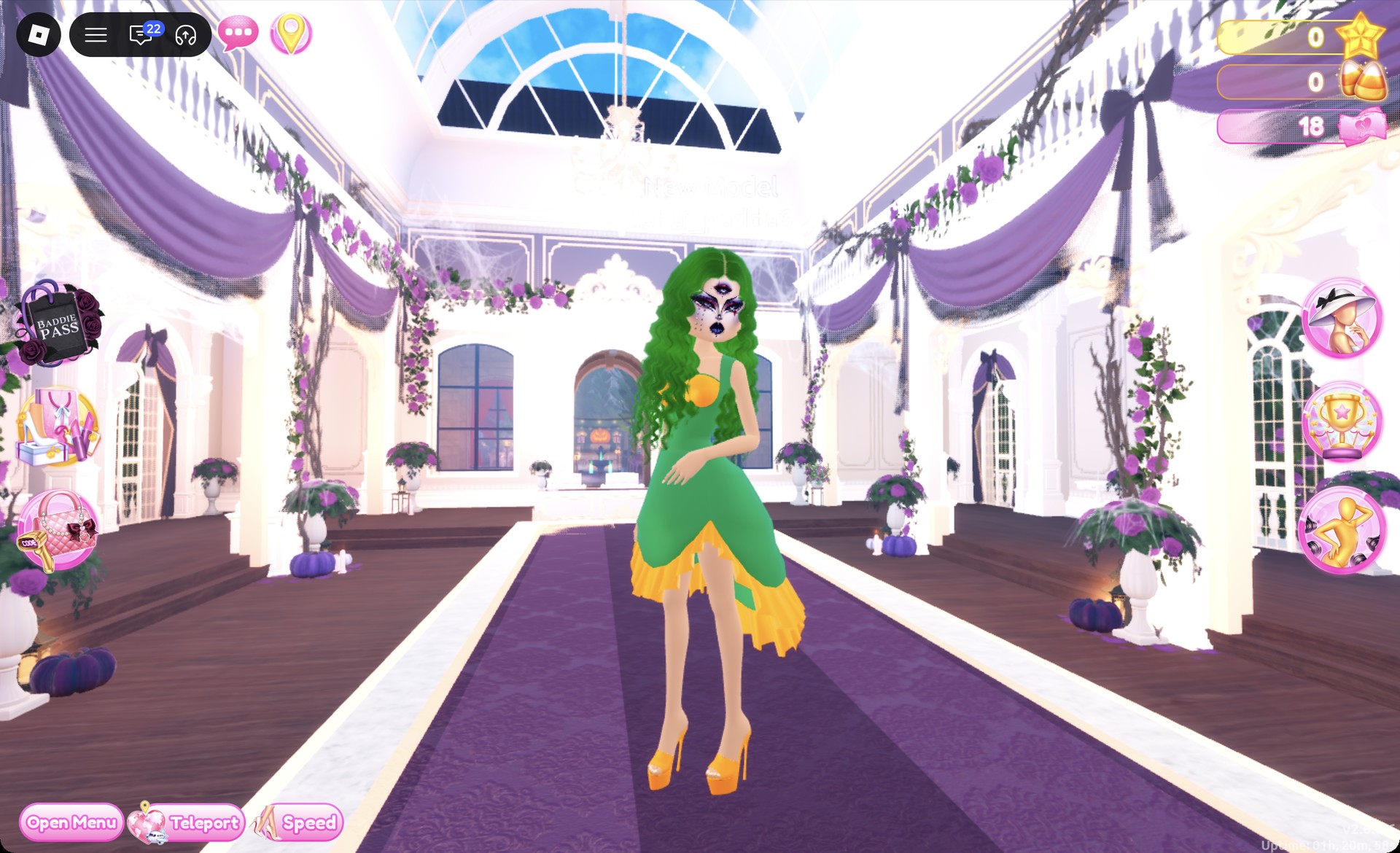
Medusa outfit in the Dazzle pose in Dress To Impress
The Medusa look in the Dazzle pose.

Norse ice goddess outfit in Dress To Impress

This Valkyrie-inspired look is built from the tiered ruffle gown mannequin standing in front of the party-dress shelf. Its skirt and top are separate pieces. Keep the third-eye face card from the Medusa look.
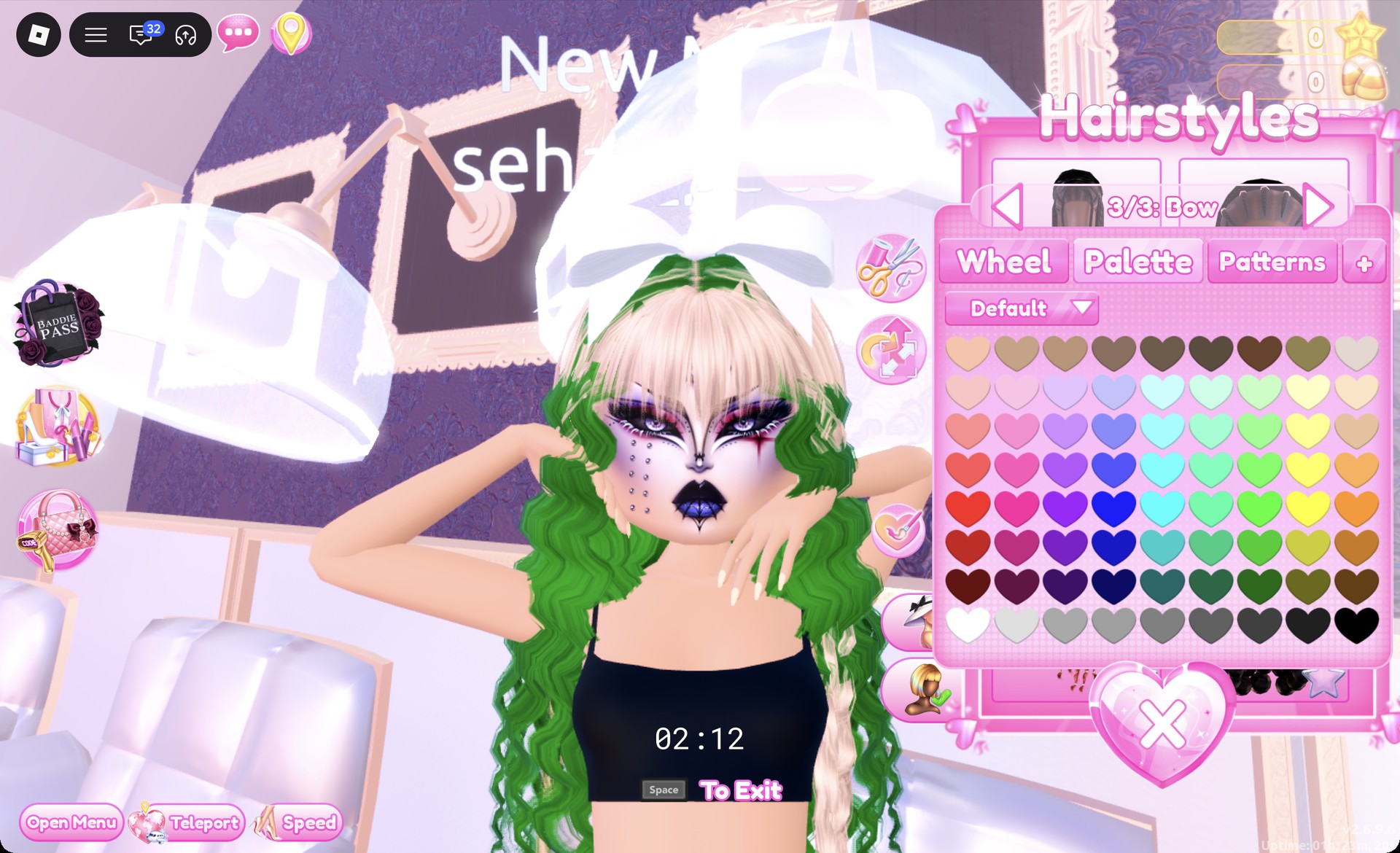
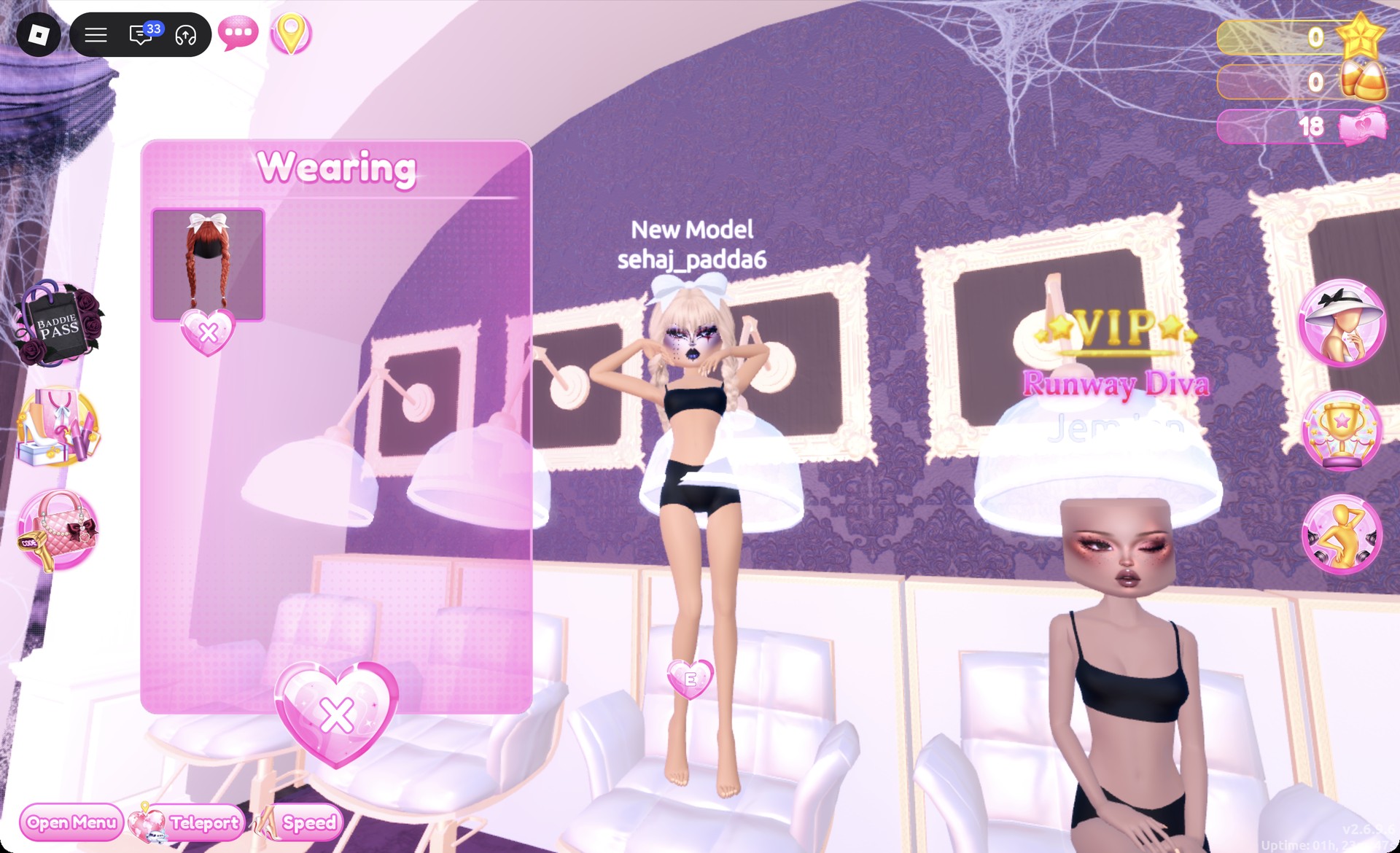
At a hair chair, open the Braids tab and pick the right-hand card in the second row. These are double braids with a bow, red by default. Set parts 1 and 2 to column 9, row 3 (platinum blonde) and “3/3: Bow” to column 3, row 8 (white).
Double braids recolored platinum blonde in Dress To Impress
The double braids recolored platinum blonde with the "3/3: Bow" part selected; the old green curls still show underneath until they are removed.
Open the Wearing panel and remove the old green curls and the gold heels with the heart X under each picture. Only the braids should be left.
Wearing panel with only the braids left in Dress To Impress
The Wearing panel after removing the green curls and heels: only the braids are left.
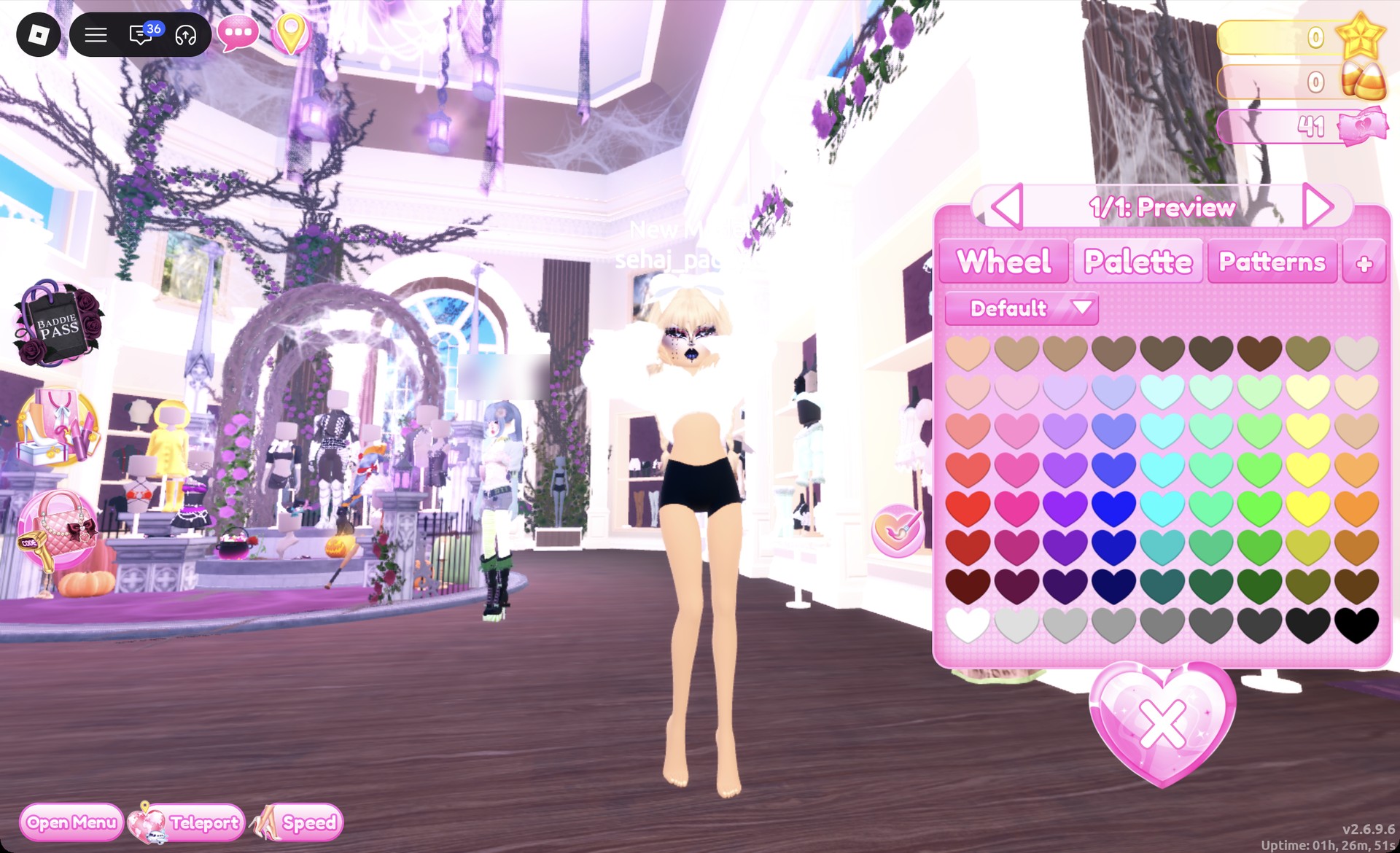
At the fur stand beside the shoe shelf, click the white cropped fluffy fur jacket (“1/1: Preview”). Keep the default white and press Put On.
White cropped fur jacket previewing in Dress To Impress
The white cropped fur jacket previewing on the character ("1/1: Preview").
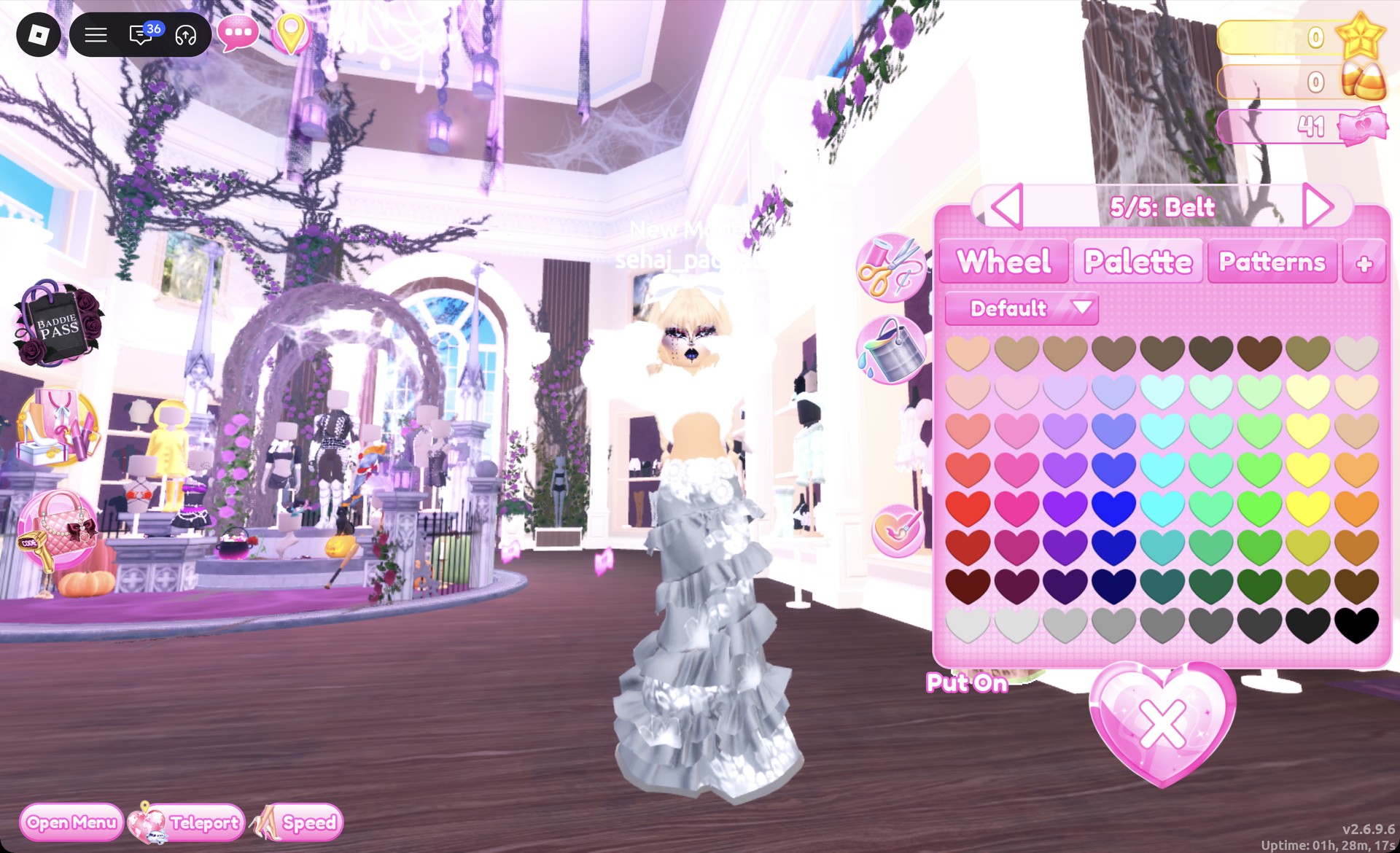
Click the lower half of the tiered gown mannequin to open “1/5: Skirt”. Recolor its five parts using the table below.
Skirt partPalette (row 8)Material
SkirtColumn 5, mid greyMetallic
Leopard PrintColumn 1, whiteDefault
Flower DetailsColumn 3, light greyDefault
HemlineColumn 6, dark greyMetallic
BeltColumn 1, whiteDefault
Tiered skirt recolored silver and white in Dress To Impress
The tiered skirt recolored silver and white, with the panel on "5/5: Belt".
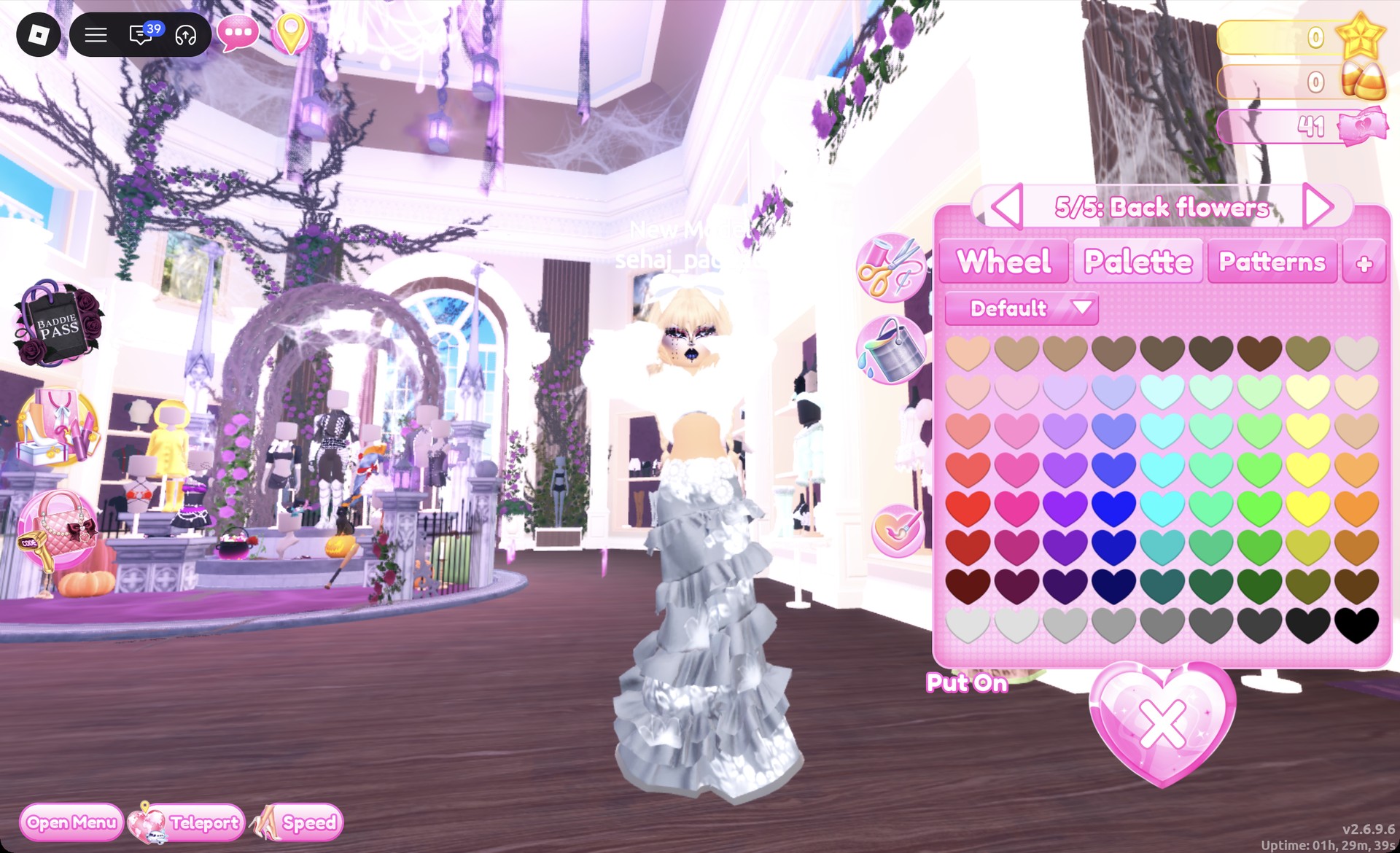
Click the upper half of the same mannequin, the strapless ruffle bandeau (“1/5: Preview”). Set part 1 to column 5, row 8 with Metallic and parts 2 through “5/5: Back flowers” to white.
Bandeau top recolor panel on Back flowers in Dress To Impress
The bandeau top's last part, "5/5: Back flowers", set to white; the fur jacket covers most of the top.
From the round table at the fur stand, click the white fluffy fur boots (“1/1: Preview”). Keep them white and press Put On.

The Wearing panel should now hold the braids, fur jacket, skirt, bandeau top and fur boots.
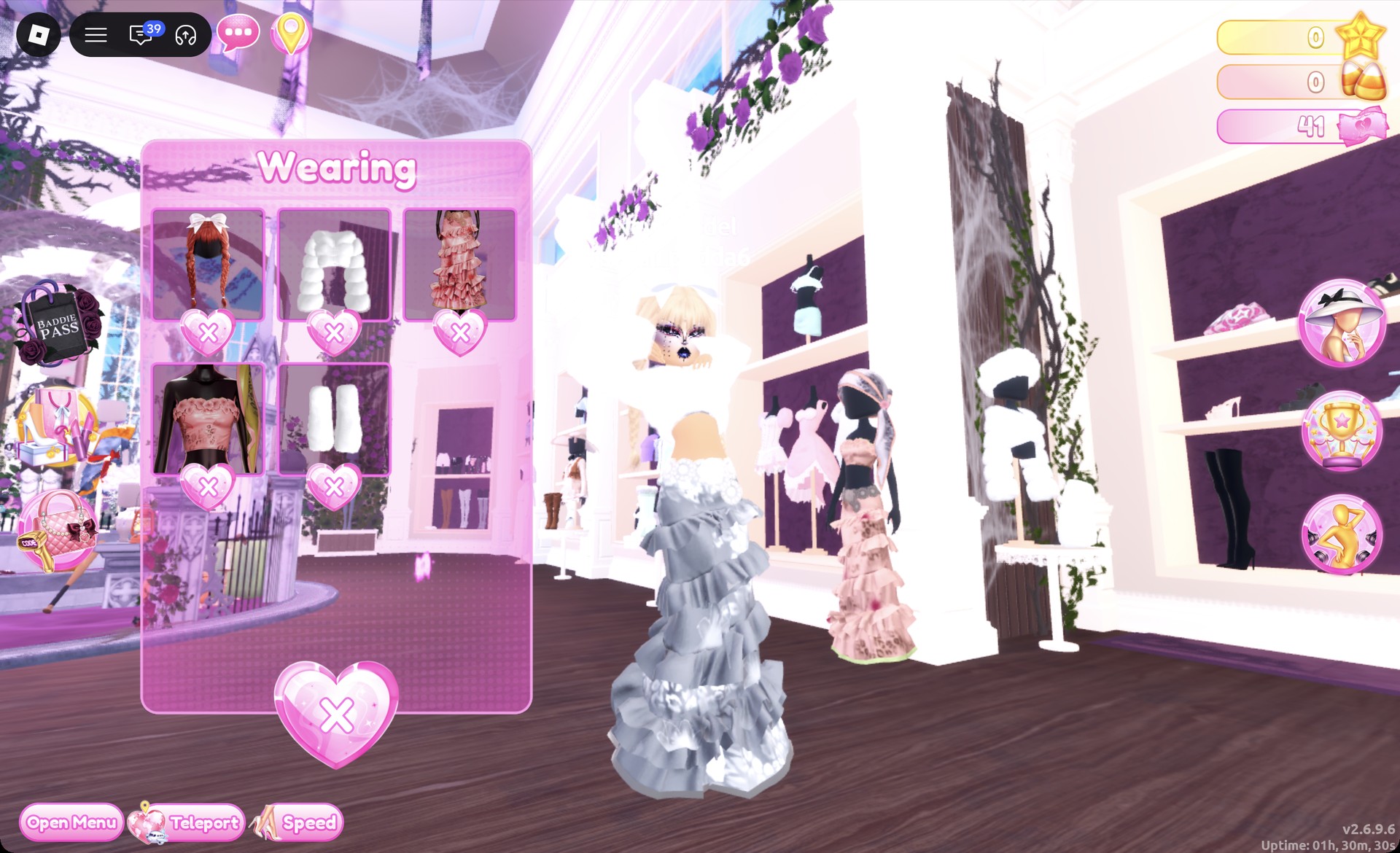
Wearing panel for the Norse ice goddess look in Dress To Impress
The Wearing panel for the ice goddess look: braids, fur jacket, skirt, bandeau top and fur boots.

On the runway the skirt reads as long silver ruffled tiers with white flowers. The Dazzle pose works here too.
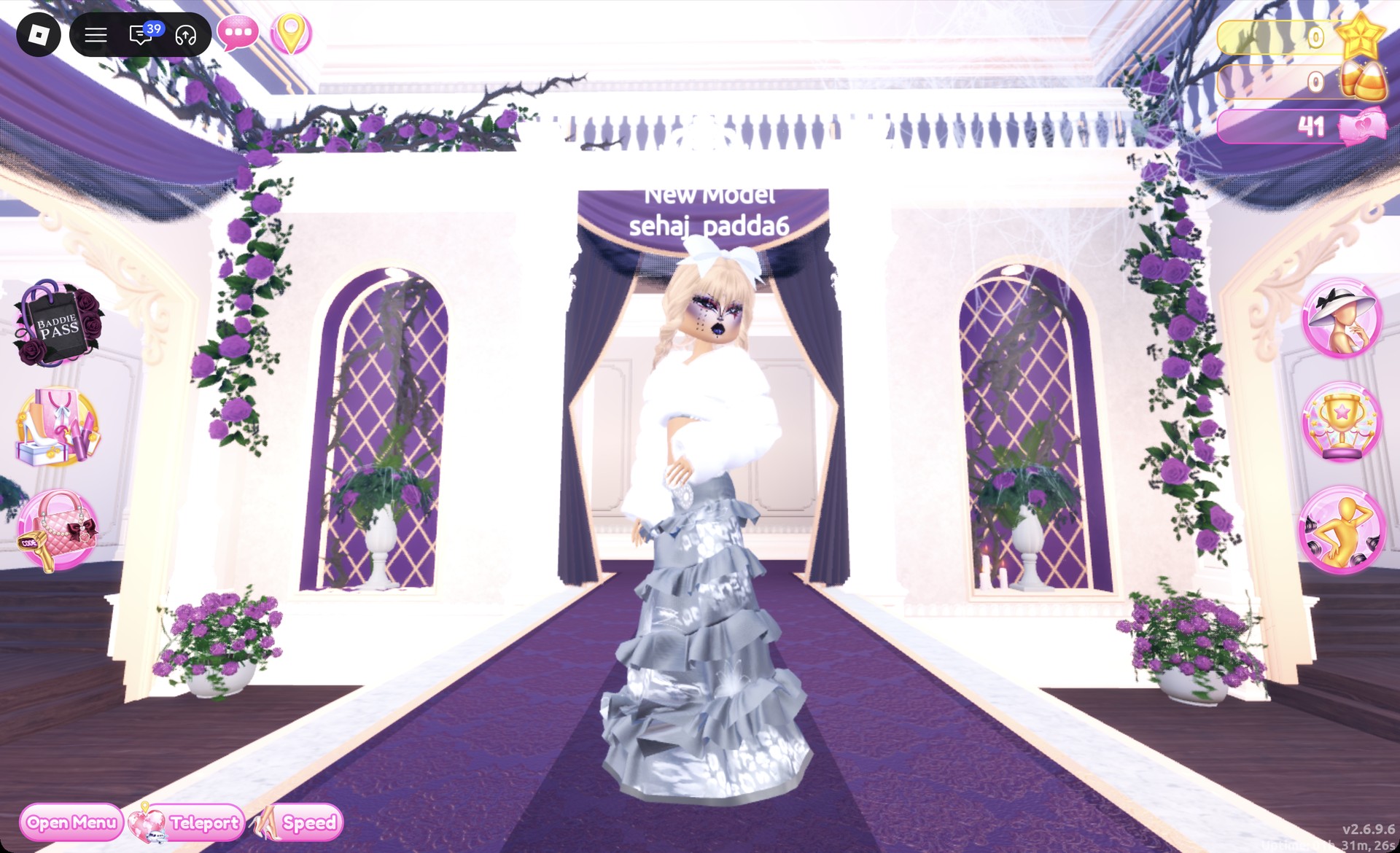
Norse ice goddess outfit in Dress To Impress on the runway
The Norse ice goddess look on the runway in the Dazzle pose.

From behind, the fur jacket and platinum braids carry the ice theme. The long skirt covers the boots, but they are still worn.
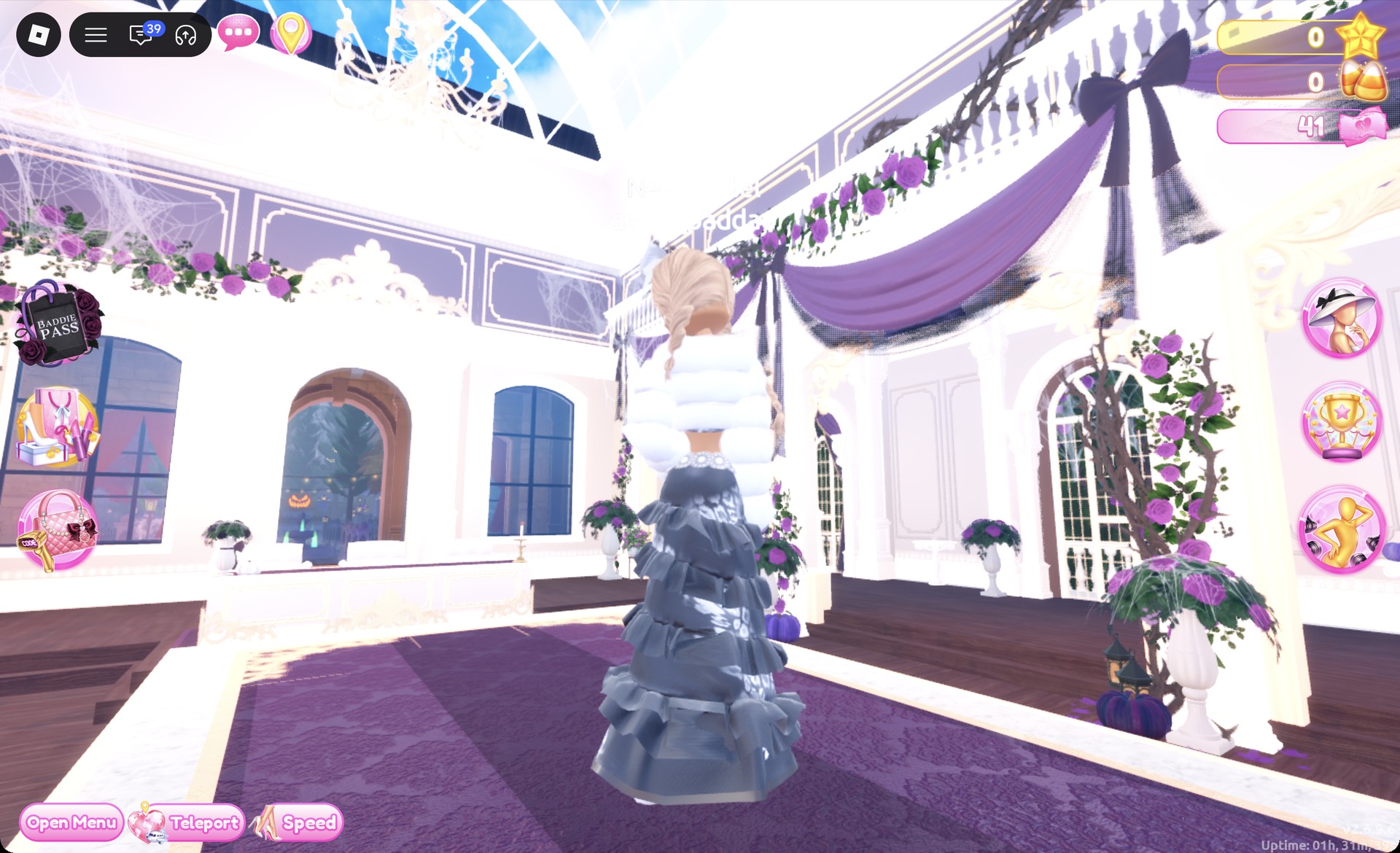
Norse ice goddess outfit in Dress To Impress from behind
The ice goddess look from behind: white fur jacket, platinum braids and silver tiers.

Egyptian queen outfit in Dress To Impress

This Cleopatra-inspired look starts from the white fitted puff-sleeve mini dress to the right of the party-dress shelf. Sleek black hair with straight bangs sets the character, and deep gold does the rest.
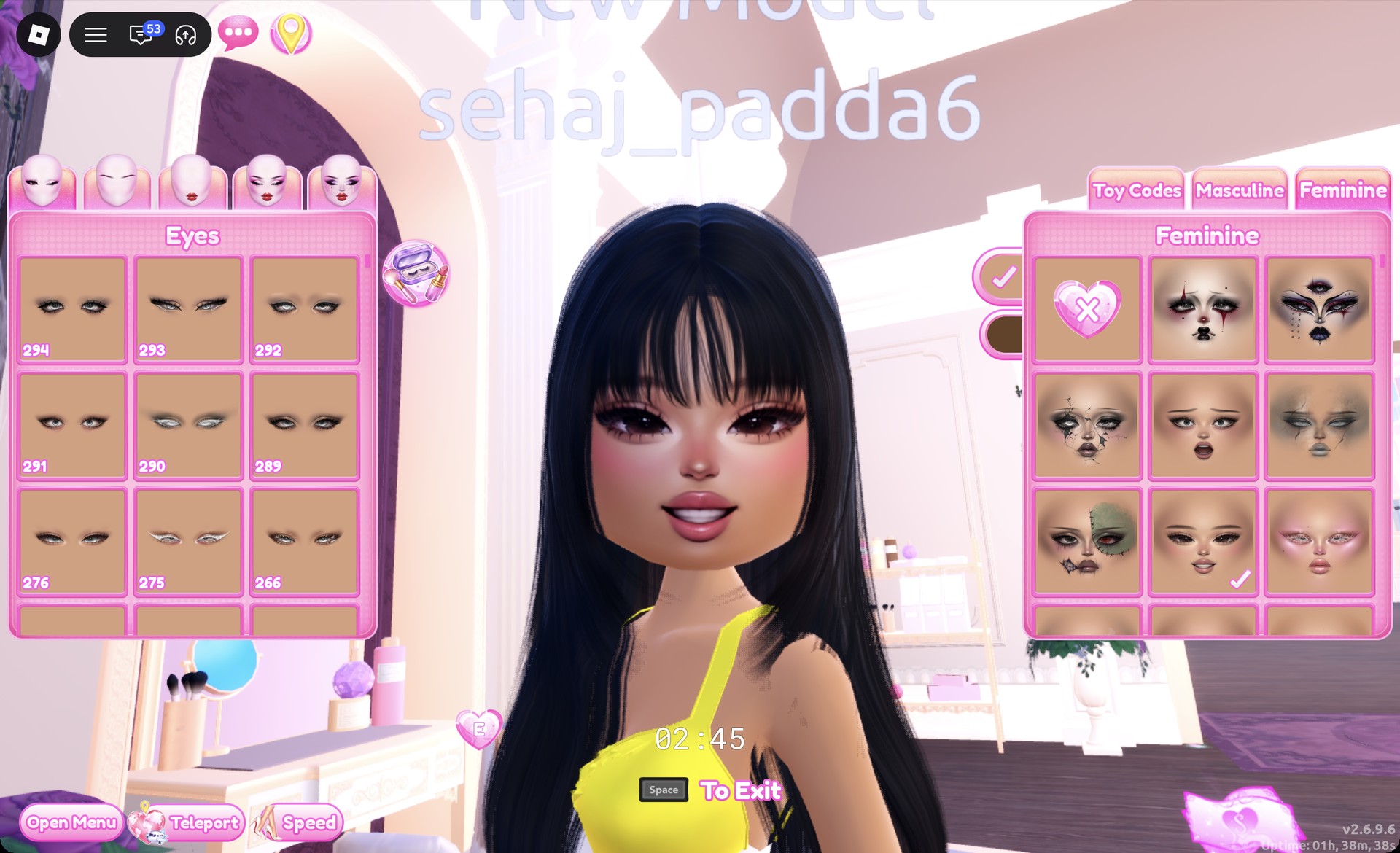
At a hair chair, open the Wavy tab and pick the right-hand card in the bottom row. It is long sleek black hair with straight bangs (“1/1: Preview”), and the default black works as is.
At a vanity, open the Feminine tab and pick the middle card in the third row, a smiling soft glam face.
Sleek black hair with bangs and soft glam face in Dress To Impress
Sleek black hair with straight bangs and the soft glam face card (third row, middle) at the vanity.
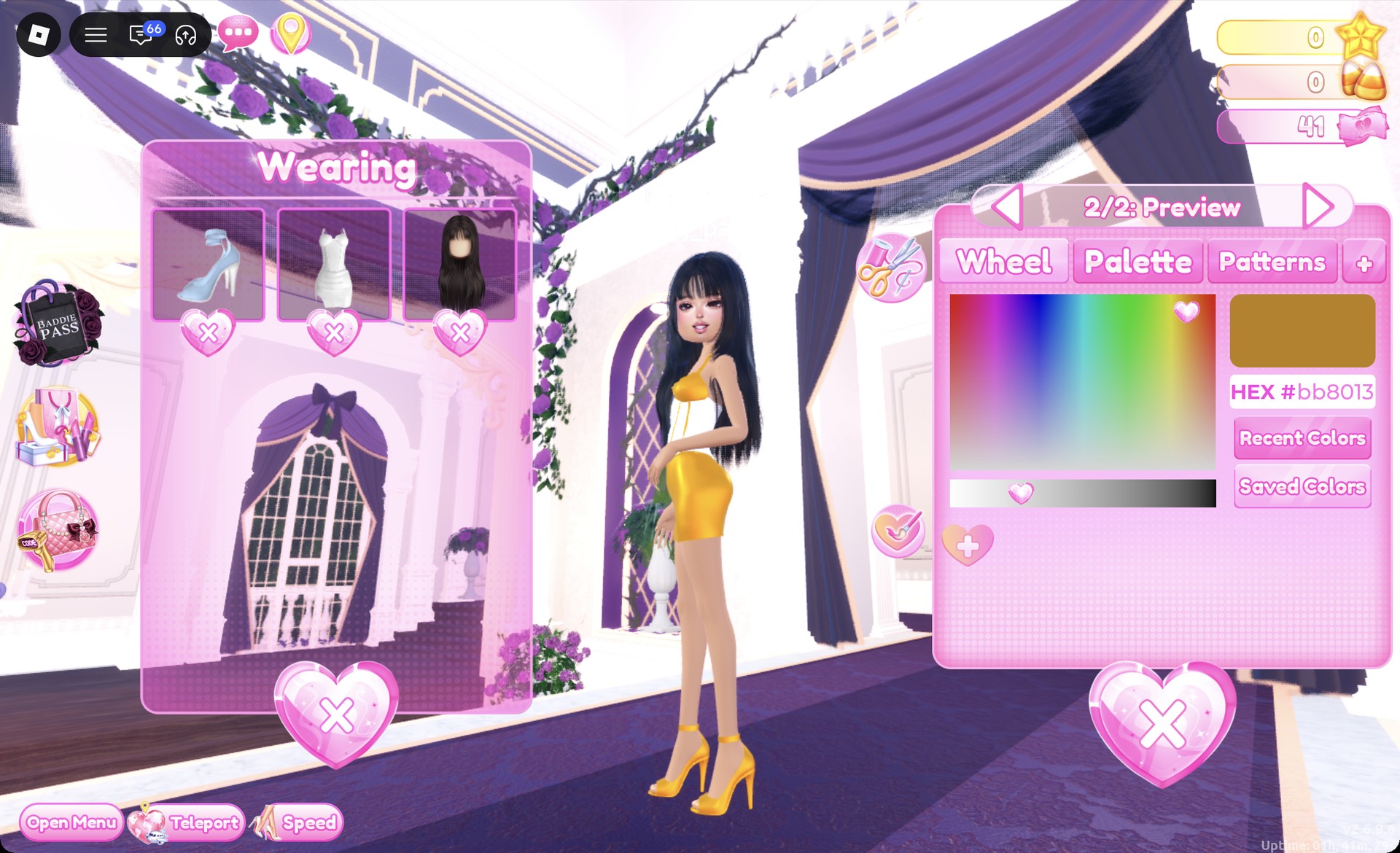
On the middle row of the shoe shelf, click the pale blue ankle-strap heels (“1/2: Preview”). Give both parts Metallic and set the color to HEX #bb8013 on the Wheel tab.
Ankle-strap heels set to gold HEX bb8013 in Dress To Impress
The ankle-strap heels set to HEX #bb8013 on the Wheel tab.
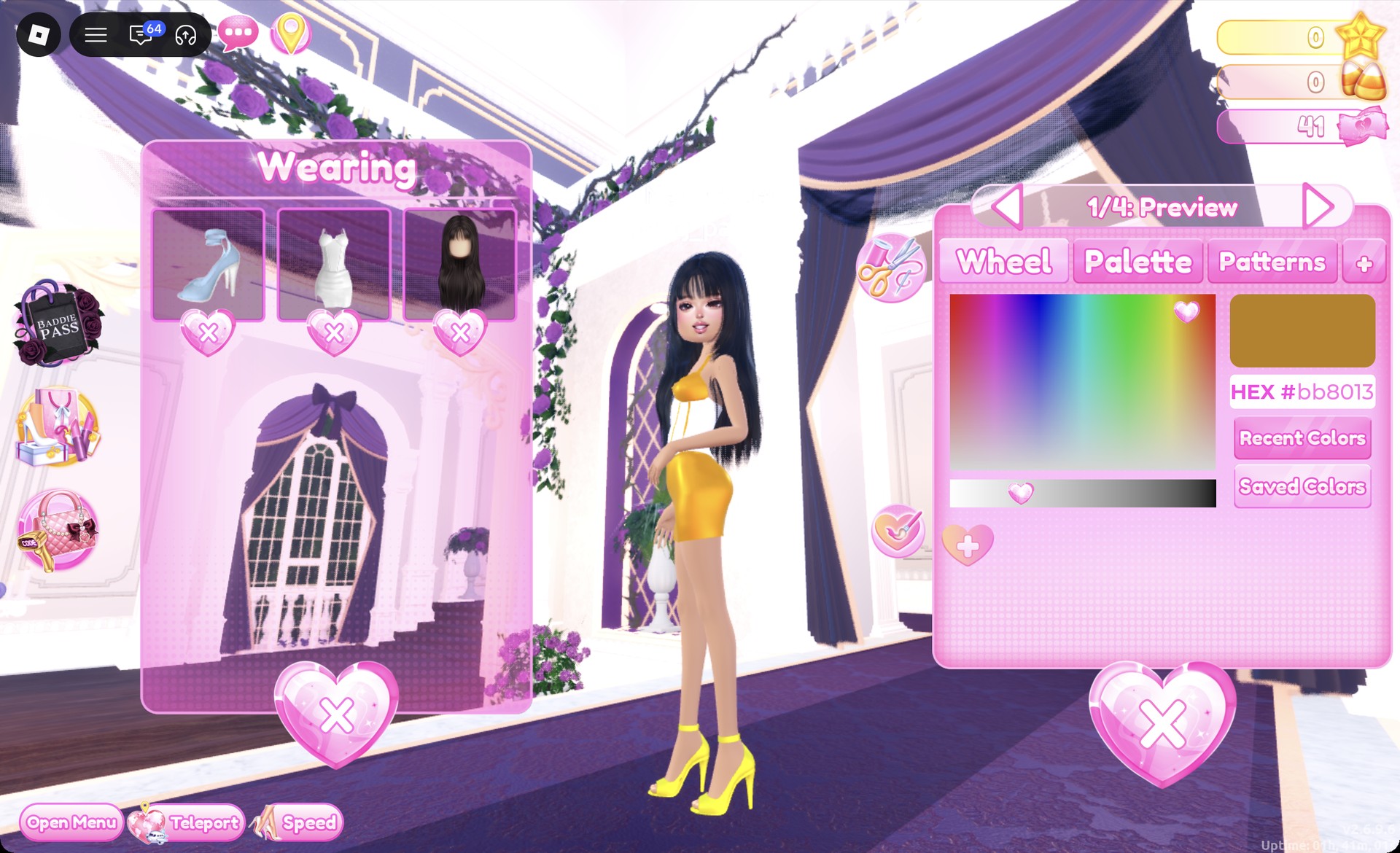
Click the white fitted mini dress (“1/4: Preview”). Leave part 2, the bodice, white with Light Silk. Give parts 1, 3 and 4 Metallic and set them to HEX #bb8013.
Fitted mini dress set to gold HEX bb8013 in Dress To Impress
The fitted mini dress opened from the Wearing panel and set to HEX #bb8013 on the Wheel tab.
Put on the dress and heels. The Wearing panel should show the heels, dress and hair.

The finished dress reads as a white boned bodice with gold straps and gold trim lines. Below it is a fitted gold mini skirt with a side slit, and no sleeves show.
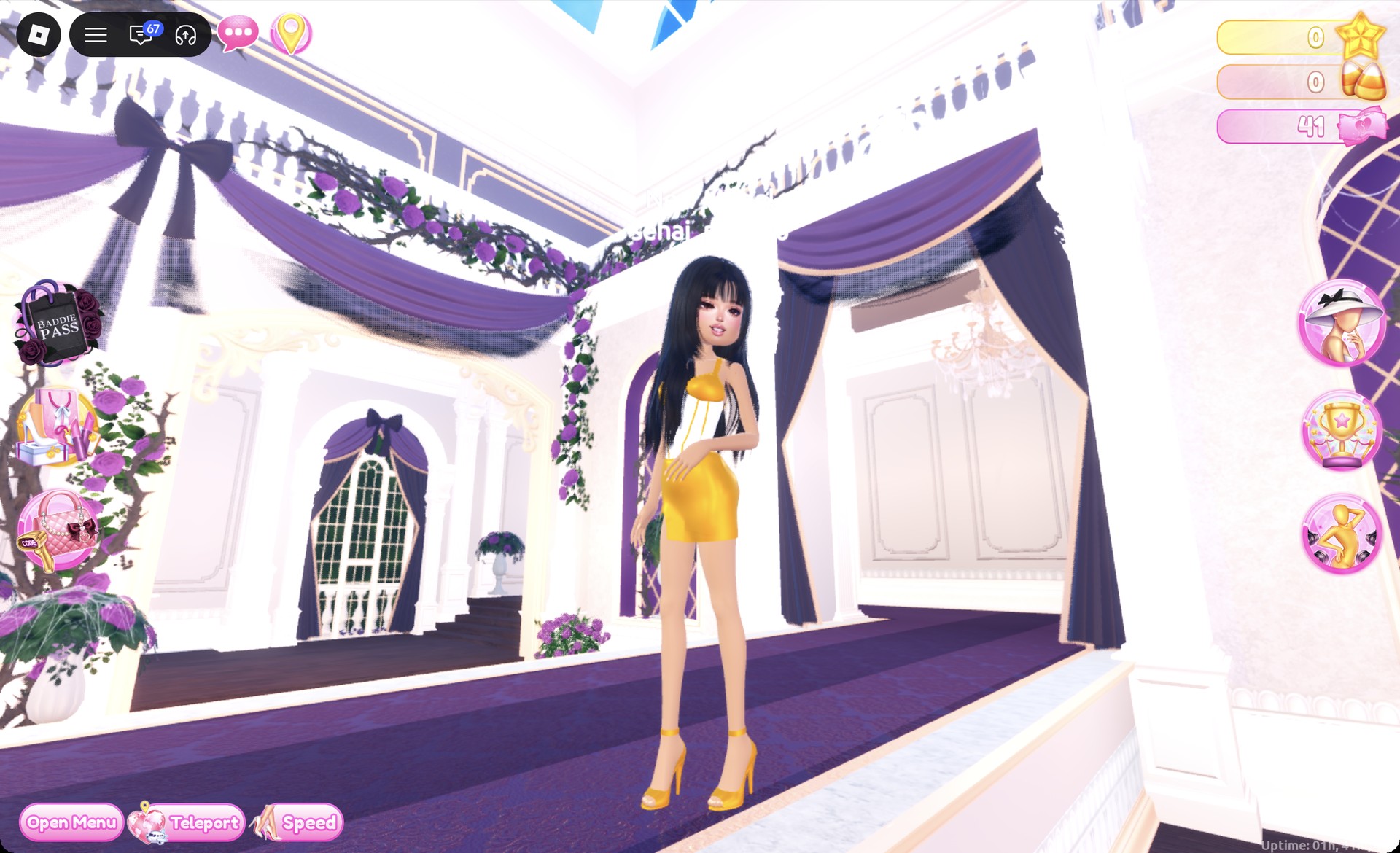
Egyptian queen outfit in Dress To Impress on the runway
The Egyptian queen look on the runway: white bodice, gold straps and mini skirt, gold heels and sleek black hair.

The Satin pose, with a hand at the hair, suits this look.
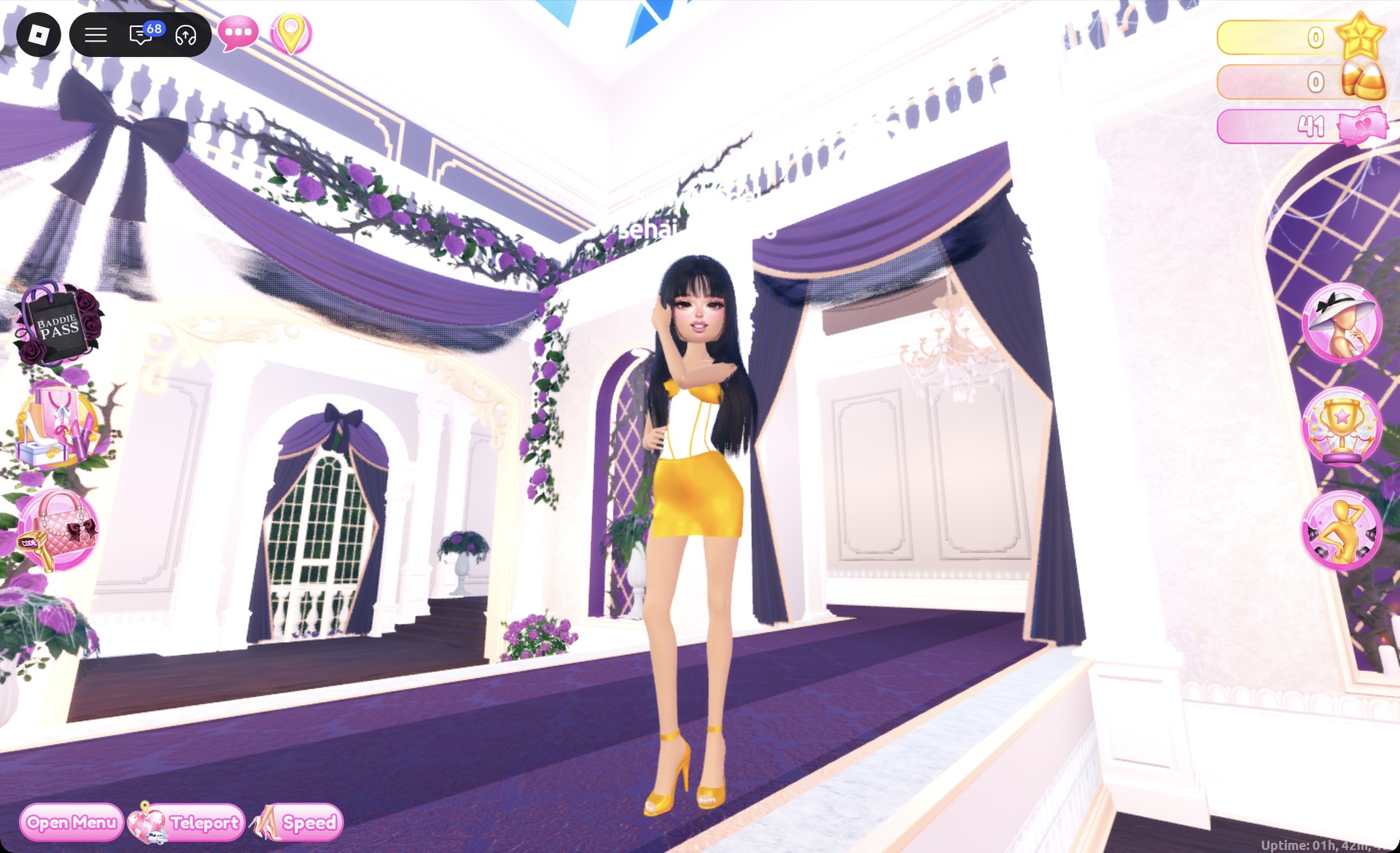
Egyptian queen outfit in the Satin pose in Dress To Impress
The Egyptian queen look in the Satin pose.

From behind, the long sleek black hair falls past the shoulders over the gold skirt.
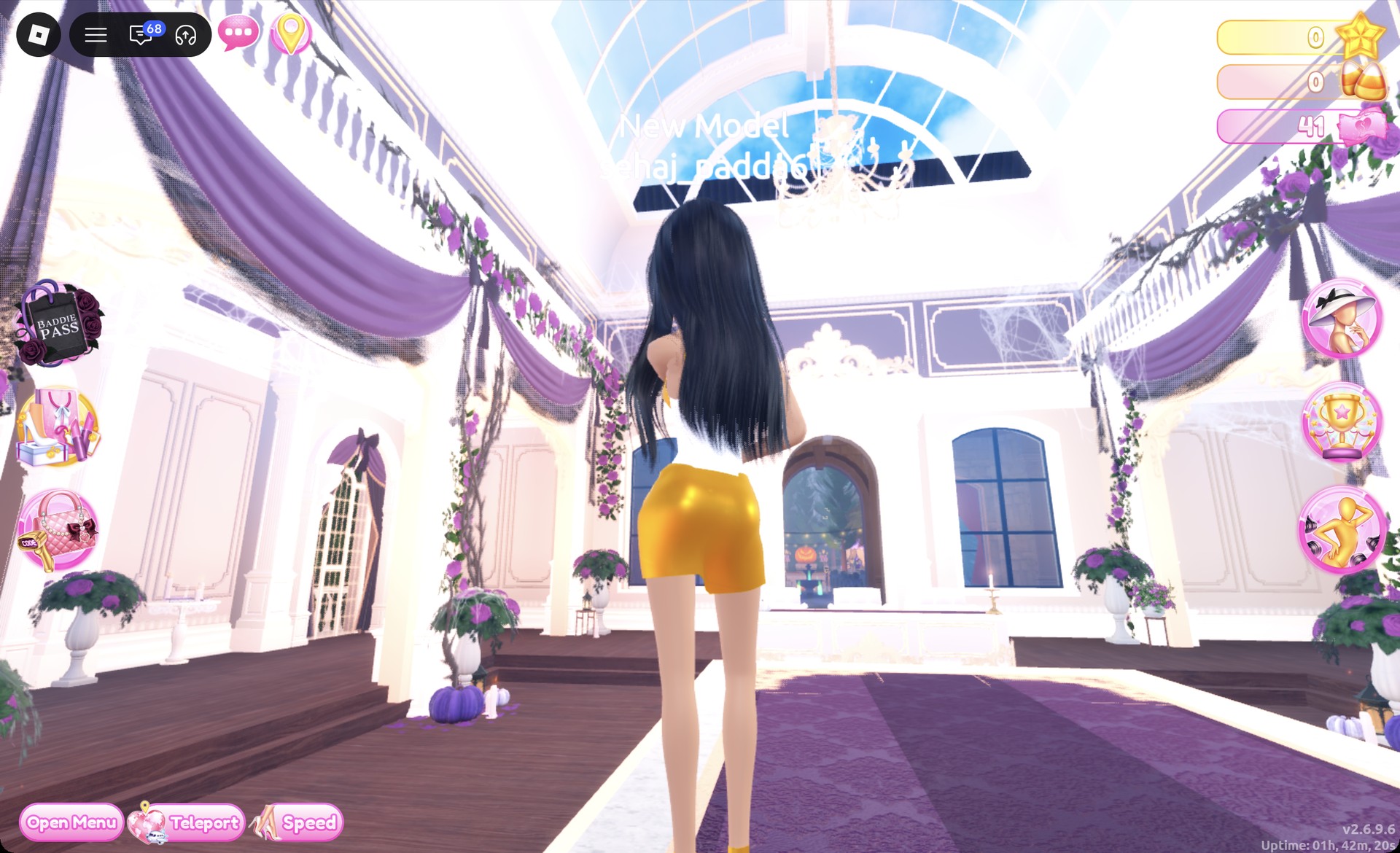
Egyptian queen outfit in Dress To Impress from behind
The Egyptian queen look from behind.

The palette yellow at column 8, row 6 looks bright yellow on the runway, not gold. On the Wheel tab, #bb8013 sits near the top of the color square between yellow and orange, with the brightness slider about a third of the way along.
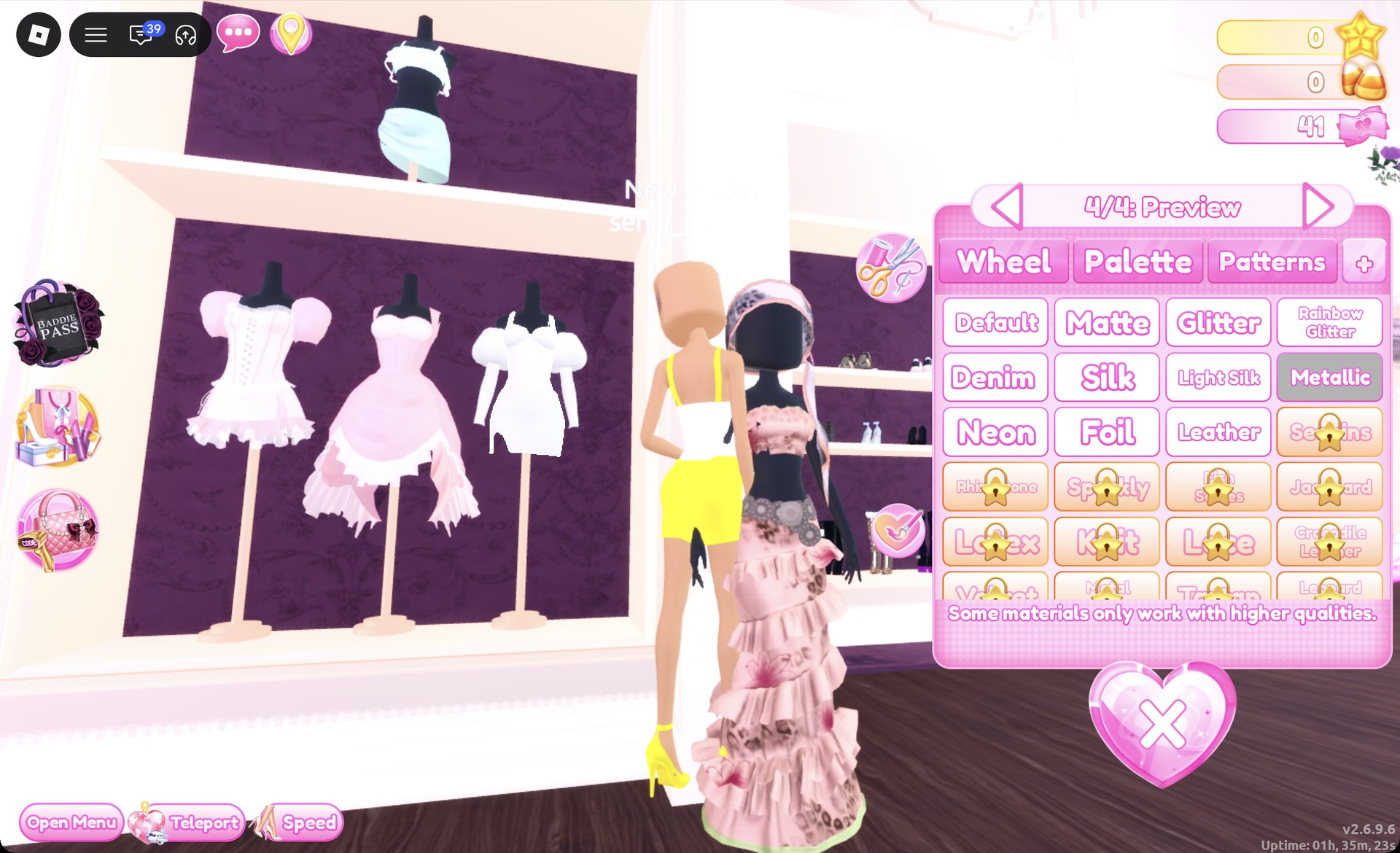
Palette yellow with Metallic reading bright yellow in Dress To Impress
Palette column 8, row 6 with Metallic reads bright yellow, not gold.

More Dress To Impress theme ideas

For other fantasy themes, see the Divine Beings looks, the Greek goddess and Egyptian robe in Ancient Civilization, the sea siren in Cursed Lagoon and the princess in Fairytale. The Enchanted Curse sorceress also borrows from myth.

Every theme built so far is listed in the Dress To Impress themes hub, and the Dress To Impress poses guide covers free poses such as Dazzle, Crystal and Satin.


Mythology DTI questions

Can you do a Medusa look in Dress To Impress without VIP?

Yes. The pale pink ball dress, the green-dyed curly hair, the third-eye face card and the platform heels are all free to put on. Silk and Metallic are free materials. All three looks use only free pieces and free materials, with no Robux spent.

How do you make clothes gold?

Pick Metallic on the “+” tab, then set a deep gold on the Wheel tab, such as HEX #bb8013. The amber gold at Palette column 9, row 6 also works with Metallic. The brighter yellow next to it reads as plain yellow.

Do you need wings, a crown or snakes for Mythology?

No. None of the three looks uses wings, a crown, snake hair, armor or props. The character comes from the color of the clothes, the hair and the face card, which are all free.

Why are two hairstyles on at once?

Choosing a new hairstyle in the hair chair adds it on top of the hair you already have. Open the Wearing panel and press the heart X under the old hairstyle to remove it.

Where are the fur jacket and fur boots?

Both are at the fur stand beside the shoe shelf in the Dressing Room. The white cropped fluffy jacket hangs on the stand, and the white fluffy boots sit on the round table next to it.