Gaming News

Aniimo: What to Do With Spare Aniimo and How to Release Them

Turn duplicate creatures into Experience Gems and Farewell Gifts, trade extras, or put them to work at the Homeland.

Turn duplicate creatures into Experience Gems and Farewell Gifts, trade extras, or put them to work at the Homeland.

Image: Pawprint Studio

Catching everything you see fills your storage fast, and most of those extra creatures end up as dead weight across page after page of numbered boxes. Spare Aniimo are not junk. You can convert them into leveling materials, trade the duplicates, or send them to work — and the fastest way to reclaim storage is a bulk release.

Quick answer: Open Aniimo Management, filter by Rating (Common and Good), enter Manage mode, choose Select all on this page, uncheck any keepers, then Release to receive Farewell Gifts. Keep at least one copy of any species you want for trading.


Three uses for spare Aniimo

Before you release anything, it helps to know what each option gives back so you keep the copies that still have value.

  • Experience Gems and Farewell Gifts: Releasing an Aniimo grants Experience Gems and Farewell Gift materials (such as plant and flower upgrade resources) you can pour into the creatures you actually raise.
  • Player trades: Duplicate copies can be traded to other players for materials, currency, or other Aniimo. Keep one copy of any species you still want.
  • Homeland workers: Extra Aniimo can be assigned to Homeland tasks, and multiple copies with the same skill boost output on a shared job.

Any training materials you already spent on an Aniimo are not refunded when you release it, so release low-investment duplicates rather than creatures you have leveled.


How to bulk-release spare Aniimo

The release flow lets you clear hundreds of low-value creatures in one pass while protecting your best ones. Work through the steps in order.
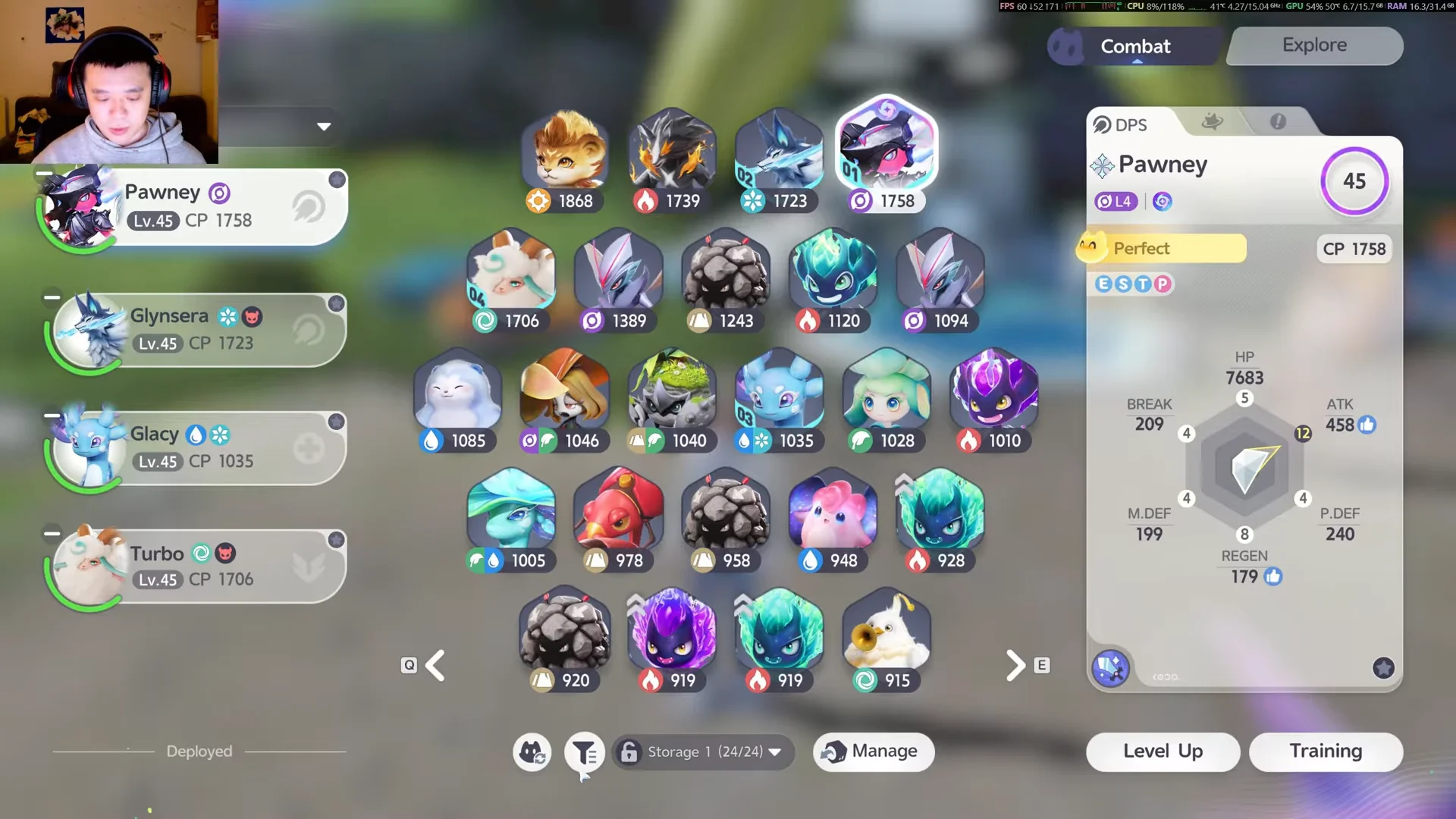
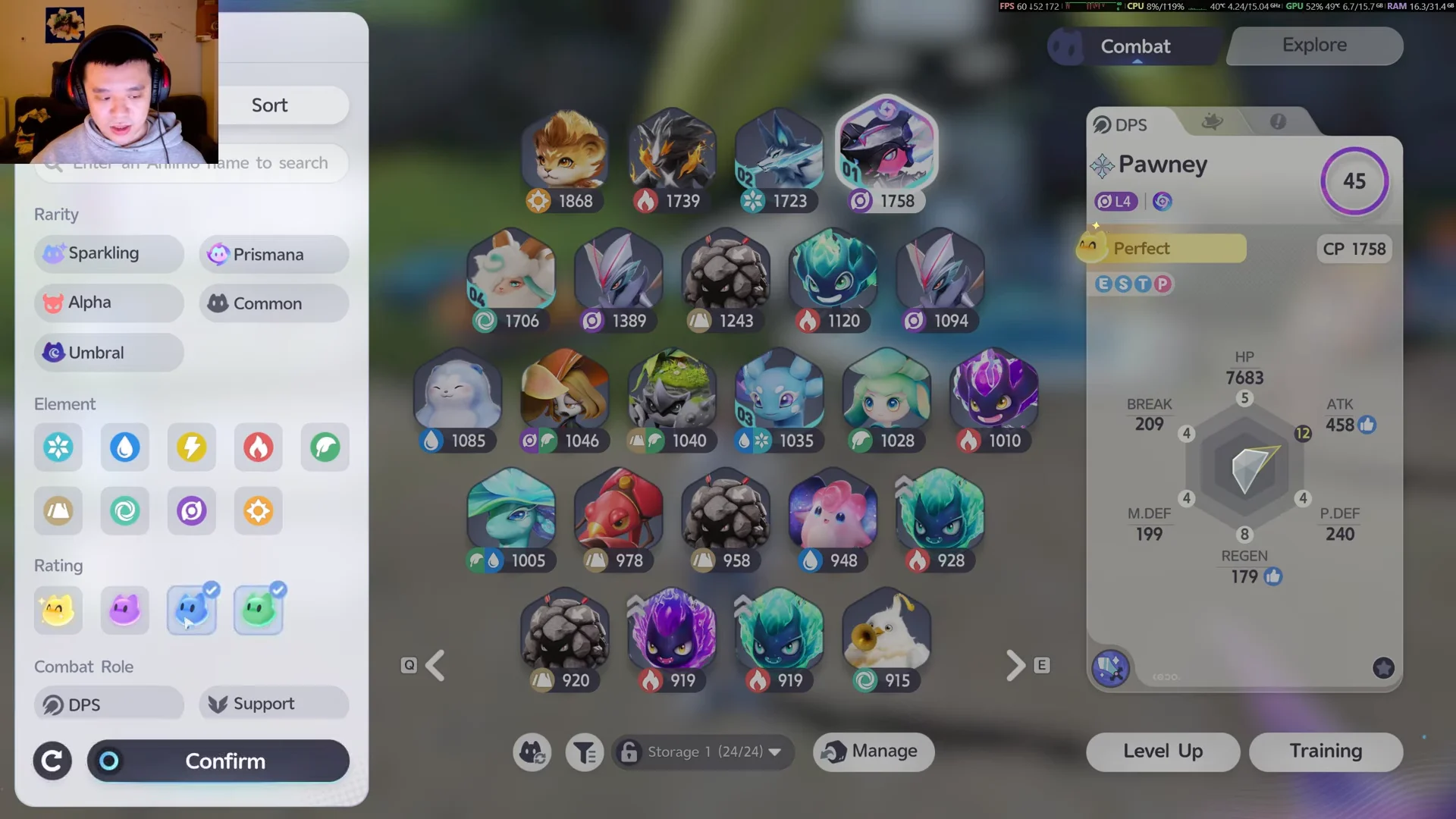
Press P or choose the Aniimo tab symbol in the menu at the top right to access storage. Your creatures appear across several pages, with each one’s combat power (CP) displayed.
Opening Aniimo Storage00:21Opening Aniimo Storage
The Aniimo storage screen, with a page of creatures and their CP values. Shown at 00:21 in StingKnight’s video. Image: Pawprint Studio
Click the funnel-shaped Filter icon at the bottom of the screen to open the filter menu.
In the Rating section, mark Common and Good, then confirm your choices. The Rating filter is much more effective than Rarity for finding creatures you don’t want.
Configuring the Rating Filter00:33Configuring the Rating Filter
The filter menu with Common and Good chosen under Rating. Shown at 00:33 in StingKnight’s video. Image: Pawprint Studio
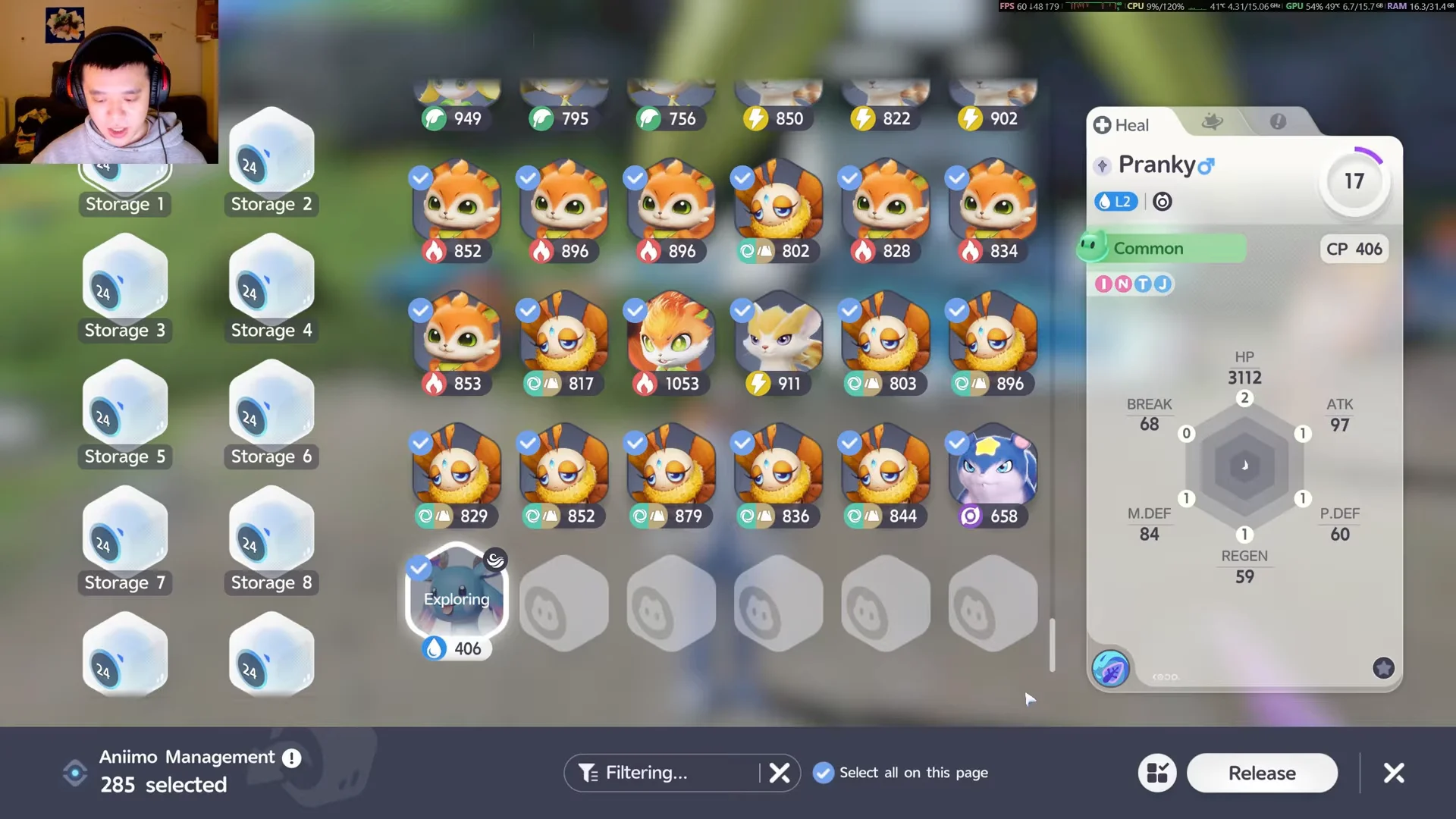
Review the filtered list, which arranges creatures by CP. The lowest-CP Aniimo sit at the bottom and are the safest to let go.
Inspecting Filtered Aniimos00:50Inspecting Filtered Aniimos
The filtered grid, showing a Common Pawney at CP 406 near the bottom next to the Release button. Shown at 00:50 in StingKnight’s video. Image: Pawprint Studio
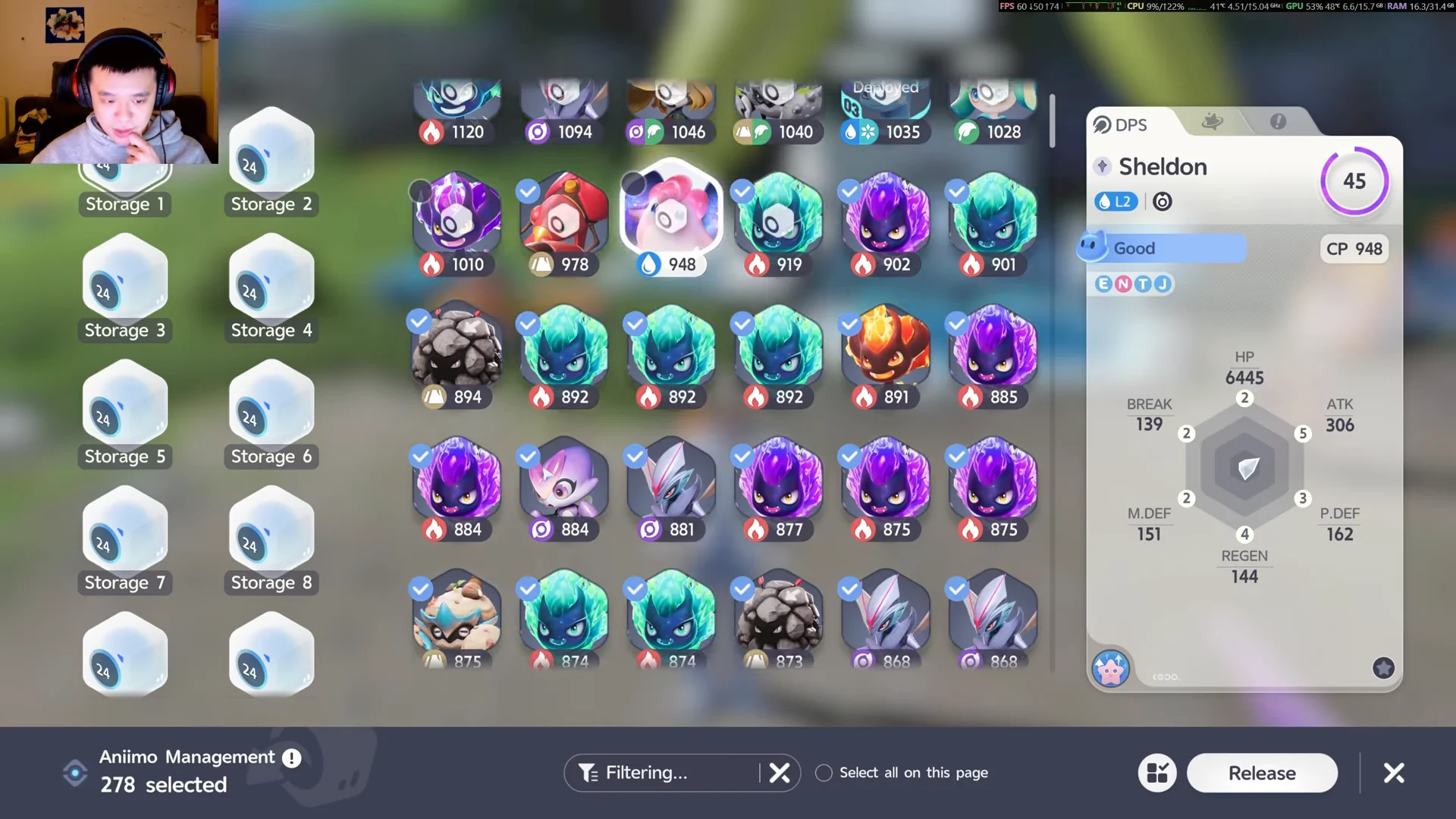
Click the Manage button, then check Select all on this page to mark every filtered Aniimo at once.
Bulk Selecting & Deselecting Keepers01:09Bulk Selecting & Deselecting Keepers
The Manage view with a page selected and higher-CP cards unchecked to keep. Shown at 01:09 in StingKnight’s video. Image: Pawprint Studio
Review the selected creatures and click each high-CP, rare, or favorite one to clear its checkmark. Every creature still checked will be released.
Click Release in the lower-right corner to open the confirmation window.
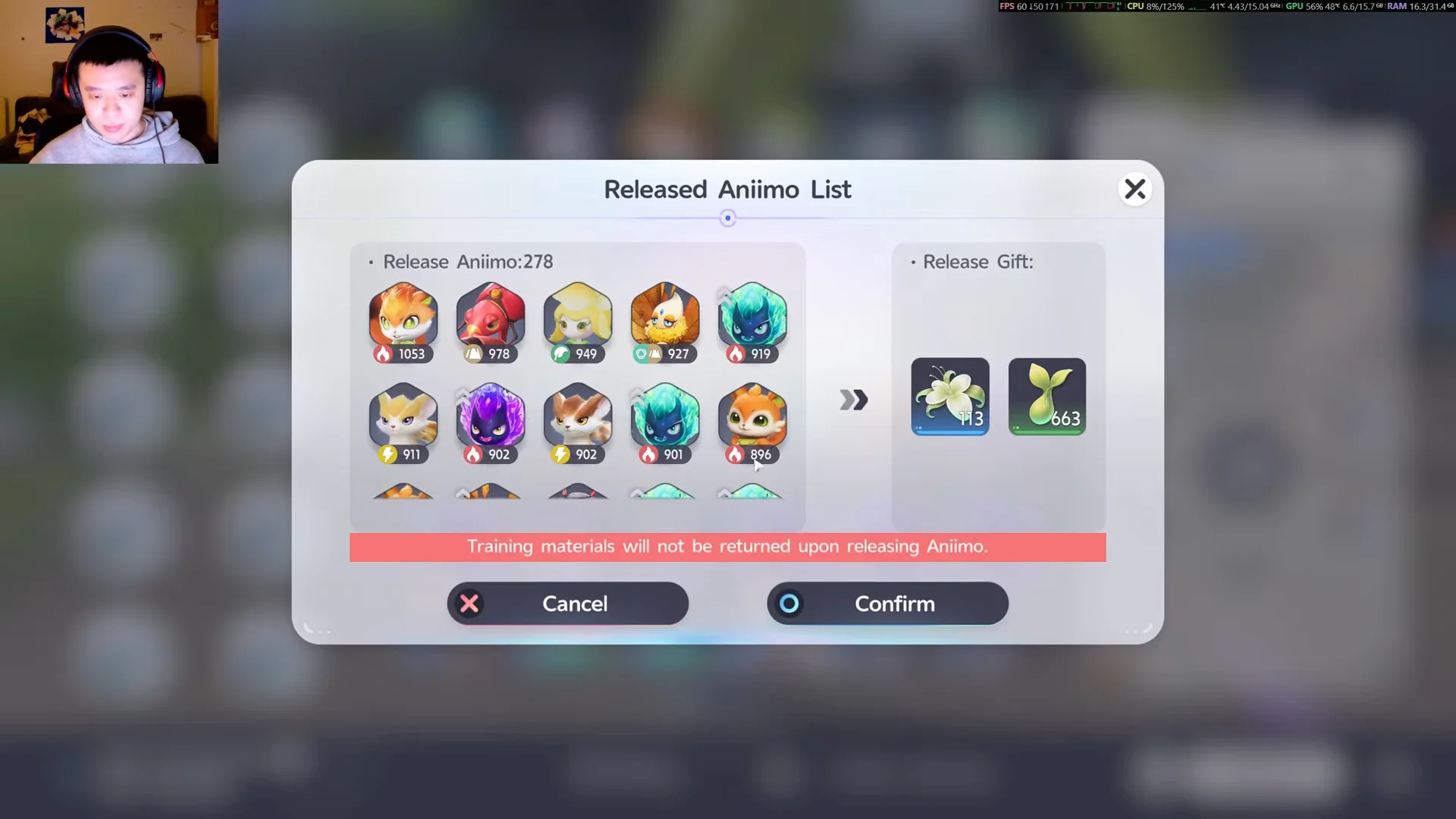
In the Released Aniimo List pop-up, check the total count and the Farewell Gifts you will receive, then click Confirm.
Confirming Aniimo Release01:16Confirming Aniimo Release
The confirmation window totaling 278 Aniimos and the Farewell Gifts, with Cancel and Confirm. Shown at 01:16 in StingKnight’s video. Image: Pawprint Studio

How to confirm the release worked

After you confirm, a Farewell Gift message appears noting that the released Aniimo left a few items behind, and those materials drop into your inventory. Your owned Aniimo count at the top of the management screen falls to reflect the removals, and the cleared storage pages free up their grid slots. If the count dropped and the gifts arrived, the release is complete.