Expedition mode swaps the fixed home base of standard tower defense for a moving target you have to escort. Instead of guarding a single point, you defend a vehicle called a payload as it travels toward a destination, fending off enemies that close in from every direction. Clearing a run pays out building materials and currencies that feed an entire second progression system tied to the Expedition Center.
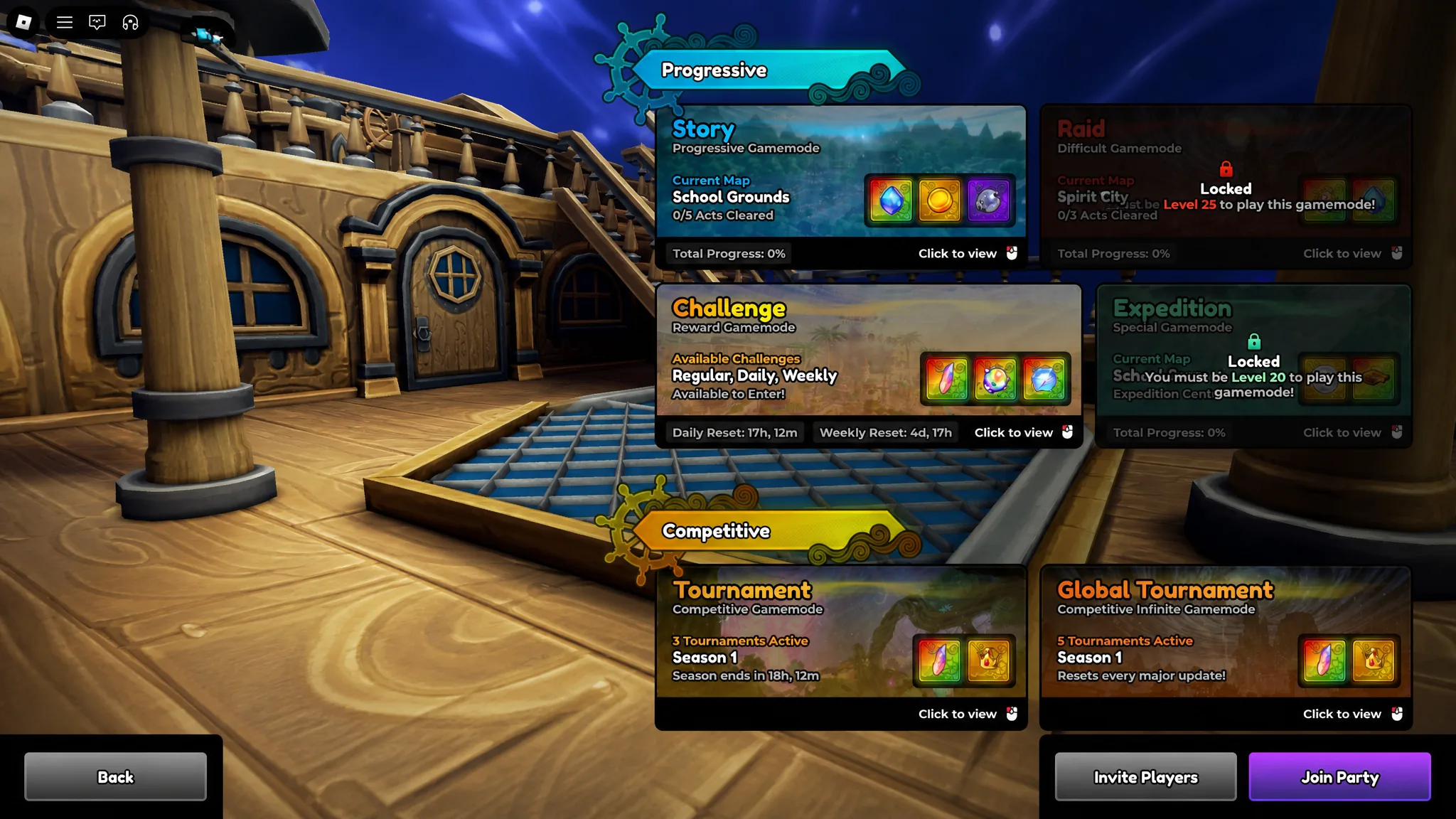
Quick answer: Reach Player Level 20, then use the Expedition portal in the main hub to enter the mode’s dedicated hub world and start a run.
How to unlock Expedition mode in Anime Expeditions
Expedition mode is gated behind a single requirement. You must reach Player Level 20 before it becomes available. Once you hit that level, a portal appears in the main hub area, and stepping through it takes you to the Expedition-only hub world.
That hub runs almost like a separate game. It has its own gameplay systems, its own currencies, and its own upgrade paths, all kept apart from the main story loop. You know the unlock worked when the portal is active and drops you into the Expedition hub with its buildings and Quest board.
How a payload run works
When you start an Expedition, you are placed on a moving payload. You still summon and position units the way you would in a normal wave, but the deployable space on the payload is limited. That constraint forces tighter placement, so every slot has to cover as much of the surrounding area as possible.
Enemies no longer walk a set path. They converge directly on the payload and try to destroy it, hitting from multiple sides at once. Your job is to keep the payload alive until it reaches the end of the route. Think of the whole run as an extended escort, broken up by checkpoints called Nodes that you can track on a progress bar in the HUD.
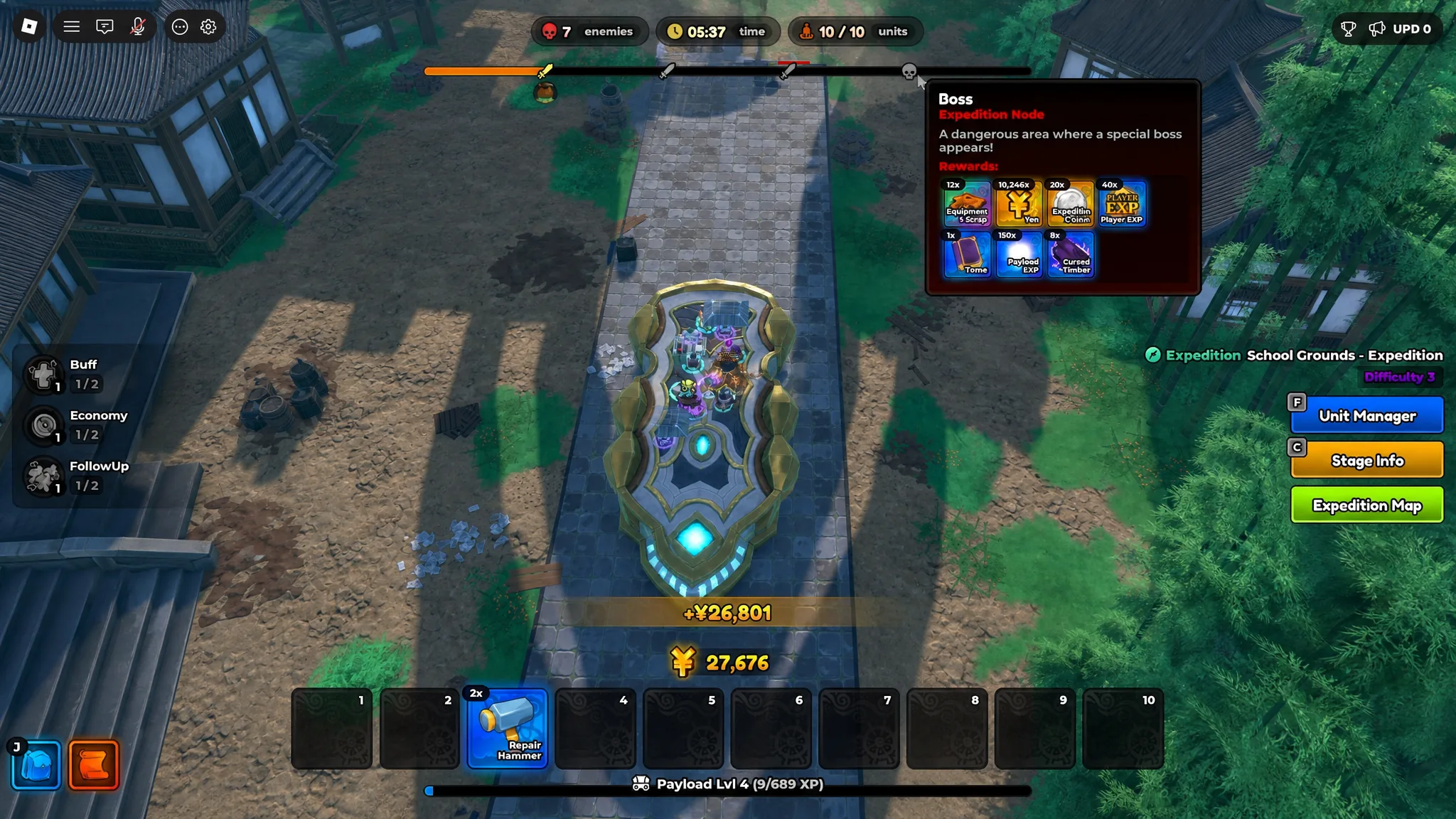
Even a failed run pays out. Rewards scale with how far the payload got before it fell, so an incomplete attempt still returns some materials. A full clear grants upgrade materials, Expedition Coins, Player XP, and more.
Node types and what happens at each one
Each Node along the route triggers a different event. Reading the progress bar lets you see what is coming so you can prepare units and spending before you arrive.
| Node type | What it does |
|---|---|
| Defense Node | Defeat 10 enemy waves while riding the payload. |
| Checkpoint Node | Spend in-game money to hire units at a set price. |
| Assault Node | The payload slows down while enemies attack from all sides at once. |
| Elite Node | Clear five waves of elite enemies and bosses. |
| Boss Node | Defeat a boss backed by regular enemies while the payload slows significantly. |
Every time you reach a Node, the mode offers three modifiers. These can carry positive or negative effects depending on the options rolled. Pick the one that best fits your current state, then keep clearing enemies until the payload finishes the route.
Expedition stages and their reward pools
There are three stages available, and each one drops a different building material alongside the shared currencies. Expedition Coin, Fuel Cell, and Equipment Scrap appear across all three, while the primary material changes per stage.
| Stage | Reward pool |
|---|---|
| School Grounds | Cursed Timber, Expedition Coin, Fuel Cell, Equipment Scrap |
| Flower Forest | Lush Dirt, Expedition Coin, Fuel Cell, Equipment Scrap |
| Rose Kingdom | Aqua Shard, Expedition Coins, Fuel Cell, Equipment Scrap |
Expedition Center buildings and upgrades
The materials and currencies you collect feed the buildings in the Expedition hub. Each upgrade you buy adds functionality to the chosen structure. Upgrading the Armory, for example, opens Equipment Reroll, Forge, and Scrap options. Because every upgrade widens what a building can do, it pays to keep upgrading the structures that match your goals.
| Building | Function |
|---|---|
| Expedition Shop | Spend Expedition Coins on Gems, Gold, Stat Locks, Stat Rerolls, and Trait Crystals. |
| Research Lab | Access the Expedition Upgrade tree to boost the payload, improve modifiers, and raise the unit placement cap. |
| Resource Drill | Convert Fuel Cells into Geodes, which open for Stat Rerolls, Equipment Rerolls, Trait Crystals, and more. |
| Armory | Forge, reroll, and dismantle equipment. |
| Gold Mine | Convert Fuel Cells into Gold. |
| Training Grounds | Assign units to gather Unit XP and Worthiness over time. |
Since materials are limited early on, focus your upgrades on the building tied to whatever is slowing you down. Raising the unit placement cap through the Research Lab, for instance, directly eases the tight space problem on the payload.
Using the Quest board for extra resources
The hub also holds a Quest board that hands out extra Gold, Gems, and Expedition Coins. Quests come in Daily, Weekly, and Permanent forms, and you complete them by doing things like defeating enemies and extracting from a map. Pairing quest rewards with the currencies you earn from clears speeds up how fast you can push building upgrades.
Treated well, the Expedition Center becomes a steady loop. Run stages for materials, upgrade the buildings that fix your current bottleneck, clear quests for extra currency, and repeat. Because losses still return partial rewards, there is little downside to pushing a stage as far as your team can carry it and reinvesting whatever comes back.