Update: Checked for new Ascend codes on June 01, 2026.
Ascend is a text-based incremental simulator on Roblox that blends RPG mechanics with cultivation-style progression and 3D environments. Players begin at the very bottom of society — a penniless beggar — and gradually rise through grinding, energy management, quests, and story-driven choices. Mystic Gems are the central currency driving that climb. They power the in-game shop, letting you change your race, summon companions, and unlock upgrades that would otherwise take much longer to earn through normal play.
Working Ascend codes
All five codes listed below are currently active. Each one rewards Mystic Gems that can be put toward progression immediately after redemption.
100KMEMBERS— 350 Mystic Gems3KFAVS— 125 Mystic Gems100KVISITS— 100 Mystic GemsHOTFIX1— 150 Mystic GemsHEYGUYS— 100 Mystic Gems
No codes have expired in Ascend yet, so every entry above remains redeemable.
How to redeem codes in Ascend
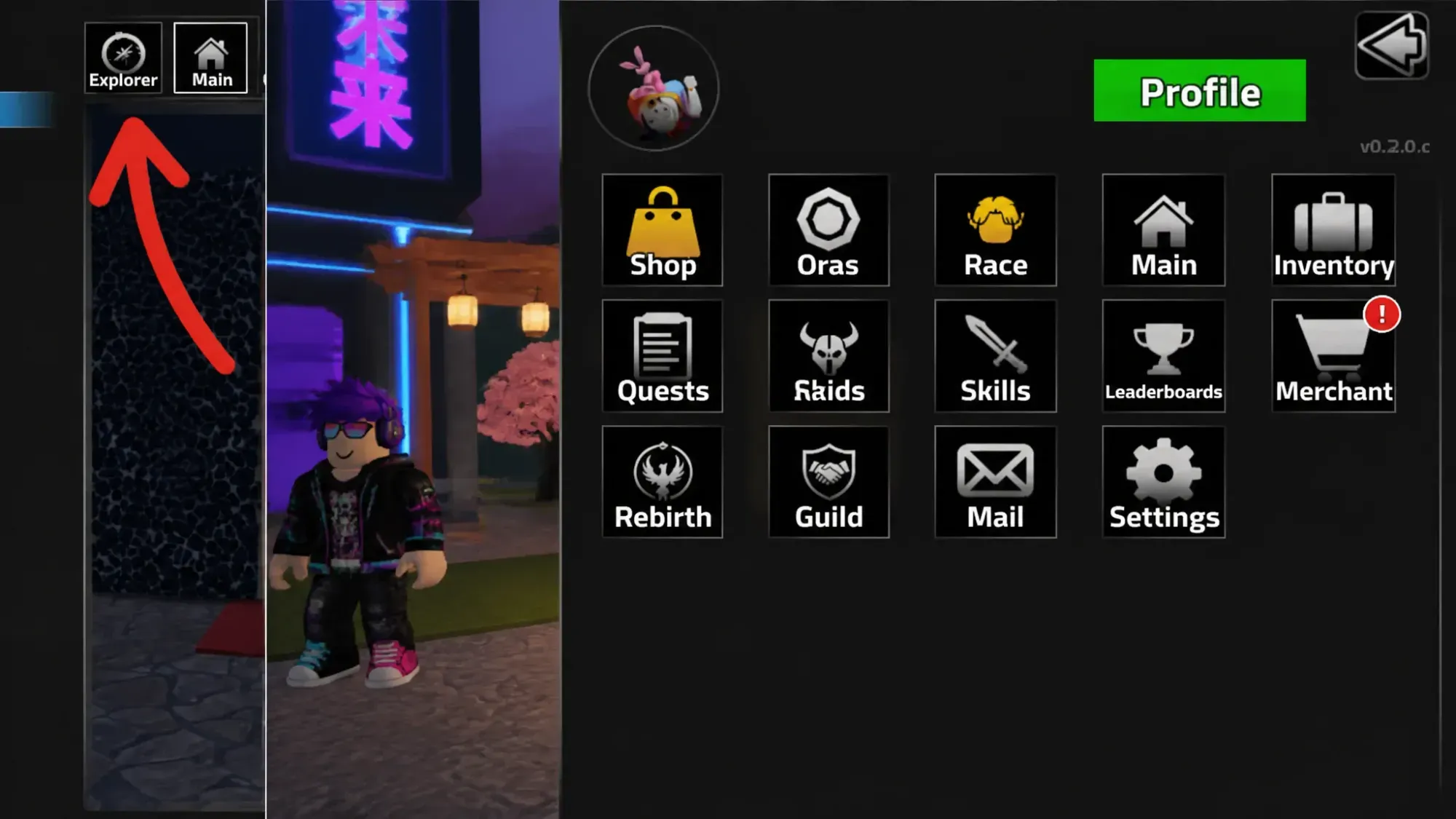
Two prerequisites must be met before the redemption box becomes available. First, complete the in-game tutorial. Second, join the 7L. Roblox group and like the experience — both are required to unlock code redemption. With those steps done, launch Ascend on Roblox and follow the steps below.
Where to find more Ascend codes
The developers release new codes around game updates, community milestones, and hotfix patches. Joining the official Ascend Discord server puts you in the best position to catch codes as soon as they go live, since announcements typically appear there first. The game’s Trello board is also worth bookmarking if you want to stay current on upcoming systems, races, and content additions. Checking back on this page regularly is the easiest way to confirm which codes are still working without hunting through announcements yourself.