
Be a YouTuber is a Roblox tycoon where you grow a content empire from zero subscribers into a full-blown studio. Codes hand out free Rebirth Coins and cash that speed up hiring, upgrades, and rebirths without extra grinding.
Working Be a YouTuber codes
Enter these codes exactly as written, since the game treats them as case sensitive in some cases.
880kfavs— 80 Rebirth Coins NEWtrading— Free rewards875kfavs— Free rewardsgolweek— Free rewardsworldcup— Free rewards115mvisits— Free rewards850kfavs— Free rewards (requires liking the game and joining its Roblox group)450klikes— Free rewardssummer— Free rewards100million— Free rewards90mvisits— Free rewards400klikes— 80 Rebirth Coins800klikes— 80 Rebirth Coins350klikes— Free rewardsrelease— 250 Cash100klikes— 10 Rebirth Coinsunderwater— 5 Rebirth CoinsMutations— 10 Rebirth Coins30klikes— 5 Rebirth Coins50mVisits— 10 Rebirth Coins300klikes— 10 Rebirth Coins750Kfavs— 40 Rebirth Coins75mvisits— 5 Rebirth Coins20KLikes— 5 Rebirth Coins50klikes— 10 Rebirth Coins200KLikes— 10 Rebirth Coins65mvisits— 50 Rebirth Coins80mvisits— 5 Rebirth Coinsgifting— 50 Rebirth Coins800kfavs— 80 Rebirth Coins
How to redeem codes in Be a YouTuber
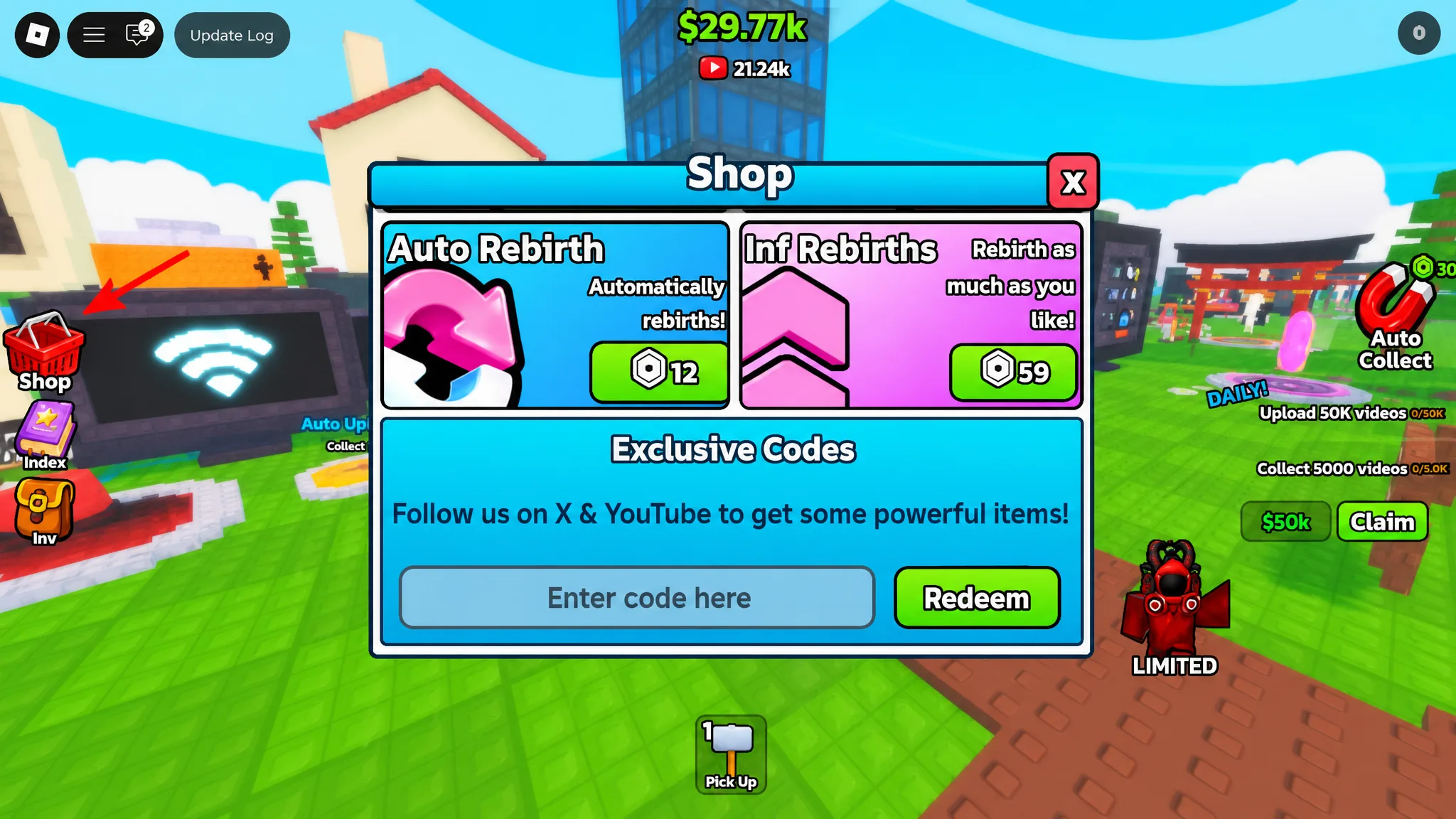
Codes are redeemed from the in-game shop menu, and the reward is added to your account the moment you confirm the code.
Expired Be a YouTuber codes
These codes no longer produce rewards when entered into the shop panel.
10klikes
Where to find new codes
New codes tend to arrive alongside like, favorite, and visit milestones, so keeping an eye on the game’s own channels is the fastest way to catch them early. The My YouTube Empire Discord server posts codes as soon as the developers release them, and joining the IM A YOUTUBER group covers any code that requires group membership as a prerequisite.
Rebirth Coins earned from codes carry the most long-term value since they unlock rebirth tiers that boost upload speed, subscriber growth, and viral chances. Redeem new codes as soon as they surface, since favorite and like-count codes are tied to milestones that only apply once.