Gold is the only thing standing between your starter kit and a weapon that actually clears a dungeon. Every weapon and armor piece in Dungeon Quest Reborn carries a set number of upgrade slots, and each slot you buy permanently raises one stat on that item. The whole system lives at one spot in the lobby, and it takes about five seconds once you know where to stand.
Quick answer: Step into the “Upgrade” circle in the lobby, talk to the upgrade NPC, select the item you want to improve, then click Upgrade under Physical, Spell, or Health and pay the gold price shown. The stat value and the Upgrades counter both change immediately.
Where the upgrade NPC is in the lobby
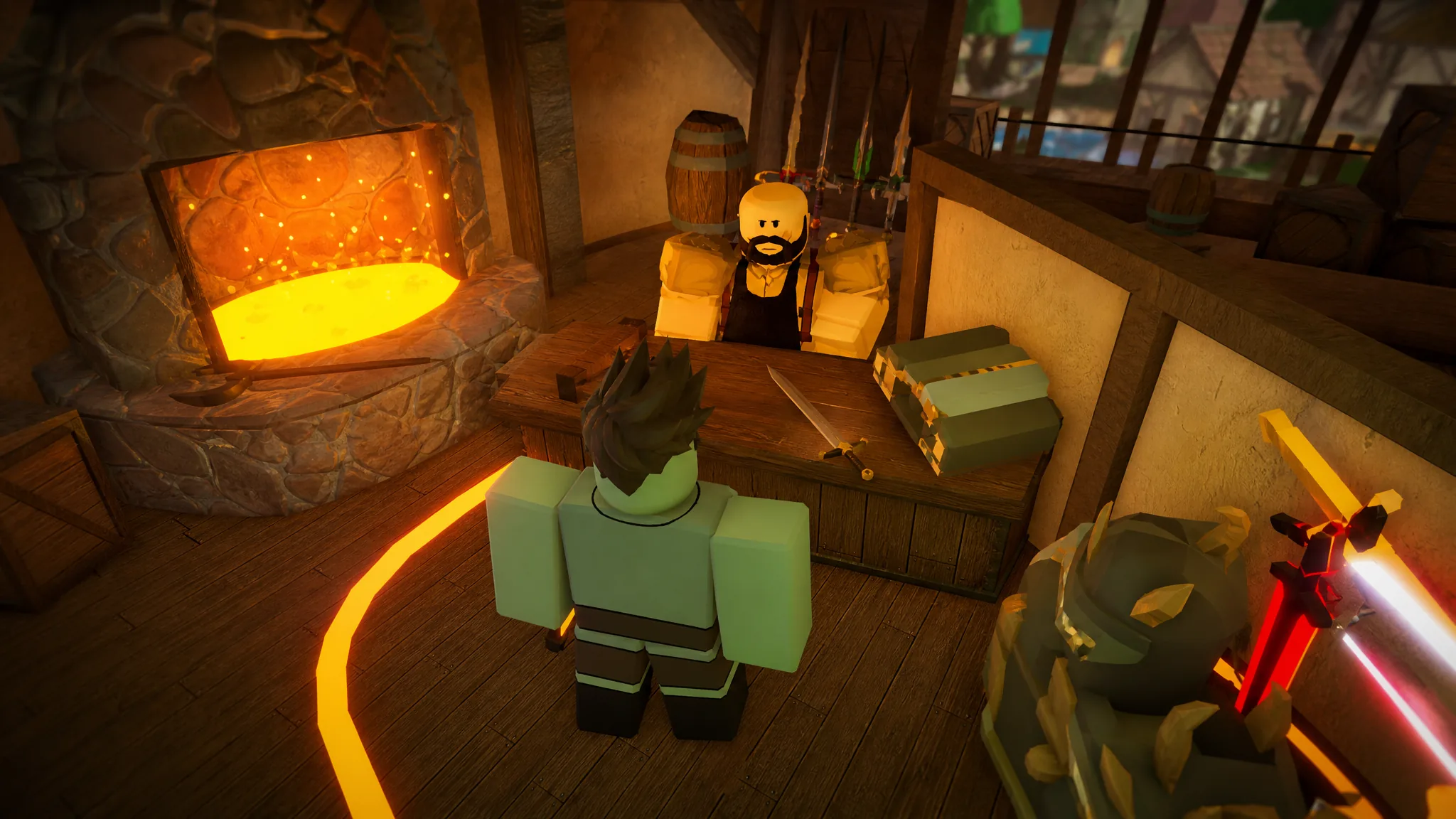
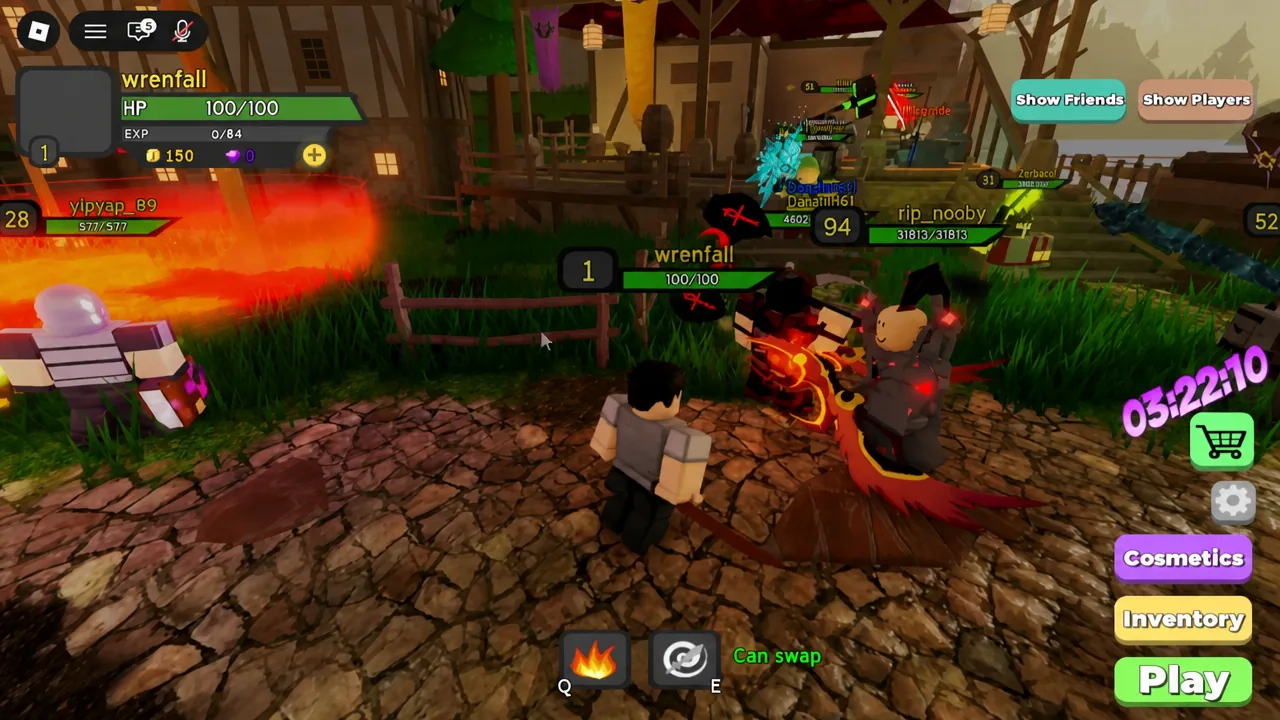
Upgrading is a lobby activity, not something you do mid-run. Finish a dungeon, get dropped back at the hub, and look for the glowing circle on the floor labeled Upgrade. The NPC standing on it is the blacksmith-style vendor that handles all gear upgrades — on a fresh server that is “(Novice) chickenpie”. Your gold total sits in the top bar of the screen, so you can see what you can afford before you even walk over.
How to upgrade a weapon with gold
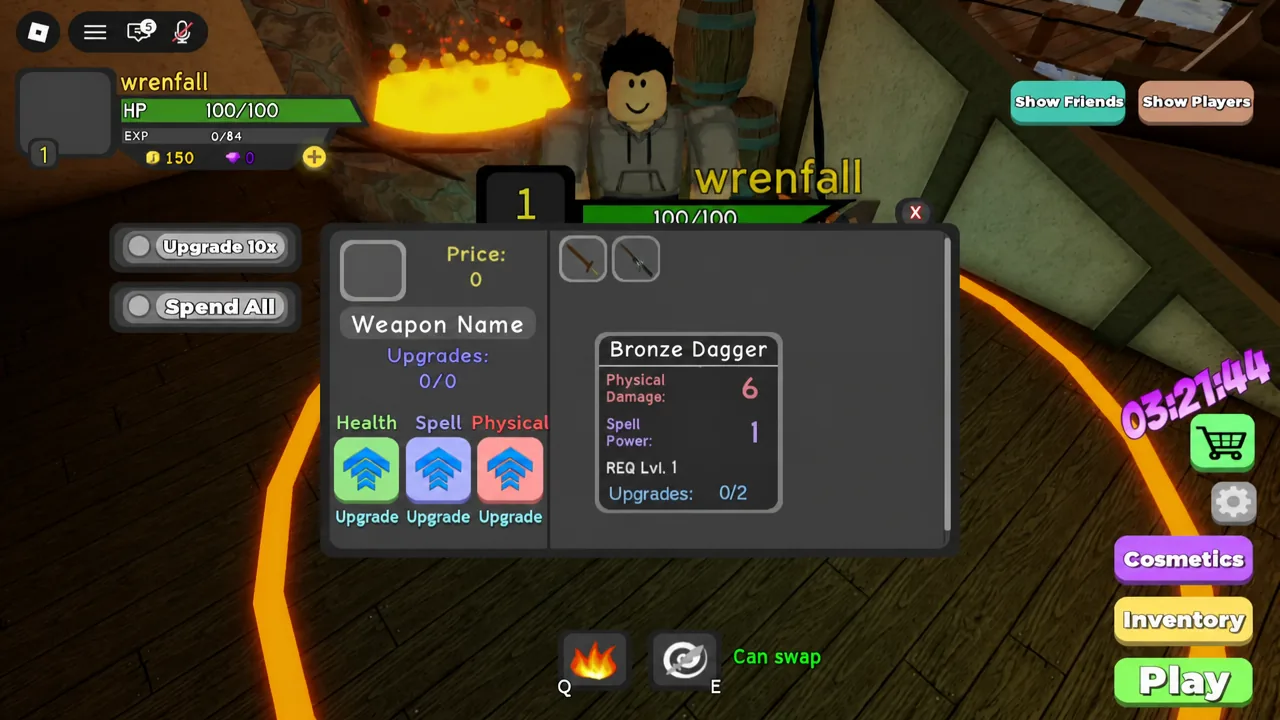
That last change is your confirmation. If the stat number and the counter both moved, the purchase went through — there is no separate success message to wait for.
The three buy buttons: Upgrade, Upgrade 10x, and Spend All
You do not have to click one level at a time. The panel gives you three ways to spend, and the bulk options are useful once prices climb into the thousands.
| Button | What it does |
|---|---|
| Upgrade | Buys a single level at the price currently listed. |
| Upgrade 10x | Buys ten levels in one purchase, paying each level’s price in sequence. |
| Spend All | Keeps buying until the item hits its upgrade cap or you run out of gold. |
Note: Spend All does exactly what it says. On a piece you are keeping long term it saves a lot of clicking, but on a low-tier drop it empties your wallet in one press.
Physical, Spell, and Health: which stat to pick
Picking the wrong line is the single most expensive mistake in the system, because upgrades cannot be removed or refunded once bought. Match the stat to the item and to the build you are actually playing.
| Stat | What it raises | Where it can be placed |
|---|---|---|
| Physical | Melee damage and warrior ability damage | Weapons and armor |
| Spell | Mage ability damage and healing output | Weapons and armor |
| Health | Extra health for survivability | Armor and rings only |
Gear is built around one of those stats. A wand ships with high Spell and almost no Physical, a dagger is the reverse. Pouring gold into a staff’s Physical line technically works, but it produces a fraction of the damage you would have gotten from the stat the item was designed around.
Check the Gear tab before you spend
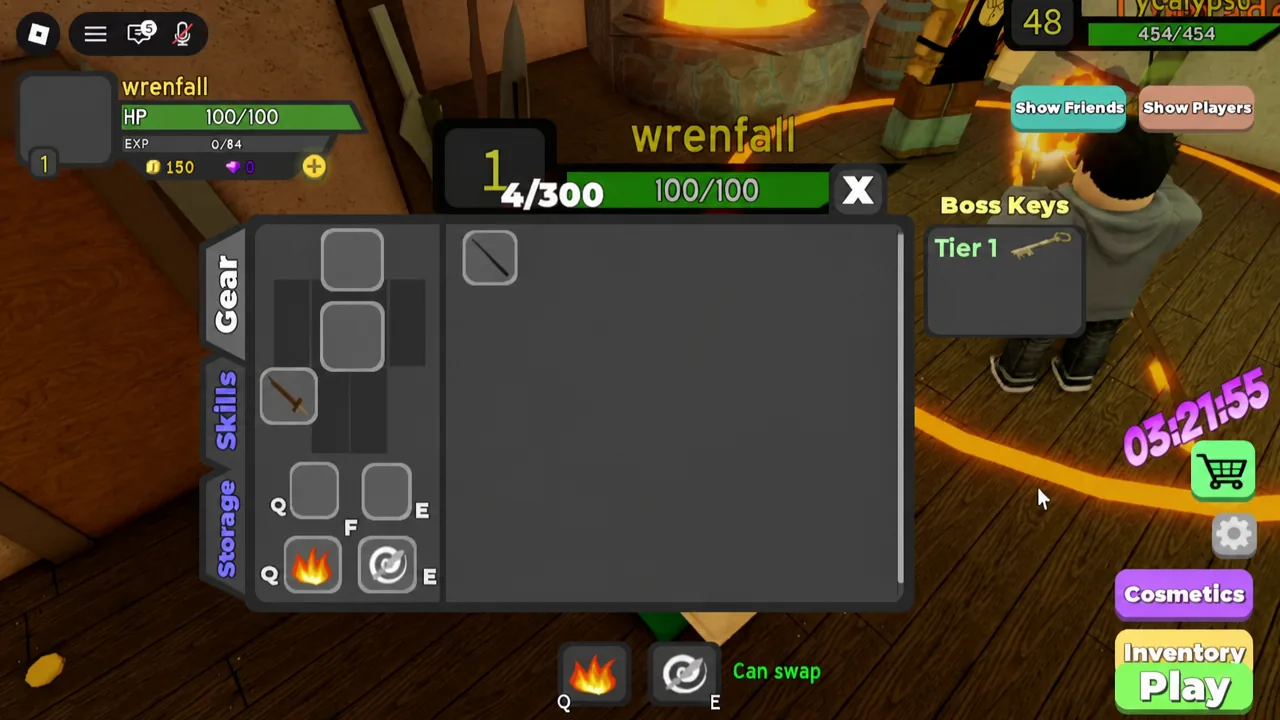
Open your Inventory and switch to the Gear tab to compare items side by side. Each entry lists its Physical and Spell values plus a level requirement, so you can see at a glance which weapon deserves the gold. A Starter Wand sitting at Spell 6 and Physical 1 is a mage weapon; a Bronze Dagger at Physical 6 and Spell 1 is the warrior equivalent. The same screen shows the sell value, which is worth a look before you dump gold into something you were about to offload anyway.
Upgrade slots and rising gold costs
Two limits govern how far any item can go. The first is the slot count baked into the item — the Starter Wand has two, and higher-rarity drops from later dungeons come with far more. The second is price, which climbs with every level you buy on that item.
| Purchase on the Starter Wand | Counter | Gold price |
|---|---|---|
| First upgrade | 0/2 → 1/2 | 100 |
| Second upgrade | 1/2 → 2/2 | 156 |
Once the counter reads 2/2 the item is finished — no amount of gold adds another level. The escalation continues on every piece you own, so a mid-game weapon costs vastly more per level than a starter one. Treat the number printed in the panel as the authority; that price line is always current for the item you have selected.
How much stat you get per level
Each upgrade grants the item’s base stat multiplied by 0.05, plus one, rounded down. That is why the Starter Wand’s Spell 6 becomes Spell 7 rather than jumping several points. Gains scale with the base stat, so strong late-game gear gets a much bigger return per level, and once an item’s base stat reaches 200 the increase locks at a flat 10 per upgrade.
When to stop upgrading an item
Gold spent on a weapon you replace next run is gold you cannot spend on the replacement. The practical rule is to upgrade only what you will hold in your next clear. Put the first tier into your equipped weapon, because it shortens every fight; move to armor when you are dying rather than killing slowly; leave secondary pieces alone while your main kit is under-leveled.
The moment a higher-rarity drop on the same path appears, stop feeding the old piece and bank the gold for the new one. Since upgrades are permanent and cannot be transferred, a fully maxed common weapon is dead value the second something better lands.
Why an upgrade does not go through
If the stat number refuses to move, one of a small set of things is true.
- Your gold total is below the listed price for that level.
- The item’s Upgrades counter is already at its maximum, such as 2/2.
- You are trying to add Health to a weapon — that stat is limited to armor and rings.
- You are looking at a cosmetic or enchant menu rather than the upgrade panel. Cosmetics and enchants change how gear looks and add no combat stats at all.
Everything the system needs is on that one panel — item, stat, price, and slots remaining. Read those four numbers before each click and the upgrade NPC becomes the cheapest power increase in the game rather than a gold sink.