Your first real task in Breathedge 2 is getting dressed. The opening sequence puts you in a wrecked train carriage in nothing but boxer shorts, and before you can feed the chicken or step outside, you need to find the Helmet and Spacesuit sitting a few feet away and put them on.
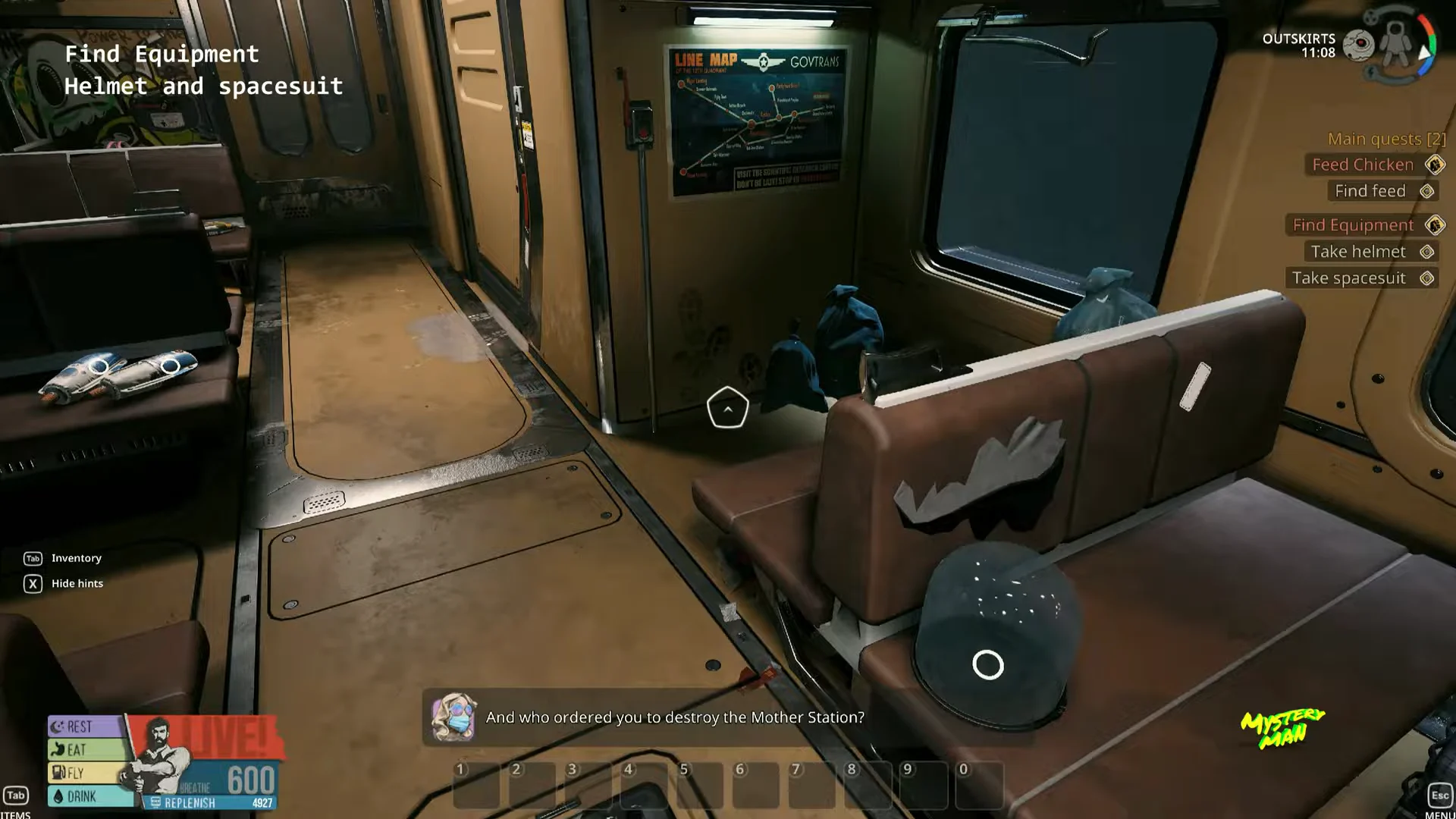
Quick answer: The Helmet and Spacesuit rest on the passenger benches near the table, across from the workbench and just left of Babe and Sui. Take both, open your inventory, and double-click each piece to equip it.
Where to find the Helmet and Spacesuit
Both pieces are sitting out in the open on the torn seats inside the same carriage where you start. Diamond quest markers hover over each item, so you can follow those if you lose track of them.
Helmet and Spacesuit stats
The two pieces do very different jobs. The Spacesuit is the one that matters for survival, giving you +150 Protection, while the Helmet is purely cosmetic at this stage and adds no protection at all.
| Item | Weight | Durability | Protection |
|---|---|---|---|
| Helmet | 3 kg | 100 / 100 | None |
| Spacesuit | 5 kg | 100 / 100 | +150 |
How to equip both pieces
Collecting the gear isn’t enough. The items go into your inventory as loose equipment, and you have to slot them onto your character manually before anything happens.
I, and the two equip tasks appear as soon as the screen is open.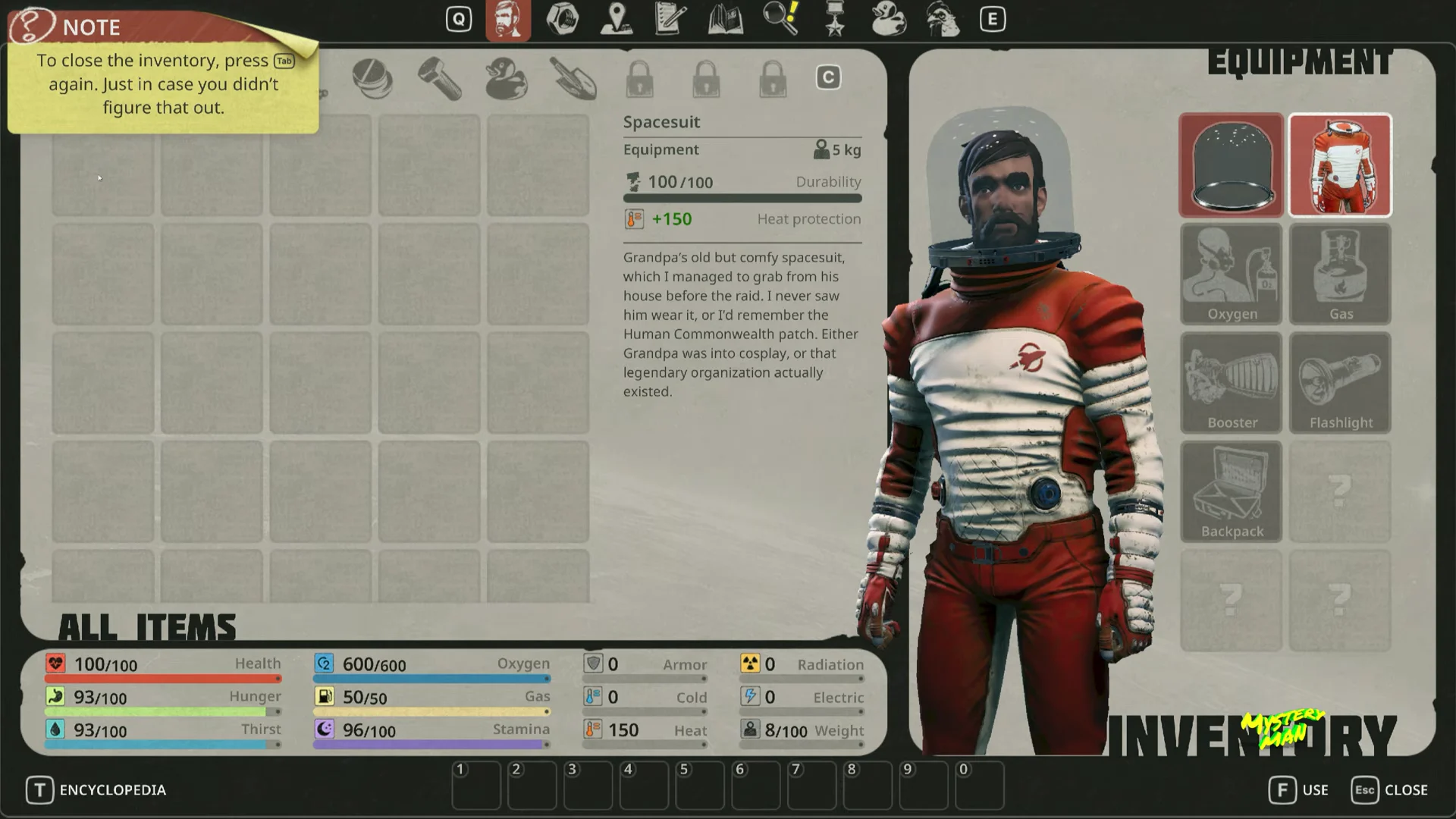
If a piece won’t equip, make sure you’re double-clicking the item itself and not an empty grid slot. Both the Helmet and Spacesuit go into their own dedicated equipment positions.
How to know it worked and what’s next
You’ll know the gear is on when both equip tasks clear and your character is shown wearing the retro glass-globe helmet and the red-and-white striped suit. With the suit’s protection active, you’re finally ready to leave this part of the carriage.
Close the inventory and make your way to the front cabin. Pick up the Nutrient pack on the floor beside the console as you pass. Then enter the doorway on Babe and Sui’s right. Use Chicken Feed on the caged chicken to trigger the next cutscene and advance the story.