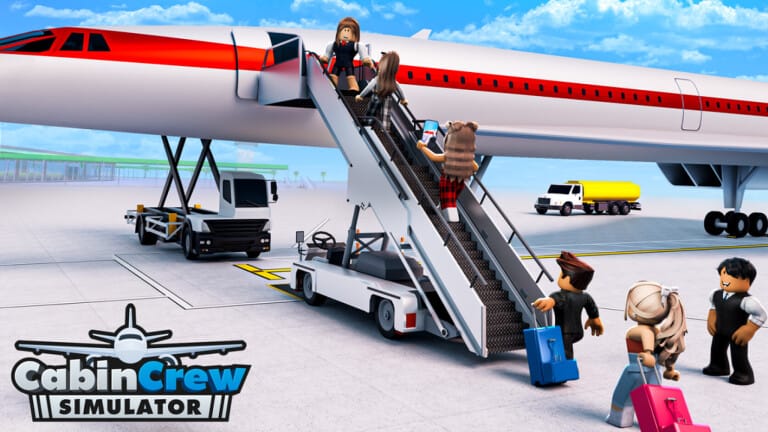
Cabin Crew Simulator puts you in charge of your own airline, handling everything from cabin service to emergency landings while working toward bigger planes and better routes. Codes hand out free Skybux, the in-game currency used to speed up upgrades to your aircraft, uniforms, and passenger amenities.
Working Cabin Crew Simulator codes
Each code below can be redeemed once per account for a set amount of Skybux. Enter them exactly as written, since codes are case-sensitive and any typo will stop the reward from applying.
airbus— Skybux NEWhalloween— Skybux NEW5years— $5,000 Skybuxtristar— 3,000 Skybuxcapetown— 3,000 Skybux1776— 1,776 Skybux400m— 4,000 Skybuxrunway— 3,000 Skybuxlegacy— 2,000 Skybuxbunny— 3,000 Skybuxconcorde— 4,000 Skybuxfrost— 4,000 Skybuxspider— Free Skybuxdreamliner— Free Skybuxlounge— 6,000 Skybuxavro— 6,000 Skybux1m— 5,000 Skybuxeaster2025— 3,000 Skybuxamenity— 5,000 Skybuxdubai— 5,000 Skybuxcandycane— 1,800 Skybuxtrees— 1,500 Skybuxspooky— 2,000 Skybuxlondon— 1,500 Skybux200m— 2,000 Skybuxgear— 1,300 Skybuxally— 1,300 Skybuxairport— 1,300 Skybuxstar— 1,400 Skybux100m— 1,000 Skybuxdecoration— 1,500 Skybuxcustomize— 1,500 Skybuxairstairs— 1,300 Skybuxservice— 1,300 Skybuxgalley— 1,300 Skybuxboba— 1,300 Skybuxjetway— 1,300 Skybuxbadge— 1,300 Skybuxmigrate— 2k Skybuxmyles— 2k Skybux
How to redeem codes in Cabin Crew Simulator
Redeeming a code takes only a few taps once you are inside the experience.
Expired Cabin Crew Simulator codes
These codes no longer grant rewards. Skip them and use the active list above instead.
pilot— previously 1,100 Skybuxlanding— previously 1,100 Skybuxsnow— previously 1,600 Skybuxcaptain— previously 1,200 Skybuxturbulence— previously 1,000 Skybuxparis— previously 2,000 Skybuxtriple7— previously 1,500 Skybuxevacuate— previously 1,400 cashairliner— previously 1,400 cashcruising— previously 1,000 cashmission— previously 1,500 cashwheelsup— previously 2,000 cashflying— previously 200 cashtakeoff— previously 150 cashclouds— previously 100 cash
Where new Cabin Crew Simulator codes come from
Cruising Studios, the developer behind Cabin Crew Simulator, drops new codes around updates, milestones, and seasonal events. Following the studio on X (formerly Twitter) under the handle CruisingStudios and joining the official Cruising Studios Discord server are the fastest ways to catch a fresh code before it circulates widely. The studio’s Roblox group is also worth following for announcements tied directly to the game.
Skybux earned from codes go straight toward upgrading your aircraft fleet, unlocking new destinations, and improving the service you offer passengers, so redeeming the full working list above gives your airline a solid head start before you start flying routes on your own.