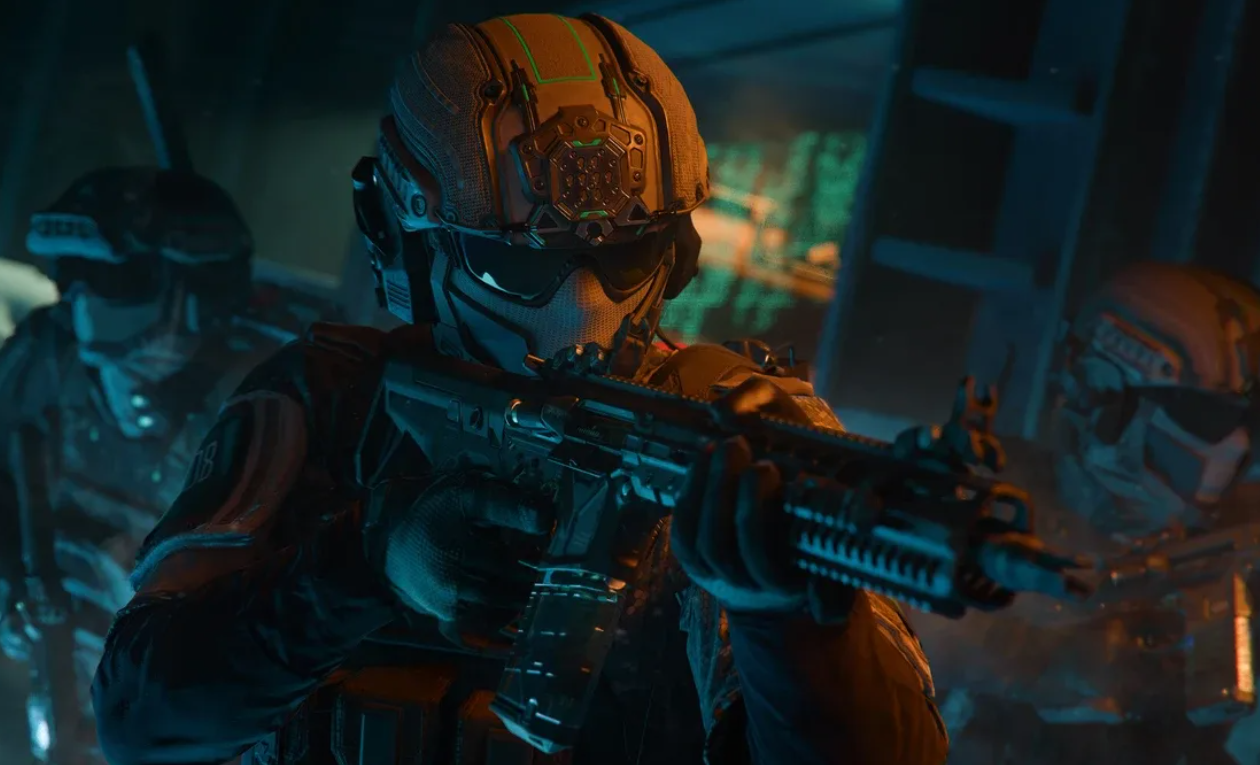
Preloading Call of Duty: Black Ops 7 opens at a single global time, and the full game unlock follows shortly after. Use the steps below to install on your platform of choice, pick only the content you want, and avoid re-downloads on launch night.
Black Ops 7 preload and launch times
Digital preloading begins on November 10 at 9:00 AM Pacific. The game goes live at midnight local time on November 14 for Xbox consoles, Xbox on PC, and PlayStation. On Battle.net and Steam, play begins at 9:00 PM Pacific on November 13 (which is midnight Eastern on November 14). Official timing and PC details are posted on the Call of Duty site at callofduty.com.
| Action | Platform | Time | Date | Notes |
|---|---|---|---|---|
| Preload opens. | All platforms. | 9:00 AM PT. | Nov 10. | If it hasn’t appeared yet, restart your app or console, then try again. |
| Game unlocks. | Xbox, Xbox on PC, PlayStation. | 12:00 AM local time. | Nov 14. | Rolling midnight-by-region release. |
| Game unlocks. | Battle.net, Steam. | 9:00 PM PT / 12:00 AM ET. | Nov 13 / Nov 14 (ET). | Single global unlock window for PC storefronts. |
Storage size and content packs (what to install)
Expect an install footprint around the 100–110 GB range when you install all three Black Ops 7 mode packs together through Call of Duty HQ. Due to shared data between packs, downloading all three typically doesn’t multiply the total size. On PC, plan for an SSD with at least 116 GB of free space at launch.
- Primary packs: BO7: Multiplayer, BO7: Zombies, BO7: Worlds Collide.
- You can choose specific packs to reduce the initial download. You can add other packs later without reinstalling the base.
- Total size varies by platform and by what other Call of Duty content is present (e.g., Warzone, prior Black Ops 6 data), so check your free space before starting.
If you need platform-specific install menu locations, follow the official installation guide at support.activision.com.

Preload on Xbox Series X|S and Xbox One
My games & apps → See all → Full library → All owned games and select Call of Duty: Black Ops 7. This ensures you’re working from the correct entitlement.Install all. To manage size, choose Choose what to install and select BO7: Multiplayer, BO7: Zombies, and BO7: Worlds Collide. This installs all BO7 modes with shared files only once.Preload on PlayStation 5
Game Library → Your Collection and highlight Call of Duty: Black Ops 7. This takes you to your platform’s entitlement page.Download, then choose Install Options. Uncheck Select All, then pick the BO7 content packs you want now; you can add others later from the same menu.Preload on PlayStation 4
Library → Purchased and choose Call of Duty: Black Ops 7. This ensures you initiate the preload from the correct product entry.Your Add-ons, and download only the BO7 packs you need first.Preload on PC (Xbox app, Battle.net, Steam)
Xbox app on PC (Game Pass or Microsoft Store)
My Library, and select Call of Duty: Black Ops 7. This uses the correct storefront entitlement for preloading.Install, then choose Choose what to install. Select BO7: Multiplayer, BO7: Zombies, and BO7: Worlds Collide to cover all modes with shared files installed once.Battle.net
Install. Stay on the options screen to manage content.Steam
Library, select Call of Duty: Black Ops 7, and click Install. Confirm the install drive has adequate free SSD space.Properties → DLC, then check only the BO7 components you want right away. Steam will queue the rest on demand.Optional: early play using the New Zealand region method (not supported)
Because the unlock is midnight local time on consoles and the Xbox PC app, shifting your device/account region to New Zealand can grant earlier access. This workaround is not officially supported and may change at any time, so proceed only if you’re comfortable reverting settings after launch.
Xbox console
Settings → System → Language & location and switch the location to New Zealand. This aligns your console’s store region to an earlier time zone.Xbox app on PC
Settings → Time & language → Language & region. This updates system services that the Xbox app reads.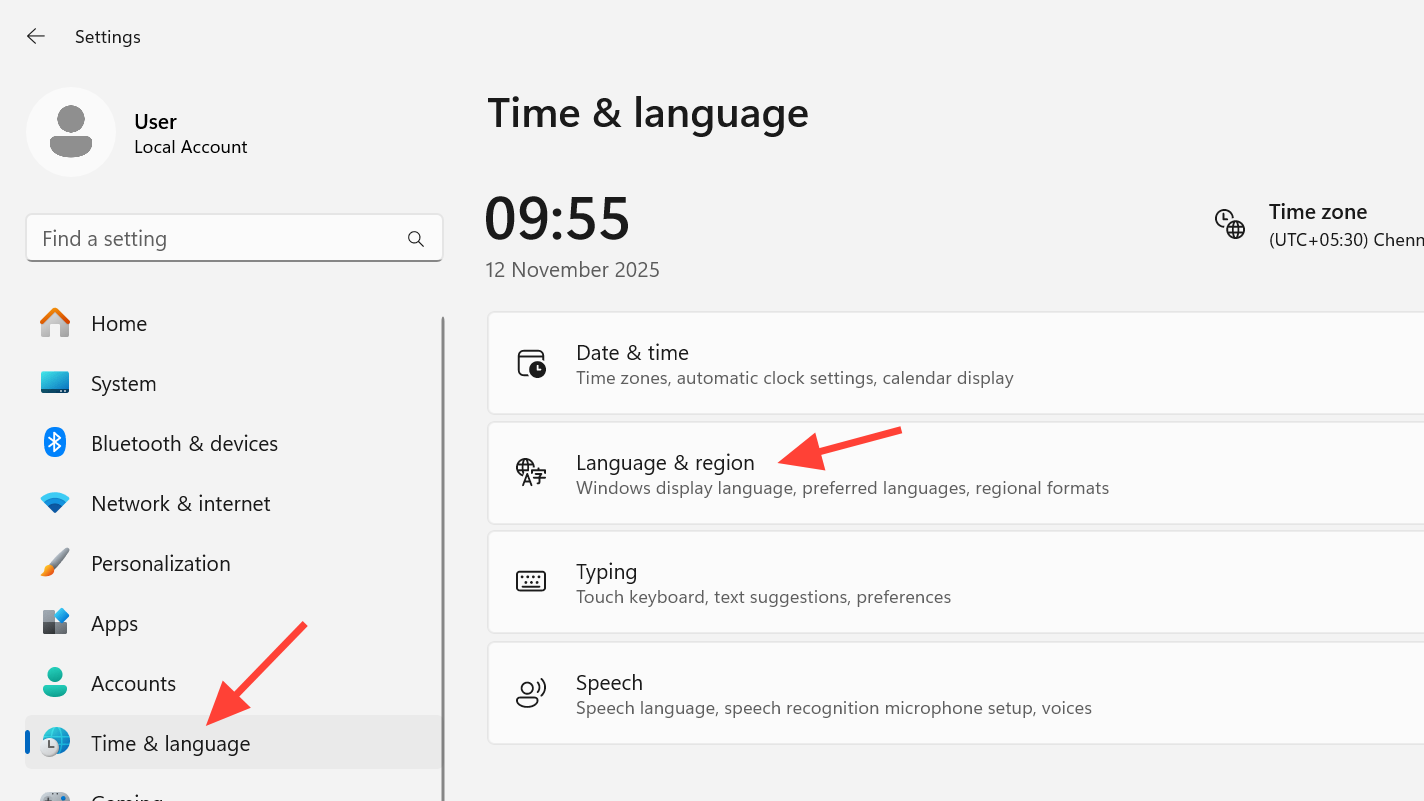
PlayStation
PC requirements and recommended drivers
Black Ops 7 supports a broad hardware range with user-configurable performance and image quality options. For smooth preloading and launch day play, verify your system against these requirements and prepare drivers in advance.
| Level | OS | CPU | RAM | GPU | VRAM | Storage |
|---|---|---|---|---|---|---|
| Minimum. | Windows 10 64-bit. | Ryzen 5 1400 / Core i5-6600. | 8 GB. | Radeon RX 470 / GTX 970/1060 / Intel Arc A580. | 3 GB. | SSD with 116 GB free. |
| Recommended (≈60 FPS, High). | Windows 11 64-bit. | Ryzen 5 1600X / Core i7-6700K. | 12 GB. | Radeon RX 6600 XT / GeForce RTX 3060 / Intel Arc B580. | 8 GB. | SSD with 116 GB free. |
| Competitive / Ultra 4K. | Windows 11 64-bit. | Ryzen 5 5600X / Core i7-10700K. | 16 GB. | Radeon RX 9070 XT / GeForce RTX 4080 or 5070. | 16 GB. | SSD with 116 GB free. |
- Required: DirectX 12, broadband internet, TPM 2.0 and Secure Boot enabled.
- Intel Arc GPUs require Resizable BAR. Only Intel/AMD CPUs with AVX are supported at launch.
- Driver targets at launch: AMD 25.9.2, NVIDIA 581.42, Intel 32.0.101.8132.
For TPM and Secure Boot requirements, see Activision’s security overview at support.activision.com/tpm.
Disc installation notes (consoles)
Preload as early as you can, select only the packs you need to start, and you’ll spend launch night playing instead of downloading.