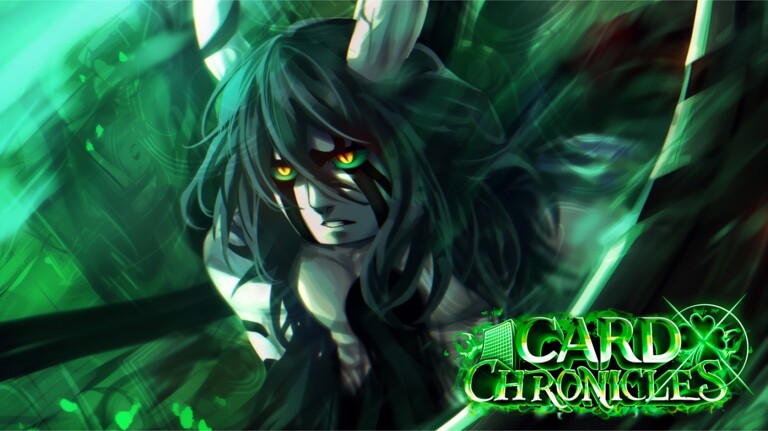
Card Chronicles is a Roblox card-battling game built around summoning anime-style cards and taking them into fights against bosses and enemy waves. Redeemable codes cut down the grind by handing out potions, trait rerolls, and Chronogems you’d otherwise need to farm or spend real currency on.
Working Card Chronicles codes
Redeem these in-game before they expire. A few require your account to have crossed a global rolls milestone, and the follow codes only work if you’re following the listed creator on Roblox.
UPDATE4.0!— Free rewards NEWCHRONICLE!— Free rewards (requires 50,000 rolls) NEWRANKED!— Free rewards (requires 100,000 rolls) NEWSORRYFORMAINTENANCE2!— Free rewardsUPDATE3.5!— Free rewardsPOTENTIAL!— Free rewards (requires 50,000 rolls)TEMPEST!— Free rewards (requires 100,000 rolls)Hotfix!— Free rewards (requires 50,000 rolls)UPDATE3!— Free rewardsDUNGEONS!— Free rewards (requires 50,000 rolls)LONGEVITY!— Free rewards (requires 100,000 rolls)LongevityCode— Free rewardsUPDATE2.75!— Free rewards (requires 50,000 rolls)NEWCARDS!— Free rewards (requires 50,000 rolls)GLOBALEVENT— Free rewards (requires 100,000 rolls)UPDATE2.5!— Free rewards (requires 50,000 rolls)BATTLEPASS!— Free rewards (requires 50,000 rolls)VILLAINS!— Free rewardsRAIDS!— Free rewardsNEWSTORYMAP!— Free rewardsLARPMONSTER!— Free rewardsSORRYFORMAINTENANCE!— Free rewardsWORLDBOSSINCIDENT!— Free rewardsUPDATE1.75!— Free rewards (requires 25,000 rolls)UPDATE1.5!— Free rewards (requires 50,000 rolls)WORLDCUP!— Free rewards (requires 50,000 rolls)FOLLOWAKAMARU— 5 Luck Potion IIIs, 5 Roll Speed Potion IIIs, 5 Battle Speed Potion IIIs, 3 Border Rerolls, 3 Boss Rerolls, 3 Super Luck Potions, 3 Trait Rerolls, and 320 Chronogems (must follow Akamaru)FOLLOWRODEO— 5 Luck Potion IIIs, 5 Roll Speed Potion IIIs, 5 Battle Speed Potion IIIs, 3 Border Rerolls, 3 Boss Rerolls, 3 Super Luck Potions, 3 Trait Rerolls, and 320 Chronogems (must follow Rodeo)FOLLOWFRIEREN— 5 Luck Potion IIIs, 5 Roll Speed Potion IIIs, 5 Battle Speed Potion IIIs, 3 Border Rerolls, 3 Boss Rerolls, 3 Super Luck Potions, 3 Trait Rerolls, and 320 Chronogems (must follow Frieren)FOLLOWZAK— 5 Luck Potion IIIs, 5 Roll Speed Potion IIIs, 5 Battle Speed Potion IIIs, 3 Border Rerolls, 3 Boss Rerolls, 3 Super Luck Potions, 3 Trait Rerolls, and 320 Chronogems (must follow Zak)FOLLOWSPLLICED— 5 Luck Potion IIIs, 5 Roll Speed Potion IIIs, 5 Battle Speed Potion IIIs, 3 Border Rerolls, 3 Boss Rerolls, 3 Super Luck Potions, 3 Trait Rerolls, and 320 Chronogems (must follow Splliced)Update1!— Free rewardsWorldBoss!— Free rewards (requires 50,000 rolls)INFINITEBUG!— Free rewards (requires 50,000 rolls)Update0.5!— Free rewards2kLikes!— Free rewards (requires 25,000 rolls)MemoryCompensation!— Free rewards (requires 25,000 rolls)Tyfor3kccu!— 5 Luck Potion IIIs, 5 Roll Speed Potion IIIs, 5 Battle Speed Potion IIIs, 3 Border Chance Potions, 3 Super Luck Potions, 3 Boss Potions, 1,200 Stars, and 15 Trait RerollsTyfor400kvisits!— Free rewards (requires 25,000 rolls)AvailableForEveryoneNow— 100 Trait RerollsSorry2!— Free rewards (requires 25,000 rolls)Sorry!— 10 Luck Potion IIIs, 10 Roll Speed Potion IIIs, 10 Battle Speed Potion IIIs, 5 Border Chance Potions, 5 Super Luck Potions, 5 Boss Potions, 800 Stars, and 15 Trait RerollsEarlyAccess!— Free rewards (early access players only)Release!— 3 Luck Potion IIIs, 3 Roll Speed Potion IIIs, 3 Battle Speed Potion IIIs, 1 Border Chance Potion, 1 Super Luck Potion, 400 Stars, and 5 Trait RerollsUpdate2.0!— A mix of potions, trait rerolls, and gemsTyfor1mvisits!— A large batch of free rewards
How to redeem Card Chronicles codes
Why some codes need 50,000 or 100,000 rolls
A number of codes, including CHRONICLE! and RANKED!, only unlock once the game’s total roll count across all players crosses a set threshold, typically 25,000, 50,000, or 100,000 rolls. This is a global milestone tied to how much the community has summoned, not an individual account requirement, and it’s tied directly to update and community-goal codes rather than the follow-based ones.
Follow codes require following specific creators
Five codes are locked behind a follow requirement. FOLLOWAKAMARU, FOLLOWRODEO, FOLLOWFRIEREN, FOLLOWZAK, and FOLLOWSPLLICED only redeem successfully if your Roblox account is already following the matching creator. Follow the named creator through their Roblox profile before entering the code, since the game checks your follow status at redemption.
Each follow code shares the same reward bundle, five Luck Potion IIIs, five Roll Speed Potion IIIs, five Battle Speed Potion IIIs, three Border Rerolls, three Boss Rerolls, three Super Luck Potions, three Trait Rerolls, and 320 Chronogems, so redeeming all five stacks up a substantial batch of potions.
Where to find new Card Chronicles codes
New codes tend to arrive alongside updates, hotfixes, maintenance apologies, and community milestones like follower or roll-count goals. Joining the Card Chronicles Discord server and checking its announcements channel is the fastest way to catch a code as soon as the developers post it. The game’s Chronicle Entertainment Roblox community is worth joining as well, since group updates sometimes carry code announcements too.
Bookmarking this page and checking back after any in-game update, maintenance window, or community milestone is the simplest way to keep your potions and trait rerolls topped up without missing a code before it expires.