
Category
Windows
Windows 11, Windows 10, troubleshooting, and tips for power users.
-
Enable and Use PipeWire for Better Audio on Linux
Switching to PipeWire on Linux systems resolves audio quality issues, streamlines device management, and delivers lower latency for both everyday and professional audio use.
-

Fix Error 0x800700C1 on Windows 11
Resolve Windows Update failures and system file repair issues caused by error 0x800700C1 with targeted troubleshooting and repair steps.
-

Enable and Use Nearby Sharing in Windows 11
Streamline file and link transfers between Windows 11 devices by activating and configuring Nearby Sharing for fast, cable-free sharing over Bluetooth or Wi-Fi.
-
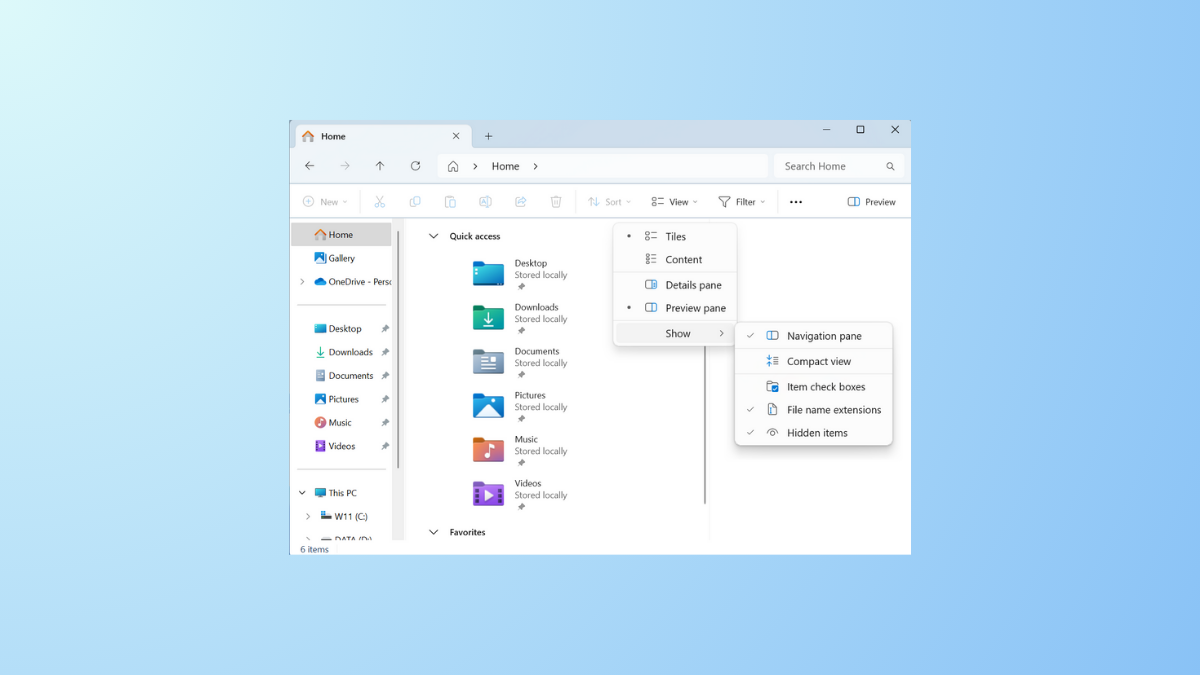
Enable Compact View and Details Pane in File Explorer on Windows 11
Reduce file and folder spacing and display detailed file information in Windows 11 File Explorer with these easy-to-follow methods.
-
Enable Power Profiles and Battery-Saving Options in Fedora
Switch between performance, balanced, and power saver modes, automate profile changes, and apply battery-saving tweaks in Fedora using built-in and community tools.
-

Fix ERROR_PNP_REBOOT_REQUIRED (638) on Windows 11
Resolve the ERROR_PNP_REBOOT_REQUIRED (638) issue on Windows 11 by addressing driver, device, and system update conflicts that require a system reboot.
-

Install and Use GNOME Console Replacing GNOME Terminal
Switch to GNOME Console as your default terminal emulator and configure your system to use it instead of GNOME Terminal, including context menu actions…
-

Fix ERROR_SYSTEM_IMAGE_BAD_SIGNATURE (637) on Windows 11
Resolve the ERROR_SYSTEM_IMAGE_BAD_SIGNATURE (637) in Windows 11 by repairing system files, updating drivers, and restoring system integrity to prevent shutdowns and data loss.
-
Use Windows Package Manager (winget) for Bulk App Installations
Accelerate new PC setups and system refreshes by installing multiple applications at once with Windows Package Manager (winget).
-

Enable Hardware Acceleration in Browsers on Linux
Easy-to-follow instructions for activating hardware video acceleration in Firefox, Chromium, and other Linux browsers for smoother playback and lower CPU usage.