
Device installations and driver updates on Windows 11 can occasionally trigger the ERROR_PNP_REBOOT_REQUIRED (638) message, signaling that a system reboot is needed before changes take effect. This error often interrupts device setup, driver installation, or system updates, and can prevent new hardware from functioning properly until the underlying cause is resolved.
Method 1: Restart Windows and Complete Pending Changes
Save all open work and close any running applications. This prevents data loss and ensures that applications do not block the reboot process.
Click the
Start button, select the Power icon, and choose Restart. Allow the system to fully reboot. This step finalizes any driver or device configuration changes that Windows could not complete while running.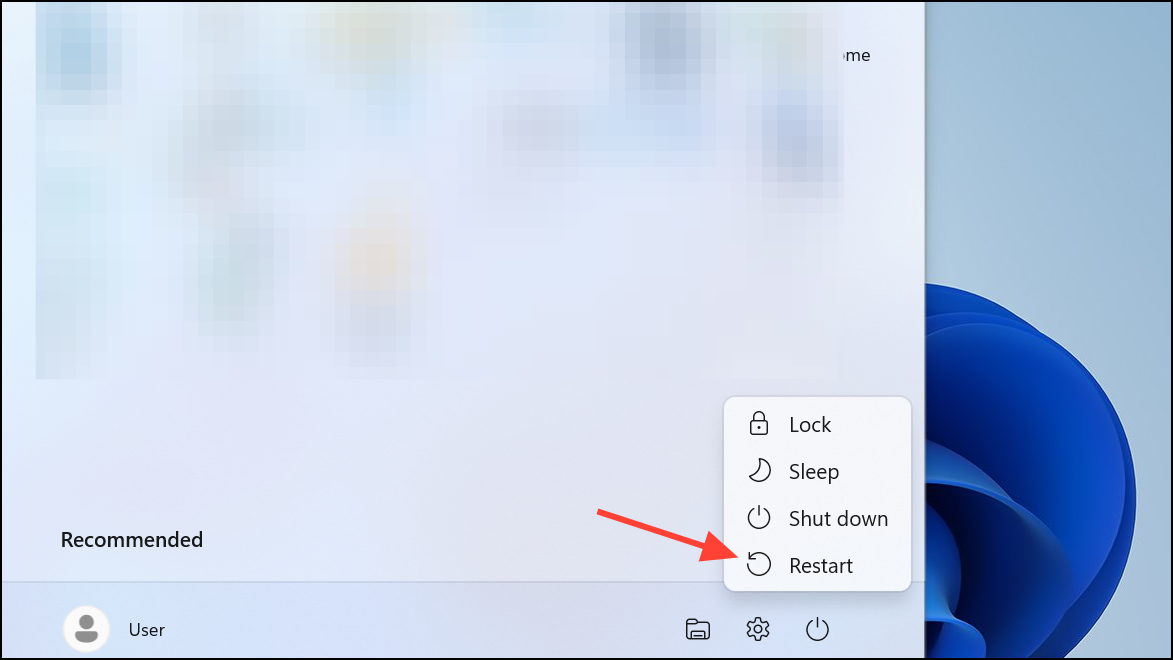
After rebooting, check if the error persists. Attempt to use or reinstall the device or driver that previously failed. If the error no longer appears, the issue was resolved by the reboot.
Method 2: Uninstall and Reinstall Problematic Devices or Drivers
Press
Windows + X and select Device Manager. Locate the device with issues—often marked with a yellow exclamation point.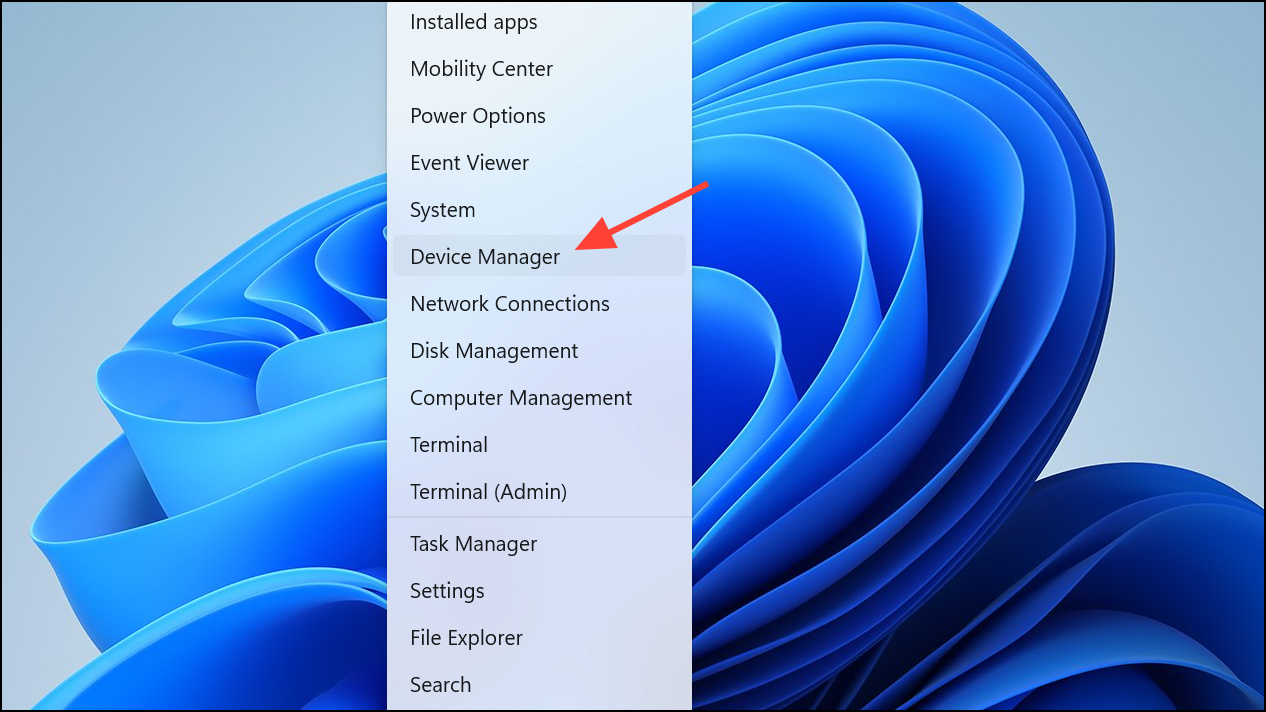
Right-click the device and select
Uninstall device. Confirm any prompts. This removes the problematic driver or device entry, clearing any pending installation state that might be causing the reboot requirement.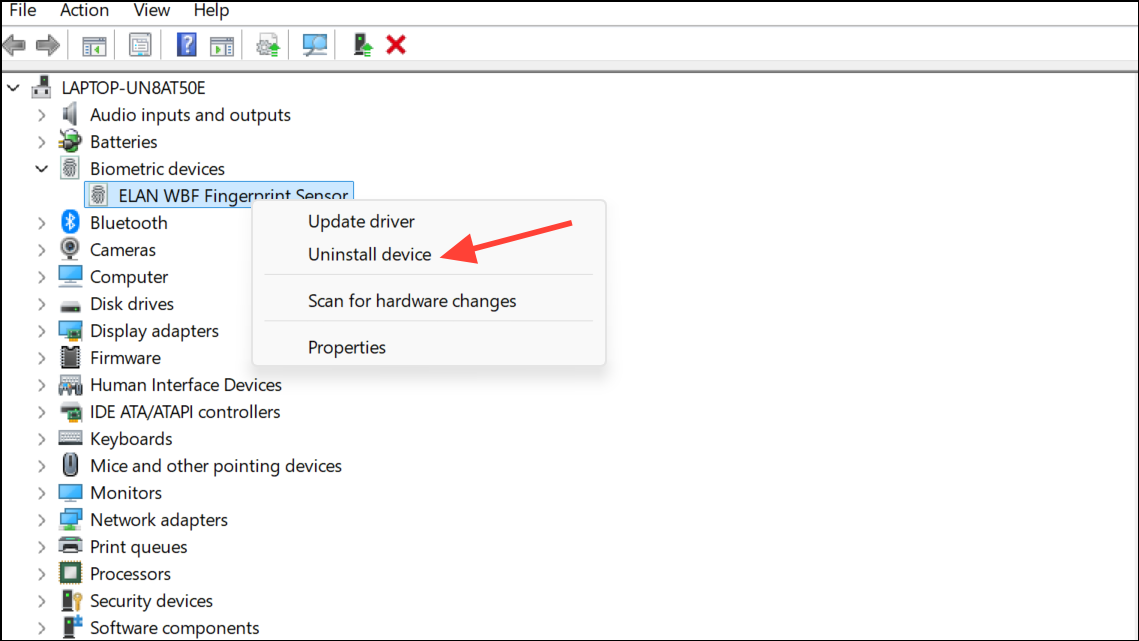
Restart your computer. Upon reboot, Windows will attempt to reinstall the device automatically. If it does not, return to Device Manager, click the
Action menu at the top, and select Scan for hardware changes.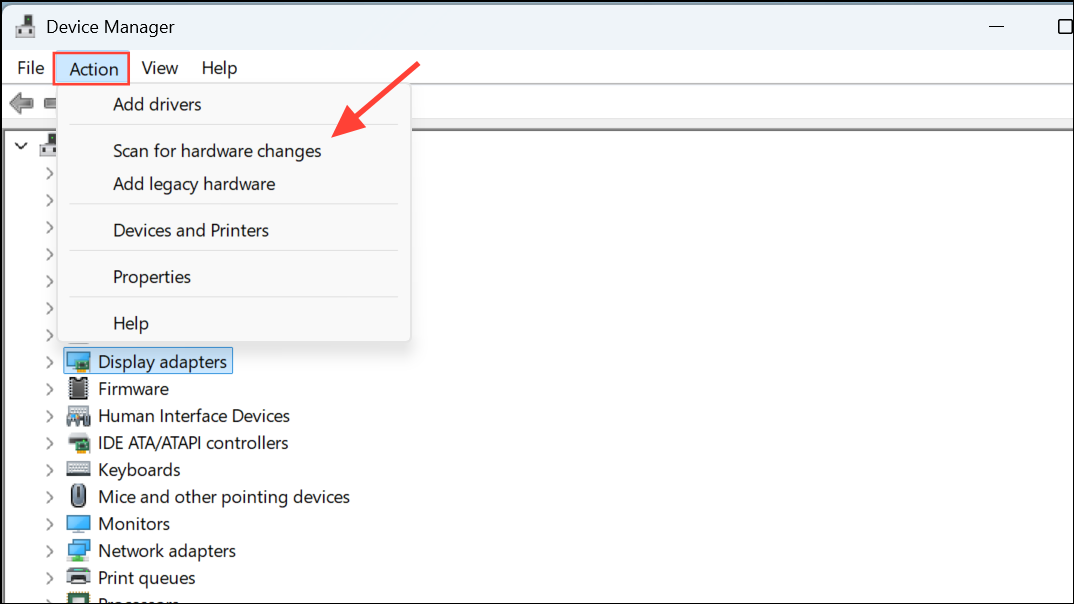
If Windows does not find the correct driver, download the latest version from the device manufacturer’s website and install it manually.
Method 3: Clear Pending File Operations in the Registry
Caution: Editing the Windows registry can cause system issues if done incorrectly. Back up your registry before making changes.
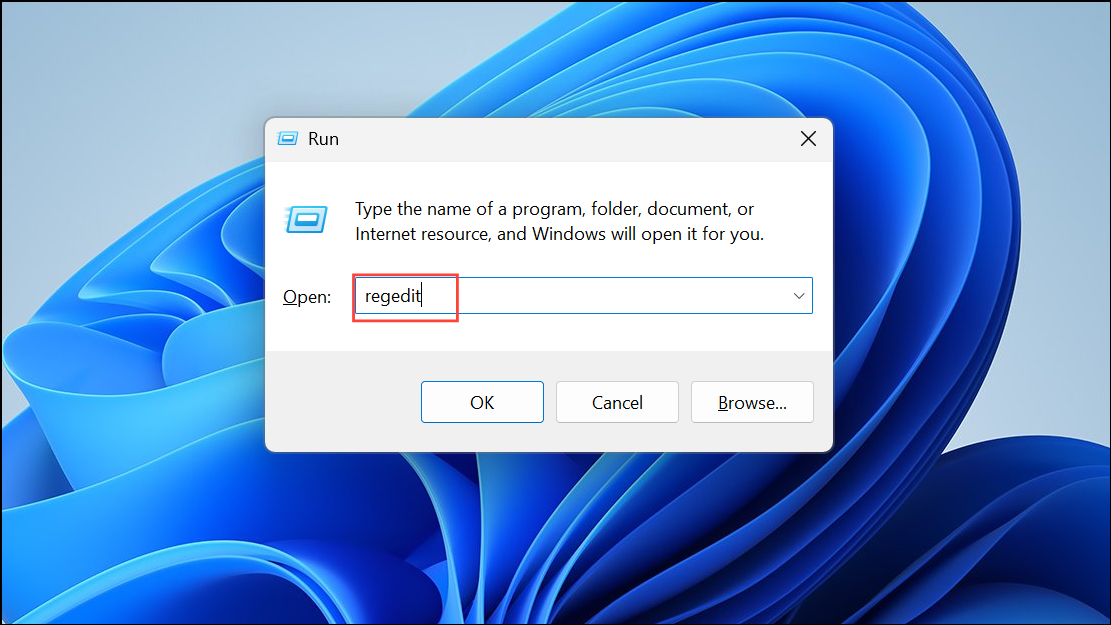
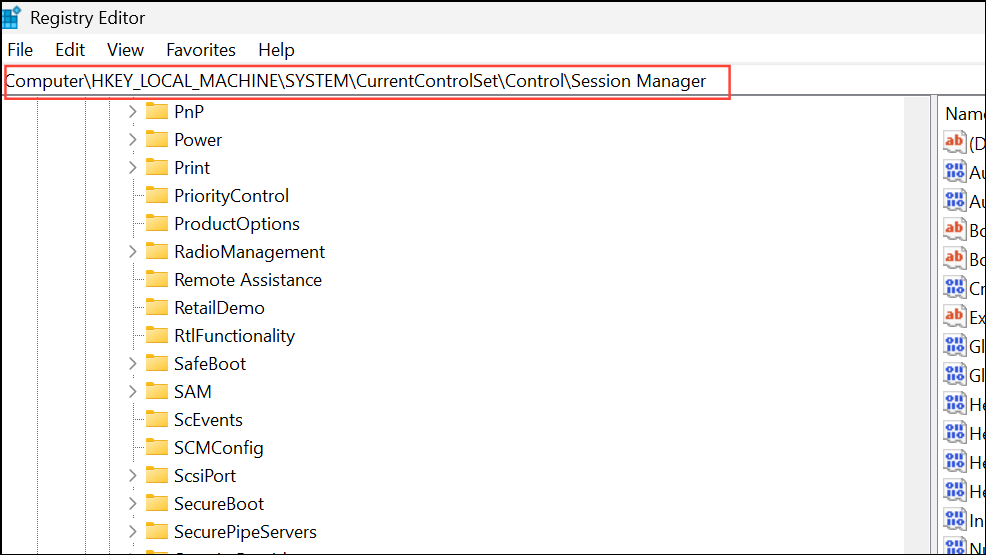
In the right pane, look for a value named
PendingFileRenameOperations. If it exists, right-click and select Delete. This removes records of pending file operations that can repeatedly trigger reboot requirements.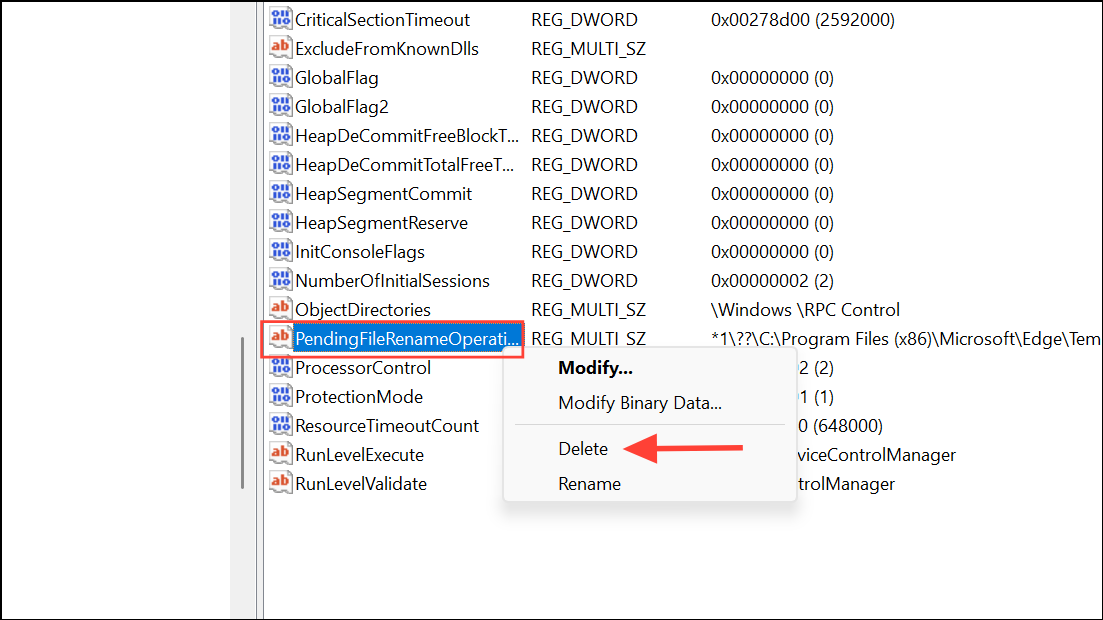
Method 4: Update Windows and Device Drivers
Open
Settings by pressing Windows + I. Go to Windows Update and click Check for updates. Install any available updates. Updates often include driver and compatibility fixes that resolve PNP errors.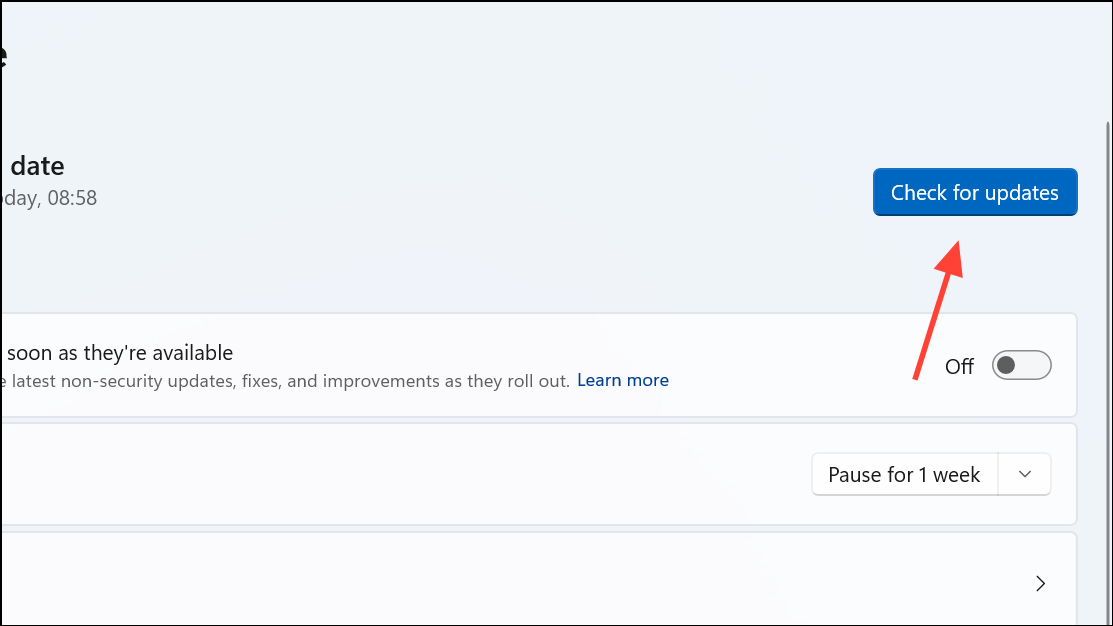
In Device Manager, right-click each device (especially those with issues) and select
Update driver, then choose Search automatically for drivers. If no updates are found, visit the manufacturer’s website for the latest drivers.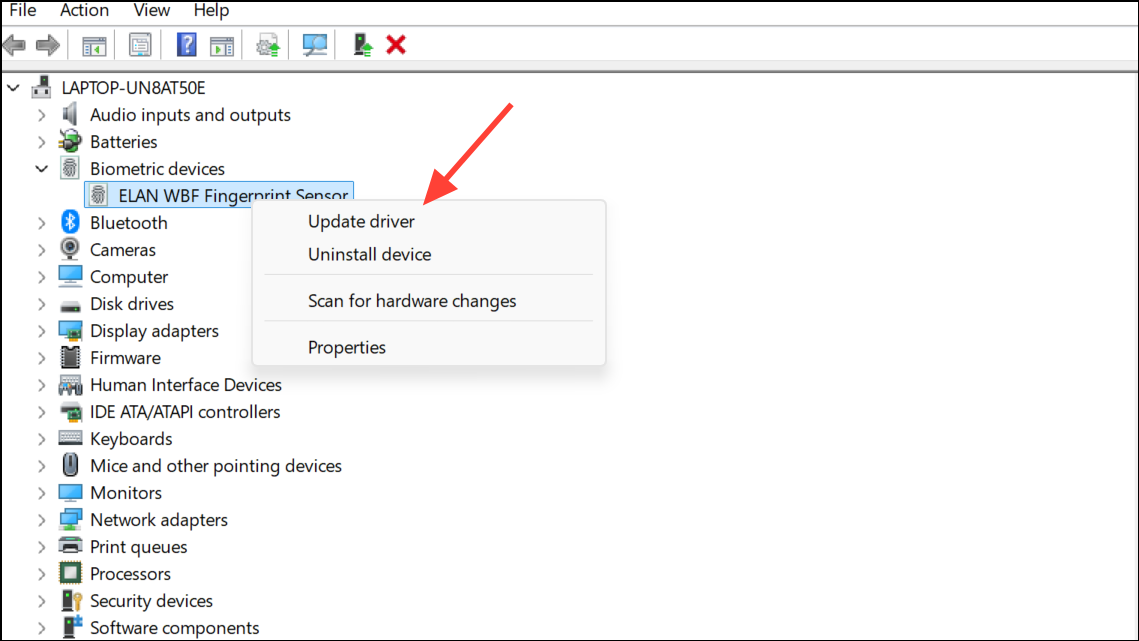
Method 5: Disconnect and Reconnect Hardware Devices
Power off your computer completely. Unplug any recently added hardware devices such as USB drives, printers, or expansion cards.
Power on the system and check if the error disappears. If it does, reconnect devices one by one, restarting after each, to identify the problematic hardware.
Once the faulty device is identified, check the manufacturer’s support resources for updated drivers or firmware.
Addressing the ERROR_PNP_REBOOT_REQUIRED (638) on Windows 11 typically resolves device installation and driver update issues after a full system reboot. If the error persists, reviewing device manager entries, clearing pending operations, and updating drivers can restore normal system function.



