
File extensions in Windows 11 determine which applications open your files and how the system interprets them. For example, changing a file’s extension from .txt to .jpg will prompt Windows to treat the file as an image instead of a text document. By default, Windows hides file extensions, so you’ll need to make them visible before you can change them directly. Adjusting file extensions can resolve compatibility issues or allow you to use files with different programs, but it’s important to follow each step carefully to avoid corrupting your files.
Changing File Extension Using File Explorer
Windows + E on your keyboard or by clicking the folder icon on your taskbar. File Explorer lets you browse and manage files on your system..docx, .png, etc.) after file names, allowing you to edit them directly.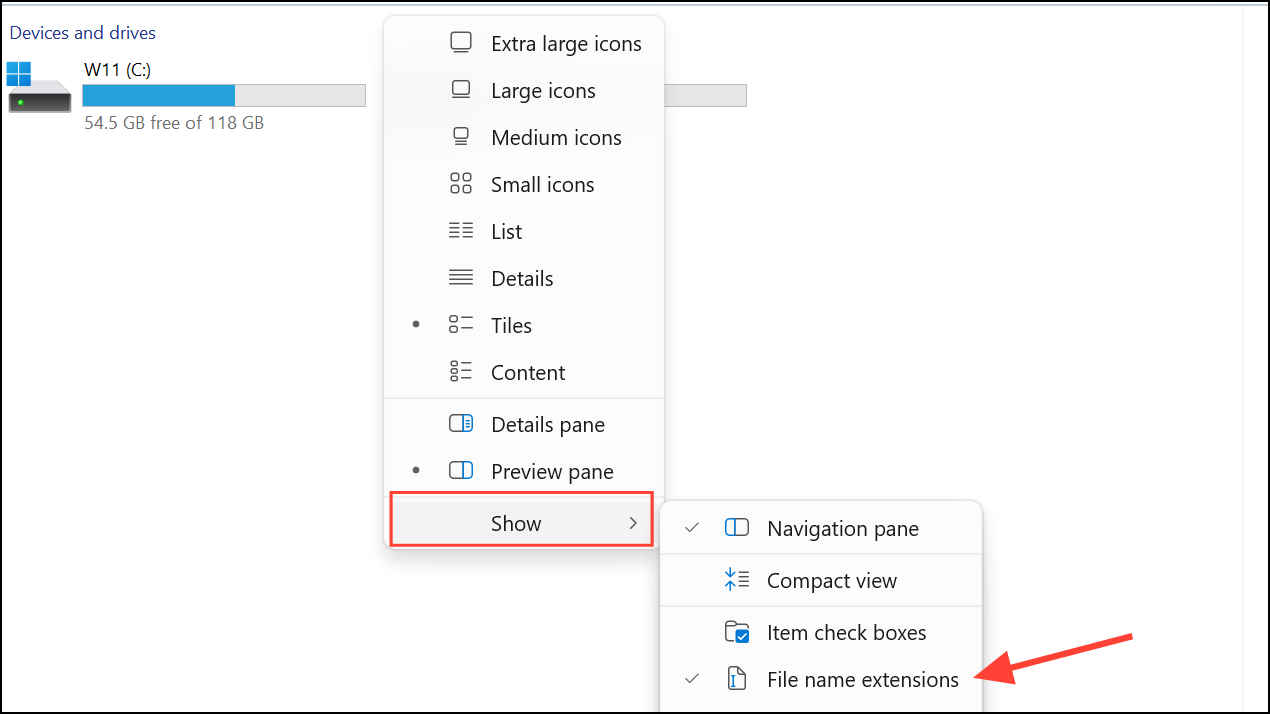
F2 on your keyboard. The file name becomes editable.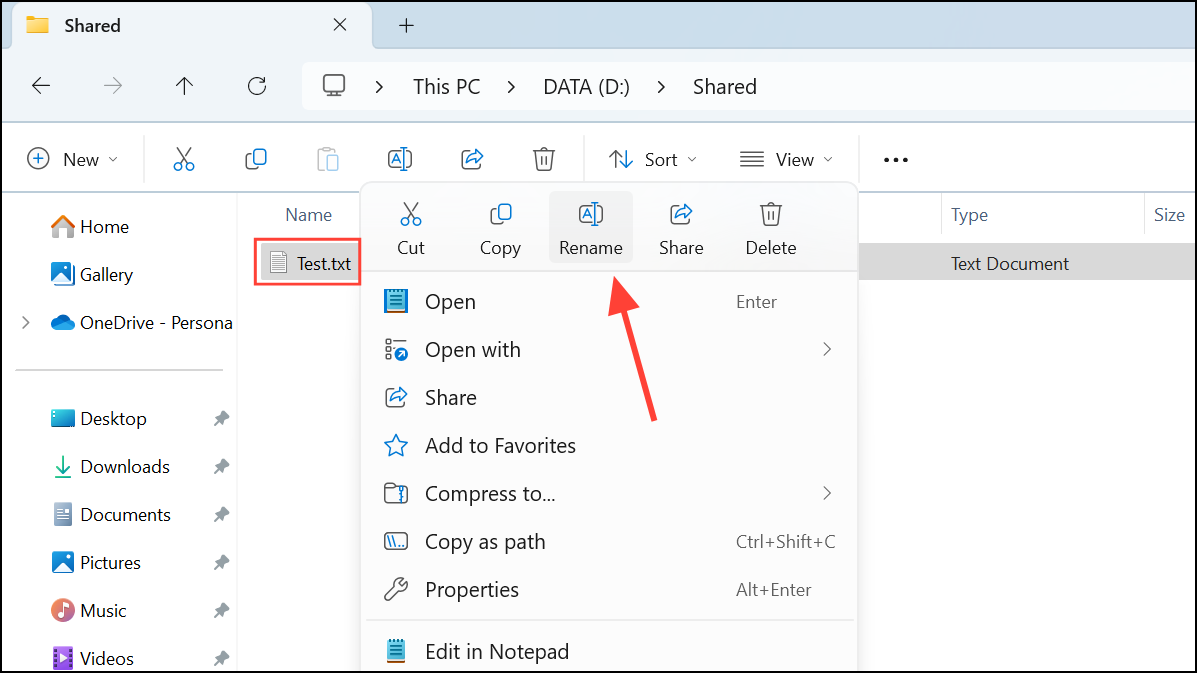
document.txt to document.md. Press Enter to confirm.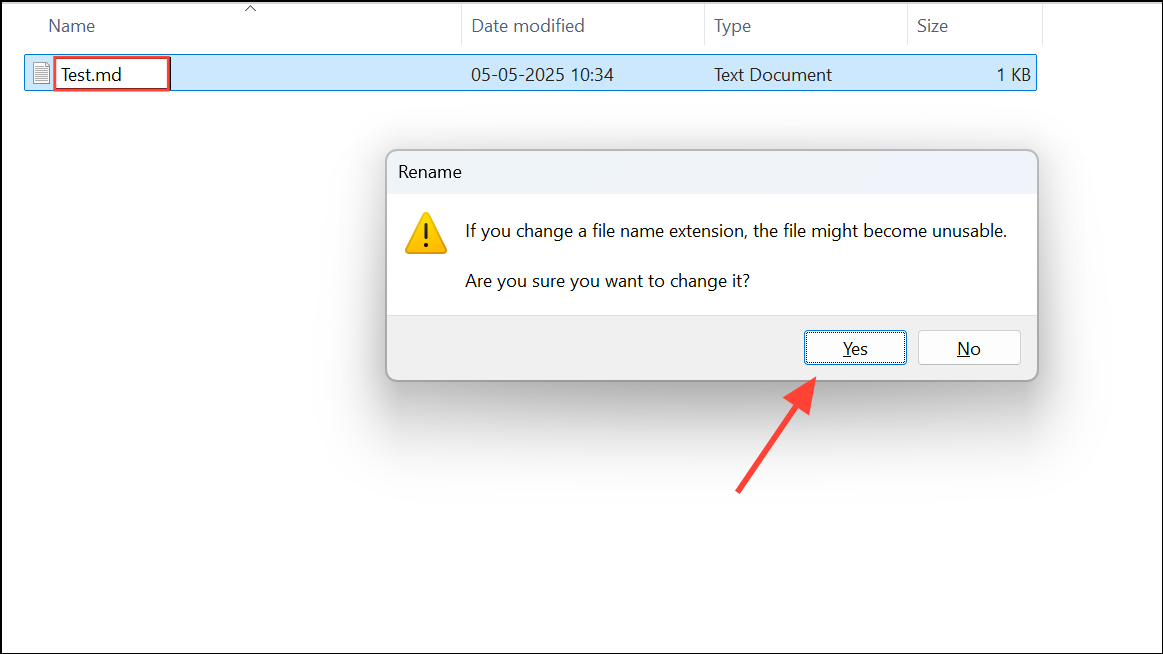
After completing these steps, your file will appear with the new extension. Make sure the new extension matches the actual file type; otherwise, the file may not open correctly.
Changing File Extension Using Command Prompt
For users comfortable with command-line tools, Command Prompt provides a fast way to change file extensions, especially for multiple files at once.
Windows + S, typing cmd, and pressing Enter. Right-click and select Run as administrator if you need elevated permissions.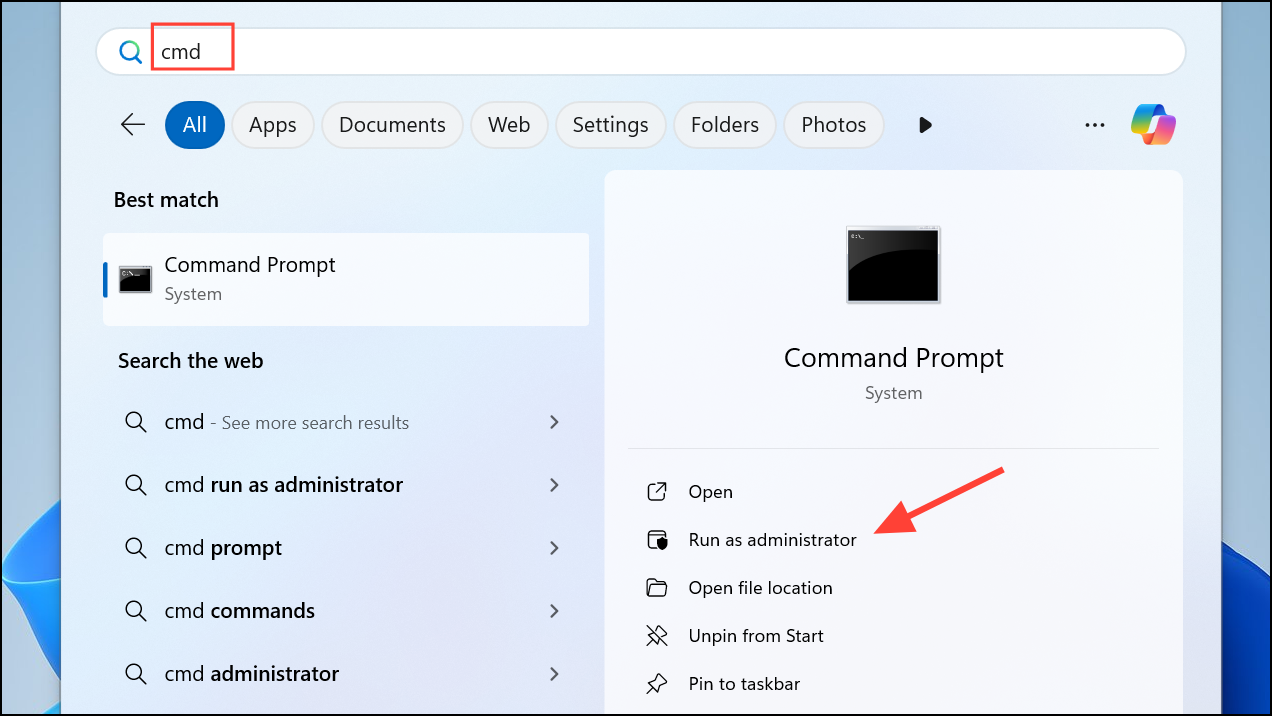
cd C:\Users\YourName\Documents\TargetFolder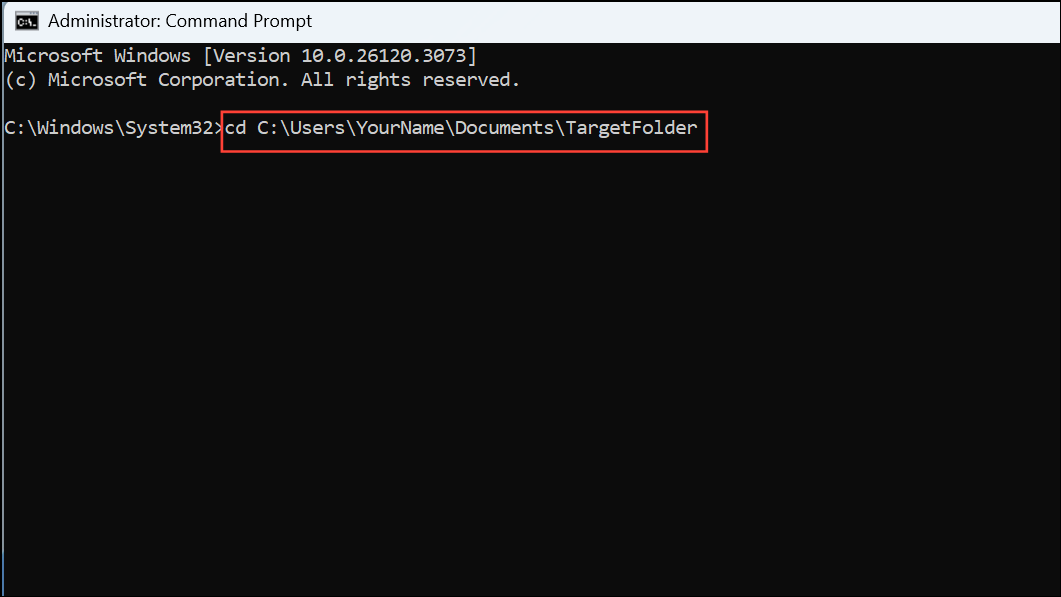
ren oldfilename.txt oldfilename.md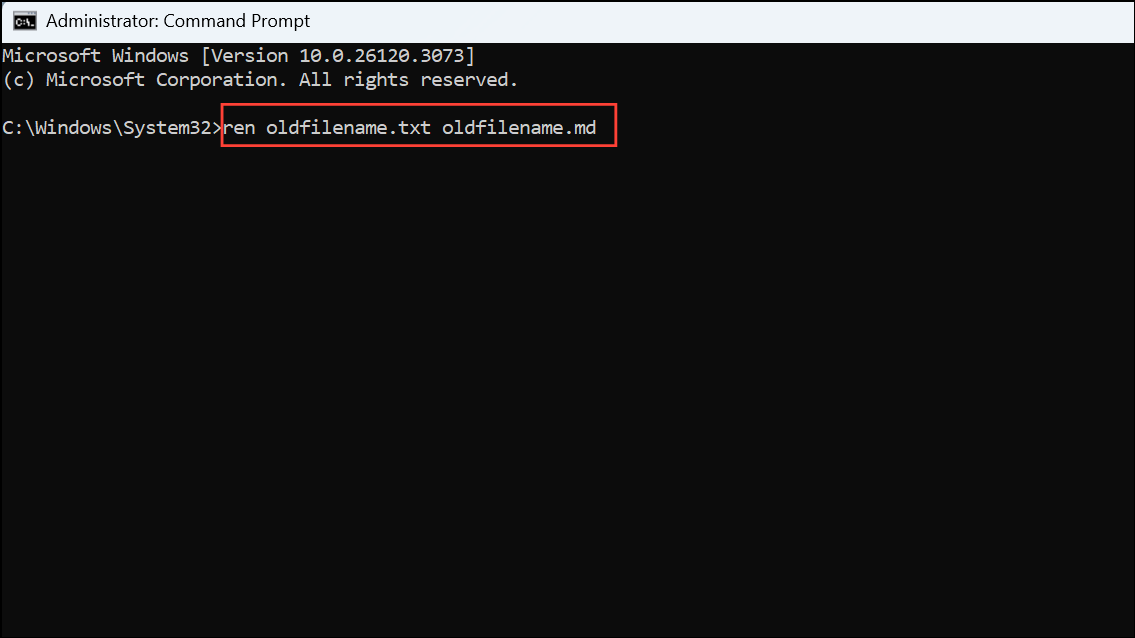
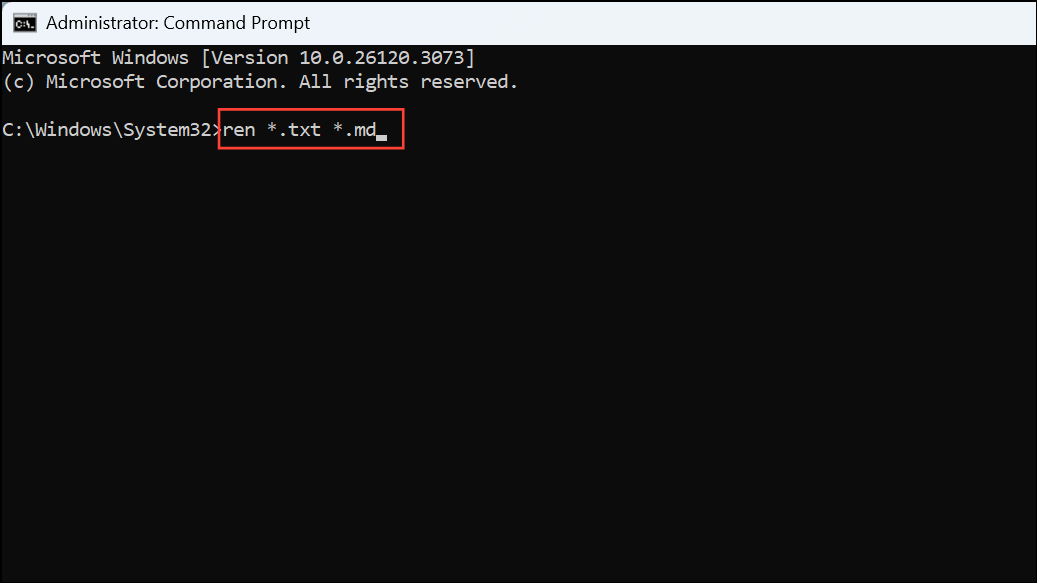
This command changes the extension from .txt to .md. For batch changes, you can use wildcards:
ren *.txt *.mdThis command changes all .txt files in the directory to .md.
Changing File Extension Using PowerShell
Windows PowerShell offers advanced scripting capabilities for changing file extensions, particularly useful for batch operations with more control.
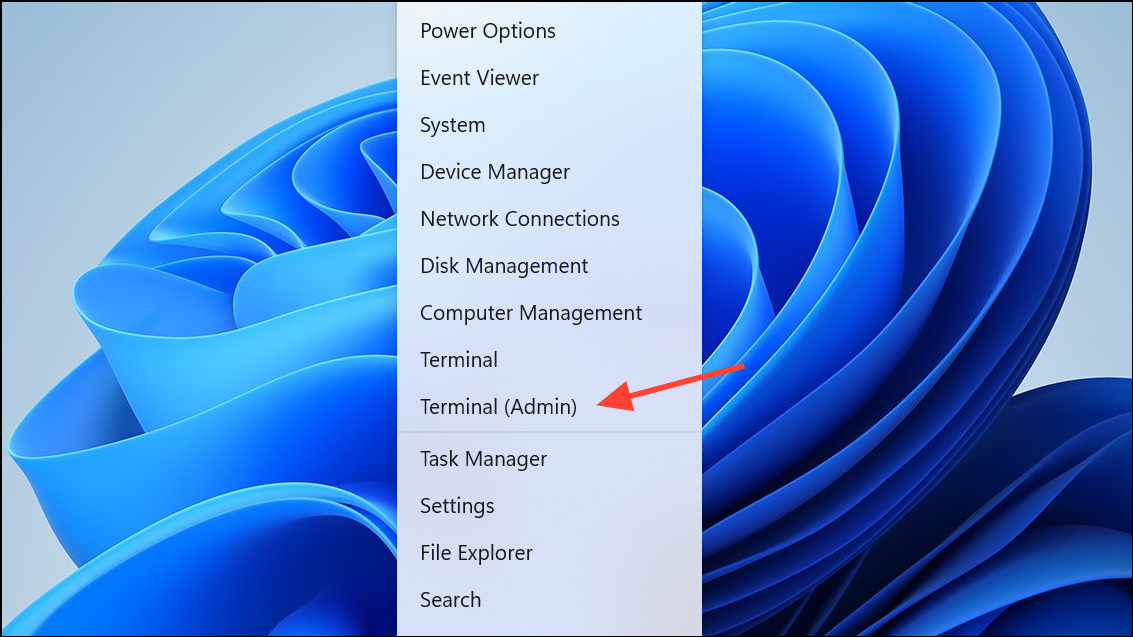
Rename-Item "oldfilename.txt" "oldfilename.md"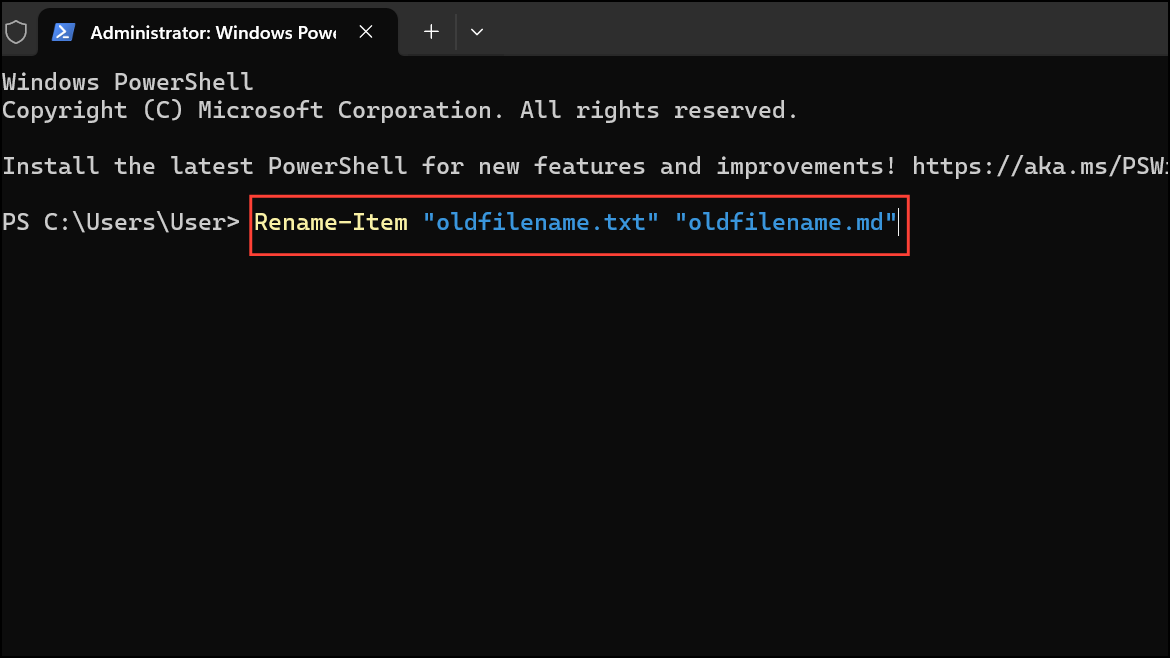
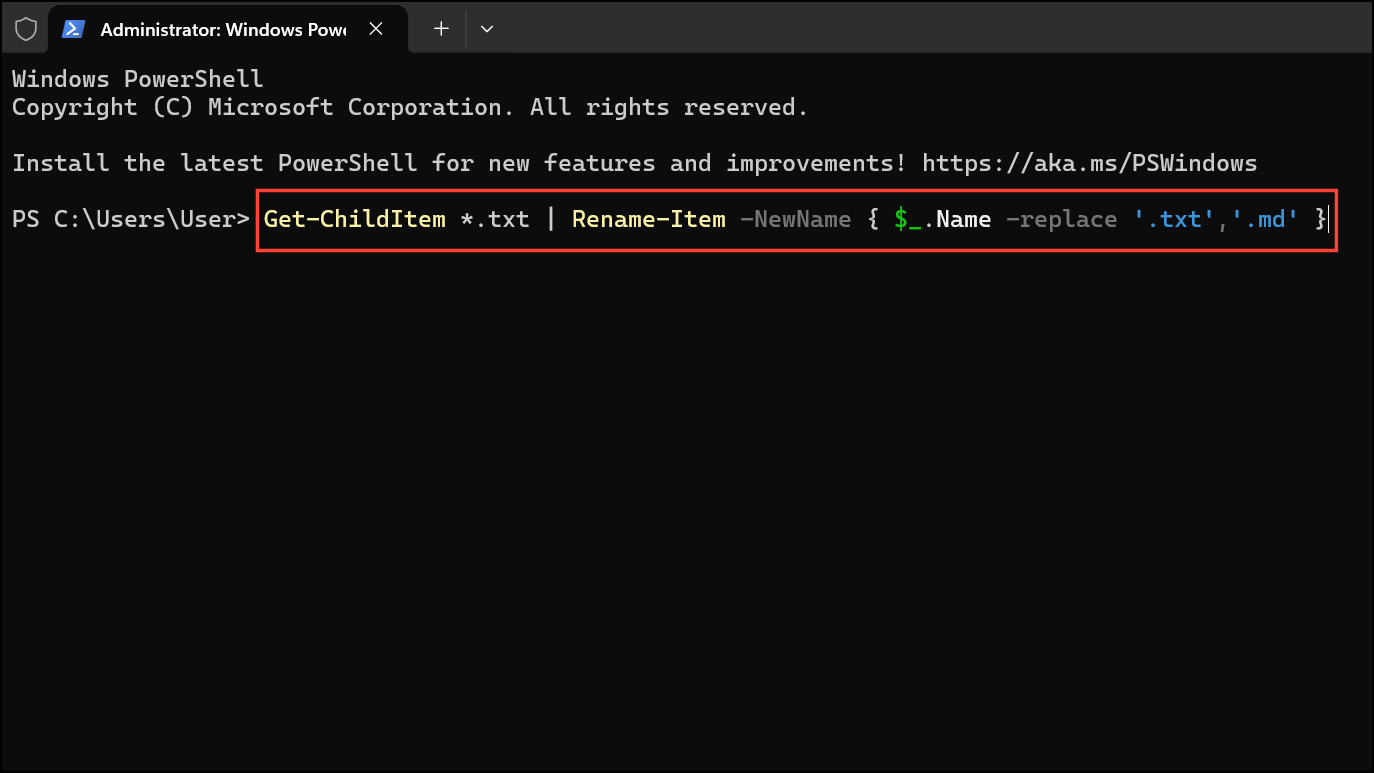
For multiple files, use this command:
Get-ChildItem *.txt | Rename-Item -NewName { $_.Name -replace '.txt','.md' }This script finds all .txt files and changes their extensions to .md.
Changing file extensions in Windows 11 is straightforward once you make them visible and follow the correct steps. Always double-check the file format before renaming, as mismatched extensions can prevent files from opening properly.



