Clean Crew is a cooperative survival-horror roguelite on Roblox. You play a janitor in a hazmat suit, and the job is to scrub abandoned apartments while things that live in them try to kill you. Each run climbs a randomly generated apartment complex one floor at a time. The whole run depends on one TV-headed companion named BUDDY and the plug hanging off the back of him. The game is still labelled early beta, and its most recent update is version 0.6.5, the Costume Party Update.
Quick answer: Clean a floor to at least 50 percent, carry BUDDY into the lift, and connect his plug to the socket. The lift status turns Active and shows the next stop.
Clean Crew lobby: daily rewards, modes, and difficulty
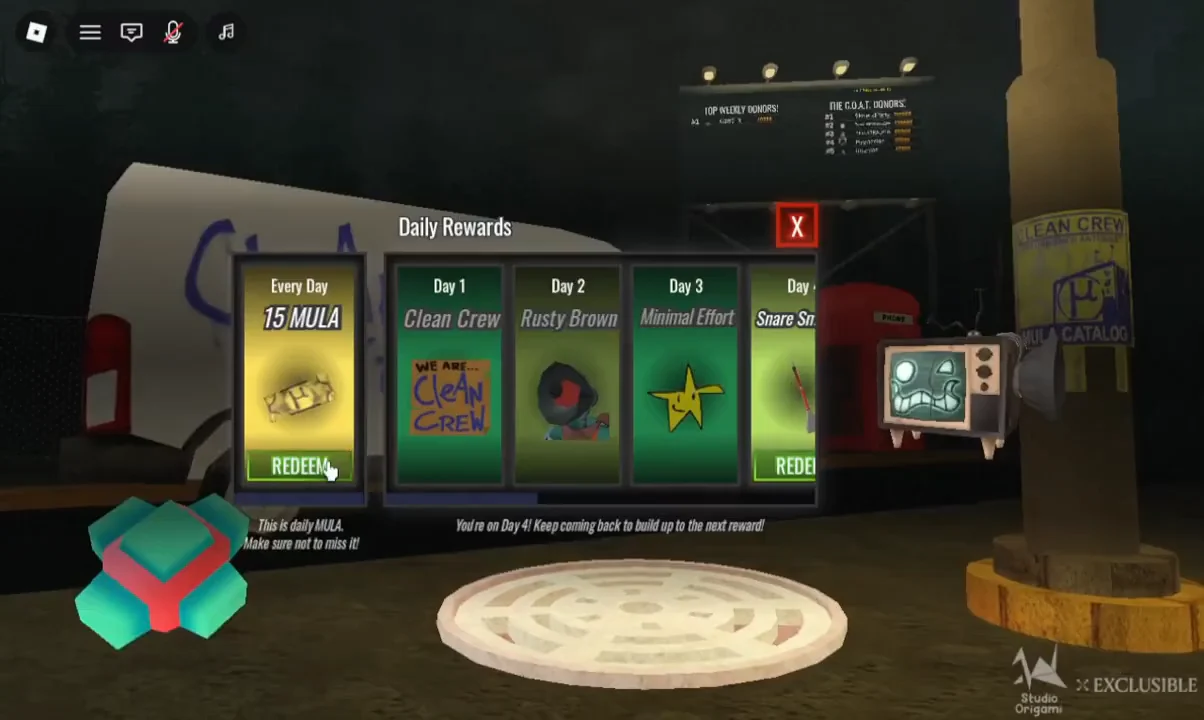
Every session starts with a Daily Rewards popup. It pays 15 MULA each day you log in. It also has a separate streak track that hands out a cosmetic on each consecutive day. MULA is the account-wide currency. You spend it in the Mula Store on classes, skins, colors, and stickers, and Game passes are the only things it can’t buy.
| Streak day | Reward |
|---|---|
| Every day | 15 MULA |
| Day 1 | Clean Crew |
| Day 2 | Rusty Brown |
| Day 3 | Minimal Effort |
| Day 4 | Snare Smacker |
Claiming a reward flips its button from “REDEEM” to “REDEEMED!” and shows a confirmation such as “Successfully redeemed Snare Smacker! :D”. A “Saving Data…” notice appears briefly afterward.
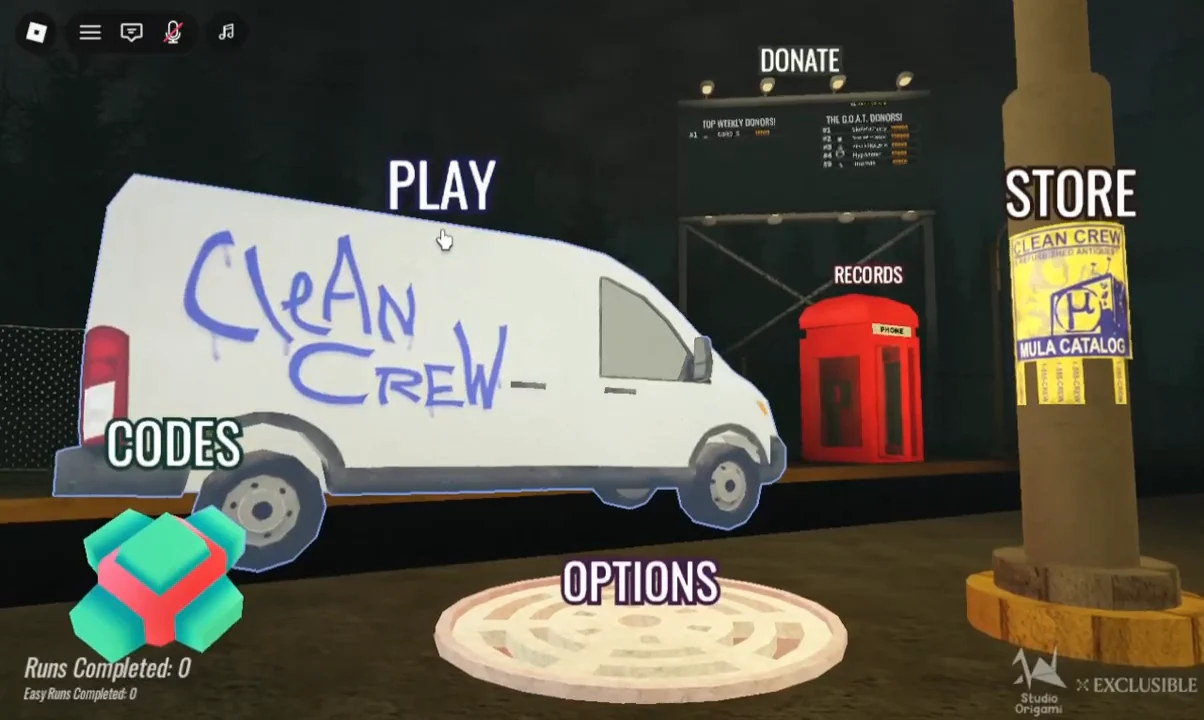
The lobby itself is a small hub built around the Clean Crew van. Stations around it handle Play, Codes, Donate, Records, Store, and Options. Boards nearby list top weekly donors and your own run counts.
Choosing Play opens three modes: Multiplayer, Solo, and Tutorial. Squads hold up to four other friends. The developer pitches the game as a group experience and treats Solo as an extra challenge. Finishing the Tutorial awards the Training Day badge. On the difficulty screen, Normal is listed as Regular Floors, Regular Entities, Regular Spawn Waves, and Full Rewards. Easy mode also exists, and version 0.6.5 made it much easier.
The game uses flashing lights, jumpscares, and loud audio. It’s worth lowering your volume before your first run.
Clean Crew classes and tools
There are four classes. Each one carries a different pair of tools, so a mixed squad covers more of each floor. Ranger is the default. Its select screen also lets you change Ranger skins, colors, brooms, and nametag or decorative stickers. All cosmetics are visual only.
| Class | Tools | Strength |
|---|---|---|
| Ranger | Broom, Pressure Cannon | Knocking antiques into BUDDY, long-range kills |
| Blaster | Vacuum, Pressure Cannon | Clearing dust piles fast, long stain streaks |
| Zoomer | Duster | Mass enemy kills, very fast apartment clears |
| Lobber | Picker, Pressure Cannon | Hitting several stains at once, hunting one enemy type |
Blaster is half price in the Mula Store for a limited time as part of 0.6.5. That update also added nine class costumes and three stickers.
Clean Crew controls and HUD
The HUD tracks your HP (starting at 100), a litter counter such as “Litter 0/16”, your Celz balance, and the ammo in your Pressure Cannon. A Ranger’s hotbar puts the Pressure Cannon in slot 1 with 150/150 pressure. The Broom sits in slot 2.
| Input | Action |
|---|---|
| Left Mouse Button | Shoot (cannon) / Sweep (broom) |
| Left Shift | Hold Plug / Drop Plug |
| E | Hold / Connect prompts |
| Y | Jumpscare |
| Left Ctrl | Toggle Settings |
Carrying a plug makes you move faster, but you can’t carry or use anything else while you hold it. That tradeoff matters when something is chasing you down a hallway.
How a Clean Crew floor works
The lift opens onto a floor with the objective “Clean apartments!” and a countdown. Standard floors run 7 minutes and 10 seconds. The solo run on Normal shown in the footage opened on a single apartment with “3:00 left” on the clock. A cleanliness gauge starts at 0 percent and climbs as you sweep litter, wash stains and graffiti with the Pressure Cannon, and scrub dirty furniture.
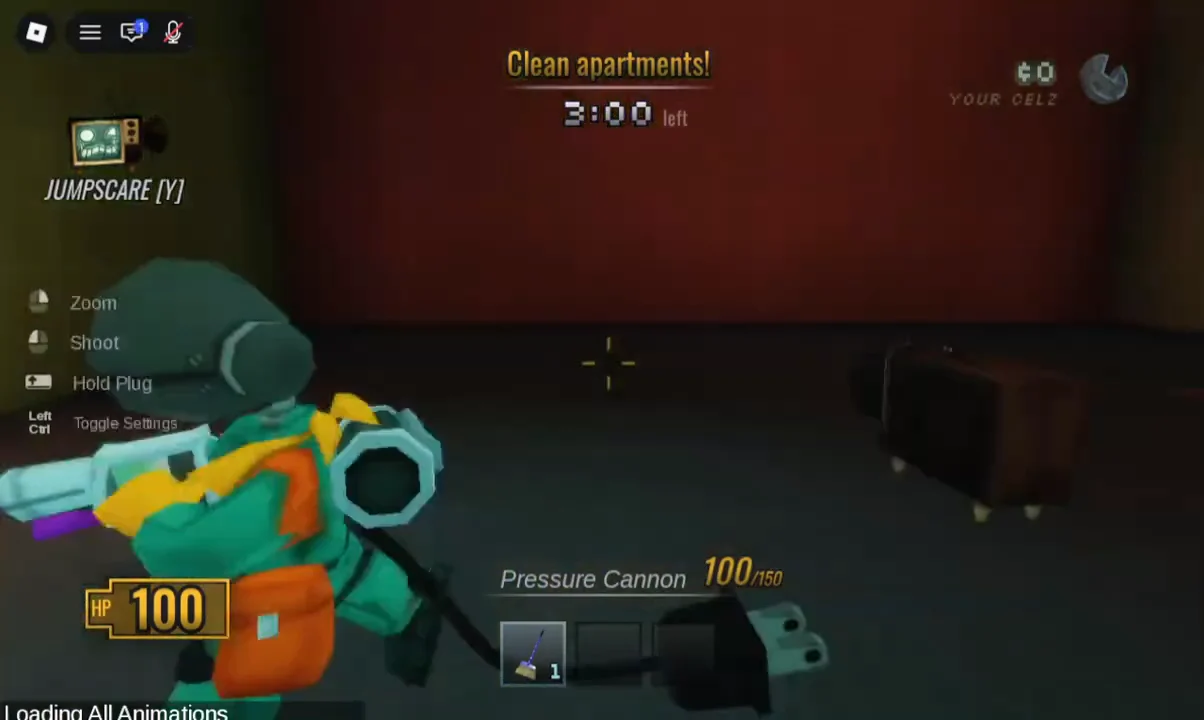
The rules that govern every cleaning floor:
- The lift won’t leave until the floor is at least 50 percent clean.
- Cleaning past 50 percent earns extra MULA when the floor ends.
- A light outside each apartment turns on once that unit is fully clean, and a notification names who cleaned it.
- When the timer expires, Toxic Gas fills the floor and drains 1 HP per second. The gas can’t reach you inside the lift.
- Pests spawn from open air vents throughout the floor.
Hitting cupboards, cabinets, couches, beds, and toilets with the broom can shake loose litter, an Antique, Celz, or ammo. Sometimes nothing comes out. Stragglers also hide behind doors and on ceilings.
BUDDY, plugs, and outlets
BUDDY is a walking TV monitor with a power cord. Almost every important action in Clean Crew runs through that cord. The starting area tells you to connect BUDDY to the socket to activate The Lift, and that rule holds on every floor after it.
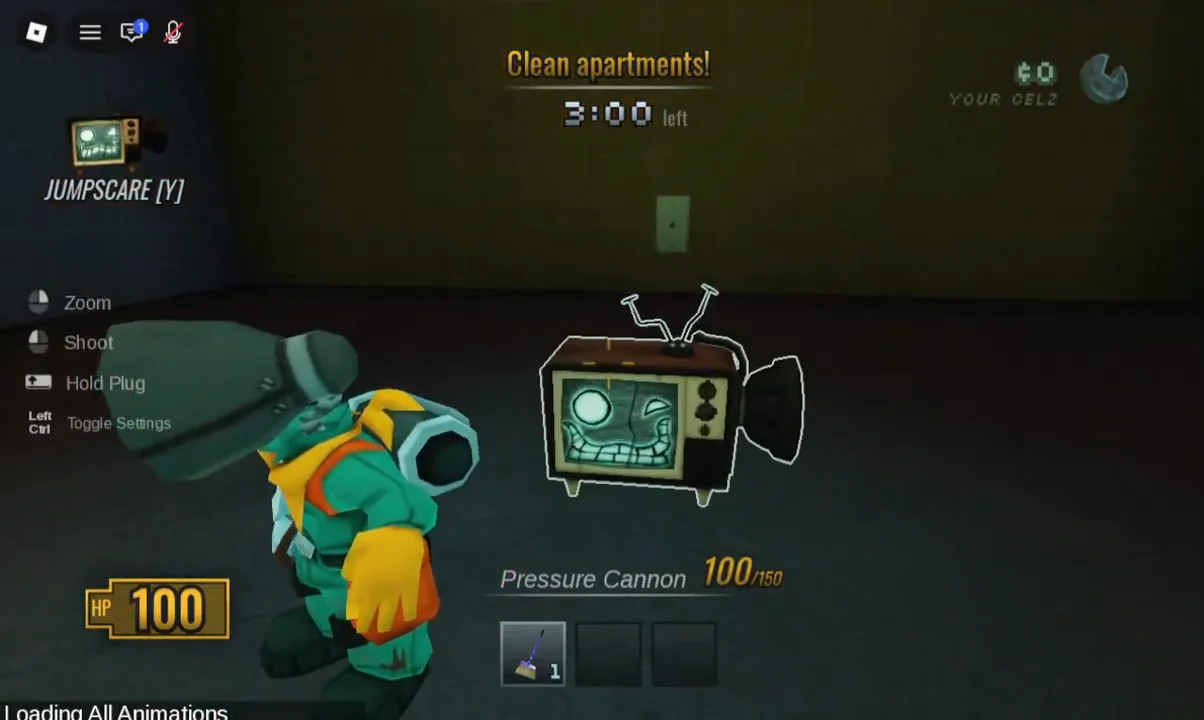
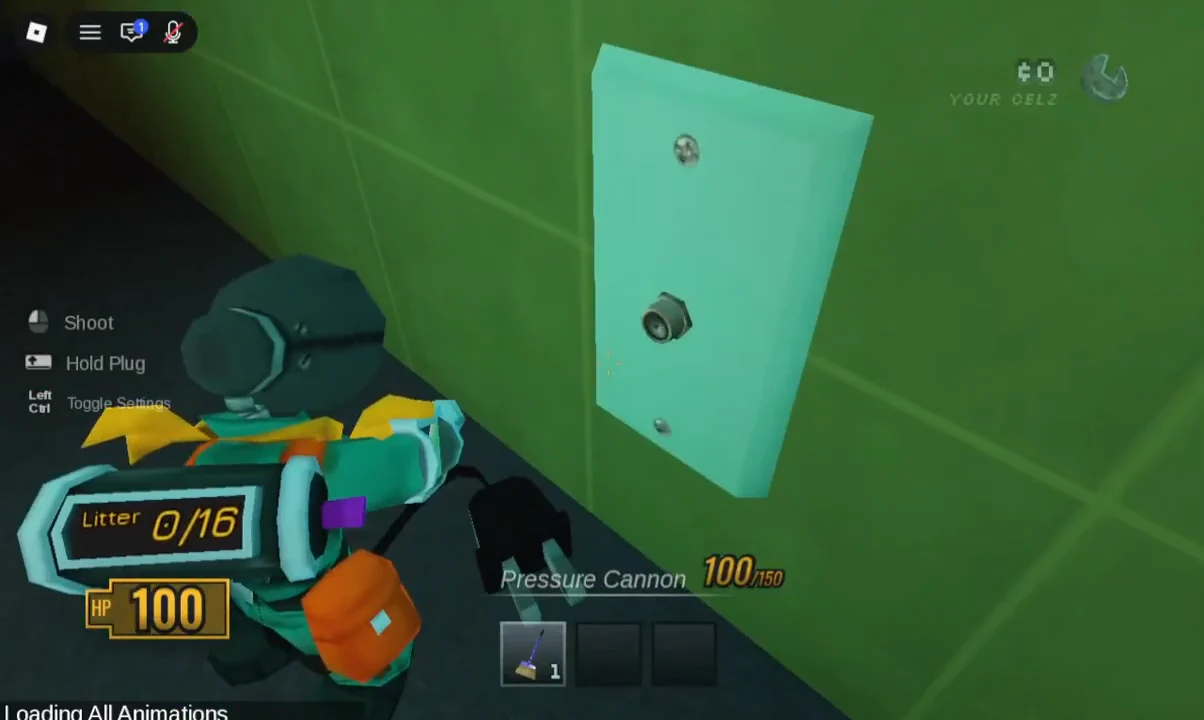
To pick up the cord, you press E on the [E] Hold prompt or use Left Shift. You then carry it to a light blue wall plate. Aiming at the socket brings up “[E] Connect”, and pressing E plugs it in.
You can tell the connection worked because a glowing ring appears on the floor around BUDDY. Inside the lift, the display changes to Lift Status: Active and names the next stop.
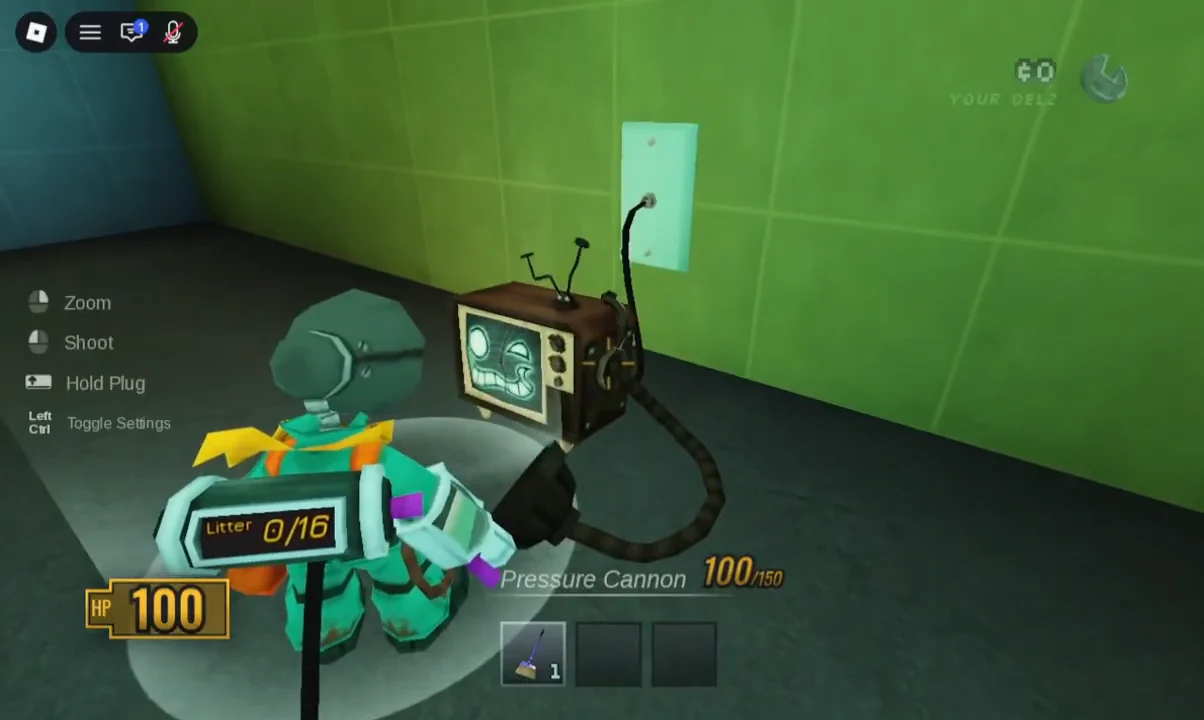
Out on the floor, BUDDY also has dedicated plugs in central apartment areas. You connect him there to hand over litter and Antiques. Wherever a BUDDY plug spawns, a nearby outlet lets players heal. The healing outlet is the two-hole wall socket, not the single round one. Each use wears an outlet down until it stops working, so rationing them matters if you plan to keep cleaning in the gas.
Skip the first BUDDY plug you find and use one deeper in the building. Working back toward the start leaves you near the lift when time runs short.
Pests, damage, and getting knocked out
Clean Crew calls its residents Pests. The Pressure Cannon handles most of them, and thrown bath bombs help against tougher ones. Version 0.6.5 added I-frames, which give you a short window of protection after taking damage.
Your lives are measured in bulbs. Lose one and you see “You are gone” and switch to spectator mode. You respawn once a teammate connects BUDDY in the lift, and the game shows “You are about to respawn”. Lose every bulb and your run is over. A door left open that you didn’t open is a reliable sign something is waiting behind it. Looping hallways give you room to kite a Pest while you shoot.
Celz, Antiques, and the shop between floors
Celz is the in-run currency, separate from MULA. Antiques are its main source. Picking one up triggers a banner such as “Antique Collected: Old Breakfast”. Finishing a floor also pays bonus Celz. Between floors, the lift stops at a wares shop run by the Travelings Man. There you can buy permanent cartridge upgrades for the run and one-off gear.
| Item | Cost | Effect |
|---|---|---|
| Litter Bug I | 100 Celz | +6 litter tank capacity |
| Litter Bug III | 300 Celz | +18 litter tank capacity |
| Ammo Reserver I | 150 Celz | +50 max ammo |
| Bleach Cleaner I | 200 Celz | More cleaner damage to stains and furniture |
| Relic Radar | 35 Celz | Tracks nearby Antiques |
| Portable Portal | 50 Celz | One-off tool |
Bath bombs are sold as consumables at the same counter.
Clean Crew floor progression to the Roof
Floors get more run-down and maze-like as you climb, and the Pest roster grows. Floor 3 adds the Splinter. One floor in the run breaks the pattern. BUDDY’s screen reads “BUDDY needs power”, and the objective becomes “Feed Buddy Batteries!”. The squad searches dark rooms for glowing batteries until “Recharged! Go to Lift!” appears. H.U.G. and Scribble roam that floor.
| Stage | Task | New threats |
|---|---|---|
| Floors 1–2 | Clean apartments | Sporeling, Spore, Spruce Cricket, Quilted Brute, others |
| Floors 3–4 | Clean apartments | Splinter joins |
| Battery floor | Give batteries to BUDDY | H.U.G., Scribble |
| Floors 5–7 | Clean apartments | Full roster; Scribble on Floor 5 |
| Floor 8 / Roof | Defeat Ganymede | Ganymede, Spore |
Surviving a floor without dying awards that floor’s badge. Survive Floor 2 is already rated Challenging. Reaching the roof also unlocks a strange Signal that opens a hidden zone with its own survival badge.
Upcoming Clean Crew events
Two events are scheduled. The NEW CLASS and CREATURE event arrives on October 30th and adds what the developer calls a “brand new, old controllable ‘challenge class’” plus a new creature. Chapter 2 is slated for November 30th, though the team says that date is not final. The developer describes the game as “Early BETA” and warns players to expect bugs and game-changing updates.