Quick answer: Sorting dice to level up awards 1 skill point each time. To use a point, open Skills on the bedroom computer and select the next node along a skill’s track.
Dice Hoarder ties earning skill points to sorting dice correctly. The more you sort, the more you can upgrade, and every upgrade happens at the desk in the bedroom.
How you earn skill points
Levelling up is the only way to get skill points. Each correctly placed die is worth 5 XP, each finished set adds 25 XP on top, and every new level grants 1 skill point. Climb from Level 1 to Level 4 and you’ll have 3 points to spend.
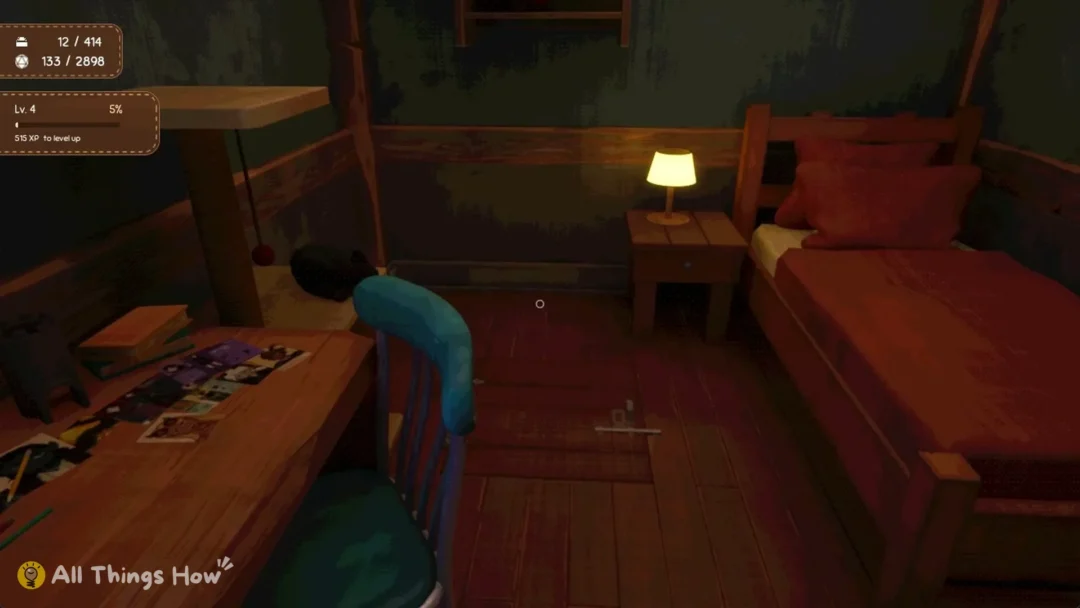
Leveling up triggers no popup. Watch the top-left HUD: only the “Lv.” value and bar update. Visit the Skills app occasionally to check for unused points.
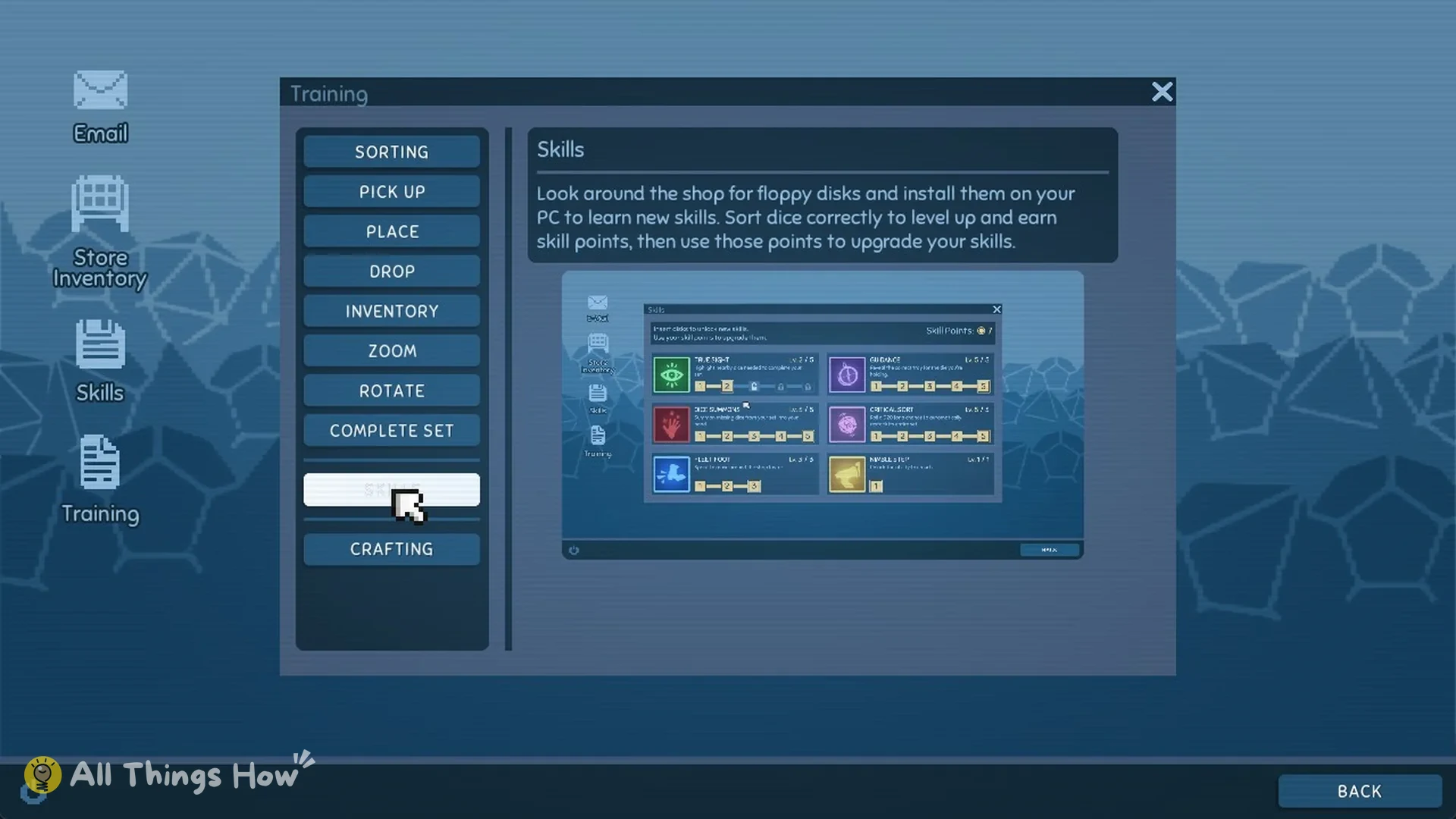
The game spells out the loop in the Training app on the computer, under Skills:
“Look around the shop for floppy disks and install them on your PC to learn new skills. Sort dice correctly to level up and earn skill points, then use those points to upgrade your skills.”
How to upgrade a skill
Walk to the computer on the bedroom desk, look at it, and press E on the “Use” prompt. Then click the Skills icon on the desktop. The window reads “Insert disks to unlock new skills. Use your skill points to upgrade your skills.” and your total appears next to “Skill Points” in the top right.
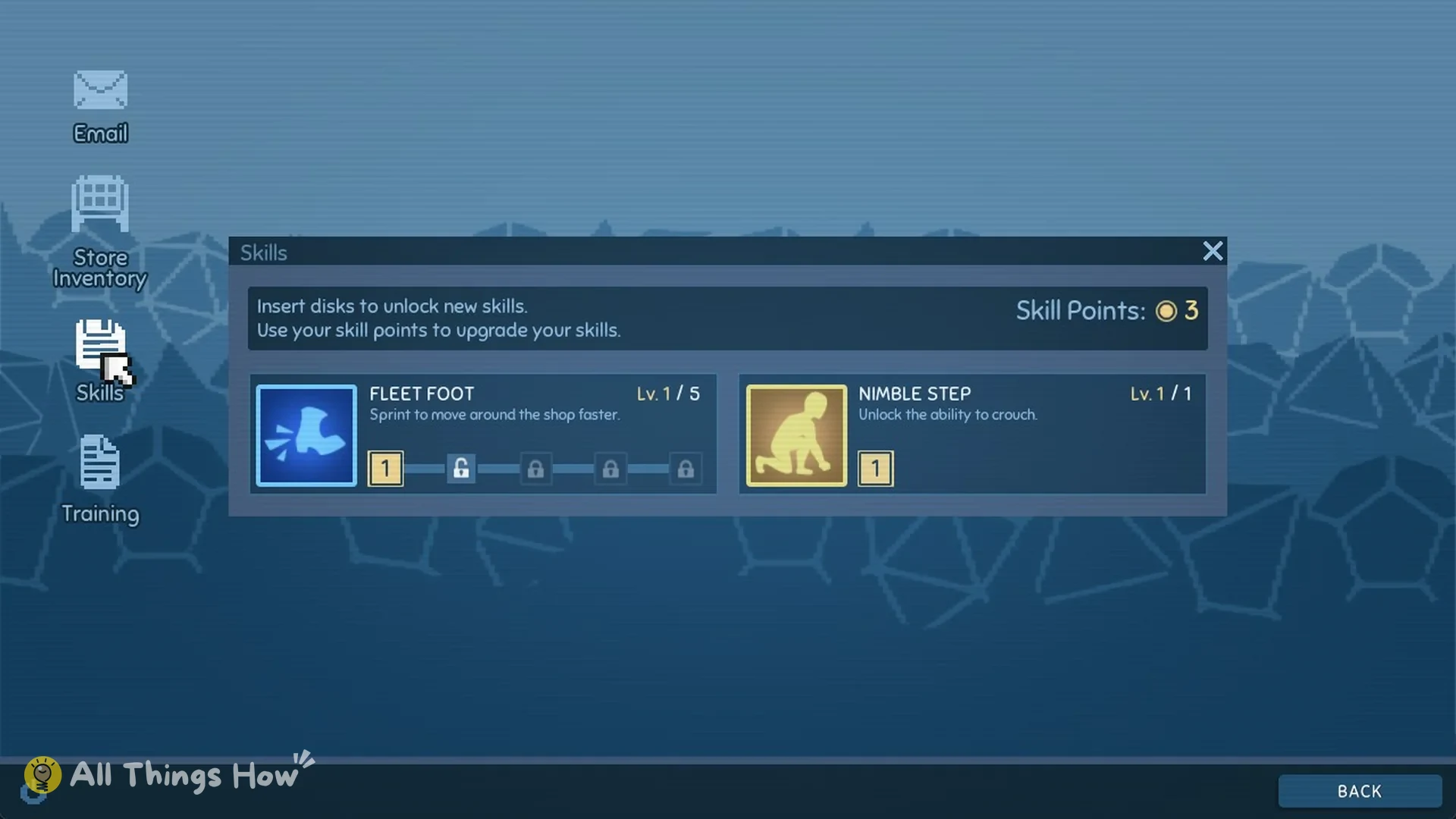
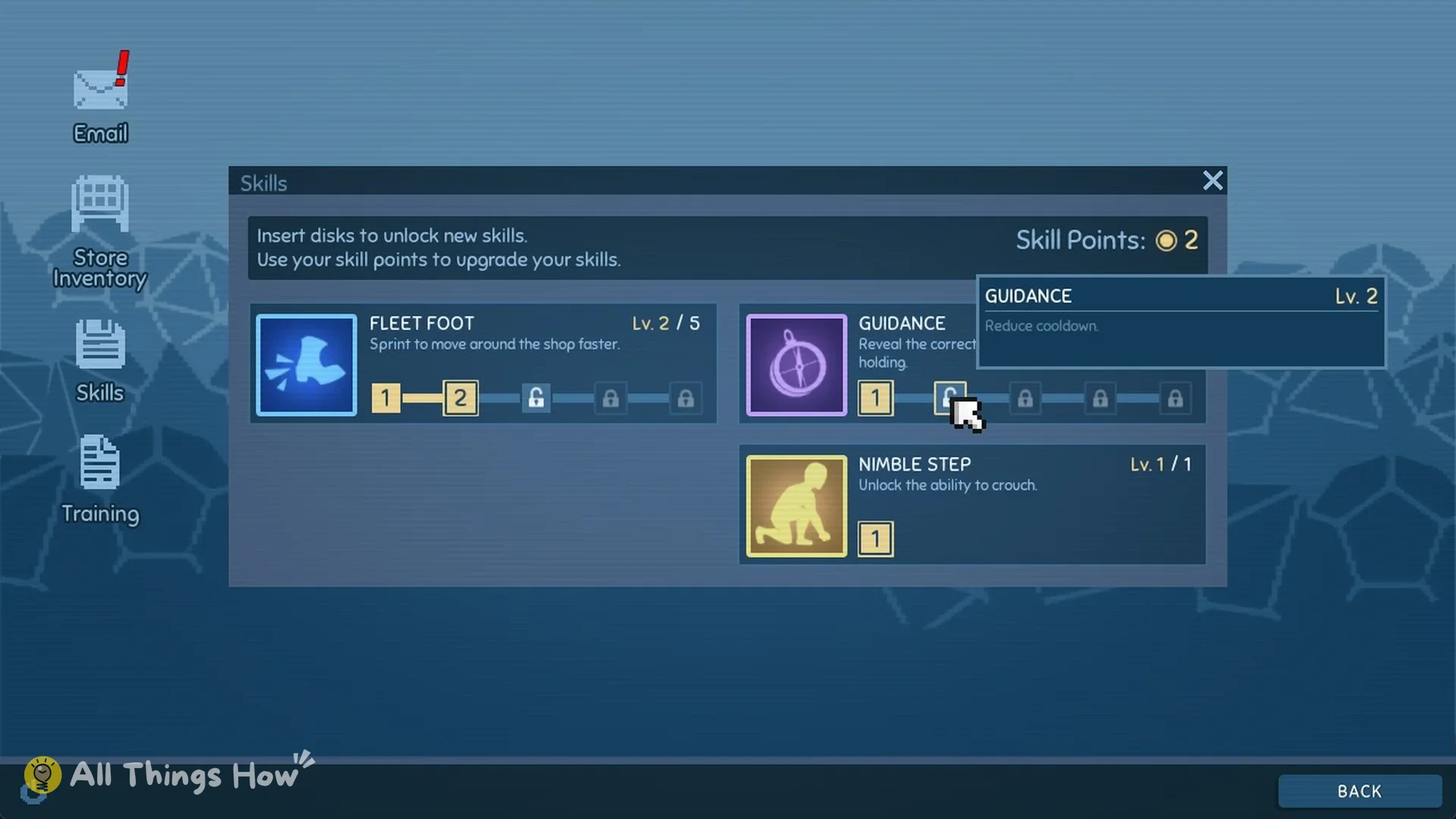
Each skill has a numbered node track beneath its name to show its levels. Filled nodes are levels you’ve unlocked; locks mark the ones still ahead. Point to the next node to preview its effect, such as “FLEET FOOT Lv. 2, Increase your sprint speed.”
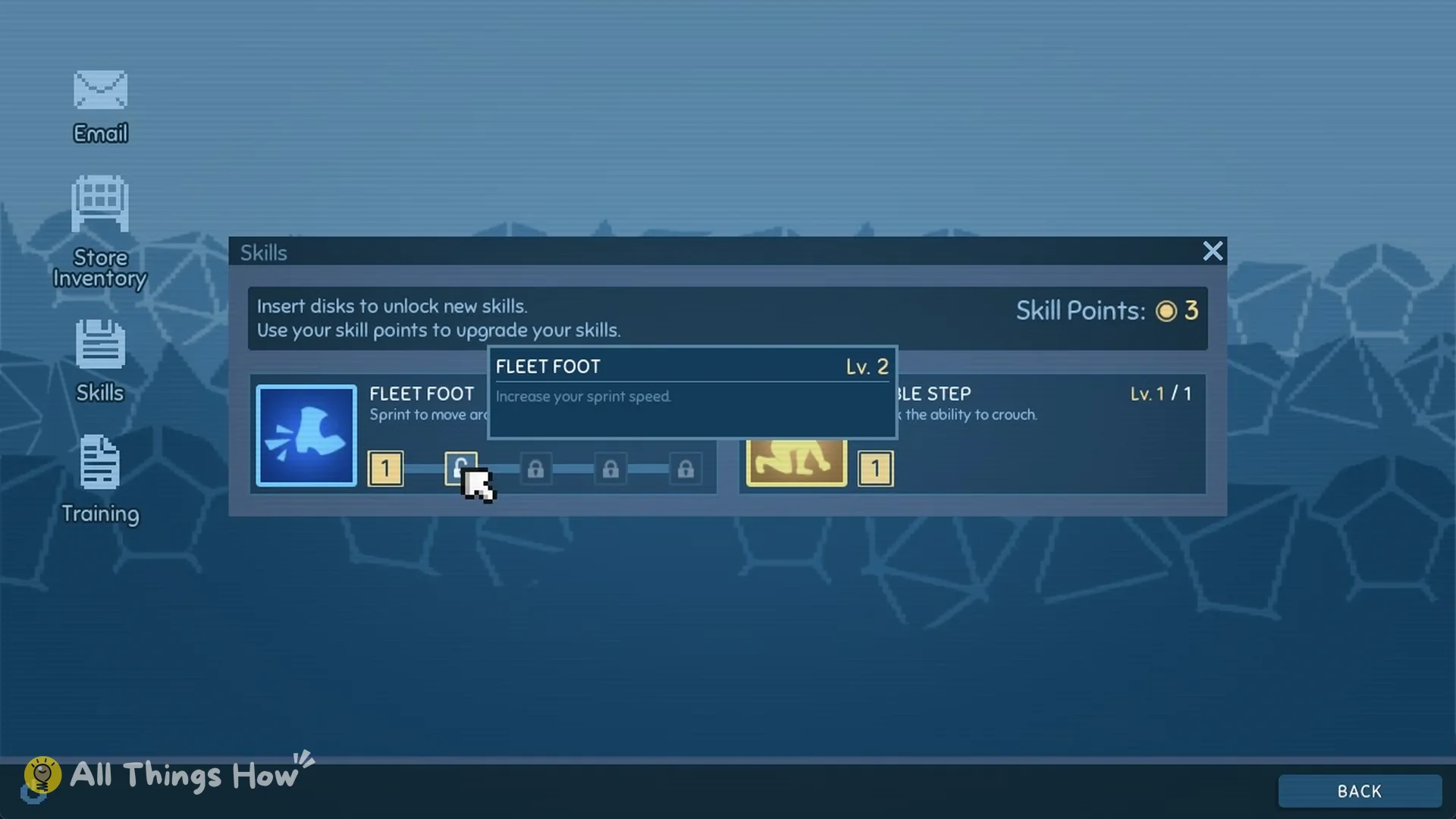
Click that node to spend 1 point. You’ll know it worked when the level counter moves up and your total drops, as with Fleet Foot going from “Lv. 1 / 5” to “Lv. 2 / 5” while Skill Points fall from 3 to 2.
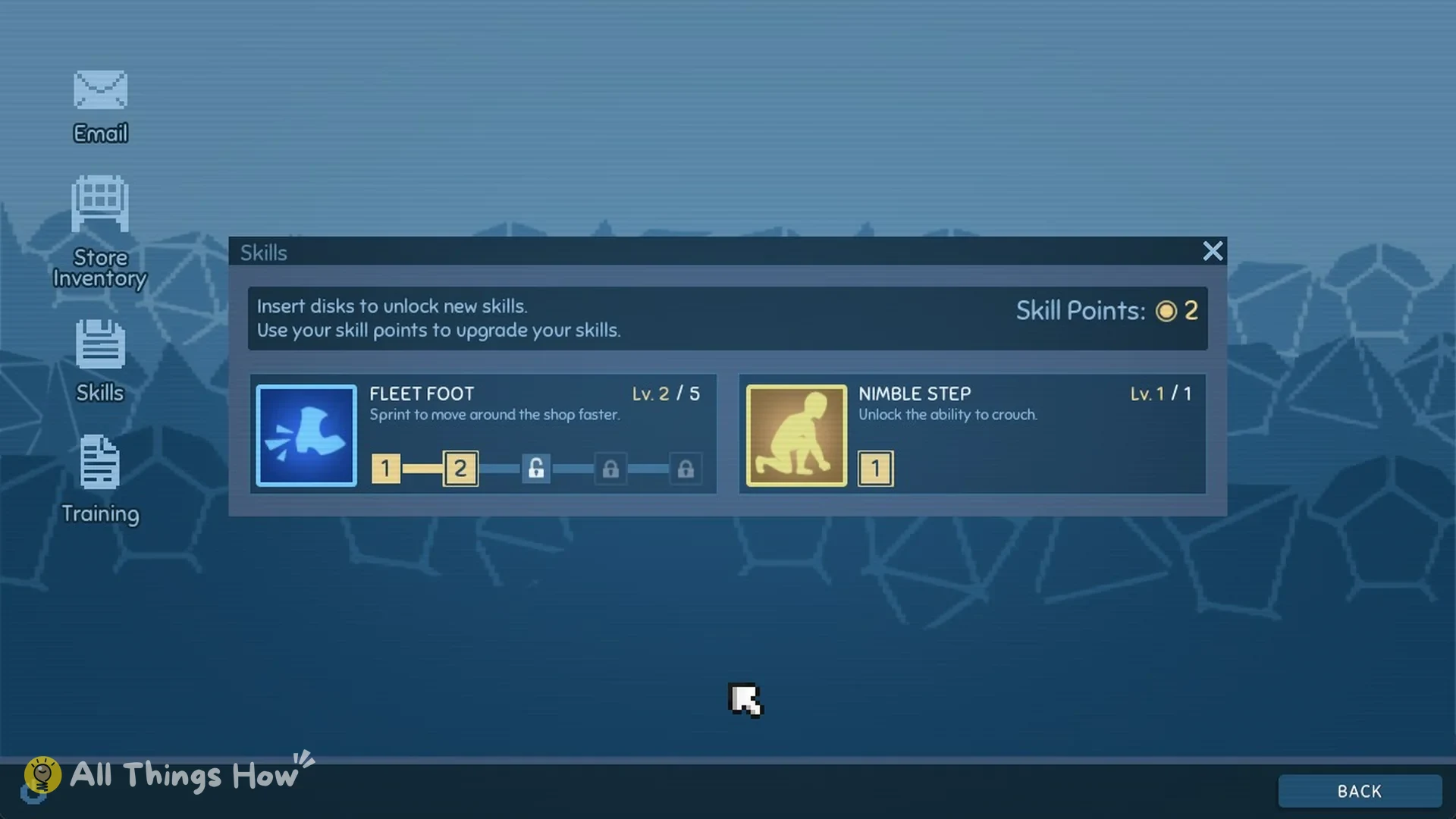
There’s no pressure to spend right away. Unspent points stay banked overnight and are still there the next morning, ready for a skill from a disk you haven’t found yet.
New skills start at level 1
Installing a skill disk unlocks that skill at level 1 for free. With Extended Reach installed, the Skills app shows “EXTENDED REACH Lv. 1 / 3, Pick up dice from further away.” and your Skill Points total stays where it was.
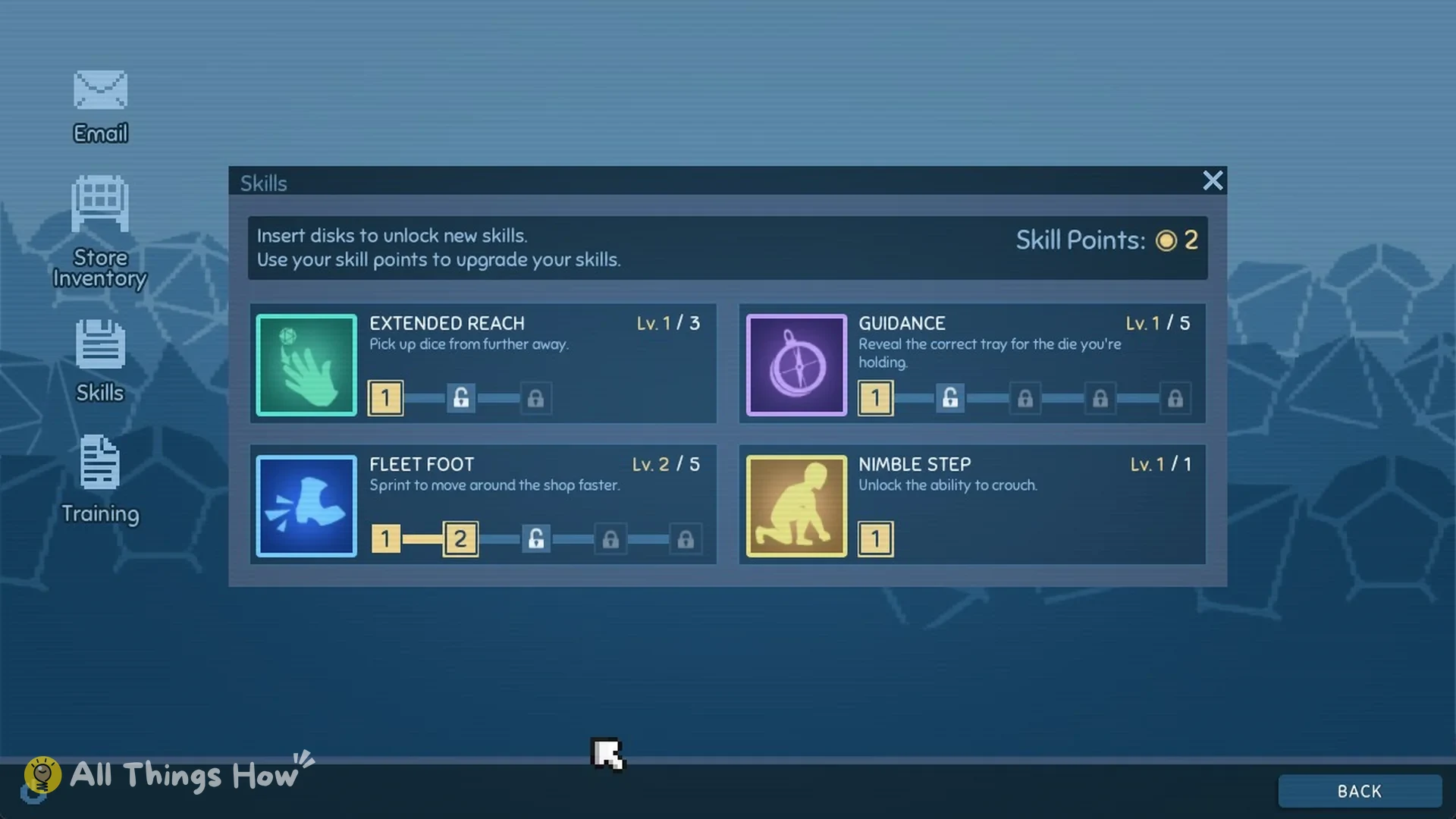
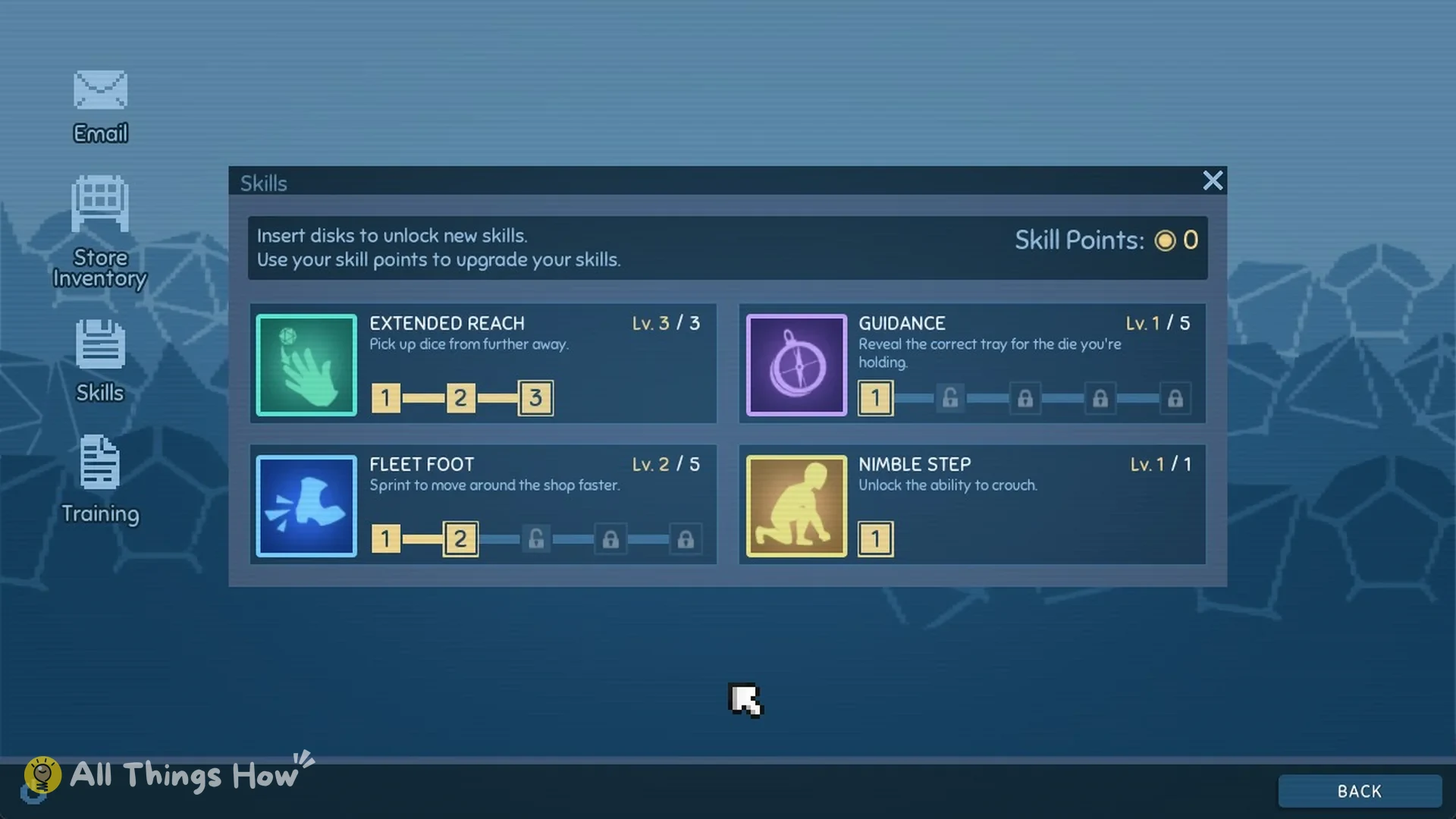
Every level after that costs 1 point. Extended Reach’s level 2 and level 3 nodes both read “Increase your pickup distance.” Two points take it to “Lv. 3 / 3”, which is its maximum. Guidance’s level 2 node reads “Reduce cooldown.”
Which skill to upgrade first
Extended Reach is an excellent first choice. Its increased range lets you collect dice buried in heaps or sitting on displays without circling around them. At Lv. 3 / 3, it can also reach the edible die concealed behind the bedroom desk’s coffee cup.
Fleet Foot comes next. Its upgrades raise your sprint speed, which cuts down the trips between the far displays once loose dice are scattered across the shop.
Fleet Foot has a cap of 5, Nimble Step caps at 1, Extended Reach at 3, and Guidance at 5.