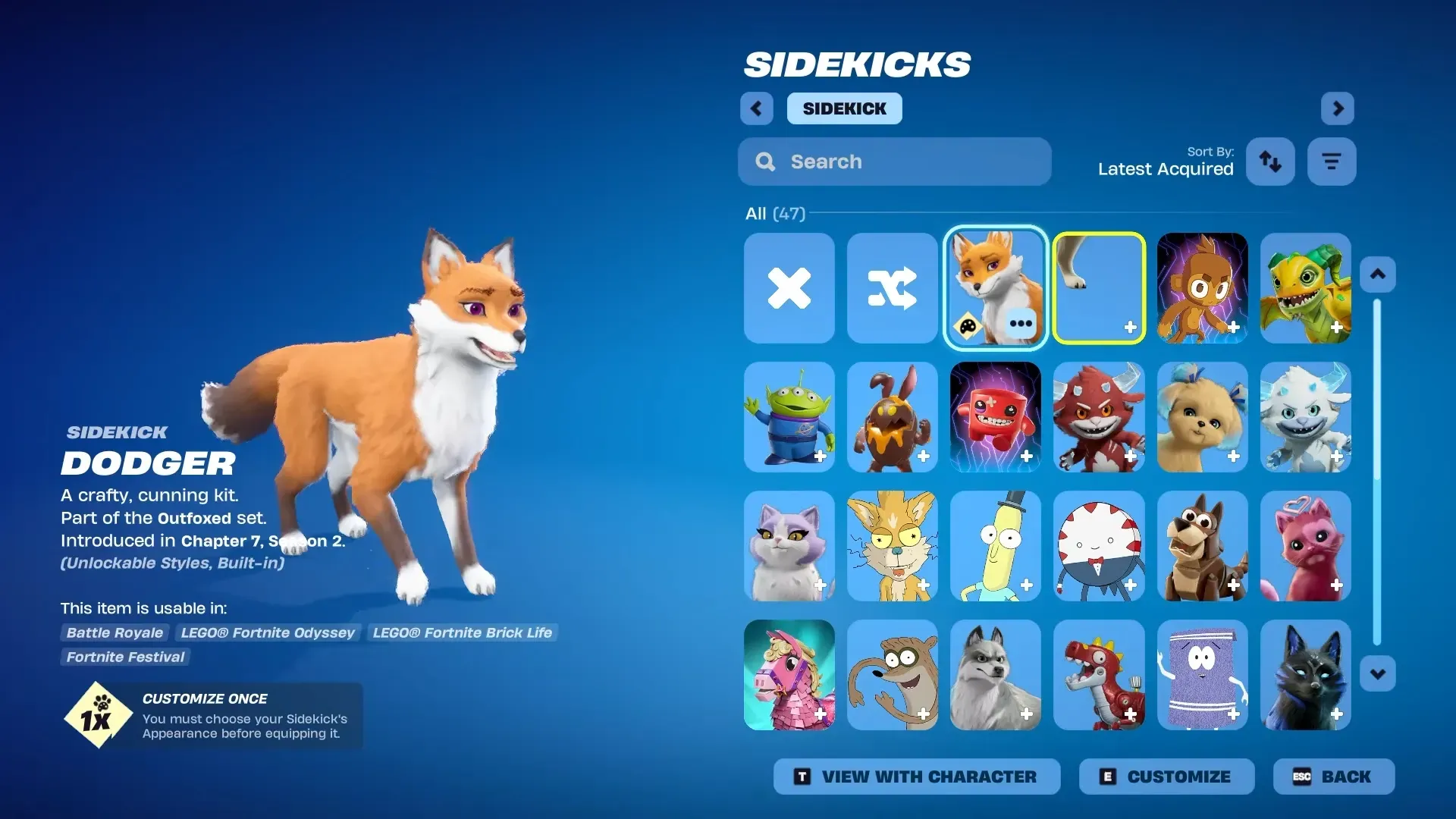
Dodger is a Sidekick cosmetic in Fortnite. For some accounts, it is granted automatically at no cost as an ownership bonus tied to an older Dodger cosmetic.
Quick answer: You receive the Dodger Sidekick for free only if your account already owns the original Dodger pet back bling from Chapter 1 Season 8; log in, then check your Locker under the Sidekicks category.
Dodger Sidekick free grant trigger (the exact requirement)
The trigger is ownership-based: your Epic account must already have the Dodger pet back bling in its cosmetic library (the pet originally from Chapter 1 Season 8).
If your account does not own that specific back bling, the free grant does not trigger.
How the free Dodger Sidekick is delivered
Dodger is granted automatically to eligible accounts. There is no separate redemption page, code entry, quest chain, or claim button required for the free grant.
After logging in on the eligible account, the Sidekick should appear in your Locker inventory. Some players will also see an in-game notification when it is added, but the Locker is the definitive place to verify ownership.
How to verify you received Dodger (Locker check)
You’ll know it worked when Dodger is selectable from your Sidekicks inventory (not greyed out, not shown as a shop preview), and you can equip it like any other Sidekick.
What to do if Dodger is missing even though you’re eligible
Common reasons the free grant doesn’t trigger
| What you’re seeing | Most likely reason | What’s true in that case |
|---|---|---|
| Dodger isn’t in Locker > Sidekicks | The account doesn’t own the original Dodger pet back bling | The free grant requirement is not met |
| You owned “Dodger” on a different platform/account years ago | You’re logged into a different Epic account now | Cosmetics follow the Epic account, not the device |
| You own a different fox/pet cosmetic, but not the specific Dodger pet back bling | It’s a different item than the eligibility requirement | Only the exact Dodger pet back bling ownership triggers the free Sidekick |
Equipping Dodger once it’s in your inventory
Once Dodger appears in Locker > Sidekicks, selecting it and saving your Locker changes is enough to equip it.
In Fortnite, Sidekicks are cosmetics that stay with you and react to gameplay. They do not provide gameplay advantages like enemy or item detection. In Battle Royale, only your team can see your team’s Sidekicks.
If you don’t meet the ownership requirement, Dodger may still be sold through the Item Shop at a later time, but no universal free claim method applies in that case.