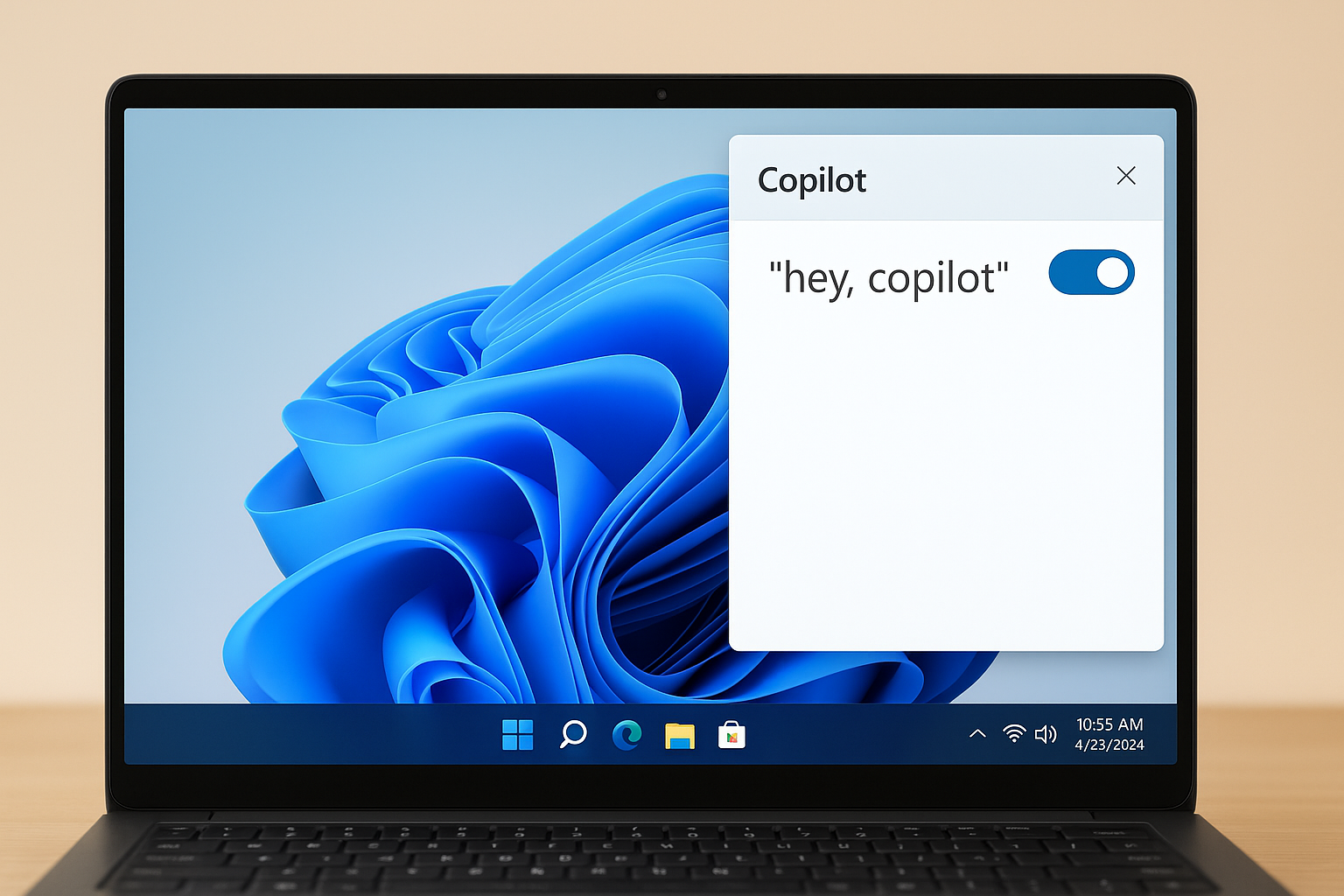
The Microsoft 365 Copilot app can fail to open and show Sorry, we ran into a problem loading this app, sometimes with Error code: 0 or a banner like On Navigation Failed (status: 0). Use the targeted fixes below, starting with account and device checks, then app repair, security software, and licensing.
Quick checks for network and updates
Turn off any VPN or proxy temporarily and confirm you have a stable internet connection. These can block the app’s sign-in and web runtime calls.
Install all pending Windows updates and restart. System web components the app relies on are updated through Windows.
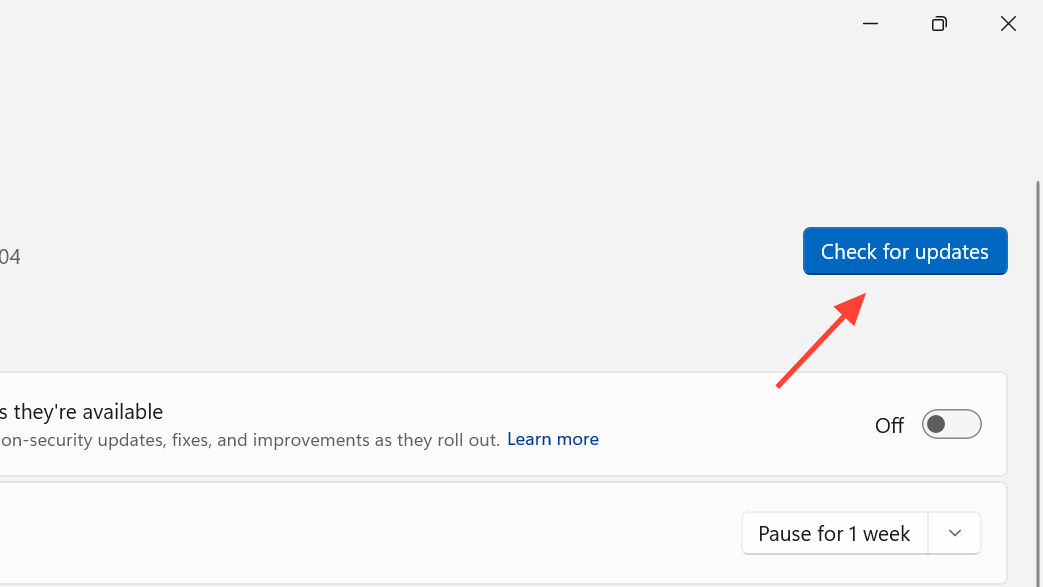
Check for updates for Microsoft 365 Copilot from the Microsoft Store if the app was installed from there. Updated components reduce load failures.
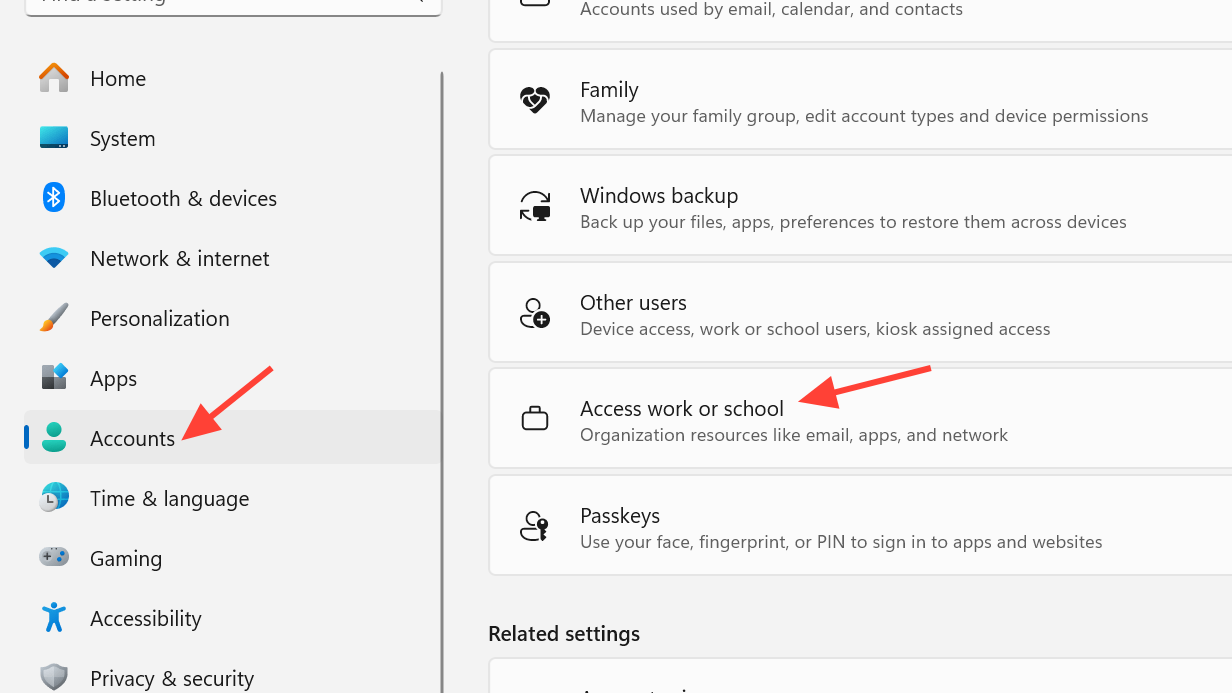
Sign in with your work or school account on Windows
Select Access work or school and add your work or school account used for Microsoft 365. This step establishes device trust and enables required policies.
If you see a “device management could not be enabled” notice, contact your organization’s IT admin. Local enrollment or policy restrictions can prevent the Copilot app from initializing on the device.
Reset or repair the Microsoft 365 Copilot app (Windows)
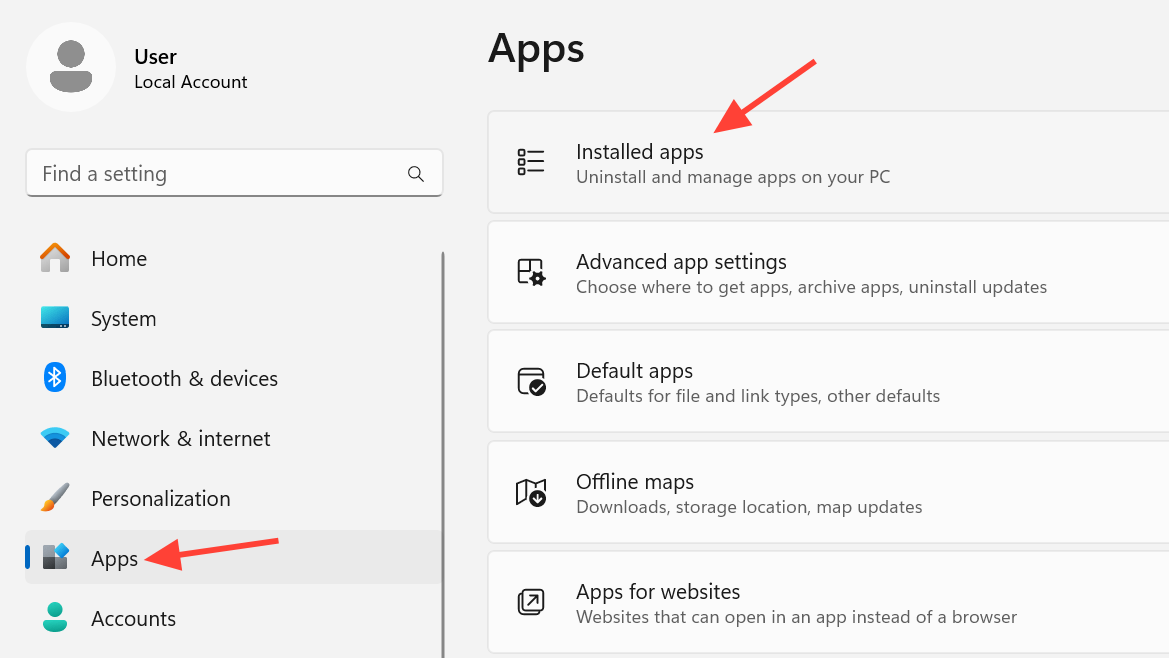
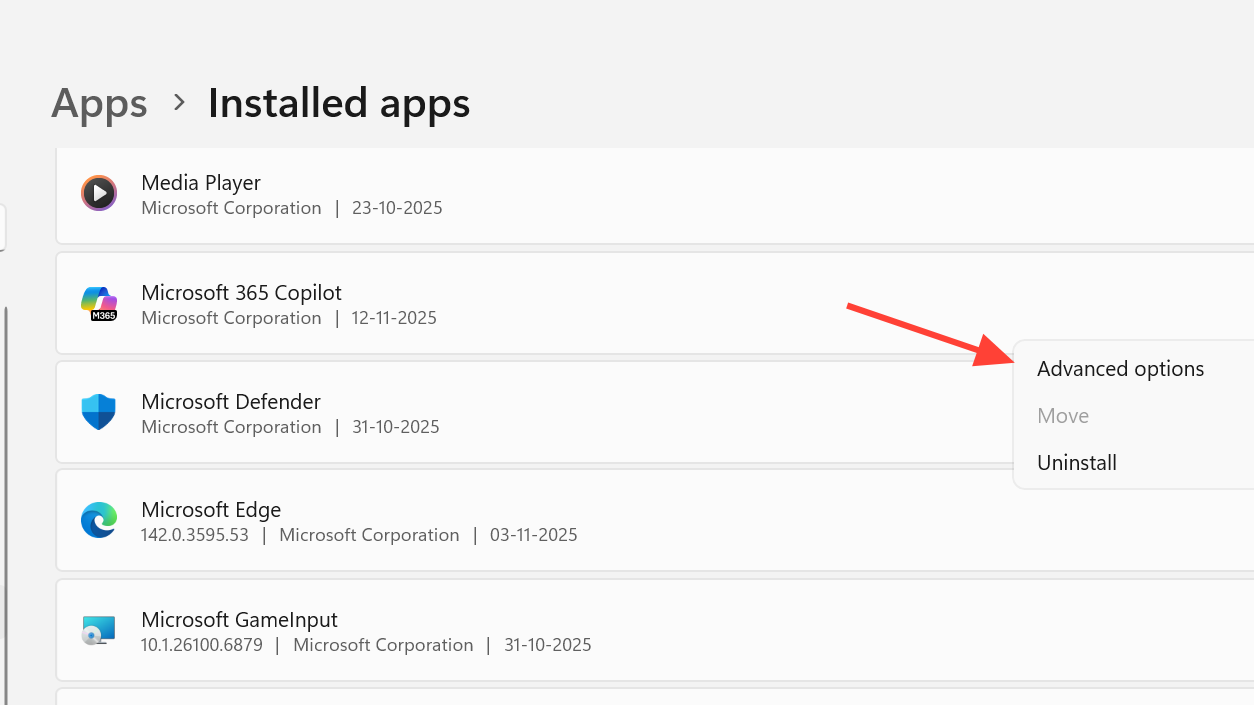
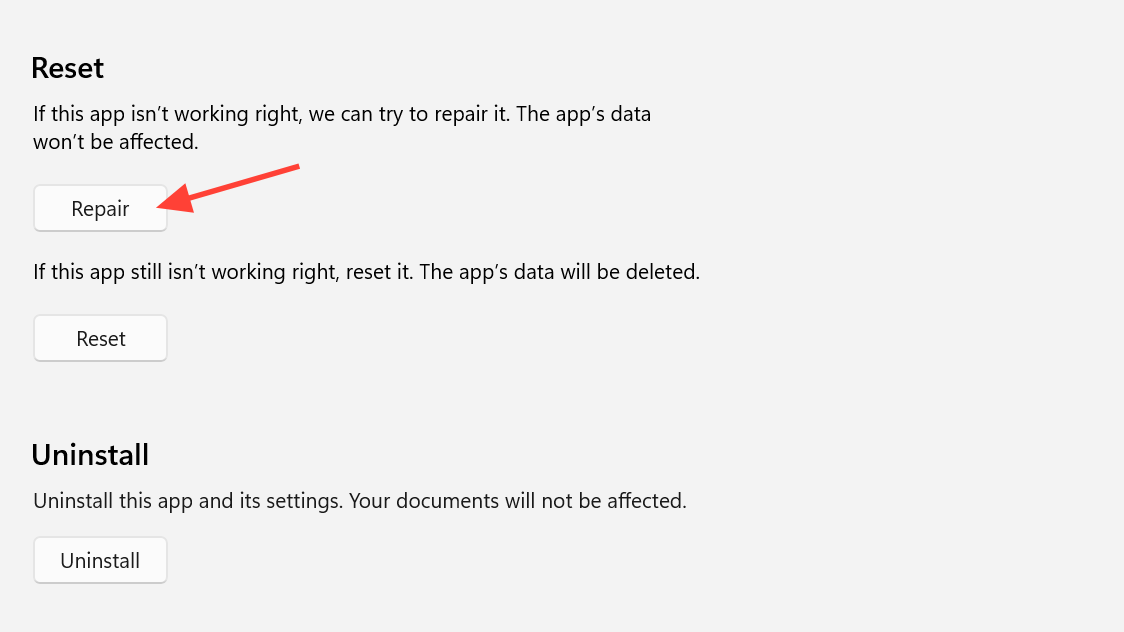
If the issue persists, select Reset. This clears the app’s local data and often resolves repeated “failed to load” states.
Allow Microsoft Edge WebView2 in security software
Check your antivirus or endpoint protection logs for blocked processes. The Copilot app uses the Microsoft Edge WebView2 runtime (
msedgewebview2.exe) to render content.If you find WebView2 was blocked (for example by third‑party antivirus), add an allow/exception rule for
msedgewebview2.exe. This prevents the app frame from failing to render.Run the official Copilot troubleshooters
Open the Windows Copilot troubleshooters and follow the guided checks to detect sign-in, network, and component issues tied to Copilot features.
Open Copilot troubleshooters (Windows)
Verify licensing and tenant readiness (admins)
In the Microsoft 365 admin center, verify the user has an active Microsoft Copilot license assigned. Unlicensed accounts can load the shell but fail during app initialization.
Review reports for Microsoft 365 Copilot readiness in the admin center. This confirms service availability and per‑user eligibility.
Open Microsoft 365 admin center
If the error appears in a custom app hosted in Microsoft 365
For custom solutions surfaced in Microsoft 365 or Office experiences, ensure your app signals initialization promptly. A missing or delayed initialize signal can trigger the red “problem loading this app” banner.
If you build with the Teams JavaScript SDK, initialize the SDK early on supported versions. The banner typically appears when the host does not receive the app initialization event in time.
Temporary workaround
Open desktop Office apps directly (Word, Excel, PowerPoint, Outlook) from Start or the taskbar. These apps work even if the Copilot hub app fails to load.
Use the web at
microsoft365.com to access files and apps while you complete the fixes above or await IT policy changes.
If none of the steps resolve the issue, capture the exact error text and correlation ID from the banner and share it with your IT admin or Microsoft support. That accelerates case routing to the right service area.