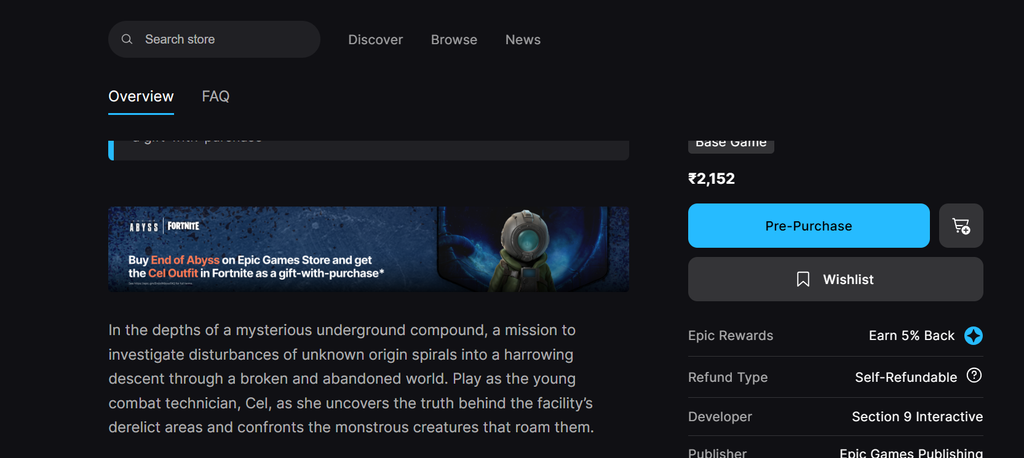
The Cel Outfit from the top-down sci-fi horror game End of Abyss is coming to Fortnite as a gift-with-purchase, and you can add it to your locker without touching V-Bucks. Cel keeps her in-game look, right down to the futuristic diving suit, the rounded diving helmet, and the weapon holstered on her right leg.
Quick answer: Buy End of Abyss on the Epic Games Store to get Cel free, or buy the Outfit for 1,500 V-Bucks in the Fortnite Item Shop. Both go live October 1, 2026, at 8 PM ET.
Two ways to get the Cel skin
You have a free route and a paid route, and they unlock at the same moment. Pick based on whether you actually want to play End of Abyss.
| Method | What you pay | Available from |
|---|---|---|
| Epic Games Store purchase | $29.99 (game price, skin free) | Oct 1, 2026, 8 PM ET |
| Fortnite Item Shop | 1,500 V-Bucks | Oct 1, 2026, 8 PM ET |
Get Cel free by buying End of Abyss on the Epic Games Store
Buying the game on the Epic Games Store grants the Cel Outfit to your Fortnite locker at no extra cost. Pre-orders are already live, so you can lock in the purchase ahead of time.
If you refund End of Abyss, the Cel skin is removed from your Fortnite locker. As long as you keep the game and your account stays active, the skin does not expire.
Buy the Cel skin in the Fortnite Item Shop
If you would rather not add another game to your backlog, you can pick up Cel directly in Fortnite for V-Bucks. The Outfit rotates into the shop on the same date and time as the free unlock.
Cel stays in the shop for the rest of the promotional period before rotating out, so there is time to decide between paying V-Bucks and grabbing it free with the game.
How to confirm you got the skin
Regardless of which method you use, the Outfit becomes available in your Fortnite locker when the unlock period begins: 8 PM ET on October 1, 2026. Go to the locker, find Cel Outfit in the characters section, then equip it. If it appears and you can select it, the unlock succeeded. Anyone who bought the game earlier will also receive the Outfit through the automatic grant that day, with no repurchase required.