
Gemini’s latest update introduces a major shift in how Google’s AI assistant responds to your queries. By connecting directly to your Search history, Gemini can now deliver answers that reflect your interests, habits, and previous searches. This upgrade means you’ll receive more relevant recommendations, faster answers, and a smoother experience when interacting with Gemini—whether you’re brainstorming a trip, seeking content ideas, or picking up a new hobby.
Setting Up Search History Personalization in Gemini
Gemini or Gemini Advanced. Then, choose Personalization (experimental) from the model drop-down menu.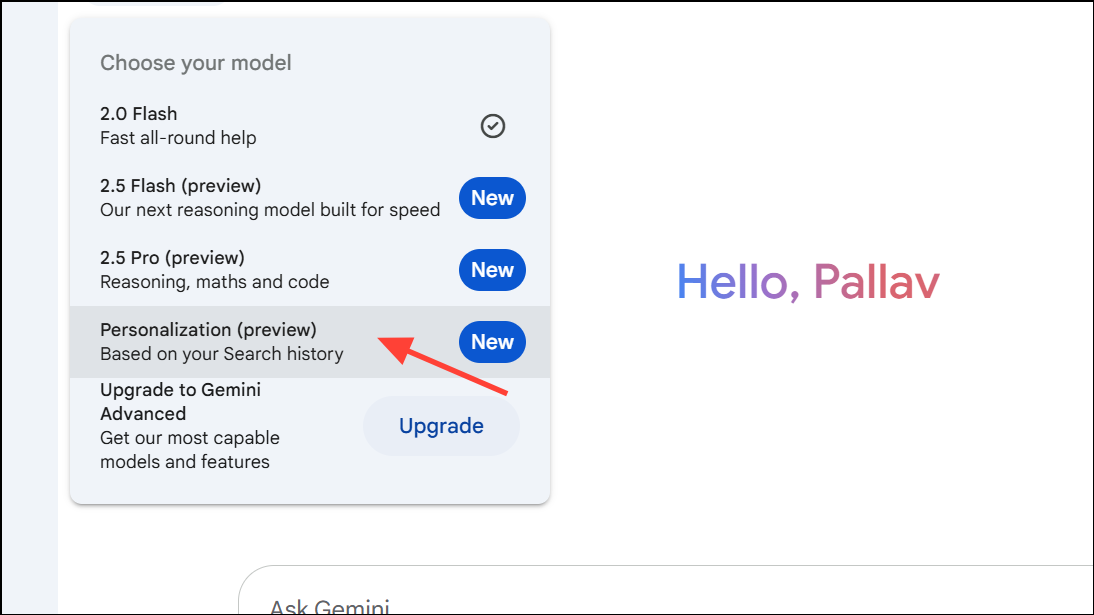
Connect now—click this to link your Search history.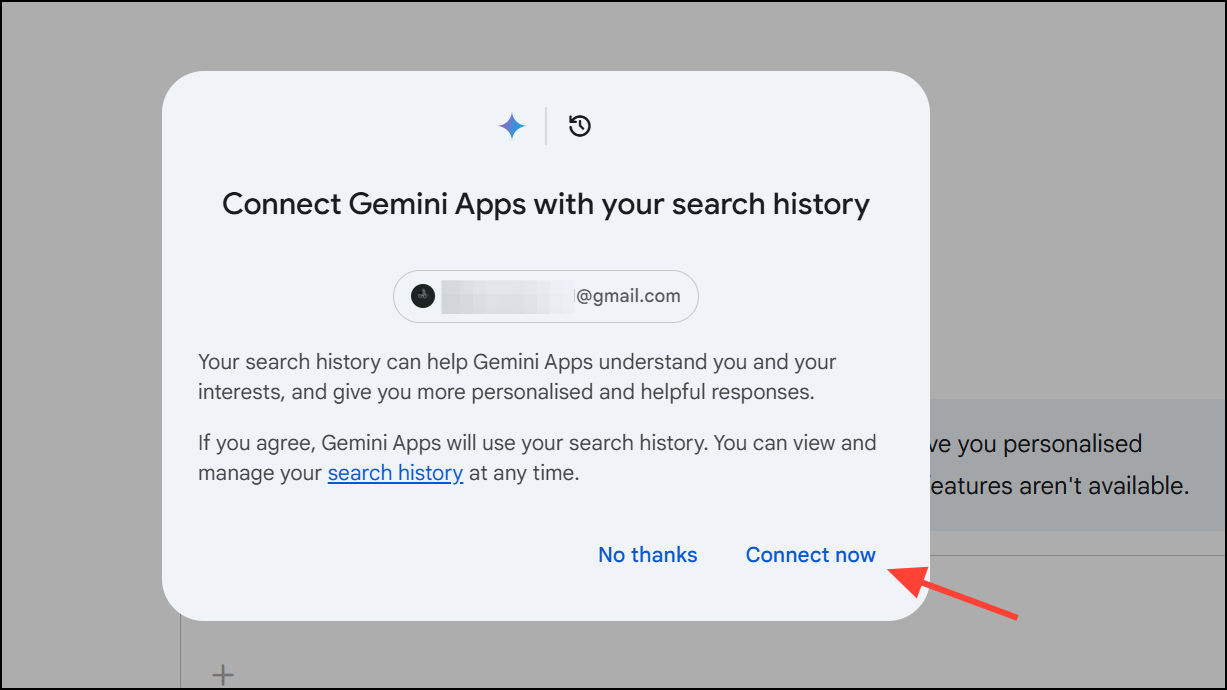
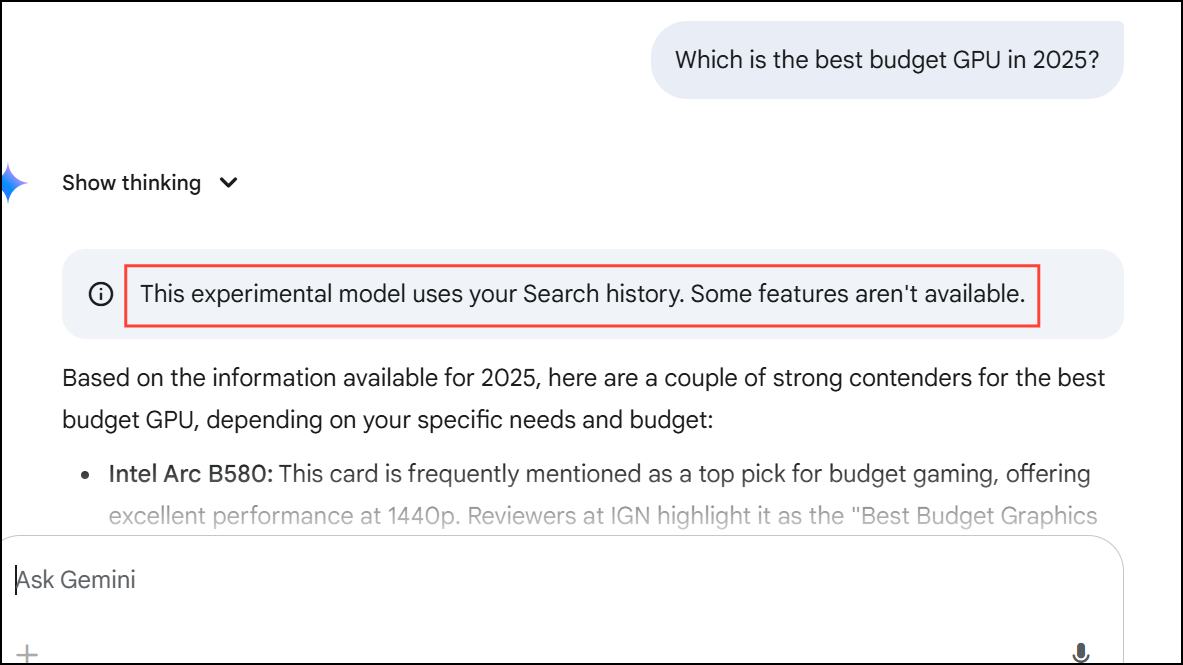
Gemini only references your Search history when its advanced reasoning model determines it will actually improve the answer. Each time your Search history is used, you’ll see a clear banner indicating the data source, along with an option to disconnect at any time.
Searching Past Gemini Chats with Keywords
Gemini’s new “Search for chats” feature makes it much easier to revisit previous conversations. Instead of scrolling through a long list of old chats, you can now search by keyword or topic and jump straight to the relevant exchange.
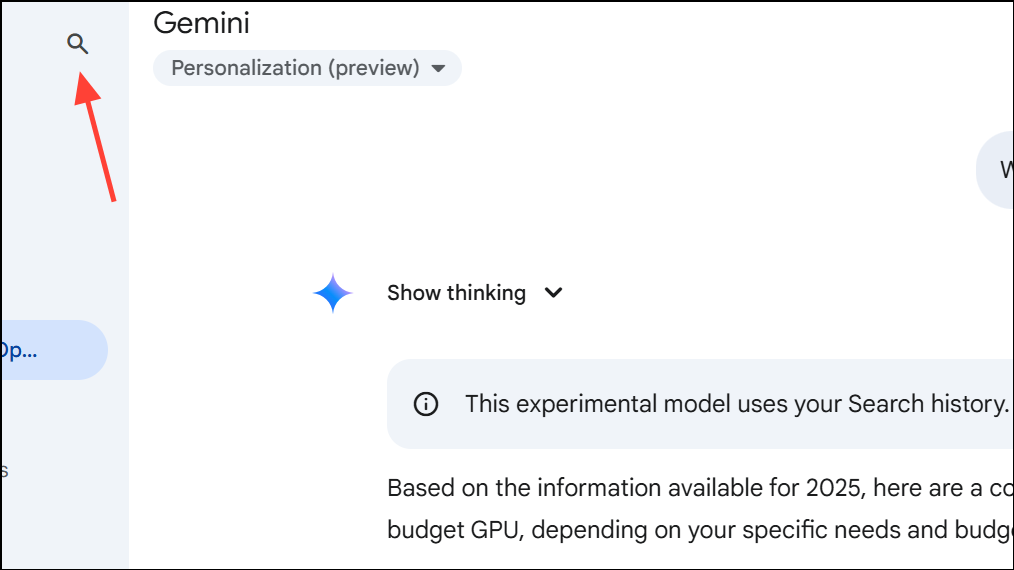
This feature is especially useful for tracking down old recommendations, retrieving information you’ve already discussed, or simply managing a high volume of interactions with Gemini.
Controlling and Disconnecting Your Search History
Google has designed Gemini’s personalization with strong privacy and transparency measures. You’re always in control of your data, and Gemini will never use your Search history without explicit permission.
Personalization (experimental) section in the Gemini interface. Above the chat box, select Disconnect your Search history and confirm your choice.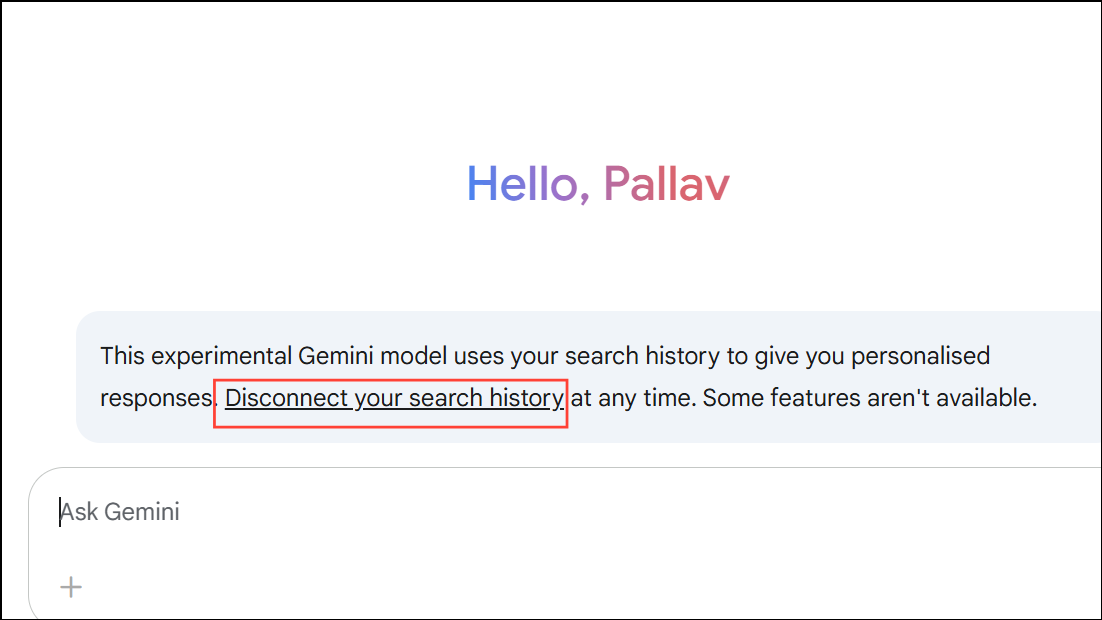
Whenever personalization is active, Gemini displays a visible notice and provides a link to review or disconnect your Search history. You can also review which data sources—such as saved info, past chats, or Search history—were used to generate each answer.
Expanding Personalization: What’s Next for Gemini
Gemini’s personalization is powered by the Gemini 2.0 Flash Thinking Experimental model, which supports advanced reasoning and context awareness. Google plans to expand Gemini’s connections to other apps, including YouTube and Photos, so the AI can deliver even more context-aware and useful responses based on your broader activity.
Early feedback from testers highlights faster, more relevant answers and a more intuitive experience, especially when asking for recommendations or follow-ups on ongoing projects. As Gemini’s integrations grow, expect more streamlined workflows and smarter suggestions that reflect your unique preferences and habits.
Gemini’s new Search history integration gives you answers that actually reflect your interests and past activity, all while keeping you in control of your data. With easy setup and clear privacy options, this update makes Google’s AI assistant much more useful and personal.





