How to Build the Stove and Cook a Dish in Permafrost
Claim the Stove recipe from Anna, place it on a foundation for 30 Scrap, then pair two ingredients for a Healthy Dish.
Claim the Stove recipe from Anna, place it on a foundation for 30 Scrap, then pair two ingredients for a Healthy Dish.
by AllThingsHow Staff
The Stove is the workstation that lets you combine two ingredients into a single meal in Permafrost. You get its recipe during the main quest House Camp Flipper, build it for a small pile of Scrap, fuel it with Coal, and then cook. Here is the exact path from unlocking the recipe to pulling a finished dish out of the panel.
Quick answer: Find and open the “Quest reward” container beside Anna Ivashchenko inside the Church at House Camp to unlock the Stove. Place it on a foundation for 30 Scrap, add Coal and press TURN ON, then set Frozen Pizza as PRIMARY and Whiskey as ENHANCER before pressing COOK.
Where the Stove recipe comes from
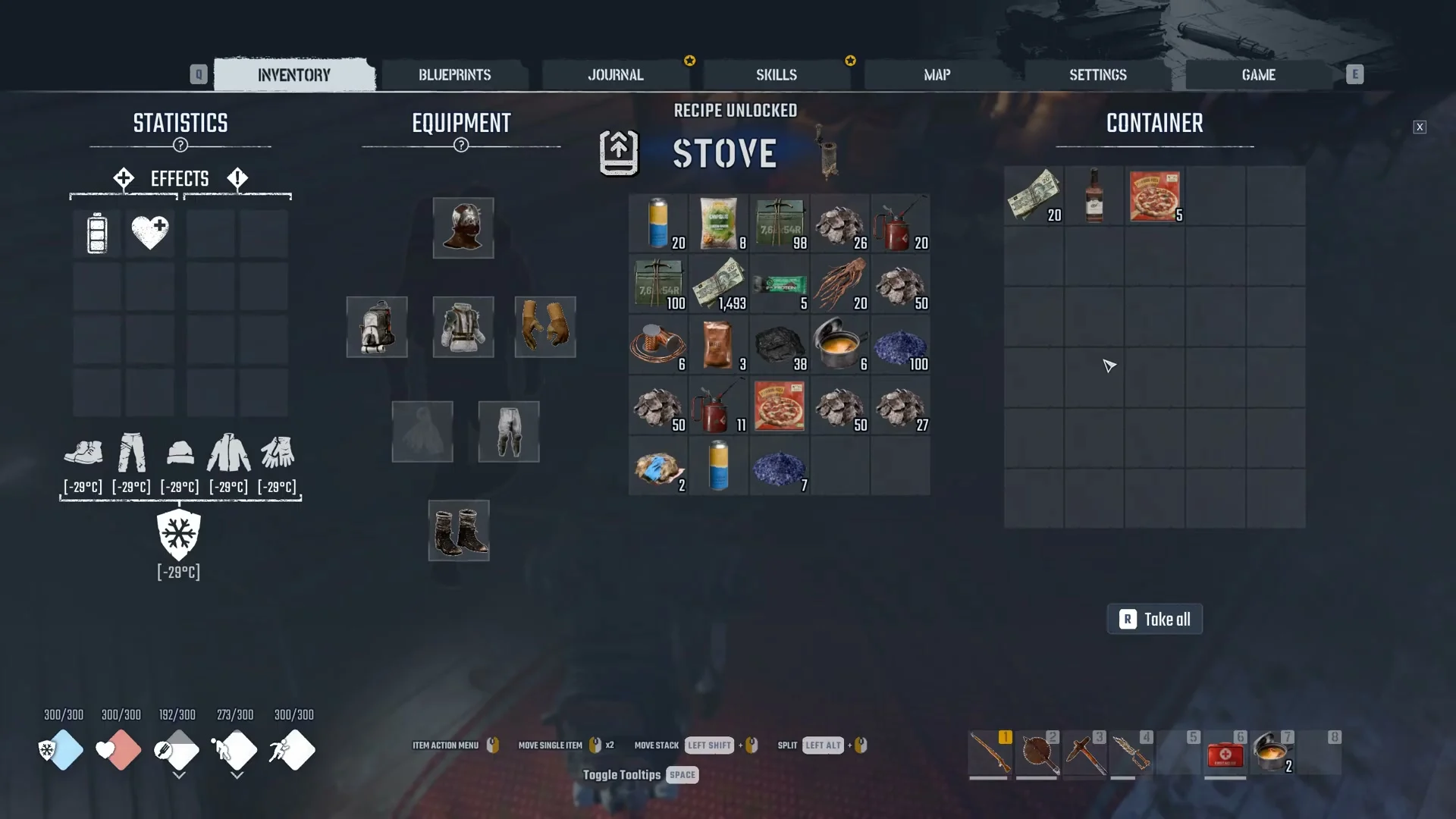
The Stove blueprint is a reward from House Camp Flipper. After the objective “Report back to Anna,” your tracker reads “Collect the blueprints from Anna.” Anna Ivashchenko sits inside the Church at House Camp, and next to her is a container labelled “Quest reward.”
Walk up to it and press F to open it. A banner reading RECIPE UNLOCKED / STOVE appears over the panel. The same container holds 20 Bucks, 1 Whiskey and 5 Frozen Pizza, so press “R Take all” to empty it. The reward container has Frozen Pizza and Whiskey for one two-ingredient dish. Your tracker then changes to “Build a Stove.”
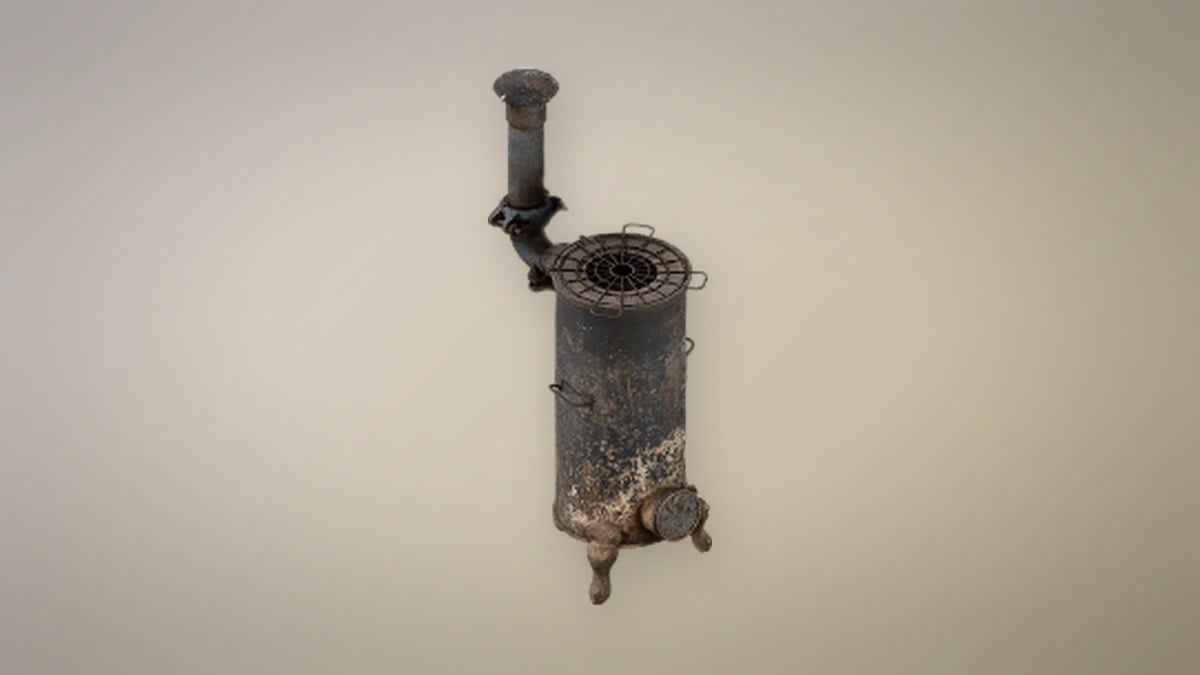
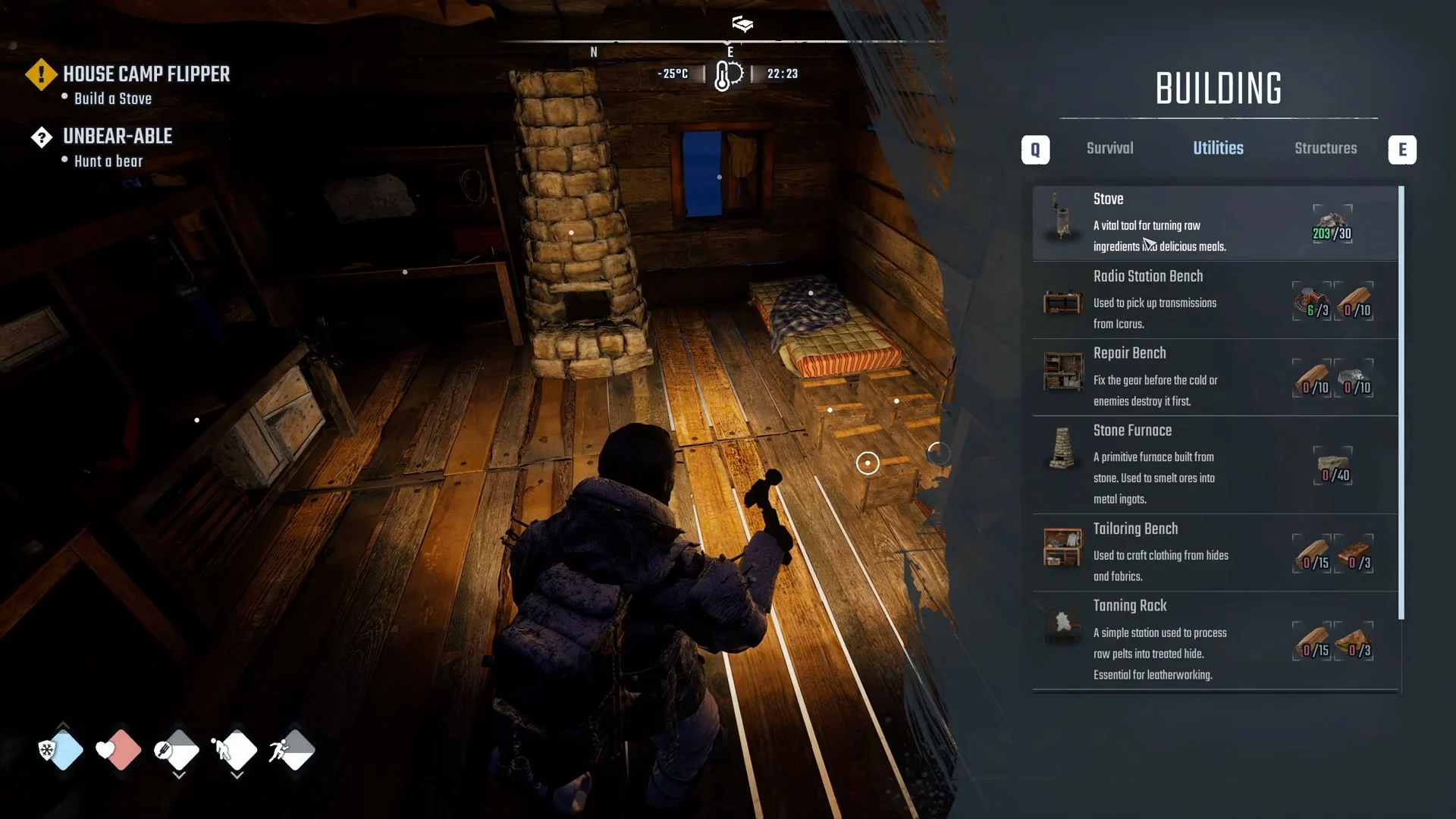
Select the Building Tool, then bring up the BUILDING menu. Its top row includes tabs such as Survival, Utilities and Structures; choose Utilities. The Stove is the first entry in that section, described in-game as a tool that turns raw ingredients into meals.
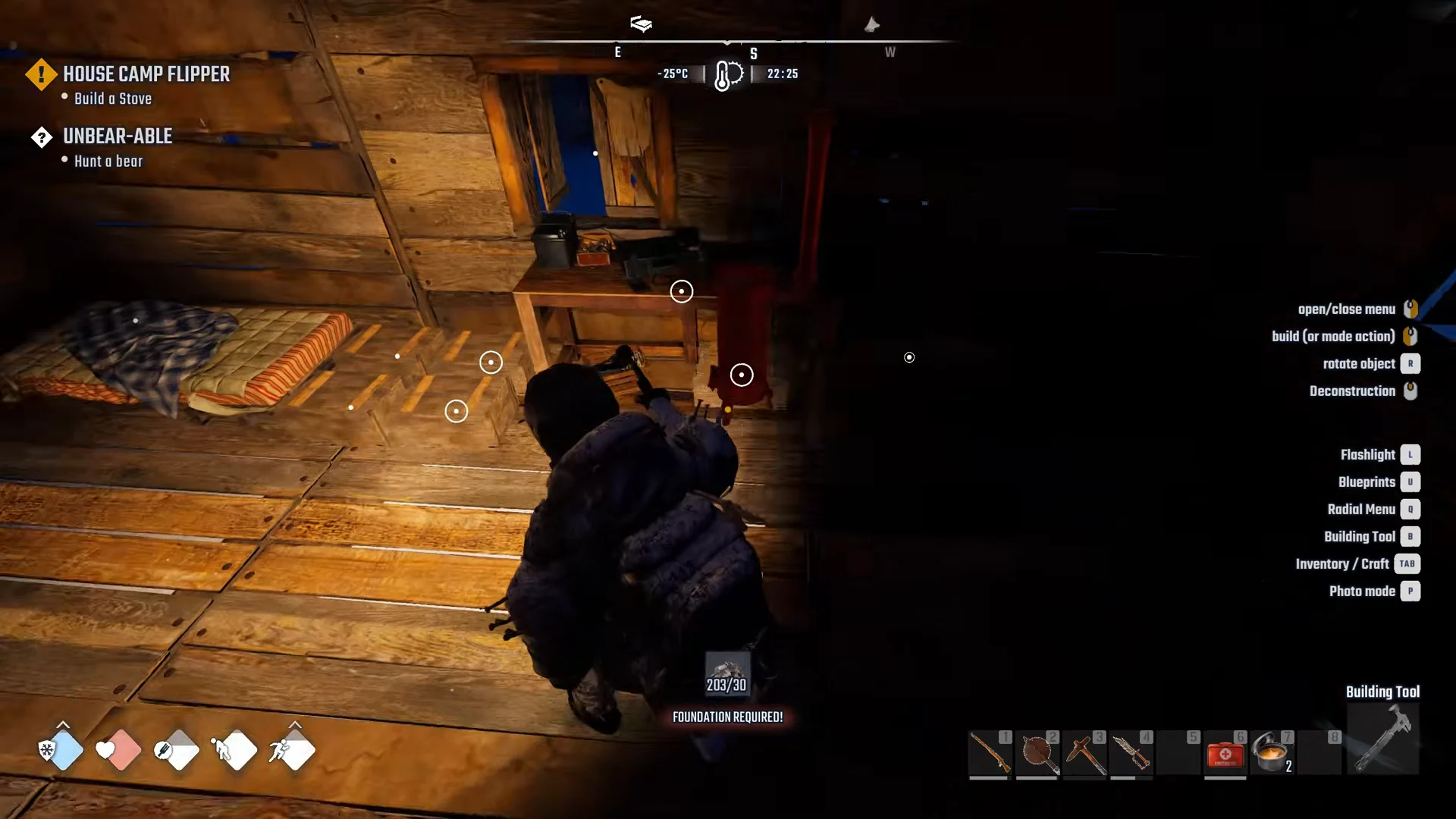
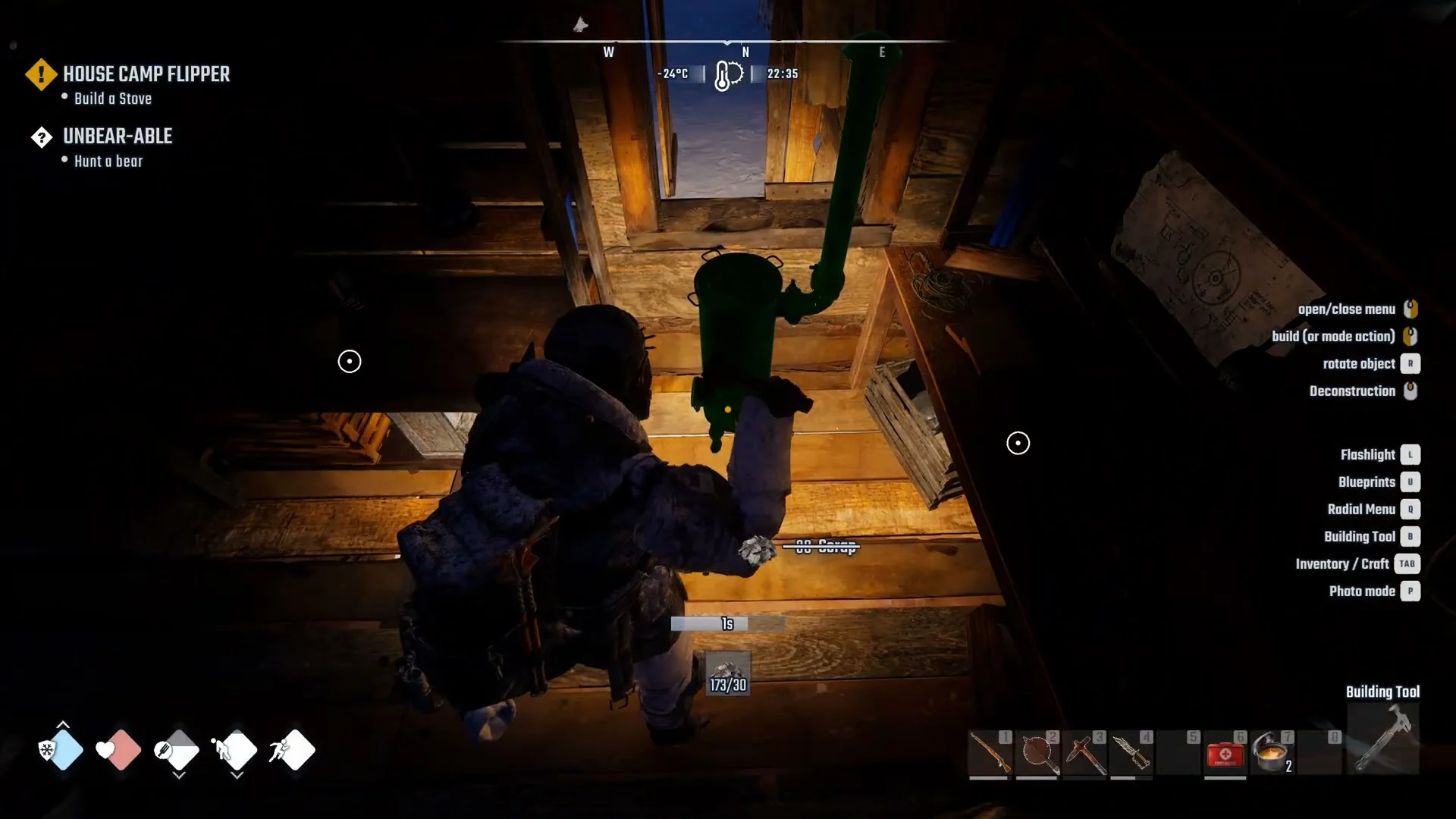
Move the placement preview onto a surface. A counter under the preview shows how much Scrap you carry against the cost. If the ground is not valid, red text reads “FOUNDATION REQUIRED!” because the Stove must stand on a foundation. Slide the preview until that red text disappears.
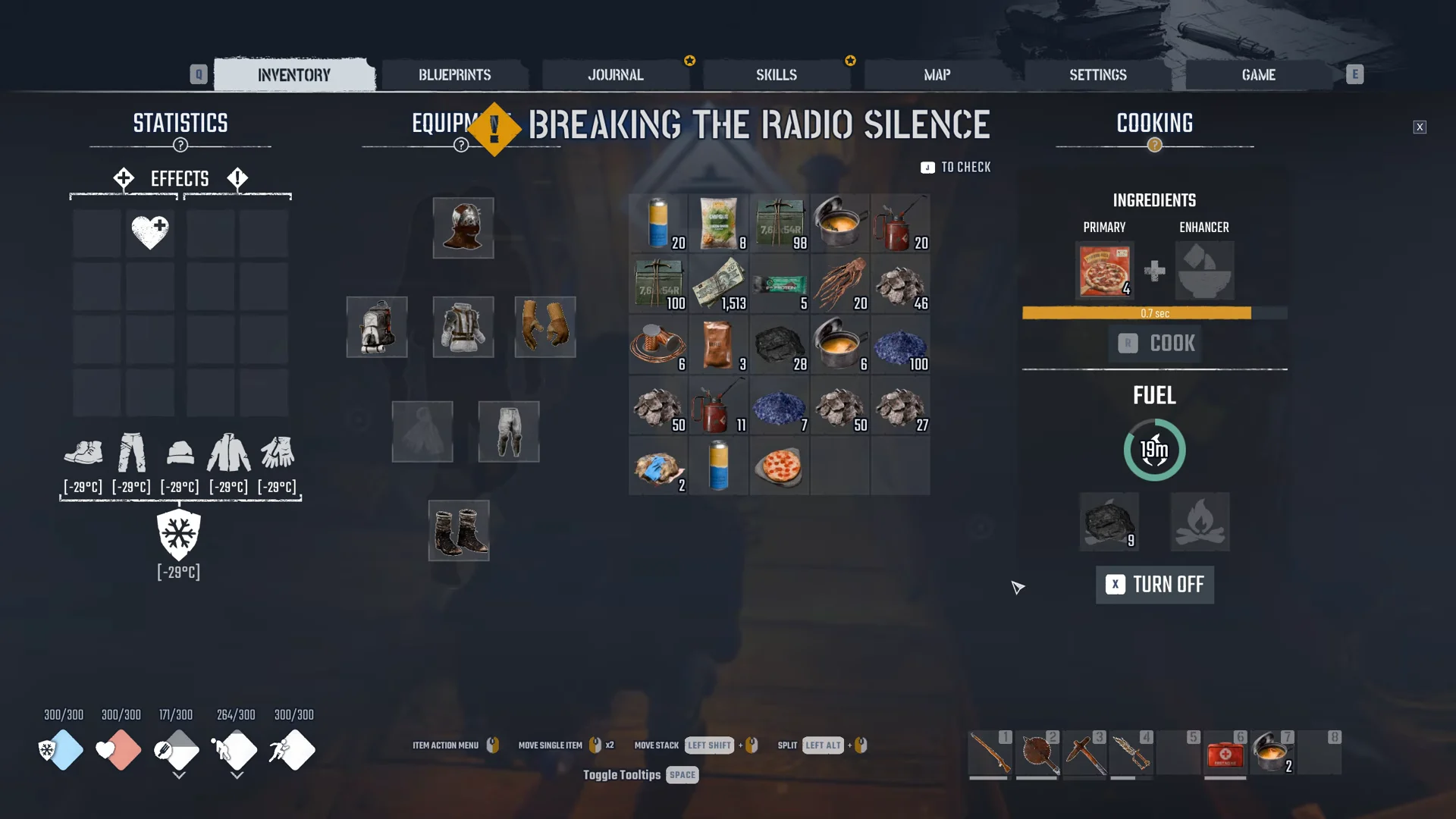
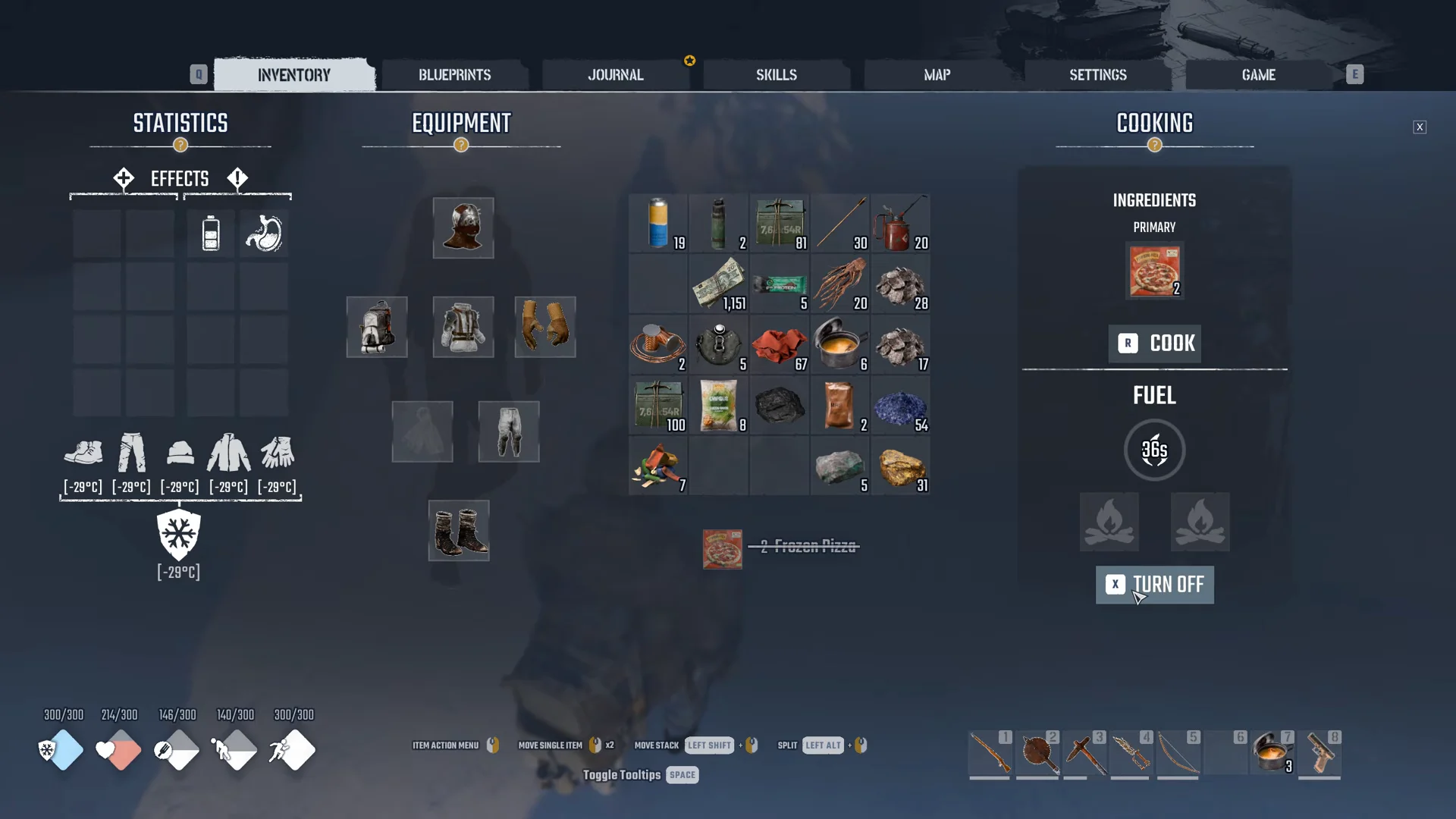
Face the built Stove and press F to bring up its COOKING panel. It has two sections. In INGREDIENTS, the PRIMARY and ENHANCER slots sit side by side with a plus sign between them and the COOK button below. FUEL shows a circular dial for the remaining time, two fuel slots underneath, and a TURN ON button that changes to TURN OFF after ignition.
Drag Coal into a fuel slot and press TURN ON. Moving 10 Coal in shows “-10 Coal,” leaves a stack of 9 in the slot, and sets the dial to 19m right after lighting.
Assign Frozen Pizza to PRIMARY and Whiskey to ENHANCER, then choose COOK. A countdown bar beneath the slots starts at 9.1 sec; five seconds later, it reads 4.1 sec.
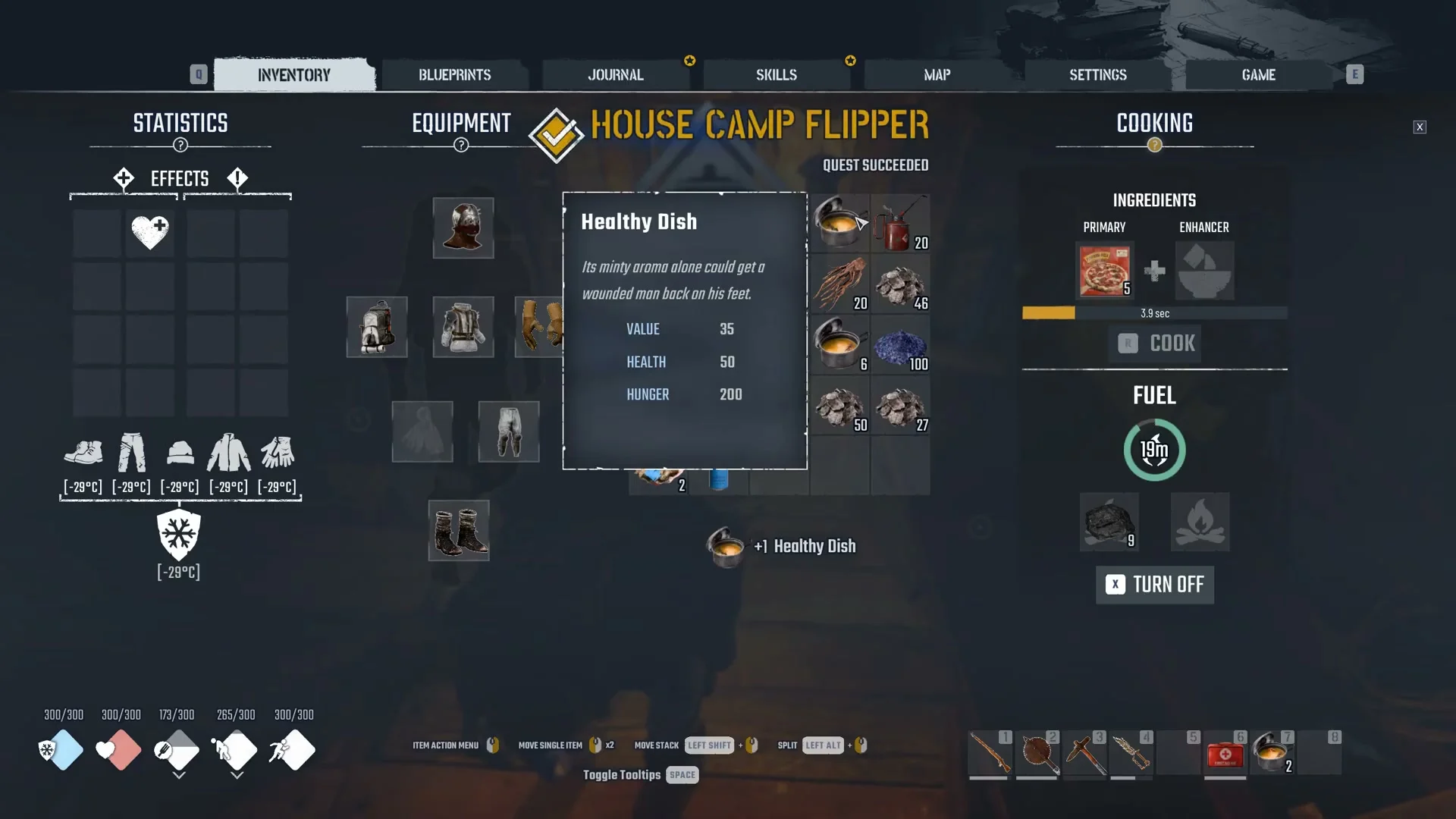
Once the bar runs out, “+1 Healthy Dish” appears. The dish has VALUE 35, HEALTH 50 and HUNGER 200. If the House Camp Flipper quest is active, HOUSE CAMP FLIPPER / QUEST SUCCEEDED appears afterward, confirming the cook counted toward the quest.
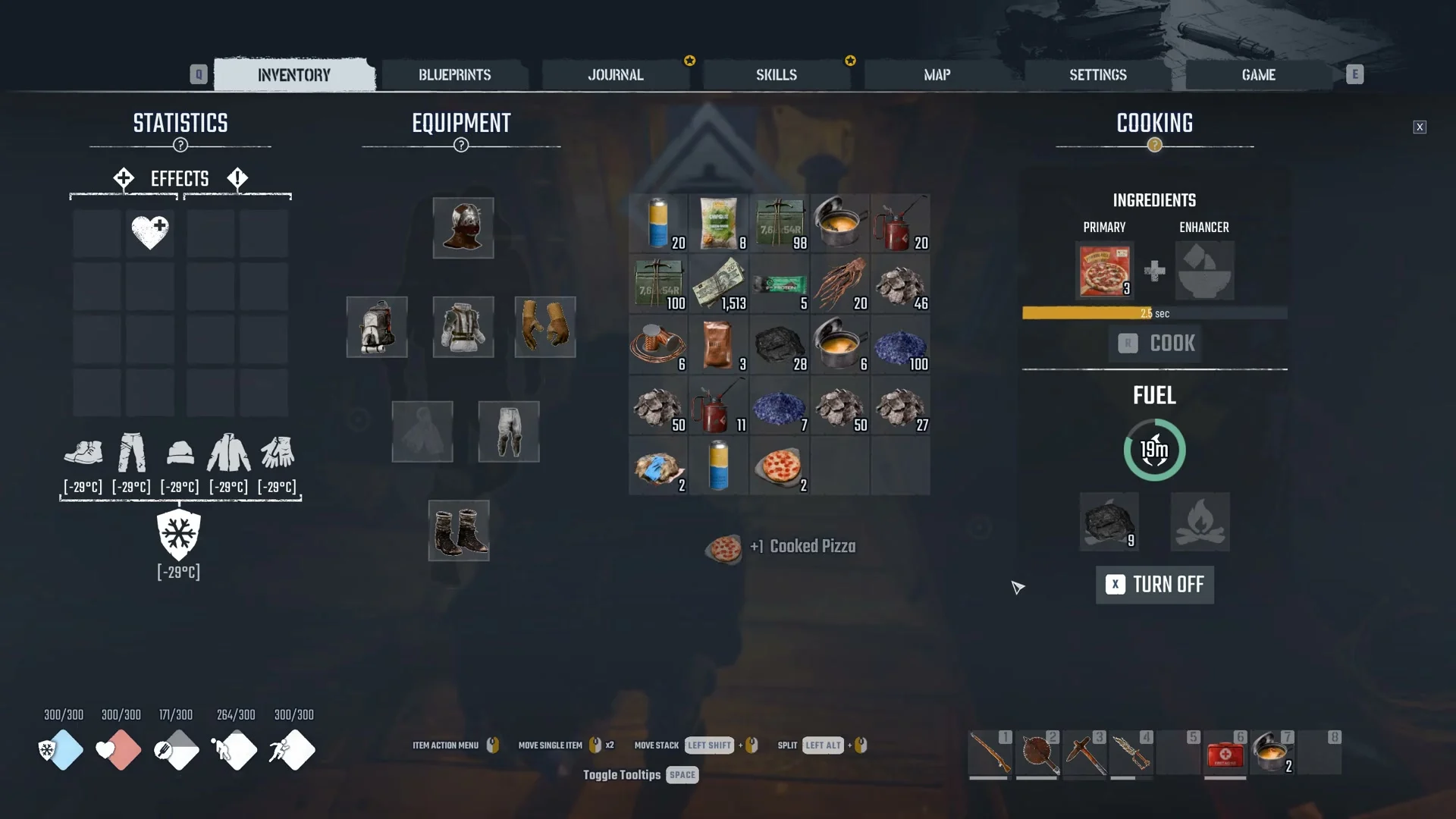
Leaving the ENHANCER slot empty still cooks. Frozen Pizza alone in PRIMARY produces a Cooked Pizza, which carries VALUE 120 and HUNGER 140. The Stove keeps working through the next Frozen Pizza in the stack each time you press COOK again.
A Campfire opens the same COOKING panel and has the same FUEL dial, two fuel slots and TURN ON / TURN OFF controls. The difference is in the ingredient area: a Campfire gives you a single PRIMARY slot and no ENHANCER slot. Frozen Pizza in that slot still cooks into a Cooked Pizza.
The two-slot recipe, such as the Healthy Dish from Frozen Pizza plus Whiskey, is what the Stove adds over a Campfire. If you want to combine an ingredient with an enhancer, you need the Stove rather than a fire.