A recurring World of Warcraft subscription keeps charging your payment method on a set cycle until you stop it yourself. You turn it off from your Battle.net account, not from inside the game, and doing so leaves your existing game time, characters, and progress untouched.
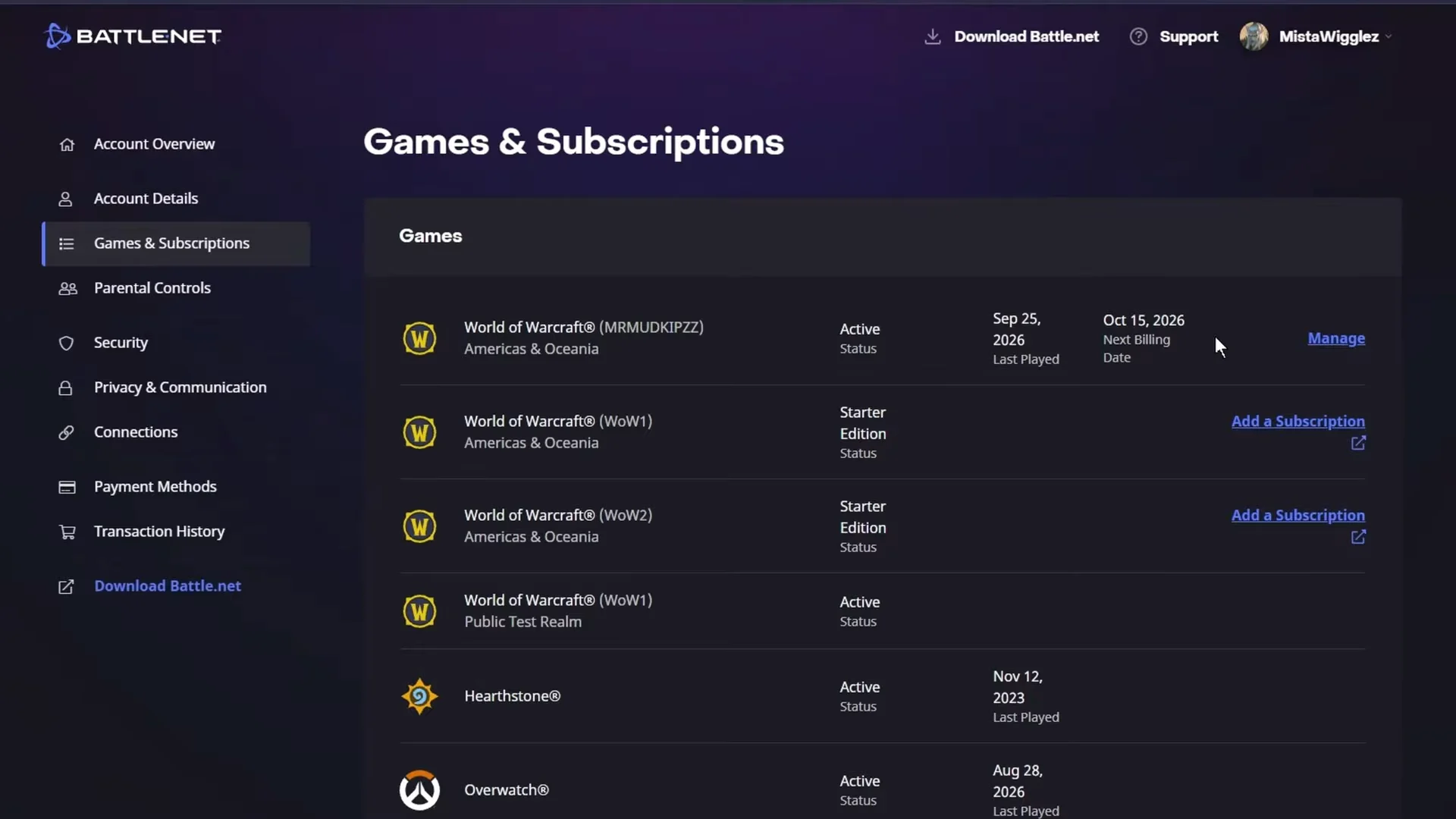
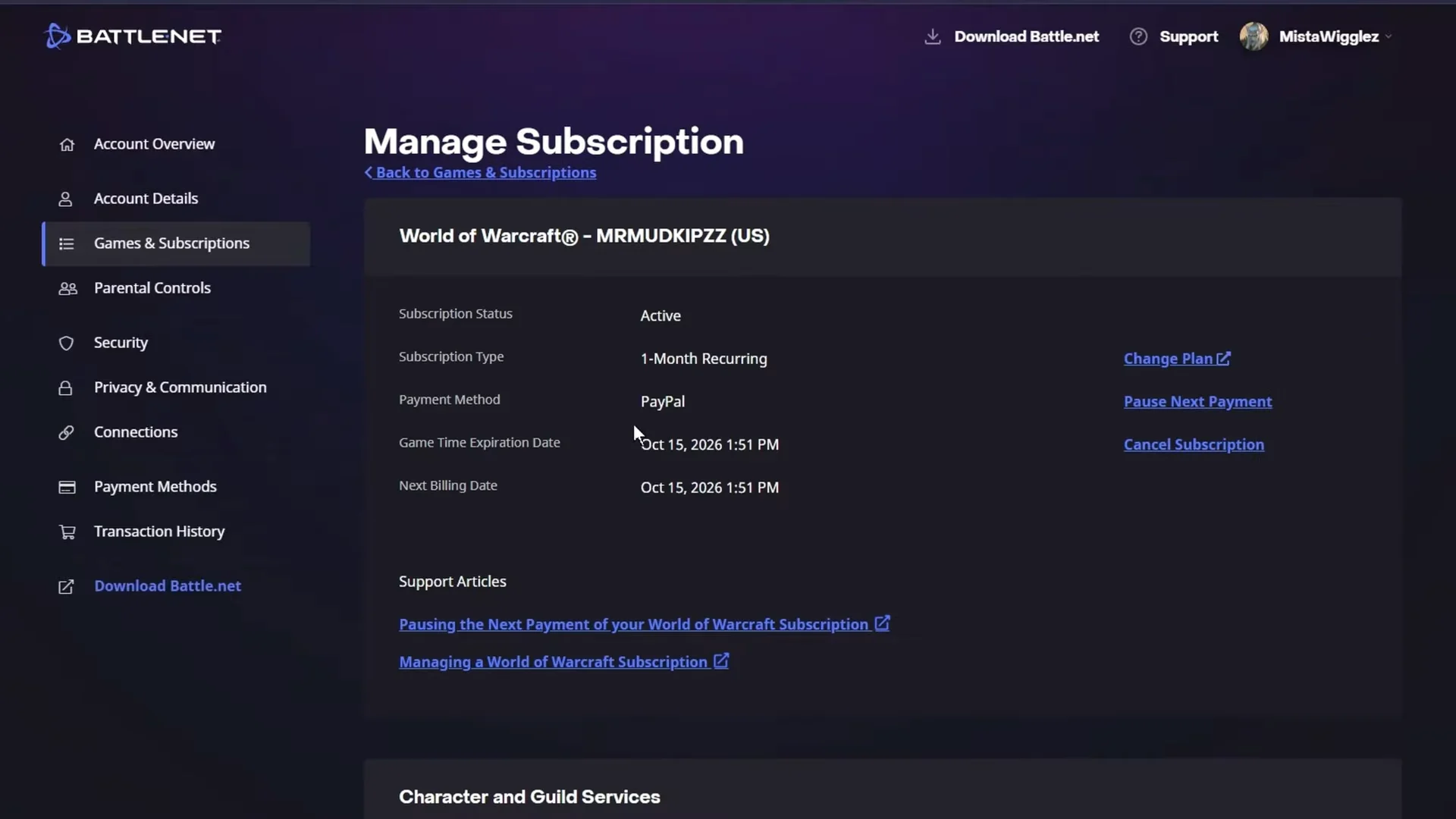
Quick answer: Log in at account.battle.net, open Games & Subscriptions, click Manage on your WoW account, then Cancel Subscription and confirm.
What canceling does and does not affect
Canceling only stops the automatic renewal. It does not cut off access immediately or wipe anything you have built.
- Your account stays fully playable until the current game time expires.
- Your characters and account progression are not deleted.
- The status changes to Inactive once your remaining time runs out.
- You can start a new subscription, add game time, or use a WoW Token whenever you want to return.
World of Warcraft subscription payments are non-refundable, so canceling early does not return money for the current billing period. You simply keep playing until that period ends.
Cancel a WoW subscription from the Battle.net site
Fix an unresponsive Cancel button on desktop
On some PC and Mac browsers the final Cancel my Subscription button does not respond. Two workarounds get around this without contacting support.
Method A: Remove the linked payment method
Open Payment Methods in the left menu and click Remove on the card or PayPal account funding the subscription. A warning explains that removing it will cancel any subscriptions attached to it. Confirm to proceed.
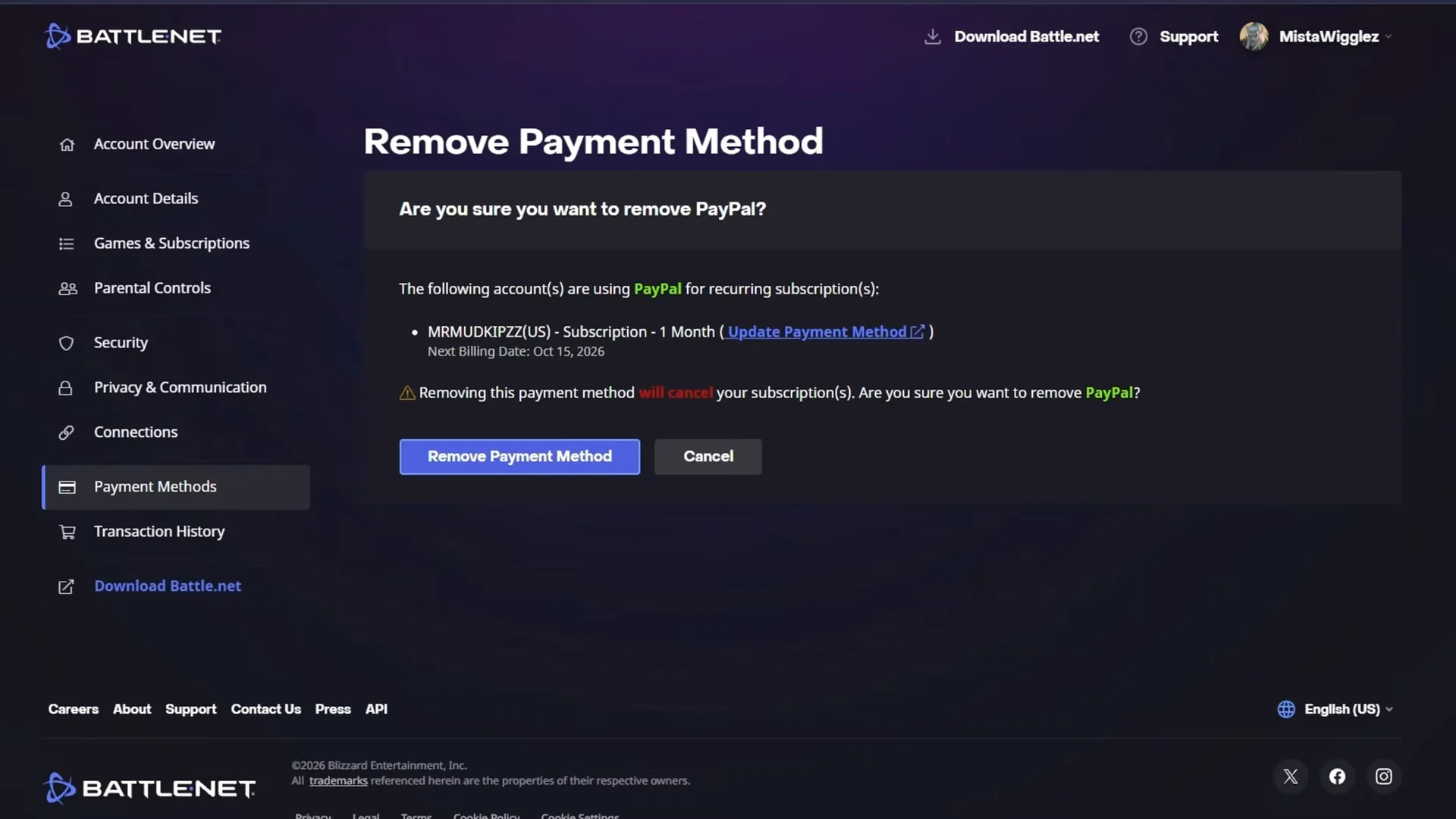
This step may fail with the message, “An error occurred. Oops! This payment method can’t be removed right now. Please try again later.” If so, use the mobile method below instead.
Method B: Cancel from a mobile browser
Open account.battle.net in a phone browser such as Safari on iOS or Chrome on Android, then run through the same cancellation steps. Mobile browsers get past the script or interface lockups that stall the desktop button, and the request goes through.
Confirm the cancellation worked
You know the cancellation succeeded when the Subscription Cancelled confirmation screen appears. It states your account and characters have not been deleted, that your subscription stays valid until your game time expiration date, and that you can resume later by adding game time, starting a new subscription, or using a WoW Token bought with in-game gold.
If you are very close to the renewal date, the subscription can enter a processing phase and the cancel option temporarily disappears. In that case, wait for the option to return or reach out to Blizzard billing support.
Consider pausing instead of canceling
If you expect to return soon, pausing your subscription offers another option and preserves some ongoing rewards. A pause still grants 250 Trader’s Tender per month. Subscribers with 6- or 12-month plans also retain access to exclusive cosmetic grants for World of Warcraft and WoW Classic as those bundles refresh. To stop charges completely, the cancellation steps above are sufficient.