Forza Horizon 6 ships without any official Spotify integration. There is no setting inside the game to link a Spotify account, and Playground Games has not built a streaming service hook into the radio system. The only way to hear your own Spotify library through the game’s actual radio dial right now is a community-made PC mod called Spotify Radio, which replaces the Streamer Mode station with a Spotify Connect endpoint.
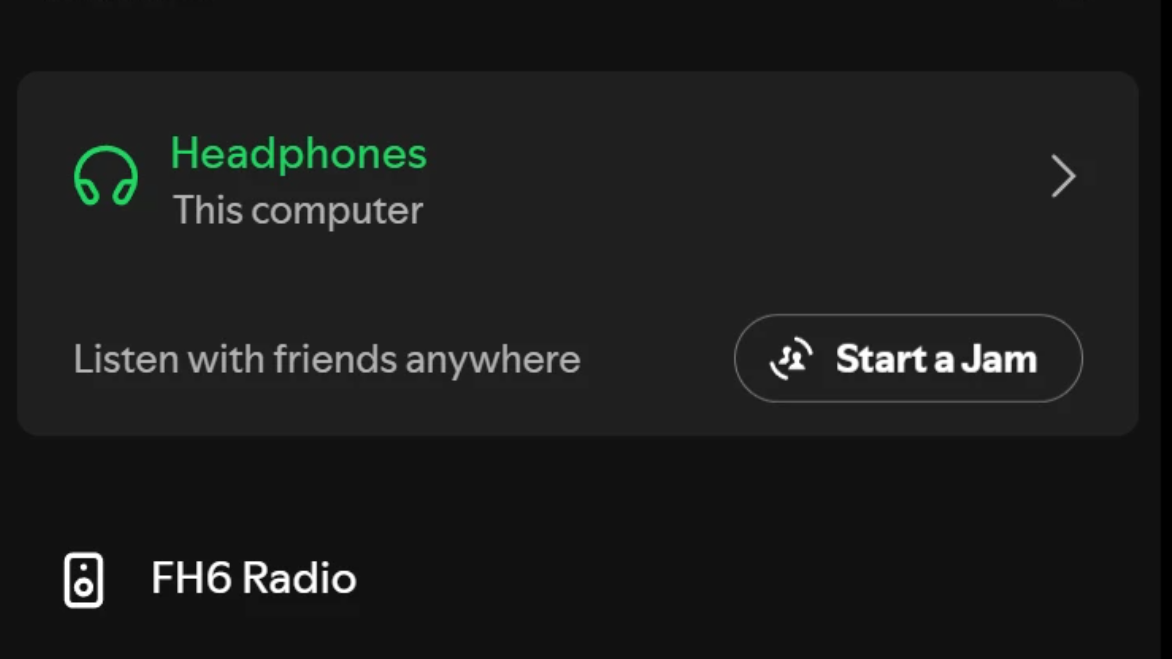
Quick answer: Install the Spotify Radio mod for Forza Horizon 6 on PC, enable Streamer Mode in the in-game audio settings, then select “FH6 Radio” as your playback device in any Spotify app on the same local network.
What Spotify Radio actually does
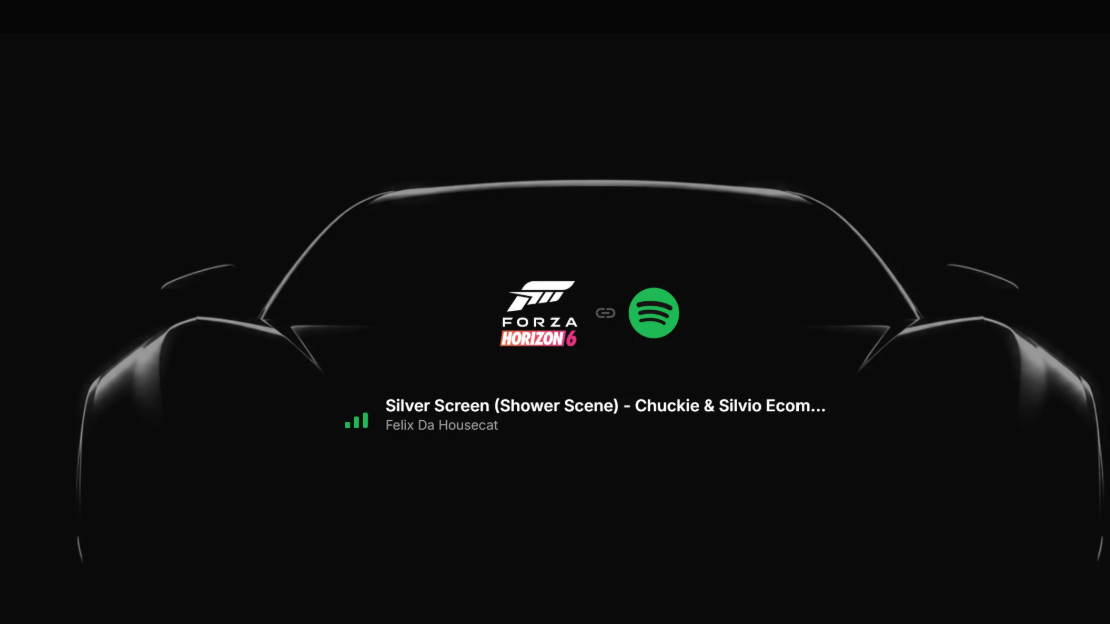
The mod takes the Streamer Mode slot (R10 on the in-game radio dial) and rebrands it as Spotify Radio. While Forza Horizon 6 is running, your PC shows up inside the Spotify app as a Connect device named “FH6 Radio.” Picking that device from your phone, desktop, or browser pipes your Spotify audio through the game’s own radio bus instead of just playing it over the top of game audio.
Because the audio rides the in-game radio path, normal Forza behavior still applies. Music volume sliders affect it, menu transitions fade it the way they fade the built-in stations, and the radio HUD card shows the current track title and artist as live metadata.
Requirements before you start
| Requirement | Detail |
|---|---|
| Game version | Forza Horizon 6 on Steam or Microsoft Store / Game Pass (PC only) |
| Spotify account | Premium subscription (free accounts are blocked by Spotify on unofficial Connect devices) |
| Spotify client | Phone, desktop, or browser app on the same local network as your PC |
| In-game settings | Streamer Mode set to On, Radio DJ set to Off |
| Network | Local network discovery allowed through your firewall |
Console players are out of luck. The mod only loads on the PC build because it relies on dropping a DLL next to the game executable, which the Xbox versions do not allow.
Install the Spotify Radio mod
forzahorizon6.exe. Allow it to overwrite when prompted.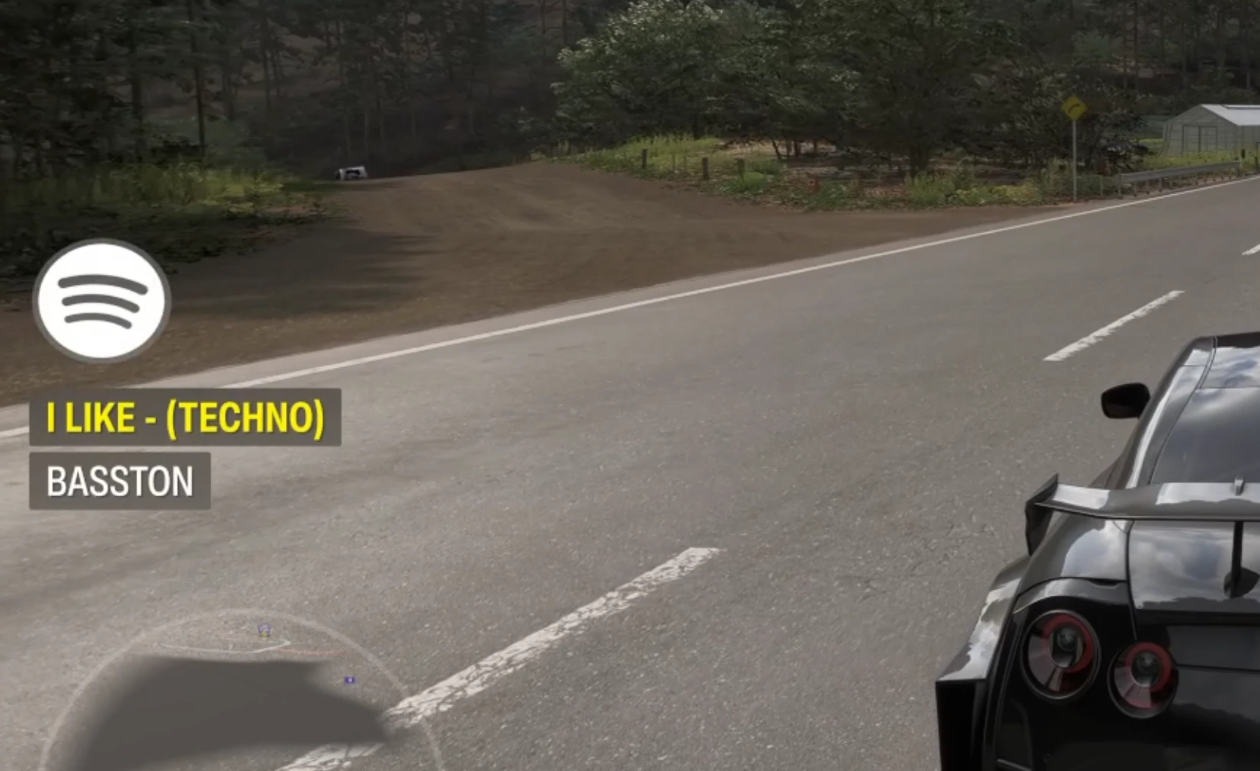
If it isn’t working
| Problem | Fix |
|---|---|
| “FH6 Radio” doesn’t appear in Spotify | Make sure the game is running, your Spotify device is on the same Wi-Fi or LAN as your PC, and your firewall allows local network discovery. |
| Device connects but there’s no sound | Confirm Streamer Mode is On in Audio settings and that the in-game radio is tuned to Spotify Radio / R10. Open localhost in a browser to check the status dashboard. |
| Audio is too loud or doesn’t duck in menus | Switch to a different station or No Sound, then switch back to Spotify Radio. This forces the radio audio path to reattach. |
| Track title and artist don’t show | Let playback run for a few seconds, then toggle off Spotify Radio and back on once to refresh the HUD card. |
| Spotify says “Get Spotify Premium to listen” | Free Spotify accounts can’t play to unofficial Connect devices. A Premium subscription is required. |
How to uninstall it
To remove the mod cleanly, delete version.dll from the Forza Horizon 6 directory along with the spotify-radio folder. On Steam, run Verify integrity of game files afterward to restore any replaced game assets to their stock versions. On Game Pass, repair the install through the Xbox app.
The official answer is still no
If you’d rather avoid mods, there is no first-party way to link Spotify to Forza Horizon 6. You can run Spotify in the background on any platform and alt-tab or use media keys to control it, but the audio will not duck during menus, sync with the radio HUD, or respect in-game music volume. Playground Games built nine radio stations into the game, ranging from Horizon Pulse and Horizon Bass Arena to the new Gacha City Radio and returning Hospital Records, and the studio publishes official Spotify playlists for each station if you want curated cruising music without touching mods.
For console players, that’s currently the ceiling. For PC players who want their own library on the dial, Spotify Radio is the only route that makes it feel like a real in-game station rather than music playing over the top.