
Dell error code 0142, also displayed as error code 2000-0142, signifies a hard drive issue detected by your Dell computer’s built-in diagnostics. This error typically appears when your system fails the hard drive self-test, indicating potential hardware problems. Common symptoms include boot-up difficulties, data corruption, or system instability. Fortunately, you can usually address this issue by following a few straightforward troubleshooting steps.
Method 1: Check and Reseat SATA Cable Connections
A loose or damaged SATA cable connecting your hard drive to the motherboard often triggers error code 0142. Ensuring these connections are secure can resolve the issue quickly.
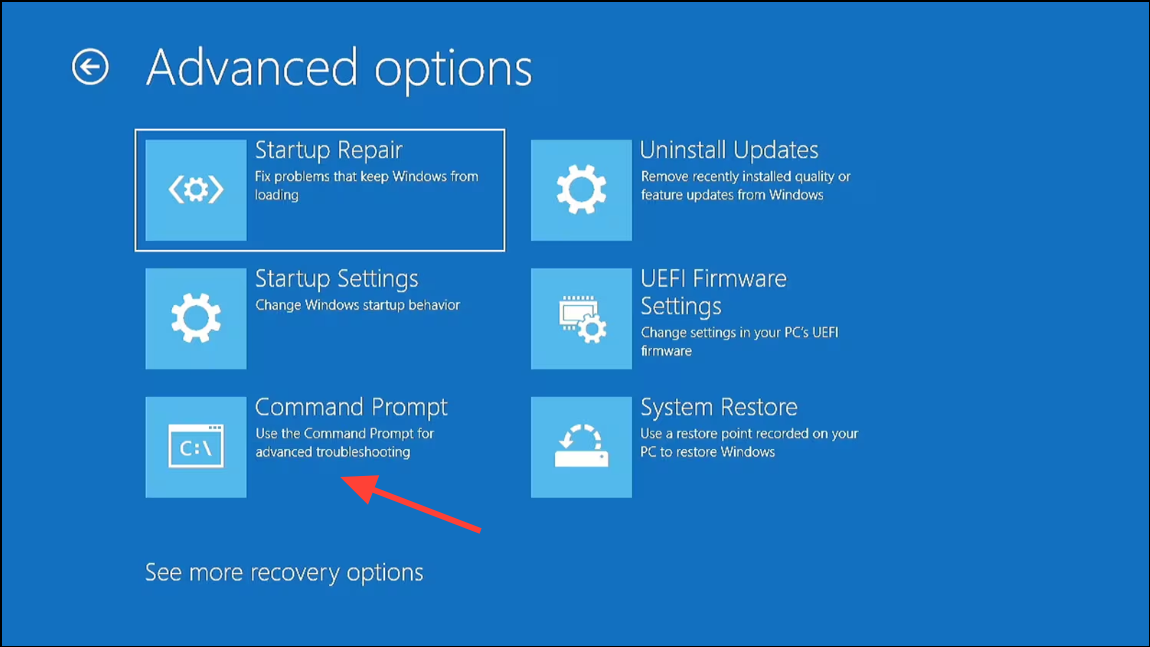
F12 key during boot-up and selecting “Diagnostics.” If the error persists, consider replacing the SATA cable with a new one.Method 2: Run CHKDSK Utility to Repair Hard Drive Sectors
Corrupted sectors or file system errors can lead to error code 0142. Running the built-in CHKDSK utility can help repair these errors.
chkdsk /f /r C: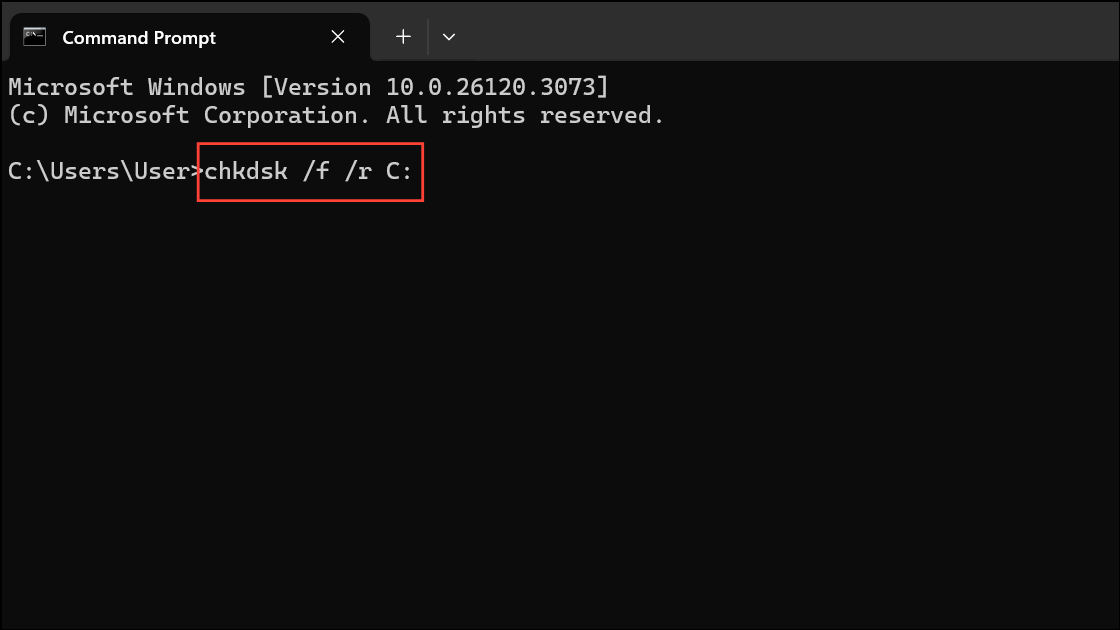
This command scans your drive (assuming C: is your system drive) for errors, repairs bad sectors, and attempts to recover readable information.
Method 3: Repair Master Boot Record (MBR)
A corrupt Master Boot Record (MBR) can prevent your system from booting correctly, triggering error code 0142. Repairing the MBR can resolve this issue.
bootrec.exe /fixmbr
bootrec.exe /fixboot
bootrec.exe /rebuildbcd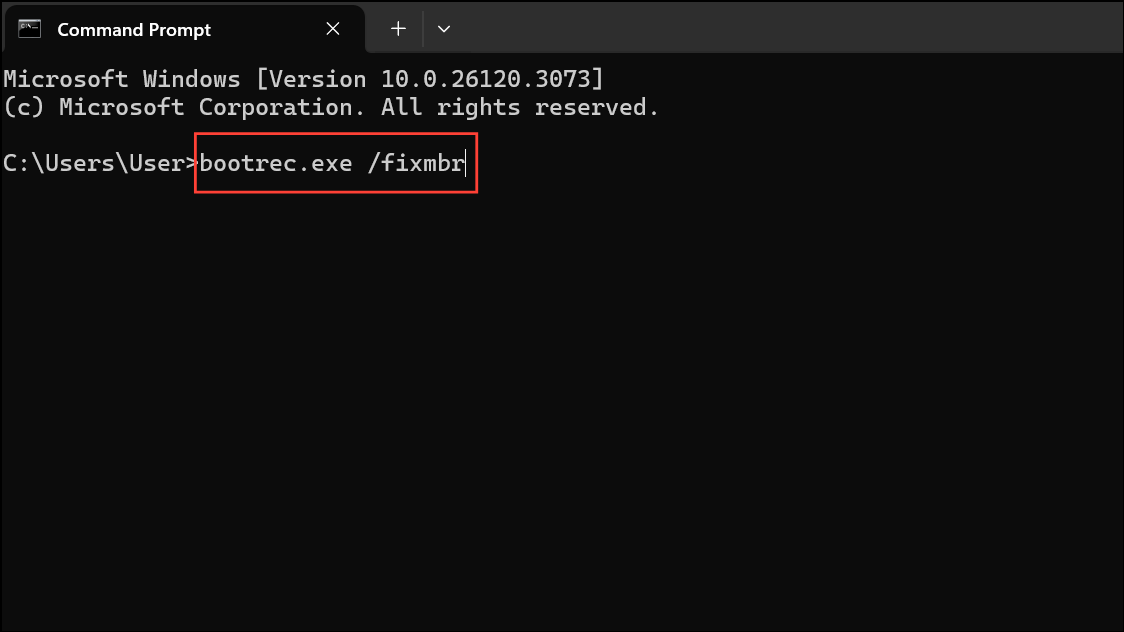
exit and press Enter to close Command Prompt. Restart your computer to check if the error is resolved.Method 4: Reinstall Windows Operating System
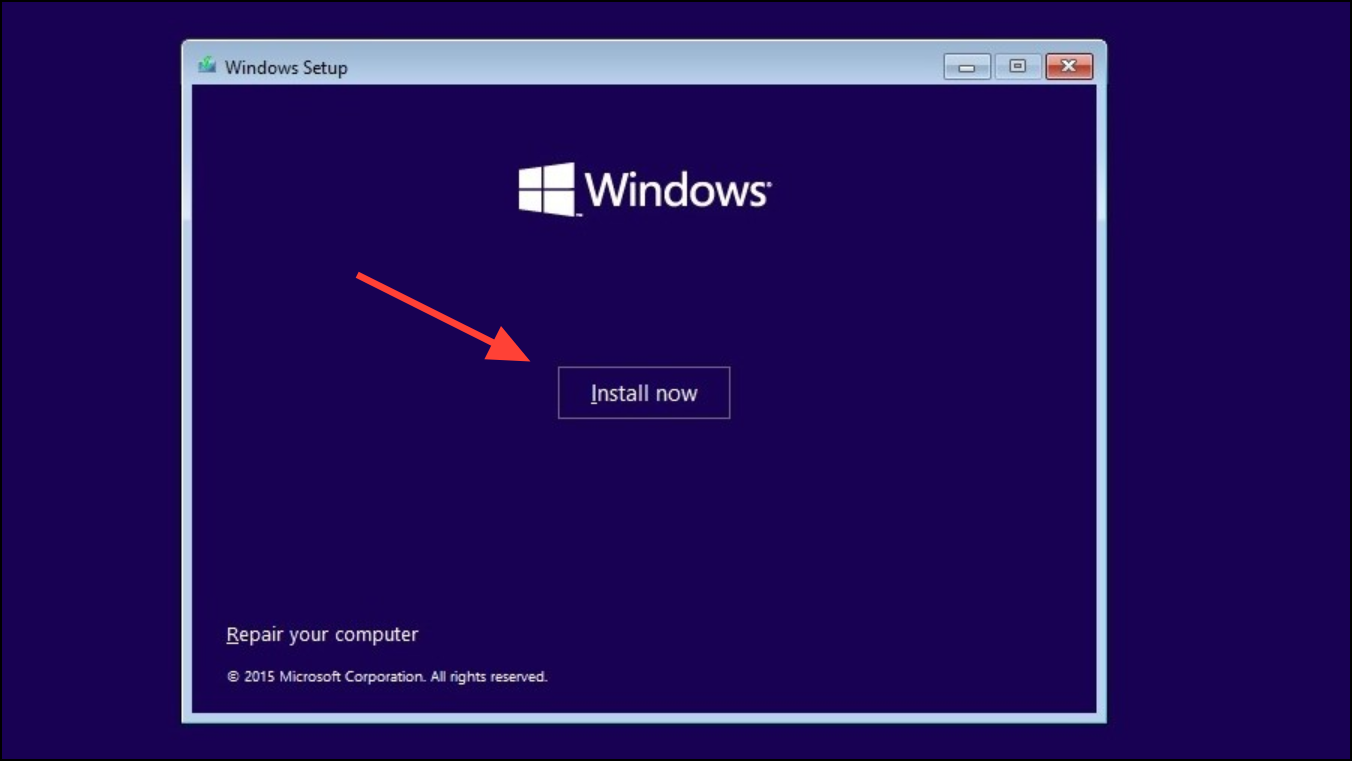
If the above methods fail, reinstalling Windows can resolve underlying software corruption causing error code 0142. Remember, reinstalling Windows will erase your data, so ensure you have a backup beforehand.
Method 5: Replace Your Hard Drive
If none of the methods above work, your hard drive may have experienced a permanent hardware failure. In this case, replacing it is the only option.
Replacing your hard drive with an SSD is recommended as it significantly improves boot times and overall system performance.
By following these steps, you can effectively address Dell error code 0142 and restore your computer’s functionality. If your system is still under warranty, consider contacting Dell Support for a replacement drive or further assistance.





