
The error message “The document could not be opened” at ./connectivity/source/commontools/dbexception.cxx:179 typically occurs when LibreOffice-Base encounters issues accessing your database file. This issue prevents users from opening their Base documents, restricting access to important data and disrupting workflow. Fortunately, you can resolve this problem by following these detailed troubleshooting steps.
Method 1: Repair the Database File
Close LibreOffice completely. Ensure that no LibreOffice processes are running in the background. You can verify this by opening your system’s task manager or process monitor and ending any tasks related to LibreOffice.
Locate your LibreOffice Base database file, typically ending with the
.odb extension. Make a backup copy of this file by copying and pasting it to another location, such as your desktop or an external drive. This backup ensures your data remains safe if further troubleshooting steps affect the file.Open LibreOffice Writer or Calc (not Base). From the menu at the top, click on
Tools and then click on Options.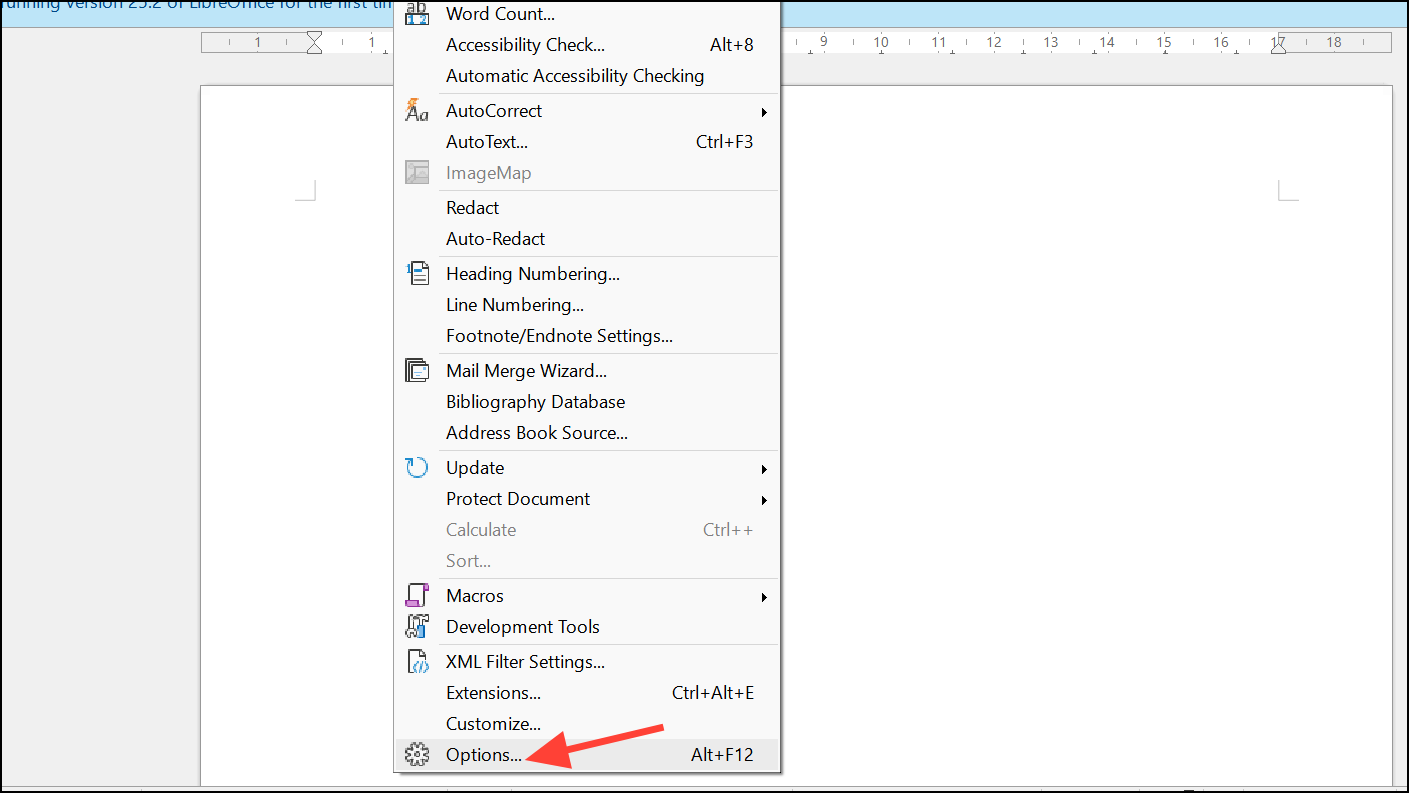
Go to
LibreOffice then Advanced. Here, ensure that the option Use a Java runtime environment is checked and a valid Java installation is selected. LibreOffice Base heavily depends on Java, and misconfiguration often leads to database errors.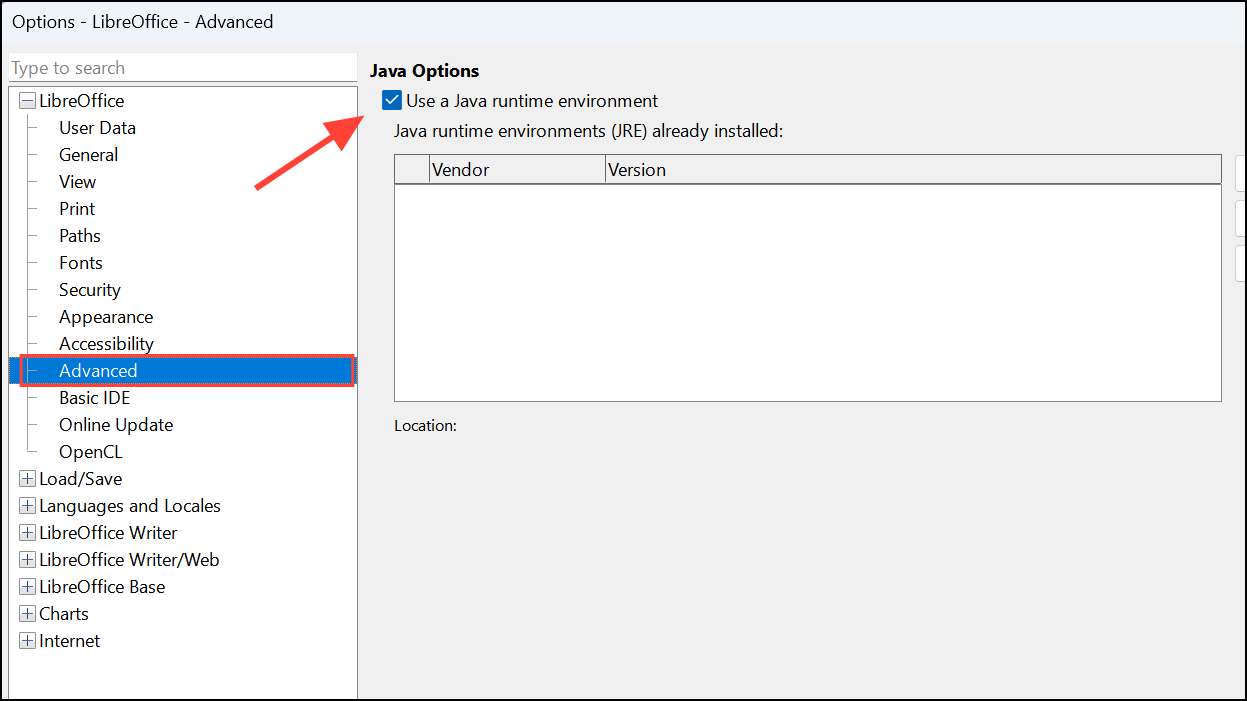
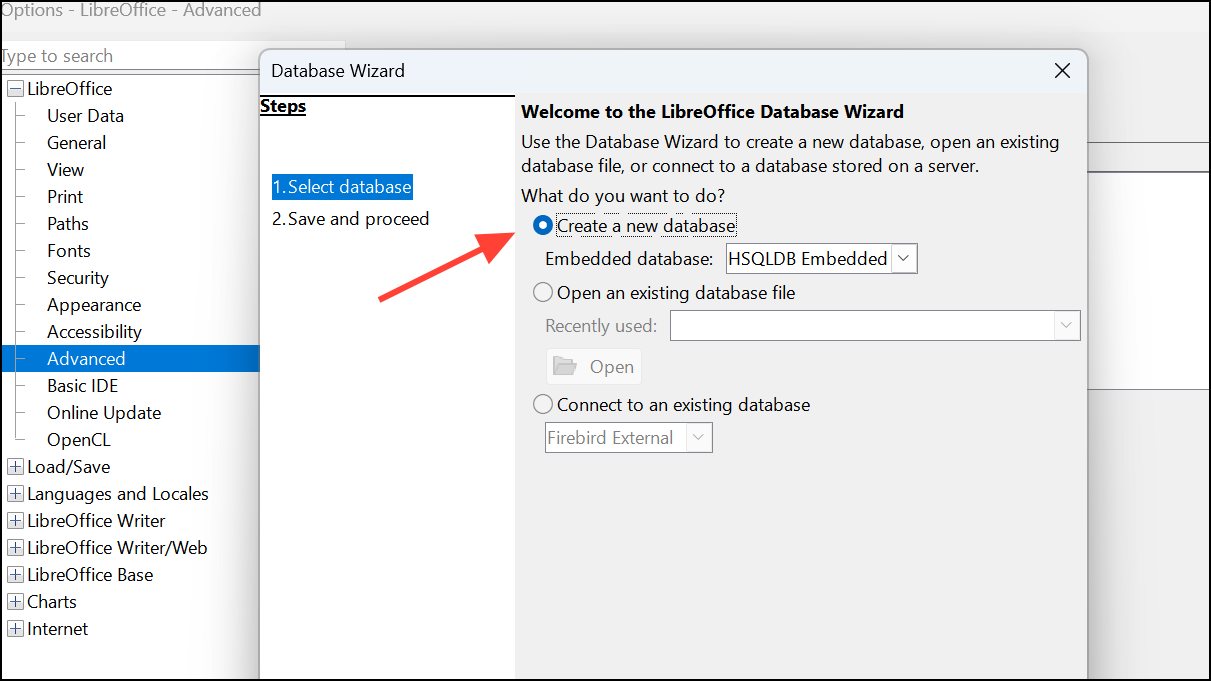
After confirming the Java settings, launch LibreOffice Base again. Instead of opening your existing file directly, create a new empty database file. Once this new database opens successfully, close it without making changes.
Now, attempt to open your original database file again. If the file opens successfully, the issue was likely related to Java settings or a temporary file lock. If the issue persists, continue to the next method.
Method 2: Extract and Rebuild the Database
LibreOffice Base database files (
.odb) are essentially ZIP archives. Rename your problematic database file from filename.odb to filename.zip. Confirm any system prompts to change the file extension.Extract the contents of the newly renamed ZIP file into a new folder. Inside this folder, locate the
database folder that contains your database data in files like data, script, and properties.Rename this new file from
newfile.odb to newfile.zip. Extract its contents into another temporary folder.Replace the
database folder in the new database extraction with the one you previously extracted from your problematic database. After replacing the folder, select all contents of the new temporary folder and compress them back into a ZIP file.Rename the newly created ZIP file back to
newfile.odb. Open this file with LibreOffice Base. Your database should now open successfully without errors.Method 3: Update or Reinstall LibreOffice
If the above methods fail, the issue might be due to corrupted LibreOffice installation files. First, uninstall LibreOffice from your system using your operating system’s standard uninstallation process.
Download the latest stable version of LibreOffice from the official LibreOffice download page. Install it following the standard installation prompts. Ensure you select the option to install Java support during installation, as this is crucial for Base.
After installation, open your database file again. A fresh installation often resolves underlying issues related to corrupted system files or dependencies.
After following these methods, your LibreOffice Base database should open normally, allowing you to access your data without issue. Regularly backing up your database files and keeping LibreOffice updated can prevent similar errors from occurring in the future.





