ARC Raiders players have been hitting a wall since the game’s October 2025 launch — a login-blocking “Online Connection Error” that displays error code ARAU0137 (and sometimes ARAU0287) right after the splash screen. The error prevents any connection to online services, and standard troubleshooting like reinstalling, clearing save data, changing DNS settings, or power cycling the console does not resolve it. The problem affects Xbox Series X|S, PC, handheld Windows devices like the ROG Ally, and occasionally PS5.
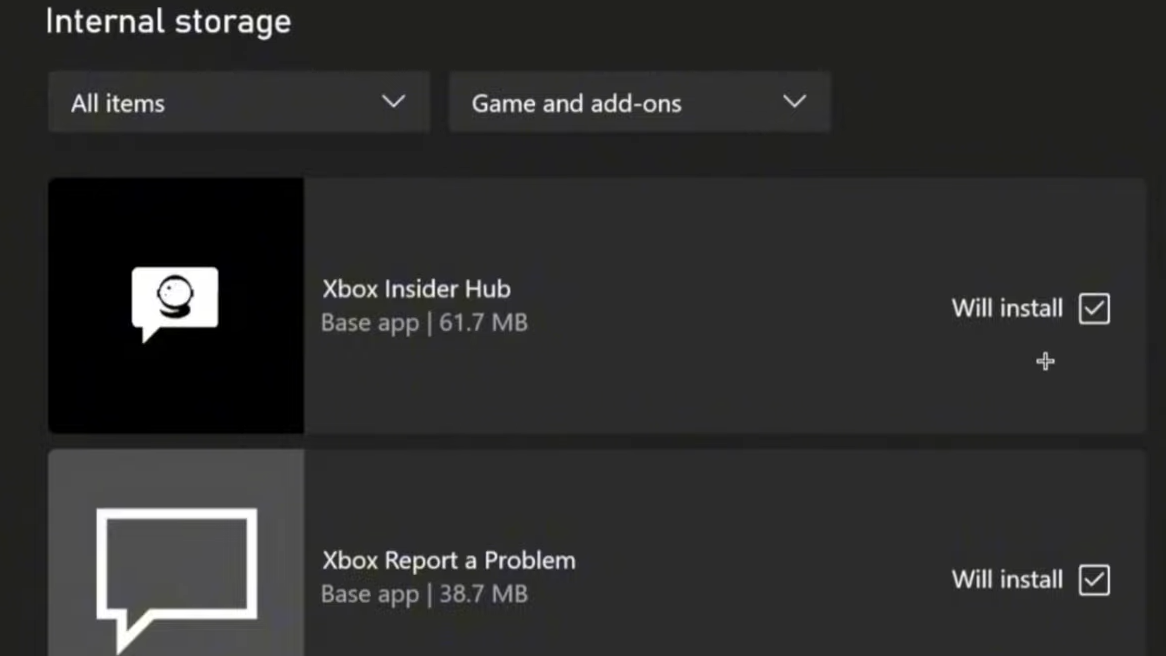
Quick answer: On Xbox Series X, install the Xbox Insider Hub, join the Xbox Update Preview (Omega ring), let the console update, reboot, and launch ARC Raiders. You also need an active Game Pass subscription (even the cheapest Core tier) on the account launching the game.
Why ARAU0137 happens
ARAU0137 fires when ARC Raiders fails to complete its connection handshake with Embark Studios’ online services. The root cause on Xbox is a mismatch between the console’s OS build and a newer network component that ARC Raiders depends on. Public Xbox OS builds shipped without this component for months after launch, meaning the game simply could not authenticate. The Omega ring of the Xbox Insider Program delivers an OS build that includes the required networking update, which is why joining it resolves the handshake failure on most Series X consoles.
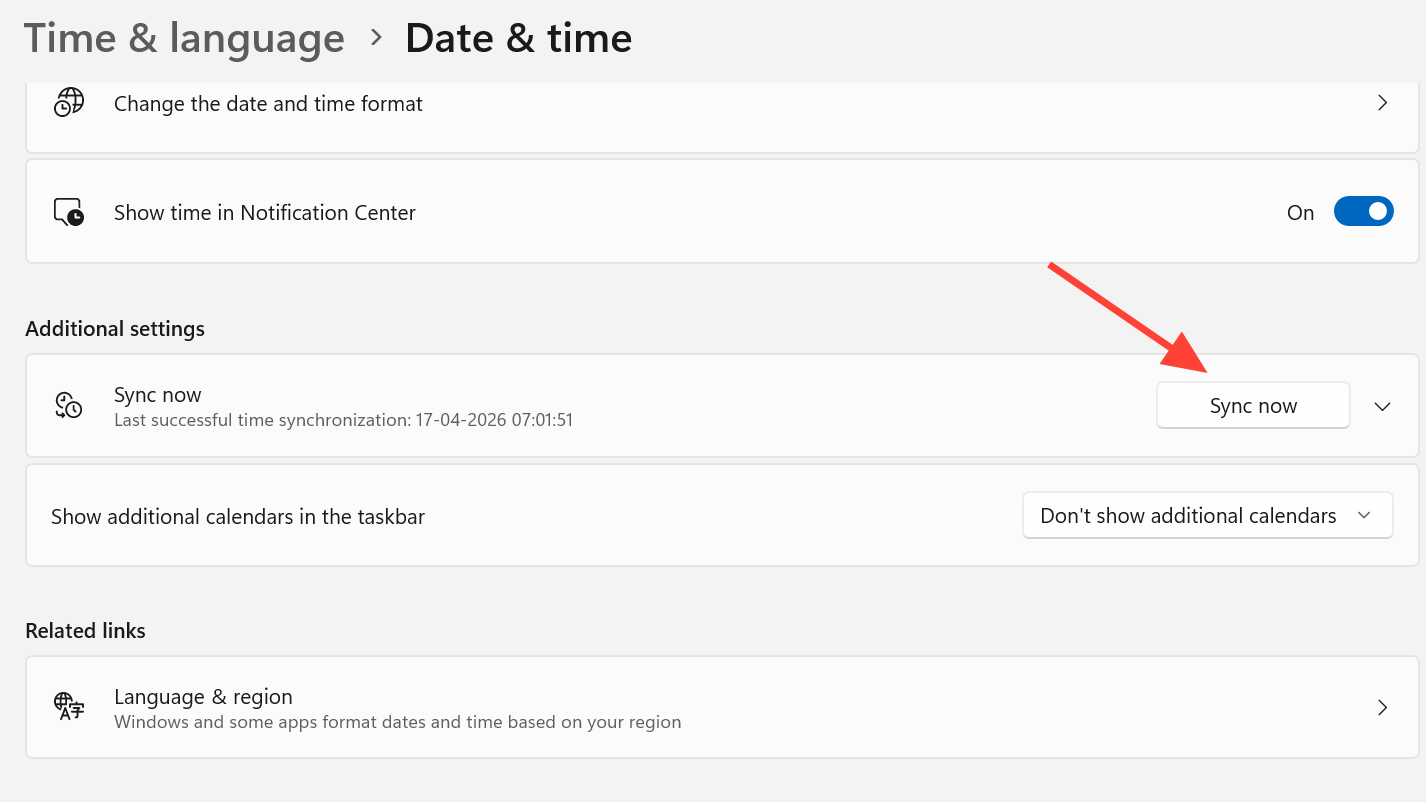
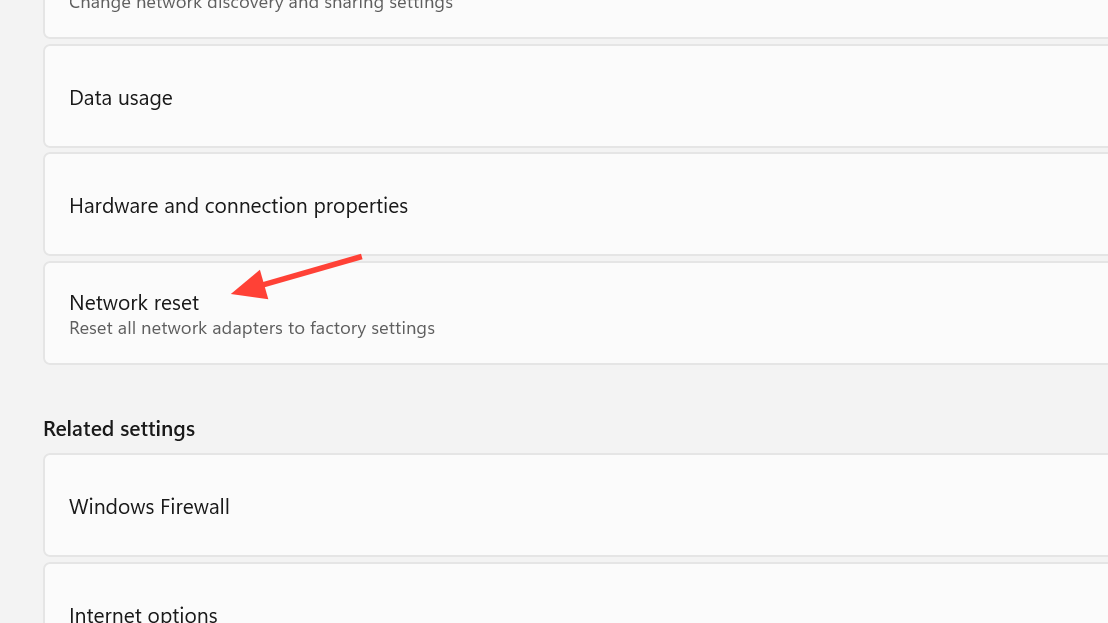
On PC and handheld devices, the error tends to stem from outdated Microsoft Gaming Services, incorrect system clock settings, or corrupted local game data. On PS5, the issue is different entirely — it’s tied to PSN licensing and Embark’s server-side entitlement checks rather than an OS-level problem.
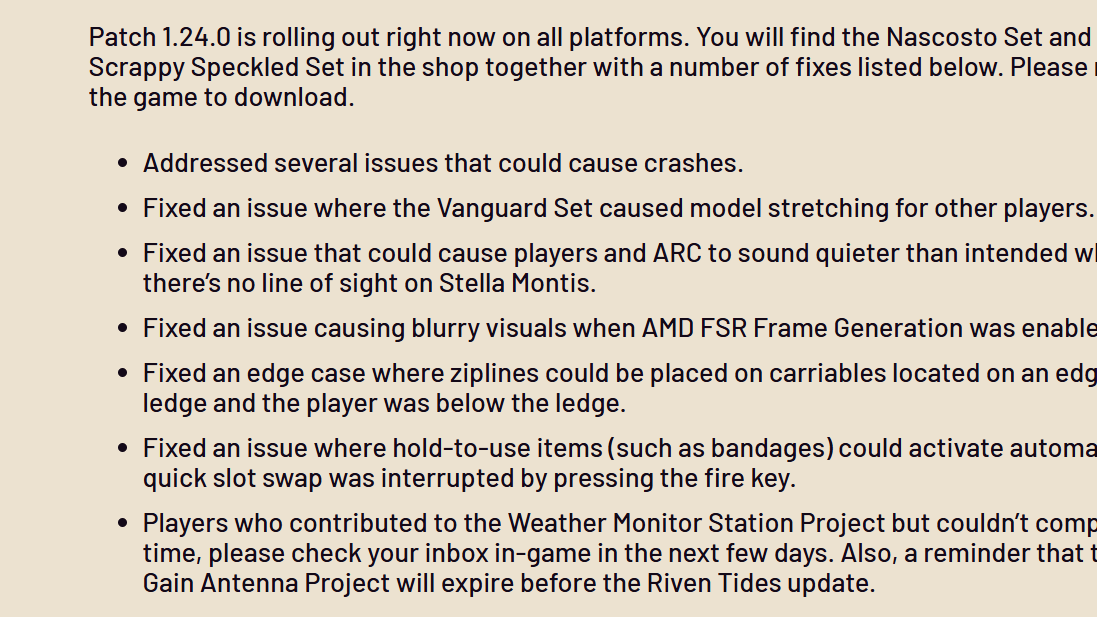
Embark Studios has not released a targeted patch specifically for ARAU0137. The most recent game update, patch 1.24.0 on April 14, 2026, addressed crash fixes and visual bugs but did not mention this connection error. All current fixes remain community-discovered workarounds.
Fix ARAU0137 on Xbox Series X
This method has the highest success rate and works reliably on Xbox Series X. It forces your console to download an OS build that contains the network component ARC Raiders needs.
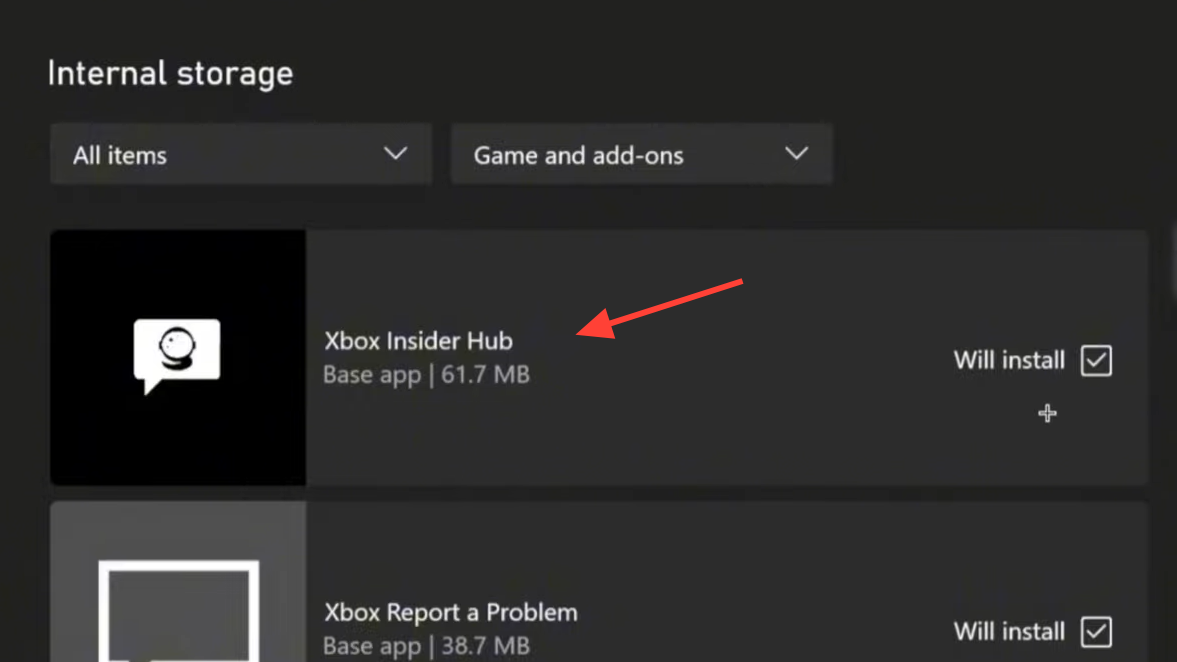
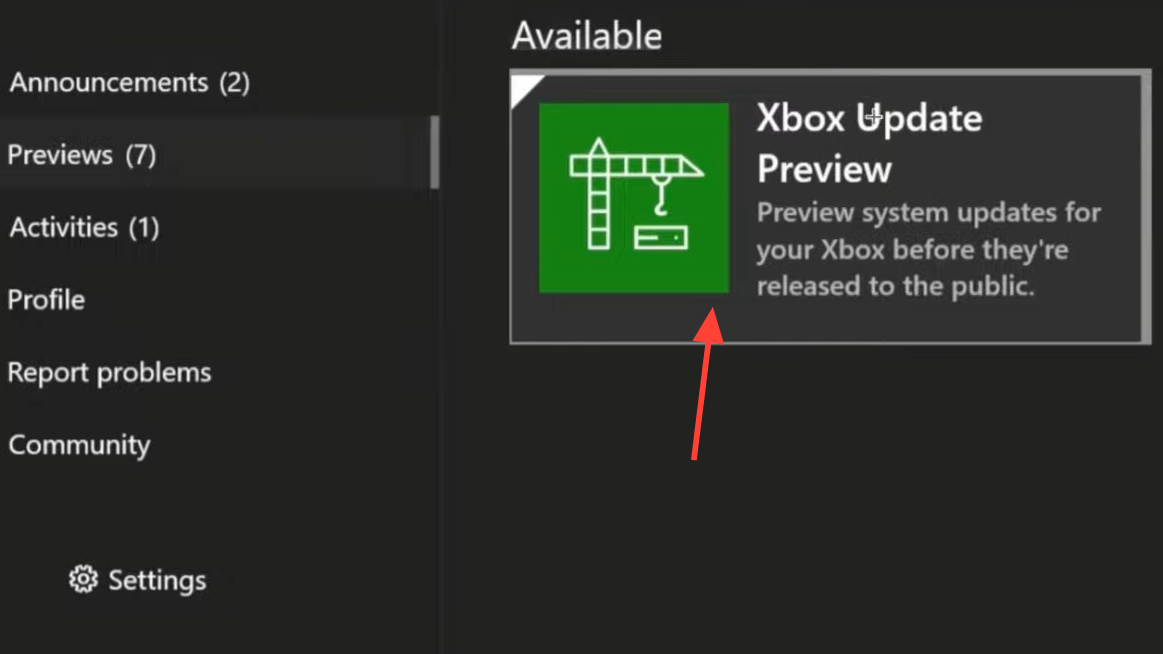
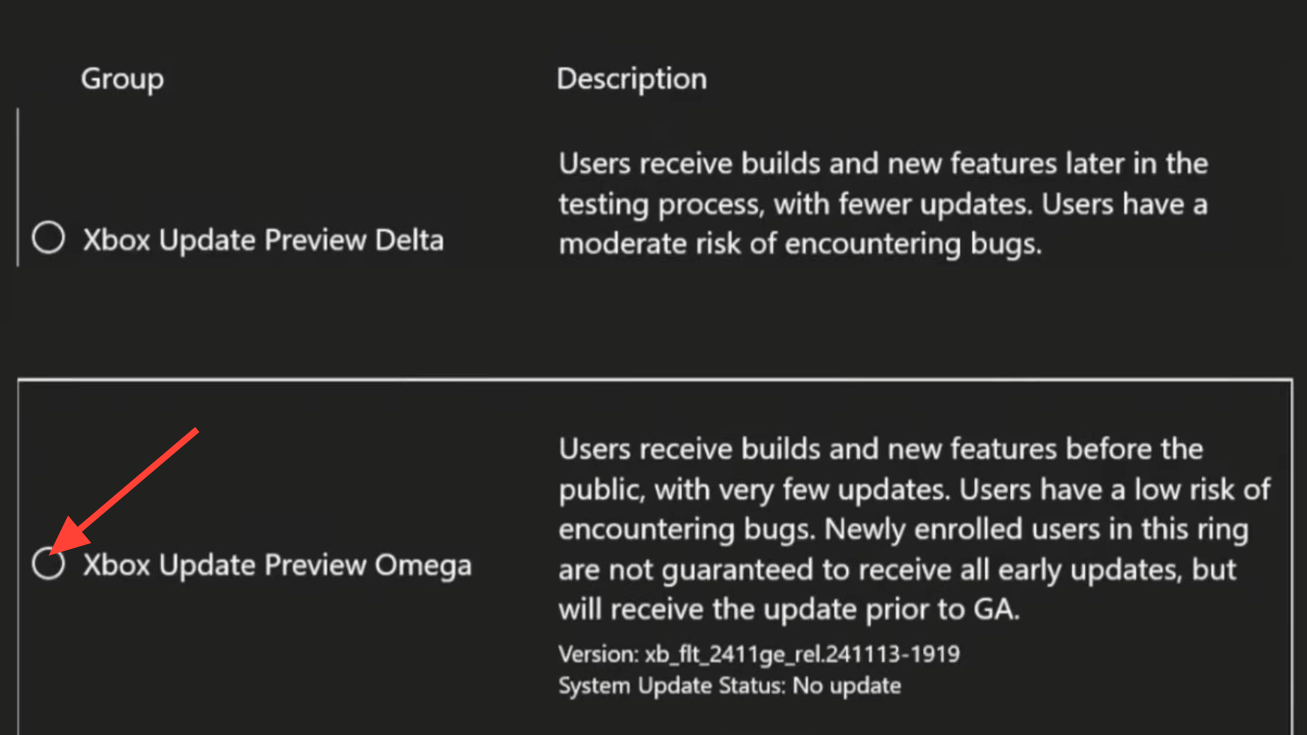
If the Omega update doesn’t appear after several hours, try temporarily switching your console region to Canada under Settings → System → Language & location, then restart and check for updates again. Some players also resolved the issue by canceling their Game Pass subscription entirely, resubscribing, and restarting the console.
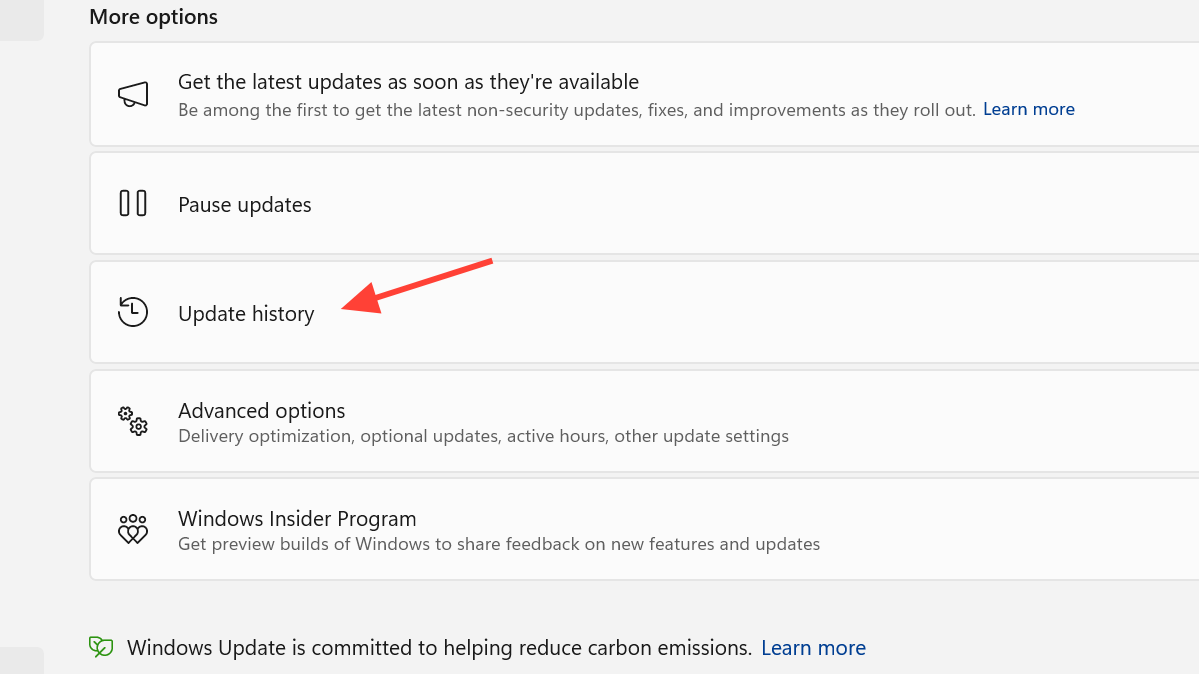
You can verify your OS build by going to Settings → System → Updates → Update history. Look for a build string like XB_FLT_2408 or higher. Older builds will not complete the ARC Raiders handshake.
Xbox Series S limitations
The Omega ring fix has a significantly lower success rate on Xbox Series S. Many Series S consoles report enrollment in Omega but never actually receive the required system update. The Insider Hub may show “no updates available” even after joining, leaving the ARAU0137 error in place.
A few Series S owners have had success by combining the Omega enrollment with disabling daylight savings time in system settings — a workaround that’s inconsistent but worth trying. Go to Settings → System → Time and toggle off automatic daylight savings adjustment.
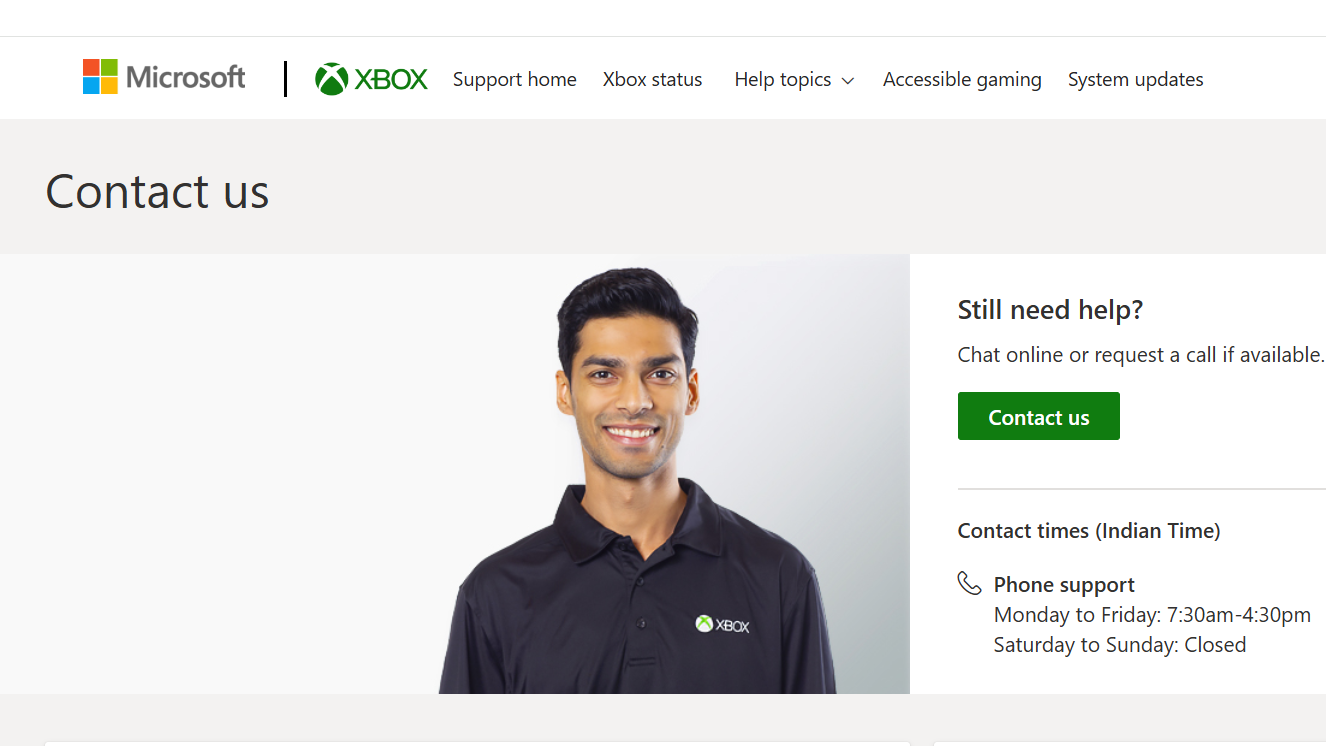
If that doesn’t work, the remaining options are limited. You can contact Xbox Support and ask them to force-push the Omega update to your device, though results vary. Cloud Gaming through Xbox Game Pass Ultimate does work as a fallback since it runs on Series X hardware server-side, bypassing the local OS issue entirely.
Xbox One X — not supported
The Omega fix does not work on Xbox One X or any other last-generation console. The newer OS network components that ARC Raiders requires don’t fully roll out to last-gen hardware. Cloud Gaming is the only viable option on Xbox One X, or upgrading to a Series X|S console.
Fix ARAU0137 on PC and ROG Ally
The PC version of ARAU0137 typically responds to simpler fixes than the Xbox variant.
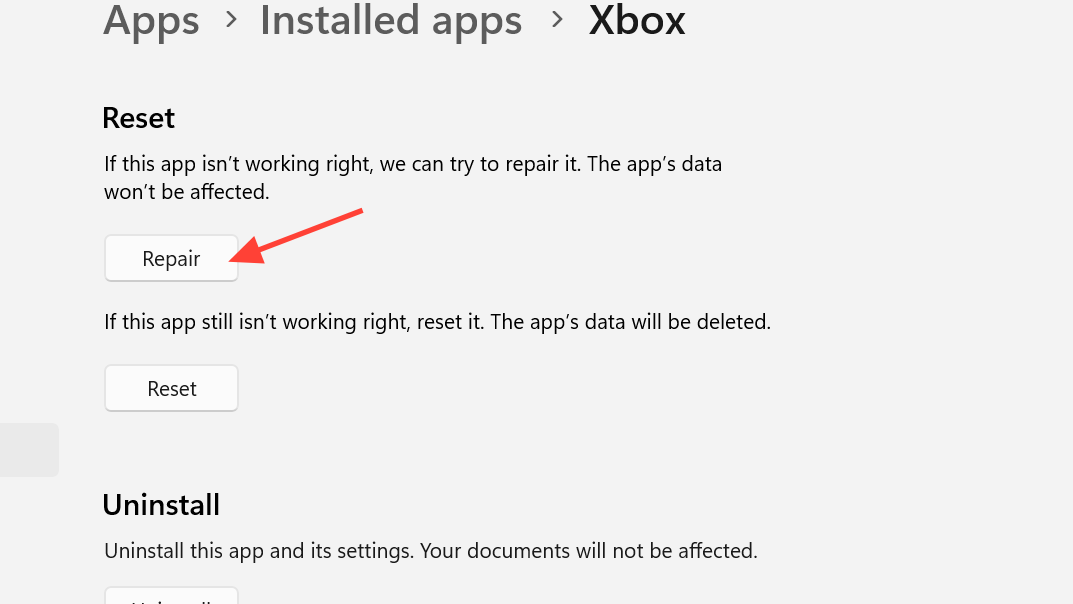
On the ROG Ally X and similar Windows handhelds, the fix that consistently works is updating all apps in the Microsoft Store — particularly the Xbox app and Xbox Gaming Services. If that fails, uninstall Xbox Gaming Services entirely, reboot, and reinstall it. This resolves installation finalization issues that block the login process.
PS5 — limited options
The Xbox Insider fix has no equivalent on PlayStation 5. The PS5 version of this connection error is a PSN licensing and server-side issue on Embark’s end, not an OS-level problem.
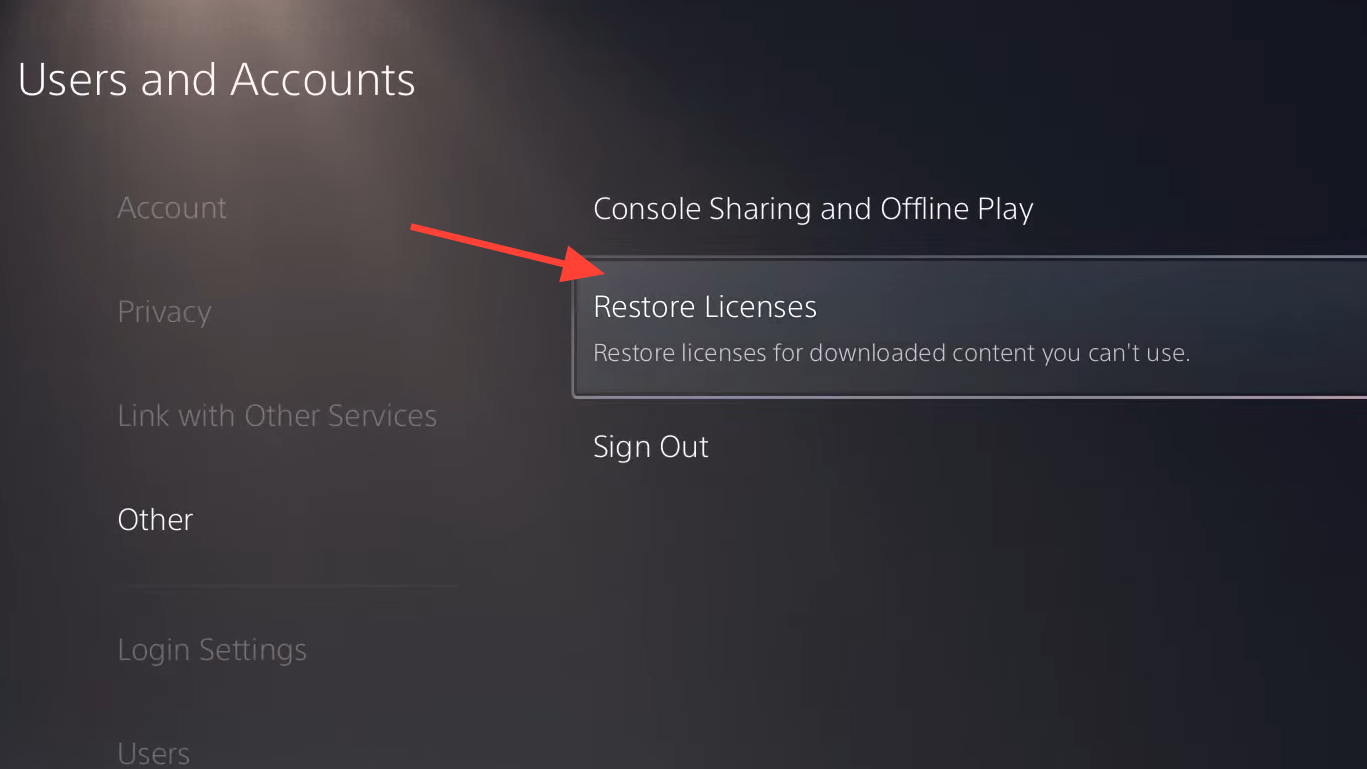
If none of these steps work, there is currently no user-side fix. The problem sits with Embark’s servers, and you’ll need to wait for a patch or contact Embark Support by submitting a ticket through your Embark ID account.
Related error codes
| Error Code | Typical Cause | Notes |
|---|---|---|
| ARAU0137 | OS/network handshake failure | Most common; Omega fix resolves on Series X |
| ARAU0287 | Same handshake failure (variant) | Same fix as ARAU0137 |
| ARAU0207 | Server-side IP flagging or outage | Often Embark-side; try a mobile hotspot to confirm |
| ARAU0117 | Game Pass entitlement check failure | Requires active Game Pass on the launching account |
| ARAU0017 | Incomplete Game Pass authentication | Ensure at least Game Pass Core is active |
If you see ARAU0207 specifically, the cause is often different from the standard handshake issue. Some players have reported that Embark’s servers intermittently flag certain IP addresses after updates, blocking connections entirely. Testing with a mobile hotspot confirms whether your IP is the problem. If it is, a VPN at the router level is the only current workaround until Embark resolves the flagging on their end.
How to confirm the fix worked
After applying any of the fixes above, launch ARC Raiders. If the fix was successful, you’ll pass the splash screen without seeing the “Online Services Currently Unavailable” message and load directly into Speranza. There should be no error code pop-up and no redirect to a Game Pass subscription selection screen. If you still see the subscription prompt despite having an active Game Pass, try signing out of all Xbox profiles, performing a full power-off (unplug the console for five minutes), and signing back in fresh.
Embark Studios continues to release regular patches for ARC Raiders — the Riven Tides content update is expected later in April 2026 — but no official acknowledgment or fix for ARAU0137 has been included in any patch notes so far. Until that changes, the Omega ring workaround remains the most reliable path back into the game on Xbox Series X.