
Many users who have updated to Windows 11 version 24H2 are encountering an error message stating “Error in C:\WINDOWS\system32\PcaSvc.dll. Missing entry: PcaWallpaperAppDetect“. This error is often related to third-party wallpaper applications interfering with the system. Fortunately, there is a simple workaround to resolve this issue until Microsoft releases an official fix.
Delete the PcaWallpaperAppDetect task
Task Scheduler into the search bar on the taskbar and selecting it from the search results.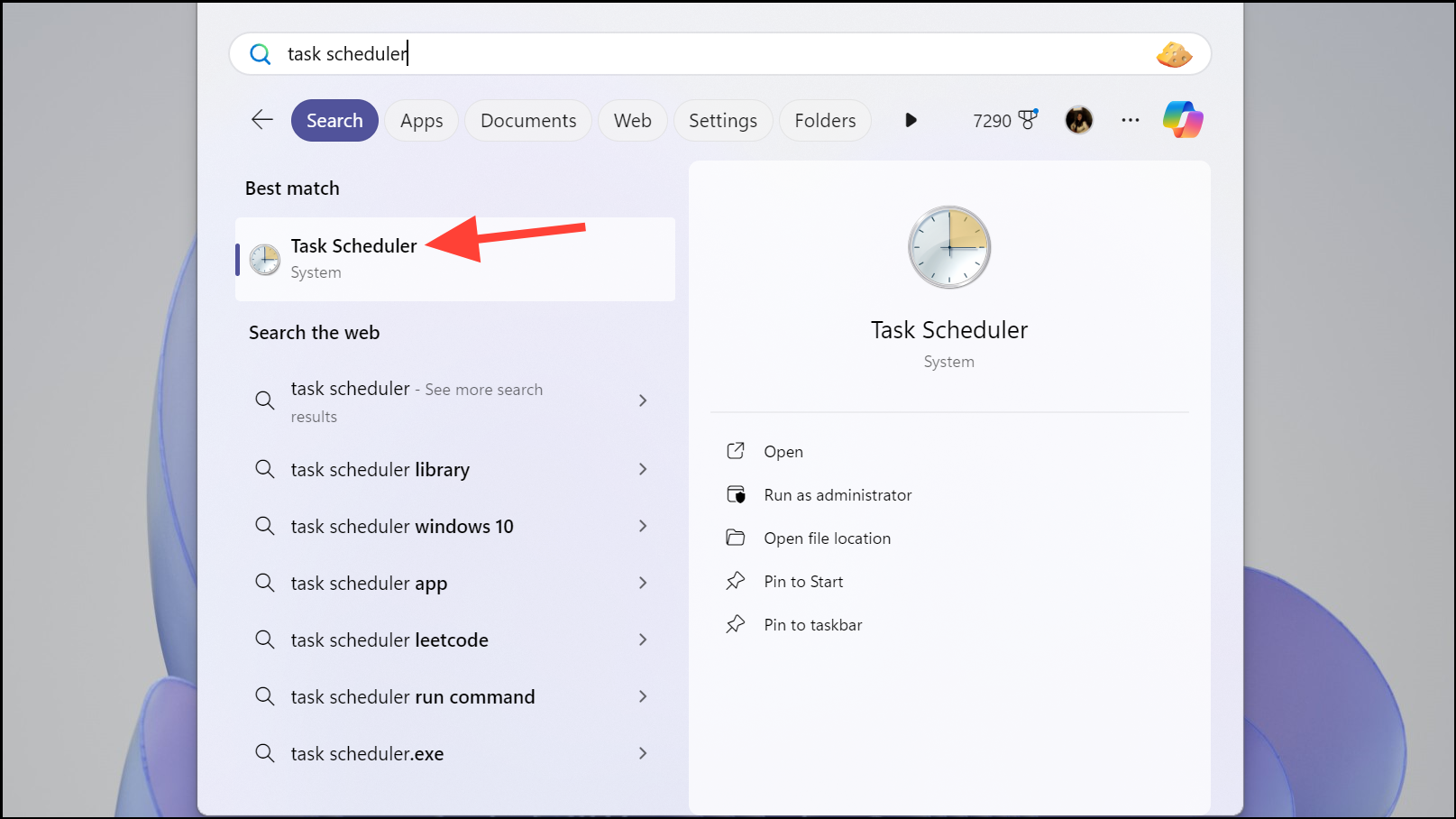
Task Scheduler Library by clicking the arrow next to it in the left pane.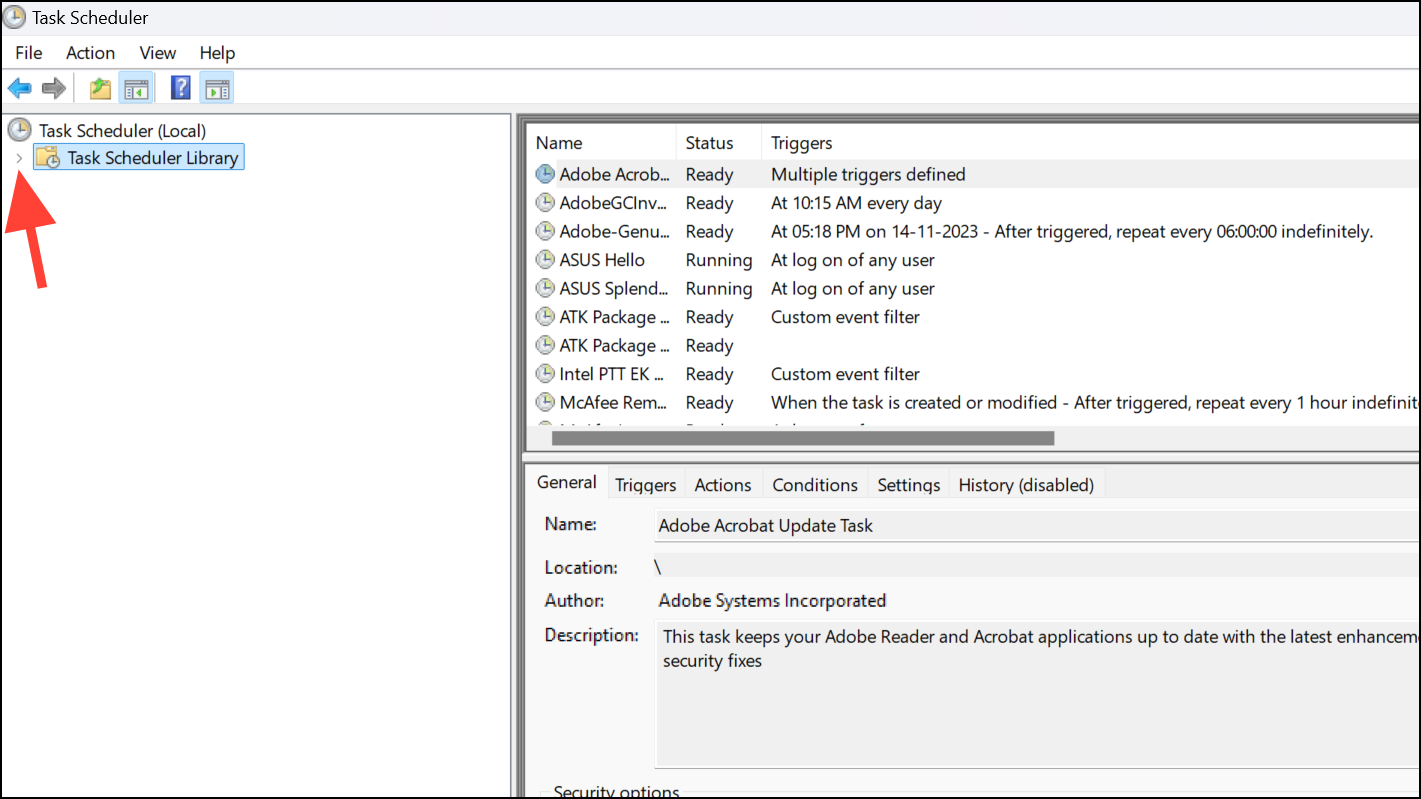
Microsoft, then Windows, and finally selecting Application Experience.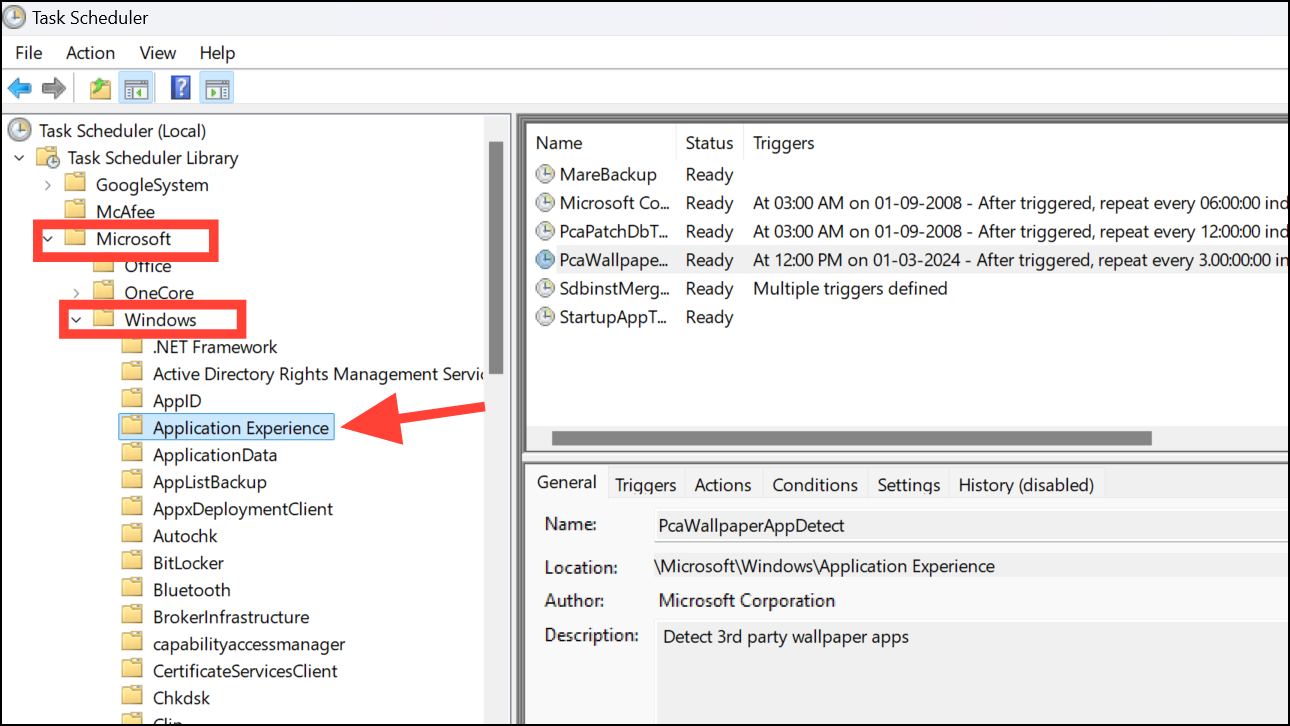
PcaWallpaperAppDetect. Right-click on it and choose Delete from the context menu.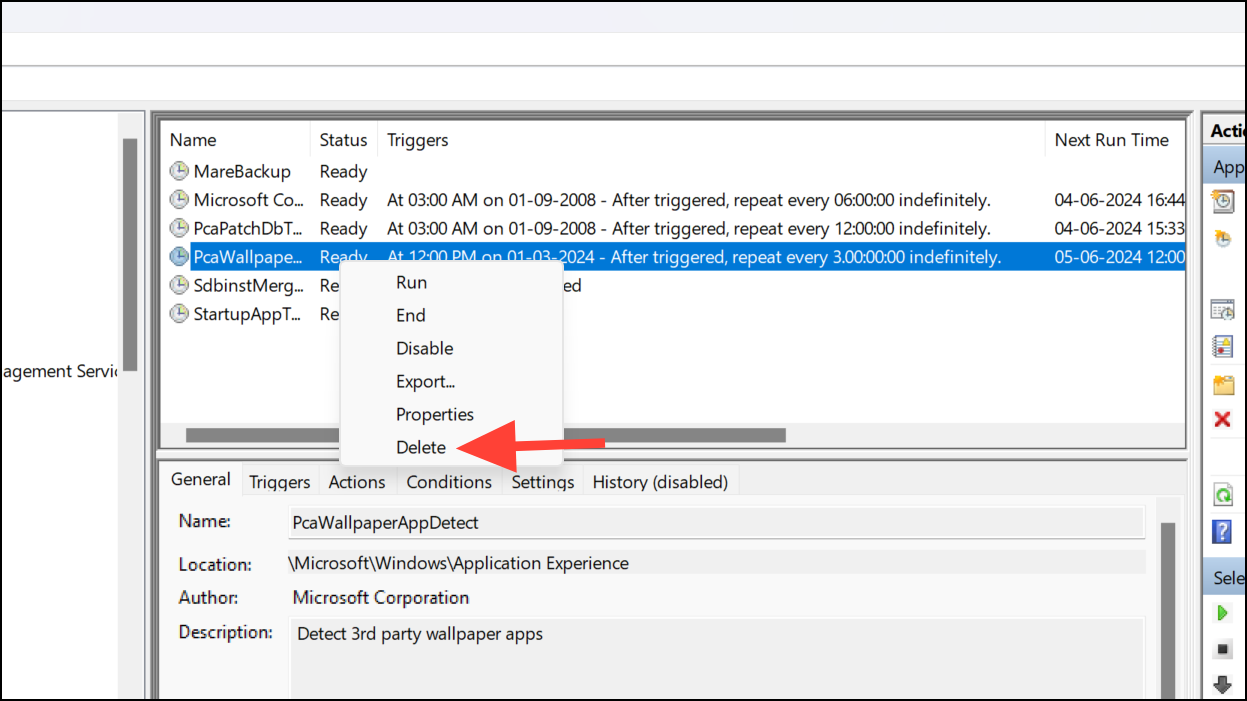
This should resolve the error message related to PCAWallpaperAppDetect on your Windows 11 PC.
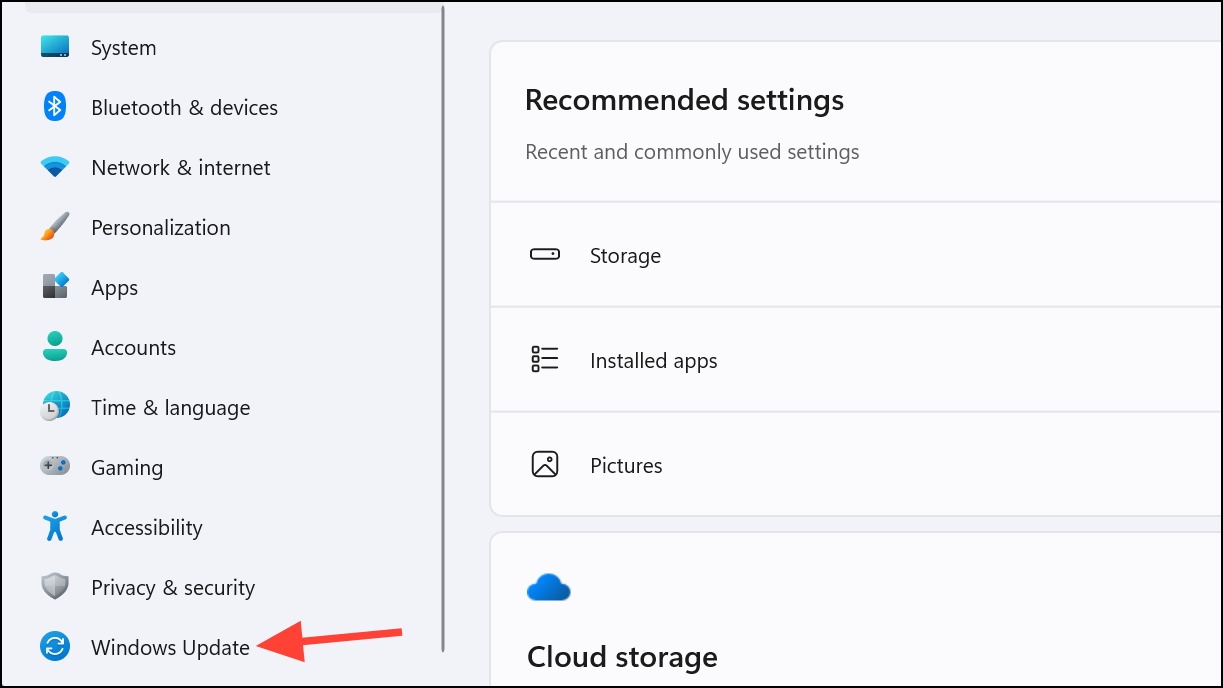
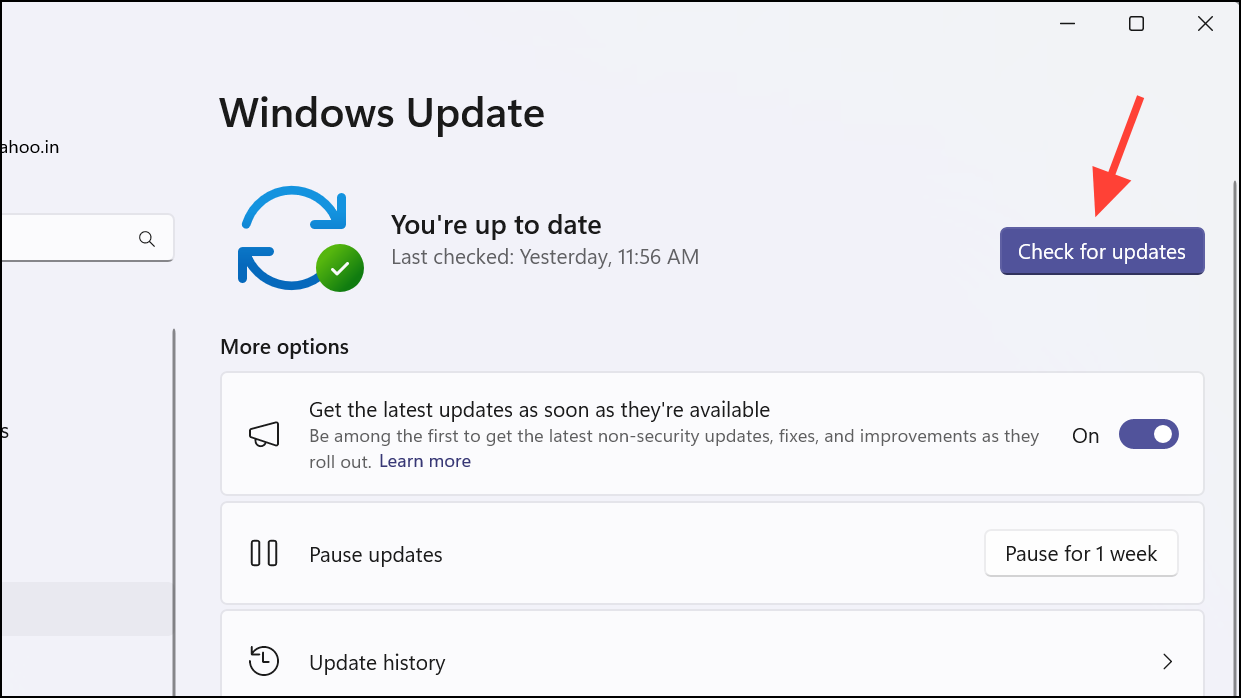
Check for updates
If deleting the task does not resolve the issue, or you prefer to see if there is an official fix, you can check for updates from Microsoft.
By following these steps, you should be able to fix the Missing Entry: PCAWallpaperAppDetect error on your Windows 11 PC until Microsoft releases an official update to address this issue.



