Fortnite lets you push past the usual 200 combined health and shield and reach a full 400 HP in a single match. The trick is stacking three separate shield boosts on top of your base pool, and it only works in Zero Build mode.
Quick answer: Load a Zero Build match for +50 shield, land at the Green Hill Zone and grab the floating rings for another +50 shield, then buy the +100 shield upgrade from an Override Console. That leaves you at 100 health and 300 shield, for 400 HP total.
How the 400 HP breaks down
Each source adds a fixed amount. Your health stays at 100, and the remaining 300 comes entirely from shield, some of which stacks as overshield above the normal 100 shield cap.
| Source | Amount |
|---|---|
| Base health | 100 health |
| Base shield | 100 shield |
| Zero Build mode | +50 shield |
| Green Hill Zone rings | +50 shield |
| Override Console upgrade | +100 shield |
| Total | 400 HP |
Reach 400 HP step by step
Where to find the Override Console
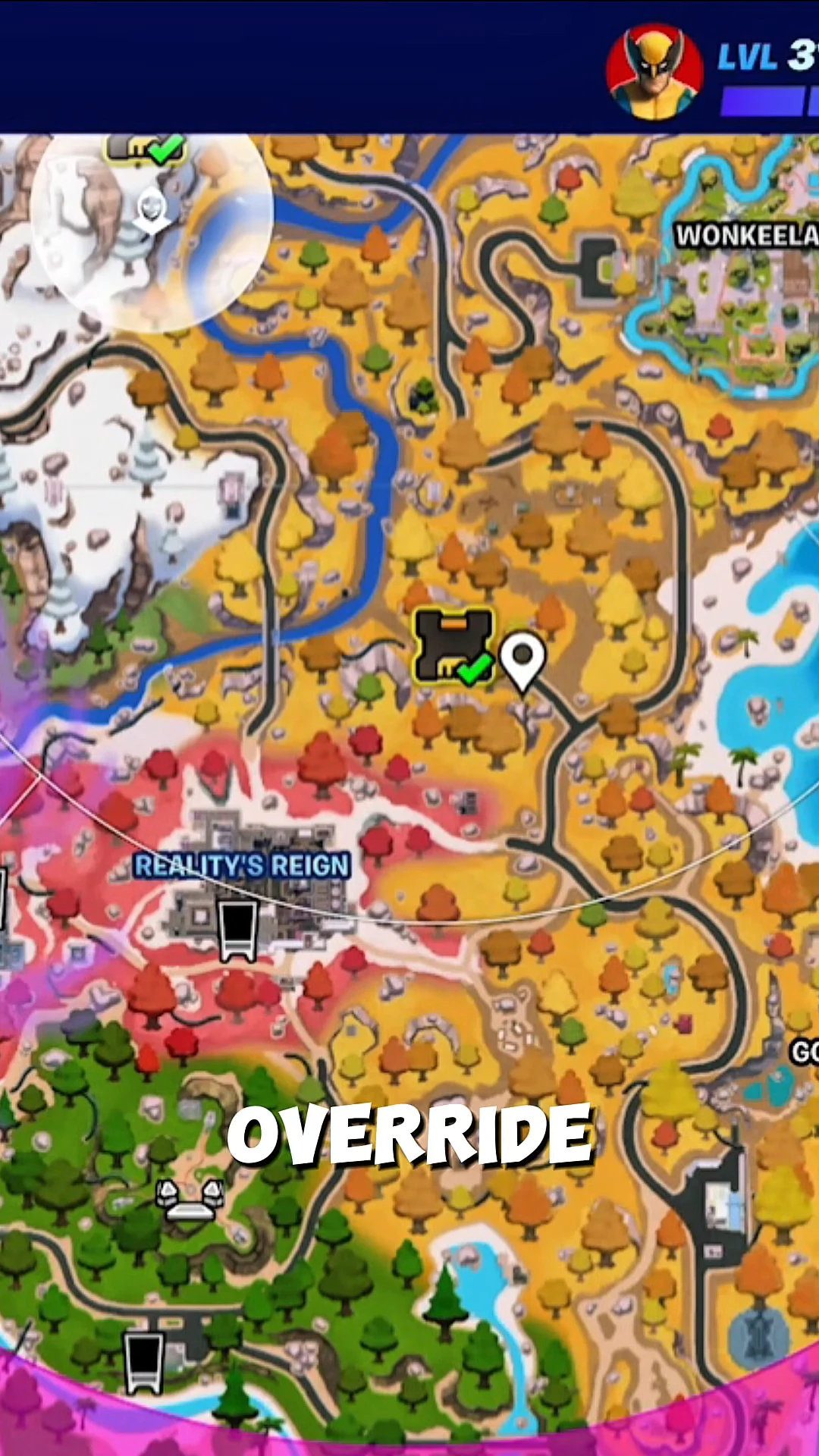
Override Consoles appear on the in-game map with their own icon, so you can pinpoint the nearest one before you move. One sits at Reality’s Reign, marked with a location pin. Open the map, head to that marker, and hold the interact button to open the upgrade prompt.
Tip: The console purchase is the only step that requires you to fight for position, so approach with a shotgun ready and take out any defenders before you commit to the interaction.
How to confirm it worked
Check the HUD near your character. Once all three boosts land, it should read 100 health with 300 shield, giving a combined 400. If the number falls short, you likely missed one of the steps. The most common reasons are playing in a build mode instead of Zero Build, leaving Green Hill Zone rings uncollected, or reaching the Override Console without buying the upgrade.
Once the HUD shows the full 400, the extra shield behaves like any other, absorbing damage before your health and giving you a real cushion in fights through the rest of the match.