iOS 27 reworks several of the iPhone’s built-in apps, with the biggest changes landing in Camera, Photos, Wallet, and a heavily rebuilt Siri. Much of the new functionality leans on Apple Intelligence, but there are practical, non-AI tweaks too. Apple will preview the software at WWDC 2026 on June 8, with a public release expected in September alongside new iPhones.
Camera app: Siri mode and customizable widgets
Visual Intelligence moves out of the Camera Control button and into the Camera app itself, where it becomes a new “Siri mode.” It sits alongside Photo, Video, Portrait, and Panorama. When you switch to it, the shutter button shows the Apple Intelligence logo so the feature is easy to spot. In iOS 26, this same tool was buried behind a long press on the Camera Control button or an Action button assignment, and many people never knew it existed.
The capability set grows, too. Siri mode can answer spoken questions about whatever the camera is pointed at, pulling details from the web, on top of the existing object, plant, animal, art, and book recognition.
Two new scanning tools join the mix.
| Tool | What it does |
|---|---|
| Nutrition | Scans nutrition labels on food packaging to log calories and macronutrients in the Health app. |
| Contacts | Reads phone numbers and addresses from business cards and printed material, then saves them to Contacts. |
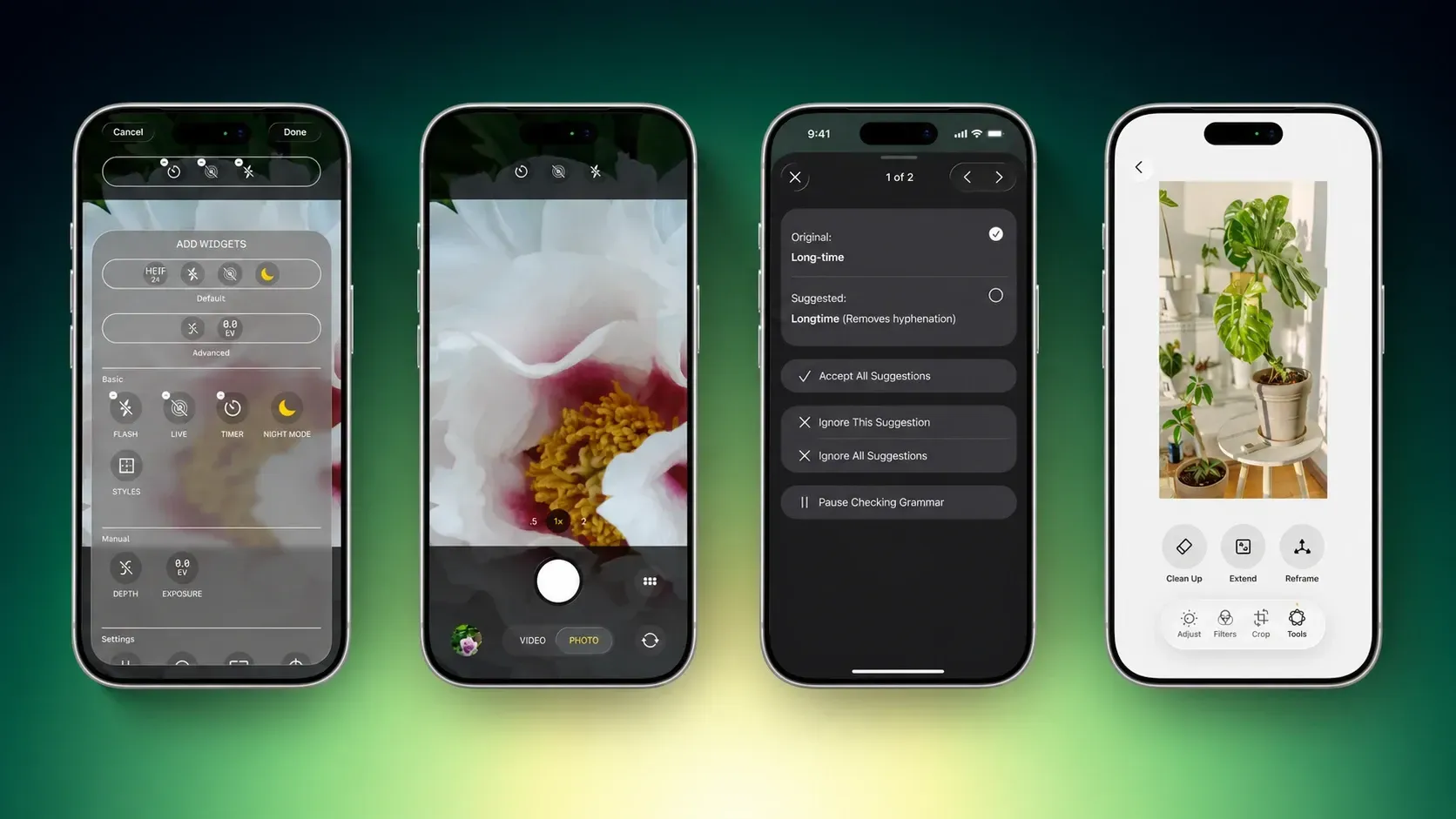
Apple is also making the Camera interface itself adjustable. The top row of controls becomes a set of “widgets” you can reorder or swap, choosing from options like flash, exposure, timer, depth of field, photo styles, and resolution. A transparent tray slides up from the bottom and sorts widgets into basic, manual, and settings groups.
The standard layout stays intact, with the familiar quick taps for flash, Live Photos, and Night Mode. The widget setup arrives as an advanced layout aimed at people who want manual control. The control panel that currently lives in the top-right corner moves to the right of the shutter button, and new grid and level options are added.
Photos app: Extend, Reframe, and natural-language edits
The Photos editor gains an Apple Intelligence Tools section with two new options. Extend fills in scenery beyond a photo’s original borders, which helps when you crop and need more of the frame, and it responds to zoom gestures to push the edges outward. Reframe works with spatial photos and lets you shift the viewing angle after the shot is taken.
Apple is also testing voice-driven edits, where you describe changes to color, lighting, and cropping instead of using manual sliders. That natural-language editing may not be ready for the first version of iOS 27.
Shortcuts: Build automations by describing them
The Shortcuts app adds AI-assisted creation. It opens with a prompt that reads “What do you want your shortcut to do?” and a text field. You type what you want a multi-step shortcut to accomplish, Siri generates it, and the finished shortcut installs automatically and is ready to run.
Wallet: Create a Pass and Apple Cash bill splitting
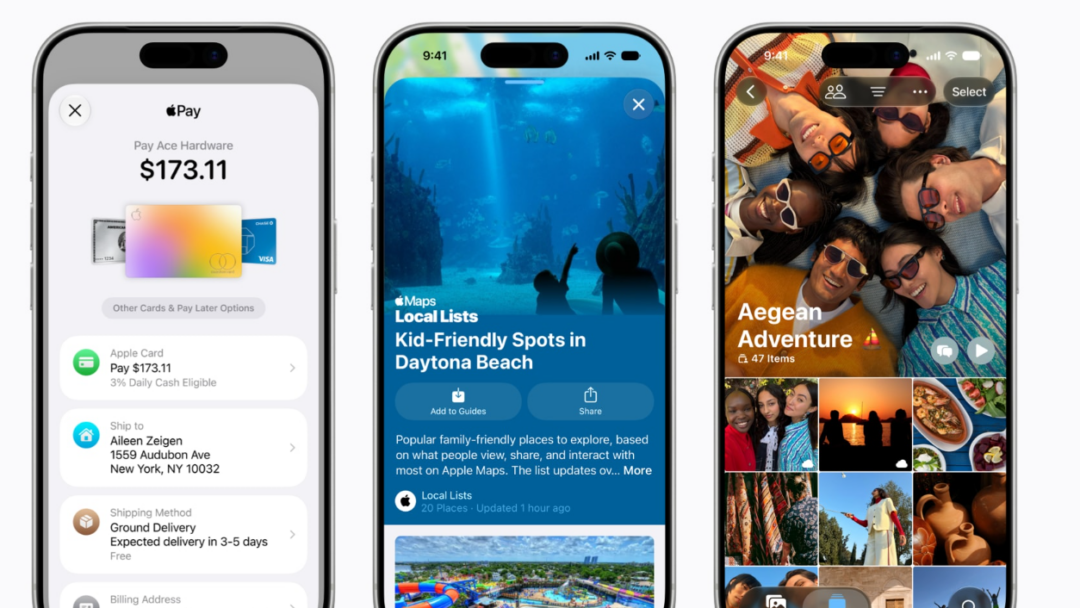
Wallet gets a “Create a Pass” option for turning physical items like movie tickets, concert passes, and gym cards into digital ones. Tap the “+” button, then scan a QR code if the item has one. If there’s no code, you can build a custom pass and edit its images, colors, style, and text.
There are three pass categories, each color-coded.
| Pass type | Color |
|---|---|
| Events | Purple |
| Memberships | Blue |
| Other | Orange |
A new bill-splitting feature ties into Apple Cash. Snap a photo of a receipt, and Wallet generates payment requests for each person involved.
Image Playground and Genmoji
Image Playground gets a cleaner creation screen with fewer controls and a “describe a change” option for editing finished images. Past creations appear in a grid with more rounded corners, and the New Image button becomes a “+” button. Apple has been testing models that produce more realistic results, so image quality should improve.
Genmoji is being reworked to use fewer resources, which should cut down on battery drain and heat. A new model improves quality, and a Suggested Genmoji feature offers custom emoji ideas based on your media and text history.
Writing Tools and grammar checking
Writing Tools expands to handle more rewriting and text generation. A “Write with Siri” toggle appears at the top of the keyboard, and a “Help Me Write” option shows up when Siri is triggered inside a text field. A dedicated AI grammar checker runs alongside the existing spell check.
In Messages, Mail, and other apps, a translucent menu slides up from the bottom with suggested revisions next to your original text. You can accept or reject each suggestion individually, approve everything at once, or dismiss the changes.
Other app changes in iOS 27
| App | Change |
|---|---|
| Wallpaper | Generate custom wallpapers through Image Playground, built into the wallpaper picker. |
| Safari | Updated start page with four tabs for favorites, bookmarks, Reading List, and history. |
| Calendar | New AI features, with Siri able to draw on calendar information. |
| Health | More prominent calorie tracking tied to the new Camera scanning feature. |
| Weather | A Conditions panel for switching between temperature, rain, and wind from the main view. |
| AirPods settings | A simplified, better-organized layout that makes options like hearing health easier to find. |
| AirPlay alternatives | Beam content to services like Google Cast, possibly limited to the EU under Digital Markets Act rules. |
System-wide design changes
Apple is adjusting the separate tab bar in apps like Apple Music, Podcasts, News, and Apple TV, folding search back in with the other navigation options. That reverses a change made when Liquid Glass arrived. The on-screen keyboard gains an animation where the keys slide up from the bottom, and the Home Screen gets redo and undo controls for rearranging icons and widgets.
Apple isn’t planning major changes to the Liquid Glass look, but it is considering a system-wide setting to fine-tune the interface. In iOS 26.2, a slider let users adjust Liquid Glass opacity for the Lock Screen clock, and that control could expand across the whole system.
Foldable iPhone interface
The first foldable iPhone arrives in September, reportedly with a 5.5-inch outer display and a 7.8-inch inner display that opens like a book. iOS 27 builds new interfaces for that larger screen. The device runs iOS rather than iPadOS and won’t support iPad apps, but when unfolded it gains an iPad-style layout with two apps side by side and sidebars on the left of many Apple apps. Folded, it behaves like a normal iPhone running the standard version of iOS 27.
Performance, stability, and launch timing
Beyond the app work, iOS 27 is positioned as a “Snow Leopard” style release focused on speed and reliability. Apple is cleaning up outdated code, rewriting some features for efficiency, and chasing battery improvements rather than piling on headline features. Developers get the first beta on June 8, a public beta is expected in July, and the final release lands in September with the new iPhone lineup.