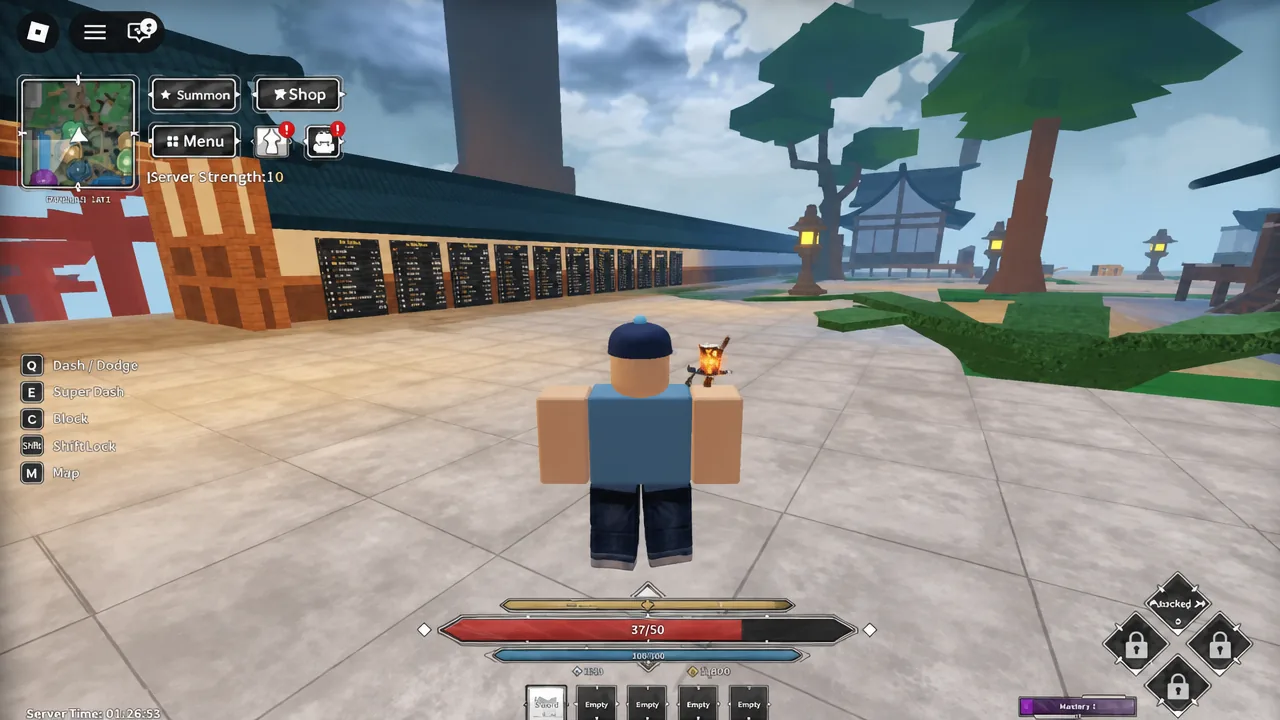
Idling inside Jujutsu Zero does not pay out anywhere in the normal world. The AFK Rewards system lives in its own separate place, reached from the title screen rather than from the hub, and your character has to be parked inside it for the timer to tick. Standing in the Jujutsu Tech safe zone does nothing.
Quick answer: Open the in-game menu, pick Return Menu and hit Confirm, then click the AFK Rewards button with the yellow chest icon on the main menu. You will start collecting one AFK Roll roughly every 100 seconds.
Getting to the AFK Rewards place from inside the game
You can start this from anywhere, but the safe zone around Jujutsu Tech is the easiest spot since abilities are already disabled there and nothing can interrupt you mid-menu. Once you are out of combat, the whole trip takes about fifteen seconds.
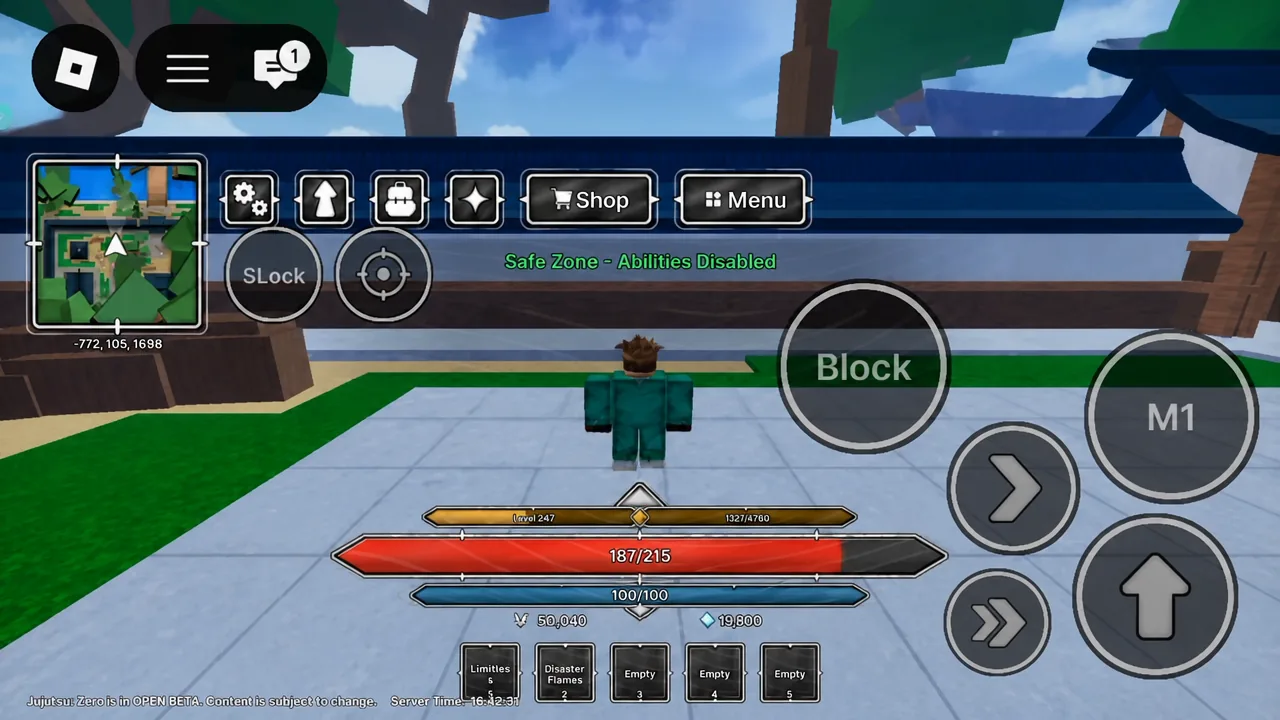
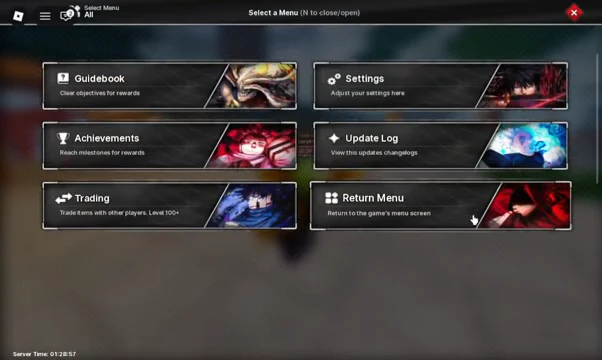
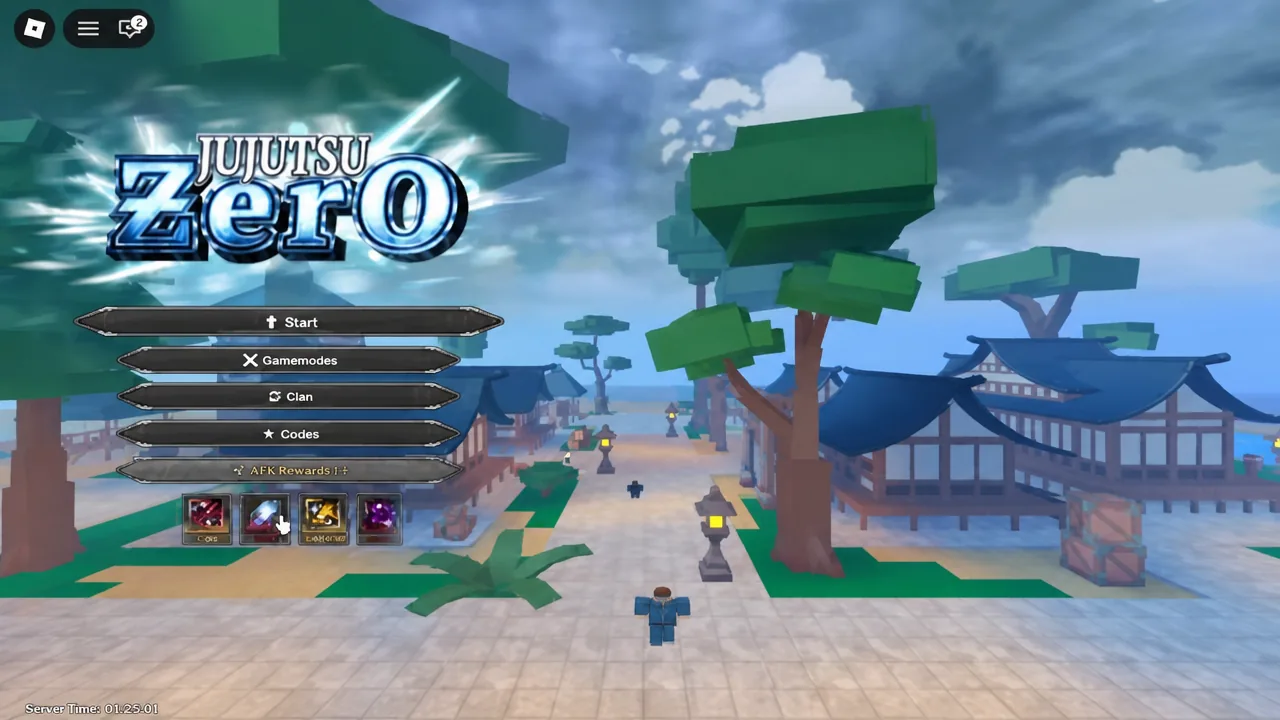
Note: the AFK place also has a matching NPC teleport in the hub, so you can get there without backing out to the title screen if you happen to be standing next to it.
How to tell the AFK timer is running
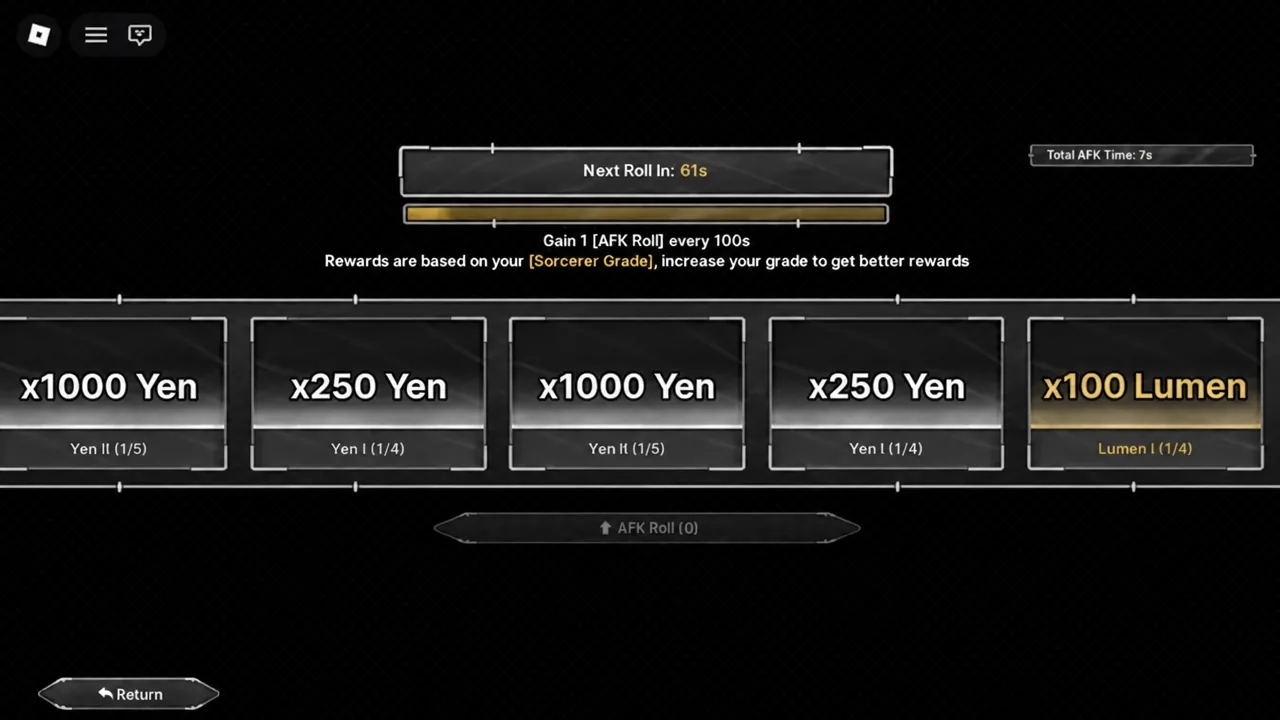
The AFK screen is unmistakable once it loads. A countdown reading Next Roll in ticks down at the top, an AFK Roll counter sits below it starting at zero, and the panel spells out the rule directly: Gain 1 [AFK Roll] every 100s. If you see the countdown moving, it is working. If you are still looking at your character in the world, you never left the game place and nothing is accruing.

One inconsistency worth knowing about: the in-game text states 100 seconds per roll, while the AFK update was widely described as one roll per minute. Trust the countdown on your own screen over any fixed number, since it is the only figure that reflects what your account is actually earning.
| On-screen label | What it tells you |
|---|---|
| Next Roll in: 77s | Time left before your next AFK Roll is granted |
| Gain 1 [AFK Roll] every 100s | The accrual rate stated by the game itself |
| AFK Roll (0) | How many unspent rolls you are holding |
| Return | Leaves the AFK area and sends you back |
AFK Rewards payouts and how Sorcerer Grade changes them
Rolls cash out into currency, not cosmetics. The reward panel lists Yen and Lumen prizes, and the size of each hit is decided when the roll resolves. The screen carries a plain warning about scaling: Rewards are based on your [Sorcerer Grade], increase your grade to get better rewards. A low-grade account idling overnight will not pull the same values as a higher-grade one running the same clock.
| Reward | Observed amounts | Typical use |
|---|---|---|
| Yen | x250, x1000 | General progression spending |
| Lumen | x100 | Banner pulls and technique rolls |
Because Lumens feed the banner system, timing matters more than volume. The AFK update also reworked the banner rotation, so holding your Lumens until a technique you want is up avoids burning an overnight haul on a banner you did not care about.
What AFK Rolls will not replace
Idling is a supplement. Actively grinding quests and raids still earns more per hour than parking in the AFK place, so treat rolls as filler for the hours you were not going to play anyway — meals, work, sleep. The comparison that matters is against being logged out entirely, and there the AFK place always wins.
Codes remain the fastest source of bulk Lumens and clan rolls, and they stack cleanly with everything the AFK place gives you. The same update also made raid XP convert to player XP automatically, so returning from an idle session no longer means a round of manual claim clicks.
The one thing to watch is Roblox itself, which will eventually disconnect an idle client. If you come back to a roll counter that stopped short of what the clock should have produced, the session dropped rather than the timer breaking — reload the experience and step back into the AFK place to start it again.