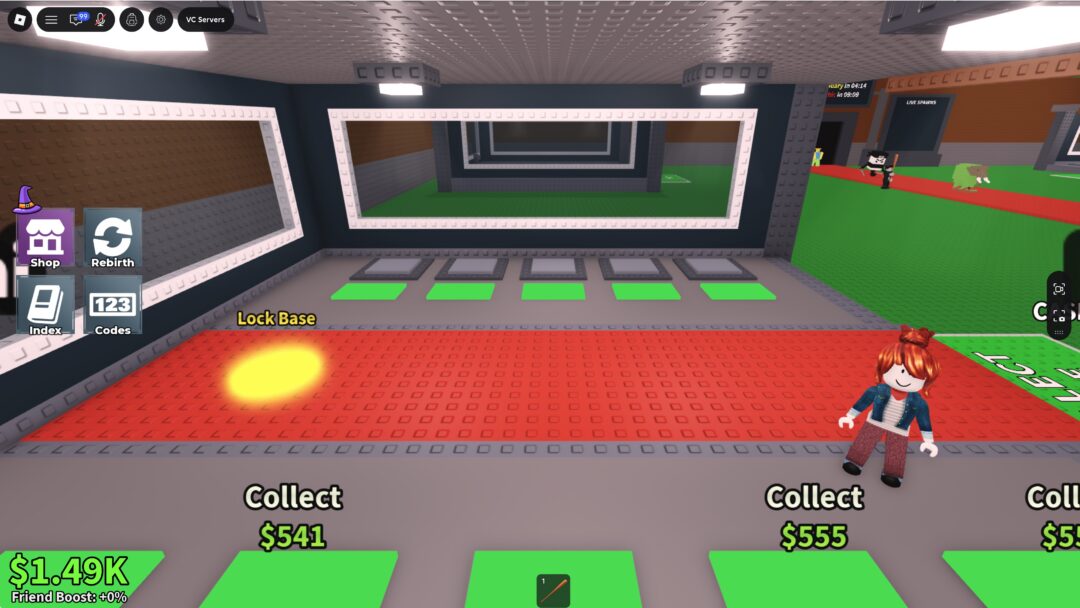
The Heritage system in Legend of Ymir sits inside your card decks and gives each book of cards an activatable set of stat bonuses, mostly PvP resistances and hit chances. You unlock each card slot with Heritage Engraving Stones, then spend Heritage Relics to re-roll the stat it gives you until the roll lands in a higher tier.
Quick answer: Open Deck → Heritage, pick a card, activate its slot with matching-grade Engraving Stones, then spend Heritage Relics through Re-register or Auto Re-register until the stat hits the tier you want.
Where the Heritage system lives and what it does
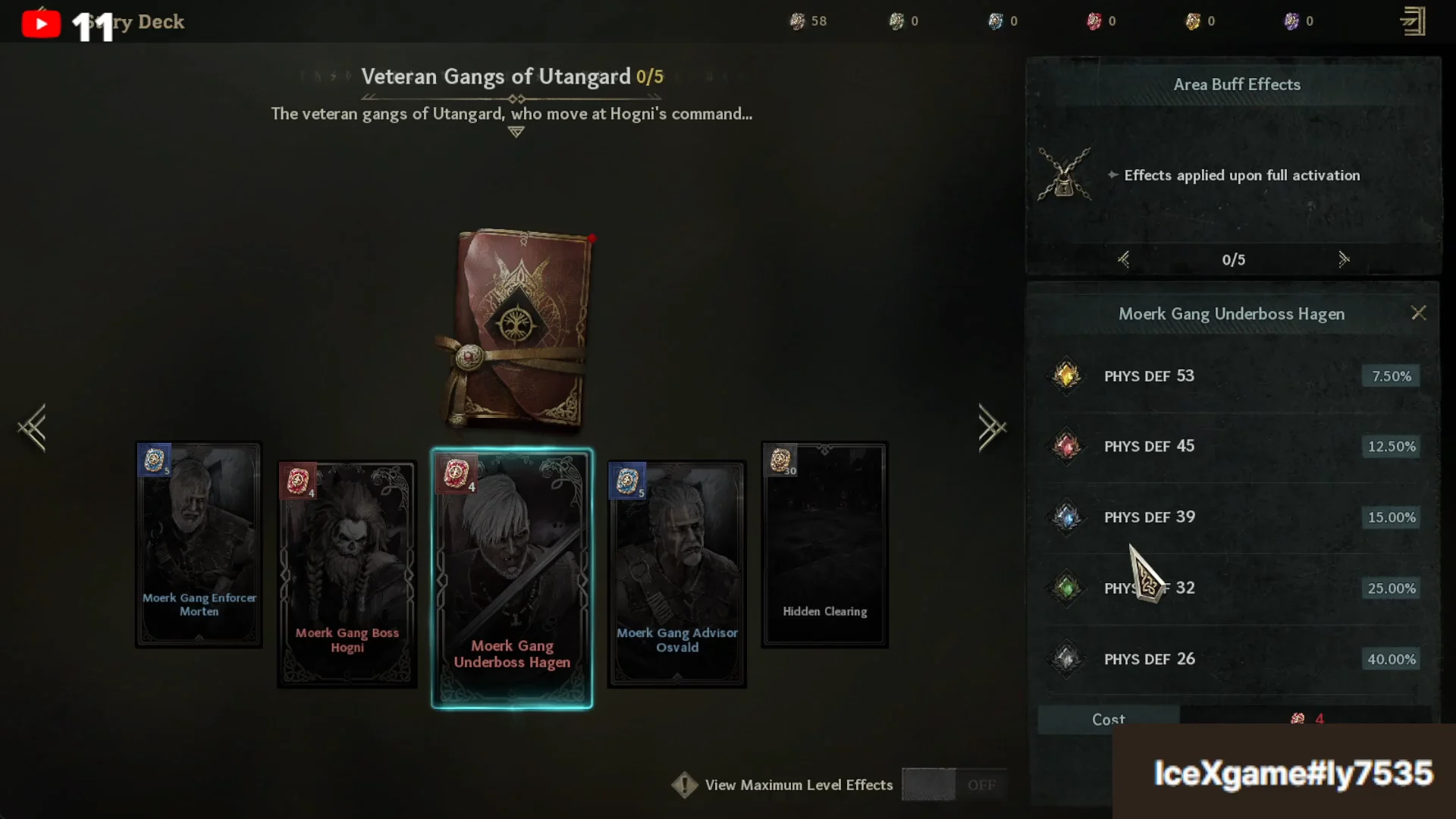
Heritage is a sub-tab inside the Deck menu, sitting next to Story Deck. Open it from Menu → Story Deck → Heritage. Cards are grouped into books tied to regions, such as Idun’s Vale Village, Giant Statues of Idun’s Vale, Prosperous Royal Castle of Asgard, and several Utangard and World Tree Roots books.
Each card holds an Engraving Tablet effect. Activating that tablet grants a stat such as Stun Resistance, Knockdown Resistance, Knockdown Hit, or Blind DMG DEF. When every tablet in a book is active, the book also grants an area buff that applies across all areas in the Story Deck. Because those effects are so heavily PvP-focused, prioritize the resistance stats on the higher-grade cards rather than spreading rolls thin across every card you own.
Get Heritage Engraving Stones and Relics
You activate card slots with Heritage Engraving Stones and re-roll them with Heritage Relics. Both come from two routes: buying with Diamonds in the Shop, or crafting from gathered materials. Stones and Relics are grade-specific, so a Common card slot needs Common items and an Uncommon slot needs Uncommon ones.
Buy from the Shop Exchange
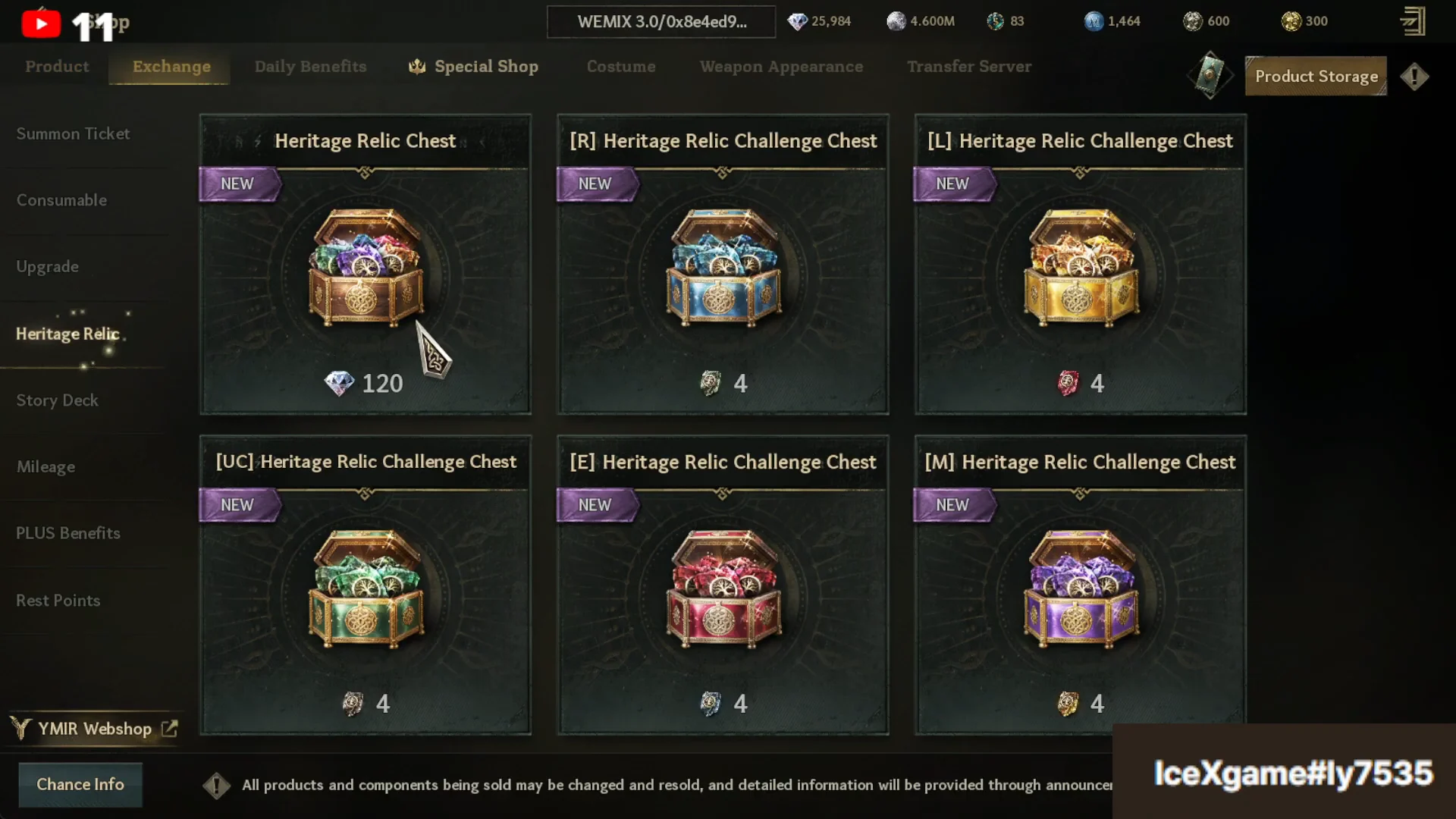
Head to Shop → Exchange → Heritage Relic to buy chests with Diamonds. The standard Heritage Relic Chest costs 120 Diamond, while the tier challenge chests ([UC], [R], [E], [M]) are listed at 4 Diamond each. Check each chest’s drop chances before you buy, since the contents scale with the chest grade.
Craft from materials
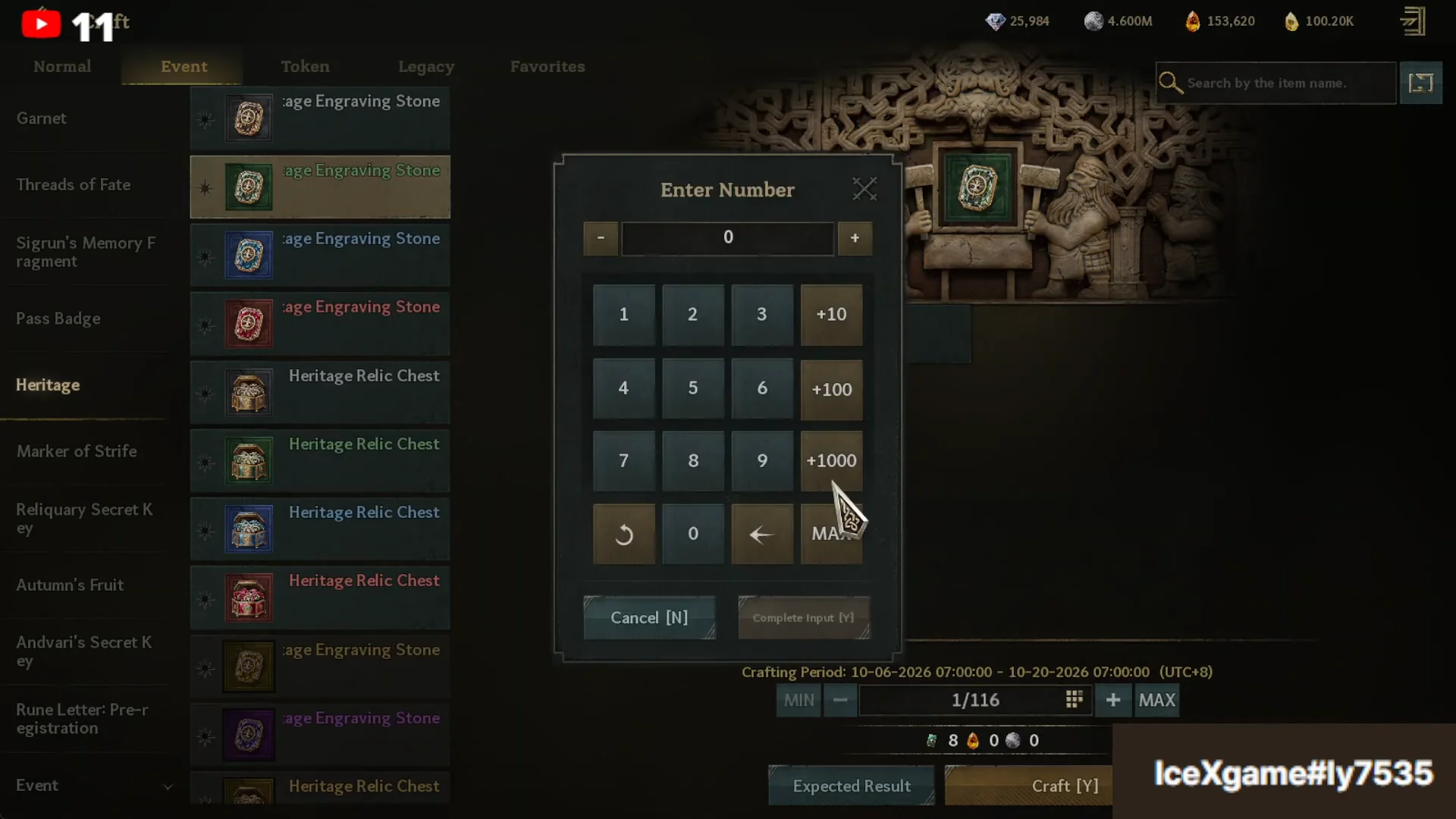
Open Craft → Event → Heritage to produce Engraving Stones and Relic Chests from raw materials. Lower grades are cheap and safe to mass-produce; higher grades get expensive fast and some chest recipes can fail.
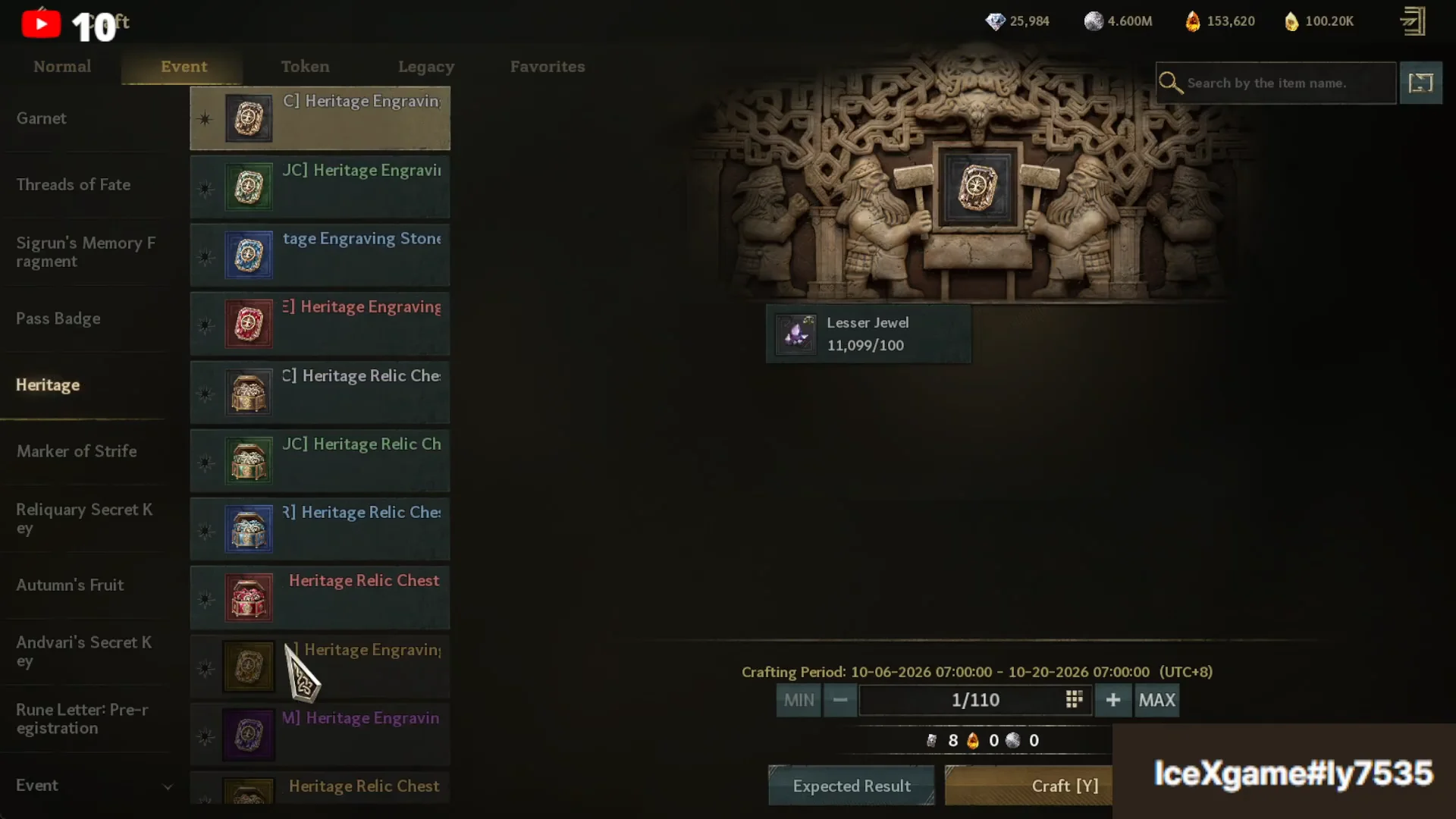
Common [C] Engraving Stones use Lesser Jewels, with a crafting fee of 240 Silver for a batch of 30. Uncommon [UC] Stones use Silvrin. Higher recipes demand Solar Stones and Twilight Stones, and Twilight Stones run around 5 Diamond per unit on the Market if you need to top up.
| Item | Main material | Cost / note |
|---|---|---|
| 30× [C] Heritage Engraving Stone | Lesser Jewel | 240 Silver fee |
| 30× [UC] Heritage Engraving Stone | Silvrin | Higher material cost |
| Higher-grade Engraving Stones | Solar Stone, Twilight Stone | Twilight Stone ~5 Diamond each |
| [UC] Heritage Relic Chest | Silvrin | 50% success rate |
Crafting the [UC] Heritage Relic Chest succeeds only 50% of the time. A failed attempt returns raw Silvrin instead of a chest, so budget extra material if you plan to craft Relic currency in bulk.
Activate a Heritage card slot
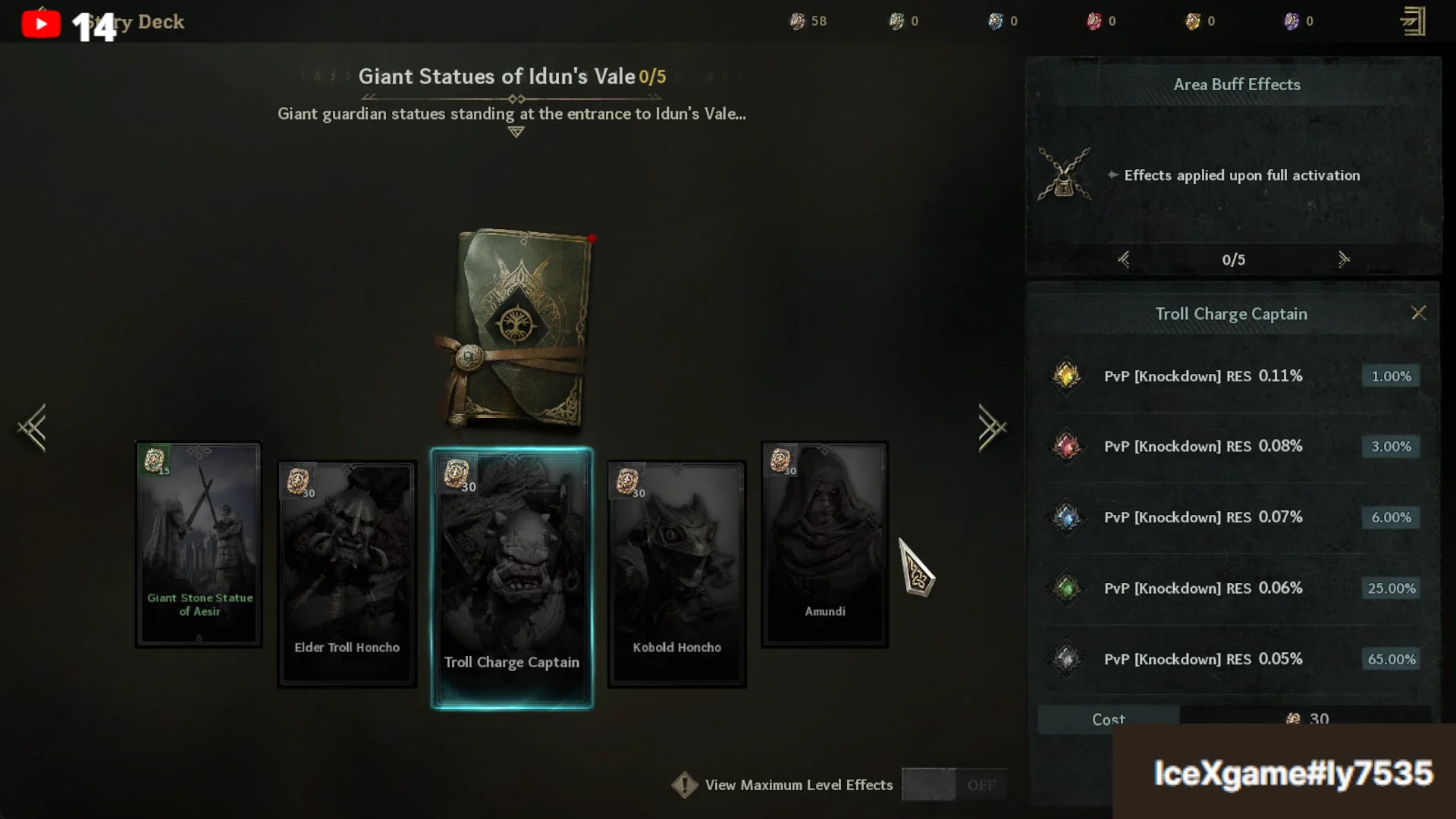
Stat tiers and roll chances
Every activation and re-roll draws from the same five-bracket table. The most common result is by far the weakest, and the top value is intentionally rare. The Stun Resistance line shows how the brackets map to each stat value.
| Roll chance | Stun RES value | Knockdown RES value |
|---|---|---|
| 65% | 0.08% | 0.05% |
| 25% | 0.1% | 0.06% |
| 6% | 0.12% | 0.07% |
| 3% | 0.14% | 0.09% |
| 1% | 0.16% | 0.11% |
Because the top bracket sits at 1%, chasing a maximum roll burns a lot of Relics. Decide which cards actually matter for your PvP build before committing, and accept a mid-tier roll on lesser cards.
Re-roll a stat with Heritage Relics
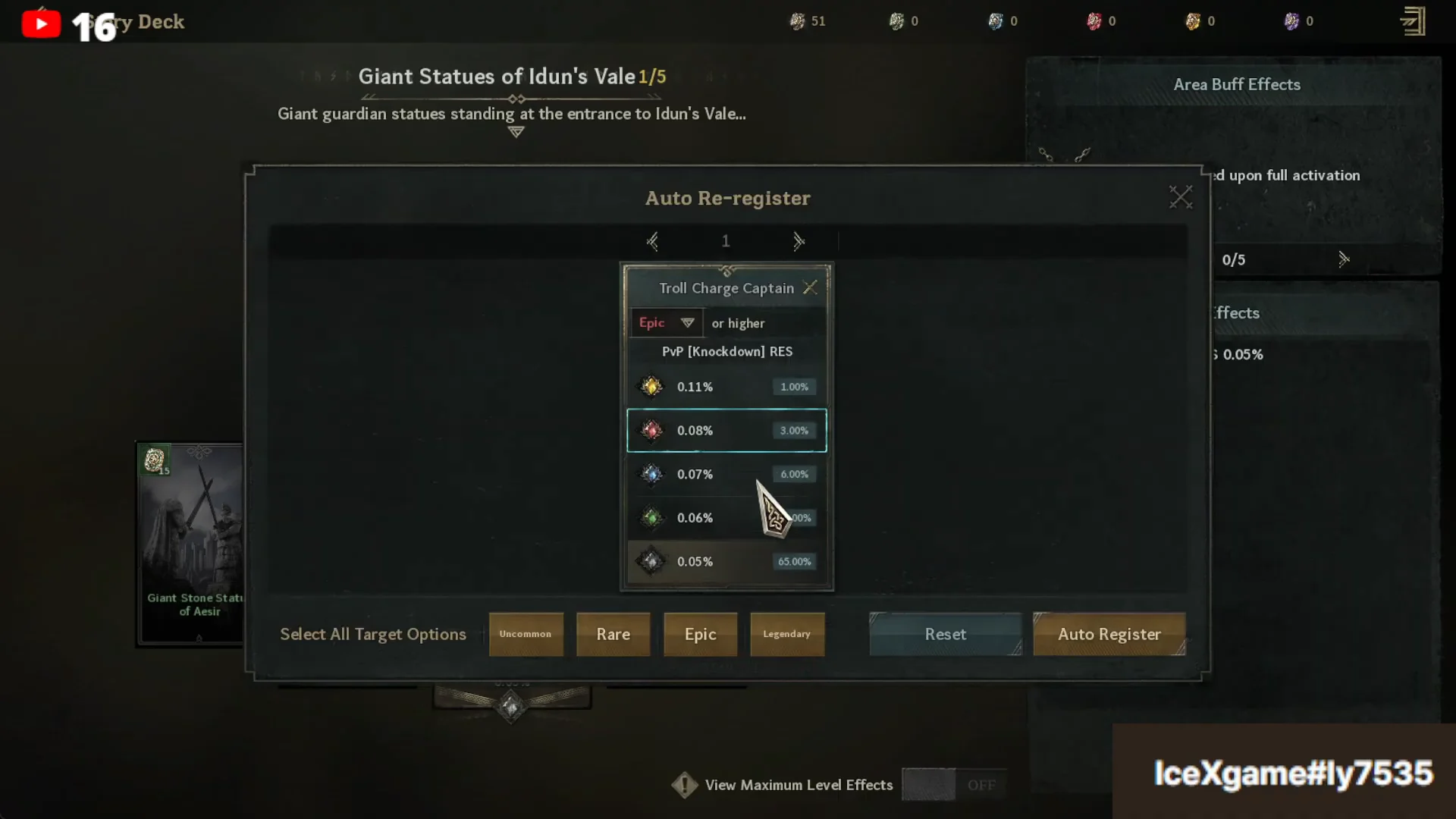
The same Auto Re-register flow works on Story Deck cards too, so you can clean up substats on cards like Ratatoskr or Vidar of Disturbance in the same session.
How to confirm it worked
An active slot shows its rolled stat and tier directly on the card. After a re-roll, the displayed value updates to the new result and your Relic count drops by the amount spent. Once every tablet in a book reads as active, the book’s area buff appears in that deck’s effect list and applies across all Story Deck areas, which is the sign the full book is complete.