
Audio channels sometimes become unbalanced, causing one earphone to sound quieter than the other. Adjusting your device’s audio balance settings can shift more sound to the right earphone, making it louder than the left. This process is especially useful if your right earphone is naturally quieter or if you have hearing preferences that require more volume on one side.
Adjust Audio Balance in Device Settings
Open your device’s audio or sound settings. On Windows, right-click the speaker icon in the system tray and select
Sounds or Open Sound settings. On macOS, go to System Settings > Sound or System Preferences > Sound.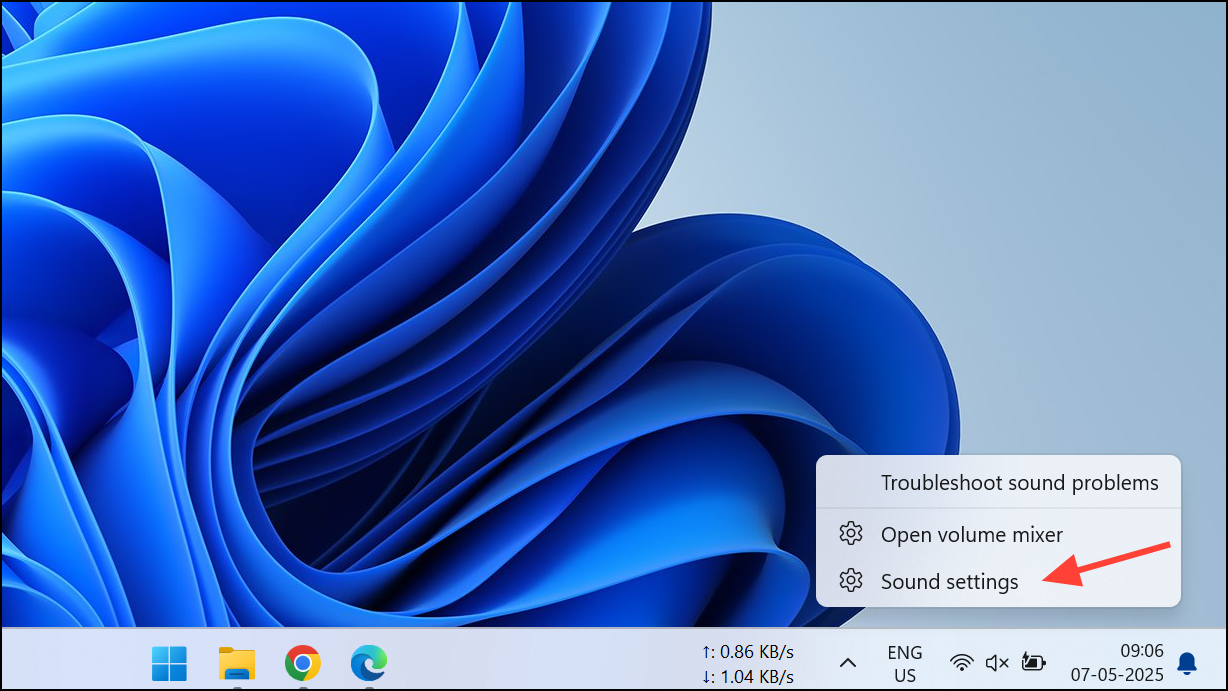
Locate the balance slider. In Windows, click on your output device (such as “Headphones”) and select
Device Properties. On Windows 11, you will have to click on More sound settings on the Sound page in the Settings app before you select your output device and access its properties. You’ll find left and right channel sliders. On macOS, under the Output tab, use the Balance slider.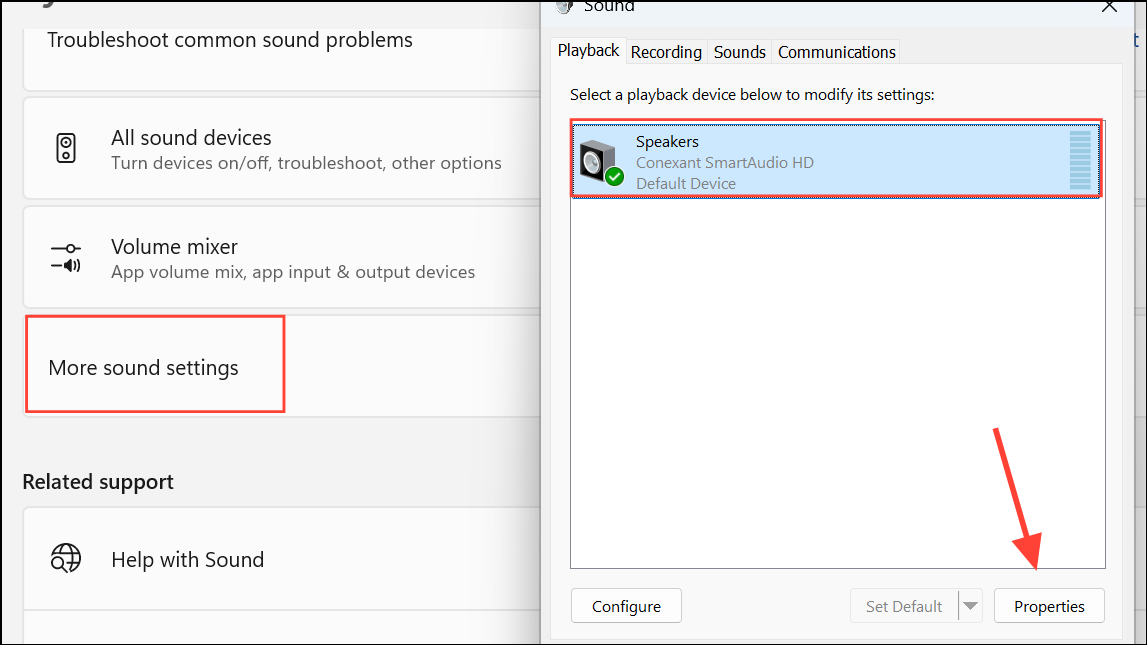
Move the
Speakers slider towards the right. On Windows 11, go to the Levels tab to access the slider. This increases the volume in the right earphone while reducing it in the left. Adjust incrementally and test with audio playback to reach your desired balance.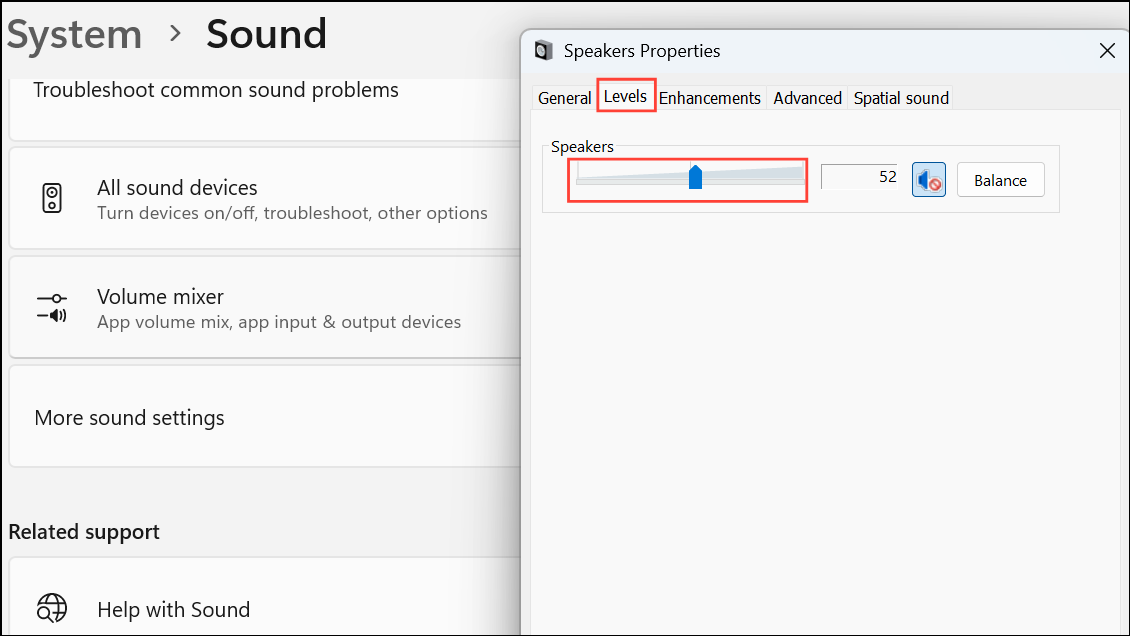
Save or apply your changes if prompted. Some devices require you to confirm before changes take effect.
Play audio to verify that the right earphone is now louder. Fine-tune the balance if necessary for comfort and clarity.
Use Third-Party Audio Control Software
Download and install audio management software such as Equalizer APO (Windows) or SoundSource (macOS). These tools offer advanced control over audio channels.
Open the software and look for channel balance or pan controls. These settings let you direct more sound to the right channel.
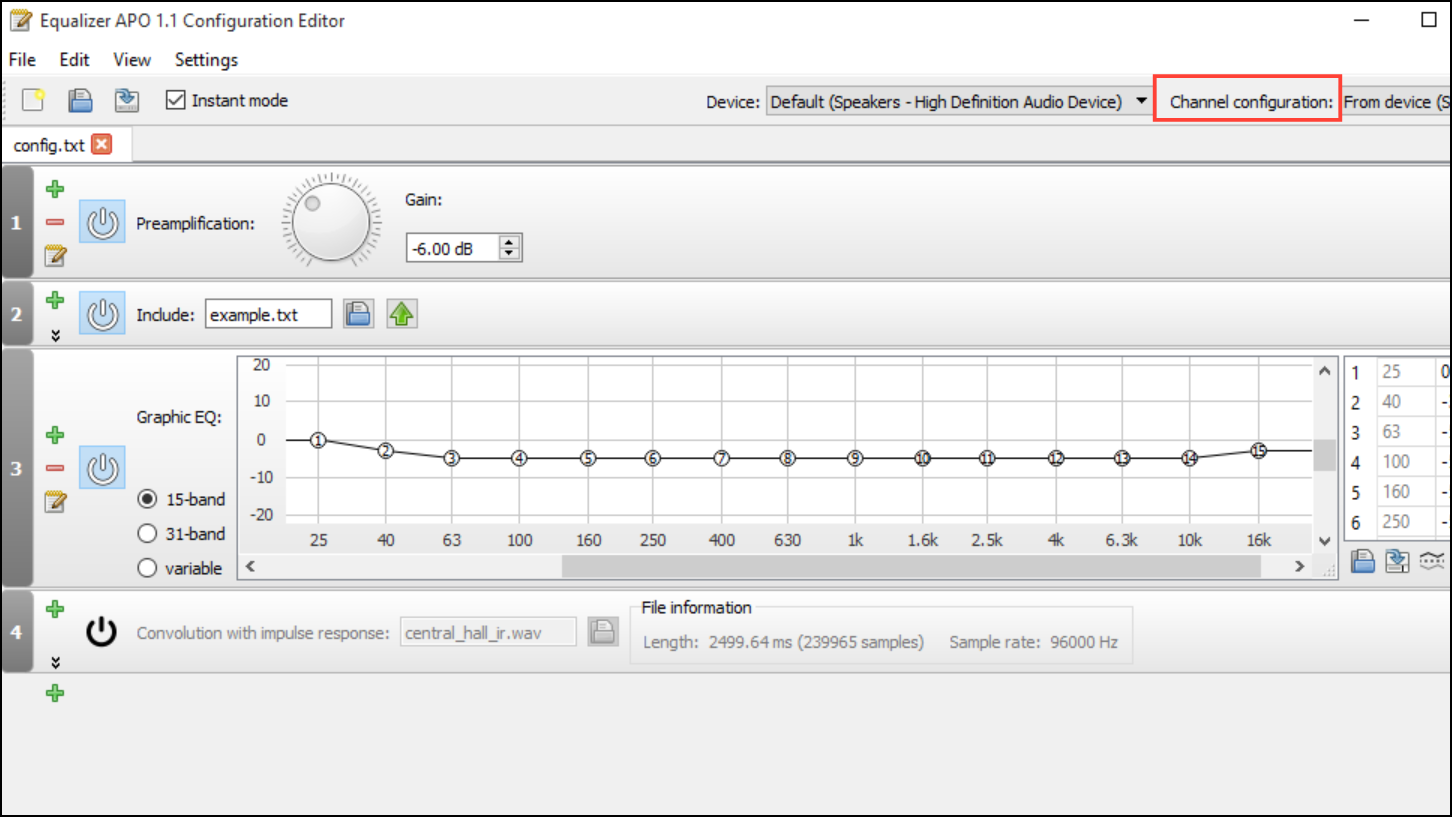
Shift the balance or pan control towards the right. Some software allows you to set exact volume percentages for each channel.
Apply your settings and test with music or voice playback. Adjust further if needed to ensure the right earphone is noticeably louder.
Check and Clean Your Earphones
Inspect your earphones for debris, wax, or blockages, especially in the right earpiece. Blocked drivers can cause volume imbalance.
Clean the earphone mesh gently using a dry brush or a soft cloth. Avoid using liquids that could damage the electronics.
Reconnect the earphones and test the audio. If the right side is still too quiet, continue with software adjustments or consider hardware replacement.
Try a Different Device or Audio Source
Plug your earphones into another device (such as a phone, tablet, or computer) to determine if the imbalance persists. This helps identify if the problem is with the earphones or the original device.
If the right earphone remains quiet on all devices, the issue is likely hardware-related. If the imbalance is only present on one device, focus on software balance adjustments or device troubleshooting.
Replace or Repair Faulty Earphones
If none of the above steps resolve the issue, consider replacing the earphones. Internal wiring faults or driver failures can cause permanent imbalance.
Shifting more audio to the right earphone can be done quickly with balance controls or audio software. If issues persist, checking for physical blockages or hardware faults will help you restore optimal listening quality.





