
Windows taskbar color settings allow for a customized desktop interface, but achieving a truly solid black taskbar sometimes requires more than just the default theme options. A completely black taskbar can minimize distractions and provide a sleek look, especially for those who prefer a dark, uniform workspace. Here’s how you can configure your Windows taskbar to be fully black, using the most effective built-in settings first, followed by alternative approaches for users seeking even deeper customization.
Using Windows Personalization Settings
Windows + I on your keyboard. This shortcut quickly brings up the main settings menu without navigating through multiple windows.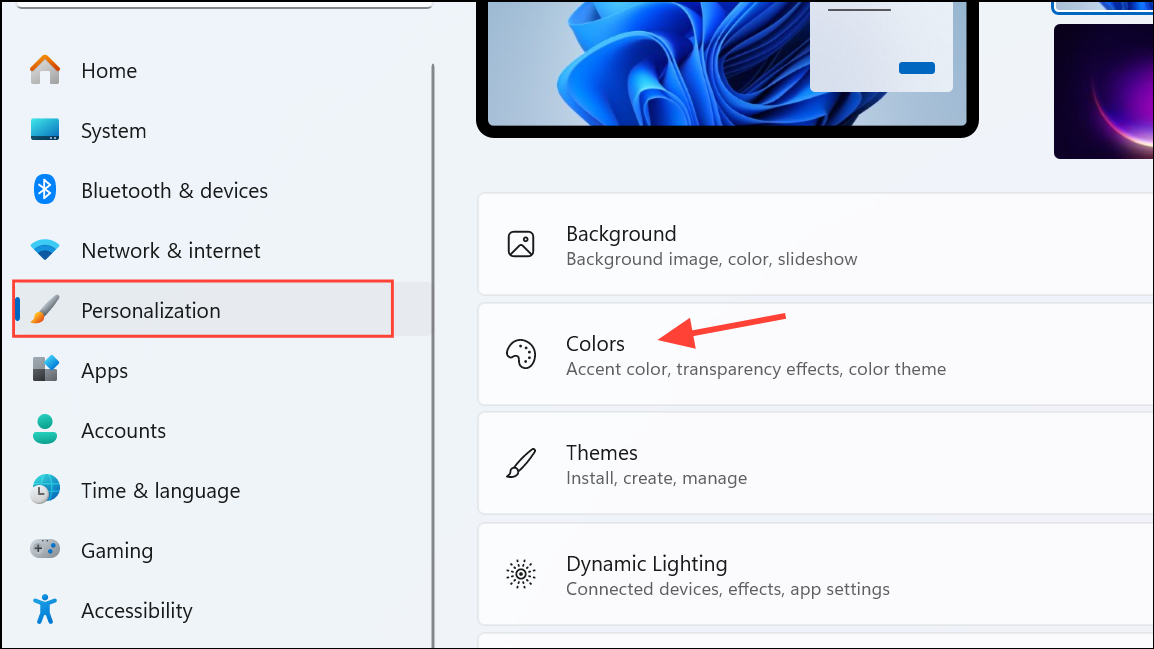
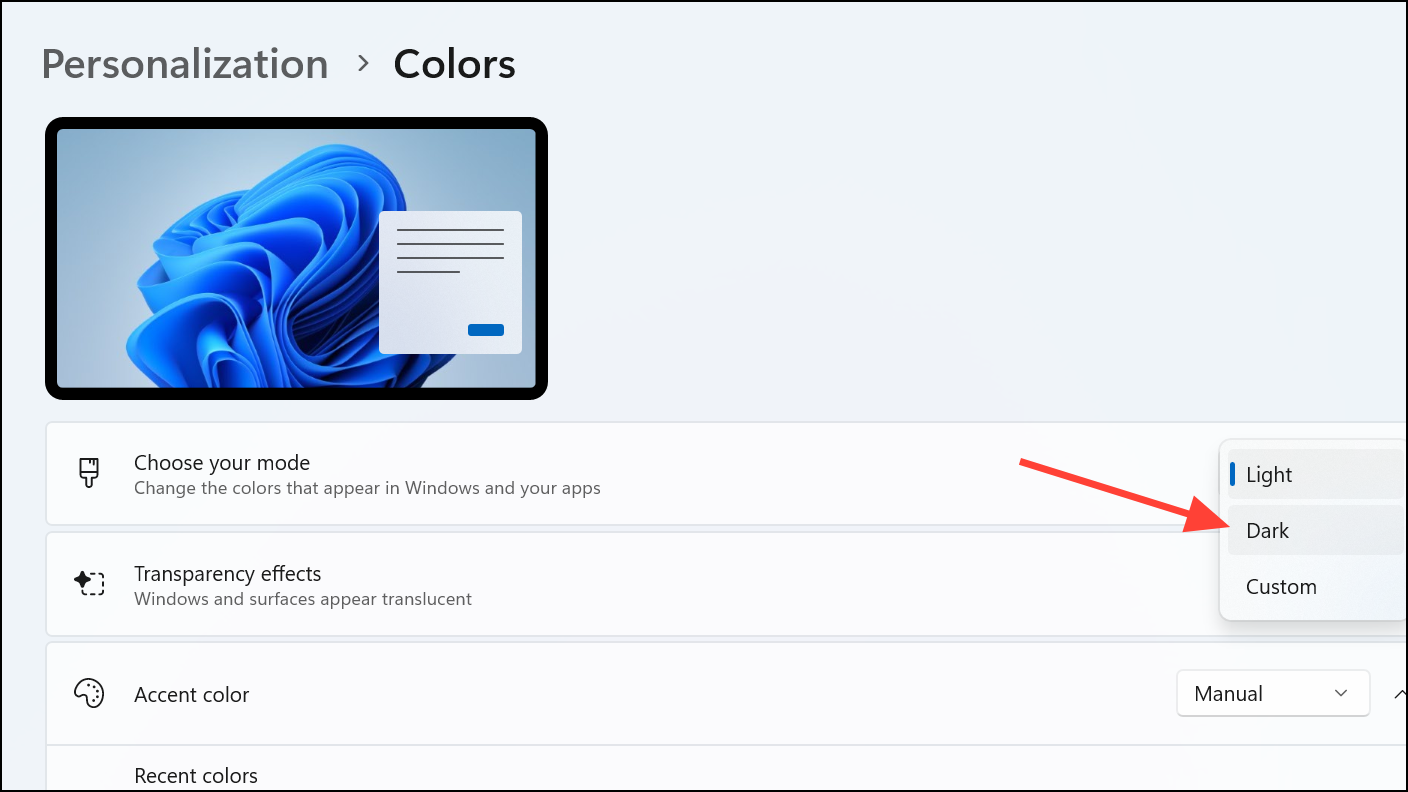
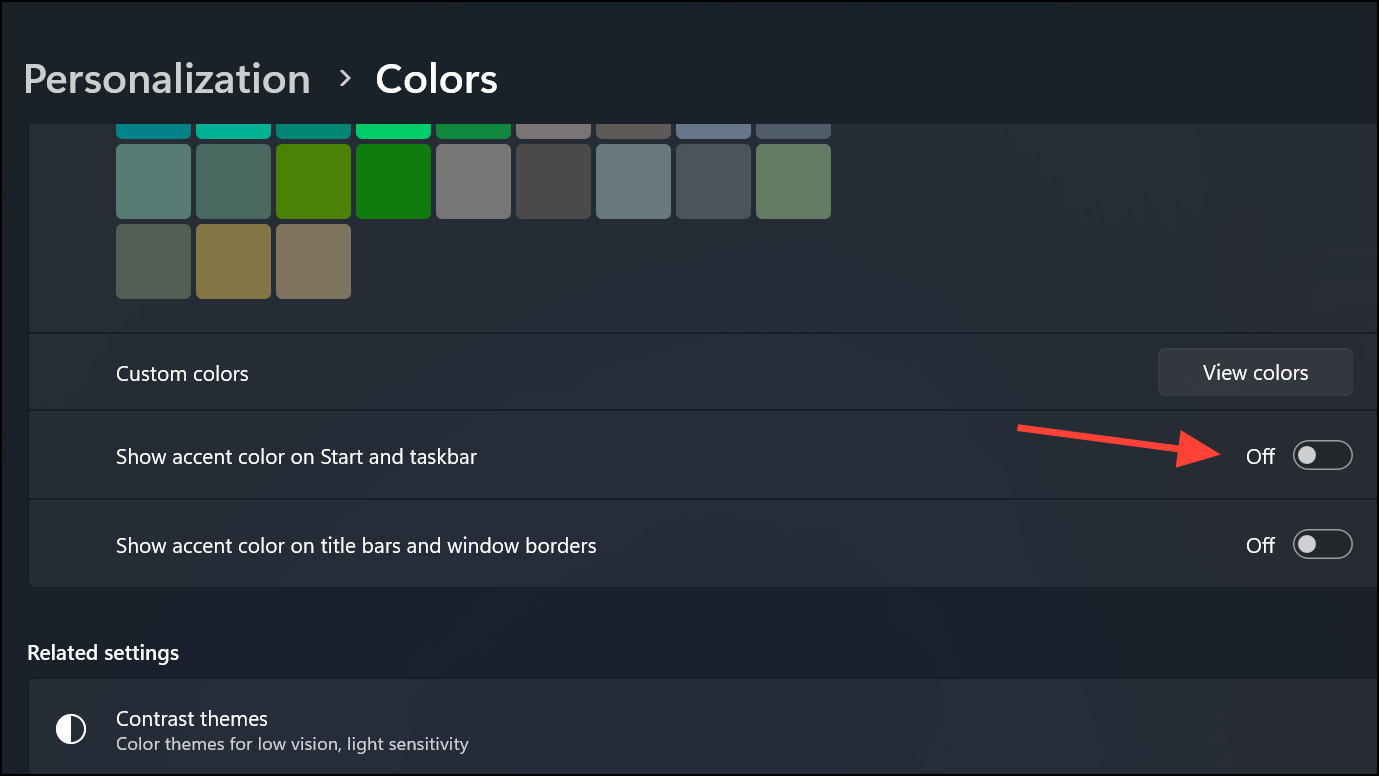
0, 0, 0 for pure black, then click Done. This applies a solid black color to your taskbar, provided transparency is disabled.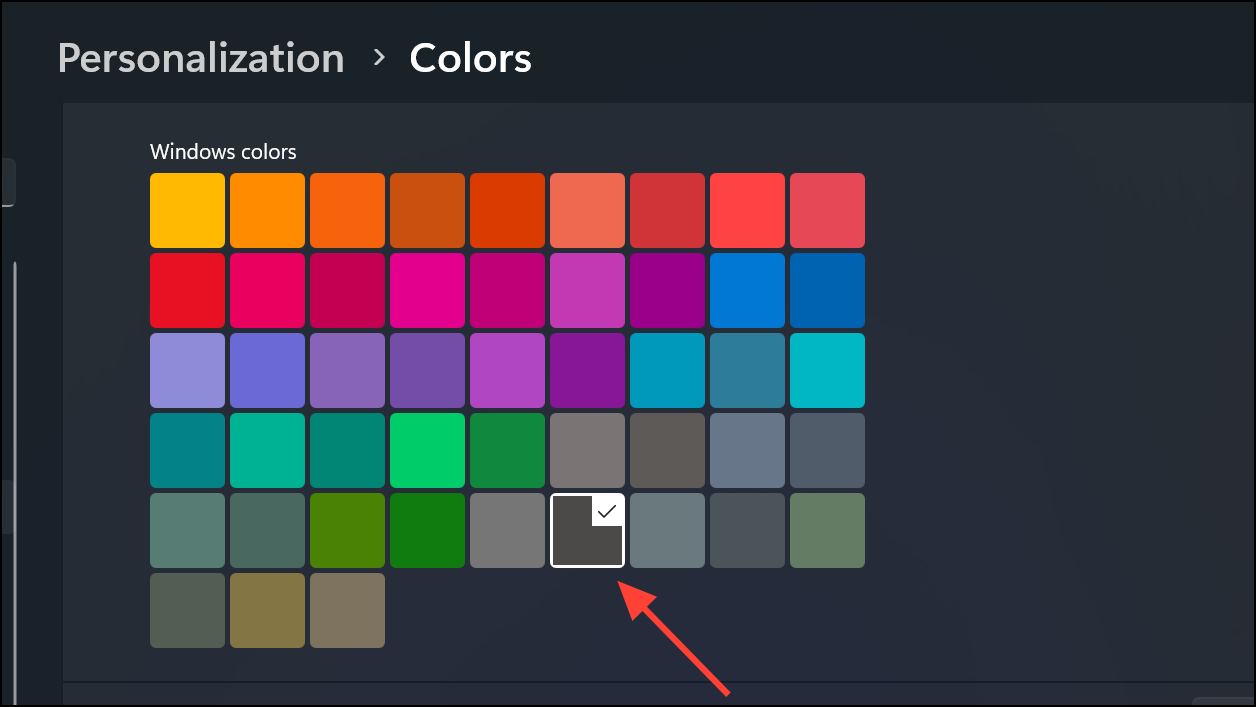
Applying a Solid Black Taskbar via High Contrast Mode
For users who want a guaranteed solid black taskbar regardless of theme limitations, Windows’ High Contrast mode can override standard color settings.
Windows + I and select Ease of Access. On Windows 11, open the Settings page and select Accessibility before clicking on Contrast themes.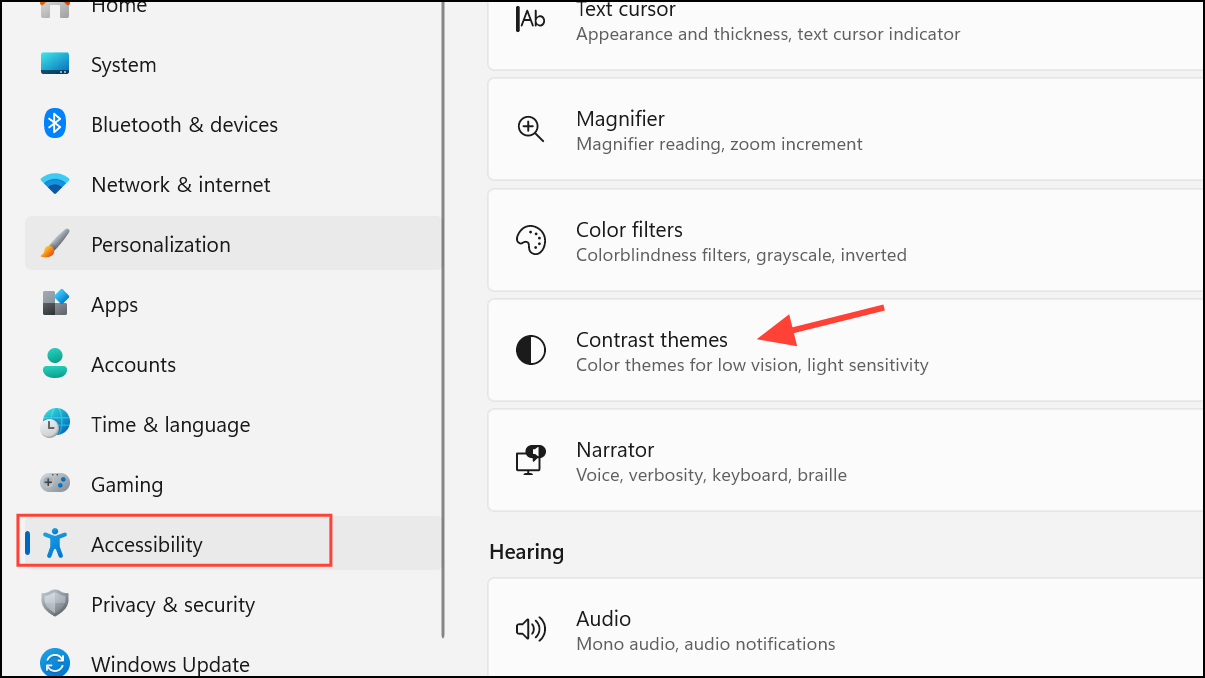
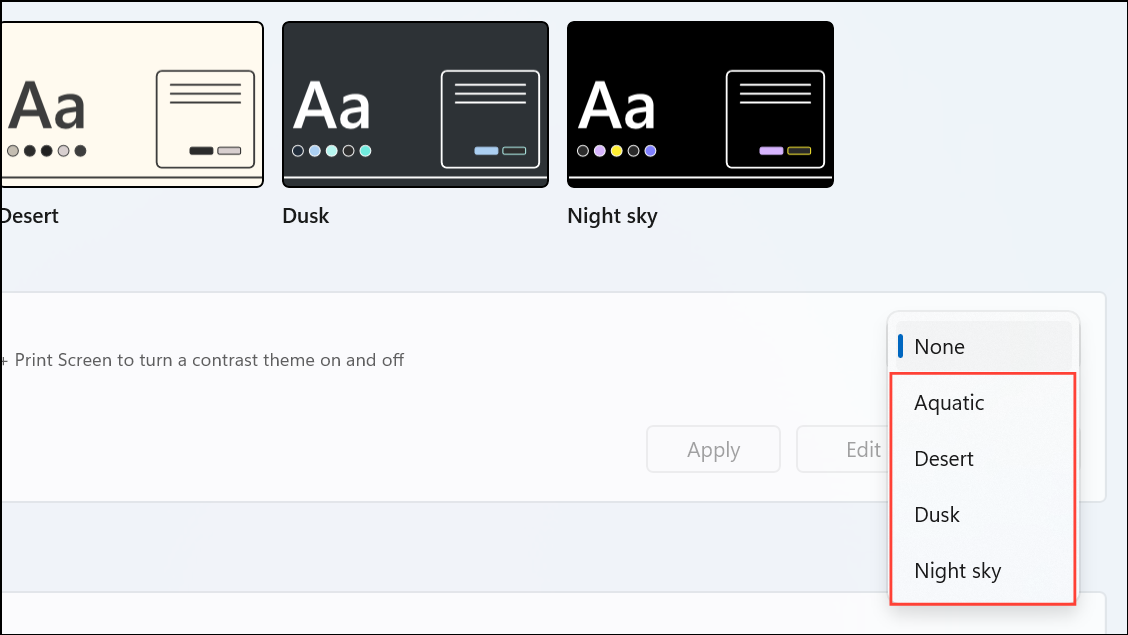
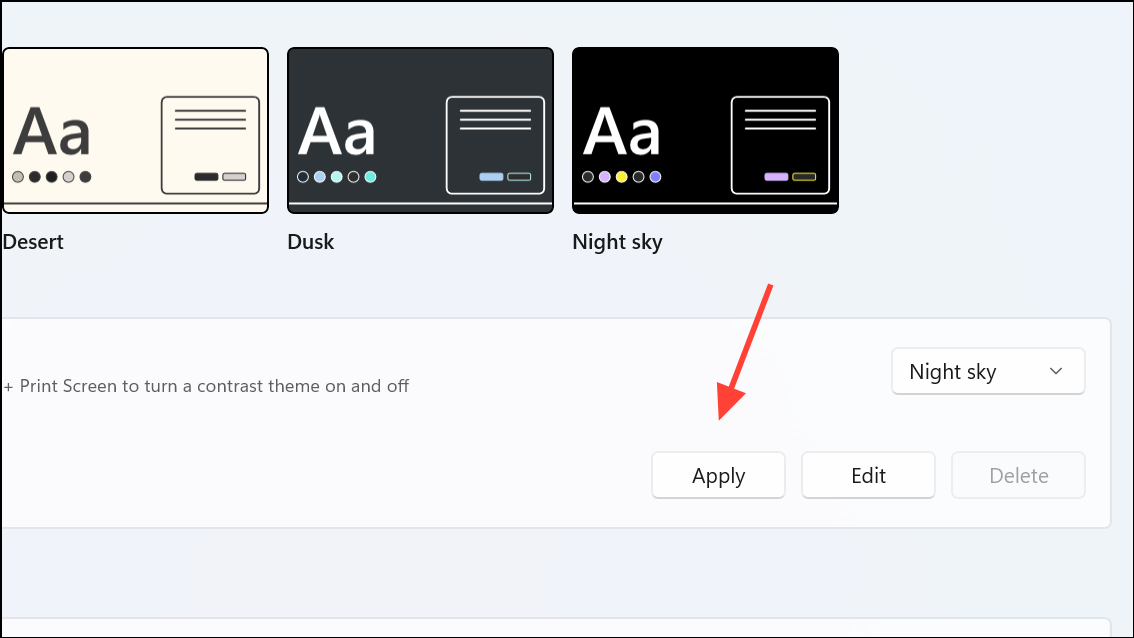
Using Third-Party Tools for Advanced Customization
If Windows’ built-in settings don’t provide the exact look you want, several third-party tools can offer more granular control over the taskbar’s appearance.
- TaskbarX: This utility allows you to change taskbar color, transparency, and even add blur effects. Download and install TaskbarX, then use its configuration tool to set the background color to black (RGB 0,0,0) and disable transparency or blur for a truly solid look.
- Classic Shell/Open-Shell: These programs let you customize the Start menu and taskbar appearance, including setting a solid color background. After installation, open the settings and adjust the taskbar color to black.
Always download third-party tools from official or reputable sources, and be aware that such customization software may occasionally conflict with Windows updates or security features.
Switching your Windows taskbar to a completely black color streamlines your desktop and reduces visual clutter. Regularly check for Windows updates, as new features or settings may offer even simpler customization options in the future.





